

Cayosoft’s new Guardian Protector brings always-on identity monitoring to teams that still treat Active Directory and Entra ID as the single most critical risk vector, promising real-time alerts, agentless deployment, and a freemium model that removes cost as the first barrier to better hybrid identity security. The product launch positions Protector as a continuous identity-layer watchtower for AD, Entra ID, and core Microsoft 365 services (Teams, Intune, Exchange Online), while Cayosoft’s paid Guardian tiers retain the rollback and forest-recovery capabilities organizations rely on for fast remediation.
Identity is the new perimeter. Attackers who control accounts or privilege holdings can bypass many network defenses and move laterally with ease, and hybrid estates — on-premises Active Directory synchronized with Entra ID and tied into Microsoft 365 services — increase both surface area and operational complexity. Cayosoft frames Guardian Protector as a response to those twin trends: widening attack paths plus shrinking AD operational experience in the field. The product was announced in mid‑October 2025 and immediately marketed as a free, always-on identity threat detection and change-monitoring tool for hybrid Microsoft environments. Guardian Protector’s core promise is simple: replace point‑in‑time scanners and sporadic manual audits with a continuous, contextual feed of identity changes—who changed what, when, and where—and surface suspicious activity (privilege escalations, dormant account reactivations, GPO tampering, risky policy edits) as it happens. Cayosoft pairs the free product with a community-run Reddit forum and a vendor-maintained Threat Directory intended to keep detection logic up to date.
Guardian Protector reframes the conversation about who gets continuous identity monitoring: it argues that visibility should be universal, not reserved for organizations with large security budgets. That philosophy is compelling—and technically usable—provided teams do the work to validate coverage, govern the required privileges, tune signal fidelity, and integrate Protector’s output into mature response workflows. The result can be materially shorter attacker dwell time, clearer audit evidence, and a stronger hybrid identity posture for organizations of any size.
Source: Petri IT Knowledgebase Protect Hybrid ID with Cayosoft's Free Guardian Protector
 Background / Overview
Identity is the new perimeter. Attackers who control accounts or privilege holdings can bypass many network defenses and move laterally with ease, and hybrid estates — on-premises Active Directory synchronized with Entra ID and tied into Microsoft 365 services — increase both surface area and operational complexity. Cayosoft frames Guardian Protector as a response to those twin trends: widening attack paths plus shrinking AD operational experience in the field. The product was announced in mid‑October 2025 and immediately marketed as a free, always-on identity threat detection and change-monitoring tool for hybrid Microsoft environments. Guardian Protector’s core promise is simple: replace point‑in‑time scanners and sporadic manual audits with a continuous, contextual feed of identity changes—who changed what, when, and where—and surface suspicious activity (privilege escalations, dormant account reactivations, GPO tampering, risky policy edits) as it happens. Cayosoft pairs the free product with a community-run Reddit forum and a vendor-maintained Threat Directory intended to keep detection logic up to date. What Guardian Protector Is — and What It Isn’t
The product in plain terms
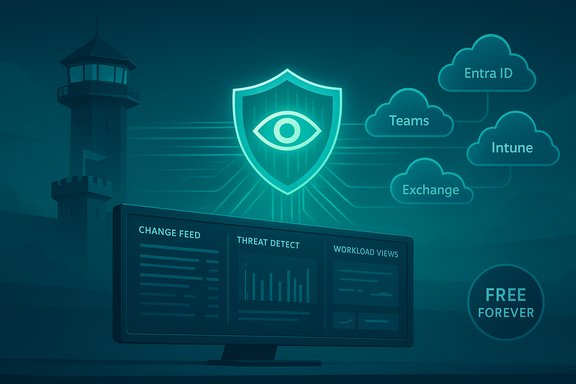
- Agentless, continuous monitoring for hybrid identity signals: Active Directory, Microsoft Entra ID, and selected Microsoft 365 workloads (Teams, Intune, Exchange Online).
- Real-time (or near real-time) detections and alerts for identity-layer risk patterns such as privilege escalation, mass group modifications, and dormant-account reactivation.
- Free forever monitoring tier (Protector) that provides live change feeds, prebuilt dashboards, and exportable logs; rollback, automated remediation, and instant forest recovery are provided in paid Guardian tiers.
What the product does not promise
- It is a detection and monitoring platform in the free tier. Automated remediation, one-click rollback, and forest-level recovery are part of paid upgrades. Treat the free tier as the early‑warning layer, not an all-in-one incident response solution.
- No single tool eliminates risk. Guardian Protector is positioned to reduce dwell time on identity-layer intrusions; it does not replace strong identity hygiene practices, Privileged Access Management (PAM), Conditional Access, or endpoint defenses.
How Guardian Protector Works (Architecture & Data Flow)
Guardian Protector is designed to operate agentlessly: rather than installing agents on domain controllers or endpoints, it connects to environments using a combination of read-only service accounts, an Entra ID service principal, and a gMSA (group Managed Service Account) for on-prem data collection. This reduces operational friction while still allowing the product to collect change events, before-and-after values, and contextual metadata required for investigations. Key architectural components:- A Windows Server host (Protector installs on a Windows Server instance) running the Guardian service and web console.
- An Entra ID app or connection account (often created during setup) with scoped, least-privilege permissions to read tenant changes and to notify via Teams/Exchange if configured.
- A read-only gMSA or equivalent for on-premises change collection; elevated, short-lived permissions are used for rollback operations in paid tiers.
System Requirements and Prerequisites — Verified
Cayosoft and independent coverage list a clear set of prerequisites you must validate before installing Protector. Two sources align on the essentials:- Host OS: Windows Server is required; Cayosoft documentation lists supported OSes including Windows Server 2016, 2019, 2022, and 2025. Petri’s hands-on article recommends Windows Server 2019 or later for the Protector service.
- Directory access: An Entra ID Global Administrator account is required during setup to register applications and create the necessary service principal / permissions. For schema monitoring or gMSA creation you’ll need AD Schema Admin and higher in some operations. Plan to use cloud-only accounts for the Entra connection and keep the connection account dedicated and tightly governed.
- Network connectivity: Outbound HTTPS access to Microsoft cloud services and Cayosoft update servers is required so threat intelligence updates and cloud API calls work reliably.
- Database choices: While a SQL Express LocalDB is included for test or small deployments, production environments should use Azure SQL, on‑prem SQL Server, or properly sized PaaS tiers for reliability and retention.
- Platform prerequisites: Current .NET Framework and PowerShell, modern browser access for the console, and sufficient CPU/memory/disk based on environment scale. Cayosoft published a hardware sizing matrix (8 GB minimum, 16 GB recommended for moderate estates).
Installation & First-Time Setup (High-Level)
Hands-on reporting shows a straightforward, wizard-driven install path. Typical steps are:- Download the Protector installer and run it on a Windows Server host that has connectivity to AD and Entra ID. Choose production-grade SQL in production.
- Sign in to the web console with a local admin or a configured connection account; follow the activation flow and enter the business email/activation code as prompted (protector is free but requires activation).
- Connect on-prem AD forests and Entra ID tenants via the built-in wizard; Cayosoft will create required enterprise app objects and request permission scopes. Validate access during the initial collection jobs.
- Review the Home dashboard for the live change feed, recent changes, and active threat detections. Expect to see near-immediate events for simple changes (create user, group membership edits) during verification testing.
Dashboards, Detection Coverage, and Signal Quality
Protector’s console provides a concise set of dashboards aimed at security and audit workflows:- Home: live change feed, active threats, and collection job health.
- Change History: itemized, expandable events showing before-and-after values and actor metadata—useful because native Windows event channels often lack pre-change snapshots.
- Workload Views: consolidated views for Entra ID, Teams, Intune, and Exchange Online changes to correlate identity activity across collaboration and device management layers.
Strengths — Why Protector Matters Now
- Zero cost for continuous monitoring reduces the barrier to entry for midmarket IT and public sector teams that lack enterprise budgets. That alone can materially reduce blind spots for many organizations.
- Hybrid-first coverage means you get a single pane across AD and Entra ID with Microsoft 365 signals, reducing the friction of correlating siloed logs. This unified view is critical for short incident timelines.
- Agentless deployment minimizes operational overhead and reduces the risk surface associated with installing code on domain controllers.
- Threat Directory and community add value beyond the product: curated detection patterns, community validation, and an avenue to share tuned rule logic. That helps teams with small SOCs accelerate detection maturity.
Risks, Caveats, and Operational Concerns
No free detection tool is a silver bullet. Early reviewers and Cayosoft’s own docs highlight sensible limits and risks that every deployer should weigh.- Vendor claims require validation. Marketing phrases such as “the only free always-on” are vendor positioning; you should verify coverage and scale in your environment. Run controlled tests to confirm that the specific changes you care about produce the expected alerts and that retention/export meets audit requirements.
- False positives and alert fatigue. Continuous monitoring increases event counts. Without early tuning, SOCs can drown in alerts. Expect an initial tuning phase (30–60 days recommended) to separate noisy automation/HR provisioning events from meaningful anomalies.
- Permissions and trust model. Protector requires high‑value privileges at setup (Entra Global Admin for app registration; Schema Admin and Domain Admin involvement for gMSA creation in some scenarios). That means deployment must be governed, change-controlled, and well-audited to avoid creating new attack paths. Use dedicated, cloud-only connection accounts where possible and constrain usage.
- Dependency on vendor intelligence and telemetry. Automatic rule updates are a benefit, but they create operational reliance on Cayosoft’s feeds. Confirm the update cadence, rollback behaviors, and your ability to archive or export detection rule metadata for compliance. If your environment requires strict data sovereignty, clarify what telemetry (if any) is sent off-prem.
- Remediation gap in the free tier. Protector detects but does not automatically roll back changes in the free tier; rollback and forest recovery remain paid features. Organizations that lack fast manual remediation processes should plan for that gap to avoid detection without timely containment.
- Integration & retention expectations. Large enterprises often need SIEM correlation, long retention, and export into legal hold stores. Confirm SIEM ingestion formats and retention budgets early; Guardian’s paid tiers and integrations exist, but you must validate that export meets your compliance needs.
Practical Deployment Checklist (Recommended)
- Inventory identity footprint: all AD forests, Entra tenants, and integrated M365 services.
- Provision dedicated, least-privileged connection accounts (Entra Global Admin for setup, cloud-only where possible).
- Choose a host server and database: test with LocalDB but plan Azure SQL or on‑prem SQL for production.
- Install in a test or staging environment and perform targeted change tests (create user, add to Domain Admins, enable Entra Connect) to validate detection fidelity.
- Tune rules and suppression lists during a 30–60 day evaluation window; measure MTTA and MTTR for identity alerts.
- Integrate alert outputs into existing SIEM, ticketing, and incident playbooks; test end-to-end incident detection to resolution timelines.
How Protector Fits into a Mature Identity Defense Stack
Protector should be treated as a detection layer inside a layered identity defense:- Prevent: PAM, Conditional Access, strong phishing-resistant MFA, hardened admin workstations.
- Detect: Guardian Protector continuous monitoring, identity telemetry, Endpoint/EDR signals.
- Respond: SIEM/SOAR playbooks, runbooks for privilege rollback (automated if you upgrade), and tested AD/Entra recovery plans (Forest Recovery for catastrophic events).
Comparative Snapshot: Protector vs. Point-in-Time Scanners
Tools such as Purple Knight and PingCastle remain valuable for posture assessments and periodic risk scanning, but they are fundamentally different: scanning finds configuration weaknesses at a moment in time, while continuous monitors (like Protector) notify you when an attacker or a rogue script actually changes something. For many SOCs, continuous detection reduces attacker dwell time more effectively than periodic scans alone—but both approaches are complementary. Cayosoft has been explicit about that distinction.Community Feedback and Early Experience
Early posts in the Cayosoft Guardian Reddit community and hands-on writeups indicate that Protector delivers useful alerts quickly, but real-world performance depends on AD replication, environment size, and initial tuning. Testers report that the tool sometimes operates in near real-time rather than strictly instantaneous, which is expected in multi-site AD topologies. The community venue is already useful for sharing tuning recipes, false-positive mitigations, and detection patterns.Final Assessment and Recommendations
Cayosoft Guardian Protector is a welcome addition to the identity security landscape. By offering free, continuous monitoring across Active Directory and Entra ID with Microsoft 365 signals, it materially lowers the cost of entry for teams that can’t afford enterprise SIEM modernization or paid detection services. The product’s strengths—agentless deployment, hybrid coverage, and community-backed detection intelligence—address a real operational pain point: the visibility gap between scans. At the same time, organizations must treat Protector as the detection layer in a broader defense plan, not a complete mitigation package. Operational caution items include:- Use dedicated, least-privileged connection accounts and document all privileged actions taken during setup.
- Plan for the free tier’s remediation gap by defining rapid manual rollback playbooks or budgeting for a paid Guardian upgrade if automatic rollback is required.
- Validate coverage and tune aggressively during the first 30–60 days to reduce false positives and avoid alert fatigue.
- Audit what telemetry is shared and confirm retention/export capabilities for compliance or legal hold requirements.
Guardian Protector reframes the conversation about who gets continuous identity monitoring: it argues that visibility should be universal, not reserved for organizations with large security budgets. That philosophy is compelling—and technically usable—provided teams do the work to validate coverage, govern the required privileges, tune signal fidelity, and integrate Protector’s output into mature response workflows. The result can be materially shorter attacker dwell time, clearer audit evidence, and a stronger hybrid identity posture for organizations of any size.
Source: Petri IT Knowledgebase Protect Hybrid ID with Cayosoft's Free Guardian Protector
