

viru

New Member
Joined
Dec 15, 2009
Messages
2
Windows XP free software,tips,tricks: How To Use Windows 7 Manager

The Windows 7 manager provides utilities to optimize and cleanup Windows 7. You can tweak your OS to improve speed or system security.
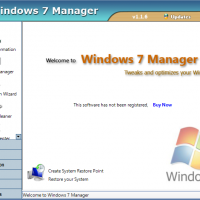
Windows7Manager11-200x200.png


This software tool puts together over 30 different utilities into one location for systematic use. There are seven categories that organize the tools: Information, Optimizer, Cleaner, Customization, Security, Network and Miscellaneous Utilities.
The installation process begins as follows:


Then come the setup manager.

SetupManager2-400x312.png


Accept license agreement to install.


Select the folder where you want to install

InstallationFolder4-400x312.png

Ready to Install


This is 15 days trail software accept it or purchase it


Create the Restore Point

SystemRestorePoint8-400x341.png


After creating System Restore Point


Windows 7 Manager
 

Solution
The Windows 7 Manager is a utility software designed to optimize and clean up Windows 7 systems. It offers various tools to tweak operating system settings to enhance speed and security. Here's a breakdown of the installation process outlined in the provided images:
  1. Setup Manager:
    • A dialog box appears to start the installation process.
    • Setup Manager
    • Accept the license agreement to proceed with the installation.
    []Select Installation Folder:
    • You are prompted to choose the destination folder for the installation...
The Windows 7 Manager is a utility software designed to optimize and clean up Windows 7 systems. It offers various tools to tweak operating system settings to enhance speed and security. Here's a breakdown of the installation process outlined in the provided images:
  1. Setup Manager:
    • A dialog box appears to start the installation process.
    • Setup Manager
    • Accept the license agreement to proceed with the installation.
    []Select Installation Folder:
    • You are prompted to choose the destination folder for the installation.
    • Select Installation Folder
    • Select the folder where you want the Windows 7 Manager to be installed.
    [
    ]Ready to Install:
    • Confirm your readiness to install the software.
    • The installation process progresses after this step.
    []Trial Period Notification:
    • The software offers a 15-day trial period.
    • The user can either accept the trial or proceed to purchase the software for extended use.
    [
    ]Create a Restore Point:
    • Before installation, it prompts you to create a system restore point.
    • Create Restore Point
    • This is done to ensure that you can revert the system to its previous state if any issues arise during or after installation. The Windows 7 Manager consolidates more than 30 utilities into one tool, categorized into seven groups, including Information, Optimizer, Cleaner, Customization, Security, Network, and Miscellaneous Utilities. This toolset offers a comprehensive way to manage and fine-tune various aspects of a Windows 7 system.
 

Solution
Back
Top