Microsoft Teams users in the United States reported problems with the collaboration app on Monday morning, June 15, 2026, with AOL relaying Asbury Park Press reporting that Downdetector showed 217 user reports at 9:04 a.m. Eastern as Microsoft’s official tenant health remained the decisive confirmation channel.
That is enough to say users were seeing trouble, but not enough to declare a broad Microsoft-confirmed outage. The more interesting story is how quickly “is Teams down?” has become a modern workplace alarm bell, because Teams is no longer just chat software. When it stutters, the workday loses its switchboard.
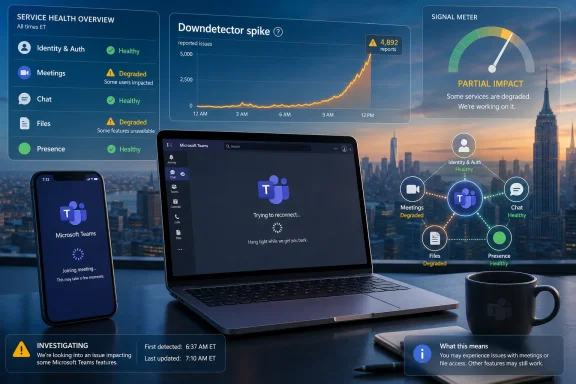
The reported figure — 217 Downdetector reports shortly after 9 a.m. Eastern — is modest by the standards of major cloud incidents. A genuinely widespread Microsoft 365 outage can generate thousands or tens of thousands of public reports in minutes, especially when Outlook, Teams, Exchange Online, SharePoint, and authentication services are all caught in the same blast radius.
But “modest” does not mean meaningless. Downdetector is not a census; it is a smoke alarm. It measures the number of people annoyed enough, technically aware enough, and unblocked enough to report a problem publicly. For every reported Teams failure, there may be other users quietly refreshing, switching networks, restarting the app, or waiting for IT to say something.
The timing matters, too. A 9 a.m. Eastern spike hits the beginning of the workday for much of the United States, when Teams usage ramps up hard: daily standups, school meetings, customer calls, shift handoffs, and the first burst of internal chat. A transient problem that would be background noise at 2 a.m. can feel like an outage when it lands at calendar rush hour.
That is why the right answer is deliberately narrower than the headline suggests. Teams was not necessarily “down” for everyone. Users were reporting problems, and those reports deserved attention, but public complaint volume alone does not prove a Microsoft-side service interruption.
That consolidation is convenient when everything works. It is also why even a partial degradation can feel disproportionate. If chat messages are delayed, users may assume meetings are also unreliable. If meeting join fails, they may distrust file sharing. If presence is wrong, the whole organization suddenly seems unavailable.
For administrators, Teams is not one service in isolation. It leans on identity, Exchange calendars, SharePoint and OneDrive files, device audio stacks, network paths, policy configuration, and client update channels. A user’s complaint that “Teams is down” might mean Microsoft has a backend incident, but it might also mean conditional access is blocking sign-in, DNS is flaky, a VPN is choking media traffic, or the desktop client is wedged after an update.
That ambiguity is the daily tax of cloud productivity. The user experiences a single broken app. IT has to troubleshoot an ecosystem.
Their weakness is the same thing as their strength: they aggregate perception. A failed ISP route, a regional DNS problem, an expired enterprise certificate, or a bad security appliance rule can all produce a wave of user reports that looks like a cloud outage. Social media then amplifies the reports, and the act of asking whether a service is down can drive more people to check and report.
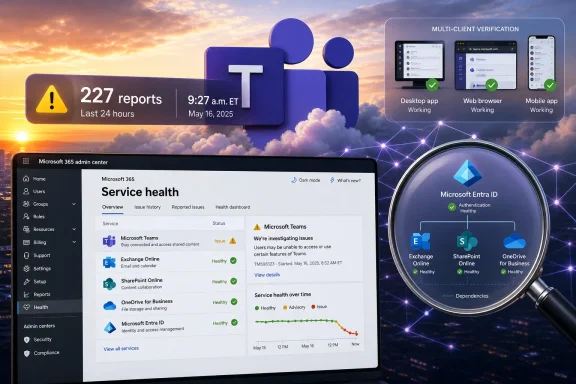
Microsoft’s official source of truth for enterprise customers is still the Microsoft 365 admin center’s Service health page, with the public cloud status page and the Microsoft 365 Status account acting as broader signals. For tenant-specific incidents, the admin center matters most because Microsoft can show advisories that affect one customer population without necessarily declaring a universal outage.
That distinction is not pedantry. A global outage demands a different response than a tenant-scoped advisory, and a tenant-scoped advisory demands a different response than a local network problem. The faster IT teams separate those categories, the faster they can stop performing ritual restarts and start communicating clearly.
The categories also matter. Microsoft distinguishes between an incident, an advisory, service degradation, service interruption, restoring service, extended recovery, and service restored. Those labels are imperfect, but they create a shared operating model. “Some users may be unable to access meetings” is different from “users may see intermittent delays sending messages.”
If no advisory appears, that does not prove users are wrong. Microsoft’s own documentation tells admins to report issues from the Service health page when they see a cloud problem that is not listed. That feedback loop is important because tenant telemetry and customer reports can help Microsoft decide whether a pattern is isolated or systemic.
In practice, the best IT response is layered. Check Service health. Check internal network monitoring. Check identity and conditional access logs. Check whether the issue affects web, desktop, mobile, and external networks equally. The answer usually emerges from the pattern, not from a single dashboard.
That is why the web client remains an underrated diagnostic tool. If Teams in the browser works while the desktop client fails, the problem may be local to the app, cache, update state, device policy, or endpoint configuration. If both fail on the corporate network but work on a mobile hotspot, network path and security inspection move up the suspect list. If nothing works across locations and tenants, the odds of a Microsoft-side issue rise.
The newer Teams client has improved performance compared with the worst days of the older Electron-based app, but architectural improvement does not repeal the basics of troubleshooting. Collaboration clients are still sensitive to authentication tokens, media routing, proxy behavior, and update timing. The more deeply Teams integrates into the workplace, the more ways it can appear to fail.
For users, the practical advice is boring because boring advice works. Try the web version, restart the client, confirm your internet connection, test mobile data, and check whether colleagues in a different location see the same problem. For admins, the same steps become evidence rather than superstition.
That is not entirely unfair. Microsoft 365 is critical infrastructure for many organizations, even if it is sold as productivity software. When it fails, law firms lose client calls, hospitals lose coordination channels, schools lose class sessions, and small businesses lose the cheapest way to look bigger than they are. The blast radius is social and operational, not merely technical.
At the same time, the scale of the platform complicates judgment. Microsoft can have millions of users operating normally while a subset of tenants, regions, or features suffer a real disruption. A single status page cannot always capture that nuance in language that satisfies everyone.
This is where Microsoft’s communications burden grows. Customers do not just want recovery; they want confidence that the vendor sees what they see. A delayed acknowledgement may be operationally understandable, but it feels dismissive to the person staring at a failed meeting join screen five minutes before a board call.
A Teams interruption exposes how much informal operational knowledge lives in chat threads, meeting recordings, shared files, and channel tabs. If the app is unavailable, users may lose not only live communication but also the context they need to continue working. That makes Teams a knowledge system, not merely a messaging system.
The fix is not to abandon Teams or to maintain an expensive duplicate of every collaboration tool. It is to decide in advance what happens during a communications failure. Which channel carries incident updates? Who has authority to declare an alternate workflow? Are phone bridges still known and tested? Can executives receive updates without relying on the same service that is degraded?
Organizations that answer those questions before an outage look calm when the dashboards turn yellow. Organizations that improvise during the incident usually discover that their backup plan was a group chat inside the broken platform.
Attackers understand the rhythm. A convincing message that says “Teams is down, use this temporary meeting portal” is more plausible on a morning when users are already hearing that Teams may be broken. The same goes for credential phishing pages dressed up as Microsoft status or reauthentication prompts.
Admins should resist the temptation to blast out vague warnings that add more noise. A good outage message tells users what is known, what is not known, what they should use instead, and what they should avoid. It should come from a known internal channel, use plain language, and avoid links unless absolutely necessary.
That is another reason the official Microsoft incident record matters. It gives security and support teams a stable reference point. Without it, the organization’s information vacuum fills with screenshots, rumors, and opportunistic scams.
The danger is that these notices can flatten uncertainty. “Users reporting issues” becomes “Teams is down,” and “Teams is down” becomes “Microsoft 365 is broken.” Those are different claims. A responsible reading keeps the uncertainty intact while still taking user reports seriously.
For WindowsForum readers, the practical stance is skepticism without dismissal. Do not overreact to a small public spike. Do not ignore it either. Treat it as a prompt to verify, compare, and communicate.
That is the mature posture for the cloud era. The first report is a signal. The incident record is evidence. The user impact is the story.
That is enough to say users were seeing trouble, but not enough to declare a broad Microsoft-confirmed outage. The more interesting story is how quickly “is Teams down?” has become a modern workplace alarm bell, because Teams is no longer just chat software. When it stutters, the workday loses its switchboard.
 A Small Spike Can Still Break a Big Morning
The reported figure — 217 Downdetector reports shortly after 9 a.m. Eastern — is modest by the standards of major cloud incidents. A genuinely widespread Microsoft 365 outage can generate thousands or tens of thousands of public reports in minutes, especially when Outlook, Teams, Exchange Online, SharePoint, and authentication services are all caught in the same blast radius.But “modest” does not mean meaningless. Downdetector is not a census; it is a smoke alarm. It measures the number of people annoyed enough, technically aware enough, and unblocked enough to report a problem publicly. For every reported Teams failure, there may be other users quietly refreshing, switching networks, restarting the app, or waiting for IT to say something.
The timing matters, too. A 9 a.m. Eastern spike hits the beginning of the workday for much of the United States, when Teams usage ramps up hard: daily standups, school meetings, customer calls, shift handoffs, and the first burst of internal chat. A transient problem that would be background noise at 2 a.m. can feel like an outage when it lands at calendar rush hour.
That is why the right answer is deliberately narrower than the headline suggests. Teams was not necessarily “down” for everyone. Users were reporting problems, and those reports deserved attention, but public complaint volume alone does not prove a Microsoft-side service interruption.
Teams Has Become the Office, Not an Office App
The reflex to check whether Teams is down says something about Microsoft’s success and Microsoft’s risk. Teams began as Microsoft’s answer to Slack and became the front door to a large chunk of Microsoft 365. Chat, meetings, calling, presence, file collaboration, app integrations, calendar workflows, and business processes now route through the same surface.That consolidation is convenient when everything works. It is also why even a partial degradation can feel disproportionate. If chat messages are delayed, users may assume meetings are also unreliable. If meeting join fails, they may distrust file sharing. If presence is wrong, the whole organization suddenly seems unavailable.
For administrators, Teams is not one service in isolation. It leans on identity, Exchange calendars, SharePoint and OneDrive files, device audio stacks, network paths, policy configuration, and client update channels. A user’s complaint that “Teams is down” might mean Microsoft has a backend incident, but it might also mean conditional access is blocking sign-in, DNS is flaky, a VPN is choking media traffic, or the desktop client is wedged after an update.
That ambiguity is the daily tax of cloud productivity. The user experiences a single broken app. IT has to troubleshoot an ecosystem.
Downdetector Is the First Clue, Not the Verdict
Public outage trackers are useful because they are fast. They often show a problem before a vendor has completed triage, drafted an advisory, scoped affected tenants, and published a service-health update. That speed makes them valuable to help desks and journalists alike.Their weakness is the same thing as their strength: they aggregate perception. A failed ISP route, a regional DNS problem, an expired enterprise certificate, or a bad security appliance rule can all produce a wave of user reports that looks like a cloud outage. Social media then amplifies the reports, and the act of asking whether a service is down can drive more people to check and report.
Microsoft’s official source of truth for enterprise customers is still the Microsoft 365 admin center’s Service health page, with the public cloud status page and the Microsoft 365 Status account acting as broader signals. For tenant-specific incidents, the admin center matters most because Microsoft can show advisories that affect one customer population without necessarily declaring a universal outage.
That distinction is not pedantry. A global outage demands a different response than a tenant-scoped advisory, and a tenant-scoped advisory demands a different response than a local network problem. The faster IT teams separate those categories, the faster they can stop performing ritual restarts and start communicating clearly.
The Admin Center Is Where Rumor Meets Responsibility
For a Teams incident, an administrator’s first move should be to check Microsoft 365 Service health, not because Microsoft is always faster than the crowd, but because it is accountable for the incident record. Service health advisories include the affected service, user impact, status, update time, and Microsoft’s current view of the problem. That is the language IT can put in front of executives without sounding like it is laundering social-media panic.The categories also matter. Microsoft distinguishes between an incident, an advisory, service degradation, service interruption, restoring service, extended recovery, and service restored. Those labels are imperfect, but they create a shared operating model. “Some users may be unable to access meetings” is different from “users may see intermittent delays sending messages.”
If no advisory appears, that does not prove users are wrong. Microsoft’s own documentation tells admins to report issues from the Service health page when they see a cloud problem that is not listed. That feedback loop is important because tenant telemetry and customer reports can help Microsoft decide whether a pattern is isolated or systemic.
In practice, the best IT response is layered. Check Service health. Check internal network monitoring. Check identity and conditional access logs. Check whether the issue affects web, desktop, mobile, and external networks equally. The answer usually emerges from the pattern, not from a single dashboard.
The Desktop App Is Often the Messenger That Gets Blamed
Teams outages are especially frustrating because the app has multiple failure modes that look similar to end users. A backend incident, a stale client cache, a local audio driver issue, a broken meeting add-in, and a blocked WebSocket connection can all collapse into the same user complaint: “Teams isn’t working.”That is why the web client remains an underrated diagnostic tool. If Teams in the browser works while the desktop client fails, the problem may be local to the app, cache, update state, device policy, or endpoint configuration. If both fail on the corporate network but work on a mobile hotspot, network path and security inspection move up the suspect list. If nothing works across locations and tenants, the odds of a Microsoft-side issue rise.
The newer Teams client has improved performance compared with the worst days of the older Electron-based app, but architectural improvement does not repeal the basics of troubleshooting. Collaboration clients are still sensitive to authentication tokens, media routing, proxy behavior, and update timing. The more deeply Teams integrates into the workplace, the more ways it can appear to fail.
For users, the practical advice is boring because boring advice works. Try the web version, restart the client, confirm your internet connection, test mobile data, and check whether colleagues in a different location see the same problem. For admins, the same steps become evidence rather than superstition.
Microsoft’s Cloud Has a Memory Problem
Every fresh Teams complaint lands against a backdrop of previous Microsoft 365 incidents. Users remember the mornings when Outlook would not load, Teams meetings stalled, or Exchange Online returned cryptic errors. Even when today’s issue is small, the accumulated memory of cloud interruptions shapes how quickly people assume the worst.That is not entirely unfair. Microsoft 365 is critical infrastructure for many organizations, even if it is sold as productivity software. When it fails, law firms lose client calls, hospitals lose coordination channels, schools lose class sessions, and small businesses lose the cheapest way to look bigger than they are. The blast radius is social and operational, not merely technical.
At the same time, the scale of the platform complicates judgment. Microsoft can have millions of users operating normally while a subset of tenants, regions, or features suffer a real disruption. A single status page cannot always capture that nuance in language that satisfies everyone.
This is where Microsoft’s communications burden grows. Customers do not just want recovery; they want confidence that the vendor sees what they see. A delayed acknowledgement may be operationally understandable, but it feels dismissive to the person staring at a failed meeting join screen five minutes before a board call.
The Workplace Needs a Plan for When Chat Disappears
The uncomfortable lesson is that organizations still treat Teams as both essential and magically replaceable. Many companies have continuity plans for email, endpoint security, and line-of-business systems, but fewer have crisp procedures for a collaboration outage. The assumption is that people will “just use email,” unless email is also part of the same Microsoft 365 incident.A Teams interruption exposes how much informal operational knowledge lives in chat threads, meeting recordings, shared files, and channel tabs. If the app is unavailable, users may lose not only live communication but also the context they need to continue working. That makes Teams a knowledge system, not merely a messaging system.
The fix is not to abandon Teams or to maintain an expensive duplicate of every collaboration tool. It is to decide in advance what happens during a communications failure. Which channel carries incident updates? Who has authority to declare an alternate workflow? Are phone bridges still known and tested? Can executives receive updates without relying on the same service that is degraded?
Organizations that answer those questions before an outage look calm when the dashboards turn yellow. Organizations that improvise during the incident usually discover that their backup plan was a group chat inside the broken platform.
Security Teams Should Watch the Panic Window
Service degradation also creates a security opening. When users are frustrated, they are more likely to click fake status links, install bogus “fixes,” approve unexpected sign-in prompts, or move sensitive files through unsanctioned channels. Outages do not just interrupt work; they lower skepticism.Attackers understand the rhythm. A convincing message that says “Teams is down, use this temporary meeting portal” is more plausible on a morning when users are already hearing that Teams may be broken. The same goes for credential phishing pages dressed up as Microsoft status or reauthentication prompts.
Admins should resist the temptation to blast out vague warnings that add more noise. A good outage message tells users what is known, what is not known, what they should use instead, and what they should avoid. It should come from a known internal channel, use plain language, and avoid links unless absolutely necessary.
That is another reason the official Microsoft incident record matters. It gives security and support teams a stable reference point. Without it, the organization’s information vacuum fills with screenshots, rumors, and opportunistic scams.
The Morning’s Real Signal Was Fragility
The AOL item was short, almost skeletal: users are reporting an outage, Downdetector shows 217 reports, Teams is Microsoft’s all-in-one collaboration platform. But short outage notices perform a real function. They tell workers that their problem may not be personal and tell administrators that the help desk queue may be about to bend.The danger is that these notices can flatten uncertainty. “Users reporting issues” becomes “Teams is down,” and “Teams is down” becomes “Microsoft 365 is broken.” Those are different claims. A responsible reading keeps the uncertainty intact while still taking user reports seriously.
For WindowsForum readers, the practical stance is skepticism without dismissal. Do not overreact to a small public spike. Do not ignore it either. Treat it as a prompt to verify, compare, and communicate.
That is the mature posture for the cloud era. The first report is a signal. The incident record is evidence. The user impact is the story.
The Teams Check That Should Happen Before the Next 9 A.M. Spike
The most useful lesson from this morning is not whether every Teams report traced back to Microsoft. It is that organizations should know how they will answer the question before users ask it. A few concrete habits can turn outage anxiety into incident discipline.- Administrators should check Microsoft 365 Service health before declaring a Microsoft-side outage to users or executives.
- Help desks should compare Teams desktop, web, and mobile behavior to separate client problems from service problems.
- Network teams should test from corporate LANs, VPNs, home connections, and mobile hotspots before assuming the cloud is at fault.
- Security teams should warn users against unofficial “Teams status” links and emergency login pages during public outage chatter.
- Business leaders should maintain an alternate communications path that does not depend entirely on the Microsoft 365 service currently being investigated.
- Users should report the exact failure mode — sign-in, chat, meetings, calling, files, or presence — instead of saying only that Teams is down.
References
- Primary source: aol.com
Published: Mon, 15 Jun 2026 13:27:04 GMT
Is Microsoft Teams down? Users reporting issues with Teams app - AOL
Users are reporting with issues with the Microsoft Teams app, according to Downdetector.com.www.aol.com - Related coverage: tomsguide.com
Facebook and Instagram were down — live updates on outage hitting Meta services | Tom's Guide
This isn't good for Meta userswww.tomsguide.com - Related coverage: livemint.com
Microsoft 365 down: Several users report outages with Outlook and Teams | Mint
Microsoft 365 experienced a significant outage on Wednesday, affecting thousands of users across major cities like Minneapolis, Chicago, and Los Angeles. Issues with Teams and Outlook were reported, with over 4,000 disruptions noted on Downdetector. www.livemint.com
- Related coverage: windowscentral.com
"We’ve confirmed service health has returned to normal": Microsoft 365 and Outlook are back up and running | Windows Central
If you're just sitting down to your desk, you may not be able to use Outlook or Microsoft 365.www.windowscentral.com - Related coverage: moneycontrol.com
Microsoft Teams down: Users report issues with audio, meetings and chat messages
Microsoft Teams users reported widespread disruptions affecting audio calls, meetings and chats, with Downdetector showing a spike in complaints as organisations struggled to connect during work hours.www.moneycontrol.com - Related coverage: crn.com
Microsoft Outage Hits Outlook, Defender, Purview Day After Teams Issues
Microsoft outage on Thursday hits Outlook, Defender, Purview and other services.www.crn.com
- Official source: learn.microsoft.com
How to check Microsoft 365 service health - Microsoft 365 Enterprise | Microsoft Learn
View the health status of Microsoft 365 services before you call support to see if there's an active service interruption.learn.microsoft.com - Related coverage: downdetector.es
Microsoft Teams down? Status and current problems. - ES
Real-time problems for Microsoft Teams. Is the server down? Login does not work? see the current status here.downdetector.es - Related coverage: techradar.com
Major Microsoft 365 outage left users without access to emails and files - here's what we know | TechRadar
A Microsoft 365 enterprise outage has been fixedwww.techradar.com - Related coverage: handlewithcaremo.org