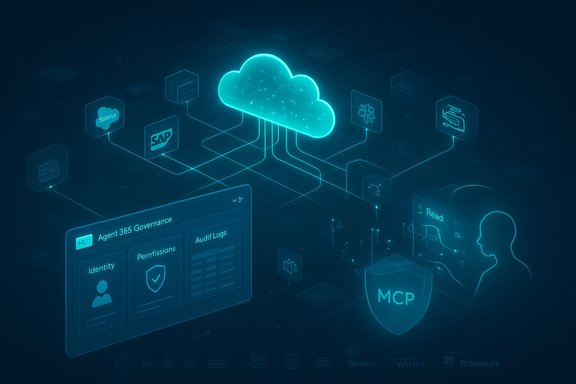
• Thread Author
CData’s Connect AI is now available inside Microsoft Copilot Studio and Microsoft Agent 365, bringing a managed Model Context Protocol (MCP) platform that promises real‑time, semantic‑rich access to hundreds of enterprise systems so AI agents can read, reason over, and act on live business data without moving it into separate ingestion pipelines.

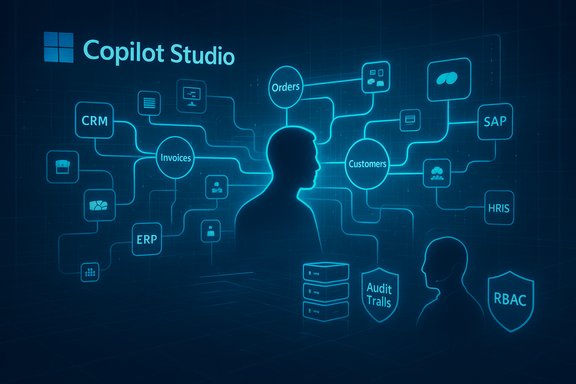
Futuristic blue network map for Copilot Studio linking CRM, ERP, Orders, Customers, with Audit Trails and RBAC.Background / Overview​

Enterprises building agentic AI face three recurring obstacles: reliable connectivity to the many systems where business data lives, semantic understanding of what data actually means (schema, relationships, business logic), and governance controls that ensure actions are auditable and safe. CData’s announcement positions Connect AI as a managed MCP platform that addresses all three by exposing hundreds of pre‑built connectors as a single MCP toolset and by surfacing semantic context (schemas, relationships, metadata) to agents running inside Microsoft’s Copilot and Agent 365 experiences. The Model Context Protocol itself is an industry protocol designed to standardize how models and agents call external tools and access contextual data. Microsoft, Anthropic and other ecosystem projects have adopted MCP patterns, and Microsoft documents MCP as a supported integration path for agents in Copilot Studio and other surfaces. The protocol is now part of the practical plumbing of enterprise agent frameworks, with implementation guidance, SDKs and platform bindings available across Microsoft’s tooling. Microsoft’s Copilot Studio has moved MCP from a preview into general availability for its agent tooling, which makes it possible for third‑party MCP servers (like CData’s Connect AI) to surface tools and datasets directly into the Copilot/Agent runtime. This is the essential technical link enabling the CData–Microsoft integration the press release describes.

What CData Says it Delivers​

CData’s public materials describe Connect AI with several headline capabilities aimed at the enterprise:
  • Universal MCP connectivity — a single, managed MCP tool exposing 300–350+ pre‑built connectors (Salesforce, Snowflake, NetSuite, SAP, ServiceNow, etc. so agents can query nearly any enterprise system without building bespoke adapters.
  • Semantic‑rich data model — Connect AI claims to teach agents the schema, entity relationships and business logic of each source so reasoning uses meaningful entities (orders, invoices, customers) rather than raw tables or unlabelled fields.
  • In‑place, governed access — Connect AI asserts it preserves source system authentication and RBAC (passthrough/OAuth/SSO), records actions under the authenticated identity or agent identity, and provides audit trails for governance.
  • Optimized query pushdown — the platform handles heavy data retrieval and transformation server‑side (query pushdown) so the LLM sees only the concise semantic context it needs, lowering token costs and reducing hallucination risk.
  • Hosted, managed model — delivered as a cloud service with quick configuration, a free tier for evaluation, and an option to embed the platform into ISVs’ products.
These are the core claims CData makes; they’re consistent across the PR distribution and subsequent coverage. The pitch is straightforward: make agents practical by solving the plumbing problems that historically turn pilots into long, costly integration projects.

Why This Matters for Windows and Microsoft Copilot Environments​

Microsoft’s agent roadmap treats MCP as a first‑class integration point for Copilot Studio, Agent 365 and Azure AI Foundry. That means a managed MCP provider that already supports many enterprise connectors can dramatically reduce the time and cost to get a production agent that works reliably with the systems staff already use. Microsoft’s own Copilot Studio now lists MCP tooling and tracing features that make it possible to see which MCP server and tool were invoked at runtime — a key capability for enterprise observability. For Windows‑centric environments, MCP servers that can reach back into on‑prem and cloud systems (and in some cases into local device surfaces) open up powerful workflows: agents that summarize in‑tenant SharePoint libraries, synthesize ERP views inside Excel, or orchestrate cross‑system approvals inside Teams without manual exports. Community coverage and Windows‑focused technical threads suggest Microsoft is integrating MCP into endpoint and OS surfaces (taskbar integrations, Copilot UI affordances) so agents feel native to the Windows user experience while remaining subject to tenant governance.

Technical Anatomy — How the Integration Works (Simplified)​

  • CData publishes an MCP server that registers a set of tools representing connectors to each supported system (CRM, ERP, data warehouse, files, etc.. Each tool advertises its capabilities, schemas, and supported operations through MCP manifests.
  • A Copilot Studio author (or Agent 365 admin) adds CData’s MCP tool to a tenant workspace. Copilot Studio’s activity map and tracing allow the admin to see when the MCP tool is invoked and which specific connector is used.
  • When an agent runs, it reasons about which tools to call; it sends structured MCP tool calls (not raw, ad hoc prompts). The MCP server executes optimized queries, performs pushdown transformations, and returns compact, semantic results for the model to use in reasoning.
  • Authentication and authorization are enforced at the MCP tool layer (passthrough or delegated OAuth). Tenant RBAC and agent identities determine which data the agent can see; requests and responses are logged for audit.
The key technical benefits are structured tool calls (deterministic I/O), schema/semantic grounding (entities, relationships), and server‑side processing (to keep token costs and latency manageable). These patterns are becoming standard in production agent architectures.

Independent Verification & Cross‑References​

  • Microsoft’s documentation and Copilot Studio announcements confirm that MCP is supported and operational within Copilot’s agent surfaces, including tracing and server listing features that make third‑party MCP integrations practical. This verifies the platform‑side readiness CData needs to integrate.
  • CData’s press distribution (PR Newswire) and coverage by multiple outlets describe Connect AI and the stated 300–350+ connector footprint and semantic claims; those materials are the primary source for CData’s product assertions.
  • Broader industry reporting and protocol archives (MCP documentation, Semantic Kernel updates) show MCP has gained ecosystem support and has multiple implementation projects, reinforcing that this is an interoperable protocol rather than a single‑vendor gimmick.
Taken together, these sources validate the core technical claims: MCP is a supported protocol for Microsoft agent tooling, and a managed MCP provider with a large connector catalog can integrate with Copilot Studio and Agent 365 to bring live data into agent workflows.

Strengths: Where Connect AI + Microsoft Look Strong​

  • Speed to pilot — pre‑built connectors and a managed MCP server remove weeks/months of connector engineering for many common systems, enabling business teams to iterate quickly.
  • Semantic grounding — exposing schemas and relationships to agents reduces hallucination risk and makes agent outputs more auditable and explainable when compared to blind RAG on flat indexes.
  • Governance alignment — the passthrough RBAC model and audit logging model described by CData line up with the governance surfaces Microsoft is building (Agent 365, Copilot Studio tracing), making it realistic to run pilots with privileged data.
  • Token and cost efficiency — server‑side pre‑processing and pushdown mean fewer tokens spent on irrelevant data, lowering inference cost and latency for agent workflows.
  • Ecosystem fit — MCP’s multi‑vendor adoption and Microsoft’s SDKs for MCP make connectors portable and enable gradual migrations to tenant‑owned MCP servers if organizations prefer to self‑host later.

Risks, Caveats and Practical Concerns​

While the integration is compelling, it’s not without operational and security risks. Windows admins and enterprise architects should evaluate these carefully before wholesale adoption.
  • Third‑party MCP servers transmit prompt context and may handle sensitive data. Microsoft’s documentation explicitly warns that using non‑Microsoft MCP servers may pass prompt content and business data to the third‑party service and that tenants are responsible for any associated policies or charges. This is an essential caution if you plan to use a managed provider instead of hosting within your own control plane.
  • Data exfiltration and egress risk. Any system that executes queries on behalf of an LLM must be treated as an egress surface; data leaving tenant boundaries can create compliance and contractual liabilities. Ensure contractual SLAs and encryption practices are reviewed with the provider.
  • Prompt injection and tool‑level integrity. Agents calling external tools must validate and sanitize structured responses; a compromised MCP tool or a malicious tool manifest could cause models to act on poisoned results. Include runtime validation and human‑in‑the‑loop gates for writebacks.
  • Operational dependencies and vendor lock‑in. While MCP aims to be interoperable, real semantic models (the mappings, curated workspaces, and optimized query plans) are proprietary. Moving from a managed provider to an in‑house MCP server may require rework unless the vendor supports exportable manifests and clear migration paths. Treat initial pilots as reversible only with explicit migration planning.
  • Cost and consumption visibility. Agent activity can quickly burn credits or cloud compute budget if not gated. Microsoft’s Copilot credits and consumption models apply to agent runtimes; adding a third‑party managed MCP provider creates an additional consumption and billing lens to manage. Include cost‑governance in your pilot plan.

A Practical Pilot Checklist for IT and Security Teams​

  • Define KPIs and acceptable error rates for the pilot (accuracy, mean time saved, manual interventions avoided).
  • Catalog the systems you plan to expose and map sensitivity levels (PII, regulated financials, HR data).
  • Validate authentication flows — prefer tenant‑bound OAuth passthrough and short‑lived agent credentials. Confirm how the provider logs actions and how those logs can be exported into your SIEM.
  • Require exportable audit trails and proof of end‑to‑end encryption for data in transit and at rest.
  • Start with read‑only scenarios (summaries, analytics) before enabling writebacks or automated actions.
  • Implement human‑in‑the‑loop approvals for any actions that affect finance, HR, security, or customer records.
  • Run adversarial tests: simulate prompt injection, malformed tool responses, and service outages to confirm fail‑safe behavior.
  • Negotiate SLAs, data residency guarantees, and breach notification timelines with the MCP provider.
  • Budget for operational costs: model inference consumption, MCP provider fees, and monitoring/observability costs.

Governance Patterns and Configuration Recommendations​

  • Identity‑first controls — configure MCP tools so that any call inherits the authenticated user or agent identity and only exposes the minimum dataset required for that call. This simplifies auditability and aligns with least‑privilege.
  • Curated workspaces — limit agent access through curated toolsets (predefined multi‑source datasets) rather than exposing whole systems by default. CData describes curated workspaces as part of its performance and security model; this is a strong pattern to adopt.
  • Observability & Telemetry — ensure Copilot Studio tracing, OpenTelemetry logs, and the MCP server audit trails are integrated into your centralized monitoring; this is the only realistic way to reconstruct agent decisions for compliance audits.
  • Data classification gating — use Purview or equivalent labels to prevent agents from using sensitive datasets in unsanctioned contexts. Microsoft and partners have repeatedly called out the need for proper data labeling to avoid semantic drift.
  • Network egress controls — if using a hosted MCP server, require private link or VNet‑integrated deployment options and explicit egress rules to prevent uncontrolled data flows.

Where Connect AI Fits in a Multi‑Vendor Agent Strategy​

CData’s approach is pragmatic: treat MCP as the interoperability layer and offer a managed catalog of connectors and semantic mappings so customers can get to value faster. That model is attractive for organizations that lack internal connector engineering but want to pilot agent productivity quickly.
However, a resilient enterprise strategy will treat the managed MCP provider as one component in a multi‑vendor architecture:
  • Use managed MCP for early pilots and high‑velocity use cases where time to value matters.
  • Parallelly build tenant‑owned MCP servers for highly sensitive systems or where regulatory constraints demand on‑prem control.
  • Standardize on MCP manifests and export formats so connectors and tools can be migrated or mirrored across providers if needed.

Final Assessment — What IT Pros Should Take Away​

CData’s Connect AI integration into Microsoft Copilot Studio and Agent 365 is a notable practical step toward making enterprise agent deployments achievable at scale. By exposing hundreds of connectors as MCP tools and promising semantic grounding plus RBAC inheritance, CData solves problems that have long slowed generative AI adoption in production: connectivity, context, and control. For organizations that need a fast path to agentic capability, this offering materially reduces integration risk and developer velocity barriers. At the same time, success depends entirely on careful operational choices: how you authenticate and log MCP calls, whether you allow writebacks without human review, how you test for prompt injection, and whether contractual and technical egress controls match your compliance needs. Microsoft’s documentation and community guidance explicitly call out these responsibilities when using third‑party MCP services — treat them as hard requirements, not optional best practices. For Windows administrators and enterprise architects, the practical path is clear: pilot with restricted, read‑only workspaces; test governance and telemetry end‑to‑end; and only expand to writeback and cross‑system automation after you can reliably reconstruct and approve each action. The combination of Connect AI’s connector breadth and Microsoft’s MCP‑ready agent tooling promises to make agentic productivity practical — but only for customers who pair capability with disciplined governance and continuous validation.

The arrival of managed MCP platforms marks a turning point: agentic AI is no longer just a research curiosity but an enterprise integration problem with engineering and governance solutions. CData’s Connect AI plus Microsoft’s Copilot Studio provide a workable, fast path toward that future — but the usual enterprise caveats around security, compliance, and vendor strategy apply more strongly than ever.
Source: Morningstar https://www.morningstar.com/news/pr...s-through-model-context-protocol-integration/
Source: The AI Journal CData Collaborates with Microsoft to Enable Enterprise AI Agents with Real-Time, Semantic-Rich Access to Hundreds of Enterprise Data Sources Through Model Context Protocol Integration | The AI Journal
 

Cyera’s expanded partnership with Microsoft marks a clear pivot in enterprise security: securing not just users and devices, but the agentic AI layer that now reads, writes, and acts on sensitive data at machine speed.

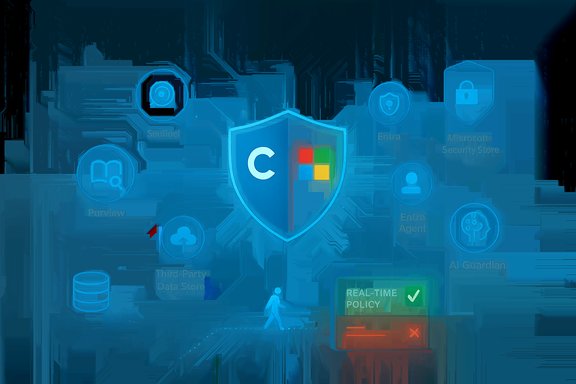
Glowing shield with Windows logo among security icons and a real-time policy panel.Background / Overview​

Cyera announced an expanded collaboration with Microsoft to embed its data‑centric controls into Microsoft Purview, Microsoft Sentinel, Microsoft Entra, and Microsoft Copilot Studio, with product availability through the Microsoft Security Store partner ecosystem. The move promises to extend Cyera’s DSPM (Data Security Posture Management) and its AI Guardian capabilities into Microsoft’s agent‑aware security stack, adding data classification, runtime enforcement, and agent identity visibility across multi‑cloud and third‑party stores. Cyera positions the integration as a foundation for securing the emerging class of agentic AI—autonomous agents, Copilot workflows, and model‑based tool chains that can access regulated and sensitive data. Cyera publicly frames the work as both a technical and go‑to‑market expansion with Microsoft. This article synthesizes the announcement, verifies the principal technical claims against Microsoft and Cyera materials, cross‑references independent reporting and industry commentary, and evaluates the practical strengths and risks for Windows and enterprise IT teams adopting agentic AI.

Why this matters: agentic AI changes the threat model​

Agentic AI—agents created in low‑code builders like Copilot Studio, runtimeed in Foundry or similar products, and granted access to enterprise data—changes two core security assumptions:
  • Data access is no longer always human‑initiated. Agents can read and write at scale and at machine speed.
  • Agents acquire identity‑like footprints (Entra Agent ID / Agent Registry) that must be governed, audited, and scoped like service principals or users.
Microsoft’s own security narrative now treats agents as first‑class identities and telemetry sources. Microsoft has articulated the need for agent observability, agent identity lifecycle controls, and data protections that travel with the data as it’s used by agents. These platform moves show Microsoft expects organizations to manage agents as part of identity and security operations. Cyera’s announcement plugs into that narrative by promising:
  • contextual, cloud‑native data discovery and classification across the enterprise and third‑party stores,
  • runtime, real‑time enforcement and monitoring of agent actions via AI Guardian,
  • alignment of agent identities into Cyera’s AI asset inventory using Microsoft Entra Agent ID signals,
  • and a storefront‑friendly integration for faster procurement through the Microsoft Security Store.

Verifying the core technical claims​

Below are the announcement’s most load‑bearing technical claims, each cross‑checked with vendor and Microsoft sources where possible.

1) Cyera feeds Purview DSPM with third‑party data security signals (Snowflake example)​

Claim: Cyera shares context‑rich data security signals (for example, Snowflake data store findings) into Microsoft Purview’s DSPM via Microsoft Sentinel data lake.
Verification: Cyera’s product pages and resource library describe integrations that bring Cyera classification and DSPM visibility to Microsoft environments and mention Snowflake classification use cases. Separately, Microsoft Purview documentation and product posts confirm DSPM is extending to agent and third‑party telemetry and is being integrated with Sentinel and other security telemetry sources for richer posture analysis. Those Microsoft posts explicitly describe Purview DSPM for AI and the intent to surface data‑centric signals into security workflows. Taken together, the claim—Cyera augmenting Purview DSPM with third‑party data signals—is consistent with both Cyera’s product messaging and Microsoft’s DSPM roadmap. Caveat: specific product‑level behavior—exact telemetry fields, update frequency, and the mechanism used to surface Snowflake results into the Purview DSPM UI—are implementation details best validated in a joint integration guide or tenant test. Vendor demos assert capability; customers should validate mappings, label inheritance, and retention semantics during POC. Treat vendor performance and completeness claims as subject to tenant testing.

2) AI Guardian provides real‑time enforcement across Copilot Studio agent workflows​

Claim: Cyera’s AI Guardian adds a contextual control layer that can uncover and block data risk in agent workflows (Copilot Studio), and applies data policies in real time to allow, block, or audit activity.
Verification: Microsoft Purview now includes DSPM controls for Copilot Studio agents, and Microsoft documentation notes Purview can enforce sensitivity labels and apply retention/deletion policies for agent prompts and responses. Cyera’s materials show demonstrations of Copilot Studio audiences using Cyera classification and “AI Protect” to govern data used by Copilot workflows. Those two vendor documents are consistent: Purview provides the platform hooks, and Cyera supplies third‑party classification and enforcement signals that can be applied as runtime controls and audit trails. Caveat: “Real‑time enforcement” spans many technical designs—from blocking an API call at the gateway, to quarantining a file after it leaves a store, to flagging prompts for audit. Customers should determine whether the enforcement is inline (preventing the action before it completes) or near‑real‑time (detect and remediate), how policies map to Purview label semantics, and whether the behavior is consistent across Copilot Studio, Copilot agents in Teams, and non‑Microsoft agent hosts. These specifics should be tested in a security‑operational POC.

3) Integration with Microsoft Entra Agent ID for unified agent visibility​

Claim: Cyera reads Microsoft Entra agent registry data and adds unregistered agents into the Entra registry, enabling administrators to manage these identities.
Verification: Microsoft has publicly stated Entra Agent ID and agent registry concepts as primitives for agent lifecycle governance; Microsoft’s security team describes an agent registry to inventory and govern agents. Cyera’s announcement claims it will use Entra agent registry signals for its AI asset inventory and will identify unregistered agents and add them to the registry. Microsoft’s published guidance and partner announcements confirm Entra Agent ID is becoming a platform primitive and that partners (including early adopters) will integrate with the registry. Cyera’s claim is plausible and consistent with Microsoft’s ecosystem direction. citeturn2search1 Caveat / flag: The power to automatically add unregistered agents into a tenant’s Entra registry raises governance questions: who owns the action, does it require tenant admin consent, and what audit trails exist for auto‑registration? The Cyera statement should be treated as a capability that requires tenant policy and admin‑approved connectors; enterprises must validate the exact workflow and approval model in their tenant before enabling any automatic registration feature. This is an operational risk area that must be confirmed in lab/test environments prior to production.

4) Microsoft Security Store availability​

Claim: Cyera’s platform will be discoverable, deployable, and manageable through the Microsoft Security Store partner ecosystem.
Verification: Microsoft launched a refreshed Microsoft Security Store and announced a partner ecosystem where certified security products and agent solutions are discoverable and deployable inside Microsoft security admin surfaces. Multiple security vendors have published availability via the Security Store, and Microsoft’s Security Blog and Ignite Book of News describe a partner store built into defender and Entra workflows. Cyera lists participation in Microsoft‑centric programs (Sentinel partner ecosystem) and its own press notes indicate Store availability. This lines up with Microsoft’s public distribution strategy for partner security solutions. Caveat: Availability and the level of certification (preview vs GA, marketplace vs integrated store element) vary by partner and product SKU. Confirm the product listing, licensing terms, and supported deployment options for your tenant and regulatory region before procurement.

5) Funding and scale claims​

Claim: Cyera is backed by more than $1.3 billion in funding and has released innovations like Omni DLP and Omni DSPM at scale.
Verification: Cyera’s corporate press pages and independent reporting confirm major funding rounds—including a $540M Series E (which lifted valuation and bumped total funding to over $1.3B) and prior rounds reported in 2024 and 2025. Independent outlets (WSJ, Axios) reported on Cyera’s large funding rounds and valuation increases. Cyera’s product marketing describes Omni DLP and DSPM capabilities. Financial and fundraising figures are verifiable through Cyera press releases and coverage. Caveat: marketing descriptions of product scale (for example, claims such as “classifying an exabyte” or “uncovering 1 trillion sensitive records”) are vendor‑provided benchmarks. Treat those as vendor‑reported results that should be validated in proof‑of‑value engagements using tenant datasets; such scale claims are difficult to independently corroborate without access to the underlying telemetry.

What Cyera + Microsoft actually gives you — practical benefits​

This integration yields several concrete operational benefits for teams running Windows and Microsoft stacks:
  • Unified data visibility across clouds and SaaS: Cyera’s agentless, API‑first DSPM targets multi‑cloud stores (Azure, AWS, GCP) and SaaS applications, extending Purview’s Microsoft‑native coverage to external data estates. That means more of your sensitive footprint can be inventoried and prioritized for remediation. citeturn5search0turn4search2
  • Agent‑aware posture and evidence: By folding Entra Agent ID information into an AI asset inventory, security teams can map which agents have access to which data and produce unified evidence for investigation and compliance. This is essential for audits and incident response when agents are involved. citeturn2search1turn5search0
  • Policy enforcement tied to data classification: Automated classification + runtime policy (allow/block/audit) means the organization can reduce the risk of regulated data leaking through agent prompts, model calls, or third‑party connectors. The integration anchors DLP and DSPM decisions in data intelligence. citeturn5search0turn4search0
  • Faster procurement and deployment: The Microsoft Security Store listing shortens procurement cycles and eases integration into Defender/Sentinel/Entra workflows, helping SOCs stand up capabilities faster. citeturn6search4

Operational and security risks — the realism check​

While the joint offering is promising, several operational caveats and risks demand attention.

Identity & lifecycle complexity​

Agents with Entra Agent IDs become first‑class principals. Misconfiguration—overly broad scopes, long‑lived credentials, or lax approval gates—can convert agents into powerful attack tools. Enforce least privilege, adopt just‑in‑time access, and bake AgentOps into identity governance. Microsoft’s guidance warns this is a first‑order concern, and partner materials echo the same. citeturn2search1turn0file12

Enforcement boundaries and fail‑safe modes​

“Blocking” agent activity can be implemented at many layers. If enforcement is asynchronous (detect then remediate), an agent might already have exfiltrated data. If enforcement is inline, it can inadvertently break business workflows. Define explicit fail‑safe modes (e.g., read‑only degradation, human approval for write actions) during pilots and service design. Vendor demos rarely show failure modes—test them. citeturn5search0

Audit & provenance for compliance​

Regulators and auditors will expect detailed provenance: which agent accessed what, what prompt/context mattered, and what the agent returned or stored. Ensure logs are immutable, retained per policy, and surfaced into SIEM/SOAR playbooks for forensic closure. Microsoft Purview DSPM and Sentinel integrations are aimed at this, but tenants must configure retention and evidence export. citeturn4search2turn0search1

Vendor claims vs tenant reality​

Marketing claims (exabyte classification, trillion+ sensitive records) are worth scrutiny in procurement. They signal scale engineering but are not substitutes for validating classification accuracy, false positive/negative rates, and remediation throughput inside your environment. Run representative POCs and quantify the operational effort to clean, label, and remediate automated findings. citeturn5search0

Lock‑in and portability​

Deep integrations (Entra Agent ID + Purview + Sentinel) accelerate time‑to‑value but increase strategic coupling to Microsoft and a specific partner stack. Design for exportable agent manifests, adopt standards (Model Context Protocol and agent‑to‑agent protocols where possible), and insist on data‑and‑policy portability when signing contracts. Community analysis and enterprise threads emphasize this trade‑off.

Recommended adoption roadmap for Windows and enterprise IT teams​

  • Inventory: Run a thorough DSPM baseline across Microsoft Graph, SharePoint, OneDrive, and third‑party stores (Snowflake, Databricks, S3). Classify the highest‑risk stores first.
  • Pilot: Enable Purview DSPM + Cyera DSPM in a staging tenant. Validate label mapping, Copilot Studio interception behaviors, and the latency of enforcement—document exactly what “block”, “quarantine” and “audit” look like in each scenario. citeturn4search2turn5search0
  • Identity hardening: Enforce Entra Agent ID governance—short‑lived credentials, approval workflows, access reviews. Test agent enrollment flows and what happens when an agent is disabled. citeturn2search1
  • Observable playbooks: Connect evidence streams to Sentinel and Security Copilot. Build detection rules for anomalous agent behavior and create SOAR playbooks that include agent suspension and human approval steps. citeturn0search1
  • Legal & compliance sign‑off: Define the data classes agents may access and require attestation for any externally‑facing agent that touches regulated content.
  • Phased rollout: Start with read‑only pilot agents, then enable controlled write actions with explicit human checkpoints and budgeted model/compute usage limits to avoid runaway cost.

Competitive context and industry reaction​

The Cyera‑Microsoft collaboration fits a wider market rhythm: identity vendors, DSPM providers, and SOC automation vendors are racing to present agent‑aware controls. Microsoft’s Entra Agent ID and Foundry/Copilot Studio investments have encouraged vendors to integrate identity, DSPM, and runtime controls. Industry threads and community analysis emphasize that this is an ecosystem play—partners like Zscaler, Netskope, Proofpoint, and others are publicly aligning to Entra Agent ID and Purview integrations. That communal momentum makes the solution attractive for enterprises standardizing on Microsoft stacks, but also amplifies the need for careful operationalization. citeturn6search2turn6search4

Final assessment — strengths and realistic expectations​

Strengths
  • Platform alignment: Cyera plugs into Microsoft’s existing security telemetry and governance primitives (Purview, Sentinel, Entra), which reduces integration friction for Microsoft‑centric enterprises. citeturn4search0turn0search1
  • Data‑centric focus: By prioritizing classification and DSPM, Cyera addresses the core risk vector for AI: data. The combination of precise classification plus runtime policy is the right architectural tack for agentic use‑cases. citeturn5search0
  • Operational acceleration: Marketplace/store availability, joint partner engineering, and Sentinel connectors lower time to value for SOCs and compliance teams. citeturn6search4turn0search1
Risks / realistic expectations
  • Operational complexity: Enabling automated agent registration, real‑time enforcement, and audit everywhere is nontrivial. Expect significant identity and policy engineering before agent fleets are trusted. citeturn2search1turn5search0
  • Vendor claims require POC validation: Performance and scale claims (exabyte classification, trillion record counts) are vendor statements; confirm classification accuracy, false positives, and remediation throughput on tenant data. citeturn5search0
  • Governance and approval workflows are essential: Automatic registration and runtime blocking must be constrained by tenant policy and change control—don’t flip agent‑automation wide open without sign‑off and canarying.

Conclusion​

The Cyera + Microsoft collaboration is a decisive industry signal: securing the agentic AI era requires data‑first controls, identity‑aware governance, and runtime enforcement that spans clouds and SaaS. For Windows and Microsoft‑centric enterprises, the integration promises real operational value—better visibility into which agents touch sensitive data, policy enforcement linked to classification, and a path to integrate agent telemetry into familiar SOC tooling.
However, the announcement is not a turnkey cure. The practical work—agent lifecycle governance, approval flows for automatic agent registration, verification of enforcement semantics, and validating vendor scale claims—falls to customers. Treat the partnership as an enabling architecture that can materially reduce risk if implemented carefully, validated with representative POCs, and accompanied by rigorous AgentOps and identity governance.
For security and IT leaders, the near‑term priority is simple: inventory and classify today’s data and agent footprint, then pilot integrated DSPM + agent governance in a controlled environment. If the pilot demonstrates accurate classification, reliable enforcement semantics, and fit with identity governance, the Cyera + Microsoft path offers a pragmatic route to scale secure, agentic productivity across the enterprise. citeturn5search0turn4search0


Source: Business Wire https://www.businesswire.com/news/h...ft-Purview-Sentinel-Entra-and-Copilot-Studio/
 

iTop's new Voicy lands as a highly publicized, free real‑time AI voice changer for Windows — a bold play into a crowded market of low‑latency voice tools aimed at gamers, streamers, podcasters and casual users who want instant voice transformation without the friction of paid subscriptions. The company and multiple news outlets released a coordinated announcement on November 19, 2025, positioning iTop Voicy as a “100% free” solution that delivers instant, studio‑quality voice conversion, a large library of presets, and the ability to generate and import custom voice models for live and recorded audio.

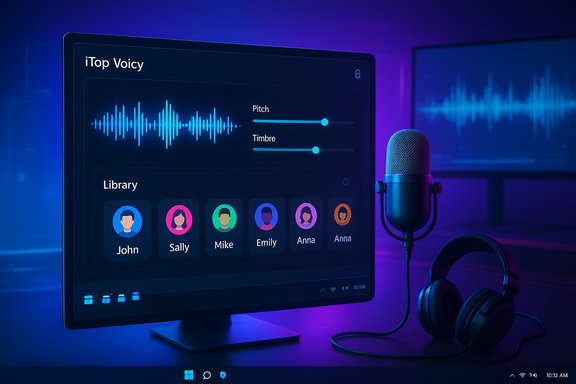
A sleek monitor displays iTop Voicy with waveform, pitch/timbre sliders, and a library of avatars.Background / Overview​

iTop is best known for consumer utility software such as iTop VPN, iTop Screen Recorder and other Windows tools. The company’s official product page and its distributed press materials describe iTop Voicy as a Windows 10/11 desktop app that offers:
  • Real‑time voice transformation with low (advertised “zero”) latency suitable for live streaming and gaming.
  • A large online and local voice library (the marketing copy alternately references 100+ models and 200+ voices) plus tools to generate, import and tweak custom voice models.
  • One‑click file conversion (audio and video), a built‑in recorder, noise reduction and audio enhancement for studio‑style recordings.
  • Claims of end‑to‑end encryption, local privacy safeguards, and free availability to all Windows users.
The launch is being distributed via press‑release networks and syndicated local outlets, which largely republish the vendor copy. That makes it a mainstream product announcement rather than independent product journalism — the messaging, features and claims come directly from iTop’s marketing materials. Readers should treat vendor claims as statements of intent until validated by hands‑on testing, third‑party reviews, or independent audits.

What iTop Voicy claims — feature snapshot​

The vendor and distributed press materials highlight a number of headline features aimed at broad audiences:
  • Free real‑time AI voice changer for Windows — advertised as 100% free and compatible with Windows 10 and Windows 11.
  • Real‑time conversion with “no latency” for live use in games, Discord, Twitch, Zoom and streams. The product page and press release emphasize instant switching without loading delays.
  • Large library of preset voices and custom model generation — marketing materials reference “100+ models” in the press release and “more than 200 voices” on the product page; users may import voice samples and fine‑tune pitch, timbre and emotion.
  • File conversion & studio recording — one‑click voice conversion for audio/video files, built‑in recorder, noise reduction and audio enhancement for podcasting and dubbing workflows.
  • Virtual audio routing — typical of voice changers, the app exposes a virtual microphone device so other apps can use the processed audio as input. (iTop’s documentation implies this behavior but does not supply a low‑level technical whitepaper.
  • Privacy & encryption promises — iTop states that user content is encrypted and private, without publishing an independent audit or detailed privacy whitepaper in the announcement materials.
These features are familiar territory: many competitors (both paid and free) offer similar combinations of real‑time effects, virtual device routing, and post‑processing tools. The novelty claim here is that iTop positions Voicy as fully free while promising low latency and studio‑grade quality out of the box. Independent verification of latency, model quality, and data handling is still required.

How desktop real‑time voice changers typically work (technical primer)​

To evaluate Voicy’s claims it helps to understand the standard architecture used by Windows real‑time voice changers:
  • Capture: the physical microphone feeds raw audio to the client application.
  • Processing engine: either local DSP (pitch/formant shifting, vocoders) or neural conversion models (voice conversion / style transfer) transform the audio in real time.
  • Virtual audio device: a virtual microphone or audio bridge exposes the processed audio to other applications (Discord, OBS, Zoom) so they can pick the virtual device as their input.
  • Local vs cloud inference: lighter DSP and on‑device neural models can run locally with low latency; heavier, high‑fidelity cloning often uses cloud inference, trading privacy for quality and speed.
This model yields two practical constraints:
  • Latency is the sum of capture → processing → virtual device buffering; claims of “no latency” are marketing shorthand — real systems target very low latency (often sub‑200ms) rather than absolute zero. Typical sub‑200ms or sub‑150ms targets are considered adequate for live streaming and conversation, but actual experience depends on CPU/GPU, buffer sizes, and model complexity.
  • Virtual devices and kernel‑mode drivers are common, yet they can create compatibility headaches on Windows (see the troubleshooting and driver guidance from established vendors). Vendors such as Voicemod publish extensive help documentation on virtual device setup and common problems.

Independent verification — what the launch materials do and don’t prove​

The announcement is well packaged and clear about the intended experience. But several important technical or operational claims cannot be fully verified from press materials alone:
  • “100% free”: the product page and press release both state the app is free; however, the long‑term business model (in‑app purchases, optional cloud credits, feature‑gating) is not documented in the release beyond the “free” declaration. That’s a vendor assertion that should be validated by downloading the app and checking any paywalls, telemetry prompts, or premium toggles.
  • “No latency” and “instant transformation”: these are measurable performance claims that require bench testing on multiple hardware profiles (low‑end CPU, mid‑range, high‑end with GPU acceleration) and across typical apps (Discord, OBS, Zoom, games). Vendor statements are promising but not definitive. Expect tradeoffs — realistic latency targets for high‑quality neural conversion are commonly in the sub‑150–300ms range depending on model and settings.
  • Privacy and “100% encrypted” data handling: iTop’s pages assert encryption and privacy; however, the company did not publish a technical whitepaper, privacy audit, or network‑traffic disclosure in the announcement. Without an independent audit or at least a clear local‑vs‑cloud processing toggle, treat privacy claims cautiously if you plan to process sensitive audio.
  • Voice library numbers (100+ vs 200+): this is an internal inconsistency between the press release language and the product landing page. It’s a minor editorial mismatch but emblematic of the sort of specs that should be confirmed in the live product.
WindowsForum’s community guide and analysis reinforces many of these cautionary points — praising the low barrier and functionality while urging practical verification of latency, driver behavior, and privacy.

Security, privacy and policy risks​

The most important non‑technical dimensions for buyers and sysadmins are privacy, legality and platform compatibility.
  • Privacy / cloud inference: if the app uploads voice samples for cloud inference (common for high‑quality cloning), that traffic must be documented and encrypted. Vendors sometimes offer local and cloud modes; prefer local inference for private calls or client recordings unless you can verify the cloud provider, retention policy and encryption details. The press materials promise encryption but do not publish an independent audit.
  • Virtual devices and anti‑cheat: many voice changers install a virtual audio driver. Proven tools maintain driver support pages and user troubleshooting guides because Windows audio routing is fragile; incompatible drivers or kernel hooks can trigger anti‑cheat systems or enterprise endpoint protection. Voicemod’s support documentation shows the kinds of issues users commonly face when drivers or device lists get out of sync. Test the tool in non‑competitive environments before using it in ranked matches.
  • Ethical and legal misuse: AI voice cloning and deepfakes are increasingly misused for scams (vishing), impersonation, and misinformation. Using voice conversion responsibly requires consent from any voice donor and disclosure when synthetic audio is created for public or commercial purposes. The industry is watching regulation trends closely; users and creators should default to transparency and avoid impersonation.
  • Installer / supply chain hygiene: free consumer tools with virtual drivers should be scanned with reputable AV engines and installed in a controlled environment first (secondary machine or VM). Confirm the download URL (official site) and check file hashes if published.

Practical setup and safe testing checklist (step‑by‑step)​

Follow these steps to evaluate iTop Voicy without putting production systems or privacy at risk:
  • Prepare a test environment:
  • Use a secondary PC or create a Windows restore point / system image snapshot.
  • If possible, test in a virtual machine or a disposable test account to avoid polluting your main profile.
  • Verify download integrity:
  • Download only from the vendor’s official page (the product page and press material lists iTop Voicy - Real Time Voice Changer for PC - 100% Free).
  • Scan the installer with your local antivirus and check code signing if present.
  • Inspect installer behavior:
  • During installation, watch for kernel‑level driver installs, virtual audio device components, and service/auto‑start entries.
  • If a separate driver package is installed, note whether it requires a reboot and whether it registers a named virtual device (you can check Device Manager → Sound, video and game controllers). Vendors commonly expose this device as “Virtual Microphone” or a branded name.
  • Test latency and CPU load:
  • With the app open and a selected voice preset, route the virtual microphone into a private channel (Discord or a local OBS loopback) and record.
  • Measure end‑to‑end delay by clapping or speaking a short phrase and comparing original vs processed waveform timestamps or by subjective conversation tests.
  • Monitor Task Manager for CPU/GPU spikes and audio glitches; try multiple presets (lightweight vs “high‑quality” modes) to understand tradeoffs. Aim for sub‑200ms to preserve conversational naturalness in live contexts.
  • Verify network traffic:
  • Run a simple packet capture (Wireshark or Resource Monitor) during a sample session to confirm whether audio frames are sent to remote endpoints. If the app offers a local‑only mode, toggle it and compare traffic. If cloud inference is used, confirm endpoint domain names and vendor privacy commitments.
  • Test integration and compatibility:
  • Try Voicy with OBS, Discord, Zoom and one or two popular games. Check for driver conflicts, “disabled device” warnings, or anti‑cheat alerts.
  • If you encounter game blocks or anti‑cheat flags, remove the virtual driver and consult the vendor before using in competitive matches.
  • Evaluate output quality:
  • Compare presets for naturalness, intelligibility and emotional content. For recording use cases, try the file conversion tool on local MP3/WAV inputs and listen for artifacts introduced by batch conversion.

Comparing iTop Voicy to established competitors​

Several alternatives already serve the real‑time voice changer market; each makes different tradeoffs:
  • Voicemod — mature product; virtual audio driver approach, wide adoption among streamers, robust help docs for driver issues. Known quirks require driver troubleshooting on Windows. Great for fun filters and streamer workflows but some premium features are paid.
  • Altered / Altered Studio / Altered.ai — focused on higher fidelity, professional voice conversion for media and live performance; typically higher resource needs or paid tiers for advanced cloning.
  • Open‑source / community projects (RVC, so‑vits‑svc forks) and emerging commercial tools (VoxityAI and others) offer RVC/MMVC model families and advertise sub‑150ms latencies on optimized hardware; they often require more setup.
The differentiator for iTop is the price point — a free, integrated package combining real‑time, file conversion and recorder features in one Windows installer. If iTop can deliver reliably low latency and genuine local processing without onerous data collection, that will make Voicy a compelling entry‑level option for many users. The risk is that sustaining “free” high‑quality AI services often requires some monetization (premium tiers, cloud credits, or data policies), so long‑term availability of every feature at no cost should be watched.

What to watch for in early independent reviews​

When community reviewers and tech outlets test iTop Voicy, pay attention to these objective metrics:
  • Measured round‑trip latency (ms) on typical Windows hardware (i3/i5/Ryzen 5 and higher).
  • CPU/GPU utilization under common presets.
  • Whether voice conversion is processed locally, in the cloud, or hybrid — and if cloud, whether audio is buffered or streamed in real time.
  • Virtual audio driver behavior (ease of selection, Windows device list presence, conflicts with other audio tools).
  • Any hidden paywalls, limits on free usage, or telemetry/consent UIs.
  • Privacy documentation and whether the vendor publishes a privacy whitepaper or an independent audit.
WindowsForum’s community resource thread already flags many of the practical caveats users should test (latency claims, driver interactions, privacy checks) and recommends a safe testing checklist before deploying Voicy on a primary machine.

Editor’s technical verdict — strengths and potential risks​

Strengths
  • Low barrier to entry: a free packaged app that includes both live transformation and file conversion could make voice AI accessible to hobbyists, content creators and educators who previously relied on paid tools.
  • Feature breadth: built‑in recorder, noise reduction, library of presets and custom model capabilities provide an end‑to‑end workflow for many creators.
  • Polished marketing and documentation: the product page is comprehensive and the press distribution ensures visibility. That helps adoption and community support.
Risks and caveats
  • Unverified latency & quality claims: the “no latency” and “studio‑quality” assertions need empirical testing on multiple hardware classes. Neural models can be resource hungry; lightweight presets and DSP tricks are common compromises.
  • Driver / platform compatibility: virtual audio devices can trigger driver conflicts and anti‑cheat or endpoint protection alerts. Users must test in controlled scenarios and consult vendor support if issues arise.
  • Privacy transparency gap: vendor encryption claims are positive, but lack of an independent audit or explicit local/cloud toggle in the launch messaging means users processing sensitive audio should be cautious. Confirm data handling via network captures and vendor privacy settings before uploading client or professional content.
  • Sustainability of “free” model: long‑term free access to sophisticated AI features is uncommon without some monetization strategy; watch for feature gating, cloud credits, or later subscription tiers.

Final recommendations for Windows users and IT admins​

  • Individual users: test iTop Voicy on a secondary machine first. Verify latency, driver presence, and whether audio is processed locally or sent to cloud endpoints. Use private channels for live tests and avoid using it in competitive games until compatibility is proven.
  • Content creators: prototype file conversion and recording workflows to validate audio fidelity for podcasts, overdubs and dubbing needs. Use the app’s recorder and compare outputs with established DAW workflows to ensure acceptable quality.
  • IT / security teams: include the installer in supply‑chain scanning, review driver installs and EDR/AV flags on a test machine, and update acceptable use policies (and employee guidance) that cover synthetic audio creation to mitigate legal and compliance risks. Where sensitive data is present, insist on local‑only processing or use vetted enterprise solutions.

iTop Voicy is a timely entry into the real‑time voice AI market: its all‑in‑one, free positioning and feature list stand to attract a broad audience of hobbyist streamers and creators. The launch materials are clear and consumer‑oriented, but key technical and privacy claims remain vendor statements until independent tests confirm them. Prospective users should evaluate latency on their hardware, confirm virtual device compatibility with their apps and anti‑cheat policies, and validate the vendor’s privacy behavior before using Voicy for sensitive or professional tasks. If iTop can deliver on its promises in real‑world testing, Voicy could become a disruptive free alternative in a market that has previously been dominated by paid or freemium competitors.
Source: NonStop Local Billings iTop Launches iTop Voicy: Free Real-Time AI Voice Changer for Windows PCs
 

iTop’s new Voicy lands as a free, Windows-only real‑time AI voice changer positioned for gamers, streamers, podcasters and casual users — a bold product entry that promises instant, studio‑grade voice transformation with an expansive voice library and one‑click file conversion, but one whose headline claims (notably “no latency” and “100% free” sustainability) require careful verification before widespread adoption.

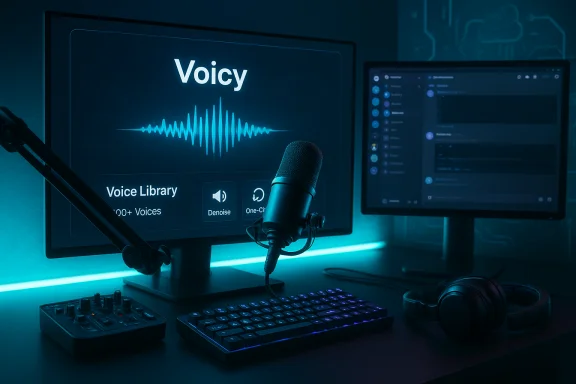
Blue-lit podcasting setup with a microphone, keyboard, mixer, headphones, and dual monitors.Background / Overview​

iTop published a coordinated launch on November 19, 2025 announcing iTop Voicy as a “100% free” real‑time AI voice changer for Windows 10 and Windows 11. The vendor pitch emphasizes an “ultra‑low latency” real‑time pipeline, a large built‑in library of AI voices, custom voice model generation, a one‑click audio/video converter, and studio‑grade recording tools including noise reduction and audio enhancement. The announcement appears primarily as distributed press material reproduced on newswire and iTop’s product pages. The core marketing claims to note up front:
  • Free distribution for all Windows users.
  • Real‑time voice transformation marketed as having no latency.
  • Large voice library (marketing references vary between “100+ models” and “200+ voices”).
  • Custom voice model generation, import and editing.
  • File conversion & built‑in recorder for podcasting and dubbing workflows.
These claims are plausible given the established architecture of desktop voice changers (capture → process → virtual microphone), but they are presented as vendor statements rather than independently audited measurements. That distinction matters for users who need low latency, privacy guarantees, or enterprise‑grade assurance.

How real‑time voice changers work (short technical primer)​

Real‑time voice changers on Windows typically combine these components:
  • A physical microphone capture pipeline managed by Windows audio APIs.
  • A local or cloud‑based processing engine that applies DSP filters, neural voice conversion, or neural TTS-style synthesis.
  • A virtual audio device (a virtual microphone) that exposes the processed audio to third‑party apps (Discord, OBS, Zoom, games).
  • Optional cloud endpoints used for heavy neural inference, model training, or voice cloning.
Latency is the sum of capture buffering, model inference time (CPU/GPU), and virtual device buffering. Achieving conversationally seamless performance requires careful optimization across all layers; “zero latency” is marketing shorthand in practice. Expect measurable tradeoffs between model fidelity and responsiveness.

What iTop says it delivers (vendor claims verified)​

The launch materials and iTop’s product pages make the following explicit claims:
  • Compatibility with Windows 10 and Windows 11 and immediate availability for free download from iTop’s site.
  • Real‑time voice changer intended for gaming, streaming, and meetings with “no latency” and a promise of natural, high‑fidelity outputs.
  • A large AI voice library (marketing text alternates between 100+ models and 200+ voices across pages and translations).
  • Custom voice generation and import tools with control over pitch, timbre and emotional parameters.
  • One‑click audio/video conversion, a built‑in recorder, denoiser and audio enhancer for podcasting and dubbing workflows.
These claims are replicated across press‑release channels and iTop’s global product pages; they represent the company’s public feature set as of the announcement. Independent, hands‑on verification of latency, CPU/GPU utilization, and whether high‑fidelity voices are processed locally or in the cloud is not included in the launch materials and remains an open question.

Independent cross‑checks and what is verifiable now​

Key claims were cross‑referenced using the vendor press release and iTop’s product pages (multiple localized pages), plus a technical community assessment compiled by Windows‑focused analysts. The findings below summarize what can be verified at this stage:
  • Launch date and distribution: The Send2Press / Digital Journal press distribution confirms a coordinated November 19, 2025 launch and points to the iTop download page. This corroborates the timing and the vendor’s availability claims.
  • Feature list: iTop’s official product page reproduces the same feature set — voice library, one‑click conversion, recorder, and custom model tools — including localized content that consistently advertises “low latency” and multi‑language support. That confirms the vendor’s intended feature map, though it does not prove real‑world performance at scale.
  • Architecture plausibility: Community and technical briefs describing voice changer architectures line up with how iTop positions Voicy (virtual mic, local or cloud inference, latency tradeoffs). This supports the technical plausibility of iTop’s approach, but not the absolute latency claims.
Synthesis: the launch and feature set are well documented in vendor materials and newswire republications; critical operational metrics (measured latency, resource use, cloud vs local inference, telemetry/telephony behavior) require independent tests or vendor technical whitepapers to confirm.

Strengths: why Voicy could matter to Windows users​

iTop Voicy brings several immediate strengths that could make it attractive to a wide range of Windows users:
  • Low barrier to entry: A single bundled installer that promises both live voice transformation and file conversion lowers setup friction for hobbyists and creators. The free pricing model removes an adoption barrier common in this product category.
  • Feature breadth in one package: Combining a real‑time voice changer, recorder, noise reduction, and file converter is convenient for streamers and podcasters who want an end‑to‑end workflow without stitching multiple apps together.
  • Large preset library and customization: A broad set of presets plus the ability to import and tweak custom voice models can accelerate content creation workflows — from character voices for roleplay to quick dubbing for short videos.
  • Immediate relevance for gamers and streamers: Virtual microphone routing is the de‑facto approach for integrations with Discord, OBS and games; iTop’s marketing focuses on those use cases and provides a familiar setup model.

Risks, caveats and potential showstoppers​

No announcement should be taken at face value when it concerns real‑time AI and user data. Major risks and practical caveats include:
  • Questionable “no latency” claims: Absolute zero latency is technically impossible; real performance depends on voice model complexity, hardware (CPU/GPU), and whether processing happens locally or through a cloud service. Expect variation and verify with tests on representative hardware.
  • Hidden cloud processing and privacy exposure: If high‑fidelity voice conversion or cloning is offloaded to cloud servers, user voice data may leave the device. The vendor’s statement about encryption is positive, but the launch materials lack a published privacy whitepaper or independent audit that details telemetry and cloud endpoints. Users handling sensitive audio (client calls, medical or legal recordings) should treat vendor privacy assurances cautiously until a technical privacy statement or network analysis is available.
  • Virtual driver and anti‑cheat conflicts: Voice changers commonly install virtual audio drivers. Some anti‑cheat systems and strict endpoint protections may flag unfamiliar drivers or kernel hooks, potentially causing game bans or compatibility problems. Test in controlled environments; avoid using on machines where integrity checks are critical.
  • Sustainability of the free model: Providing advanced, compute‑heavy features at no cost is uncommon without monetization. Expect potential future feature gating, subscription layers, or cloud usage limits. Track the vendor’s long‑term roadmap and Terms of Service for evolving restrictions.
  • Ethical and legal misuse: Voice cloning and realistic transformations increase the risk of impersonation, vishing, and misinformation. Responsible use requires explicit consent for cloning and awareness of local laws prohibiting deceptive use of synthetics. Enterprises should incorporate policy and detection controls where appropriate.

Practical verification checklist (how to test Voicy safely on Windows)​

Before installing on a primary system, follow these steps to validate claims and protect your environment:
  • Create a restore point or use a secondary test system to avoid driver/driver signature issues.
  • Download iTop Voicy from the official vendor page and verify the digital signature of the installer if provided. Run an antivirus/Windows Defender scan on the installer before launching.
  • Install as Administrator and reboot if the installer requests kernel‑level driver registration (virtual audio devices often need a restart).
  • Confirm device routing: open Windows Sound Settings and validate that a branded virtual microphone (iTop Voicy or “Virtual Microphone”) appears. Then select that virtual device in Discord, Zoom, or OBS.
  • Latency test: join a private voice channel and record simultaneous local and processed tracks. Measure round‑trip delay by speaking a short, sharp phrase and comparing waveform timestamps or using subjective conversational tests. Aim for sub‑200ms for acceptable conversational feel; anything over ~300ms will be noticeable.
  • Resource monitoring: open Task Manager to measure CPU/GPU utilization and look for load spikes while switching presets. Test both “lightweight” presets and any advertised high‑fidelity models.
  • Network check: run a packet capture (Resource Monitor or Wireshark) during a live session to verify whether audio frames are sent to remote endpoints. If cloud inference is used, identify the endpoint domains and review the vendor’s privacy statements.
  • Compatibility check: test with one game and one streaming app at a time. If an anti‑cheat or security system flags the driver, suspend use until vendor guidance is available.

Comparison with established competitors​

The product category already includes consumer and pro offerings with different tradeoffs:
  • Voicemod — Mature, widely adopted, free tier available, strong community and streamer integrations; known driver quirks but stable support for common streamer workflows. Good baseline for expectations in usability and integration.
  • Altered / Altered Studio — Aimed at pro audio and media-grade real‑time conversion; typically paid and resource‑intensive but delivers higher realism for production workflows.
  • Open‑source stacks (RVC/so‑vits‑svc forks) — Provide flexible, local inference but require technical setup and tuning; can achieve low latency on optimized hardware.
iTop’s differentiator is its free packaged experience aimed specifically at Windows users, combining live voice change, recorder, and one‑click conversion. If iTop delivers low latency and on‑device processing at scale, it will occupy a compelling niche; if not, it will be most useful for light or novelty use cases.

Enterprise and IT admin considerations​

For IT teams managing endpoint security or corporate voice channels, adopt a conservative approach:
  • Treat iTop Voicy like any app that installs virtual drivers or kernel hooks: evaluate via a sandboxed testbed, check digital signatures, and examine network traffic for telemetry/telephony calls.
  • Update Endpoint Protection policies to allowlisted, signed drivers only after verification. Consider blocking unsigned virtual audio drivers in competitive gaming or secure environments.
  • For regulated audio (medical, legal, financial), require contractual guarantees and privacy audits before allowing Voicy to process client or PHI audio. Vendor marketing statements about encryption are not substitutes for documented processing agreements.
  • Monitor for downstream misuse in corporate channels and include synthetic‑media detection training and incident response playbooks for voice‑based fraud.

Recommended next steps for users​

  • Casual users / streamers: Try Voicy on a secondary system, test basic presets for latency and sound quality, and avoid using highly realistic clones in public channels until provenance is clear.
  • Content creators / podcasters: Use the file conversion and recorder workflows to compare exported audio against established DAW outputs. Validate the denoiser and enhancer on spoken‑word material.
  • Security‑conscious professionals: Run a network capture and request a vendor privacy whitepaper; prefer local‑only modes and confirm that custom voice model generation does not require uploading sensitive data.

Final analysis and editorial verdict​

iTop Voicy is a strategically positioned entry into the real‑time voice changer market: a single Windows installer that bundles live voice transformation, file conversion, and recording tools at a compelling price point — free. That positioning makes it immediately interesting for hobbyists, aspiring content creators, and streamers who want a low‑friction experiment platform.
However, the most important operational and ethical claims in the launch messaging are not yet independently verified. The “no latency” promise is marketing language that collapses several complex system tradeoffs into a single phrase. Practical adoption will hinge on these questions:
  • Does Voicy deliver low, consistent latency on modest hardware?
  • Are high‑fidelity voice models processed fully on‑device or through cloud inference?
  • Does iTop publish a clear privacy and telemetry whitepaper, and is there an independent audit of its data handling?
Until these are answered by hands‑on reviews, network inspections, or vendor technical documentation, the safest approach is to treat iTop Voicy as a promising, convenience‑focused tool for non‑sensitive use cases and to reserve production or sensitive workflows for verified, audited platforms.
The launch demonstrates how quickly AI voice tools are becoming mainstream on Windows. If Voicy can back up its claims with transparent technical detail and responsible data handling, it could be a meaningful addition to the voice‑AI toolkit. If not, it will likely remain a popular novelty until follow‑on updates or business model changes clarify the tradeoffs.
Conclusion
iTop Voicy is worth watching: a feature‑rich, free voice changer for Windows that lowers the barrier to experimenting with real‑time AI voice modulation. The initial marketing and product pages outline an attractive set of capabilities, but measured performance, privacy practices, and driver compatibility must be validated by independent testing and scrutiny before recommending the software for serious, sensitive, or competitive use. Follow the verification checklist above, prioritize controlled testing, and evaluate the vendor’s forthcoming technical documentation and community reviews to determine whether Voicy delivers on its bold promises.

Source: WINK News iTop Launches iTop Voicy: Free Real-Time AI Voice Changer for Windows PCs
 

iTop’s new iTop Voicy arrives as a free, Windows‑only real‑time AI voice changer that promises instant voice transformation, a large library of AI voice presets, and tools for generating custom voice models — all positioned for gamers, streamers, podcasters and casual creators who want low‑latency, studio‑style results on Windows 10 and Windows 11.

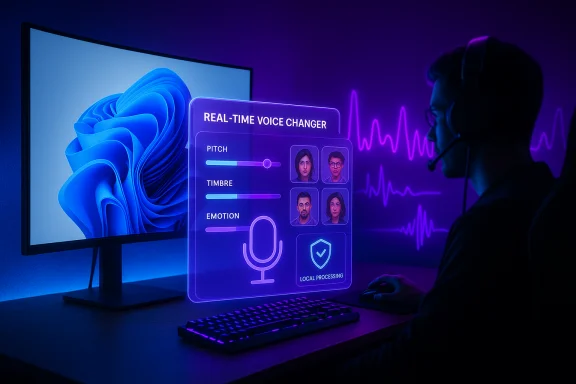
Gamer uses a neon holographic UI for real-time voice changing.Background / Overview​

iTop, a consumer software company known for utilities like iTop VPN and iTop Screen Recorder, announced the global launch of iTop Voicy, marketing it as a 100% free real‑time AI voice changer for Windows that integrates both live voice modulation and file‑based conversion features. The vendor’s product pages and press materials emphasize compatibility with Windows 10 and Windows 11, a built‑in recorder and noise reducer, and an online voice library that spans hundreds of presets and customizable voice models. The announcement has been syndicated via mainstream press release channels and regional product pages; much of the public information available at launch is vendor authored, focused on feature highlights and use cases such as gaming, live streaming, podcasting and dubbing. Independent third‑party reviews and performance benchmarks were limited or absent at launch, which leaves several performance and privacy claims to be validated by hands‑on testing.

What iTop Voicy claims​

iTop’s marketing and product pages present a clear set of headline features aimed at broad consumer adoption:
  • Free, Windows‑only app supporting Windows 10 and Windows 11.
  • Real‑time voice changer with “no latency” claims, intended for live use in Discord, Twitch, Zoom, in‑game voice chat and streaming.
  • Large AI voice library with vendor figures that vary (marketing references include both “100+ models” and “more than 200 voices”), plus the ability to import and generate custom voice models and tweak parameters such as pitch, timbre and emotion.
  • One‑click conversion for audio and video files, a built‑in recorder, noise reduction and an audio enhancer for “studio‑quality” outputs.
  • Virtual microphone audio routing, so the processed voice can be used as an input device across other apps — a standard mechanism for real‑time desktop voice changers.
These claims are consistent with the product pages and the distributed press release language, but the technical specifics behind each claim are not exhaustively documented in the launch materials. The vendor narrative is polished and user‑facing, not a technical whitepaper.

Verifying the headline claims — what’s confirmed and what isn’t​

The most important claims for prospective users are availability, compatibility, latency, voice quality, and privacy. Each is addressed below with cross‑checks against vendor pages and public competitor benchmarks or independent analysis where available.

Availability and platform support — confirmed​

iTop lists Voicy as a desktop application available for Windows 10 and Windows 11, with download links on its regional product pages. The vendor press release also reiterates the free availability of the app. These points are corroborated by iTop’s official product pages and the press wire coverage at launch.

“100% free” — vendor claim, caution advised​

iTop advertises Voicy as free. The product pages present a free download and emphasize no cost at launch. However, the vendor does not disclose a long‑term monetization roadmap in the launch materials; many similar tools ship free access to basic features with optional premium tiers, cloud credits or feature gating later on. That means the claim is accurate at launch but the sustainability and permanence of “100% free” are business decisions that could change. Independent verification requires downloading and inspecting the app for in‑app purchases, trial gates, or subscription prompts.

Real‑time, “no latency” claim — marketing language that needs bench testing​

Marketing copy describes “real‑time voice changer with no latency” and “instant” transformation. Those are aspirational phrases; no latency in absolute terms is technically implausible because any digital audio pipeline introduces measurable delay. Vendor claims should therefore be read as very low latency rather than literally zero. Real‑world latency depends on the chosen voice model, local CPU/GPU performance, buffer sizes, and whether inference runs locally or in the cloud. Independent latency benchmarks would be required to quantify performance across hardware tiers.

Voice library, custom models and fidelity — partially verifiable​

iTop’s product pages document a large voice library and functionality to import and generate custom voice models, including parameter tweaks for pitch, timbre and emotion. The existence of a library and model‑customization UI is verifiable via the vendor pages; however, the fidelity claims (studio quality, hyper‑realism) are subjective and best evaluated through audio samples and comparative listening tests. The advertised library size includes inconsistent numbers (100+ vs 200+), which should be treated as editorial variance rather than a hard spec until the live app is inspected.

Privacy and encryption assertions — vendor‑stated, audit recommended​

iTop states that user data is encrypted and private. That’s a positive claim, but vendor statements are not a substitute for an independent audit. The critical question for privacy‑sensitive users is whether voice processing runs fully locally on the user’s PC, or if high‑quality conversions and custom model training offload audio to cloud servers. Public launch material does not provide a detailed network disclosure or a third‑party privacy audit — this is a transparency gap until the vendor publishes processing modes or a security whitepaper. Users should validate local vs cloud processing behavior by monitoring network traffic during usage if privacy matters.

Technical anatomy: how desktop real‑time voice changers work and where Voicy fits​

To evaluate iTop Voicy’s promises you need to understand the common architecture for desktop real‑time voice changers.
  • Most desktop voice changers use a virtual audio device / virtual microphone driver to route processed audio into other applications. This allows Discord, OBS, games, and conferencing apps to see the processed output as a standard input device. Virtual audio drivers must be carefully engineered for driver compatibility and to avoid conflicts with anti‑cheat or endpoint protection systems.
  • Two inference models are common:
  • Lightweight, local models optimized for low CPU use and minimal latency (suitable for live gaming and streaming).
  • Higher‑fidelity neural models that may be heavier and sometimes require cloud acceleration to remain real‑time. Tradeoffs exist between realism and responsiveness. Academic work in real‑time voice LLMs suggests sub‑200ms latencies are possible with optimized architectures, but only on suitable hardware or with specialized inference stacks.
  • Noise reduction and audio enhancement are typically performed by local DSP (digital signal processing) chains or small neural denoisers; they can be run on‑device with modest CPU cost. The more complex the enhancement (multi‑band equalization, adaptive dereverb, learned denoising), the higher the compute overhead and potential for latency.
iTop’s product descriptions imply the use of a virtual microphone, local noise reduction and a mix of preset/custom voice models — a standard architecture that aligns with competing products on the market. The vendor’s latency and privacy claims are plausible if the implementation prioritizes local, efficient models, but they remain to be validated by testing across hardware profiles.

Privacy, security and ethical risks — the real tradeoffs​

AI voice changers deliver creativity and convenience, but they also raise legitimate technical and societal concerns.

Privacy and data flows​

If iTop Voicy offloads audio to cloud servers for certain conversions (for example, high‑quality voice cloning), user audio will leave the device and be subject to retention and processing policies. Vendor assertions of encryption are necessary but not sufficient — users and IT admins should confirm:
  • whether voice processing is local or cloud‑based,
  • what metadata is collected,
  • retention policies for uploaded voice data,
  • whether uploaded voice samples are used to further train vendor models.

Security and endpoint interaction​

Virtual audio drivers can trigger endpoint protection or game anti‑cheat systems. Installers should be scanned with reputable AV engines, and drivers should be tested on non‑production machines first. Enterprise environments should evaluate supply‑chain risk and policy compliance before rolling the tool out widely.

Ethical and legal misuse​

AI voice cloning and realistic voice conversion have been weaponized in vishing scams and impersonation schemes. Responsible use requires consent from any voice donors and transparency when synthetic audio is published or monetized. Many jurisdictions are tightening rules on synthetic media; creators should follow ethical guidelines and platform policies to avoid legal exposure.

How iTop Voicy compares to established alternatives​

Several established voice‑modulation products already compete in this space; comparing their approaches helps set expectations.
  • Voicemod: A mature, consumer‑facing real‑time voice changer with a large library and a freemium model. Voicemod emphasizes low latency and cross‑app routing, with a known support ecosystem for driver issues and a clear monetization model.
  • HitPaw VoicePea: Offers a broad voice catalog and a combination of lightweight and high‑fidelity voices, with an emphasis on both real‑time and recorded workflows. Similar tradeoffs between realism and latency apply.
  • Voice.ai / other open or community projects: These range from open‑source initiatives to startup platforms, some offering very realistic voice cloning but with varying privacy models and pricing. Open projects may offer more transparency on local vs cloud inference.
iTop Voicy’s differentiators at launch are the vendor’s positioning of the product as fully free and its integration into iTop’s suite of consumer tools. In practice, feature parity and user experience will determine whether Voicy displaces or complements these alternatives. Direct A/B listening tests, latency benchmarks and privacy audits are the usual deciders in this category.

Practical testing checklist for users and admins​

Before adopting iTop Voicy in live streams, competitive games, or production workflows, run these tests in a controlled environment.
  • Install on a non‑critical Windows 10/11 machine and scan the installer with multiple AV engines.
  • Confirm the app’s license and whether any features are gated behind a paywall or registration.
  • Verify the virtual audio device appears in Windows Sound settings and in target apps (Discord, OBS, Zoom).
  • Measure perceived latency:
  • Connect a loopback test, or use a private Discord channel and record both original and processed signals.
  • Monitor CPU and GPU load in Task Manager while switching voices.
  • Test privacy claims:
  • Run a network capture (Wireshark) during a sample session to check for audio or model uploads.
  • Look for explicit toggles for local vs cloud processing in app settings.
  • Perform audio quality checks:
  • Record sample reads with various presets and compare against competitor outputs.
  • Test the built‑in denoiser and enhancer on noisy inputs to validate clarity.
  • Validate compatibility:
  • Test with target games or streaming tools and verify anti‑cheat or endpoint software does not flag the installer or driver.
  • Confirm EULA and privacy policy terms about voice sample usage and model training.
Use the steps above to confirm vendor claims in your real‑world environment before using Voicy in monetized or sensitive contexts.

Deployment recommendations and best practices​

  • Use Voicy on a secondary machine for initial trials and for content creation tasks where privacy matters.
  • Prefer local processing modes (if available) when handling client data, confidential conversations, or regulated audio content.
  • Keep driver support and rollback plans ready: uninstall drivers or revert to system restore points if compatibility problems arise.
  • For streamers and competitive gamers, test in offline or unranked matches first to rule out anti‑cheat issues.
  • Maintain transparency when publishing synthetic voices: label content when voices are synthetic or derived from a real person’s recording, and obtain written consent before using another person’s voice as a model.

Strengths and opportunities​

  • Low barrier to entry: A free offer lowers the friction for creators and hobbyists to experiment with voice modulation on Windows devices. This can accelerate adoption among gamers, streamers and casual creators.
  • Feature bundle: The combination of real‑time voice modulation, file conversion, a recorder and noise reduction addresses multiple creator workflows without switching apps.
  • Customization: Custom voice model generation and parameter adjustments can be powerful for creators who need distinct character voices or branded audio assets.

Risks and limits​

  • Unverified latency and fidelity claims: The “no latency” marketing phrase is optimistic; real performance depends on hardware and model selection. Independent benchmarks are necessary.
  • Privacy transparency gap: Without a published technical whitepaper or network disclosure, users cannot be certain which operations (if any) are cloud‑based and how voice samples are retained. Caution is warranted for sensitive audio.
  • Sustainability of the free model: Long‑term maintenance of cloud infrastructure and model updates can require monetization; free access at launch does not guarantee permanent free status.

Final analysis — where iTop Voicy fits and what to expect​

iTop Voicy enters a crowded but fast‑moving segment: real‑time desktop voice changers that blend AI voice modeling, low‑latency routing and creator workflows. At launch, iTop presents a compelling, low‑friction product narrative — a free app for Windows 10 and Windows 11 that combines a large voice library, custom model generation, and studio‑style recording tools. Those headline features are confirmed by vendor pages and press materials, but the most consequential technical claims (zero latency, fully local processing, and long‑term free access) require independent validation.
For everyday streamers and hobbyists, Voicy represents a promising new option worth trialing. For professionals, security‑conscious users or enterprise deployments, the prudent path is to test the software in a controlled environment, confirm network behavior and driver compatibility, and verify whether processing stays local for the features you depend on. The broader industry context — where competitors offer established freemium models and a mix of local/cloud processing options — means iTop must demonstrate stable performance, transparent privacy practices and a clear monetization strategy to sustain long‑term trust.
iTop Voicy is a noteworthy announcement: its accessibility and feature set will attract attention, but measured testing and privacy scrutiny will determine whether it becomes a mainstream alternative or another vendor‑promoted novelty in the crowded voice‑modulation marketplace.

Quick reference: pre‑install checklist​

  • Confirm Windows version (Windows 10 or Windows 11).
  • Scan the installer with AV tools before running.
  • Create a system restore point before installing virtual audio drivers.
  • Test in a private voice channel and monitor CPU and network traffic.
  • Verify whether any features require registration, cloud credits, or in‑app purchases.
Following these steps will reduce risk and help you make an informed decision about adopting iTop Voicy for live streaming, gaming and content creation.
Source: mykxlg.com iTop Launches iTop Voicy: Free Real-Time AI Voice Changer for Windows PCs
 

CData’s Connect AI platform has been integrated into Microsoft Copilot Studio and Microsoft Agent 365 to provide Model Context Protocol (MCP) connectivity that promises real‑time, semantic‑aware access to live enterprise systems — a move that aims to remove the three traditional barriers to agentic automation: connectivity, context, and control.

Futuristic cloud governance scene showing identity, permissions, and MCP security shield.Background​

MCP — the Model Context Protocol — is an open standard developed to let large language models (LLMs) and agent frameworks call out to structured systems and services in a predictable, tool‑based way. Instead of relying solely on prompt engineering or retrieval‑augmented generation, MCP exposes tools and metadata that an LLM can discover and invoke to retrieve or modify live business data. The specification is intended to standardize runtime access to system metadata, schemas, and deterministic actions so agents can reason and act with accurate, auditable context. CData, a veteran data‑connectivity vendor, now delivers a managed MCP offering — Connect AI — that bundles hundreds of prebuilt connectors behind a single MCP server endpoint. Microsoft has made this connectivity available inside Copilot Studio and the Agent 365 tooling surface, allowing enterprise agents to call CData’s MCP servers as governed tools inside an organization’s Agent 365 registry. Both companies position the integration as a way to let agents read, write, and act on live data across hundreds of systems without bespoke engineering projects.

What the announcement actually says​

  • CData’s Connect AI is now available as an MCP provider in Microsoft Copilot Studio and can be registered as a tooling server in Microsoft Agent 365.
  • The offering exposes connectivity to over 300–350 enterprise systems — including major platforms such as Salesforce, Snowflake, NetSuite, SAP, and ServiceNow — via a single, managed MCP layer.
  • The platform supplies semantic intelligence about connected systems — schema, relationships, and system metadata — designed to help agents reason across multiple sources.
  • Integration into Agent 365 ties CData’s MCP servers into Microsoft’s governance, identity and auditing controls so organizations can control which agents and users can call which tools.
These are the core, load‑bearing claims from the vendor and Microsoft materials; they form the basis for the practical analysis below.

Why MCP matters: the problem it solves​

AI agents are useful only insofar as they can access correct, current, and permissioned data. Three recurring enterprise pain points have impeded practical agent deployments:
  • Fragmented connectivity: dozens to hundreds of APIs and versions to manage.
  • Context overload: models lack system knowledge (schemas, relationships, business logic).
  • Governance and control: auditing, identity, and permission enforcement across tools.
MCP provides a standardized “tool interface” so an LLM can discover what data and actions are available and request only what’s necessary. By packaging connectors as MCP servers, vendors like CData move heavy lifting — authentication, schema translation, API pagination, and server‑side filtering — out of the agent’s context window and into a governed runtime. The practical benefits are lower token payloads for the LLM, reduced agent complexity, and centralized observability for IT.

How CData’s Connect AI implements MCP​

A managed MCP layer with hundreds of connectors​

Connect AI is presented as a managed platform that exposes a single MCP endpoint (or a curated set of endpoints) into Copilot Studio or other MCP‑aware clients. Behind that endpoint, CData maps and maintains connectors for many enterprise systems and exposes their entities and actions as SQL‑like models and callable tools. This approach is intended to give agents a unified, consistent interface to otherwise heterogeneous systems. Key product characteristics CData highlights:
  • One MCP server endpoint that aggregates connectivity to 300–350+ systems.
  • Pre‑built transforms for schema normalization and API differences.
  • Tool manifests that describe entity attributes, permissions, and supported operations (read/write/procedure calls).
  • Support for both structured and unstructured content, including direct editing of files and revision tracking.

Semantic intelligence: teaching agents what systems mean​

Connect AI does not simply pipe raw rows to a model. It layers semantic metadata — system names, relationship graphs, and business logic hints — so agents can interpret fields and relate entities across systems. That semantic layer is the difference between a model returning a list of raw records and an agent understanding that “close_date” in CRM maps to a revenue forecast in the financial system. CData claims this reduces hallucination and enables multi‑system reasoning.

Microsoft side: Copilot Studio and Agent 365 governance​

Agent 365 is Microsoft’s control plane for registering tool servers (including MCP servers), enforcing identity scopes, and monitoring agent activity. When an MCP server is onboarded through Agent 365, it becomes a registrable, admin‑controlled tool with observable, auditable calls and policy enforcement. Microsoft documents that admins can allow/block servers, assign scoped permissions, and trace every tool call for security and compliance purposes. Copilot Studio then becomes the builder surface where makers design agents that call those certified tools. Microsoft positions Agent 365 as a solution to “agent sprawl”: a central registry, policy engine, and telemetry surface for agents across the enterprise. That means third‑party MCP servers — including those from CData — operate under Microsoft’s governance controls but remain subject to tenant policy and admin consent. The net effect is a single integration point for both vendor MCP servers and Microsoft’s own tooling servers.

Security, identity, and governance: what the integration promises​

CData and Microsoft emphasize several defense‑in‑depth features:
  • Identity‑first security: MCP calls inherit source permissions (honoring user access in the upstream system) and support OAuth and SSO flows.
  • Granular CRUD controls: agents are limited to permitted operations and specific tool manifests.
  • Audit trails and observability: every data activity and tool invocation is logged for compliance and forensic readiness.
  • Admin control: central allow/deny lists for MCP servers in Microsoft 365 admin center.
These capabilities are necessary but not sufficient. MCP by design delegates enforcement to implementations and integration surfaces. That means the security guarantee depends on correct configuration, lifecycle management, and continuous monitoring — not on the protocol itself. Vendors and platform operators must still design controls for human‑in‑the‑loop approvals, rate limits, and policy enforcement to mitigate risks such as accidental or malicious writebacks. Industry commentary and CData documentation explicitly call out these operational responsibilities rather than presenting MCP as a silver bullet.

Performance and cost: the token economy​

A repeated practical selling point for Connect AI is minimizing token consumption for LLM workloads. The vendor and independent coverage argue that when connectors can perform server‑side filtering, joins, and aggregations, the model receives a much smaller, semantically distilled payload — thereby consuming fewer tokens and reducing inference cost. CData engineering commentary explains that sensible push‑down of query work to the MCP server is critical to avoid large, unnecessary responses. However, token savings are workload‑dependent. The following points matter concretely:
  • If an agent asks for a high‑cardinality dataset and the MCP server returns many rows, token consumption will still be high.
  • Server‑side pre‑aggregation and filtering can reduce token payloads substantially for common analytical queries.
  • Total cost of ownership must include vendor fees, connector invocation costs, Copilot credits or model inference charges, and any egress/hosting fees.
Pragmatic adopters should run representative A/B tests (model vs. MCP‑filtered model input) to measure real savings and to model the added line items in their cost equations before committing to any single architecture.

Practical deployment models​

There are two dominant deployment models for MCP providers such as CData:
  • Managed, hosted MCP (CData Connect AI): the vendor hosts MCP servers and connectors in a managed cloud offering. This reduces time‑to‑value but introduces third‑party operational and contractual considerations.
  • Embedded or on‑prem MCP servers: organizations or ISVs deploy MCP server software inside their own cloud or private environments. This offers tighter control but increases implementation and maintenance overhead.
Both models have tradeoffs:
  • Managed hosting accelerates adoption and offloads connector maintenance, but tenants should validate SLAs, auditability, data handling policies, and compliance certifications (SOC2, ISO 27001, etc..
  • On‑prem servers preserve data locality and control but require teams to maintain connectors, security patches, and MCP compliance testing against new model features and agent behaviors.
Enterprises should treat MCP adoption as an operational program: define agent onboarding policies, risk tiers, ROI metrics, and incident response playbooks for agent actions that touch production systems.

Risks and limitations — what IT teams must not gloss over​

  • Protocol vs. implementation: MCP is a standard for exposing tools. Security and auditability depend on the server implementation and the governance system surrounding it. Don’t assume MCP itself enforces identity or prevents exfiltration.
  • Data exfiltration risk: poorly implemented or overly permissive MCP servers can be used by compromised agents to extract sensitive records. Robust manifest whitelists, runtime content scanning, and human approval gates for high‑risk actions are essential.
  • Identity and attribution: distinguishing whether a request came from a user, an agent, or a shared system account affects audit trails and compliance. Ensure the solution maps actions back to the initiating identity reliably.
  • Cost leakage: token reductions may be counterbalanced by new charges — third‑party platform fees, API invocation charges, or increased model use once agents scale. Model the full cost curve and set per‑agent budgets.
  • Operational complexity: adding an MCP layer changes the failure modes of workflows. Connector downtime, schema changes in upstream systems, or unexpected tool responses can break agent behavior. Implement robust observability and incident playbooks.
These are not theoretical; independent reporting and vendor documentation both highlight these exact operational concerns as part of prudent MCP adoption.

Due diligence checklist for IT and security teams​

Before authorizing broad agent use with CData’s Connect AI and Agent 365, teams should validate the following:
  • Governance and registry: Confirm Agent 365 governance policies can centrally block or allow CData MCP servers and that admin consent flows are enforced.
  • Identity mapping: Verify per‑request identity propagation so actions map back to the initiating user or service principal.
  • Audit and SIEM integration: Ensure immutable audit logs integrate with existing SIEM tooling and retain sufficient context for forensics.
  • SLAs and uptime: Confirm SLAs for managed connectors and escalation paths for outages and incidents.
  • Cost modeling: Run representative workloads to measure token consumption, connector invocation costs, and overall agent runtime cost.
  • Human‑in‑the‑loop controls: Design approval workflows for any writeback or high‑impact action.
  • Security testing: Conduct red‑team exercises and penetration testing on MCP manifests and tool return values to detect potential prompt‑injection or stealth exfiltration vectors.
Following these steps will reduce the chance that agent deployments create unmanageable operational or security debt.

Who benefits and who should pause​

  • Immediate beneficiaries:
  • Business teams that need fast, secure automation spanning CRM, ERP, and analytics systems.
  • ISVs embedding agentic features in their products who want a managed connectivity layer.
  • Organizations that lack deep integration engineering resourcing and prefer a vendor‑maintained connector catalog.
  • Who should pause:
  • Regulated environments with strict data residency or sovereignty requirements where vendor‑hosted connectors would violate policy.
  • Organizations without clear AgentOps or governance primitives; agent fleets without controls can quickly create cost and security issues.
  • Teams that lack instrumentation and observability to detect or react to misuse or unexpected agent behavior.

Strategic implications for enterprise architecture​

CData’s managed MCP integration into Microsoft’s agent control plane signals two architectural shifts:
  • An emergent agent‑centric integration layer: instead of building bespoke API integrations for each AI project, enterprises can adopt a managed MCP catalog that gives agents a consistent surface to call. This reduces project turnaround time for agent pilots and accelerates operationalization of agentic workflows.
  • A stronger boundary between runtime governance and connector implementations: Microsoft’s Agent 365 creates a centralized governance fabric, but responsibility for connector behavior and security still lies with MCP providers and tenants. Expect an increase in contractual, security, and auditing scrutiny as organizations push more production actions through agents.
In the medium term, teams that build robust AgentOps practices — including cost governance, identity modeling, and incident response for agents — will realize the greatest value from MCP ecosystems while avoiding the most serious pitfalls.

Conclusion​

The CData–Microsoft integration is a significant, pragmatic step toward operationalizing agentic AI in the enterprise. By combining CData’s managed MCP connector catalog with Microsoft’s Agent 365 governance and Copilot Studio builder tools, organizations can significantly shorten the path from pilot to production for AI agents that must interact with live systems. The promise — simpler connectivity, richer semantic context, and centralized governance — is real, but it is not automatic. Adopters should treat MCP as an operational capability, not a drop‑in solution: validate token‑savings claims with real workloads, insist on clear SLAs and audit integration, enforce least‑privilege access and human approval for risky actions, and prepare for the additional cost lines that agent scale will introduce. When paired with disciplined AgentOps and security oversight, CData’s Connect AI inside Copilot Studio and Agent 365 can be a powerful enabler of enterprise automation — enabling agents that truly act on, and learn from, the live systems that run the business.
Source: IT Brief Asia CData, Microsoft unlock broad MCP data connectivity
 

Back
Top