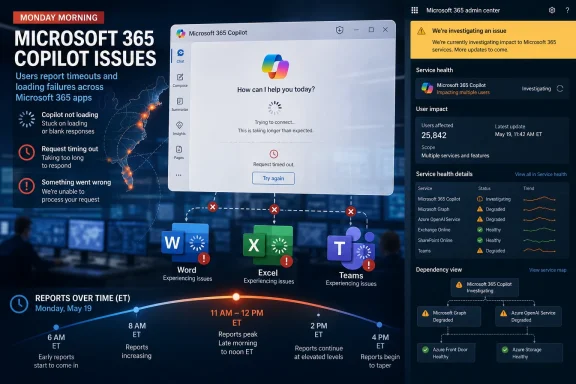
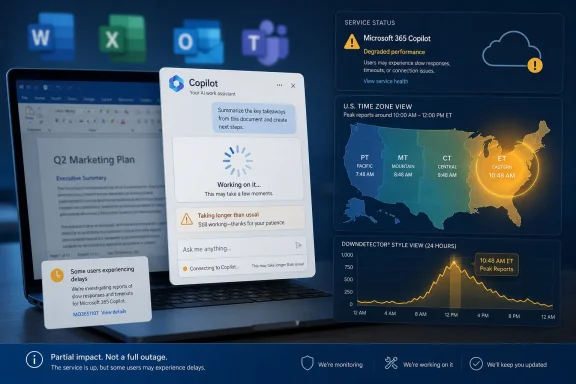
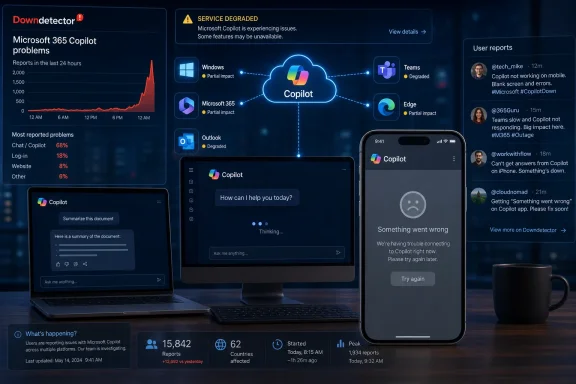
Microsoft Copilot saw a wave of user-reported problems on Friday, May 29, 2026, with Downdetector showing more than 2,600 reports by 8:58 a.m. Pacific time and most complaints pointing to the mobile app. The number is not proof of a global outage, and Microsoft had not publicly supplied the kind of incident narrative administrators prefer at the moment the reports surfaced. But it is another reminder that Copilot is no longer a side experiment tucked into a browser tab. When Microsoft’s AI layer stumbles, the blast radius now reaches phones, Office workflows, Windows habits, and the increasingly fragile trust users place in always-on productivity software.
The most important thing about Friday’s reported Copilot disruption is not the raw Downdetector count. Consumer outage trackers are noisy instruments: they measure complaints, not confirmed root causes, and their charts can be pushed upward by confusion, regional routing problems, login failures, or a popular app simply behaving badly for a short window. Still, Downdetector spikes matter because they capture something official dashboards often miss in the first hour of a service problem: the moment ordinary users realize the tool they expected to be invisible has become the work.
Copilot is no longer merely “Bing Chat with a nicer badge.” Microsoft has spent the past few years attaching the brand to Windows, Microsoft 365, Edge, Teams, Outlook, developer tooling, security operations, and mobile experiences. That strategy gives the company distribution most AI rivals can only envy, but it also makes availability a product feature. If Copilot is positioned as the assistant that drafts, summarizes, explains, searches, triages, and navigates, then downtime is not just a chatbot outage. It is a failure of Microsoft’s new user interface thesis.
That thesis is ambitious: the command line gave way to graphical shells, search bars became launchers, and now prompts are supposed to become the next control surface. Microsoft has been especially aggressive in making that transition feel inevitable. Copilot buttons appear in places where users did not necessarily ask for them, and enterprise customers are being told that AI assistance will sit beside core workflows rather than outside them.
Friday’s reports cut against that inevitability. A feature can be optional when it fails gracefully. A platform layer cannot.
Microsoft’s mobile AI ambitions have always been slightly awkward. The company does not control the dominant mobile operating systems, and Copilot on iOS or Android must live within other platform owners’ rules, app store update rhythms, notification systems, identity flows, and background-processing limits. That makes the mobile app a useful test of whether Copilot can be more than a Microsoft ecosystem ornament.
If Friday’s reports were concentrated in the app, the immediate possibilities are familiar: authentication trouble, backend request failures, app-specific API breakage, regional routing, an update gone wrong, or pressure on a particular service dependency. None of those possibilities should be treated as fact without Microsoft’s incident detail. But each points to the same architectural truth: a modern AI assistant is not one service. It is a chain of models, moderation, retrieval systems, identity providers, telemetry, app shells, cloud routing, subscription checks, and feature flags.
That complexity is invisible when Copilot answers quickly. It becomes painfully visible when the app cannot do the one thing users opened it to do.
For IT pros, the right reading is disciplined skepticism. A Downdetector spike should trigger verification, not panic. Check Microsoft 365 service health if the tenant has access, test from multiple networks, compare mobile and desktop behavior, and look for whether failures are tied to consumer Copilot, Microsoft 365 Copilot, Copilot Pro, or embedded Copilot surfaces inside Office apps. Those are different products in practice, even when marketing compresses them into one name.
The problem is that Microsoft’s naming strategy makes that triage harder than it needs to be. “Copilot” can mean a consumer chat app, a paid Microsoft 365 add-on, GitHub’s coding assistant, a Windows entry point, a security product, a Teams feature, or a branded AI affordance inside a specific app. When reports say “Copilot is down,” administrators must first ask which Copilot is being discussed.
That ambiguity is not a cosmetic issue. It slows incident response, muddies user reports, and makes public outage data less actionable. The more Microsoft turns Copilot into a universal brand, the more it needs service-health communication that distinguishes the parts.
That means Copilot incidents do not always look like conventional outages. A chat window might load while file grounding fails. A mobile app might accept prompts while refusing to return answers. A Word integration might work while Teams meeting summaries stall. From a user’s perspective, all of this collapses into one complaint: Copilot is broken.
For Microsoft, that creates a higher bar than the company sometimes acknowledges. It is not enough to keep the model endpoint alive. Copilot must reliably cross the seams between identity, storage, permissions, app context, and output generation. This is especially true for enterprise deployments, where the value proposition rests on Microsoft Graph access and organizational data boundaries. A general-purpose chatbot can apologize and ask the user to try again. A work assistant that promises to know the meeting, the inbox, the document, and the tenant cannot afford to feel improvisational.
The old cloud bargain was that customers accepted occasional outages in exchange for scale, patching, and global availability they could not easily build themselves. AI adds a new clause to that bargain: users are now expected to entrust more of their cognitive workflow to remote inference systems. That makes reliability feel personal in a way a file-sync delay does not.
That unsettled identity matters during outages because users judge reliability against the level of intrusion. A tool that remains politely optional gets more forgiveness. A tool that appears across the system, changes established workflows, or occupies scarce screen space earns less patience when it fails. Microsoft’s problem is not simply that Copilot can go down. Every cloud service can. The problem is that Microsoft has often pushed Copilot as though the social contract had already been settled.
For enthusiasts, this has become one of the defining Windows debates of the AI era. The question is not whether AI can be useful inside an operating system. It can be. The question is whether Microsoft can integrate it with restraint, transparency, and administrative control. A reliable Copilot that appears when summoned is one thing. A frequently repositioned Copilot that sometimes cannot answer is another.
Friday’s reported trouble, even if brief, lands inside that broader tension. Users are not evaluating Copilot in isolation. They are evaluating it against months of AI branding, prompts to adopt it, interface experiments, and the sense that Microsoft is still deciding which parts of the operating system should become conversational.
Soft dependencies are dangerous because they rarely appear in business-continuity planning. Nobody holds a tabletop exercise for “AI summary unavailable for two hours.” Yet the real productivity loss can be scattered across hundreds or thousands of users, especially when staff have been encouraged to build workflows around AI convenience. If the tool is merely a shortcut, outage impact is modest. If the shortcut has replaced the old habit, the outage becomes operational.
This is where Copilot differs from many earlier Office features. A broken ribbon button is frustrating, but users usually know the underlying task. A broken AI assistant can leave users unsure how much work they have delegated and how to recover the manual path. That is a training issue as much as a technology issue. Organizations adopting Copilot should treat it like any other productivity platform: useful, governable, monitored, and never assumed to be magic.
The lesson is not to ban Copilot. It is to keep human-readable workflows intact. If an employee cannot find the source document without an AI answer, the information architecture has failed. If a team cannot summarize a meeting without an automated recap, the meeting process has failed. Copilot can accelerate work, but it should not become the only map.
Microsoft’s current branding encourages users to collapse all those experiences into a single bucket. Its service-health communication should work harder to separate them back out. That means clearer public status surfaces for consumer-facing Copilot, tenant-specific advisories for commercial customers, and incident titles that describe user-visible impact rather than internal component names. The company does not have to reveal every backend detail to be useful.
There is also a credibility issue. Microsoft wants customers to see Copilot as dependable enough to justify license costs, training programs, workflow redesign, and in some cases executive pressure to adopt AI. Outage communication becomes part of that sales pitch whether Microsoft likes it or not. A vague advisory may satisfy a legal minimum, but it does not reassure an admin who has to explain to a department head why the expensive AI assistant is unavailable on the morning of a deadline.
The irony is that AI products often promise better communication: instant summaries, plain-English explanations, and contextual guidance. Microsoft should hold its own incident reporting to the same standard.
Copilot’s design challenge is that Microsoft wants it to be both everywhere and coherent. Those goals conflict. The more surfaces Copilot inhabits, the more it must adapt to local context: a spreadsheet cell, a Teams meeting, a Windows search action, a mobile prompt, a security alert. But the more it adapts, the less “Copilot” means one thing. Outages expose that semantic gap.
This is familiar Microsoft territory. The company has often won by bundling and integrating, then spent years smoothing the seams after customers complain. Office itself became powerful through accumulation. Windows became dominant through compatibility. Azure became credible through breadth. Copilot is following that institutional pattern at AI speed, which means the seams are arriving before the polish.
The risk is that users come to see Copilot less as a trusted assistant and more as another Microsoft layer that appears everywhere, consumes attention, and occasionally fails opaquely. That would be a strategic problem, not just a reliability problem. AI assistants depend on repeated voluntary use. If users associate the button with uncertainty, they will route around it.
Microsoft’s advantage is distribution. Its disadvantage is expectation. Users expect Microsoft 365 and Windows-adjacent tools to behave like productivity infrastructure, not like experimental consumer apps. That is a harsher standard than the one applied to standalone AI chatbots, and it should be. A tool embedded in paid business software must be judged as business software.
This is especially true because Copilot pricing and positioning have raised the stakes. When AI is marketed as a premium productivity accelerator, customers will not treat outages as charming growing pains forever. They will ask whether the service is measurable, manageable, and resilient. They will ask whether adoption mandates are getting ahead of reliability. They will ask whether Microsoft is selling a platform layer before the platform has settled.
Friday’s reported problems may fade quickly. The questions they raise will not.
That means administrators should document which Copilot surfaces are enabled, which groups depend on them, and what alternatives exist when they fail. It also means support desks should avoid treating AI complaints as vague user frustration. “Copilot is down” should become the start of a triage path: which app, which account type, which device, which network, which prompt type, which data source, and whether the same action works in a browser.
Users, meanwhile, should keep a healthy distinction between assistance and authority. If Copilot drafts a message, know where the underlying information lives. If it summarizes a meeting, know how to access the transcript or notes. If it helps with code, retain the habit of reading the documentation and tests. Reliability is not only about servers staying up. It is also about people retaining the skills to continue when the assistant is unavailable.
Microsoft has spent years teaching users to expect cloud continuity. It is now teaching them to expect AI continuity. The second lesson will be harder.
 Copilot Has Become Infrastructure Before It Has Earned Infrastructure Trust
The most important thing about Friday’s reported Copilot disruption is not the raw Downdetector count. Consumer outage trackers are noisy instruments: they measure complaints, not confirmed root causes, and their charts can be pushed upward by confusion, regional routing problems, login failures, or a popular app simply behaving badly for a short window. Still, Downdetector spikes matter because they capture something official dashboards often miss in the first hour of a service problem: the moment ordinary users realize the tool they expected to be invisible has become the work.Copilot is no longer merely “Bing Chat with a nicer badge.” Microsoft has spent the past few years attaching the brand to Windows, Microsoft 365, Edge, Teams, Outlook, developer tooling, security operations, and mobile experiences. That strategy gives the company distribution most AI rivals can only envy, but it also makes availability a product feature. If Copilot is positioned as the assistant that drafts, summarizes, explains, searches, triages, and navigates, then downtime is not just a chatbot outage. It is a failure of Microsoft’s new user interface thesis.
That thesis is ambitious: the command line gave way to graphical shells, search bars became launchers, and now prompts are supposed to become the next control surface. Microsoft has been especially aggressive in making that transition feel inevitable. Copilot buttons appear in places where users did not necessarily ask for them, and enterprise customers are being told that AI assistance will sit beside core workflows rather than outside them.
Friday’s reports cut against that inevitability. A feature can be optional when it fails gracefully. A platform layer cannot.
The Mobile Complaints Point to Copilot’s Most Vulnerable Edge
GV Wire’s report, citing Downdetector, noted that most users reporting problems said the issue involved the mobile application. That detail matters because mobile is where Copilot’s promise is simultaneously most obvious and most brittle. A phone assistant is supposed to be immediate, contextual, and available in the gap between meetings, commutes, and quick replies. Latency or failed loading on a desktop tab is annoying; on a phone, it often means the moment has passed.Microsoft’s mobile AI ambitions have always been slightly awkward. The company does not control the dominant mobile operating systems, and Copilot on iOS or Android must live within other platform owners’ rules, app store update rhythms, notification systems, identity flows, and background-processing limits. That makes the mobile app a useful test of whether Copilot can be more than a Microsoft ecosystem ornament.
If Friday’s reports were concentrated in the app, the immediate possibilities are familiar: authentication trouble, backend request failures, app-specific API breakage, regional routing, an update gone wrong, or pressure on a particular service dependency. None of those possibilities should be treated as fact without Microsoft’s incident detail. But each points to the same architectural truth: a modern AI assistant is not one service. It is a chain of models, moderation, retrieval systems, identity providers, telemetry, app shells, cloud routing, subscription checks, and feature flags.
That complexity is invisible when Copilot answers quickly. It becomes painfully visible when the app cannot do the one thing users opened it to do.
Downdetector Is an Early-Warning System, Not a Verdict
Downdetector reports often become the first public signal of a cloud-service wobble because official vendor communications tend to move more slowly. That is not always negligence. Large providers need to confirm scope, isolate failure modes, and avoid publishing inaccurate incident details that send administrators chasing the wrong problem. But the lag creates a trust gap, and outage trackers fill it with a messier, more democratic kind of evidence.For IT pros, the right reading is disciplined skepticism. A Downdetector spike should trigger verification, not panic. Check Microsoft 365 service health if the tenant has access, test from multiple networks, compare mobile and desktop behavior, and look for whether failures are tied to consumer Copilot, Microsoft 365 Copilot, Copilot Pro, or embedded Copilot surfaces inside Office apps. Those are different products in practice, even when marketing compresses them into one name.
The problem is that Microsoft’s naming strategy makes that triage harder than it needs to be. “Copilot” can mean a consumer chat app, a paid Microsoft 365 add-on, GitHub’s coding assistant, a Windows entry point, a security product, a Teams feature, or a branded AI affordance inside a specific app. When reports say “Copilot is down,” administrators must first ask which Copilot is being discussed.
That ambiguity is not a cosmetic issue. It slows incident response, muddies user reports, and makes public outage data less actionable. The more Microsoft turns Copilot into a universal brand, the more it needs service-health communication that distinguishes the parts.
Microsoft’s AI Layer Is Colliding With Old Cloud Expectations
Cloud customers have learned how to think about Exchange Online outages, Teams incidents, Azure region failures, and identity problems. There are runbooks, admin center alerts, status pages, advisory IDs, post-incident reports, and muscle memory. AI assistants are newer, and their failure modes are stranger. They can be online but degraded, responsive but wrong, authenticated but unable to retrieve context, or available in one host application while broken in another.That means Copilot incidents do not always look like conventional outages. A chat window might load while file grounding fails. A mobile app might accept prompts while refusing to return answers. A Word integration might work while Teams meeting summaries stall. From a user’s perspective, all of this collapses into one complaint: Copilot is broken.
For Microsoft, that creates a higher bar than the company sometimes acknowledges. It is not enough to keep the model endpoint alive. Copilot must reliably cross the seams between identity, storage, permissions, app context, and output generation. This is especially true for enterprise deployments, where the value proposition rests on Microsoft Graph access and organizational data boundaries. A general-purpose chatbot can apologize and ask the user to try again. A work assistant that promises to know the meeting, the inbox, the document, and the tenant cannot afford to feel improvisational.
The old cloud bargain was that customers accepted occasional outages in exchange for scale, patching, and global availability they could not easily build themselves. AI adds a new clause to that bargain: users are now expected to entrust more of their cognitive workflow to remote inference systems. That makes reliability feel personal in a way a file-sync delay does not.
The Windows Angle Is Bigger Than a Single App
Windows users have watched Copilot move in and out of the operating system’s foreground with unusual speed. Microsoft has tested dedicated keys, taskbar placements, sidebar experiences, app integrations, and changing degrees of prominence. Sometimes the company presents Copilot as a productivity layer. Sometimes it looks like a search replacement. Sometimes it feels like another preinstalled service competing for attention.That unsettled identity matters during outages because users judge reliability against the level of intrusion. A tool that remains politely optional gets more forgiveness. A tool that appears across the system, changes established workflows, or occupies scarce screen space earns less patience when it fails. Microsoft’s problem is not simply that Copilot can go down. Every cloud service can. The problem is that Microsoft has often pushed Copilot as though the social contract had already been settled.
For enthusiasts, this has become one of the defining Windows debates of the AI era. The question is not whether AI can be useful inside an operating system. It can be. The question is whether Microsoft can integrate it with restraint, transparency, and administrative control. A reliable Copilot that appears when summoned is one thing. A frequently repositioned Copilot that sometimes cannot answer is another.
Friday’s reported trouble, even if brief, lands inside that broader tension. Users are not evaluating Copilot in isolation. They are evaluating it against months of AI branding, prompts to adopt it, interface experiments, and the sense that Microsoft is still deciding which parts of the operating system should become conversational.
For Administrators, The Real Risk Is Dependency Creep
Enterprise IT does not need to believe every outage spike is catastrophic to take the pattern seriously. The bigger issue is dependency creep: features that begin as optional assistants quietly become embedded in daily habits, business processes, and support expectations. A salesperson starts relying on AI-generated email summaries. A manager expects meeting recaps. A help desk analyst uses Copilot to draft responses. A security team leans on an assistant to explain alerts. None of these use cases may be mission-critical alone, but together they create a soft dependency.Soft dependencies are dangerous because they rarely appear in business-continuity planning. Nobody holds a tabletop exercise for “AI summary unavailable for two hours.” Yet the real productivity loss can be scattered across hundreds or thousands of users, especially when staff have been encouraged to build workflows around AI convenience. If the tool is merely a shortcut, outage impact is modest. If the shortcut has replaced the old habit, the outage becomes operational.
This is where Copilot differs from many earlier Office features. A broken ribbon button is frustrating, but users usually know the underlying task. A broken AI assistant can leave users unsure how much work they have delegated and how to recover the manual path. That is a training issue as much as a technology issue. Organizations adopting Copilot should treat it like any other productivity platform: useful, governable, monitored, and never assumed to be magic.
The lesson is not to ban Copilot. It is to keep human-readable workflows intact. If an employee cannot find the source document without an AI answer, the information architecture has failed. If a team cannot summarize a meeting without an automated recap, the meeting process has failed. Copilot can accelerate work, but it should not become the only map.
Microsoft Needs Cleaner Incident Language For The AI Era
The company has the machinery to communicate service health, especially to Microsoft 365 administrators. But Copilot’s sprawl demands a more user-facing incident vocabulary. Is consumer Copilot affected? Is Microsoft 365 Copilot affected? Is the mobile app failing while web works? Are Outlook summaries degraded? Are Teams recaps delayed? Are responses slow, unavailable, or missing tenant context? Those distinctions are not pedantic. They determine whether a user waits, switches device, clears cache, opens a desktop app, or escalates to IT.Microsoft’s current branding encourages users to collapse all those experiences into a single bucket. Its service-health communication should work harder to separate them back out. That means clearer public status surfaces for consumer-facing Copilot, tenant-specific advisories for commercial customers, and incident titles that describe user-visible impact rather than internal component names. The company does not have to reveal every backend detail to be useful.
There is also a credibility issue. Microsoft wants customers to see Copilot as dependable enough to justify license costs, training programs, workflow redesign, and in some cases executive pressure to adopt AI. Outage communication becomes part of that sales pitch whether Microsoft likes it or not. A vague advisory may satisfy a legal minimum, but it does not reassure an admin who has to explain to a department head why the expensive AI assistant is unavailable on the morning of a deadline.
The irony is that AI products often promise better communication: instant summaries, plain-English explanations, and contextual guidance. Microsoft should hold its own incident reporting to the same standard.
The Outage Story Is Also A Product-Design Story
Every service outage becomes a referendum on design choices made long before the failure. If a feature has graceful degradation, users barely notice. If a feature has clear fallback paths, support teams can guide people around the problem. If a feature’s boundaries are legible, administrators can isolate impact. If, instead, the feature is branded broadly and woven unevenly through apps, an outage becomes a fog machine.Copilot’s design challenge is that Microsoft wants it to be both everywhere and coherent. Those goals conflict. The more surfaces Copilot inhabits, the more it must adapt to local context: a spreadsheet cell, a Teams meeting, a Windows search action, a mobile prompt, a security alert. But the more it adapts, the less “Copilot” means one thing. Outages expose that semantic gap.
This is familiar Microsoft territory. The company has often won by bundling and integrating, then spent years smoothing the seams after customers complain. Office itself became powerful through accumulation. Windows became dominant through compatibility. Azure became credible through breadth. Copilot is following that institutional pattern at AI speed, which means the seams are arriving before the polish.
The risk is that users come to see Copilot less as a trusted assistant and more as another Microsoft layer that appears everywhere, consumes attention, and occasionally fails opaquely. That would be a strategic problem, not just a reliability problem. AI assistants depend on repeated voluntary use. If users associate the button with uncertainty, they will route around it.
The Competitive Context Makes Reliability A Feature
Microsoft is not the only company trying to make AI assistance routine. Google, Apple, OpenAI, Anthropic, Meta, and a long list of enterprise vendors are all chasing the same behavioral shift: get users to ask the assistant first. In that race, model quality matters, but so do latency, uptime, privacy controls, and the boring mechanics of account access. The best answer in the world is irrelevant if the app will not load when a user needs it.Microsoft’s advantage is distribution. Its disadvantage is expectation. Users expect Microsoft 365 and Windows-adjacent tools to behave like productivity infrastructure, not like experimental consumer apps. That is a harsher standard than the one applied to standalone AI chatbots, and it should be. A tool embedded in paid business software must be judged as business software.
This is especially true because Copilot pricing and positioning have raised the stakes. When AI is marketed as a premium productivity accelerator, customers will not treat outages as charming growing pains forever. They will ask whether the service is measurable, manageable, and resilient. They will ask whether adoption mandates are getting ahead of reliability. They will ask whether Microsoft is selling a platform layer before the platform has settled.
Friday’s reported problems may fade quickly. The questions they raise will not.
The Practical Move Is To Treat Copilot Like A Cloud Service, Not A Toy
For WindowsForum readers, the useful response is neither alarmism nor dismissal. A few thousand Downdetector reports do not prove that Copilot suffered a major global failure, and user-reporting sites can exaggerate the coherence of scattered issues. But the reports are enough to justify a more mature posture toward AI availability. If Copilot is part of the workday, it belongs in the same operational thinking as email, identity, endpoint management, and collaboration tools.That means administrators should document which Copilot surfaces are enabled, which groups depend on them, and what alternatives exist when they fail. It also means support desks should avoid treating AI complaints as vague user frustration. “Copilot is down” should become the start of a triage path: which app, which account type, which device, which network, which prompt type, which data source, and whether the same action works in a browser.
Users, meanwhile, should keep a healthy distinction between assistance and authority. If Copilot drafts a message, know where the underlying information lives. If it summarizes a meeting, know how to access the transcript or notes. If it helps with code, retain the habit of reading the documentation and tests. Reliability is not only about servers staying up. It is also about people retaining the skills to continue when the assistant is unavailable.
Microsoft has spent years teaching users to expect cloud continuity. It is now teaching them to expect AI continuity. The second lesson will be harder.
Friday’s Copilot Wobble Leaves A Short Checklist For Monday Morning
The immediate incident may prove temporary, regional, or limited to a specific client path. Even so, it offers a useful audit moment for anyone who has allowed Copilot to drift from novelty into routine.- Downdetector’s Friday morning spike should be treated as a user-impact signal, not as a confirmed root-cause report from Microsoft.
- The reported concentration of mobile-app complaints makes device and client testing more important than simply asking whether “Copilot” works.
- Administrators should distinguish consumer Copilot, Microsoft 365 Copilot, and app-specific Copilot features before communicating impact to users.
- Organizations using Copilot for daily workflows should document manual fallback paths for summaries, drafting, search, and meeting review.
- Microsoft needs incident messages that map more clearly to the many products now carrying the Copilot name.
- Users should treat AI assistance as acceleration, not as the only route to the underlying work.
References
- Primary source: GV Wire
Published: Fri, 29 May 2026 16:00:40 GMT
Microsoft Copilot Down for Thousands, Downdetector Shows
Reports of issues with Microsoft Copilot have surfaced, with thousands of users experiencing problems on Friday morning. gvwire.com
- Related coverage: windowscentral.com
"We’ve confirmed service health has returned to normal": Microsoft 365 and Outlook are back up and running | Windows Central
If you're just sitting down to your desk, you may not be able to use Outlook or Microsoft 365.www.windowscentral.com - Official source: learn.microsoft.com
How to check Microsoft 365 service health - Microsoft 365 Enterprise | Microsoft Learn
View the health status of Microsoft 365 services before you call support to see if there's an active service interruption.learn.microsoft.com - Related coverage: tomsguide.com
Outlook is down — the latest on the ongoing Microsoft outage | Tom's Guide
What's happening with Microsoft's popular service?www.tomsguide.com - Related coverage: downforeveryoneorjustme.com
Is Copilot down? Live status and problems past 24 hours
Live problems for Copilot. Error received? Down? Slow? Check what is going on. downforeveryoneorjustme.com
- Related coverage: outage.report

Microsoft Copilot down? Outage map, service status, incidents history
See if Microsoft Copilot is down or it's just you. Check current status and outage map. Post yours and see other's reports and complaints
outage.report
- Related coverage: isdown.app
Is Microsoft Copilot Down? Check current status and user reports | IsDown
Check if Microsoft Copilot is down right now. Live Microsoft Copilot status, real-time outage detection, and instant alerts when Microsoft Copilot has issues. Free 14-day trial. isdown.app
- Related coverage: gamesradar.com
Xbox CEO confirms it's "winding down" Microsoft Copilot on mobile and ending it on console | GamesRadar+
Xbox originally announced Copilot for console in Marchwww.gamesradar.com - Related coverage: downdetector.es
Microsoft Copilot down? Current problems and outages - ES
Real-time problems and outages for Microsoft Copilot. Is Microsoft Copilot down? Here you see what is going on.downdetector.es - Related coverage: downdetector.pr
Microsoft Copilot down? Current problems and outages - PR
Real-time problems and outages for Microsoft Copilot. Is Microsoft Copilot down? Here you see what is going on.downdetector.pr - Related coverage: outage.now

Microsoft Copilot down? Current status and outage map
See if Microsoft Copilot is down or it's just you. Check current status and outage map. Post yours and see other's reports and complaints
outage.now
- Related coverage: tech.yahoo.com
Outlook is down — the latest on the ongoing Microsoft outage
Microsoft Outlook appears to be experiencing issues, as people across the internet are reporting an outage.tech.yahoo.com - Related coverage: techradar.com
Major Microsoft 365 outage left users without access to emails and files - here's what we know | TechRadar
A Microsoft 365 enterprise outage has been fixedwww.techradar.com - Official source: microsoft.com
Microsoft Copilot for Security productivity findings Whitepaper Jan2024
PDF documentwww.microsoft.com
- Official source: download.microsoft.com
- Official source: cdn-dynmedia-1.microsoft.com
Security Copilot: Evidence of Productivity Gains in Live Operations
Accessible PDFcdn-dynmedia-1.microsoft.com
- Official source: marketingassets.microsoft.com