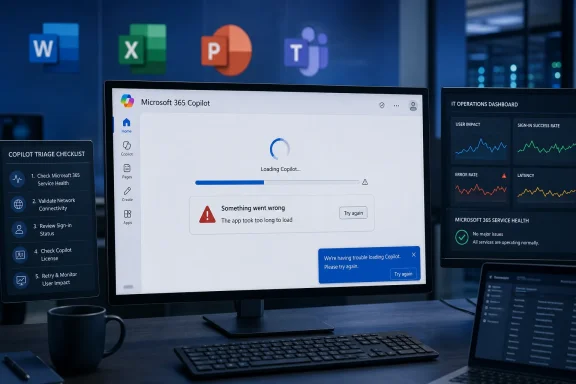
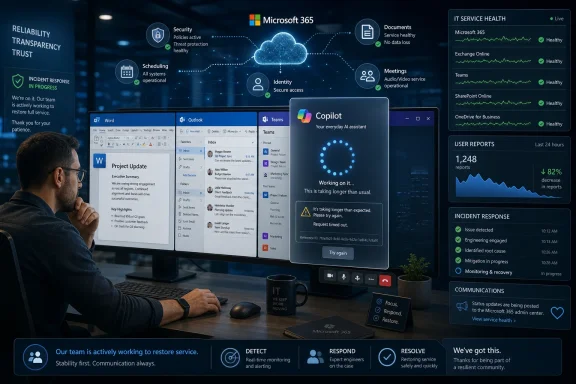
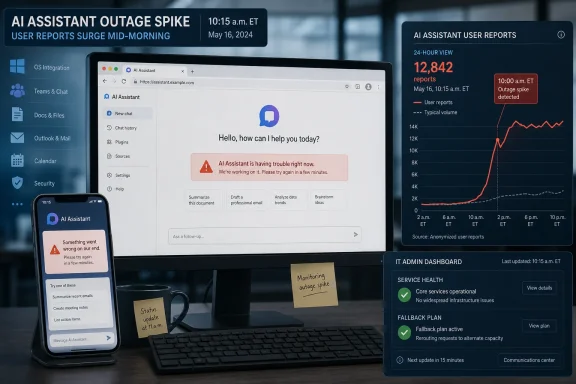
Microsoft Copilot users reported widespread access problems on Monday, June 1, 2026, with complaints describing slow replies, failed sign-ins, and unavailable Copilot experiences across web, mobile, and Microsoft 365-integrated versions during the U.S. workday. The important part is not merely that another cloud service stumbled. It is that Microsoft has spent the past two years training users to treat Copilot less like a feature and more like a workplace layer. When that layer disappears, even briefly, the outage becomes a preview of the operational risk now being built into AI-first productivity.
The early reports were messy in the way modern outages usually are: user complaints, monitoring-site spikes, social posts, partial recoveries, and a lack of immediate official clarity. That uncertainty matters. Copilot is not one service in the old sense; it is a brand stretched across consumer chat, Microsoft 365, Windows, Teams, Outlook, Word, Excel, mobile apps, and enterprise controls. A Copilot outage is therefore not just “the chatbot is down.” It is a test of how well Microsoft can make an increasingly invisible dependency visible when things break.
Copilot was sold as an assistant, but Microsoft has increasingly positioned it as a new interface for work. It drafts email, summarizes meetings, interrogates documents, writes formulas, generates code, and sits beside the user in apps that were already mission-critical long before AI entered the ribbon. That makes reliability a different kind of promise than it was for a novelty chatbot.
The June 1 disruption, as described by affected users and outage trackers, appears to have landed in the worst possible window: early afternoon Eastern time, when U.S. office workers were deep into meetings, inbox triage, document work, and client deadlines. Even if the number of formal reports remained in the hundreds rather than the millions, the outage carried a disproportionate symbolic weight. Microsoft has made Copilot the headline act of its productivity strategy; users are now discovering what happens when the headline act cannot take the stage.
The company’s challenge is that AI assistants fail differently from older software. A mail server outage is obvious. A storage outage is obvious. A Teams outage announces itself with a familiar kind of silence. Copilot degradation can be subtler: a spinning response, a half-generated answer, an authentication loop, a refusal that looks like a policy block, or a feature that works in one app but not another.
That ambiguity creates friction for users and administrators alike. Is the problem tenant-specific, license-related, app-specific, network-related, identity-related, model-related, or capacity-related? The user sees one thing: the button that Microsoft told them to press is not producing useful work. The admin sees something harder: an outage boundary that may not align neatly with the old map of Microsoft 365 services.
Copilot compounds the status problem because Microsoft has turned it into a family name. Microsoft 365 Copilot, Copilot Chat, Copilot in Windows, Copilot on the web, GitHub Copilot, Security Copilot, and app-specific Copilot features do not necessarily share the same backend path, customer population, licensing model, or incident surface. A user saying “Copilot is down” may be describing half a dozen different failure modes.
That is why Monday’s reports should be read cautiously. Downdetector-style spikes are useful early-warning signals, not forensic evidence. Social posts reveal user experience, not root cause. Third-party status pages can aggregate patterns, but they do not always distinguish between consumer Copilot, Microsoft 365 Copilot, identity dependencies, and regional routing failures. Still, in the practical world of IT support, those reports matter because they are often the first sign that the problem is not one user, one browser, or one badly cached session.
Microsoft has improved its service health communications over the years, especially inside the Microsoft 365 admin center, but Copilot exposes a gap between product marketing and incident taxonomy. If Copilot is the front door to Microsoft 365, administrators need incident messages written for that reality. “Some users may be unable to access Copilot Chat” is more useful than silence, but less useful than a clear map of affected surfaces, failure symptoms, regions, tenant scopes, and known workarounds.
The credibility issue is not whether Microsoft can avoid every outage. No cloud provider can. The credibility issue is whether Microsoft can tell customers, quickly and plainly, which part of the AI stack is failing and what they should stop troubleshooting on their own.
That distinction matters. If a casual consumer loses access to Copilot for an hour, the inconvenience is real but bounded. If a sales team has built its morning workflow around summarizing customer threads in Outlook, generating follow-up notes in Word, and extracting account signals from Teams meetings, a Copilot failure becomes a coordination problem. If analysts are using it to explore spreadsheets or draft status reports, the outage pushes them back into manual work at precisely the moment they have begun to budget less time for that manual work.
This is the quiet danger of productivity automation. The first month saves time. The sixth month changes expectations. The twelfth month changes staffing assumptions, process design, and user patience. An outage then no longer removes a nice-to-have; it removes a piece of the workflow people stopped planning around.
Microsoft’s enterprise pitch has leaned heavily on this integration. Copilot is not just another tab. It is supposed to be grounded in work data, governed by Microsoft 365 permissions, and available inside the applications where work already happens. That is a powerful value proposition, but it also means that Copilot inherits the burden of enterprise-grade resilience. Users will not care that generative AI is technically complex if the feature is embedded in the same suite that runs their calendar, mailbox, files, and meetings.
For WindowsForum readers, the lesson is familiar from decades of platform shifts. Once a feature becomes part of the shell of daily work, it is judged like infrastructure. The “beta magic” period ends quickly.
Copilot is the same transition, compressed and emotionally amplified by AI hype. The technology is newer, the expectations are higher, and the failure modes are harder to explain to end users. But the enterprise questions are old: Who owns the outage? What is the workaround? What data is affected? What does the SLA actually cover? How fast will the vendor communicate? What can the help desk tell users that will not become wrong 20 minutes later?
The June 1 incident, whether ultimately confirmed as a Microsoft-side Copilot incident, an authentication-side problem, a capacity issue, or a more limited regional degradation, illustrates why organizations need to stop treating AI availability as a soft concern. If Copilot is in the workflow, it belongs in the business continuity conversation. That does not mean every company needs a full alternative AI stack ready to cut over on command. It does mean admins need a practical answer when executives ask why the assistant cannot assist.
The most awkward part is that traditional redundancy does not map cleanly onto AI assistants. You can fail over mail flow, replicate data, or route around a network link. You cannot easily fail over a Microsoft 365-grounded Copilot prompt to another vendor without changing the data model, permission boundary, compliance posture, and user experience. For regulated or security-conscious organizations, the fallback may simply be “do the work manually,” which is not a plan so much as a reversion.
That reversion is survivable for short incidents. It becomes expensive if outages are frequent, ambiguous, or poorly communicated. AI productivity gains are only meaningful if the time saved on good days is not quietly consumed by confusion on bad ones.
A Copilot outage is now a brand event. Every failure lands against a backdrop of aggressive marketing, license complexity, premium pricing, and executive claims about AI transforming work. That does not mean users are right to expect perfection. It does mean Microsoft has invited users to judge Copilot as a serious productivity system, not a toy.
There is a tension here that Microsoft has not fully resolved. On one hand, Copilot is being pushed broadly: into Windows, into Microsoft 365 apps, into enterprise pilots, into admin discussions, and into the muscle memory of office workers. On the other hand, the underlying AI stack remains a fast-moving, capacity-sensitive, model-dependent system tied to rapid product iteration. Microsoft wants the adoption curve of a platform and the forgiveness curve of a preview. Customers are unlikely to grant both.
The company is hardly alone. OpenAI, Google, Anthropic, and other AI providers have all faced service degradations as demand has surged and product surfaces have multiplied. But Microsoft’s case is distinct because Copilot is attached to the most entrenched productivity suite in business computing. An outage in a standalone AI app is an inconvenience. An outage in an AI layer embedded across Microsoft 365 feels like a crack in the office itself.
That perception may be unfair in a technical sense, but perception drives trust. If users learn that Copilot sometimes disappears without clear explanation, they will still use it, but they will hesitate to depend on it for urgent work. That hesitation is the enemy of Microsoft’s adoption story.
That is a milestone. Not long ago, many workers treated generative AI as something to test at the edge of the day. Now, for a growing group, it is something they reach for between meetings, inside documents, during research, and while answering mail. A degraded Copilot experience therefore creates the same kind of irritation as a slow VPN or a flaky calendar service: the work is still possible, but the flow is broken.
The “flow” part is easy to dismiss and hard to replace. AI assistants derive much of their value from reducing context-switching. They let users stay in Word rather than open another tool, stay in Teams rather than dig through transcripts, stay in Outlook rather than manually reconstruct a thread. When Copilot fails, the user does not simply lose an output; they lose the promise that the system will reduce friction.
That is why partial failures can be more damaging than clean outages. A clean outage tells users to stop trying. A degraded AI service invites repeated prompts, retries, browser changes, sign-outs, app restarts, and help desk tickets. In aggregate, that can waste more time than the original outage.
For administrators, the practical advice is unglamorous but important. Treat clusters of Copilot complaints as potential service events before sending users through elaborate local remediation. Check service health, compare symptoms across tenants and regions where possible, and document which surfaces are failing. A Copilot outage may look like a user training problem until the fifth ticket arrives.
In Microsoft 365 environments, the assistant is only as reachable as the chain that authorizes the user to reach it. Conditional access policies, MFA prompts, session tokens, browser state, app versions, and service-side entitlement checks can all shape what the user experiences as “Copilot is broken.” When a broad Microsoft identity or sign-in component has trouble, AI services may look like the casualty even if the root cause sits elsewhere.
This is one reason outage communication needs to be more explicit. If Copilot is failing because the model layer is overloaded, the workaround might be to wait or use non-AI app functions. If sign-in is failing, repeated login attempts can make the situation worse for some users or trigger security noise. If app integrations are degraded but web chat works, admins can steer users to a temporary surface. Without that detail, every user becomes their own incident manager.
The enterprise version adds another complication: Copilot is not only an app but a governed access path into organizational data. That is the right architecture for business use, but it makes failures harder to isolate. A user may be able to open Word, access SharePoint, and use Teams, yet still be unable to invoke Copilot meaningfully. The old “can you reach the file?” test is no longer enough.
This is where Microsoft’s operational maturity will be tested. The company knows how to run massive cloud services. It also knows how to publish service advisories. But AI features require a new kind of incident language, one that tells customers not just that a service is degraded but which part of the intelligent experience has stopped being intelligent.
This is especially true because Copilot licensing is not trivial. Enterprises are paying for a premium capability layered on top of Microsoft 365 subscriptions, often after pilots, security reviews, and internal champions have argued that the investment will return time to employees. Every visible outage arms skeptics with a simple question: what exactly are we paying for if the assistant is not available when we need it?
That question can be unfair if asked after a single brief incident. All systems fail. But it is fair to ask vendors for clearer reliability commitments, better incident transparency, and more granular health reporting. AI vendors have benefited from excitement around capability; enterprise customers will increasingly ask about dependability.
The next phase of AI adoption will not be decided only by model benchmarks or demo-stage magic. It will be decided by admin controls, auditability, data boundaries, latency, uptime, and support quality. In other words, by all the boring things that make technology safe enough to become boring.
Microsoft should understand this better than almost anyone. Windows and Office did not dominate because every release was elegant. They dominated because organizations could build processes, training, support models, and expectations around them. Copilot now has to make the same transition from impressive to dependable.
But the value proposition of Copilot is not that it makes impossible work possible. It is that it compresses routine work. It turns a 30-minute summary into a five-minute review, a blank page into a rough draft, a sprawling meeting into a set of action items. When the tool fails, the work expands back to its previous shape, but the calendar has not expanded with it.
That gap is where productivity tools become productivity traps. If users schedule their day assuming AI acceleration and then lose that acceleration, deadlines slip even though no core file has vanished. The damage is not catastrophic; it is cumulative. It shows up as delayed responses, rushed drafts, skipped analysis, and more after-hours work.
Organizations should therefore resist the temptation to write outage playbooks that merely say “use manual processes.” That is a fallback, not a capacity plan. If a department has built a reporting workflow around Copilot-generated first drafts, it should know how long the manual version takes and which deadlines move when Copilot is unavailable. If executives rely on AI summaries before meetings, assistants or analysts may need a fallback process that starts earlier.
The irony is that good AI adoption requires remembering how work was done before AI. Not because organizations should retreat, but because resilience depends on knowing what the automation is replacing.
For Windows users and IT pros, the most useful response is to separate inconvenience from dependency. If Copilot is a convenience, the outage is annoying. If Copilot is part of a business process, the outage is a risk event. The difference should determine how much planning, monitoring, and user communication an organization invests.
The early reports were messy in the way modern outages usually are: user complaints, monitoring-site spikes, social posts, partial recoveries, and a lack of immediate official clarity. That uncertainty matters. Copilot is not one service in the old sense; it is a brand stretched across consumer chat, Microsoft 365, Windows, Teams, Outlook, Word, Excel, mobile apps, and enterprise controls. A Copilot outage is therefore not just “the chatbot is down.” It is a test of how well Microsoft can make an increasingly invisible dependency visible when things break.
 Microsoft’s AI Assistant Has Become Infrastructure Before It Has Earned Infrastructure Trust
Copilot was sold as an assistant, but Microsoft has increasingly positioned it as a new interface for work. It drafts email, summarizes meetings, interrogates documents, writes formulas, generates code, and sits beside the user in apps that were already mission-critical long before AI entered the ribbon. That makes reliability a different kind of promise than it was for a novelty chatbot.The June 1 disruption, as described by affected users and outage trackers, appears to have landed in the worst possible window: early afternoon Eastern time, when U.S. office workers were deep into meetings, inbox triage, document work, and client deadlines. Even if the number of formal reports remained in the hundreds rather than the millions, the outage carried a disproportionate symbolic weight. Microsoft has made Copilot the headline act of its productivity strategy; users are now discovering what happens when the headline act cannot take the stage.
The company’s challenge is that AI assistants fail differently from older software. A mail server outage is obvious. A storage outage is obvious. A Teams outage announces itself with a familiar kind of silence. Copilot degradation can be subtler: a spinning response, a half-generated answer, an authentication loop, a refusal that looks like a policy block, or a feature that works in one app but not another.
That ambiguity creates friction for users and administrators alike. Is the problem tenant-specific, license-related, app-specific, network-related, identity-related, model-related, or capacity-related? The user sees one thing: the button that Microsoft told them to press is not producing useful work. The admin sees something harder: an outage boundary that may not align neatly with the old map of Microsoft 365 services.
The Status Page Is No Longer Enough
One of the oldest rituals in cloud computing is the gap between user pain and vendor confirmation. Users report problems first, third-party monitors light up second, and the official status dashboard catches up after engineering teams determine whether the issue is broad enough, reproducible enough, and attributable enough to call an incident. That process may be defensible from an operations standpoint, but it feels increasingly inadequate for AI services that sit across multiple products.Copilot compounds the status problem because Microsoft has turned it into a family name. Microsoft 365 Copilot, Copilot Chat, Copilot in Windows, Copilot on the web, GitHub Copilot, Security Copilot, and app-specific Copilot features do not necessarily share the same backend path, customer population, licensing model, or incident surface. A user saying “Copilot is down” may be describing half a dozen different failure modes.
That is why Monday’s reports should be read cautiously. Downdetector-style spikes are useful early-warning signals, not forensic evidence. Social posts reveal user experience, not root cause. Third-party status pages can aggregate patterns, but they do not always distinguish between consumer Copilot, Microsoft 365 Copilot, identity dependencies, and regional routing failures. Still, in the practical world of IT support, those reports matter because they are often the first sign that the problem is not one user, one browser, or one badly cached session.
Microsoft has improved its service health communications over the years, especially inside the Microsoft 365 admin center, but Copilot exposes a gap between product marketing and incident taxonomy. If Copilot is the front door to Microsoft 365, administrators need incident messages written for that reality. “Some users may be unable to access Copilot Chat” is more useful than silence, but less useful than a clear map of affected surfaces, failure symptoms, regions, tenant scopes, and known workarounds.
The credibility issue is not whether Microsoft can avoid every outage. No cloud provider can. The credibility issue is whether Microsoft can tell customers, quickly and plainly, which part of the AI stack is failing and what they should stop troubleshooting on their own.
A Copilot Outage Is Not Just a Chatbot Problem
The phrase “AI assistant outage” understates the scope of what users now do with these tools. For some, Copilot is still a convenience: summarize this web page, draft this paragraph, clean up this email. For others, especially inside Microsoft 365, it has become part of the daily workflow around meetings, documents, spreadsheets, presentations, and business analysis.That distinction matters. If a casual consumer loses access to Copilot for an hour, the inconvenience is real but bounded. If a sales team has built its morning workflow around summarizing customer threads in Outlook, generating follow-up notes in Word, and extracting account signals from Teams meetings, a Copilot failure becomes a coordination problem. If analysts are using it to explore spreadsheets or draft status reports, the outage pushes them back into manual work at precisely the moment they have begun to budget less time for that manual work.
This is the quiet danger of productivity automation. The first month saves time. The sixth month changes expectations. The twelfth month changes staffing assumptions, process design, and user patience. An outage then no longer removes a nice-to-have; it removes a piece of the workflow people stopped planning around.
Microsoft’s enterprise pitch has leaned heavily on this integration. Copilot is not just another tab. It is supposed to be grounded in work data, governed by Microsoft 365 permissions, and available inside the applications where work already happens. That is a powerful value proposition, but it also means that Copilot inherits the burden of enterprise-grade resilience. Users will not care that generative AI is technically complex if the feature is embedded in the same suite that runs their calendar, mailbox, files, and meetings.
For WindowsForum readers, the lesson is familiar from decades of platform shifts. Once a feature becomes part of the shell of daily work, it is judged like infrastructure. The “beta magic” period ends quickly.
The Failure Modes Are New, but the Enterprise Questions Are Old
IT departments have seen this movie before. Email moved from local servers to hosted Exchange. Files moved from file shares to OneDrive and SharePoint. Voice moved into Teams. Identity moved into cloud-managed conditional access, MFA, and device compliance. Each shift promised lower local complexity and higher service sophistication, but each also created a new dependency on someone else’s uptime.Copilot is the same transition, compressed and emotionally amplified by AI hype. The technology is newer, the expectations are higher, and the failure modes are harder to explain to end users. But the enterprise questions are old: Who owns the outage? What is the workaround? What data is affected? What does the SLA actually cover? How fast will the vendor communicate? What can the help desk tell users that will not become wrong 20 minutes later?
The June 1 incident, whether ultimately confirmed as a Microsoft-side Copilot incident, an authentication-side problem, a capacity issue, or a more limited regional degradation, illustrates why organizations need to stop treating AI availability as a soft concern. If Copilot is in the workflow, it belongs in the business continuity conversation. That does not mean every company needs a full alternative AI stack ready to cut over on command. It does mean admins need a practical answer when executives ask why the assistant cannot assist.
The most awkward part is that traditional redundancy does not map cleanly onto AI assistants. You can fail over mail flow, replicate data, or route around a network link. You cannot easily fail over a Microsoft 365-grounded Copilot prompt to another vendor without changing the data model, permission boundary, compliance posture, and user experience. For regulated or security-conscious organizations, the fallback may simply be “do the work manually,” which is not a plan so much as a reversion.
That reversion is survivable for short incidents. It becomes expensive if outages are frequent, ambiguous, or poorly communicated. AI productivity gains are only meaningful if the time saved on good days is not quietly consumed by confusion on bad ones.
Microsoft’s Copilot Bet Raises the Cost of Small Outages
Microsoft has made Copilot central to its narrative across Windows and Microsoft 365. The company has reworked product names, app surfaces, subscription tiers, keyboard shortcuts, and enterprise messaging around the idea that AI is not an add-on but the next operating layer. That is strategically coherent, but it also removes Microsoft’s ability to minimize disruptions as isolated chatbot hiccups.A Copilot outage is now a brand event. Every failure lands against a backdrop of aggressive marketing, license complexity, premium pricing, and executive claims about AI transforming work. That does not mean users are right to expect perfection. It does mean Microsoft has invited users to judge Copilot as a serious productivity system, not a toy.
There is a tension here that Microsoft has not fully resolved. On one hand, Copilot is being pushed broadly: into Windows, into Microsoft 365 apps, into enterprise pilots, into admin discussions, and into the muscle memory of office workers. On the other hand, the underlying AI stack remains a fast-moving, capacity-sensitive, model-dependent system tied to rapid product iteration. Microsoft wants the adoption curve of a platform and the forgiveness curve of a preview. Customers are unlikely to grant both.
The company is hardly alone. OpenAI, Google, Anthropic, and other AI providers have all faced service degradations as demand has surged and product surfaces have multiplied. But Microsoft’s case is distinct because Copilot is attached to the most entrenched productivity suite in business computing. An outage in a standalone AI app is an inconvenience. An outage in an AI layer embedded across Microsoft 365 feels like a crack in the office itself.
That perception may be unfair in a technical sense, but perception drives trust. If users learn that Copilot sometimes disappears without clear explanation, they will still use it, but they will hesitate to depend on it for urgent work. That hesitation is the enemy of Microsoft’s adoption story.
Users Felt the Pain Because Microsoft Made the Assistant Habit-Forming
The user reaction to Monday’s disruption reportedly followed the now-standard outage script: complaints on social platforms, screenshots of errors, questions about whether the problem was local, and jokes about needing an AI assistant to explain why the AI assistant was unavailable. Beneath the jokes was a more serious signal. People were not merely curious whether Copilot was down; they were blocked enough to go looking for confirmation.That is a milestone. Not long ago, many workers treated generative AI as something to test at the edge of the day. Now, for a growing group, it is something they reach for between meetings, inside documents, during research, and while answering mail. A degraded Copilot experience therefore creates the same kind of irritation as a slow VPN or a flaky calendar service: the work is still possible, but the flow is broken.
The “flow” part is easy to dismiss and hard to replace. AI assistants derive much of their value from reducing context-switching. They let users stay in Word rather than open another tool, stay in Teams rather than dig through transcripts, stay in Outlook rather than manually reconstruct a thread. When Copilot fails, the user does not simply lose an output; they lose the promise that the system will reduce friction.
That is why partial failures can be more damaging than clean outages. A clean outage tells users to stop trying. A degraded AI service invites repeated prompts, retries, browser changes, sign-outs, app restarts, and help desk tickets. In aggregate, that can waste more time than the original outage.
For administrators, the practical advice is unglamorous but important. Treat clusters of Copilot complaints as potential service events before sending users through elaborate local remediation. Check service health, compare symptoms across tenants and regions where possible, and document which surfaces are failing. A Copilot outage may look like a user training problem until the fifth ticket arrives.
The Authentication Layer May Be the Weakest Link Users Actually Notice
Many reported outage symptoms involved access rather than just response quality: login failures, unavailable web interfaces, and inability to reach core functions. That distinction is important because Copilot’s user experience depends not only on model availability but also on identity, licensing, policy enforcement, app integration, and tenant configuration.In Microsoft 365 environments, the assistant is only as reachable as the chain that authorizes the user to reach it. Conditional access policies, MFA prompts, session tokens, browser state, app versions, and service-side entitlement checks can all shape what the user experiences as “Copilot is broken.” When a broad Microsoft identity or sign-in component has trouble, AI services may look like the casualty even if the root cause sits elsewhere.
This is one reason outage communication needs to be more explicit. If Copilot is failing because the model layer is overloaded, the workaround might be to wait or use non-AI app functions. If sign-in is failing, repeated login attempts can make the situation worse for some users or trigger security noise. If app integrations are degraded but web chat works, admins can steer users to a temporary surface. Without that detail, every user becomes their own incident manager.
The enterprise version adds another complication: Copilot is not only an app but a governed access path into organizational data. That is the right architecture for business use, but it makes failures harder to isolate. A user may be able to open Word, access SharePoint, and use Teams, yet still be unable to invoke Copilot meaningfully. The old “can you reach the file?” test is no longer enough.
This is where Microsoft’s operational maturity will be tested. The company knows how to run massive cloud services. It also knows how to publish service advisories. But AI features require a new kind of incident language, one that tells customers not just that a service is degraded but which part of the intelligent experience has stopped being intelligent.
AI Reliability Is Becoming a Procurement Issue, Not a Help Desk Issue
The obvious response to an outage is tactical: wait, monitor, retry later, and use manual alternatives. The more important response is strategic. If an organization is buying Copilot licenses, training users, rewriting workflows, and encouraging adoption, then AI availability belongs in procurement, governance, and risk planning.This is especially true because Copilot licensing is not trivial. Enterprises are paying for a premium capability layered on top of Microsoft 365 subscriptions, often after pilots, security reviews, and internal champions have argued that the investment will return time to employees. Every visible outage arms skeptics with a simple question: what exactly are we paying for if the assistant is not available when we need it?
That question can be unfair if asked after a single brief incident. All systems fail. But it is fair to ask vendors for clearer reliability commitments, better incident transparency, and more granular health reporting. AI vendors have benefited from excitement around capability; enterprise customers will increasingly ask about dependability.
The next phase of AI adoption will not be decided only by model benchmarks or demo-stage magic. It will be decided by admin controls, auditability, data boundaries, latency, uptime, and support quality. In other words, by all the boring things that make technology safe enough to become boring.
Microsoft should understand this better than almost anyone. Windows and Office did not dominate because every release was elegant. They dominated because organizations could build processes, training, support models, and expectations around them. Copilot now has to make the same transition from impressive to dependable.
The Workaround Is Manual Work, and That Is the Real Warning
During a Copilot outage, the fallback is not mysterious. Users can still write their own emails, read their own documents, search their own files, and analyze their own spreadsheets. The world does not stop because an AI assistant is unavailable. That is precisely why some managers may underestimate the disruption.But the value proposition of Copilot is not that it makes impossible work possible. It is that it compresses routine work. It turns a 30-minute summary into a five-minute review, a blank page into a rough draft, a sprawling meeting into a set of action items. When the tool fails, the work expands back to its previous shape, but the calendar has not expanded with it.
That gap is where productivity tools become productivity traps. If users schedule their day assuming AI acceleration and then lose that acceleration, deadlines slip even though no core file has vanished. The damage is not catastrophic; it is cumulative. It shows up as delayed responses, rushed drafts, skipped analysis, and more after-hours work.
Organizations should therefore resist the temptation to write outage playbooks that merely say “use manual processes.” That is a fallback, not a capacity plan. If a department has built a reporting workflow around Copilot-generated first drafts, it should know how long the manual version takes and which deadlines move when Copilot is unavailable. If executives rely on AI summaries before meetings, assistants or analysts may need a fallback process that starts earlier.
The irony is that good AI adoption requires remembering how work was done before AI. Not because organizations should retreat, but because resilience depends on knowing what the automation is replacing.
The Practical Lesson From a Bad Afternoon for Copilot
Monday’s reported disruption should not lead anyone to conclude that Copilot is uniquely unreliable or that AI assistants are unsuitable for business use. The better reading is more measured and more demanding: Copilot is now important enough that outages deserve the same operational seriousness as other Microsoft 365 incidents. A service does not have to be perfect to be valuable, but it does have to be legible when it fails.For Windows users and IT pros, the most useful response is to separate inconvenience from dependency. If Copilot is a convenience, the outage is annoying. If Copilot is part of a business process, the outage is a risk event. The difference should determine how much planning, monitoring, and user communication an organization invests.
The Copilot Button Needs a Plan B Before It Becomes Muscle Memory
The concrete takeaways from the June 1 reports are less about one afternoon’s availability and more about the shape of AI operations inside Microsoft-heavy workplaces.- Organizations should treat Copilot as a cloud dependency that needs monitoring, escalation paths, and user-facing outage language.
- Administrators should verify whether failures affect Copilot broadly, a specific Microsoft 365 app, sign-in flows, licensing, or tenant policy before pushing users through local troubleshooting.
- Teams that use Copilot for time-sensitive work should maintain documented manual fallbacks and realistic estimates for how long those fallbacks take.
- Microsoft needs to make Copilot service health more granular, because the brand now spans too many products for a single vague advisory to be useful.
- Users should avoid building deadlines around AI-generated first drafts unless they know what they will do when the assistant is slow, unavailable, or producing errors.
- Buyers should ask about reliability, incident reporting, and support commitments with the same seriousness they ask about features and data protection.
References
- Primary source: International Business Times Australia
Published: 2026-06-01T15:14:06.765575
Microsoft Copilot Down? Users Experience Widespread Outage on June 1 Disrupting AI Assistant Users
Microsoft Copilot experienced a significant outage affecting both consumer and enterprise users, causing frustration and workflow disruptions. The incident underscores the challenges of scaling AIwww.ibtimes.com.au - Related coverage: outage.report

Microsoft Copilot down? Outage map, service status, incidents history
See if Microsoft Copilot is down or it's just you. Check current status and outage map. Post yours and see other's reports and complaints
outage.report
- Related coverage: isdown.app
Is Microsoft Copilot Down? Check current status and user reports | IsDown
Check if Microsoft Copilot is down right now. Live Microsoft Copilot status, real-time outage detection, and instant alerts when Microsoft Copilot has issues. Free 14-day trial. isdown.app
- Related coverage: windowscentral.com
"We’ve confirmed service health has returned to normal": Microsoft 365 and Outlook are back up and running | Windows Central
If you're just sitting down to your desk, you may not be able to use Outlook or Microsoft 365.www.windowscentral.com - Related coverage: downdetector.ro
Microsoft Copilot down? Current problems and outages - RO
Real-time problems and outages for Microsoft Copilot. Is Microsoft Copilot down? Here you see what is going on.downdetector.ro - Related coverage: pingoru.io
Microsoft Copilot Outage History — 2026 · Pingoru
Microsoft Copilot outage history: 6 incidents totaling 112h 4m of downtime since April 28, 2026. Full incident details, duration, and resolution timestamps. Real-time alerts available. pingoru.io
- Related coverage: downdetector.es
Microsoft Copilot down? Current problems and outages - ES
Real-time problems and outages for Microsoft Copilot. Is Microsoft Copilot down? Here you see what is going on.downdetector.es - Related coverage: tomsguide.com
Outlook is down — the latest on the ongoing Microsoft outage | Tom's Guide
What's happening with Microsoft's popular service?www.tomsguide.com - Related coverage: downdetector.it
Microsoft Copilot down? Current problems and outages - IT
Real-time problems and outages for Microsoft Copilot. Is Microsoft Copilot down? Here you see what is going on.downdetector.it - Related coverage: downdetector.se
Microsoft Copilot down? Current problems and outages - SE
Real-time problems and outages for Microsoft Copilot. Is Microsoft Copilot down? Here you see what is going on.downdetector.se - Related coverage: techradar.com
Microsoft admits an Office bug exposed confidential user emails to Copilot | TechRadar
Copilot was ignoring 'confidential' email flagswww.techradar.com - Related coverage: support.nhs.net
- Related coverage: statusgator.com
Microsoft Entra Status. Check if Microsoft Entra is down or having an outage. | StatusGator
Microsoft Entra down? Check the current Microsoft Entra status right now, learn about outages, downtime, incidents, and issues.statusgator.com - Related coverage: bleepingcomputer.com
Microsoft fixes outage affecting MFA setup, MySignIn service
Microsoft is working to address an ongoing incident preventing customers from setting up multi-factor authentication (MFA) or accessing the My Sign-Ins platform.www.bleepingcomputer.com
- Official source: status.cloud.microsoft
Microsoft service health status
status.cloud.microsoft
- Related coverage: labs.cloudsecurityalliance.org
CSA research note M365 Copilot CVE 2026 24299 20260505 csa styled
PDF documentlabs.cloudsecurityalliance.org
- Related coverage: investigacion.udem.edu.mx
Is there a global Microsoft outage today?[[[Microsoft Services Status]]]]
PDF documentinvestigacion.udem.edu.mx
- Related coverage: spscc.edu