Microsoft Copilot users reported widespread access problems on Monday, June 1, 2026, with complaints describing slow replies, failed sign-ins, and unavailable Copilot experiences across web, mobile, and Microsoft 365-integrated versions during the U.S. workday. The important part is not merely that another cloud service stumbled. It is that Microsoft has spent the past two years training users to treat Copilot less like a feature and more like a workplace layer. When that layer disappears, even briefly, the outage becomes a preview of the operational risk now being built into AI-first productivity.
The early reports were messy in the way modern outages usually are: user complaints, monitoring-site spikes, social posts, partial recoveries, and a lack of immediate official clarity. That uncertainty matters. Copilot is not one service in the old sense; it is a brand stretched across consumer chat, Microsoft 365, Windows, Teams, Outlook, Word, Excel, mobile apps, and enterprise controls. A Copilot outage is therefore not just “the chatbot is down.” It is a test of how well Microsoft can make an increasingly invisible dependency visible when things break.

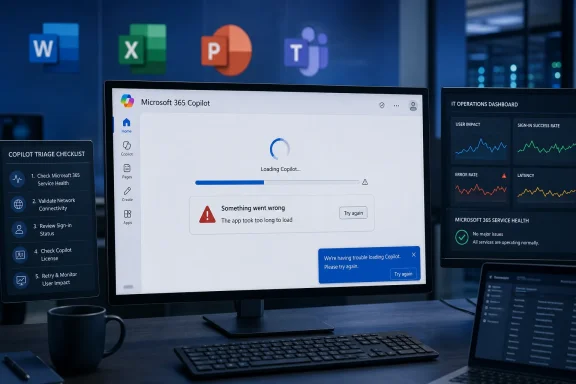
Office staff face AI service disruption as screens show sign-in failed and slow replies, impacting productivity.Microsoft’s AI Assistant Has Become Infrastructure Before It Has Earned Infrastructure Trust​

Copilot was sold as an assistant, but Microsoft has increasingly positioned it as a new interface for work. It drafts email, summarizes meetings, interrogates documents, writes formulas, generates code, and sits beside the user in apps that were already mission-critical long before AI entered the ribbon. That makes reliability a different kind of promise than it was for a novelty chatbot.
The June 1 disruption, as described by affected users and outage trackers, appears to have landed in the worst possible window: early afternoon Eastern time, when U.S. office workers were deep into meetings, inbox triage, document work, and client deadlines. Even if the number of formal reports remained in the hundreds rather than the millions, the outage carried a disproportionate symbolic weight. Microsoft has made Copilot the headline act of its productivity strategy; users are now discovering what happens when the headline act cannot take the stage.
The company’s challenge is that AI assistants fail differently from older software. A mail server outage is obvious. A storage outage is obvious. A Teams outage announces itself with a familiar kind of silence. Copilot degradation can be subtler: a spinning response, a half-generated answer, an authentication loop, a refusal that looks like a policy block, or a feature that works in one app but not another.
That ambiguity creates friction for users and administrators alike. Is the problem tenant-specific, license-related, app-specific, network-related, identity-related, model-related, or capacity-related? The user sees one thing: the button that Microsoft told them to press is not producing useful work. The admin sees something harder: an outage boundary that may not align neatly with the old map of Microsoft 365 services.

The Status Page Is No Longer Enough​

One of the oldest rituals in cloud computing is the gap between user pain and vendor confirmation. Users report problems first, third-party monitors light up second, and the official status dashboard catches up after engineering teams determine whether the issue is broad enough, reproducible enough, and attributable enough to call an incident. That process may be defensible from an operations standpoint, but it feels increasingly inadequate for AI services that sit across multiple products.
Copilot compounds the status problem because Microsoft has turned it into a family name. Microsoft 365 Copilot, Copilot Chat, Copilot in Windows, Copilot on the web, GitHub Copilot, Security Copilot, and app-specific Copilot features do not necessarily share the same backend path, customer population, licensing model, or incident surface. A user saying “Copilot is down” may be describing half a dozen different failure modes.
That is why Monday’s reports should be read cautiously. Downdetector-style spikes are useful early-warning signals, not forensic evidence. Social posts reveal user experience, not root cause. Third-party status pages can aggregate patterns, but they do not always distinguish between consumer Copilot, Microsoft 365 Copilot, identity dependencies, and regional routing failures. Still, in the practical world of IT support, those reports matter because they are often the first sign that the problem is not one user, one browser, or one badly cached session.
Microsoft has improved its service health communications over the years, especially inside the Microsoft 365 admin center, but Copilot exposes a gap between product marketing and incident taxonomy. If Copilot is the front door to Microsoft 365, administrators need incident messages written for that reality. “Some users may be unable to access Copilot Chat” is more useful than silence, but less useful than a clear map of affected surfaces, failure symptoms, regions, tenant scopes, and known workarounds.
The credibility issue is not whether Microsoft can avoid every outage. No cloud provider can. The credibility issue is whether Microsoft can tell customers, quickly and plainly, which part of the AI stack is failing and what they should stop troubleshooting on their own.

A Copilot Outage Is Not Just a Chatbot Problem​

The phrase “AI assistant outage” understates the scope of what users now do with these tools. For some, Copilot is still a convenience: summarize this web page, draft this paragraph, clean up this email. For others, especially inside Microsoft 365, it has become part of the daily workflow around meetings, documents, spreadsheets, presentations, and business analysis.
That distinction matters. If a casual consumer loses access to Copilot for an hour, the inconvenience is real but bounded. If a sales team has built its morning workflow around summarizing customer threads in Outlook, generating follow-up notes in Word, and extracting account signals from Teams meetings, a Copilot failure becomes a coordination problem. If analysts are using it to explore spreadsheets or draft status reports, the outage pushes them back into manual work at precisely the moment they have begun to budget less time for that manual work.
This is the quiet danger of productivity automation. The first month saves time. The sixth month changes expectations. The twelfth month changes staffing assumptions, process design, and user patience. An outage then no longer removes a nice-to-have; it removes a piece of the workflow people stopped planning around.
Microsoft’s enterprise pitch has leaned heavily on this integration. Copilot is not just another tab. It is supposed to be grounded in work data, governed by Microsoft 365 permissions, and available inside the applications where work already happens. That is a powerful value proposition, but it also means that Copilot inherits the burden of enterprise-grade resilience. Users will not care that generative AI is technically complex if the feature is embedded in the same suite that runs their calendar, mailbox, files, and meetings.
For WindowsForum readers, the lesson is familiar from decades of platform shifts. Once a feature becomes part of the shell of daily work, it is judged like infrastructure. The “beta magic” period ends quickly.

The Failure Modes Are New, but the Enterprise Questions Are Old​

IT departments have seen this movie before. Email moved from local servers to hosted Exchange. Files moved from file shares to OneDrive and SharePoint. Voice moved into Teams. Identity moved into cloud-managed conditional access, MFA, and device compliance. Each shift promised lower local complexity and higher service sophistication, but each also created a new dependency on someone else’s uptime.
Copilot is the same transition, compressed and emotionally amplified by AI hype. The technology is newer, the expectations are higher, and the failure modes are harder to explain to end users. But the enterprise questions are old: Who owns the outage? What is the workaround? What data is affected? What does the SLA actually cover? How fast will the vendor communicate? What can the help desk tell users that will not become wrong 20 minutes later?
The June 1 incident, whether ultimately confirmed as a Microsoft-side Copilot incident, an authentication-side problem, a capacity issue, or a more limited regional degradation, illustrates why organizations need to stop treating AI availability as a soft concern. If Copilot is in the workflow, it belongs in the business continuity conversation. That does not mean every company needs a full alternative AI stack ready to cut over on command. It does mean admins need a practical answer when executives ask why the assistant cannot assist.
The most awkward part is that traditional redundancy does not map cleanly onto AI assistants. You can fail over mail flow, replicate data, or route around a network link. You cannot easily fail over a Microsoft 365-grounded Copilot prompt to another vendor without changing the data model, permission boundary, compliance posture, and user experience. For regulated or security-conscious organizations, the fallback may simply be “do the work manually,” which is not a plan so much as a reversion.
That reversion is survivable for short incidents. It becomes expensive if outages are frequent, ambiguous, or poorly communicated. AI productivity gains are only meaningful if the time saved on good days is not quietly consumed by confusion on bad ones.

Microsoft’s Copilot Bet Raises the Cost of Small Outages​

Microsoft has made Copilot central to its narrative across Windows and Microsoft 365. The company has reworked product names, app surfaces, subscription tiers, keyboard shortcuts, and enterprise messaging around the idea that AI is not an add-on but the next operating layer. That is strategically coherent, but it also removes Microsoft’s ability to minimize disruptions as isolated chatbot hiccups.
A Copilot outage is now a brand event. Every failure lands against a backdrop of aggressive marketing, license complexity, premium pricing, and executive claims about AI transforming work. That does not mean users are right to expect perfection. It does mean Microsoft has invited users to judge Copilot as a serious productivity system, not a toy.
There is a tension here that Microsoft has not fully resolved. On one hand, Copilot is being pushed broadly: into Windows, into Microsoft 365 apps, into enterprise pilots, into admin discussions, and into the muscle memory of office workers. On the other hand, the underlying AI stack remains a fast-moving, capacity-sensitive, model-dependent system tied to rapid product iteration. Microsoft wants the adoption curve of a platform and the forgiveness curve of a preview. Customers are unlikely to grant both.
The company is hardly alone. OpenAI, Google, Anthropic, and other AI providers have all faced service degradations as demand has surged and product surfaces have multiplied. But Microsoft’s case is distinct because Copilot is attached to the most entrenched productivity suite in business computing. An outage in a standalone AI app is an inconvenience. An outage in an AI layer embedded across Microsoft 365 feels like a crack in the office itself.
That perception may be unfair in a technical sense, but perception drives trust. If users learn that Copilot sometimes disappears without clear explanation, they will still use it, but they will hesitate to depend on it for urgent work. That hesitation is the enemy of Microsoft’s adoption story.

Users Felt the Pain Because Microsoft Made the Assistant Habit-Forming​

The user reaction to Monday’s disruption reportedly followed the now-standard outage script: complaints on social platforms, screenshots of errors, questions about whether the problem was local, and jokes about needing an AI assistant to explain why the AI assistant was unavailable. Beneath the jokes was a more serious signal. People were not merely curious whether Copilot was down; they were blocked enough to go looking for confirmation.
That is a milestone. Not long ago, many workers treated generative AI as something to test at the edge of the day. Now, for a growing group, it is something they reach for between meetings, inside documents, during research, and while answering mail. A degraded Copilot experience therefore creates the same kind of irritation as a slow VPN or a flaky calendar service: the work is still possible, but the flow is broken.
The “flow” part is easy to dismiss and hard to replace. AI assistants derive much of their value from reducing context-switching. They let users stay in Word rather than open another tool, stay in Teams rather than dig through transcripts, stay in Outlook rather than manually reconstruct a thread. When Copilot fails, the user does not simply lose an output; they lose the promise that the system will reduce friction.
That is why partial failures can be more damaging than clean outages. A clean outage tells users to stop trying. A degraded AI service invites repeated prompts, retries, browser changes, sign-outs, app restarts, and help desk tickets. In aggregate, that can waste more time than the original outage.
For administrators, the practical advice is unglamorous but important. Treat clusters of Copilot complaints as potential service events before sending users through elaborate local remediation. Check service health, compare symptoms across tenants and regions where possible, and document which surfaces are failing. A Copilot outage may look like a user training problem until the fifth ticket arrives.

The Authentication Layer May Be the Weakest Link Users Actually Notice​

Many reported outage symptoms involved access rather than just response quality: login failures, unavailable web interfaces, and inability to reach core functions. That distinction is important because Copilot’s user experience depends not only on model availability but also on identity, licensing, policy enforcement, app integration, and tenant configuration.
In Microsoft 365 environments, the assistant is only as reachable as the chain that authorizes the user to reach it. Conditional access policies, MFA prompts, session tokens, browser state, app versions, and service-side entitlement checks can all shape what the user experiences as “Copilot is broken.” When a broad Microsoft identity or sign-in component has trouble, AI services may look like the casualty even if the root cause sits elsewhere.
This is one reason outage communication needs to be more explicit. If Copilot is failing because the model layer is overloaded, the workaround might be to wait or use non-AI app functions. If sign-in is failing, repeated login attempts can make the situation worse for some users or trigger security noise. If app integrations are degraded but web chat works, admins can steer users to a temporary surface. Without that detail, every user becomes their own incident manager.
The enterprise version adds another complication: Copilot is not only an app but a governed access path into organizational data. That is the right architecture for business use, but it makes failures harder to isolate. A user may be able to open Word, access SharePoint, and use Teams, yet still be unable to invoke Copilot meaningfully. The old “can you reach the file?” test is no longer enough.
This is where Microsoft’s operational maturity will be tested. The company knows how to run massive cloud services. It also knows how to publish service advisories. But AI features require a new kind of incident language, one that tells customers not just that a service is degraded but which part of the intelligent experience has stopped being intelligent.

AI Reliability Is Becoming a Procurement Issue, Not a Help Desk Issue​

The obvious response to an outage is tactical: wait, monitor, retry later, and use manual alternatives. The more important response is strategic. If an organization is buying Copilot licenses, training users, rewriting workflows, and encouraging adoption, then AI availability belongs in procurement, governance, and risk planning.
This is especially true because Copilot licensing is not trivial. Enterprises are paying for a premium capability layered on top of Microsoft 365 subscriptions, often after pilots, security reviews, and internal champions have argued that the investment will return time to employees. Every visible outage arms skeptics with a simple question: what exactly are we paying for if the assistant is not available when we need it?
That question can be unfair if asked after a single brief incident. All systems fail. But it is fair to ask vendors for clearer reliability commitments, better incident transparency, and more granular health reporting. AI vendors have benefited from excitement around capability; enterprise customers will increasingly ask about dependability.
The next phase of AI adoption will not be decided only by model benchmarks or demo-stage magic. It will be decided by admin controls, auditability, data boundaries, latency, uptime, and support quality. In other words, by all the boring things that make technology safe enough to become boring.
Microsoft should understand this better than almost anyone. Windows and Office did not dominate because every release was elegant. They dominated because organizations could build processes, training, support models, and expectations around them. Copilot now has to make the same transition from impressive to dependable.

The Workaround Is Manual Work, and That Is the Real Warning​

During a Copilot outage, the fallback is not mysterious. Users can still write their own emails, read their own documents, search their own files, and analyze their own spreadsheets. The world does not stop because an AI assistant is unavailable. That is precisely why some managers may underestimate the disruption.
But the value proposition of Copilot is not that it makes impossible work possible. It is that it compresses routine work. It turns a 30-minute summary into a five-minute review, a blank page into a rough draft, a sprawling meeting into a set of action items. When the tool fails, the work expands back to its previous shape, but the calendar has not expanded with it.
That gap is where productivity tools become productivity traps. If users schedule their day assuming AI acceleration and then lose that acceleration, deadlines slip even though no core file has vanished. The damage is not catastrophic; it is cumulative. It shows up as delayed responses, rushed drafts, skipped analysis, and more after-hours work.
Organizations should therefore resist the temptation to write outage playbooks that merely say “use manual processes.” That is a fallback, not a capacity plan. If a department has built a reporting workflow around Copilot-generated first drafts, it should know how long the manual version takes and which deadlines move when Copilot is unavailable. If executives rely on AI summaries before meetings, assistants or analysts may need a fallback process that starts earlier.
The irony is that good AI adoption requires remembering how work was done before AI. Not because organizations should retreat, but because resilience depends on knowing what the automation is replacing.

The Practical Lesson From a Bad Afternoon for Copilot​

Monday’s reported disruption should not lead anyone to conclude that Copilot is uniquely unreliable or that AI assistants are unsuitable for business use. The better reading is more measured and more demanding: Copilot is now important enough that outages deserve the same operational seriousness as other Microsoft 365 incidents. A service does not have to be perfect to be valuable, but it does have to be legible when it fails.
For Windows users and IT pros, the most useful response is to separate inconvenience from dependency. If Copilot is a convenience, the outage is annoying. If Copilot is part of a business process, the outage is a risk event. The difference should determine how much planning, monitoring, and user communication an organization invests.

The Copilot Button Needs a Plan B Before It Becomes Muscle Memory​

The concrete takeaways from the June 1 reports are less about one afternoon’s availability and more about the shape of AI operations inside Microsoft-heavy workplaces.
  • Organizations should treat Copilot as a cloud dependency that needs monitoring, escalation paths, and user-facing outage language.
  • Administrators should verify whether failures affect Copilot broadly, a specific Microsoft 365 app, sign-in flows, licensing, or tenant policy before pushing users through local troubleshooting.
  • Teams that use Copilot for time-sensitive work should maintain documented manual fallbacks and realistic estimates for how long those fallbacks take.
  • Microsoft needs to make Copilot service health more granular, because the brand now spans too many products for a single vague advisory to be useful.
  • Users should avoid building deadlines around AI-generated first drafts unless they know what they will do when the assistant is slow, unavailable, or producing errors.
  • Buyers should ask about reliability, incident reporting, and support commitments with the same seriousness they ask about features and data protection.
Microsoft’s Copilot outage scare on June 1 may turn out to be a short-lived service degradation rather than a defining failure, but that is almost beside the point. The incident shows that AI assistants have crossed from novelty into dependency faster than the surrounding operational habits have matured. Microsoft’s next challenge is not convincing users that Copilot can be useful; it is proving that when Copilot becomes part of the workday, the company can support it with the clarity, resilience, and humility expected of infrastructure.

References​

  1. Primary source: International Business Times Australia
    Published: 2026-06-01T15:14:06.765575
  2. Related coverage: outage.report
  3. Related coverage: isdown.app
  4. Related coverage: windowscentral.com
  5. Related coverage: downdetector.ro
  6. Related coverage: pingoru.io
  1. Related coverage: downdetector.es
  2. Related coverage: tomsguide.com
  3. Related coverage: downdetector.it
  4. Related coverage: downdetector.se
  5. Related coverage: techradar.com
  6. Related coverage: support.nhs.net
  7. Related coverage: statusgator.com
  8. Related coverage: bleepingcomputer.com
  9. Official source: status.cloud.microsoft
  10. Related coverage: labs.cloudsecurityalliance.org
  11. Related coverage: investigacion.udem.edu.mx
  12. Related coverage: spscc.edu
 

Microsoft said on June 1, 2026, that it was investigating an issue causing some users to see Microsoft 365 Copilot app load failures and timeout errors, after user reports began rising around 9 a.m. ET and peaked near midday. The outage was not just another “AI chatbot is flaky” moment. It was a reminder that Microsoft has spent the past two years moving Copilot from optional sidecar to workplace dependency, and dependencies change the meaning of downtime.
The immediate numbers were modest by the standards of a global cloud incident: Downdetector showed hundreds of reports, not tens of thousands. But the signal mattered because the reported failure mode hit the part of Copilot Microsoft most wants customers to trust: the app layer that turns AI from a novelty into a daily operating surface for Word, Excel, PowerPoint, Teams, Outlook, and the broader Microsoft 365 estate.

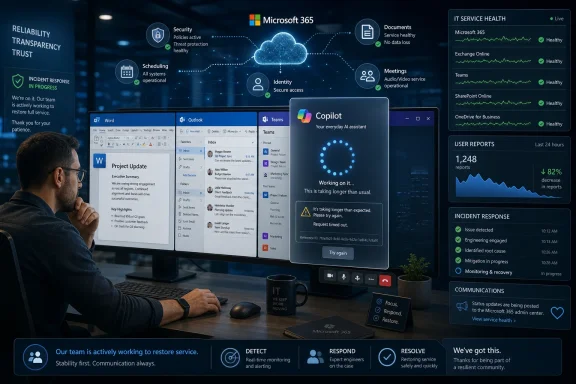
Office monitors show Microsoft 365 Copilot loading error while IT dashboard displays system health charts.Copilot’s Outage Was Small Enough to Ignore and Strategic Enough Not To​

The June 1 reports followed a familiar pattern. Users said Copilot would not load, timed out, spun indefinitely, or failed to retrieve prior context. Downdetector’s breakdown showed the app accounting for the bulk of complaints, with the website a distant second and login issues representing only a small share.
That distribution is important. A login outage is annoying but legible: identity failed, authentication broke, try again later. An app-load and timeout problem is murkier because it sits between client, web service, model routing, tenant policy, data grounding, and whatever orchestration layer Microsoft uses to stitch them together.
Microsoft’s public wording was similarly narrow. The company said some users “may be experiencing app load and timeout errors when accessing Microsoft 365 Copilot.” That is the sort of sentence administrators have learned to parse carefully. It confirms impact, avoids assigning cause, and leaves open whether the problem was in Copilot itself, a dependency, a regional backend, or the connective tissue between Microsoft 365 services.
For consumers, the distinction may not matter. For IT departments, it matters a great deal. A Copilot outage is no longer simply a broken chat window; it can become a visible interruption in email drafting, meeting summarization, document analysis, and internal search workflows.

Microsoft Has Made Copilot Too Central to Treat as Experimental​

The strategic tension here is obvious. Microsoft has marketed Copilot as a productivity layer across its most important software franchise, not as a lab demo tucked away behind a beta toggle. It appears in Windows, Edge, Teams, Office apps, the Microsoft 365 app, and increasingly in administrative and developer surfaces.
That ambition changes user expectations. If Copilot is pitched as an assistant that understands your work context, summarizes your meetings, drafts your documents, and reasons over your enterprise data, it must behave less like a web chatbot and more like core infrastructure. The closer Microsoft moves Copilot to the center of work, the less tolerance users have for vague spinners and generic “something went wrong” failures.
This is especially true because Copilot is not a single product in the way Word or Excel is a single product. It is a brand draped over a mesh of services: large language models, Microsoft Graph grounding, app integrations, search, compliance controls, identity, licensing, and tenant-level policy. The user sees one icon. The administrator sees a stack.
That stack is powerful when it works. It is also difficult to troubleshoot when it does not. If Outlook opens but Copilot cannot summarize a thread, is the problem Outlook, Exchange, Graph, Copilot orchestration, licensing, a service incident, conditional access, or a model endpoint? The answer may be clear inside Microsoft’s telemetry, but it is rarely obvious at the desk where the work stopped.

Downdetector Is a Smoke Alarm, Not a Root-Cause Report​

Downdetector reports are useful because they capture real user pain faster than official dashboards sometimes do. They are also noisy, unverified, and shaped by public awareness. A spike in complaints tells us something is happening; it does not tell us exactly where the fire started.
That distinction should matter to anyone reading today’s Copilot reports. The user comments were consistent with app load and timeout trouble, and Microsoft’s own statement aligned with that general category. But neither the public complaints nor the short Microsoft status post fully establish the root cause.
Still, smoke alarms matter. In modern SaaS, users often experience a service incident before an administrator sees a clean red indicator in a tenant dashboard. Public complaint spikes, Reddit threads, social posts, and third-party outage trackers have become an unofficial early-warning layer for cloud software.
Microsoft would prefer customers to use official service health channels, and for enterprise tenants that is still the right place to confirm whether an incident is acknowledged for an organization. But the lived reality of cloud administration is messier. When executives start asking why Copilot is hanging in Teams or refusing to load in the browser, admins search everywhere at once.

The App Is Where Microsoft’s Copilot Strategy Becomes Fragile​

The most revealing number in the user reports was not the total count. It was the percentage tied to the app. If most affected users are complaining about the Copilot app rather than login, Microsoft is facing the fragility of the very interface it has tried to elevate.
The Microsoft 365 Copilot app is supposed to be a hub: a place where users can ask questions, pull work context, move across documents, and reach AI-powered workflows without thinking too much about which Office app owns the task. That hub becomes more important as Microsoft changes where Copilot features are exposed and how they are licensed.
When an app hub fails, it creates a different kind of frustration than a single feature failure. Users do not merely lose a button inside Word. They lose the front door to the AI experience Microsoft has been teaching them to use.
That front-door problem also complicates adoption. Many organizations are still in the persuasion phase with Copilot. Champions are trying to convince skeptical employees that AI assistance is not just another corporate mandate. An outage at the app layer gives skeptics an easy story: the tool is not dependable enough to build habits around.

The Enterprise Problem Is Not That Copilot Failed Once​

No serious administrator expects cloud services to be perfect. Microsoft 365, Google Workspace, Salesforce, Slack, Zoom, ServiceNow, and every other major SaaS platform have outages. The realistic standard is not “never fail”; it is “fail transparently, recover quickly, and degrade gracefully.”
The concern with Copilot is that graceful degradation remains underdeveloped for AI-driven workflows. If a user cannot access a meeting recap, the meeting still happened. If Copilot cannot summarize a document library, the files still exist. If a prompt times out while drafting a sensitive message, the user needs to know whether anything was saved, cached, logged, or retried.
Traditional productivity software has decades of user-interface conventions for failure. Documents autosave. Email drafts sit in a folder. Sync icons show status. Offline modes are imperfect but familiar. AI assistants, by contrast, often fail as a blank panel, a spinner, or an apologetic error message that explains little.
That is tolerable for casual use. It is not tolerable when AI becomes a layer over business process. Enterprises need failure modes they can explain to users and audit afterward.

Microsoft’s Messaging Still Lags Copilot’s Importance​

Microsoft has become very good at selling the vision of Copilot. It is less consistently good at explaining Copilot’s operational boundaries in plain language. Today’s brief status update was enough to acknowledge the problem, but not enough to help affected organizations decide what to do next.
A useful enterprise incident notice does more than say “some users may be affected.” It tells administrators which entry points are impacted, whether existing chats are safe, whether Office app integrations are affected, whether Graph-grounded responses are failing, and whether retries increase load or are harmless. It also clarifies whether the issue affects consumer Copilot, Microsoft 365 Copilot, Copilot Chat, or only specific commercial experiences.
That taxonomy matters because Microsoft has overloaded the Copilot name. There is Copilot in Windows, Copilot on the web, Microsoft 365 Copilot, Copilot Chat, Copilot in Edge, GitHub Copilot, Security Copilot, Copilot Studio, and a growing zoo of role-specific or embedded assistants. A user says “Copilot is down.” An admin must ask, “Which one?”
Brand unification helps Microsoft’s marketing. It can hurt operational clarity. When every AI feature is called Copilot, every Copilot hiccup risks looking bigger, broader, or more confusing than it is.

The Hidden Dependency Is Microsoft Graph​

The reason Microsoft 365 Copilot is more valuable than a generic chatbot is also the reason it is harder to operate. It is not merely answering questions from the open web or a standalone model. Its enterprise promise depends on context from email, files, meetings, chats, calendars, permissions, and organizational data.
That context flows through Microsoft Graph and related Microsoft 365 services. If the Copilot interface loads but grounding fails, users may get weak answers. If grounding works but the app layer times out, users get nothing. If identity or permissions are inconsistent, the assistant may refuse to answer or omit material that users expect it to see.
This is why Copilot reliability should be judged differently from ordinary chatbot uptime. A simple AI service can be up if the model responds. Microsoft 365 Copilot is only truly useful when the model, the orchestration layer, the data connectors, the tenant controls, and the front-end experience all line up.
That makes observability harder. It also makes the user’s mental model more fragile. People do not want to think about whether their assistant is failing because of model capacity, SharePoint latency, an expired token, or a policy check. They want the answer they were promised.

The Timing Is Awkward for Microsoft’s AI Push​

Microsoft’s AI strategy is not slowing down. Copilot is woven into the company’s investor story, product roadmap, partner ecosystem, and Windows narrative. The company wants Copilot to be the interface through which users increasingly interact with Microsoft 365.
That is why even a relatively small incident attracts attention. It lands in a market where customers are already asking whether generative AI tools justify their cost, whether employees actually use them, and whether the productivity gains survive contact with real workflows. Reliability is part of that return-on-investment calculation.
The June 1 reports also come after months of shifting Copilot packaging and placement. Microsoft has been refining how Copilot appears in Office apps, how Copilot Chat differs from paid Microsoft 365 Copilot, and how the standalone app fits into Windows and Microsoft 365 deployments. Each change may make sense on its own, but together they create a moving target for administrators.
In that environment, outages have an outsized reputational effect. They do not just interrupt service. They reinforce the feeling that Copilot is still settling into its own architecture and business model.

For IT Pros, the First Response Is Triage, Not Philosophy​

When Copilot fails, administrators should resist the temptation to treat it as either a minor annoyance or a total platform collapse. The right response is boring, methodical triage. Confirm scope, isolate entry points, check official service health, compare user reports across browsers and clients, and determine whether the problem is tenant-specific or broader.
The practical challenge is that Copilot failures often appear inconsistently. One user may fail in the desktop app but succeed in a browser. Another may load Copilot but lose chat history. A third may use Word integration while the standalone app hangs. That patchiness can make help desks look indecisive even when they are accurately describing a partial service degradation.
Organizations that have rolled out Copilot widely should build specific incident language for it. Users should know whether to fall back to standard Office workflows, whether to avoid resubmitting long prompts, and where to report failures. Help desks should have scripts that distinguish Copilot web, Microsoft 365 app, Teams integration, and Office app experiences.
This is not glamorous work, but it is what turns a hyped AI deployment into a manageable enterprise service. If Copilot is important enough to license broadly, it is important enough to support like any other production dependency.

The User Experience Still Has Too Many Dead Ends​

The most damaging Copilot failure is not an error message. It is uncertainty. Users become most frustrated when they cannot tell whether Copilot is loading slowly, temporarily unavailable, misconfigured, or permanently broken.
Timeouts are especially corrosive because they consume attention. A user waiting 30 seconds for an AI assistant may not know whether to wait longer, refresh, retry, switch apps, or abandon the task. Multiply that by a department, and a small outage becomes a productivity tax.
Microsoft should improve client-side transparency. If Copilot is experiencing a known incident, the app should say so plainly. If chat history is temporarily unavailable, the interface should distinguish that from a total service failure. If a prompt cannot be processed, the user should know whether retrying is likely to help.
The company has done this kind of work elsewhere. Windows Update, OneDrive sync, and Microsoft 365 apps all have imperfect but recognizable status patterns. Copilot needs the same maturity. A spinner is not an enterprise incident strategy.

The AI Layer Needs an Offline Story, Even If It Cannot Be Offline​

Nobody should expect Microsoft 365 Copilot to work fully offline. Its value depends on cloud models and cloud data. But “cloud-dependent” should not mean “all or nothing.”
There are lighter forms of resilience Microsoft could pursue. The app could preserve prompt drafts before submission. It could display recent successful chats from local cache with clear labeling. It could offer non-AI fallbacks to the relevant document, meeting, or email thread. It could distinguish between model unavailability and data-retrieval unavailability.
These are not trivial engineering problems, particularly in enterprise environments with strict compliance and data-handling requirements. Cached AI interactions raise security, privacy, retention, and eDiscovery questions. But those questions are exactly why Microsoft must solve them deliberately rather than leaving users staring at blank panels.
The future of workplace AI will not be judged only by answer quality. It will be judged by reliability, recoverability, and predictability. The boring properties of software become more important as the software becomes more central.

Microsoft Cannot Hide Behind the Beta Aura Forever​

Generative AI still carries a cultural beta label. Users expect hallucinations, awkward phrasing, and occasional weirdness. Vendors benefit from that softness because it gives them room to improve products in public.
But Microsoft 365 Copilot is not priced or positioned like a toy. It is sold into businesses as a productivity platform layered across mission-critical applications. That positioning demands a different standard from the one applied to a free chatbot experiment.
There is a subtle danger for Microsoft in allowing Copilot to feel both mandatory and unfinished. If an organization sees Copilot as optional, failures are irritating but containable. If Microsoft pushes Copilot into the center of the interface while the reliability story still feels immature, failures become evidence for internal critics who would rather delay adoption.
That does not mean Copilot is doomed, overhyped, or uniquely unreliable. It means Microsoft’s own ambition has raised the bar. The company wants Copilot to be treated as the new way to work. Customers will increasingly judge it like work infrastructure.

The Calendar Says Incident; the Strategy Says Stress Test​

The June 1 incident should be remembered less as a dramatic outage and more as a stress test of Microsoft’s AI operating model. The reported peak of roughly 500 Downdetector complaints is not, by itself, a catastrophic number. But public outage counts are only a partial proxy for enterprise disruption, and Copilot’s footprint is expanding faster than many organizations’ support practices.
The more Copilot is embedded, the more failure analysis must become specific. “AI is down” is not an acceptable operational category. Administrators need to know whether the failure touches chat, grounding, app launch, authentication, licensing, message history, file access, or a specific integration.
Microsoft also needs to decide how transparent it wants to be about Copilot’s moving parts. The company does not have to expose every internal dependency, but it does need service-health messaging that maps to what users actually see. “Some users may be affected” is a start, not a mature incident narrative.
The broader lesson is not that companies should avoid AI assistants. It is that AI assistants are becoming another tier of enterprise software, and tiers need runbooks. They need service-level expectations, user education, fallback workflows, and post-incident clarity.

The Copilot Promise Now Comes With an Operations Bill​

For WindowsForum readers, the actionable point is not to panic over one Monday outage. It is to treat Copilot like the production dependency Microsoft is trying to make it. That means planning around its failure modes before the next status post appears.
  • Organizations using Microsoft 365 Copilot should document which Copilot entry points matter most to their users, including the standalone app, web experience, Teams, Outlook, Word, Excel, and PowerPoint.
  • Help desks should separate Copilot app-load failures from authentication problems, Office integration failures, chat-history issues, and Microsoft Graph grounding problems.
  • Administrators should check official Microsoft 365 service health first, but they should also treat user-report spikes as useful early-warning signals when official dashboards lag user experience.
  • Teams that rely on Copilot for meetings, documents, or email should define fallback workflows so employees are not blocked by a spinning AI pane.
  • Microsoft should make Copilot incident messaging more specific, because the brand now covers too many products for generic outage language to be operationally useful.
  • Users should avoid building workflows where Copilot is the only path to critical information, especially while the service’s reliability and failure transparency continue to mature.
The irony of Copilot’s rise is that Microsoft has made AI feel less magical by making it more ordinary, and that is exactly where the hard work begins. Once an assistant becomes part of the daily desktop, users stop applauding when it answers and start noticing when it does not load. Microsoft’s challenge after June 1 is not merely to resolve a timeout incident; it is to prove that Copilot can inherit the unglamorous obligations of the productivity software it wants to reinvent.

References​

  1. Primary source: Treasure Coast News
    Published: 2026-06-01T16:42:06.298768
  2. Related coverage: support.nhs.net
  3. Related coverage: windowscentral.com
  4. Related coverage: bleepingcomputer.com
  5. Related coverage: statusgator.com
  6. Related coverage: sqmagazine.co.uk
  1. Related coverage: bluemonitor.org
  2. Official source: learn.microsoft.com
  3. Related coverage: flextrivia.com
  4. Related coverage: pingoru.io
  5. Related coverage: spscc.edu
  6. Official source: techcommunity.microsoft.com
  7. Related coverage: feministfutures.socialsciences.ucsb.edu
  8. Official source: download.microsoft.com
  9. Related coverage: oregon.gov
 

Microsoft said on June 1, 2026, that it was investigating app load and timeout errors affecting some Microsoft 365 Copilot users, after outage reports began rising around 9 a.m. Eastern and peaked late Monday morning on Downdetector. The outage was not, on its face, the biggest Microsoft cloud incident of the year. But it landed squarely on the pressure point Microsoft has created for itself: Copilot is no longer just a demo, a sidebar, or a speculative future product. It is now a dependency Microsoft is asking workers and IT departments to build into the ordinary rhythm of office life.

IT team monitors a Microsoft 365 service dashboard while a Copilot request times out on a laptop.Copilot’s Outage Was Small Enough to Dismiss and Big Enough to Matter​

The reported disruption followed a familiar modern-cloud pattern. Users began reporting that Copilot would not load, timed out, or sat spinning without retrieving prior context, while Microsoft acknowledged that some users were seeing errors when accessing Microsoft 365 Copilot. Downdetector figures cited by the USA TODAY Network showed reports rising through the morning, peaking shortly before noon Eastern, and then falling by early afternoon.
That trajectory suggests a service degradation rather than a catastrophic, all-day collapse. Most consumer-facing outage charts are noisy instruments, and Downdetector is not a census of affected users. It measures reports, not reach, and its spikes are shaped by geography, user awareness, social media amplification, and the degree to which a service’s failure interrupts work badly enough for someone to complain.
Still, the numbers are less interesting than the category of complaint. Users were not merely saying that a website looked odd or a button was missing. They were saying the app would not load, that requests timed out, and that history was not being pulled up. For a conventional application, that is downtime. For an AI assistant sold as a layer of continuity across documents, mail, meetings, and business context, it is also a trust failure.
That distinction matters because Microsoft has spent the past several years positioning Copilot not as another Office feature but as the connective tissue of Microsoft 365. The company’s pitch is that Copilot can understand work across Word, Excel, PowerPoint, Outlook, Teams, OneDrive, SharePoint, and the Microsoft Graph. When that layer stalls, the failure is not isolated to a single app icon. It interrupts the promise that the suite is becoming more intelligent, more contextual, and more automated.

Microsoft Put the Assistant in the Workflow, Then the Workflow Waited​

Copilot began as something users could choose to ignore. It was a button, a chat pane, a preview, a curiosity. Microsoft has steadily moved it closer to the center of the productivity suite, making it part of the Microsoft 365 app experience, the Windows experience, and the daily language of enterprise productivity.
That makes outages harder to treat as mere AI weirdness. A chatbot going down is inconvenient; a workflow layer going down creates uncertainty. If a user relies on Copilot to summarize Teams meetings, draft customer responses, analyze spreadsheet trends, or recall the thread of a project from prior conversations, a timeout is not just a failed prompt. It is a forced reversion to manual work at the exact moment the user expected automation to absorb the load.
This is the paradox Microsoft now owns. The better Copilot becomes at insinuating itself into normal work, the more ordinary service reliability standards apply to it. Users may forgive experimental AI for hallucinations, strange phrasing, or uneven reasoning. They are much less forgiving when a paid productivity service simply does not load.
Microsoft has made a calculated bet that AI assistance will become ambient. The June 1 incident is a reminder that ambient software still runs on very concrete infrastructure. Routing, authentication, app shells, model gateways, entitlement checks, tenant policies, web front ends, mobile clients, and backend capacity all have to work before the magic appears.

The App Complaint Is the Important Signal​

The reported breakdown of complaints is revealing. According to the user-submitted Downdetector data cited in the initial report, the largest share of users said the problem was with the app, while a smaller share reported website problems and only a small minority reported login trouble.
That does not prove the root cause sat in the app itself. “App” is often the bucket users choose when what they mean is “the thing I open is broken.” A desktop shell can fail because of an upstream service, a mobile app can spin because of a backend timeout, and a web app can appear healthy while the component it calls is degraded. But from the user’s point of view, the distinction is academic.
For WindowsForum readers, that distinction is also where the operational lesson lives. Copilot is not one product in the old boxed-software sense. It is a distributed service with multiple client surfaces. There is consumer Copilot, Microsoft 365 Copilot, Copilot Chat, Copilot in Windows, Copilot in Edge, Copilot Studio, and a growing swarm of branded experiences that share a name but do not always share the same status, licensing model, data boundary, or failure mode.
When users say “Copilot is down,” IT has to ask which Copilot. Is the affected experience the Microsoft 365 Copilot app? The web interface? Copilot inside Word? A Teams meeting summary? Copilot Chat with enterprise data protection? A custom Copilot Studio agent? A consumer account? A work account? The brand simplicity that helps Microsoft sell the product can make incident triage messier.
Microsoft’s public acknowledgment was specific enough to matter: app load and timeout errors when accessing Microsoft 365 Copilot. That phrasing points away from purely local troubleshooting and toward a service-side issue. It also gives administrators a useful boundary. If users are simultaneously reporting load failures across different devices, browsers, and networks, the right first move is not reinstalling every client.

AI Reliability Is Becoming a First-Class IT Metric​

For years, enterprise IT has measured Microsoft 365 reliability through Exchange Online availability, Teams call quality, SharePoint access, OneDrive sync health, identity sign-ins, and admin center advisories. Copilot adds a more complicated class of dependency. It is both a service and an orchestrator of other services.
A Copilot failure can look like a chat failure, a search failure, a permissions failure, a Microsoft Graph retrieval failure, a model response failure, a document-grounding failure, or an app-shell failure. The user just sees a spinner. The help desk gets a ticket that says “Copilot broken.” The admin then has to decide whether this is tenant-specific, regional, identity-related, licensing-related, client-specific, or global.
That is why even a modest outage matters. Microsoft is teaching organizations to treat AI as a daily productivity layer. Once that lesson sticks, AI tools inherit the expectations that used to belong to email and calendaring. They need clear status reporting, incident IDs, tenant-level visibility, practical mitigations, and post-incident explanations that administrators can translate into policy.
The consumer web has normalized flaky AI availability in a way enterprise IT cannot. A public chatbot can rate-limit users or show a temporary error and still retain goodwill. But a Microsoft 365 customer paying for Copilot seats has a different relationship with the service. The business case is built on saved time, faster drafting, richer search, better meeting follow-up, and reduced friction. Every outage chips away at that ROI story, especially among skeptical users who already view AI as overhyped.
Microsoft knows this, which is why its status messaging matters. A short post saying the company is investigating is a start, but it is not the endpoint enterprise customers increasingly expect. If Copilot is to be a business-critical tier of Microsoft 365, its incident communication needs to be as mature as the pitch deck.

The Routing Layer Is Where AI Starts Looking Like Cloud Plumbing​

Reports circulating among administrators on Monday suggested that Microsoft had identified a routing issue sending Copilot traffic toward unhealthy infrastructure. If accurate, that would fit the shape of the incident: access failures, timeout errors, app load problems, and a decline in reports once traffic was presumably stabilized or redirected.
The detail is important because it strips away some of the mystique around AI outages. The problem may involve an AI-branded product, but the failure mode can be recognizably mundane. Traffic goes to the wrong place. A gateway returns errors. A dependency degrades. A service front door misroutes requests. The assistant becomes unavailable not because the model “forgot” how to answer, but because the request never reaches a healthy path.
That is not a criticism of Microsoft so much as a reality check for the market. AI services are not floating brains in the cloud. They are stacks of software, networking, authentication, storage, telemetry, policy enforcement, and compute orchestration. They have the same old failure modes as every other cloud service, plus new ones introduced by model serving, prompt orchestration, grounding, and safety systems.
The difference is user perception. When Outlook goes down, users know what broke. When Copilot goes down, the failure is harder to classify because the product itself is designed to blur boundaries. It drafts in Word, searches across mail, reasons over meetings, and answers in chat. A routing problem can therefore feel like the disappearance of a digital coworker rather than a discrete service incident.
This is where Microsoft’s branding discipline becomes an operational hazard. “Copilot” is memorable, but it is also sprawling. The more Microsoft uses the name across products, the more a problem in one branch of the Copilot family risks being perceived as a problem with the entire AI strategy.

The Outage Arrived After Months of Normalized Copilot Friction​

The June 1 reports did not occur in a vacuum. Throughout 2026, users have repeatedly complained in public forums about Copilot responses failing, chats becoming unusable, older conversations not loading, desktop and web experiences diverging, and prompts returning vague errors. Some of these complaints are individual configuration problems. Some are tenant or licensing issues. Some are transient service incidents. The common thread is that Copilot reliability still feels uneven to many users.
That does not mean Copilot is uniquely unreliable among cloud applications. Microsoft 365 itself has always had incidents, and so have Google Workspace, Slack, Zoom, Salesforce, AWS, Azure, and every other major cloud platform. The problem for Microsoft is that AI assistance is being sold at a premium and marketed with unusual intensity. That makes each visible failure more politically expensive inside customer organizations.
The skeptical employee does not need a statistical service report to form an opinion. If Copilot fails on the day they need it, or returns an error during a high-pressure task, that anecdote becomes the story. The same dynamic shaped early cloud email adoption: one outage could outweigh months of uptime in the minds of users who were already suspicious of the migration.
For administrators, this means Copilot adoption is not just about licensing and enablement. It is about expectation management. Users should understand what Copilot is good at, what it is not, when not to depend on it, and how to fall back gracefully when it fails. That sounds obvious, but many organizations have rolled out AI tools with more enthusiasm than operating procedure.
A mature Copilot deployment should have a support model. It should define where users report failures, how help desks distinguish client problems from service issues, how admins check Microsoft health advisories, and what workarounds are acceptable. It should also make clear that AI-generated work remains user-owned work. If the assistant is unavailable, the business process still has to continue.

Microsoft’s Biggest Risk Is Not the Spinner, It Is Habit Formation​

The real competition in AI productivity software is not between Microsoft and a particular chatbot. It is between old habits and new ones. Microsoft needs users to develop the reflex of turning to Copilot first: summarize this thread, draft this response, turn these notes into a plan, find the relevant file, explain this spreadsheet, prepare me for this meeting.
Outages interrupt that habit formation. A user who tries Copilot three times and sees a spinner twice may not come back for a fourth attempt. A department that pays for licenses but hears constant grumbling may slow deployment. A CIO who has to defend AI spend during budget review will remember whether the tool felt dependable during the pilot.
This is especially acute because Copilot’s value is cumulative. The assistant becomes more useful when it is embedded in routine workflows, when users trust it with repeated tasks, and when organizations design processes around it. That kind of adoption requires reliability not just in the engineering sense, but in the psychological sense. Users need to believe the tool will be there.
Microsoft can absorb a brief outage. What it cannot afford is a pattern that trains customers to treat Copilot as optional garnish rather than operational infrastructure. The company’s entire Microsoft 365 AI strategy depends on moving Copilot from novelty to necessity. Necessity has a much higher uptime bar.
That bar includes graceful degradation. If Copilot cannot access one backend dependency, can it still explain what failed? If chat history cannot load, can it start a new session cleanly? If enterprise grounding is unavailable, can it tell the user rather than spinning? The best cloud services fail legibly. The worst make users guess.

Admins Need a Copilot Runbook Before the Next Spike​

For IT departments, Monday’s incident is a prompt to do the unglamorous work now. Copilot support cannot remain an ad hoc pile of browser refreshes, app reinstalls, and “try again later” messages. The product is becoming too visible for that.
The first step is taxonomy. Help desks should separate Copilot failures by surface: Microsoft 365 Copilot app, web app, Office app integration, Teams experience, Windows entry point, Edge sidebar, Copilot Chat, and custom agent. They should also capture whether the user is on a work account or personal account, whether the problem follows the user across devices, and whether colleagues in the same tenant see the same failure.
The second step is status correlation. If multiple users report load and timeout errors at once, admins should check Microsoft’s service health channels before burning time on endpoint troubleshooting. That does not mean local fixes are useless. Browser cache, stale tokens, conditional access changes, app updates, VPN routing, and endpoint protection can all break Copilot experiences. But simultaneous reports with similar symptoms should raise the likelihood of a service-side incident.
The third step is communication. Users do not need an essay during an outage. They need to know whether IT is aware, whether the issue appears broader than their machine, which workflows are affected, and what they should do meanwhile. In the absence of that message, users will supply their own narrative, usually in the least charitable form.
The final step is post-incident learning. If Copilot is part of a business workflow, record what broke. Did sales teams lose meeting summaries? Did analysts lose document-grounded chat? Did executives lose briefing workflows? The point is not to punish a cloud vendor for every transient incident. The point is to understand where the organization has quietly developed dependencies it has not yet documented.

The Windows Angle Is Bigger Than a Broken App​

For Windows users, Copilot’s reliability is tangled up with a broader shift in the operating system. Microsoft has spent years experimenting with how much AI belongs inside Windows itself, from taskbar entry points to app integrations to settings help and recall-like productivity features. Whether users welcome that shift depends partly on whether the services feel dependable.
A broken Copilot app on Windows is therefore more than an application bug in the public imagination. It becomes evidence in the larger debate over whether Microsoft is adding useful intelligence or merely adding another cloud dependency to the desktop. Windows enthusiasts are especially sensitive to that line. They have lived through Start menu search becoming webby, Settings replacing Control Panel unevenly, widgets coming and going, and cloud account nudges appearing in places that used to feel local.
That history colors reactions to Copilot outages. If Microsoft wants AI to be accepted as part of Windows, it has to show that AI features respect user control, perform consistently, and fail without degrading the rest of the system. A cloud assistant that cannot load should not make the desktop feel unfinished. It should be one unavailable service, clearly marked, not a fog of spinning panes and ambiguous errors.
Enterprise Windows environments add another layer. Many organizations already manage Copilot through licensing, policy, data boundaries, and compliance review. If service reliability becomes uncertain, administrators may respond by narrowing deployment, limiting entry points, or holding back from deeper integrations. That would not kill Copilot, but it would slow Microsoft’s preferred adoption curve.
Microsoft’s challenge is to make Copilot feel native without making Windows feel dependent on a remote assistant. That balance is delicate. The more aggressively Microsoft integrates Copilot, the more every outage becomes an argument for restraint.

The June 1 Incident Leaves a Practical Checklist Behind​

The useful lesson from Monday is not that Copilot is doomed or that Microsoft cannot run AI services at scale. The useful lesson is that Copilot has crossed into the category of software whose interruptions need planning. That is a milestone, even if it arrived through a timeout screen.
  • Organizations should treat Microsoft 365 Copilot as a cloud service with its own incident procedures, not as a novelty feature inside Office.
  • Help desks should capture the exact Copilot surface affected because “Copilot is down” is no longer specific enough for useful triage.
  • Administrators should check Microsoft service health information before assuming simultaneous app load and timeout errors are local endpoint problems.
  • Users should have clear fallback expectations for drafting, summarization, meeting follow-up, and document analysis when Copilot is unavailable.
  • Microsoft needs to make Copilot failures more legible, because silent spinners and generic errors undermine trust faster than a plain service message.
The larger story is that Microsoft is succeeding at making Copilot important enough for its outages to matter, and that success comes with obligations the company can no longer route around. If AI is going to sit inside the daily machinery of work, it has to be measured less by launch demos and more by the boring disciplines of availability, transparency, and graceful failure. Monday’s disruption will fade quickly if service health returned to normal, but the next Copilot incident will arrive in a world where more users have built the assistant into their day, and that world will be less forgiving of a spinner.

References​

  1. Primary source: Daytona Beach News-Journal
    Published: 2026-06-01T16:50:06.407125
  2. Related coverage: gvwire.com
  3. Official source: learn.microsoft.com
  4. Related coverage: outage.report
  5. Related coverage: isdown.app
  6. Related coverage: windowscentral.com
  1. Related coverage: tomsguide.com
  2. Related coverage: bleepingcomputer.com
  3. Related coverage: support.nhs.net
  4. Official source: support.microsoft.com
  5. Related coverage: statusgator.com
  6. Related coverage: feministfutures.socialsciences.ucsb.edu
  7. Related coverage: investigacion.udem.edu.mx
  8. Related coverage: paramountassure.com
  9. Related coverage: spscc.edu
 

Microsoft said on Monday, June 1, 2026, that it was investigating a Microsoft 365 Copilot issue causing app load and timeout errors for some users, after outage reports began rising in the morning and peaked around midday on Downdetector. The numbers were not internet-breaking by Microsoft standards, but the timing and the product matter. Copilot is not a side experiment anymore; it is being threaded through Word, Excel, PowerPoint, Teams, Outlook, Windows, and the daily muscle memory of office work. When the AI assistant cannot load, the outage is not merely technical — it is a preview of what happens when Microsoft turns a productivity feature into infrastructure.

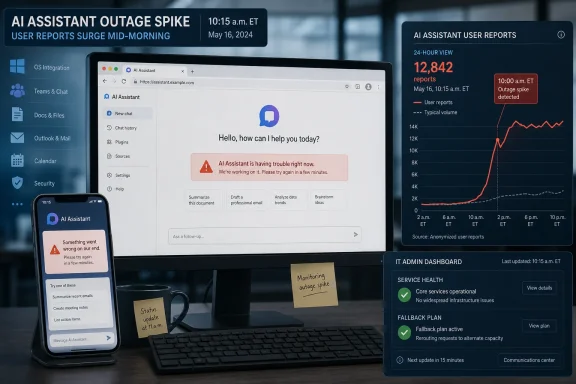
Office team using Copilot cloud AI overlay while a connection timed-out message appears on screens.Copilot’s Outage Was Small Enough to Dismiss and Important Enough Not To​

The reported Copilot disruption on June 1 followed a familiar pattern: users began seeing problems around 9 a.m., reports climbed into the hundreds by late morning, and Microsoft acknowledged that some users were seeing app load and timeout errors when accessing Microsoft 365 Copilot. Downdetector’s public report count reportedly peaked at 501 shortly before noon and later fell to 121 by early afternoon.
In the old software world, that might have been a nuisance. An add-in failed, a website stalled, a client needed a restart, and users moved on. But Copilot is being sold as something more central than a helper pane. Microsoft’s pitch is that AI sits beside the worker across the Microsoft 365 stack, aware of context, capable of summarizing meetings, drafting documents, querying files, interpreting spreadsheets, and turning scattered corporate knowledge into action.
That pitch changes the meaning of downtime. A failed AI assistant does not stop a user from typing a Word document or sending an email, but it does interrupt the workflow Microsoft has been encouraging organizations to adopt. If the new habit is “ask Copilot first,” then a timeout is not just a timeout. It is a broken promise at the point where behavior is supposed to change.
The June 1 incident also arrived amid broader user skepticism about AI assistants in productivity suites. People are still learning when Copilot is useful, when it is confidently wrong, when it is blocked by permissions, and when it is simply waiting on the cloud. Reliability is therefore not a secondary metric. It is the difference between an assistant that feels like software and one that feels like a demo.

Microsoft Has Made Copilot Too Central to Treat It Like a Beta​

Microsoft’s current Copilot strategy depends on ubiquity. The company has attached the Copilot brand to Windows, Microsoft 365, Edge, GitHub, Security, Dynamics, Power Platform, and a growing field of role-specific assistants. That breadth is a strength in Microsoft’s sales deck, but it is also a support problem: users do not always know which Copilot they are using, which backend it depends on, or whether a failure is local, tenant-specific, regional, licensing-related, or global.
The outage reports described users struggling with the Copilot app most often, followed by the website and then login. That distribution matters because the app is supposed to be the front door. If the dedicated Copilot surface is unreliable, the user’s mental model collapses quickly: is Word’s Copilot broken too, is Teams affected, is the browser version better, should the user clear cache, or is this a Microsoft-side incident?
For administrators, this ambiguity is expensive. Help desks do not merely answer “is it down?” They triage identity, licensing, network filtering, conditional access, browser compatibility, tenant configuration, service health advisories, and user expectations. Copilot adds a layer of AI-specific uncertainty on top of the already sprawling Microsoft 365 estate.
Microsoft knows this, which is why it increasingly frames Copilot as part of managed enterprise productivity rather than a consumer chatbot bolted onto Office. But enterprise software has enterprise obligations. If Copilot is going to be a dependency for meeting summaries, inbox processing, document drafting, and knowledge retrieval, it needs the same operational clarity customers expect from Exchange Online, Teams, SharePoint, and OneDrive.
The uncomfortable truth is that Copilot’s value proposition makes outages more visible, not less. If the assistant is marginal, no one cares when it is unavailable. If it is genuinely useful, people notice instantly.

The App Is Now the Weakest Place for an AI Strategy to Fail​

The reported breakdown of Downdetector complaints pointed heavily toward the Copilot app, with app-related issues making up the majority of reports. That is a telling failure mode. Microsoft has been trying to give Copilot a coherent home, but the company is also embedding it everywhere, which means the “app” is both a product and a symbol.
A standalone Copilot app is supposed to reduce confusion. It gives users a place to start, a single icon to click, and a familiar chat-first interface. In practice, it also becomes the place where every dependency converges: authentication, tenant policy, cloud routing, model availability, graph grounding, browser components, and service-side orchestration.
That makes the app a high-risk front end. It may appear simple to the user — a prompt box and a chat history — but it is sitting on top of a large distributed system. When the app spins, times out, or fails to load historical records, users experience the entire architecture as one broken thing.
This is where Microsoft’s Copilot problem differs from a conventional Office bug. If Excel crashes, users can often blame Excel. If Copilot fails, the brand absorbs the blame across products. Copilot is not just an application name; it is Microsoft’s AI promise. Every loading spinner becomes a referendum on whether that promise is mature enough for daily work.
The user comments circulating during the disruption were predictable: Copilot would not load, connections timed out, history failed to appear, and the assistant seemed to have disappeared just when people expected it to help. The jokes write themselves because the dependency is new. “Nobody knows how to send an email” is funny precisely because Microsoft’s sales pitch is that people should not have to handle every routine task manually anymore.

The Cloud Has Always Been the Hidden Cost of AI Convenience​

Traditional desktop software trained users to think locally. If Word opened and the file was on disk, work could continue even if the network was flaky. Microsoft 365 changed that equation over many years by moving identity, storage, collaboration, compliance, and sync into the cloud. Copilot pushes the same transition further: even when the app is local, the intelligence is not.
That is not a flaw by itself. The reason Copilot can summarize meetings, reason across documents, and respond to business context is that it is connected to cloud services and organizational data. The same architecture that gives it power also gives it failure modes.
Timeout errors are especially revealing because they are rarely meaningful to ordinary users. A timeout can point to routing, capacity, authentication, backend latency, regional degradation, network filtering, or a dependent service misbehaving upstream. To the user, all of that becomes one experience: the assistant did not answer.
Microsoft’s public language during incidents tends to be cautious, and for good reason. Until engineers isolate the affected component, premature certainty can mislead customers. But the combination of cautious wording and opaque AI infrastructure leaves administrators with a narrow set of practical actions. They can check service health, compare user reports, test another client, inspect tenant settings, and wait.
That wait is the hidden price of cloud-first AI. The organization does not own the model, the orchestration layer, or the service routing. It owns the business process that now depends on them.

Downdetector Is a Smoke Alarm, Not a Root-Cause Report​

Downdetector reports should be read carefully. They are useful because they reflect user pain in near real time, but they are not a service-health authority. A spike can indicate a real outage, a regional issue, confusion caused by another Microsoft 365 incident, or even a sudden burst of social attention.
In this case, the Downdetector curve aligned with Microsoft’s acknowledgment that some users were experiencing app load and timeout errors. That makes the reports more than noise. Still, the public report count was modest compared with the large Microsoft 365 disruptions that can generate thousands of complaints across Outlook, Teams, Azure, and identity services.
The more interesting point is not the absolute number. It is the type of product affected. Copilot sits in a strange middle ground between optional feature and productivity layer. Many organizations are still piloting it, but Microsoft is positioning it as a default part of modern work. That gap means a few hundred public reports may understate the significance for tenants actively betting on AI workflows.
There is also a visibility problem. Copilot failures may not always be reported as Copilot failures. A user in Word may say “the AI button is broken.” A Teams user may blame meeting recap. An admin may first suspect licensing. A mobile user may assume the app itself is flaky. Downdetector captures only the users motivated enough to report a named service.
For WindowsForum readers, the lesson is straightforward: treat outage trackers as early warning systems, not evidence packages. They tell you when to look. They do not tell you what broke.

The Support Burden Lands First on IT, Not on the AI Team​

Microsoft can investigate the service, but administrators absorb the first wave of confusion. In many organizations, users do not distinguish between Microsoft 365 Copilot, Copilot Chat, Copilot in Windows, Copilot in Edge, and Copilot embedded in individual Office apps. They report that “Copilot is down,” and the help desk has to translate.
That translation is harder than it should be. Copilot access can depend on licensing, account type, tenant settings, app version, browser state, region, compliance policy, and service availability. A user who can open Copilot in Edge may not have the same experience in Word. A user whose chat loads may not be able to ground responses in organizational files. A user with the right license may still hit an incident in one Microsoft 365 surface.
This is the burden of a product family moving faster than its vocabulary. Microsoft has spent decades teaching customers that Office is Office, Windows is Windows, Teams is Teams, and SharePoint is SharePoint. Copilot cuts across those boundaries but has not yet earned a single, stable operational identity in the minds of users.
For IT pros, that means Copilot incidents need runbooks. Not elaborate binders, but basic decision trees: identify the user’s surface, confirm license and account type, test browser and app access, check Microsoft 365 service health, compare tenant-wide symptoms, and communicate uncertainty early. The support script should assume confusion because Microsoft’s branding almost guarantees it.
The irony is that Copilot itself is supposed to reduce support friction someday. It may eventually help users diagnose problems, summarize tickets, and surface policy-specific guidance. But when Copilot is the thing failing, the old support muscles still matter.

AI Reliability Is Now a Productivity Metric​

Microsoft’s Copilot economics depend on regular use. The product is priced and positioned as a daily assistant, not a novelty. That makes reliability part of the return-on-investment calculation.
A company paying for Copilot licenses is not merely buying access to a model. It is buying a workflow expectation: employees will save time drafting, summarizing, searching, analyzing, and communicating. If the assistant is intermittently unavailable, slow, or inconsistent across apps, the savings become harder to measure and the skepticism becomes easier to justify.
This is particularly true for early enterprise adopters. Many are still in the phase of persuading employees to try Copilot, building prompt libraries, measuring usage, and training teams not to treat AI output as gospel. An outage during that adoption window has an outsized psychological effect. It confirms the suspicion of the reluctant user: this thing is not ready.
That does not mean Copilot must achieve impossible perfection. Exchange Online, Teams, Slack, Google Workspace, AWS, Azure, and every other cloud platform have incidents. The issue is whether the product’s operating model is transparent enough for customers to manage risk. Mature cloud services do not avoid all outages; they make outages legible.
Copilot is not fully there yet. Microsoft has service health channels, admin center advisories, and status posts, but the user-facing experience still often feels like a black box. For an AI assistant that asks users to trust it with work context, that black-box feeling is a liability.

Microsoft’s AI Ambition Is Colliding With Enterprise Conservatism​

Microsoft is trying to move quickly because the AI market rewards speed. The company has embedded Copilot across its portfolio faster than many enterprises can update training material. That pace helps Microsoft define the category, but it also creates friction with the conservative instincts of IT departments.
Administrators are not anti-AI by default. Many see obvious uses for summarization, search, ticket drafting, policy lookup, code assistance, and meeting recap. What they resist is uncontrolled dependency. They want to know what data is used, where it goes, who can access it, what is logged, what breaks, how to disable it, and how to explain failures to executives.
A Copilot load-and-timeout incident lands directly in that debate. It reminds organizations that AI productivity is not just about model quality or prompt engineering. It is about service reliability, identity plumbing, network paths, and change management. The magic is built on systems that can degrade.
Microsoft’s challenge is that it wants Copilot to feel ambient. The assistant should be available wherever work happens, almost like spellcheck or search. But ambient tools must be boringly reliable. Nobody celebrates when spellcheck loads. Everyone notices when it blocks typing.
This is the maturity test for Copilot. The product does not need fewer demos. It needs fewer moments where users wonder whether the assistant is unavailable, unlicensed, confused, blocked, throttled, or simply thinking.

The Windows Angle Is Bigger Than a Single App​

For Windows users, Copilot’s reliability story is tangled with Microsoft’s broader attempt to redefine the PC around AI. The company has spent the last few years pushing AI deeper into Windows experiences, from taskbar entry points and web-backed assistants to newer hardware branding around AI PCs. Even when the June 1 issue was framed around Microsoft 365 Copilot, it still touches the same trust boundary.
The Windows desktop has historically been the stable surface beneath cloud turbulence. If a web app failed, users could still rely on local programs. But as Microsoft makes Windows a launchpad for cloud-connected AI features, the desktop inherits more service dependencies. That does not make Windows worse by default, but it changes what “the PC works” means.
A Copilot button that opens a cloud assistant is not the same kind of feature as Notepad. It depends on authentication, service availability, model routing, policy, and network reachability. When it fails, the user may blame Windows because Windows presented the button. This is a brand-level risk for Microsoft.
It also affects how admins think about deployment. A traditional desktop rollout can be tested with images, policies, drivers, and app compatibility. An AI feature rollout needs those things plus service monitoring, data governance, user training, and fallback workflows. The Windows endpoint is only the last mile.
That is why even a modest Copilot incident belongs on the radar of WindowsForum readers. It is not just a cloud story. It is a preview of how Windows, Office, identity, and AI are becoming one operational surface.

The Real Outage Is Confidence​

The June 1 disruption does not prove that Copilot is unreliable. It does not prove that Microsoft’s AI strategy is failing. It does, however, expose the fragile stage of the product’s adoption curve.
Users are still forming habits. Administrators are still writing policies. Executives are still asking whether license costs are justified. Security teams are still testing boundaries. In that environment, even a short service degradation can become evidence in a larger argument about readiness.
Microsoft’s defenders can fairly argue that all cloud services have incidents, and that a few hundred public reports do not represent a catastrophic event. That is true. But Copilot is being sold into a market where trust is still provisional. The standard is not merely “does it usually work?” The standard is “does it work often enough, clearly enough, and predictably enough that users will change how they work?”
That is a harder bar. AI assistants occupy a more intimate place in the workflow than many cloud tools because they mediate intent. A user asks for help, receives a response, and adjusts their work around it. If the assistant fails at the loading screen, the user does not just lose a feature. They lose the confidence to build a habit.
The most damaging outages are not always the longest ones. Sometimes they are the ones that arrive while a product is trying to prove it belongs.

The June 1 Copilot Blip Shows Where Microsoft Must Tighten the Bolts​

The practical readout from this incident is less dramatic than the AI discourse around it, but it is more useful. Microsoft acknowledged an issue affecting some users, reports rose and then declined, and the dominant complaint appeared to involve the Copilot app failing to load or timing out. That leaves several concrete lessons for users and IT teams watching Copilot become part of the workday.
  • Microsoft 365 Copilot should be treated as a cloud service dependency, not merely as an Office feature or local app.
  • Administrators should maintain a simple Copilot incident checklist that separates licensing problems, client problems, identity problems, and confirmed service degradation.
  • Users should be told where to try an alternate Copilot surface, but they should not be expected to diagnose Microsoft-side routing or backend failures themselves.
  • Organizations piloting Copilot should track reliability and latency alongside adoption, satisfaction, and time-savings claims.
  • Microsoft needs to make Copilot failures more legible inside the product, because a silent spinner is not an enterprise-grade status message.
  • The more Microsoft embeds Copilot into Windows and Microsoft 365, the more every outage becomes a test of the company’s broader AI credibility.
The June 1 Copilot incident will likely fade quickly if service stability returned and the report count continued to fall. But the larger story will not fade. Microsoft is asking users to let AI sit closer to the center of work, and that means Copilot must mature from impressive assistant to dependable utility. The next phase of AI adoption will be won less by theatrical demos than by quiet reliability, clear failure modes, and the confidence that when Monday morning begins, the assistant Microsoft put everywhere is actually there.

References​

  1. Primary source: aol.com
    Published: 2026-06-01T20:44:07.254417
  2. Related coverage: crn.com
  3. Related coverage: support.nhs.net
  4. Related coverage: windowscentral.com
  5. Related coverage: gvwire.com
  6. Related coverage: allthings.how
  1. Official source: support.microsoft.com
  2. Related coverage: techradar.com
  3. Related coverage: isdown.app
  4. Related coverage: statut-services.fr
  5. Related coverage: bleepingcomputer.com
  6. Official source: learn.microsoft.com
  7. Related coverage: feministfutures.socialsciences.ucsb.edu
 

Microsoft Copilot suffered a broad service disruption on Monday, June 1, 2026, with user reports rising through the U.S. morning, Downdetector showing hundreds of complaints, and Microsoft reportedly investigating routing problems that sent Copilot traffic toward unhealthy infrastructure instead of healthy service capacity. The incident was not the largest Microsoft outage in recent memory, but it hit at an awkward moment: Copilot is no longer a novelty sidebar that can quietly fail without consequence. Microsoft has spent the last two years teaching users, executives, and IT departments to treat AI assistance as part of the daily productivity stack. Monday’s trouble was a reminder that once an assistant becomes infrastructure, its outages stop feeling optional.

Futuristic control room shows a “Copilot” AI monitoring cloud service health and routing anomalies.Copilot’s Outage Was Small Enough to Dismiss and Big Enough to Matter​

The first temptation with any Downdetector spike is to shrink it down to the numbers. A few hundred reports, even a few thousand, do not automatically equal a global meltdown. Downdetector is a useful early-warning system, not a census; it measures people motivated enough to complain, not the full scope of service impact.
But that cuts both ways. A visible spike for Copilot on a Monday morning does not need to rival an Exchange outage to matter, because Copilot sits in a different psychological category. Email going down interrupts a known workflow; Copilot going down interrupts a workflow Microsoft is still trying to normalize.
That makes reliability more than a back-end engineering metric. If users are still deciding whether AI belongs in their workday, every timeout and “something went wrong” message becomes part of the product’s reputation. A tool that promises to reduce friction cannot afford to become another tab in the outage-checking ritual.
The reported shape of the incident also matters. Users appeared to see the heaviest trouble in the app experience, with web access affected for some as well. That split reinforces what many Microsoft customers already know: “Copilot” is not one thing, but a brand stretched across Windows, Microsoft 365, the web, mobile apps, Edge, GitHub, and an expanding set of agentic experiences.

Microsoft Sold Copilot as a Layer, Not an App​

Microsoft’s Copilot strategy has always been more ambitious than launching a chatbot. The company has positioned Copilot as the interface layer for modern Microsoft computing: a helper in Word, a summarizer in Teams, a code assistant in developer tools, a search companion in Edge, and a task runner for business users who increasingly expect software to act rather than merely display.
That strategy is powerful because it lets Microsoft place AI beside work that already happens inside its ecosystem. It is also risky because the more Copilot appears everywhere, the harder it becomes to explain where the failure actually lives. If a user cannot generate a summary in the Microsoft 365 app, ask a question in the standalone Copilot app, or reach the service from the web, the distinction between consumer Copilot, Microsoft 365 Copilot, and related service plumbing becomes academic.
For Windows users, this is especially messy. The operating system increasingly serves as a launchpad for cloud features whose reliability depends on authentication, routing, model availability, service orchestration, policy enforcement, and regional capacity. The icon may sit on the desktop, but the product is elsewhere.
That is the bargain Microsoft has made with cloud-first AI. Copilot can improve without waiting for a Windows feature update. It can gain new models, connectors, policies, and business features on Microsoft’s schedule. But it also inherits the fragility of a distributed service chain, where a routing issue or unhealthy slice of infrastructure can turn a polished client into a dead-end prompt box.

The Routing Clue Points to a Very Cloud-Native Failure​

According to reports circulating during the incident, Microsoft identified a routing issue that sent some Copilot traffic to unhealthy infrastructure, producing access problems and timeouts. If accurate, that is a familiar kind of cloud failure: the service may not be uniformly broken, but some portion of users are steered into the wrong place often enough for the product to feel unreliable.
That distinction is important. Modern cloud incidents often do not resemble the clean outages of older software. They degrade unevenly. One tenant fails while another works. One app path times out while another succeeds. One region sees errors while a neighboring region looks normal. The symptom is simple — Copilot is down — but the failure mode is often annoyingly granular.
For administrators, that creates an operational gray zone. A help desk may hear that Copilot is failing, but Microsoft 365 may not be fully unavailable. The admin center may show a service incident, or it may lag behind user reports. Teams, Outlook, SharePoint, Entra, and Copilot can all depend on adjacent layers, so an identity or routing problem may look like several separate issues before the root cause is clear.
This is the real-world version of the cloud abstraction tax. Customers buy a managed service partly so they do not have to care which component is unhealthy. Then, during an outage, they are forced to care just enough to explain to executives why a paid AI assistant is unreachable.

Monday Was Also a Test of Microsoft’s AI Habit Campaign​

The timing is uncomfortable because Microsoft has spent months describing Copilot less as an experiment and more as a habit. That language is not accidental. In enterprise software, habit is money. Once a feature becomes part of the daily motion of drafting, searching, summarizing, triaging, and coding, it becomes harder to cancel, harder to ignore, and easier to upsell.
But habits are fragile during formation. Many workers still use Copilot opportunistically rather than reflexively. They try it when a meeting transcript is too long, when a blank document is too blank, or when they need a first pass at a formula, script, message, or brief. If that first or second attempt fails, they do not open a ticket; they go back to the old way.
That is the adoption problem hidden inside a reliability story. Microsoft can count seats, prompts, daily users, and engagement, but the emotional math is simpler: when users reach for the assistant, does it answer? If not, the product trains them not to reach.
Enterprise IT sees this more clearly than vendors sometimes admit. Rolling out AI is not just a license assignment project. It is a change-management exercise. Champions have to teach users when to trust the tool, when to verify it, when to avoid it, and how to fit it into established business processes. Outages make that already delicate pitch harder.

Consumer Copilot and Microsoft 365 Copilot Blur at the Worst Possible Time​

One reason Copilot incidents generate confusion is that Microsoft has reused the name across products with different audiences and guarantees. A consumer using the Copilot app, a small-business employee using Copilot Chat, a developer using GitHub Copilot, and an enterprise worker using Microsoft 365 Copilot may all say “Copilot is down” while referring to different stacks.
That branding works when Microsoft wants to communicate momentum. It is less helpful when something breaks. The public sees one Copilot. Administrators see service advisories, tenant impact, license boundaries, and integration points. End users see an app that either works or does not.
The distinction matters because Microsoft 365 Copilot has been sold as a premium work product, not merely a free AI chat window. It can be grounded in organizational data, governed by tenant policies, and woven into productivity apps where the expectation is closer to business continuity than consumer convenience. If that experience becomes unreliable, the complaint is not “the chatbot is down.” It is “the workflow we are paying for is down.”
Microsoft’s own product evolution has intensified the problem. Copilot is moving from answering questions to performing tasks, using agents, connectors, and context from enterprise data. That raises the value of the product, but it also raises the cost of interruption. A failed answer is annoying; a failed automation chain can become operationally visible.

Downdetector Is the Smoke Alarm, Not the Fire Report​

The AOL and Asbury Park Press write-up leaned heavily on Downdetector, and that is normal for early outage coverage. In the first hour of a service disruption, user-reporting sites often move faster than vendor dashboards. They are noisy, but useful. They show when enough people in enough places are having the same bad morning.
Still, IT pros should treat those graphs as a starting point. Downdetector cannot tell you whether your tenant is affected, whether Microsoft has acknowledged the incident, whether a workaround exists, or whether the fault sits in authentication, routing, client code, regional capacity, or a third-party dependency. It can tell you that you are probably not alone.
That has practical value. When users flood the help desk, even an imperfect external signal can help triage. If reports spike across Microsoft services, the right response may be to publish an internal advisory, pause repetitive troubleshooting, and watch official service health channels. If reports are flat, local network, device, browser, policy, or account issues remain more likely.
The trap is turning Downdetector into a verdict. Microsoft outages often begin in public before they are fully described in official channels, but they should end with official incident details, tenant-specific health data, or at least a clear vendor acknowledgement. Anything else is weather-watching without a forecast.

Microsoft’s Wider Service Morning Made Copilot Look Less Isolated​

The Copilot disruption did not unfold in a vacuum. Reports on Monday also pointed to other Microsoft service problems, including issues affecting Microsoft 365 experiences and identity-related functions such as MFA setup or access to Microsoft’s My Sign-Ins portal. Not every Microsoft incident shares a root cause, and it would be irresponsible to pretend they all did without confirmation.
But from the user’s chair, distinction is not the first reaction. If Outlook is flaky, sign-in is unreliable, the admin center is slow, and Copilot fails, the conclusion is not “several bounded service degradations may be occurring.” The conclusion is “Microsoft is having a bad morning.”
That perception matters for Microsoft because Copilot depends on trust in the broader Microsoft cloud. The assistant is valuable precisely because it can sit near mail, files, meetings, chats, identity, permissions, and business context. If those surrounding systems are unstable, Copilot inherits the reputational damage even when its own incident is technically separate.
This is the downside of ecosystem integration. Microsoft gets to pitch Copilot as more than a standalone chatbot because it is attached to the Microsoft 365 substrate. But when the substrate wobbles, the AI story wobbles with it.

The Windows Angle Is Really About Cloud Dependency​

For WindowsForum readers, the natural instinct is to ask whether this is a Windows problem. In the narrow sense, probably not. A Copilot outage like Monday’s is unlikely to be solved by reinstalling a Windows update, clearing a device driver, or tweaking a local registry value. The failure appears service-side.
In the broader sense, however, it is absolutely a Windows-era problem. Windows has become a front end to a growing number of cloud-controlled experiences: account sync, widgets, Store services, OneDrive integration, Microsoft 365 hooks, Edge services, and Copilot entry points. The operating system still runs locally, but many of its most promoted conveniences now depend on remote availability.
That changes troubleshooting culture. The classic Windows admin reflex was to isolate the machine, inspect the event logs, test the network, check policy, and reproduce the bug. Those steps still matter, but they now sit beside a newer reflex: verify whether the service exists in a healthy state at all.
The same is true for power users. If Copilot fails on Monday morning, the right move is not necessarily to reset the app, purge credentials, or blame the latest cumulative update. It may simply be to wait, test the web path, check another network, and confirm whether Microsoft is dealing with a back-end incident.

Outages Expose the Real SLA Users Think They Bought​

Microsoft’s formal service commitments are written for contracts, not feelings. Users experience reliability as a pattern: does the thing work when I need it, especially during the workday? That is the felt SLA, and it is often harsher than the legal one.
Copilot’s problem is that its value proposition pushes it into moments of urgency. Users ask it to summarize before a meeting, rewrite before sending, find a buried answer, generate a script, or cut through a document they do not have time to read. When it fails, it often fails at exactly the moment it was supposed to save time.
This is why AI reliability may need to be judged differently from traditional app uptime. A file storage service can degrade and still let cached documents open. Email can queue. Chat can reconnect. But an AI assistant that times out during interaction has little graceful degradation unless the product has designed for it.
Microsoft could eventually make Copilot more resilient at the experience layer. Cached context, clearer error messages, model fallback, regional failover, offline hints, and tenant-visible degradation states would all help. The point is not that every AI feature can work offline. It is that users should not have to guess whether a blank response means their prompt was bad, their account is broken, or Microsoft is routing traffic into a ditch.

Admins Need a Playbook for AI Incidents, Not Just AI Adoption​

Most organizations that have deployed Copilot have spent more time on enablement than incident response. That is understandable. The first-order concerns have been licensing, data governance, sensitivity labels, SharePoint hygiene, user training, and measuring whether anyone uses the thing enough to justify the cost.
Monday’s outage is a reminder that AI needs a support model too. Help desks should know which Copilot product a user is reporting, which client path is failing, whether the issue reproduces in browser and app, whether only grounded enterprise responses fail, and whether the problem affects one tenant, one region, or the public consumer service.
That does not mean turning every front-line technician into an AI infrastructure specialist. It means adding Copilot to the same incident muscle memory organizations already use for Exchange Online, Teams, OneDrive, and Entra ID. If the tool is important enough to deploy broadly, it is important enough to monitor intelligently.
It also means setting expectations with executives. Copilot is not magic sprinkled over Office; it is a cloud service with dependencies. It will have incidents. The question is whether the organization has decided what to do when the assistant is unavailable.

The AI Assistant Is Becoming Another Critical Vendor​

The larger lesson is not limited to Microsoft. Every company embedding generative AI into work software is asking customers to accept a new dependency. The assistant may be branded as a productivity feature, but once employees use it to produce work, it becomes part of the supply chain.
That creates uncomfortable questions. Should AI assistants have the same internal status as email and identity? Should outages trigger business continuity notices? Should regulated industries log AI unavailability if it affects documented processes? Should departments have fallback procedures when AI-generated drafts, summaries, or workflows are unavailable?
Those questions may sound premature until the first executive asks why a team missed a deadline because a summarization or automation tool failed. At that point, the organization will discover whether Copilot was treated as a convenience or as infrastructure.
Microsoft is pushing customers toward the latter interpretation. Its messaging around agents, productivity transformation, and AI-native work is not modest. The company wants Copilot to become a daily operating layer for business. Monday’s outage shows what comes with that ambition: infrastructure expectations.

The Lesson From Monday Morning Is Not to Panic, but to Instrument​

For individual users, the practical advice is boring and therefore useful. If Copilot fails during a visible outage, stop burning time on elaborate local fixes unless there is evidence the issue is isolated to your device. Try another client path, preserve your prompt if necessary, and move temporarily to a non-AI workflow.
For administrators, the answer is to instrument and communicate. Watch official Microsoft service health, compare it with external reporting, and publish short internal updates when a cloud service is visibly degraded. Users forgive outages more readily than silence, especially when the broken tool has been heavily promoted inside the company.
For Microsoft, the answer is transparency and better failure language. “Something went wrong” is not good enough for a product being sold into enterprise workflows. Users do not need a dissertation on routing, but admins need enough detail to distinguish a tenant issue from a service incident and a transient timeout from a known degradation.
This is particularly important as Copilot becomes more agentic. If an assistant merely fails to answer, the blast radius is small. If it is coordinating tasks across calendars, documents, records, and business systems, the organization needs clearer state, auditability, and recovery behavior when the service falters.

The Copilot Promise Now Comes With an Uptime Bill​

Monday’s disruption leaves a few concrete lessons for Windows users and IT teams trying to separate noise from signal. The outage may prove temporary, but the operational pattern is durable.
  • Copilot should now be treated as a cloud dependency, not just an app pinned to Windows, Edge, or Microsoft 365.
  • Downdetector spikes are useful early warnings, but tenant-specific service health and Microsoft’s official incident details should drive business response.
  • Organizations deploying Microsoft 365 Copilot need a support playbook that distinguishes consumer Copilot, Copilot Chat, Microsoft 365 Copilot, GitHub Copilot, and app-specific failures.
  • Users should avoid destructive local troubleshooting during broad service incidents unless there is evidence the problem is limited to their device or account.
  • Microsoft needs clearer client-side error messages and more useful admin-facing incident detail as Copilot moves from answering prompts to executing work.
Copilot’s Monday outage will probably be remembered, if it is remembered at all, as a passing service disruption rather than a defining failure. But it points toward the next phase of AI in Windows and Microsoft 365: not the novelty of having an assistant, but the discipline of depending on one. Microsoft has won enough attention for Copilot that outages now count. The company’s next challenge is proving that its AI layer can be as resilient, observable, and supportable as the productivity stack it is trying to reinvent.

References​

  1. Primary source: aol.com
    Published: 2026-06-01T19:10:13.887853
  2. Related coverage: crn.com
  3. Related coverage: gvwire.com
  4. Related coverage: outage.report
  5. Related coverage: is-down.net
  6. Related coverage: windowscentral.com
  1. Related coverage: bleepingcomputer.com
  2. Related coverage: outagestats.com
  3. Related coverage: isdown.app
  4. Related coverage: techradar.com
  5. Related coverage: tomsguide.com
  6. Related coverage: labs.cloudsecurityalliance.org
  7. Official source: techcommunity.microsoft.com
  8. Official source: learn.microsoft.com
 

Microsoft said on Monday, June 1, 2026, that it was investigating Microsoft 365 Copilot app load and timeout errors after users began reporting access failures during the U.S. morning, with Downdetector reports peaking at just over 500 before declining. That is not the largest Microsoft cloud incident anyone has seen, nor even necessarily the most disruptive one this year. But it is a useful stress test for a product category Microsoft is aggressively trying to move from novelty to daily infrastructure. Copilot is being sold as a work companion; outages remind customers that companions also need uptime.

IT support dashboard shows Microsoft 365 health, Copilot assistant, and incident response monitoring in a dark office scene.Copilot’s Outage Was Small Enough to Dismiss and Important Enough Not To​

The raw outage numbers do not scream catastrophe. Downdetector-style reporting is an imprecise instrument, and a few hundred public reports can represent anything from a noisy minority to the visible edge of a larger enterprise problem. Microsoft’s own public statement, issued through its Microsoft 365 status channel, described “some users” seeing app load and timeout errors rather than a global failure.
But the narrowness of an incident is not the only measure of its significance. Copilot is not just another sidebar in Office anymore. Microsoft has spent the last several years pushing generative AI into Word, Excel, PowerPoint, Outlook, Teams, Edge, Windows, and the Microsoft 365 shell, asking users to treat it as the front door to work rather than an optional experiment.
That makes even a partial degradation more revealing than a conventional app hiccup. If Outlook is down, users know exactly what they lost: mail. If Teams is down, they know meetings and chat are impaired. If Copilot fails, the blast radius is fuzzier because Microsoft’s pitch is that Copilot sits across the workflow, pulling from documents, chats, calendars, meetings, and enterprise context.
The Monday incident appears to have centered on the experience of loading and using Copilot rather than on permanent data loss or a security failure. That distinction matters. Still, for an assistant built around the promise of reducing friction, a spinning loader is more than an inconvenience; it is the product failing at its most basic job.

Microsoft Has Made AI Feel Like a Layer, Not an App​

The older mental model of software outages was relatively simple. A service went down, and users routed around it if they could. AI assistants complicate that model because vendors are intentionally dissolving the boundaries between application, search engine, automation layer, and knowledge interface.
Microsoft 365 Copilot is a particularly clear example. It uses large language models, Microsoft Graph, and Microsoft 365 app context to answer questions, summarize material, generate documents, analyze information, and help users operate inside the tools they already use. In Microsoft’s framing, Copilot is not merely a chatbot bolted onto Office. It is supposed to be a connective layer across the workday.
That ambition creates a reliability burden. When Copilot is embedded into Word, Excel, PowerPoint, Outlook, and Teams, its availability is no longer just about whether a single chat window opens. It becomes part of whether a meeting recap appears, whether a user can query a document set, whether an analyst can summarize a thread, or whether an executive can ask for a digest instead of reading 40 messages.
This is why the “app load and timeout” phrasing is more interesting than it first appears. A timeout is a technical symptom, but for a user it feels like an absent colleague. The more Microsoft teaches customers to depend on AI at the point of work, the more a failed request feels like a broken workflow rather than a failed feature.
That is the bargain Microsoft has chosen. By making Copilot ubiquitous, it increases the odds that users will discover it. It also increases the number of moments in which Copilot can disappoint them.

Downdetector Is a Smoke Alarm, Not a Root-Cause Report​

Public outage trackers are useful, but they are not telemetry. Downdetector reports can show when users are feeling pain, where complaints are clustering, and whether a problem is rising or receding. They cannot, by themselves, prove the exact scale, root cause, tenant impact, or Microsoft-side failure mode.
That distinction is especially important with Copilot because there are several products wearing the same family name. Consumer Copilot, Microsoft 365 Copilot, Copilot Chat, Copilot in Windows, Copilot in Edge, and specialized products such as Security Copilot or GitHub Copilot occupy different parts of Microsoft’s ecosystem. Users often collapse them into “Copilot,” but administrators cannot afford that shorthand during an incident.
The reporting on June 1 pointed most heavily at the Copilot app experience, with fewer complaints tied to the website and relatively few to login. That distribution suggests that the visible pain was concentrated around access and loading rather than identity failure alone. But it does not settle whether the underlying problem sat in routing, capacity, service dependency, app shell behavior, or some combination of the above.
For IT teams, the lesson is not to ignore public reports or overread them. Downdetector can be the first sign that a help desk spike is not local. It can also be a misleading chorus of unrelated frustrations. The practical move is to treat it as one signal alongside the Microsoft 365 admin center, service health advisories, endpoint monitoring, network traces, and user reports from known-good devices.
In other words, Downdetector tells you that smoke is visible. It does not tell you which room is burning.

The Reliability Standard Is Higher Because the Sales Pitch Is Bigger​

A productivity add-on can be flaky and survive. A mission-critical workflow layer cannot. Microsoft is positioning Copilot closer to the second category every quarter, and that changes how outages are judged.
The company’s commercial pitch is not modest. Copilot is meant to help draft documents, summarize meetings, analyze data, manage communication, and surface enterprise knowledge through natural language. That is why Microsoft 365 Copilot licensing has become a boardroom conversation rather than a niche productivity perk. Customers are being asked to budget for AI as an operational capability.
Once a tool is presented that way, reliability becomes part of the product’s credibility. Users may forgive a preview feature that fails once in a while. They are less forgiving when an expensive enterprise assistant cannot load during the workday. Administrators are even less forgiving when they have been asked to drive adoption, write training material, manage licensing, and explain the return on investment to finance teams.
This is where AI products face a different adoption curve from older SaaS apps. Traditional software can often become indispensable through predictable utility: email sends, calendars sync, files open. Generative AI is more probabilistic even when it is working. Its answers vary, its quality depends on context, and its usefulness can differ wildly by task.
That means availability is one of the few things vendors can make boring. If the output may require human review, the service at least needs to be reachable. A timeout undercuts confidence before the model has even had a chance to be useful.

Admins Need Incident Language That Matches the Product Microsoft Sold​

The public phrase “some users may be experiencing app load and timeout errors” is classic cloud-status language. It is cautious, narrow, and technically plausible. It is also not the language an IT admin needs when the help desk is being asked whether Copilot is broken.
Enterprise customers need to know which workloads are affected, which clients are affected, which regions are affected, whether retries help, whether web access is a workaround, whether mobile is impacted, and whether failures are tenant-specific. They also need a timeline. “Investigating” is honest at the beginning of an incident, but it becomes less useful as users begin building their own theories.
Microsoft is not alone here. Every large cloud provider has learned to speak in carefully controlled incident prose. The problem is that AI assistants sit at the intersection of too many user expectations. If a chat request fails, is it a Copilot issue, an Office issue, a Graph issue, an authentication issue, a network issue, or a model-serving issue? The user does not know, and frequently the first-line support technician does not know either.
That uncertainty matters because Copilot’s failures can masquerade as local problems. A user seeing a blank pane, an endless spinner, or a timeout may try clearing cache, restarting Office, switching browsers, or blaming a VPN. Those are reasonable troubleshooting steps in isolation. During a service incident, they are also wasted effort.
Microsoft’s challenge is therefore not just uptime. It is observability translated into customer language. If Copilot is going to become a normal part of Microsoft 365 operations, its failures need to be described with the same clarity administrators expect for Exchange Online, SharePoint Online, Teams, and Entra ID.

AI Outages Are Also Adoption Events​

An outage does not merely interrupt usage; it teaches users what kind of tool they think they are dealing with. If Copilot fails during an experiment, the user may shrug. If it fails during a deadline, the user may stop trusting it. If it fails repeatedly during rollout, the organization may decide that AI belongs in a browser tab rather than embedded in core workflows.
That is why these incidents have consequences beyond the hour they occur. Microsoft is still trying to move many users from curiosity to habit. Habits are fragile early on. A worker who has not yet internalized Copilot as useful will not keep retrying forever; they will go back to search, templates, macros, shared drives, colleagues, or old-fashioned manual reading.
There is also a cultural problem. Generative AI already asks users to tolerate a degree of uncertainty. They must check outputs, refine prompts, understand permissions, and learn where the tool is strong or weak. If the service itself is intermittently unavailable, the uncertainty compounds. The user is no longer just asking, “Can I trust this answer?” They are asking, “Will this thing even be there?”
For champions inside companies, that is a brutal place to be. The people tasked with promoting Copilot adoption often have to overcome skepticism about cost, accuracy, security, and usefulness. A visible outage hands skeptics an easy argument: the tool is not ready for real dependency.
That argument may be too broad, but it is emotionally effective. Reliability failures are remembered more vividly than smooth operation, especially for tools that are still earning their place.

The Copilot Brand Is Carrying Too Many Jobs​

Part of the confusion around incidents like this comes from Microsoft’s branding strategy. “Copilot” is no longer a single product name so much as a design language, licensing category, interface pattern, and AI ambition. It appears across consumer services, business productivity, developer tooling, security operations, Windows features, and low-code automation.
That breadth helps Microsoft present a unified AI story. It also creates a support and communications headache. When users say “Copilot is down,” they may mean the standalone Copilot app, the Microsoft 365 Copilot experience, Copilot Chat in a work account, a sidebar in Edge, a button inside Word, or a Windows integration. Those are not interchangeable from an operations standpoint.
The brand sprawl becomes especially awkward during partial outages. If Microsoft says Microsoft 365 Copilot is affected, consumer Copilot users may still assume the statement applies to them. If users complain about the Copilot app, administrators may wonder whether Teams recaps or Outlook summaries are also implicated. The single brand creates a single anxiety surface.
This is not just pedantry. In enterprise environments, clarity affects mitigation. If the web app works while the desktop app fails, that is a workaround. If chat works but grounded file retrieval fails, that is a different advisory. If only a subset of tenants or regions are affected, that changes communications to users.
Microsoft wants Copilot to feel seamless. During incidents, seamlessness can look like opacity.

The Windows Angle Is Bigger Than One Monday Morning​

For WindowsForum readers, the obvious question is whether this kind of Copilot failure is a Microsoft 365 story or a Windows story. The answer is increasingly both. Microsoft has steadily worked to make AI feel native to the Windows and Microsoft 365 experience, even when the actual intelligence is cloud-delivered.
That hybrid reality is where user expectations get messy. A Copilot icon on a PC feels local. A Copilot pane inside an app feels like part of the application. A meeting summary inside Teams feels like a Teams feature. But behind the scenes, these experiences rely on network access, cloud orchestration, identity, permissions, indexing, model inference, service routing, and policy enforcement.
The result is a new class of “Windows problems” that are not really Windows problems. A user on a Windows 11 machine may report that Copilot is broken, even if the root cause is a Microsoft 365 service dependency far from the endpoint. Conversely, endpoint configuration, browser state, WebView behavior, security tooling, proxies, and conditional access can all affect how Copilot behaves locally.
This ambiguity is familiar to sysadmins who have spent years explaining that “Outlook is down” might mean Exchange, DNS, authentication, add-ins, local profiles, or a user’s hotel Wi-Fi. Copilot inherits that diagnostic mess and adds AI-specific dependencies on top.
The practical consequence is that Windows support teams will need sharper runbooks. They need to distinguish service incidents from local client failures, app shell problems from tenant policy issues, and model-response problems from access problems. “Restart the app” is not a strategy when the product has become a distributed AI surface.

The Cost of AI Downtime Is Harder to Measure Than Email Downtime​

When email goes down, organizations can estimate lost productivity in familiar ways. Messages queue, meetings are missed, approvals slow down, and customer responses lag. Copilot downtime is harder to quantify because the product’s value is often framed as time saved, friction reduced, and cognitive load removed.
That makes outages politically tricky inside companies. If a user cannot access Copilot, what exactly was lost? A summary they might have read? A first draft they might have edited? A spreadsheet insight they might have requested? The answer varies by role, maturity, and adoption level.
For a company still piloting Copilot, a two-hour issue may be little more than an annoyance. For a department that has redesigned internal workflows around AI-assisted document review, meeting synthesis, or knowledge retrieval, the same outage has more weight. The more successful Copilot becomes, the more measurable its downtime will be.
This creates a strange incentive curve for Microsoft. Early in adoption, outages may look minor because dependency is still shallow. Later, the same kinds of incidents will hurt more because Microsoft will have succeeded in making the tool necessary. Reliability expectations will rise precisely if the product works.
That is the uncomfortable milestone every platform vendor wants and fears. Optional tools get patience. Infrastructure gets scrutiny.

Microsoft’s Investigation Should Be Judged by the Posture, Not Just the Fix​

At the time users were reporting problems, Microsoft said it was investigating. That is the right first verb. But for enterprise AI, the long-term question is not whether Microsoft can restore a degraded service. It almost certainly can. The harder question is whether Microsoft can make Copilot operations legible enough for customers to trust at scale.
A mature incident posture would include fast acknowledgment, clear scope, meaningful workarounds, tenant-admin visibility, and a post-incident explanation that does not hide behind generic cloud language. Customers do not need every internal detail. They do need to know whether the issue was capacity, routing, deployment, dependency failure, authentication, regional infrastructure, or something else that changes their own planning.
There is also a governance angle. Organizations adopting Copilot are being told to prepare their data, manage permissions, reduce oversharing, train users, and monitor usage. That is all sensible. But vendor reliability is part of the same governance conversation. If an organization is expected to operationalize AI, Microsoft must operationalize transparency around AI service health.
This is especially true because Copilot is not a single-purpose application. Its usefulness depends on a chain of trust: identity must work, permissions must be respected, data must be indexed, prompts must be routed, models must respond, and the answer must return inside the user’s app. A break anywhere in that chain can look like “Copilot is down.”
Microsoft does not need perfection to win this market. No cloud service offers that. But it does need the kind of reliability culture that makes customers feel an outage is an exception rather than a preview.

The Real Competition Is the Old Way of Working​

It is tempting to frame every Copilot story as Microsoft versus Google, OpenAI, Anthropic, or some other AI rival. In day-to-day enterprise adoption, the tougher competitor is often inertia. Users already have ways to get work done, however inefficient those ways may be.
When Copilot works well, it can challenge that inertia. It can turn a long meeting into a summary, a blank page into a draft, a cluttered inbox into an action list, or a spreadsheet into a conversation. Those are real advantages when the output is good and the workflow fits.
But when Copilot does not load, inertia wins instantly. Nobody needs a procurement meeting to return to manual work. They just do it. The old workflow is usually slower, but it is familiar and locally available.
That is why reliability is not a background engineering issue for Microsoft’s AI strategy. It is a frontline adoption issue. Users do not form habits around tools that disappear at arbitrary moments, and managers do not redesign processes around systems they cannot explain during failure.
If Microsoft wants Copilot to be the new muscle memory of office work, it must be present often enough to become boring. Boring is not an insult in enterprise software. Boring is the sound of trust being built.

The June 1 Blip Shows Where Copilot Must Grow Up​

The immediate facts of the June 1 incident are limited: users reported problems, the app appeared to be the main pain point, Microsoft acknowledged load and timeout errors, and reports declined after the peak. The broader lesson is clearer than the root cause. Copilot is now important enough that even modest incidents deserve serious scrutiny.
For Windows users and administrators, the useful response is not panic. It is preparation. Treat Copilot as a cloud dependency, not a magic feature that lives inside the button you clicked.
  • Organizations should monitor Microsoft 365 service health alongside user reports before assuming Copilot failures are local endpoint problems.
  • Help desks should separate Copilot app loading failures from login problems, web access problems, and in-app Microsoft 365 feature failures.
  • Admins should document fallback workflows for teams that are beginning to rely on Copilot for summaries, drafting, analysis, or knowledge retrieval.
  • Pilot programs should measure not only whether Copilot saves time when it works, but also what happens when it is unavailable.
  • Microsoft should provide incident communications that distinguish affected Copilot surfaces, regions, tenants, and practical workarounds more clearly.
  • Users should remember that AI assistants can be productivity accelerators without yet being dependable substitutes for core operational process.
The incident is a reminder that the AI era in productivity software will not be judged only by model demos, benchmark scores, or keynote enthusiasm. It will be judged in the dull moments when a user clicks a button at 11:30 a.m. on a workday and expects the assistant to appear. Microsoft has the distribution, the apps, the identity layer, and the enterprise relationships to make Copilot unavoidable; now it has to make Copilot dependable enough that unavoidable does not become another word for fragile.

References​

  1. Primary source: aol.com
    Published: 2026-06-01T17:50:06.185077
  2. Official source: techcommunity.microsoft.com
  3. Related coverage: crn.com
  4. Related coverage: gvwire.com
  5. Related coverage: downforeveryoneorjustme.com
  6. Related coverage: windowsforum.com
  1. Related coverage: windowscentral.com
  2. Related coverage: bleepingcomputer.com
  3. Related coverage: wordpress.fau.edu
  4. Related coverage: support.nhs.net
  5. Related coverage: outage.report
  6. Related coverage: tech.yahoo.com
  7. Related coverage: labs.cloudsecurityalliance.org
 

Microsoft Copilot saw a spike in user-reported problems on Friday morning in the United States, with Downdetector-style outage reports rising after about 10 a.m. Eastern and reaching roughly 600 reports by late morning. The incident did not, by itself, prove a total Microsoft outage, but it was enough to confirm what affected users already knew: Copilot was not behaving like a dependable layer of the workday. That matters because Microsoft has spent the last several years moving Copilot from optional assistant to ambient interface. When the assistant stumbles, the outage is no longer just about a chatbot; it is about the fragility of Microsoft’s AI-first productivity bet.

Dashboard shows an AI assistant outage spike as user reports surge mid-morning on May 16, 2024.Copilot’s Outage Problem Is Really a Dependency Problem​

The useful answer for users was simple: yes, many people were reporting Copilot trouble Friday morning, especially in the app and on the web. The more important answer is that these events are becoming harder to dismiss as isolated annoyances. Copilot is now embedded across Windows, Microsoft 365, Edge, Teams, GitHub, and the broader Microsoft cloud story.
That breadth changes the stakes. A glitch in a standalone AI website is inconvenient. A glitch in a product Microsoft has pushed into the flow of documents, meetings, search, code, and operating-system assistance becomes a workflow interruption.
The reported distribution of problems is also telling. Most complaints were apparently tied to the Copilot app, while a sizable minority concerned the website. That suggests the issue was not merely one broken front door; users were feeling disruption across more than one Copilot surface.
This is the tension Microsoft has created for itself. Copilot is marketed as a productivity fabric, but outage reports still arrive as if it were a consumer web app. The sales pitch says Copilot belongs everywhere; the reliability model has to catch up.

Downdetector Is Not a Service-Health Page, but It Is a Smoke Alarm​

Downdetector reports should be read carefully. They are user-submitted signals, not a formal root-cause analysis. A spike can reflect a real outage, a regional failure, a bad app update, authentication trouble, network paths, or even a confusing UI change that sends users searching for answers at the same time.
But dismissing these reports is just as wrong. For end users and help desks, the practical question is not whether a vendor has published an incident number. The question is whether enough people are seeing the same failure at the same time to make local troubleshooting a poor use of the morning.
That is where crowd-sourced outage data has value. It often shows the shape of pain before official dashboards do, especially for services that straddle consumer accounts, work accounts, mobile apps, browser sessions, and integrated enterprise features.
Microsoft’s own service-health portals remain the place administrators should watch for authoritative incident details. But Friday’s reports are a reminder that there is a gap between the official status of a service and the lived status of the people trying to use it.

The App Complaints Point to Microsoft’s Most Awkward Copilot Bet​

The app being the center of most reports is not a small detail. Microsoft has tried to make Copilot feel like a product in its own right, not just a feature inside Word or Windows. The dedicated app is supposed to be the clean front end for an AI assistant that follows users across contexts.
That ambition cuts both ways. When the app works, it gives Copilot a recognizable home. When it fails, it concentrates frustration in the very place Microsoft has trained users to go.
The web complaints matter too. The browser version is the fallback many users reach for when the app misbehaves. If both the app and the website are drawing reports, the usual advice — restart the app, try another browser, clear cache, switch devices — starts to look less like troubleshooting and more like ritual.
For IT teams, that is the difference between a local ticket and a service advisory. If users across departments are seeing the same Copilot errors, the first move should be correlation, not reinstallation.

Microsoft Wants Copilot Everywhere, Which Makes Partial Failures Feel Bigger​

Copilot is not one thing anymore. It is a brand wrapped around consumer chat, enterprise productivity features, developer tooling, Windows experiences, security workflows, and cloud-connected agent features. That branding helps Microsoft sell a unified AI story, but it also muddies outage perception.
A user saying “Copilot is down” may mean the Windows Copilot app will not load. Another may mean Microsoft 365 Copilot cannot summarize a document. A developer may mean GitHub Copilot is failing inside an IDE. A help-desk technician may be fielding all three complaints under one fuzzy label.
That ambiguity is a support burden. It forces administrators to map a marketing term back to specific services, account types, network paths, tenants, licenses, and client versions. The more Microsoft turns Copilot into a universal verb, the more it owes users precise failure language.
This is especially true in business environments. A vague “something went wrong” message is tolerable in a novelty chatbot. It is much less acceptable when a paid enterprise feature is supposed to reduce time spent searching, summarizing, drafting, and triaging.

The Reliability Bar Rises When AI Moves From Novelty to Infrastructure​

Microsoft’s strategic claim is that AI will become part of everyday computing. The company has redesigned product surfaces, licensing pitches, and developer events around that assumption. Copilot is not merely being offered; it is being normalized.
That means users will judge it less like a beta assistant and more like email, calendar, search, identity, and storage. Those systems are not perfect, but they are expected to have mature incident handling, clear status reporting, and predictable fallback modes.
AI services are more complicated than traditional productivity apps. They rely on model capacity, orchestration layers, prompt handling, authentication, safety systems, retrieval pipelines, plugins, regional availability, and ordinary cloud infrastructure. A failure in any one of those layers can surface to the user as the same bland message: try again later.
That complexity is not an excuse. It is the reason Microsoft must make the system more transparent. If Copilot is going to sit in the middle of work, then Copilot needs the operational discipline of a core service, not the opacity of a demo.

For Home Users, the Right Move Is Patience Before Surgery​

For individual users, Friday’s practical advice was boring but important: do not immediately assume your PC, phone, browser, or Microsoft account is broken. When reports spike quickly across a service, aggressive local troubleshooting can create more problems than it solves.
A restart, browser refresh, app update check, or switch from app to web is reasonable. Nuking credentials, reinstalling Office, resetting Windows components, or making account security changes is not. The key is to distinguish a service-side problem from a device-side one before taking destructive steps.
Users should also remember that Copilot’s behavior may vary by account. A personal Microsoft account, a work or school account, and a tenant-managed enterprise account can expose different features and failure modes. One person’s Copilot working does not prove another person’s is misconfigured.
The safest near-term workaround is to fall back to the underlying task. Search manually, open the document directly, use traditional Office features, or postpone nonessential AI-assisted work. That sounds obvious, but it is exactly the point: Copilot should accelerate work, not become the only path to it.

For IT Admins, Copilot Outages Are a Communications Test​

The more interesting audience is administrators. A Copilot incident is not just a ticket queue problem; it is a test of whether the organization has decided what Copilot is operationally. Is it a convenience tool, a supported productivity service, a developer dependency, or a business-critical system?
Many organizations are still treating AI assistants as optional enhancements while simultaneously encouraging staff to use them for real work. That contradiction becomes visible during outages. If employees rely on Copilot for meeting summaries, document drafting, customer-response prep, or code suggestions, then support teams need an outage playbook.
That playbook does not need to be elaborate. It does need to be explicit. Admins should know where to check Microsoft service health, how to identify affected tenants or user groups, what message to send internally, and when to tell users to stop troubleshooting locally.
There is also a governance angle. If Copilot is unavailable, users may reach for unsanctioned AI tools to finish the same task. Outages can therefore become data-leakage risks if organizations have not made approved alternatives and boundaries clear.

The AI Assistant Needs a Fallback Story​

Classic productivity software has fallback patterns. If Outlook search breaks, users can still browse folders. If Teams has a meeting issue, someone can dial in or move to another channel. If OneDrive sync stalls, local files may still exist.
Copilot’s fallback story is weaker because its value is often conversational and synthetic. It summarizes, drafts, reasons over context, and pulls from connected data. When it fails, there may be no equivalent manual button that does the same thing.
That is why Microsoft should treat graceful degradation as a product requirement. If a model-backed feature is unavailable, the user should know whether the problem is authentication, capacity, tenant policy, data retrieval, or the generation service itself. Even a plain-English status message would be better than the familiar fog of generic AI failure.
The company also needs to be careful with how aggressively it inserts Copilot into existing workflows. A feature that is always visible but not always reliable can become a symbol of friction. Users are far less forgiving when a product is both unavoidable and unavailable.

The Friday Spike Fits a Larger Pattern of Cloud-Era Fragility​

It would be unfair to pretend Microsoft is alone here. Every major cloud and AI provider deals with outages, slowdowns, capacity crunches, and regional hiccups. Generative AI has made the problem more visible because the systems are interactive and latency-sensitive.
Still, Microsoft occupies a special position. It owns the operating system on hundreds of millions of PCs, the productivity suite inside countless businesses, a major cloud platform, a dominant identity footprint, and one of the most prominent AI brands in enterprise computing. When Microsoft pushes an AI assistant across that estate, its reliability problems echo more loudly.
The company’s challenge is not just uptime. It is trust calibration. Users need to know when Copilot is safe to depend on, when it is best-effort, and when it should be kept out of critical workflows.
That distinction is not anti-AI. It is mature computing. Tools become infrastructure only after they earn the boring virtues: reliability, observability, recoverability, and clear accountability.

Microsoft’s Messaging Has Outrun the User Experience​

The gap between Copilot marketing and Copilot reality is not only about outages. Users have also pushed back against intrusive interface placements, licensing confusion, inconsistent feature availability, and uncertainty about what Copilot can access. Those complaints are different from downtime, but they rhyme.
In each case, Microsoft’s ambition is colliding with user control. The company wants Copilot to be present, proactive, and deeply integrated. Users want it to be useful, understandable, and dismissible when it gets in the way.
Outages sharpen that conflict. A feature that appears everywhere when Microsoft wants attention can suddenly become hard to diagnose when users need answers. That is a credibility problem.
The solution is not to retreat from Copilot. Microsoft is plainly not going to do that. The solution is to make Copilot behave less like a campaign and more like a dependable product with transparent operations.

The Morning’s Lesson for Windows Users Is Not to Panic​

For Windows enthusiasts and power users, Friday’s reports are a reminder to separate local system health from cloud service health. Copilot may be surfaced through Windows, but much of its useful behavior depends on services beyond the PC. A broken Copilot session does not automatically mean a broken Windows installation.
That distinction matters because Windows users are trained to troubleshoot. They clear caches, reset apps, repair installs, toggle features, and dig through settings. Sometimes that instinct is useful; during a service-side AI issue, it can become wasted motion.
The smarter approach is comparative. Check another device, another network, another browser, or another account if available. Look for reports from other users. If the pattern is broad, stop treating the machine as the culprit.
This is also a good moment to keep traditional Windows skills alive. Search syntax, file organization, local backups, browser bookmarks, PowerShell, documentation habits, and old-fashioned note-taking all become more valuable when the assistant goes quiet.

The Enterprise Lesson Is to Define Copilot’s Tier Before the Next Outage​

Organizations adopting Copilot should decide where it sits in the support hierarchy before the next disruption. If Copilot is experimental, say so. If it is business-critical, monitor it accordingly. The worst position is the mushy middle, where leadership promotes it heavily but IT has no authority, tooling, or process to support it.
License cost makes that conversation unavoidable. Paid AI productivity features are not casual browser toys. If a company is spending real money on Copilot seats, users will reasonably expect the service to be available and supportable.
Admins should also track which teams are building processes around Copilot outputs. A sales team using it for account summaries, a legal team using it for document review assistance, and a developer team using AI suggestions all face different risks when the service slows or fails.
The deeper Copilot goes, the more outage planning becomes part of AI governance. That includes user communication, approved alternatives, data-handling reminders, and escalation paths to Microsoft support.

The Signal Beneath the Spike​

The concrete lesson from Friday is narrower than the noise around it, but it is still useful.
  • Microsoft Copilot had a visible burst of user-reported problems Friday morning, with reports rising after about 10 a.m. Eastern and reaching the high hundreds by late morning.
  • The Copilot app appeared to account for most reported trouble, while the website also drew a significant share of complaints.
  • A Downdetector spike is not the same thing as a formal Microsoft incident report, but it is a meaningful signal when many users see similar failures at once.
  • Users should try light troubleshooting first, then pause deeper local fixes if broader reports suggest a service-side issue.
  • IT teams should treat Copilot as a supported cloud dependency if employees are being encouraged to use it for real work.
  • Microsoft’s larger challenge is to make Copilot’s reliability, status messaging, and fallback behavior match its growing role inside Windows and Microsoft 365.
The next Copilot outage, slowdown, or mystery error will not decide the future of Microsoft’s AI strategy. But each incident trains users how much faith to place in the assistant when the workday gets serious. If Microsoft wants Copilot to become the new front end for productivity, it has to make the boring parts feel industrial: clear status, graceful failure, useful fallbacks, and fewer moments where the best answer to “is Copilot down?” comes from everyone except Microsoft.

References​

  1. Primary source: aol.com
    Published: 2026-06-06T00:50:13.271447
  2. Related coverage: techradar.com
  3. Related coverage: hindustantimes.com
  4. Related coverage: crn.com
  5. Related coverage: downforeveryoneorjustme.com
  6. Related coverage: tech.yahoo.com
  1. Related coverage: downdetector.it
  2. Related coverage: downdetector.pr
  3. Related coverage: downdetector.hu
  4. Related coverage: nationalworld.com
  5. Related coverage: downdetector.fr
  6. Related coverage: downdetector.co.uk
  7. Related coverage: windowscentral.com
  8. Related coverage: tomsguide.com
  9. Official source: microsoft.com
  10. Related coverage: catalogartifact.azureedge.net
  11. Related coverage: techxplore.com
 

Back
Top