• Thread Author
Microsoft has moved quickly to unwind a Windows 11 servicing misfire, releasing KB5086672 on March 31, 2026 to repair the installation breakage that forced the company to pull the March 26 preview update. The out-of-band package restores the March preview’s features and quality fixes while specifically addressing the 0x80073712 error that some Windows 11 24H2 and 25H2 devices hit during setup. That makes this a textbook example of modern Windows servicing under pressure: release, detect, retract, fix, reissue. It is also a reminder that even small update defects can ripple loudly when Microsoft is trying to convince customers that Windows Update is getting more reliable. (support.microsoft.com)

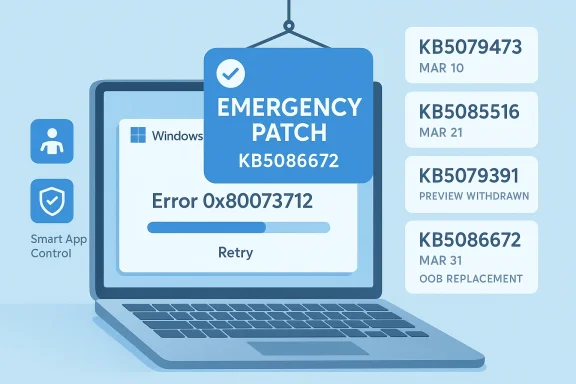
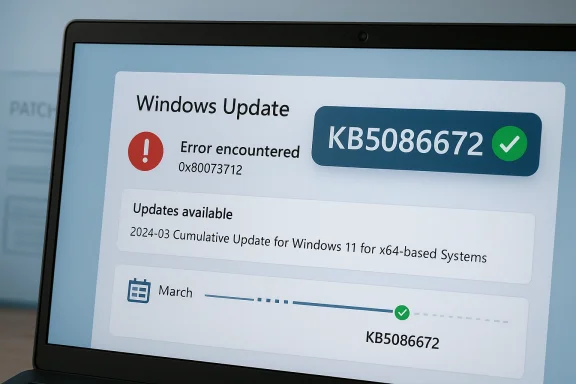
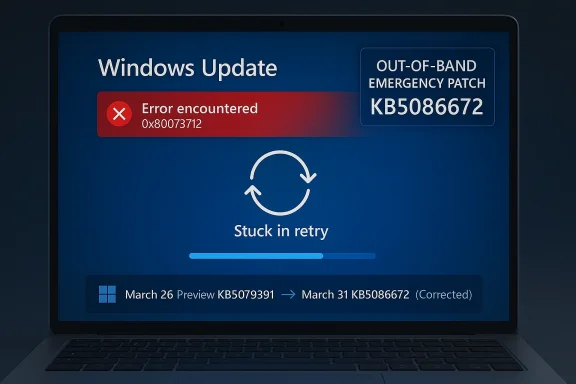
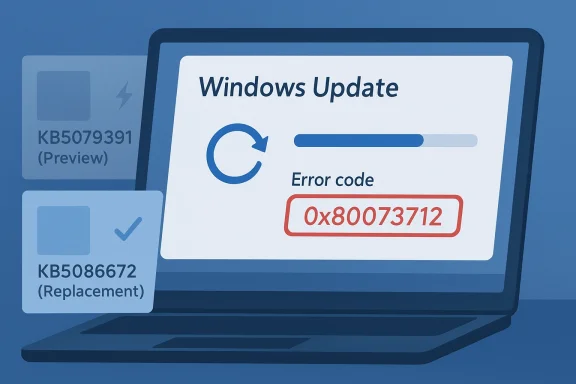
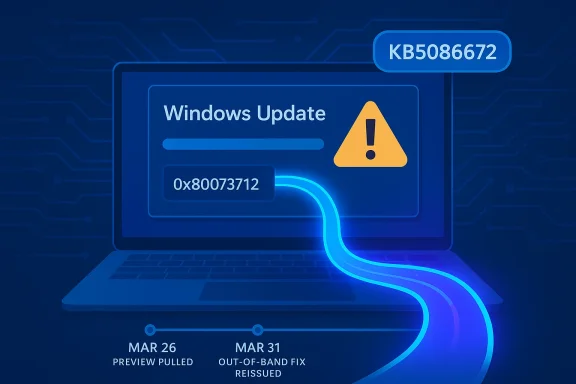
Blue “Windows Update” warning on a laptop screen with error code 0x80073712 and release dates.Background​

Microsoft’s March 2026 Windows 11 preview update, KB5079391, was intended to be a routine non-security release with production-quality improvements for Windows 11 version 24H2 and 25H2. Instead, it became the kind of update that keeps support teams busy, because Microsoft later confirmed it was no longer being offered to new devices due to an installation issue identified after release. The company’s own release notes now explicitly point users to KB5086672 as the replacement package. (support.microsoft.com)
The key symptom was familiar to anyone who has spent time around Windows servicing: “Some update files are missing or have problems” accompanied by error code 0x80073712. Microsoft says KB5086672 fixes that setup problem while preserving the improvements that were part of the original preview. In other words, this is not a redesign of the feature set; it is a repair pass on the delivery mechanism. (support.microsoft.com)
That distinction matters because Windows 11’s update story has become more layered over the past year. Microsoft’s support pages now track multiple active release trains separately, including 24H2 and 25H2, and the March 2026 servicing timeline shows a steady cadence of security, preview, and out-of-band releases. The result is a system that can move faster than the old monthly-only rhythm, but also one that can fail in more ways when packaging, chaining, or setup metadata goes wrong. (support.microsoft.com)
The irony is hard to miss. Microsoft has been publicly talking about improving Windows quality and giving users more control over updates, including a future ability to pause updates indefinitely. Yet the March preview became a case study in why those promises are difficult to operationalize at scale. The fix arrived quickly, but the very need for it suggests that Microsoft’s quality bar is still under stress from the complexity of its servicing pipeline. (support.microsoft.com)
There is also a broader lesson here about preview updates. Users often treat optional updates as low-risk experiments, but Microsoft increasingly uses them as staging grounds for the next monthly baseline. Once a preview ships, it can become part of the production update story almost immediately. That makes any install defect more consequential than it might seem at first glance, because preview-package failures can foreshadow larger deployment friction later. (support.microsoft.com)

What KB5086672 Actually Does​

At the surface level, KB5086672 is a narrow repair release. Microsoft says it is cumulative and includes updates from prior security and non-security releases, including the March 26 preview package it replaces. More importantly, it includes the same features and improvements users would have expected from KB5079391, but without the installation bug that caused the preview to be pulled. (support.microsoft.com)

A fix, not a feature rethink​

The support note is explicit that the hotfix addresses a setup issue, not a feature regression in the operating system itself. That suggests the underlying problem was in the update workflow rather than in the runtime behavior of the delivered Windows 11 build. For administrators, that is still disruptive, but it is also reassuring: Microsoft is not describing a deep OS fault, only a failure to get the package onto some machines cleanly. (support.microsoft.com)
The update also lands as an out-of-band release, which signals urgency. Microsoft did not wait for the next scheduled Patch Tuesday cycle to fold the fix into a later cumulative update. Instead, it put out a standalone corrective package with the explicit goal of restoring installability as quickly as possible. That is a telltale sign that the issue affected enough users, or enough visible deployment paths, to justify a separate release. (support.microsoft.com)
  • It restores the March 2026 preview content.
  • It fixes the 0x80073712 installation failure.
  • It is cumulative, not a tiny one-off patch.
  • It is offered via Windows Update to eligible devices.
  • It is also available in the Microsoft Update Catalog for manual deployment. (support.microsoft.com)

Why the error code mattered​

Error 0x80073712 is one of those Windows update codes that tends to make both end users and IT staff groan, because it usually implies missing or corrupted servicing content. Microsoft’s phrasing — “some update files are missing or have problems” — tells users that the package chain could not be trusted enough to complete installation. That language is simple, but the operational implication is serious: if the installer cannot validate its own payload, the update process halts before the new bits can become trusted system state. (support.microsoft.com)
This also explains why an out-of-band fix is preferable to telling users to retry over and over. If the setup metadata or package composition has a known flaw, repeated attempts will keep failing until Microsoft repackages the release. A quick rollback followed by a corrected cumulative build is the cleanest path, even if it annoys people who wanted the preview immediately. That is exactly the kind of tradeoff Windows servicing has to make when quality and cadence collide. (support.microsoft.com)

The March 2026 Servicing Timeline​

The timeline around KB5086672 shows a week-by-week compression of updates that would have looked unusual a few years ago. Microsoft shipped a March 10 cumulative update, a March 21 out-of-band fix, a March 26 preview, and then the March 31 repair package. That is a lot of moving parts for a single month, and it underscores how frequently the Windows servicing stack now has to correct itself in public. (support.microsoft.com)

A month with multiple correction layers​

Microsoft’s support history for 24H2 and 25H2 now reads like a small operations log. The March 10 update was followed by other releases, and KB5079391 was then retired for new devices once its installation issue became clear. KB5086672 is effectively the reissued version of that preview, but with the defects removed and the cumulative feature payload preserved. (support.microsoft.com)
That pattern is not new, but it is becoming more visible. Users are increasingly seeing not just one monthly update, but a sequence of linked packages that can depend on earlier baselines, later corrections, or manual intervention in special cases. In this environment, update literacy matters more than it used to. Knowing whether a package is a preview, a security baseline, or an out-of-band repair changes how you deploy it. (support.microsoft.com)
A more subtle point is that Microsoft now frames these releases as part of a larger “continuous innovation” model. That sounds polished, but it also means features are no longer neatly quarantined until a major version jump. They may appear in preview form, then graduate into the monthly cumulative release, and occasionally need repackaging before they are safe enough to distribute broadly. That is the cost of shipping Windows in a faster cycle. (support.microsoft.com)

Why the cadence is getting harder to manage​

The Windows 11 servicing stack is no longer just about patching vulnerabilities. It now has to balance features, quality fixes, component chains, and update eligibility rules across multiple branches. When one of those links fails, the rest of the chain can become untrustworthy very quickly. The more Microsoft tries to compress innovation into the servicing pipeline, the more a single packaging flaw can interrupt a month’s roadmap. (support.microsoft.com)
  • March 10: baseline cumulative update.
  • March 21: out-of-band servicing correction.
  • March 26: non-security preview update.
  • March 31: out-of-band fix for the preview’s installation problem. (support.microsoft.com)

Consumer Impact​

For ordinary Windows 11 users, KB5086672 is mostly good news because it prevents a failed install from becoming a dead end. People who wanted the March preview’s features can now get them without wrestling with the error dialog or waiting for Microsoft to silently re-offer the package. That reduces friction for enthusiasts and for users who have “get the latest updates as soon as they’re available” enabled. (support.microsoft.com)

Why consumers feel update defects first​

Consumer users usually do not care how the package chain is built; they care whether Windows Update finishes, reboots, and gets out of the way. When the installer fails with a missing-file complaint, the experience is immediately frustrating because it offers no practical path forward. KB5086672 turns that dead end back into a straightforward update flow, which is exactly what most people want from a maintenance release. (support.microsoft.com)
The other consumer-friendly aspect is that Microsoft kept the fix simple. Rather than asking users to download separate repair tools or use obscure recovery steps, the company is offering the corrected update through Windows Update and the Microsoft Update Catalog. That keeps the remediation path closer to the normal user experience, which should lower support volume. (support.microsoft.com)
  • No manual troubleshooting should be needed for most users.
  • The corrected package preserves the preview’s changes.
  • Gradual rollout still applies to some features.
  • Users with automatic update settings may receive it first.
  • Manual installers have a catalog fallback. (support.microsoft.com)

The feature value proposition​

The practical question for consumers is whether KB5079391’s additions were worth the wait. Microsoft’s own note says KB5086672 includes the preview’s improvements and features, but some of those continue to roll out gradually. That means users may not see every UI tweak or quality improvement immediately after installation, which can make an already confusing update cycle feel even slower. (support.microsoft.com)
Still, the fact that Microsoft preserved the feature payload matters. The company could have stripped the preview back to a pure reliability repair, but instead it delivered the same content with the installer issue removed. That is important because it shows Microsoft is trying not to let a packaging failure erase the value proposition of the preview itself. (support.microsoft.com)

Enterprise Impact​

In enterprise environments, KB5086672 is less about features and more about operational predictability. Administrators need certainty about what a release contains, how it chains with earlier packages, and whether it can be deployed through standard tools without generating spurious failures. The official note says the update is available through Windows Update and also through the Microsoft Update Catalog, which gives IT teams multiple deployment paths. (support.microsoft.com)

Why IT teams care more than home users​

Enterprise admins do not have the luxury of treating every preview as optional experimentation. Once a package is approved into a pilot ring, it may influence the broader patch strategy for thousands of endpoints. A setup failure like 0x80073712 creates not just a technical issue, but a scheduling problem, because it can disrupt maintenance windows and complicate rollout confidence. (support.microsoft.com)
Microsoft’s language also suggests the update will be delivered automatically to eligible devices that already have KB5079473 or later, while manual install remains available for more controlled workflows. That is the right balance for enterprise use: automatic for ordinary servicing, manual for staged deployment and validation. It is a reminder that Microsoft still relies on administrators to absorb the final mile of complexity. (support.microsoft.com)
Another subtle enterprise implication is that the March preview’s temporary removal creates noise in patch reporting. Some devices will have pulled the preview, some will have applied part of the monthly chain, and some will move directly to the corrected out-of-band build. That can complicate inventory and compliance dashboards if teams do not map the build numbers carefully. (support.microsoft.com)

Deployment planning matters more now​

With Windows 11 servicing increasingly split across branches and release types, administrators have to think in terms of build lineage rather than “latest patch installed” as a single concept. KB5086672 is cumulative, but it is also a correction to a very specific earlier package. That means rollout documentation, update baselines, and pilot-ring validation all need to reflect the March 26 and March 31 separation. (support.microsoft.com)
  • Verify the target build before mass deployment.
  • Track whether devices already received KB5079473 or later.
  • Expect gradual feature exposure after installation.
  • Use catalog downloads where controlled manual deployment is preferred.
  • Reconcile the removed preview with the replacement build in reporting systems. (support.microsoft.com)

Microsoft’s Update Quality Problem​

The bigger story is not just that Microsoft fixed a broken preview, but that the company is still trying to repair trust in Windows Update itself. Microsoft has publicly promised better update quality and more user control, yet the March preview proves the platform still produces embarrassing regressions. That tension is central to how people now judge Windows: not by the number of new features, but by whether the update pipeline can deliver them cleanly. (support.microsoft.com)

Trust is part of the product​

Windows users are often willing to tolerate a lot from a giant OS, but they have very little patience for updates that break the installation path. An update can be feature-rich and still feel unreliable if it cannot install on a meaningful subset of devices. KB5086672 is therefore more than a patch; it is a test of whether Microsoft can convince users that the servicing pipeline is becoming more disciplined. (support.microsoft.com)
The fact that Microsoft acted within days is encouraging, but it does not erase the underlying concern. Rapid correction is good engineering, yet it is also a sign that the original release did not clear the bar. In an era where Windows is expected to behave like a living service, the quality of the rollback-and-reissue process becomes part of the brand story. That is why these seemingly small servicing corrections matter. (support.microsoft.com)

Why out-of-band fixes are both helpful and revealing​

Out-of-band releases are useful because they let Microsoft respond quickly without dragging users through a month-long wait. At the same time, each out-of-band patch signals that something went wrong badly enough to justify an exception. The more frequently Microsoft uses these releases, the more users may assume that normal monthly servicing is too fragile to trust on first install. (support.microsoft.com)
This is where Microsoft’s ongoing messaging about indefinite update pausing becomes interesting. On one hand, giving users more control over update timing is a reasonable response to trust problems. On the other, frequent repair releases can encourage people to delay updating even further, especially if they believe the first version of a patch will be unstable. That is a tricky behavioral loop for Microsoft to manage. (support.microsoft.com)
  • Fast correction helps, but it does not fully restore confidence.
  • Repeated OOB releases can normalize update avoidance.
  • Preview channels become more important as quality gates.
  • Users judge reliability by the install experience, not release notes.
  • Microsoft has to prove improvement release after release. (support.microsoft.com)

What This Means for Windows 11’s Feature Flow​

KB5086672 is also a reminder that Windows 11’s feature delivery model is increasingly intertwined with the cumulative update pipeline. Features introduced in previews are not isolated experiments anymore; they can quickly become the de facto production path once Microsoft decides they are ready. When that pipeline stumbles, the consequences extend beyond a single patch and into the schedule for broader feature rollouts. (support.microsoft.com)

Preview to production is now a short road​

Microsoft says KB5086672 includes the improvements and features that were introduced in KB5079391, and that some of those features roll out gradually. That creates a two-layer delivery model: one layer for the package itself, another for controlled feature availability. This is efficient from Microsoft’s perspective, but it can be opaque for users who simply want to know whether a change is present yet. (support.microsoft.com)
The broader implication is that “monthly update” no longer means “all changes arrive at once.” Instead, Windows 11 increasingly behaves like a continuously serviced platform where bits of functionality can show up later, only on some machines, or only after additional telemetry-driven gates are met. That improves Microsoft’s flexibility, but it also makes update comprehension harder for everyone else. (support.microsoft.com)

The user experience challenge​

For end users, this can create a strange mismatch: they install an update, but the promised features are not all visible, and the package may have been replaced before they even finish reading about it. That is not necessarily bad engineering, but it is a challenging customer experience. Microsoft needs to keep explaining that the absence of an immediately visible change does not mean the package is incomplete or broken. (support.microsoft.com)
  • Features may arrive in stages.
  • The build number may change after a repair release.
  • Preview content can be reused in a corrected package.
  • Some changes are effectively server-side rollout gated.
  • The patch narrative matters as much as the patch itself. (support.microsoft.com)

The Competitive and Industry Angle​

Microsoft’s update problem is not just a Windows issue; it is a platform credibility issue. In an era where Apple, Google, and Linux distributions all have their own maintenance philosophies, Microsoft cannot afford to look like the vendor whose updates are most likely to need a do-over. Every visible servicing stumble strengthens the argument for alternate platforms in certain consumer or enterprise niches. (support.microsoft.com)

Why reliability is strategic​

Windows still dominates desktop computing, which gives Microsoft enormous margin for error. But dominance does not eliminate user frustration, and repeated update missteps chip away at the sense that the platform is boring in the best possible way. Reliability is not glamorous, but it is strategic: it determines whether IT teams see Windows as manageable or merely familiar. (support.microsoft.com)
Microsoft is also competing with its own historical reputation. For years, Windows Update was synonymous with unpredictability in the public imagination. The company has spent a long time trying to change that narrative, and each corrective release is a chance to prove progress. KB5086672 helps, but only if the next few months look cleaner than the last few weeks. (support.microsoft.com)
From an industry standpoint, this update shows the value of quick-release servicing channels. In theory, faster update loops should reduce the time a bug remains visible. In practice, they also increase the number of release points where something can fail. Microsoft’s challenge is to keep the speed advantage without making the platform feel perpetually one step away from another patch. (support.microsoft.com)

Strengths and Opportunities​

The good news is that Microsoft did the right thing in the right window. It moved fast, preserved the preview’s improvements, and delivered a corrected build through the normal servicing surface rather than forcing users into workaround land. That is the kind of response that can keep a temporary mistake from becoming a long-running credibility problem. (support.microsoft.com)
  • Rapid remediation limited how long the broken preview stayed in circulation.
  • Cumulative packaging keeps users from losing the preview’s improvements.
  • Windows Update distribution reduces friction for most consumers.
  • Catalog availability supports IT-controlled deployments.
  • Clear release notes make the problem easier to identify and explain.
  • Build continuity helps organizations map the corrected package back to the original preview.
  • Out-of-band delivery shows Microsoft is willing to prioritize repair over schedule purity. (support.microsoft.com)
The larger opportunity is for Microsoft to use this moment as proof that its servicing pipeline can recover quickly when something goes wrong. If the company can pair fast fixes with fewer installation defects, it can gradually reset expectations. That would matter a great deal for both enthusiasts and enterprise administrators who want Windows 11 to feel dependable again. (support.microsoft.com)

Risks and Concerns​

The obvious risk is reputational: every broken preview update reminds users that Microsoft still ships updates that need emergency repair. Even when the damage is small, the optics are not great, because they reinforce the old stereotype that Windows updates are something to postpone. That is the perception Microsoft has spent years trying to outgrow. (support.microsoft.com)
  • Erosion of trust if users begin expecting preview updates to fail.
  • Deployment confusion when the original package is pulled and replaced.
  • Reporting noise in environments that track build compliance by package number.
  • Feature rollout ambiguity when some changes remain gradual after installation.
  • Support burden for users who already hit 0x80073712 before the fix landed.
  • Update fatigue if the monthly cadence keeps producing correction releases.
  • Behavioral delay if users decide to wait for the “real” patch instead of installing early. (support.microsoft.com)
There is also a longer-term concern about servicing complexity. As Windows branches multiply and Microsoft leans harder into continuous innovation, the update pipeline becomes more powerful but also more brittle. The more layered the system becomes, the more a packaging mistake can masquerade as a core OS flaw, and the harder it is to separate release engineering from product quality. (support.microsoft.com)

Looking Ahead​

The most important thing to watch next is whether KB5086672 remains the final word on this issue or whether Microsoft has to touch the same area again in April. If the corrected package lands cleanly and the same installation error does not recur, the incident will probably fade into the background as a contained servicing hiccup. If not, it may become another exhibit in the case against hurried preview-to-production transitions. (support.microsoft.com)

What to watch​

  • Whether KB5086672 installs cleanly on a wide range of 24H2 and 25H2 systems.
  • Whether Microsoft’s gradual feature rollout continues without new setup issues.
  • Whether the original March preview path is fully retired in all channels.
  • Whether April’s Patch Tuesday incorporates the same feature set without regression.
  • Whether Microsoft follows through on its broader update-quality promises. (support.microsoft.com)
The bigger question is not whether Microsoft can fix this one bug. It clearly can, and it already did. The real test is whether Windows Update can become predictable enough that a preview release is seen as an advance, not a gamble. Until that happens, every out-of-band correction will be both a sign of progress and a reminder that the platform still has work to do.

Source: Neowin Windows 11 KB5086672 is out to fix broken feature update
 

Microsoft’s latest Windows 11 emergency patch is a reminder that even routine monthly servicing can get derailed by a single bad install path. On March 31, 2026, Microsoft released KB5086672 as an out-of-band update for Windows 11 24H2 and 25H2 after users hit an installation error trying to apply the March optional update KB5079391. The company says the new patch includes all the features from the preview release while also fixing the failure that produced 0x80073712, an error message tied to missing or problematic update files. That makes this more than a simple hotfix; it is effectively Microsoft’s reset button for the March preview cycle.

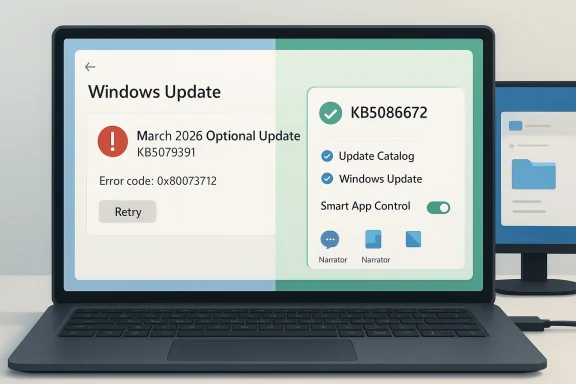
A digital visualization related to the article topic.Overview​

The March Windows 11 servicing cadence followed a familiar pattern, but one that is becoming increasingly complex as Microsoft layers security updates, optional preview updates, out-of-band fixes, and ongoing feature delivery into the same monthly pipeline. On March 10, Microsoft issued KB5079473, the regular cumulative update for Windows 11 24H2 and 25H2. On March 21, it followed with KB5085516, an out-of-band package intended to fix a Microsoft Account sign-in issue in Windows apps that affected some users after the March 10 update. Then, on March 26, Microsoft released the optional preview update KB5079391. Five days later, it had already been pulled from general offering because of an installation issue, and KB5086672 arrived to replace it. (support.microsoft.com)
That sequence matters because it shows how modern Windows servicing no longer behaves like a simple monthly patch Tuesday event. Microsoft now ships updates in overlapping layers: a security baseline, a preview channel for non-security fixes, and emergency out-of-band releases when a problem appears too late for normal rollback procedures. In theory, this gives Microsoft more flexibility. In practice, it creates more opportunities for mismatch, regression, and user confusion, especially for people who see an update offered, then see it disappear days later, then receive another package that includes the same features under a different KB number. (support.microsoft.com)
The official release notes for KB5079391 are explicit about the problem. Microsoft says the update is “no longer being offered to new devices” because of an installation issue discovered after release, and that the issue is addressed in KB5086672. The known-issues section says some devices installing KB5079391 might encounter the message: “Some update files are missing or have problems. We’ll try to download the update again later. Error code: (0x80073712).” Microsoft’s resolution note is equally blunt: the issue is fixed in KB5086672. (support.microsoft.com)
There is also an important product-management angle here. Microsoft did not merely ship a repair update; it also preserved the preview features that were supposed to arrive with KB5079391. According to the company, KB5086672 includes the features and improvements from KB5079391, plus fixes from the March 10 and March 21 releases. That means users who were blocked from installing the preview are not losing access to the new functionality, but they are being routed through a new cumulative package to get it. That is a classic Microsoft tradeoff: minimize feature divergence, but at the cost of yet another servicing branch point. (support.microsoft.com)
The broader context is that Windows 11 has been pushing harder into continuous innovation. Microsoft’s documentation increasingly treats preview updates as a delivery mechanism for production-quality improvements, not just experimental bits. That strategy is meant to accelerate feedback and reduce feature pileups, but it also means the company is asking end users to absorb more change more often. When a preview update fails, the fallout is immediate because the same pipeline is supposed to feed the next stable release.

What Happened With KB5079391​

The core issue began with the March 26, 2026 preview update for Windows 11 24H2 and 25H2. Microsoft says that while some devices attempted to install KB5079391, they ran into a failure that produced 0x80073712, a generic servicing error commonly associated with missing or corrupted update payloads. In the release history, Microsoft first marked the rollout as temporarily paused due to the installation error, then later updated the article to say the update was no longer being offered to new devices. (support.microsoft.com)
That progression tells us something important about Microsoft’s internal response model. When a preview update fails, the company can pause delivery, revise documentation, and push a follow-up package that supersedes the broken build. What it cannot do is pretend the underlying feature set never existed. Instead, it has to preserve the payload, fix the installation path, and make sure the next release absorbs the previous one cleanly. That is why KB5086672 is described as containing all the improvements and features from KB5079391. (support.microsoft.com)

Why 0x80073712 Matters​

The 0x80073712 code is especially frustrating because it is not a niche developer-only error. It surfaces in a message that normal consumers can read, but not necessarily diagnose. The wording suggests missing or damaged update files, which often points users toward troubleshooting steps that may not actually be necessary when the root cause is Microsoft’s own update packaging. In other words, the message sounds like a local problem, but the fix may lie in the servicing stack itself. (support.microsoft.com)
That distinction matters for perception. If users repeatedly see “missing files” messages during installation, they often assume the system is unhealthy. In reality, the failure may be a mismatch between update components rather than evidence of a broken PC. The result is that an out-of-band patch has to do two jobs at once: repair the package and restore confidence that Windows Update itself is not unstable.

What KB5086672 Changes​

Microsoft’s KB5086672 is not merely a small corrective patch. The company describes it as cumulative, meaning it includes prior security and non-security changes from KB5079473, KB5085516, and KB5079391. That is significant because it compresses several March update milestones into one release path for users on Windows 11 24H2 and 25H2. In practical terms, the new patch is now the route to the March preview features if users never successfully installed the earlier package. (support.microsoft.com)
Microsoft also says KB5086672 addresses the installation issue directly. That matters more than it might seem, because servicing failures often leave users stuck between update states. A cumulative replacement package is the cleanest way to bring them back onto the main line. It reduces fragmentation, and it means support teams can tell users to install a single current package rather than troubleshoot a chain of superseded updates.

Feature Continuity​

One of the most important policy choices here is that Microsoft did not strip out the preview features. The company says KB5086672 includes the same improvements and features that were part of KB5079391. That means features such as rich image descriptions in Narrator, the ability to toggle Smart App Control without reinstalling the OS, and stability improvements for x64 apps in the Windows Recovery Environment on Windows 11 on Arm still remain part of the March experience.
That feature continuity is important for both enthusiasts and enterprises. Enthusiasts want the new UI and accessibility improvements, while IT departments want to know that Microsoft is not splitting the servicing tree into “good preview” and “bad preview” states. A replacement cumulative patch keeps the feature roadmap intact without forcing the company to re-announce every change from scratch.

The March Servicing Chain​

The March sequence offers a clear view of Microsoft’s update choreography. On March 10, KB5079473 shipped as the regular cumulative security update. On March 21, KB5085516 fixed a Microsoft Account sign-in issue that could prevent access to Microsoft services and apps like Teams Free and OneDrive after the earlier update. On March 26, Microsoft released the optional preview update KB5079391. Then, on March 31, KB5086672 appeared as an out-of-band repair and replacement. (support.microsoft.com)
The pace is notable even by Microsoft standards. Three Windows 11 servicing events in less than three weeks is a lot of change for any installed base, especially one with millions of consumer and business machines. In that environment, every extra package increases the risk of accidental interactions, confused support calls, and overlapping deployment logic in enterprise tooling.

Why the Sequence Matters​

This is not just a story about one failed preview. It is a story about how Microsoft now expects users to ride a continuous current of cumulative changes. The March 10 baseline was meant to be stable. The March 21 fix was meant to reduce the impact of a sign-in regression. The March 26 preview was meant to test upcoming quality improvements. And the March 31 OOB update became the safe replacement after the preview proved unreliable. That chain demonstrates flexibility, but also how narrow the margin has become between planned servicing and emergency recovery.
For administrators, the sequence creates a decision problem. Install only the March 10 baseline and wait? Deploy the sign-in fix on top? Hold the preview in case of installation problems? Or jump straight to the out-of-band replacement? The more intricate the release graph becomes, the more organizations lean on policy and automation rather than human intuition.

Enterprise Impact​

For enterprises, the most important takeaway is that KB5086672 restores a straightforward deployment path. Microsoft says the out-of-band update is offered to devices that have already installed KB5079473 or a later update, which means the company is using the March cumulative baseline as the checkpoint for eligibility. That simplifies dependency management for systems running Windows Update, Intune, Autopatch, and related deployment tools.
This matters because enterprise update failures are rarely isolated. A failed preview update in one branch can turn into broader compliance noise in dashboards, delayed rings, and help desk tickets that are hard to distinguish from unrelated issues. A clean OOB replacement gives administrators a single thing to push, a single build target to verify, and a clearer story for endpoint teams.

Deployment and Policy Considerations​

Microsoft’s notes indicate that devices with Get the latest updates as soon as they’re available turned on will receive the OOB automatically, while others can install it manually from Windows Update. That suggests Microsoft is still using the gradual exposure model, even for emergency repairs. For IT teams, that means policy settings and ring structure still matter, because “emergency” does not automatically mean “instant across the fleet.”
Enterprises using Microsoft Intune or Windows Autopatch also need to account for the fact that the out-of-band patch supersedes the preview update while preserving its content. That is good news for standardized builds, but it is also a reminder that patch orchestration is now a continuous discipline, not a once-a-month checkbox.
  • Less fragmentation in deployed build sets.
  • Simpler remediation for support teams.
  • Lower risk of preview-related installation failures.
  • Cleaner compliance reporting across update rings.
  • Faster recovery for devices stuck on KB5079391.
  • Better alignment with Microsoft’s cumulative servicing model.

Consumer Impact​

For consumers, the story is simpler but no less frustrating. If a user tried to install the March preview update and ran into the 0x80073712 failure, Microsoft’s answer is effectively: wait for or install KB5086672. The good news is that they are not missing out on the new features. The bad news is that the preview path became unreliable just as many users were trying to stay current. (support.microsoft.com)
This is the kind of update drama that can shake confidence in Windows Update even when the fix arrives quickly. Consumers tend to interpret failed installs as signs that their PC is in trouble, and the presence of an out-of-band rescue patch can make the servicing process feel less polished than it should. Still, Microsoft’s fast replacement is better than leaving users in a dead end.

Practical Implications for Home Users​

For home users, this is mostly about patience and timing. If KB5079391 never appeared, there is no special action required beyond accepting the newer package when it shows up. If it did appear and fail, KB5086672 is the practical way forward. If the device already has the March 10 or March 21 updates, the newer patch should slot in as a cumulative continuation rather than a separate cleanup project. (support.microsoft.com)
The bigger consumer lesson is that Windows preview updates are no longer casual side notes. They are becoming part of the main user experience, which means even “optional” updates can shape what features people see in Settings, Narrator, Smart App Control, and recovery tooling. Optional does not mean irrelevant anymore.

Accessibility and Windows Recovery Improvements​

Among the preview features carried forward into KB5086672, the most meaningful may be the accessibility and recovery changes. Microsoft says the March preview included rich image descriptions in Narrator, a useful step for low-vision users who increasingly encounter image-heavy interfaces and content. That kind of improvement does not always generate headlines, but it can have a lasting effect on the day-to-day usefulness of Windows.
The recovery-side enhancement is also noteworthy. Microsoft highlighted stability improvements for x64 apps in the Windows Recovery Environment on Windows 11 on Arm devices. That may sound specialized, but it speaks to a broader reality: hybrid Windows hardware is now common enough that recovery scenarios need to work reliably across architectures. When recovery fails, the platform’s convenience story falls apart quickly.

Why These Features Matter​

Accessibility features like richer Narrator descriptions are part of Microsoft’s broader effort to make Windows more usable without requiring third-party tools or custom scripts. That is strategically important because built-in accessibility supports are not just compliance features; they are platform differentiators. The same is true for Windows Recovery improvements, which quietly reduce support headaches in the worst possible moment, when a machine is already failing.
The Smart App Control change is another useful example. Microsoft says users can now toggle it on or off without reinstalling the OS. That lowers the barrier to experimentation and makes the security feature less punitive. That is a subtle but meaningful usability improvement, especially for power users who prefer to test security settings without committing to a fresh installation.
  • Narrator gains make image-heavy interfaces more accessible.
  • Smart App Control toggling becomes far less disruptive.
  • WRE stability on Arm improves recovery reliability.
  • Usability rises without requiring a full reinstall.
  • Security controls become easier to manage day to day.

Microsoft’s Servicing Strategy​

The release of KB5086672 also reveals the shape of Microsoft’s update philosophy in 2026. The company wants Windows to behave like a continuously improving platform, not a product that changes only during semiannual milestones. That is why preview releases, cumulative updates, and out-of-band corrections now sit within a shared monthly framework. It is efficient when it works, but it also means Microsoft has to move quickly when one layer fails. (support.microsoft.com)
This model has clear advantages. Microsoft can deliver improvements faster, collect feedback sooner, and reduce the gap between “new feature” and “broadly deployed feature.” It also allows the company to react to issues like the Microsoft Account sign-in bug with a targeted OOB fix instead of waiting for the next monthly cycle. That is a major win for responsiveness.

The Cost of More Velocity​

But velocity is not free. Every extra patch increases the chance that a component relationship changes in a way Microsoft did not expect. The more complex the cumulative package, the more likely some devices will hit edge cases during installation. When the issue is severe enough, the result is exactly what happened here: rollout pause, documentation updates, and a replacement package. That is not a failure of the strategy so much as the price of operating at high release speed.
The challenge for Microsoft is keeping trust intact while shipping more often. Users will tolerate frequent updates if the story is predictable. They become less tolerant when an update is offered, withdrawn, and reissued under a new KB number within days. The company’s best defense is transparency, and in this case the release notes are relatively clear.

How This Compares to Earlier Windows Update Problems​

Windows update failures are nothing new, but 0x80073712 has a familiar sting because it is one of those error codes that shows up in servicing issues across the Windows ecosystem. What makes the March 2026 case notable is not the existence of the error, but how quickly Microsoft tied the fix to a fresh cumulative package rather than leaving users to troubleshoot the problem manually. That is a more modern and more scalable response. (support.microsoft.com)
Historically, Windows servicing has often had to balance compatibility with the enormous diversity of device states in the field. That means even a well-tested update can behave differently depending on what was installed before, how the servicing stack was updated, and whether the machine sits behind enterprise management controls. KB5086672 is a reminder that Windows Update is not one pipeline but many pipelines converging on the same endpoint.

What Makes This Episode Different​

The difference here is the speed of the fix and the fact that the replacement package is also the vehicle for the preview features. That reduces the chance of long-term branch drift. It also suggests Microsoft is trying to keep 24H2 and 25H2 aligned as much as possible, which simplifies documentation and support. For a platform with millions of consumer and enterprise endpoints, that alignment is more than a nice-to-have. It is a prerequisite for sustainable servicing.
  • Rapid rollback reduced the blast radius.
  • Replacement packaging preserved the preview feature set.
  • Branch alignment helps support and documentation.
  • Cumulative delivery minimizes divergent states.
  • Transparent notes improve user understanding, at least somewhat.

Strengths and Opportunities​

The strongest part of Microsoft’s response is that it acted quickly enough to keep the problem from becoming a prolonged public outage. The company also avoided fragmenting the feature set by ensuring the replacement update carries forward everything from the preview release. That balance between correction and continuity is exactly what Windows servicing needs more often.
  • Fast remediation limits user exposure.
  • Cumulative design keeps update states simpler.
  • Feature parity avoids punishing early adopters.
  • Better recovery for failed installers.
  • Improved accessibility adds user value beyond bug fixing.
  • Enterprise clarity makes deployment planning easier.
  • Service transparency helps restore trust in Windows Update.

Risks and Concerns​

The downside is that repeated out-of-band fixes can make Windows servicing feel brittle, even when the underlying engineering response is competent. Users may also become wary of optional updates if they see preview packages pulled back after release. That skepticism is understandable, especially when the error message points toward local file corruption rather than a platform-level issue.
  • Update fatigue could discourage adoption.
  • Confusing KB churn complicates support.
  • Error messaging may mislead users.
  • Preview trust can erode after a rollback.
  • Enterprise hesitation may delay rollout.
  • Hidden complexity in the servicing stack remains a risk.
  • Recurring regressions could damage confidence in Windows Update.

Looking Ahead​

The next test for Microsoft is whether KB5086672 settles the March servicing chain cleanly or whether further follow-up patches are needed for the same cohort of devices. If the replacement update installs reliably and carries forward the preview features without incident, the episode will likely fade into the background as one more example of rapid Windows servicing. If not, it will reinforce concerns that Microsoft’s update cadence is moving faster than its quality controls can comfortably handle.
Another thing to watch is how Microsoft handles the handoff from preview to April’s quality update cycle. Because KB5086672 folds in the earlier preview content, the company has effectively reset the baseline for Windows 11 24H2 and 25H2. That should make the next monthly release cleaner, but only if the servicing stack and deployment channels behave as expected.
  • Installation success rates for KB5086672.
  • Whether KB5079391 remains fully retired from delivery.
  • April update behavior for 24H2 and 25H2.
  • Enterprise deployment guidance from Microsoft.
  • Any follow-on fixes related to servicing stack reliability.
Microsoft’s emergency patch is, on balance, the right answer to a messy rollout problem. It protects the feature roadmap, restores installation confidence, and keeps Windows 11’s monthly servicing model intact. But it also underlines a broader truth about modern Windows: the platform is now advanced enough that every improvement arrives with more moving parts, and every moving part raises the stakes for the next update.

Source: Thurrott.com New Windows 11 Emergency Patch Addresses March Optional Update Installation Error
 

Microsoft’s latest Windows 11 servicing misfire has put a spotlight back on a problem the company has spent years trying to reduce: the gap between a well-intended update and a reliable installation experience. A preview release for Windows 11, identified as KB5079391, has reportedly been paused after some systems encountered 0x80073712, a familiar servicing error tied to missing or damaged update components. The timing is awkward because Microsoft has been publicly emphasizing quality, predictability, and greater user control in Windows 11 servicing. It also lands after a year’s worth of emergency patching that has left many users and administrators wary of the update pipeline.

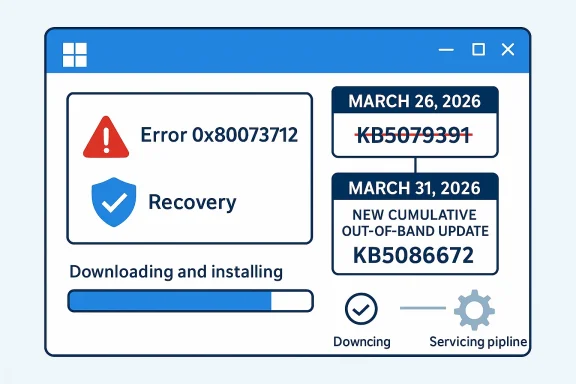
Windows 11 update paused, showing error for KB5079391 with code 0x80073712 on a blue tech screen.Overview​

The immediate issue is simple enough to describe, but the implications are broader than a single failed patch. Microsoft’s support guidance says the availability of KB5079391 has been temporarily limited while the company investigates the installation failure, and the error code points to a servicing chain problem rather than a feature bug. In practical terms, that means the update can be blocked before it ever completes, which is especially frustrating for users who installed the package expecting routine reliability improvements. The episode has been echoed in forum coverage that frames the release as another confidence test for Windows Update rather than a routine quality pass .
What makes this story more interesting is that it is not happening in isolation. The Windows 11 update pipeline has already seen a string of high-profile regressions in recent months, from emergency patches for Outlook and cloud-file breakage to separate boot-failure reports tied to earlier January servicing. In the file results, multiple forum threads describe January 2026 as a particularly rough month, with Microsoft forced into repeated out-of-band responses after the normal Patch Tuesday cycle introduced new problems faster than they could be absorbed by the ecosystem .
KB5079391 matters because preview updates are supposed to be the safer lane. They are the place where Microsoft can validate non-security changes before they move into broader monthly servicing. When a preview package itself fails to install, the message is not just that one build is broken; it is that the machinery that delivers Windows updates still has brittle seams. That is why the pause has become a symbol of a larger reliability debate, not merely a support note.
The same pattern appears in the coverage from WindowsForum threads that reference the issue as a temporary pullback while Microsoft prepares an out-of-band fix. Those discussions also connect the pause to a broader push by Microsoft to improve servicing quality after earlier mistakes, which makes the new failure feel less like a random blip and more like evidence that the underlying system still needs work .

What Happened with KB5079391​

KB5079391 is described in the forum material as a non-security preview for Windows 11 versions 24H2 and 25H2. That matters because preview releases usually serve as the low-risk proving ground for quality fixes, UI improvements, and small platform changes before they reach mandatory cumulative updates. Instead, some devices hit installation failure during the servicing process, with Microsoft associating the problem with 0x80073712 and temporarily limiting availability while it investigates the root cause .

Why 0x80073712 Is Such a Familiar Nuisance​

The servicing error is important because it usually signals a missing component in the update chain, not a random glitch. That makes it particularly disruptive: if Windows cannot validate the package or reconcile its internal update state, the install may fail repeatedly without a clean recovery path. In other words, the user does not just miss the update; they are pulled into a support problem that can involve reset steps, repair actions, or simply waiting for Microsoft to reissue the release.
The code also has a psychological effect. Users and administrators have seen enough servicing issues over the years to know that a familiar Windows Update error often indicates a systemic issue rather than an isolated machine problem. That makes trust harder to recover, especially when the failed package was not a niche driver or beta feature but a routine quality update.
From a platform perspective, that is the most damaging outcome. The update may eventually be fixed, but the impression left behind is that Windows still struggles to deliver even its safer monthly layers cleanly. That impression has a way of outlasting the technical issue itself.
  • 0x80073712 usually points to a servicing mismatch or missing files.
  • Preview updates are meant to reduce risk, not create new ones.
  • Installation failures erode trust more than many feature bugs.
  • Repeated errors often trigger defensive behavior from IT teams.
  • Even optional updates can become support incidents.

The Pause Matters More Than the Patch​

Microsoft’s decision to pause or limit rollout is itself a tacit admission that the issue was significant enough to affect distribution. That does not necessarily mean every system is impacted, but it does mean the company chose caution over volume. For enterprise administrators, that is the right instinct; for home users, it is cold comfort if they were already trying to install the update.
The broader problem is that pauses have become normal enough to be newsworthy. When a preview patch is halted, it reinforces the idea that the Windows servicing stack is still too fragile in the field. The more often that happens, the more users postpone updates altogether, which in turn increases the likelihood that they will sit on older builds longer than Microsoft wants.
That tension is central to Windows servicing in 2026. Microsoft wants faster repair cycles, but every emergency action increases the odds that users will begin treating all updates as suspect. That tradeoff is now as much a communication problem as a technical one.

How This Fits Into Microsoft’s 2026 Update Pattern​

The KB5079391 pause is best understood against the backdrop of a hectic update cycle that began with January’s Patch Tuesday. Forum coverage in the uploaded files describes that month as unusually turbulent, with KB5074109 and related updates triggering a cluster of regressions, including cloud-file I/O issues, Outlook instability, and boot failures on a limited set of machines .

January Set the Tone​

Several forum threads summarize January 2026 as the month when routine servicing went sideways. Microsoft reportedly had to ship emergency out-of-band packages, including fixes for file access and Outlook behavior, because users were seeing hangs and crashes when working with cloud-synced folders. Those incidents were bad enough on their own, but they also created a sense that each new fix might reveal another edge case somewhere else in the stack .
That history matters because it changes how the KB5079391 pause is interpreted. A single failed preview patch might otherwise be dismissed as ordinary engineering cleanup. After a month of visible servicing turmoil, though, it reads like part of a pattern. People are no longer asking whether Microsoft can ship a patch; they are asking whether Microsoft can ship a patch that behaves predictably across enough hardware and usage scenarios.
Enterprise teams notice that pattern immediately. If one month’s preview can fail, administrators begin to question whether the next month’s mandatory rollup should be staged more slowly, tested more broadly, or blocked on critical machines until the field evidence is clear. That caution is rational, but it also slows the adoption of important security fixes.

Emergency Servicing Has Become the New Normal​

One of the clearest themes in the file results is that Microsoft has leaned increasingly on out-of-band remediation. That is not inherently bad; in fact, it is often exactly what responsible vendors do when a serious regression appears after release. The issue is scale. When emergency fixes become a recurring feature of the servicing calendar, they stop feeling exceptional and start feeling structural.
The WindowsForum coverage of KB5078127, for example, shows Microsoft using emergency packaging to address serious post-update issues around Outlook and cloud file I/O. That is a reasonable response to an urgent regression. But it also underlines the central instability of the servicing model: the patch that was supposed to improve the system ended up creating a second and third-order repair cycle .
In that sense, the KB5079391 pause is not just about one update. It is about Microsoft’s increasingly reactive servicing rhythm. The company is trying to be faster, but faster repair only helps if the baseline quality is high enough to keep emergency interventions rare.
  • January’s update wave created a trust problem.
  • Out-of-band fixes are useful but can signal systemic fragility.
  • Preview failures are especially damaging because they should be the safest lane.
  • Administrators now expect to stage patches more conservatively.
  • Emergency response is no substitute for cleaner initial quality.

Why Preview Updates Are Supposed to Be Safe​

Preview updates occupy a strange space in the Windows lifecycle. They are not security mandates, so users and IT teams can choose whether to take them. That makes them ideal for validation of fixes that are important but not urgent. When that lane breaks, the entire quality assurance story becomes harder to defend.

The Role of Optional Releases​

The value of a preview update is that it lets Microsoft observe how a package behaves before the monthly mandatory rollout. If the update is stable, the company gains confidence. If it fails, the feedback loop should be early enough to prevent a wider impact. KB5079391 was supposed to represent that lower-risk layer, which is exactly why the installation failure drew so much attention.
The irony is obvious. An optional patch that cannot install is a problem for a much narrower set of users, but it raises broader concerns than a small feature regression would. That is because preview releases are not merely updates; they are proofs of process. If the process fails here, users wonder where else it may fail.
That is particularly true for businesses. Enterprises often run carefully controlled validation rings, and preview releases help them understand what is coming next. A failure in the preview phase forces them to spend time and budget on workarounds rather than on preparing for broader deployment.

Consumers and Enterprises Experience the Same Bug Differently​

For home users, the impact is mostly annoyance and delay. They may see a failed install, retry a few times, and wait for Microsoft to fix the package. For enterprises, the same error turns into deployment planning, help-desk volume, and compliance uncertainty. That is a much bigger operational burden.
The forum material around recent Windows 11 servicing incidents repeatedly returns to this split. Consumer users care about whether the machine updates successfully. Enterprise admins care about whether the machine updates successfully at scale, with auditability, rollback options, and minimal disruption. A preview failure like KB5079391 affects both groups, but it hits the second group harder because a small bug can become a fleet-wide exception.
That difference is why Microsoft’s update quality problems are not just a consumer annoyance story. They are a platform governance issue. Windows is still the backbone of a huge amount of enterprise computing, and confidence in servicing quality is part of the product itself.

The Servicing Stack Problem​

The phrase servicing stack rarely excites users, but it should. It is the engine room behind Windows Update, and when it misbehaves the symptoms appear as failed installs, repeat loops, or confusing error codes. In the KB5079391 case, the 0x80073712 code strongly suggests that the problem sits somewhere in that machinery rather than in a flashy surface feature.

Why Repairability Matters​

A modern Windows update is not just a file download. It is a coordinated process involving component store integrity, package applicability checks, dependency resolution, and final installation sequencing. If any of those layers drift out of alignment, the update can fail even when the patch itself is otherwise valid. That is why errors like 0x80073712 often point to repairability concerns as much as to patch quality.
That also means Microsoft’s challenge is not merely to ship fewer bad updates. It is to make the servicing stack more resilient to the normal entropy of millions of heterogeneous devices. That is a harder engineering problem than it sounds because each installed machine has its own history of drivers, prior updates, and system state.
In practical terms, a more robust servicing stack would shorten troubleshooting time and reduce the number of dead-end retries. That is the kind of reliability win users rarely notice when it works, but they feel it immediately when it doesn’t.

A Familiar Windows Weak Point​

Windows has long been strongest when it is predictable and weakest when the update path becomes tangled. The forum threads around earlier issues show the same pattern repeatedly: a regular cumulative update lands, then one subset of users finds a failure mode that is hard to reproduce on Microsoft’s lab machines, and then an emergency fix follows. That rhythm is not new, but the speed and visibility of recent 2026 incidents has made it harder to ignore .
The concern is not that Microsoft cannot recover. It usually can. The concern is that users are being trained to expect recovery after impact rather than resilience before impact. That is not the same thing as a stable platform.
This is also where preview updates should have the highest value. They are the pressure release valve that should reveal issues early enough to prevent noisy failures later. When they themselves become the failure point, the whole logic of staged servicing comes under strain.
  • Servicing stack issues are often harder to diagnose than app bugs.
  • Component store corruption can make a clean install impossible.
  • Preview updates should catch problems early.
  • Repairability is now a platform feature, not a niche concern.
  • Reliability is inseparable from trust in the Windows brand.

Competitive and Market Implications​

Microsoft does not live in a vacuum. Windows 11’s servicing reputation influences how enterprises think about endpoint strategy, cloud desktops, and even whether users should stay on Microsoft-managed platforms at all. A rough update cycle gives competitors an opening, even if that opening is mostly rhetorical.

What Rivals Learn from Windows Failures​

Apple and Google do not have identical desktop ecosystems, but both benefit when Windows looks cumbersome. Every time Microsoft has to pause an update, issue an emergency fix, or acknowledge a serialization issue in its patch chain, it reinforces the perception that the Windows servicing model is complex in ways that ordinary users should not have to think about. Simpler update experiences become a selling point by comparison.
That does not mean Windows is losing relevance. Far from it. But it does mean Microsoft has to spend more energy defending the reliability of the platform, not just its features. In a mature market, reliability is one of the few differentiators that still matters deeply to both consumers and IT buyers.
The enterprise side is especially sensitive. If update confidence falls, organizations may lean harder on VDI, staged rings, longer validation windows, or alternative endpoint models. Those choices do not replace Windows overnight, but they reduce the leverage Microsoft has over the pace of adoption.

Why Reputation Is Now a Product Metric​

The KB5079391 pause is a small event relative to the size of the Windows ecosystem, but it has outsized symbolic value. Microsoft has been telling the market that Windows quality is improving. When a preview update gets pulled because it cannot install, the claim gets harder to sustain without caveats.
In that environment, even a successful fix can come with reputational drag. Users remember the issue and the pause more than the resolution notice. That is one reason update quality has become a strategic metric instead of a back-office detail. It is now directly linked to platform credibility.
This also affects adoption of newer Windows branches. If users already fear servicing regressions, they become more hesitant to move to newer versions like 24H2 or 25H2, even when the upgrade itself is sound. The update story becomes part of the upgrade decision.

The Enterprise Reality​

For enterprise IT, KB5079391 is less about the specific preview package and more about what it says about patch management discipline in 2026. When Microsoft’s preview lane is unstable, administrators have to assume that the broad release lanes may also need extra caution. That increases testing load and complicates monthly maintenance windows.

Staging Becomes More Important​

Organizations that already use rings, canaries, and pilot groups will likely continue doing so. The difference is that incidents like this strengthen the case for longer validation and stricter controls on optional updates. That may sound conservative, but in the current climate it is rational. The cost of a broken update can easily exceed the benefit of a slightly earlier deployment.
The file material suggests a growing sense that update sequencing now matters as much as patch content. Microsoft’s recent emergency releases have demonstrated that one problem can cascade into another if the system state is already fragile. Administrators will therefore pay closer attention not only to whether a patch is approved, but to whether it is being installed on a system that has already weathered other recent issues.
This is the reality of modern Windows fleet management. You do not just ask, “Should we install it?” You ask, “What else has this machine absorbed lately, and how likely is this update to collide with it?”

Support Burden and User Confidence​

The help desk is where these issues become visible. A failed preview install might not create emergency downtime, but it creates enough friction to generate tickets, escalations, and user frustration. That means the hidden cost of a failed update is larger than the technical event itself.
There is also a communication challenge. Users do not care that an update failed because of a servicing component mismatch. They care that their machine keeps trying, failing, and asking for attention. A clear explanation from IT helps, but it does not erase the impression that Windows Update is unpredictable.
That is why Microsoft’s servicing narrative matters so much. If the company can make updates feel boring again, it wins back trust. If it cannot, the ecosystem will keep building workarounds around the update process rather than relying on it.
  • Pilot rings absorb risk better than broad deployment.
  • Optional updates still consume support resources.
  • Recent regressions raise the bar for trust.
  • Update sequencing is now part of operational planning.
  • Clear user communication reduces ticket volume, but not frustration.

Consumer Impact​

Home users usually experience update failures more personally than analytically. They are less likely to think about servicing stacks and more likely to notice that Windows is insisting on a restart, then refusing to complete the installation. KB5079391’s pause means fewer users are likely to run headfirst into that loop, but those who already did will probably remember it.

The Frustration Is Practical, Not Abstract​

A failed update can interrupt a work session, delay a restart, or create the suspicion that the PC is becoming unstable. That matters because Windows users often associate the operating system’s health with update success. If the update process itself becomes unreliable, confidence in the whole device drops along with it.
In consumer terms, that can lead to one of two reactions. Some users ignore updates for longer, which increases security risk. Others repeatedly retry the same patch, which wastes time and can create the impression that their device is damaged. Neither outcome is ideal for Microsoft.
The best consumer experience is one in which the update is almost invisible. That is still the goal, but incidents like this show how far Windows remains from that ideal in the real world.

The Hidden Cost of Normalization​

There is a subtler danger too. If users become accustomed to update pauses and emergency fixes, they start treating instability as normal. That may seem like resilience, but it is really a sign that trust has degraded. Once the user base begins to expect patch trouble, each new release is judged through a skeptical lens.
That matters because Windows still relies on user participation for many routine maintenance behaviors. If people stop updating promptly, Microsoft loses some of the safety benefits it is trying to deliver. The servicing ecosystem only works if users believe it will work for them.
So even though KB5079391 is just one preview update, the episode feeds directly into the broader consumer psychology around Windows 11. Every small failure makes the next one easier to fear.

Strengths and Opportunities​

Microsoft still has a strong hand here, and that should not be overlooked. The company is moving faster on emergency remediation than it did in the past, and the Windows 11 servicing model is capable of targeted corrections that can limit damage when something goes wrong. The challenge is to turn that speed into confidence rather than chaos.
  • Out-of-band response can limit fallout when a patch fails.
  • Preview channels still provide a useful validation opportunity.
  • Targeted rollbacks can reduce widespread disruption.
  • Improved telemetry gives Microsoft faster visibility into failures.
  • Staged deployment helps enterprises absorb risk more safely.
  • Clear support guidance can reduce confusion for end users.
  • Windows 11 modular servicing can still evolve into a more resilient model.

Risks and Concerns​

The biggest risk is not that one preview update failed. It is that repeated servicing incidents are training the market to expect instability from Windows Update itself. That kind of reputational damage accumulates slowly, but it can become very hard to reverse once users and administrators change their behavior.
  • Trust erosion may lead users to delay updates.
  • Help-desk load rises when installs fail repeatedly.
  • Patch fatigue can weaken compliance across fleets.
  • Emergency fixes can create dependency on reactive servicing.
  • Preview channel failures undermine the validation process.
  • Complexity in the servicing stack increases the chance of hidden edge cases.
  • Enterprise caution may slow adoption of important fixes.

Looking Ahead​

The next few days will tell us whether Microsoft can contain this quickly or whether KB5079391 becomes another long-running example of servicing fragility. If the company ships a clean out-of-band correction and restores confidence in the preview lane, the damage may stay contained. If not, this will likely join the growing list of Windows 11 update stories that administrators cite when explaining why they wait before deploying anything new.
What matters most now is whether Microsoft can convert one more noisy incident into a proof point for better process. The company has already shown it can respond quickly; the harder task is making the update experience feel dependable enough that rapid response becomes the exception, not the headline. Until then, every new pause, rollback, or emergency fix will be read as part of the same story: Windows Update is still learning how to be boring again.
  • Microsoft needs to restore confidence in the preview channel.
  • Enterprises will likely keep widening validation rings.
  • A clean follow-up fix could limit reputational harm.
  • Another servicing miss would reinforce the cautionary narrative.
  • Windows 11 reliability will remain a major talking point through the next cumulative cycle.
The larger lesson is that Windows servicing in 2026 is no longer judged solely on whether a patch delivers its intended fixes. It is judged on whether the whole process behaves predictably enough that users stop noticing it. KB5079391 shows Microsoft is still some distance from that ideal, and until it closes that gap, the update story will keep overshadowing the product story.

Source: cyberpress.org Windows 11 Emergency Update Fixes Installation Loop Issue
Source: Windows Report https://windowsreport.com/microsoft...73712-installation-error-caused-by-kb5079391/
 

Microsoft has quietly turned a failed March 2026 Windows 11 preview update into an out-of-band fix, and that matters more than the build number suggests. KB5086672 is now rolling out for Windows 11 24H2 and 25H2 after Microsoft pulled KB5079391 when some PCs got stuck in an installation loop ending with error 0x80073712. The new package does more than just repair the failed rollout: it also carries the original preview’s feature set, which means Microsoft is effectively republishing March’s optional update under a new, healthier branch. For users, that makes the situation simple; for Microsoft, it is a reminder that even a controlled preview can become a public-service incident when servicing breaks down.

A digital visualization related to the article topic.Background​

Windows servicing has become increasingly modular, but that flexibility has also made failures more visible to ordinary users. Optional preview updates are meant to be low-risk ways to ship fixes and features ahead of Patch Tuesday, yet they still depend on a long chain of servicing stack components, package metadata, and eligibility logic. When one link fails, the result is often not a graceful error message but a confusing download-and-retry loop that leaves users wondering whether Windows Update is broken, the files are corrupt, or their PC is in trouble.
That is essentially what happened with KB5079391, the March 26, 2026 optional update for Windows 11 24H2 and 25H2. Microsoft later acknowledged that the update could fail during installation and surface error 0x80073712, a code often associated with missing or damaged update files. The company paused rollout and then removed the preview from availability, which is unusual enough to signal that the issue was not an isolated edge case but a release-quality problem significant enough to warrant immediate containment.
The replacement, KB5086672, arrived on March 31, 2026 as an out-of-band update. In Microsoft’s terminology, that means it shipped outside the normal cadence specifically to address a pressing servicing issue. It is cumulative, includes the March preview’s features, and adds a fix for the installation problem that affected some devices trying to install KB5079391. In other words, this is not a tiny corrective hotfix; it is a re-issued preview release with the bug removed and the same user-facing improvements preserved.
That distinction matters because optional preview updates sit in a strange middle ground. They are not the same as Windows Insider builds, which are clearly marked as beta software, but they are also not as conservative as the monthly security cumulative updates most users wait for. Microsoft expects some churn here. What it does not want is a preview update that blocks itself, especially on production machines where IT teams may use it to validate upcoming changes before they become mainstream.
The episode also highlights how much Windows 11 has changed in recent years. Microsoft now ships UI refinements, AI-adjacent experiences, security policy toggles, accessibility updates, and device-specific behaviors through the same monthly servicing pipeline. That increases the value of each release, but it also raises the stakes when something goes wrong. A failed preview update no longer just means one missing bug fix; it can mean stalled rollouts across enterprises, support headaches for consumers, and a credibility hit for the update mechanism itself.

What Actually Broke​

The headline problem with KB5079391 was not a spectacular crash, but a deceptively ordinary installation failure. Microsoft’s own language pointed to installation error 0x80073712, and the release health notes later described the behavior as some devices encountering missing or problematic update files during setup. That is the sort of issue that can send users in circles, because Windows Update may repeatedly download the same package, attempt to install it again, and then fail in exactly the same way.

Error 0x80073712 in context​

Error 0x80073712 is one of those Windows codes that looks specific but often maps to a broader servicing or component-store problem. In everyday terms, it means Windows Update believes part of the update payload is absent, damaged, or inconsistent with the servicing state of the machine. That does not always mean the PC is broken, but it does mean the update engine has lost confidence in the package chain.
Microsoft’s decision to pull the update rather than leave it in circulation suggests the defect was likely in the release itself, not just in a handful of bad local systems. That is a critical difference. If the root cause had been a common PC-side corruption issue, Microsoft would be more likely to recommend repair steps and keep the update live. Instead, the company curtailed distribution, which implies the package needed to be replaced rather than merely retried.
For users, the practical impact is simple: the same optional update could appear to be available, begin installing, and then fail repeatedly. That is especially frustrating for enthusiasts and IT admins who deliberately install preview updates to stay ahead of changes. It turns a proactive maintenance step into a troubleshooting exercise, and that is exactly what preview channels are supposed to avoid.
  • The failure appeared during installation, not after a successful reboot.
  • The loop could repeat multiple times before Windows surfaced the error.
  • Microsoft paused distribution to prevent more affected devices.
  • The later OOB release confirms the issue was patchable at the package level.

Why Microsoft pulled it​

Microsoft’s public stance was cautious but direct: rollout was paused because the update was causing installation errors, and availability was limited while the issue was investigated. That is a rare move because Microsoft usually prefers to let preview updates ride unless the defect is severe or widespread. Pulling a release suggests the company wanted to stop the bleeding before more users encountered the same dead-end experience.
This sort of rollback also reflects a broader shift in Windows servicing philosophy. Microsoft now tends to prefer rapid correction over long public apologies, especially when the fix can be repackaged cleanly. An OOB update lets the company keep forward momentum while acknowledging that the original preview is no longer fit for broad distribution. It is not elegant, but it is fast.
The risk is that users may begin to see preview updates as unreliable by default. That would be a mistake, because the majority of preview releases do not require emergency replacement. Still, every pulled patch chips away at confidence, especially when the bug sits inside the update mechanism itself. Trust in Windows Update is cumulative, and repairs to that trust are much slower than the act of shipping a new build.

What KB5086672 Changes​

KB5086672 is not merely a repair package. Microsoft’s support documentation makes clear that the out-of-band update is cumulative and includes the features and improvements originally introduced in KB5079391, along with prior quality improvements from earlier March releases. That means users who missed the preview do not lose out; they are simply being redirected to the corrected package.

A revised preview, not a brand-new feature drop​

The release is best understood as a revision of the March optional update rather than a new feature wave. Microsoft states that KB5086672 includes the same improvements, which means the user-facing changes are not fundamentally new just because the build number changed. If KB5079391 already installed successfully on a machine, there is little reason to chase KB5086672 unless the user wants to match the revised release track.
That nuance matters for admins and enthusiasts alike. In Windows servicing, build numbers can imply significance that does not always exist in practice. Here, the build bump to 26200.8117 or 26100.8117 is mostly about replacing the broken package and rolling forward the same content. It is a fix-plus-reissue, not a surprise super-release.
For most people, that means one of two outcomes. If the original preview failed, KB5086672 is the clean path forward. If the original preview installed correctly, the new package is effectively a no-op from a feature standpoint. Microsoft is trying to preserve continuity while removing the installation landmine.
  • The update is cumulative.
  • It includes the original March preview’s features.
  • It corrects the installation failure.
  • It is offered to devices that had KB5079473 or later.

Smart App Control becomes less all-or-nothing​

One of the most meaningful changes in the March preview, now carried into KB5086672, is the ability to turn Smart App Control on or off without reinstalling Windows. That might sound minor, but it is actually a huge usability improvement for a security feature that has historically been awkward to manage. Until now, if Smart App Control blocked an app a user needed, the path back often involved reinstalling Windows entirely.
That made the feature feel more like a blunt policy gate than a flexible defense layer. A security mechanism that cannot be reversed easily is not automatically better; it can simply become more inconvenient. By allowing toggling from Settings, Microsoft is making the feature more practical for real-world use, especially on machines where software compatibility matters as much as threat prevention.
This change also signals a maturing security model in Windows 11. Microsoft increasingly wants defaults that protect less technical users while still leaving room for advanced users and IT teams to adjust behavior. The better the controls are surfaced in Settings, the less likely security becomes a reason to avoid enabling modern protections in the first place.

Accessibility and Input​

Microsoft continues to thread accessibility improvements through routine servicing, and KB5086672 extends that pattern with meaningful refinements. The most visible is the expansion of Narrator behavior on Copilot+ PCs and across all Windows 11 devices, where rich image descriptions are being improved and integrated more tightly with Copilot workflows. For a lot of users, that sounds like an AI feature; for users who rely on screen readers, it is more like a usability upgrade that finally gives visual context a verbal equivalent.

Narrator gets richer image understanding​

The update’s rich image description support is significant because it moves Narrator beyond plain object reading toward contextual interpretation. That makes images, screens, and on-device content more usable for users who depend on assistive technologies. Microsoft is clearly leaning into a world where accessibility and AI share infrastructure, with Copilot acting as a richer explanation engine when needed.
There is also a platform signal here. Copilot+ PCs are still being positioned as the place where Microsoft’s most advanced on-device experiences appear first, but the fact that the feature also works on all Windows 11 devices suggests Microsoft wants accessibility gains to be more universal than device-specific marketing. That is a good thing. Accessibility features should not be reserved for premium hardware tiers.
The user impact is practical, not theoretical. Better image descriptions can help with documents, dialogs, workflows, and screenshots. They also help reduce friction in tasks where visual information is otherwise hard to parse quickly.

Voice and pen workflows get small but real polish​

The update also improves Voice Access and Voice Typing, especially in File Explorer rename scenarios. These details may look small on a release note page, but they matter because naming and renaming files is one of the most common actions in Windows. Any reduction in friction here benefits power users, accessibility users, and casual users alike.
Microsoft also refined pen-related settings so the pen tail button can behave more like the Copilot key. That is an example of the company trying to unify input behaviors across hardware form factors. When the OS feels more consistent between keyboard, pen, voice, and touch, Windows becomes easier to learn and easier to trust.
  • Narrator image descriptions are richer.
  • Voice Typing works better when renaming files.
  • Voice Access handles numbers more accurately in English.
  • Pen tail button options now include a Copilot-aligned action.

File Explorer and Core UI Fixes​

If the Smart App Control change is about security flexibility, the File Explorer changes are about restoring trust in basic workflows. Windows users expect to preview documents, inspect files, and manage permissions without stumbling into inconsistent behavior. KB5086672 addresses several frustrations in that area, especially around files downloaded from the internet and the Preview pane.

Downloaded files now preview more reliably​

Microsoft says File Explorer can more reliably unblock files downloaded from the internet so they can be previewed again. That is an important correction because the preview-blocking behavior introduced or hardened in recent Windows updates created a confusing gap between security policy and user expectation. Users were told a file could be unblocked, yet the preview system did not always cooperate.
This was more than a nuisance for office users and support staff. Previewing a downloaded PDF or document is a routine way to inspect attachments and share content safely. When that workflow fails, people either resort to opening files directly or disable protections they do not fully understand. Neither outcome is ideal.
The fix suggests Microsoft is trying to align the UI more closely with the underlying security model. If a file is explicitly approved, File Explorer should honor that decision consistently. That sounds obvious, but in Windows, obvious behavior is sometimes the hardest thing to preserve across service updates.

Settings and permissions are getting less clunky​

KB5086672 also improves the Settings app in several places, including faster loading for the Home page and a more modern appearance for dialog boxes under Accounts > Other users. Microsoft has spent years trying to move control-panel-era thinking into a cleaner settings architecture, and these tweaks show the transition is still ongoing.
There is also a practical improvement in the Advanced Security Settings window for folders, where permission entries can now be sorted more easily by Principal. That is the sort of quality-of-life change that administrators notice immediately and ordinary users may never consciously identify, even though it reduces confusion when permissions become tangled.
The broader theme is consistency. Microsoft wants Windows 11 to feel coherent even as features span legacy subsystems, modern UI layers, and security components that were built at different times. These changes do not rewrite that architecture, but they make it less painful to live with.
  • File Explorer preview behavior is more reliable.
  • Settings Home opens faster.
  • Accounts dialogs now match the modern Windows look more closely.
  • Permissions entries are easier to sort and inspect.

Display, Power, and Device Behavior​

Not every important update announces itself with a splashy consumer feature. Some of the most interesting changes in KB5086672 are the ones that improve how Windows behaves with hardware under the hood, especially on high-end monitors, USB4 devices, and sleep states. Those are the kinds of refinements that help Windows stay credible as a platform for premium PCs.

High-refresh and USB4 support keep moving forward​

Microsoft says monitors can now report refresh rates above 1000 Hz, which sounds almost absurd until you remember how quickly display technology keeps pushing the envelope. Most users will never touch that ceiling, but Windows needs to be ready for the hardware that arrives next, not the hardware that already feels normal.
The USB4 monitor change is more grounded but possibly more meaningful in day-to-day use. When a native USB4 monitor connection is used, the USB controller can now drop into its lowest power state while the PC sleeps, helping preserve battery life. That kind of optimization matters on laptops and thin-and-light devices, where idle power draw can add up over a full workday.
Microsoft also notes improved auto-rotation reliability after sleep and better HDR behavior on displays with non-compliant DisplayID 2.0 blocks. These fixes read like edge-case bullet points, but they are exactly the kinds of issues that can make a premium laptop or external display setup feel flaky even when the rest of the machine is solid.

Why these fixes matter to OEMs and power users​

For OEMs, display and power fixes are part of the ongoing effort to reduce support calls. If a monitor behaves oddly after sleep, or if the battery drains too quickly when connected to advanced peripherals, users blame the PC maker, the monitor vendor, and Windows all at once. Microsoft tends to absorb some of that blame, fairly or not, so shipping fixes here protects the platform brand.
Power users also benefit because they are more likely to own unusual peripherals, run multi-monitor setups, or stress the OS in ways that expose hardware interoperability problems. This is the group most likely to notice when Microsoft quietly tightens the screws on display reporting, rotation reliability, and controller power management.
That is why these changes matter even if they never become headline features. They help Windows 11 feel more mature, especially in mixed-device environments where “it mostly works” is not good enough anymore.

Enterprise and Admin Implications​

The consumer story is straightforward: a broken optional update got replaced with a fixed one. The enterprise story is more layered, because preview releases, servicing stack behavior, and feature rollout controls all matter more when hundreds or thousands of devices are involved. Microsoft explicitly notes that KB5086672 is available through Windows Update, the Microsoft Update Catalog, and release channels used by administrators, including Intune and Windows Autopatch guidance. That makes this more than a home-user patch.

Deployment planning becomes simpler, but not trivial​

For IT teams, the biggest win is that Microsoft has turned an ambiguous failure into a clean replacement path. If KB5079391 was being validated in a test ring or a pilot deployment, admins now have a clear correction path instead of having to interpret a broken preview as a local environment issue. That reduces investigation time and keeps test rings aligned with Microsoft’s intended servicing state.
At the same time, enterprises should not mistake “out-of-band” for “ignore your normal process.” The update is still cumulative, still optional in the sense that it is not a mandatory security bulletin, and still subject to the organization’s update cadence. Smart administrators will treat it as a controlled replacement release, not a blanket emergency across every device.
The bigger enterprise lesson is about confidence. If a preview update that is supposed to help organizations prepare for production can fail at install time, then validation windows need to include more than just feature inspection. They also need retry behavior, servicing health, and fallback scenarios.

Group Policy, Intune, and servicing discipline​

Microsoft’s documentation points administrators toward Intune and Autopatch workflows for accelerating quality updates, which underscores how much Windows servicing now depends on policy orchestration rather than simple patch Tuesday timing. That is useful because it gives admins more levers. It is also dangerous because every lever adds another place where rollout assumptions can go wrong.
The change to Smart App Control is particularly relevant in enterprise environments because security teams will want to compare its behavior against existing app control and endpoint protection policies. A feature that can now be turned on or off without reinstalling Windows is easier to evaluate, but it also creates the possibility of inconsistent postures across managed devices if policy settings are not documented properly.
  • Intune and Autopatch users should treat the update as a controlled rollout.
  • Preview channels should be validated for install reliability, not just functionality.
  • Security teams need to account for Smart App Control toggles in policy planning.
  • Servicing health checks should be part of pilot ring validation.

Competitive and Market Context​

Windows servicing does not happen in a vacuum. Every time Microsoft improves update reliability, it is implicitly competing against the perception that desktop operating systems are becoming harder to maintain. That matters not just for Windows versus macOS or Linux, but also for the broader idea that modern systems should be predictable, incremental, and low-drama.

Microsoft’s update reputation is part of the product​

A successful preview update may not get much attention, but a failed one can travel quickly across tech media and user forums. That is why Microsoft seems so intent on turning sharp update failures into rapid follow-up releases. The company wants users to see servicing as responsive, not brittle.
The OOB response also reinforces Microsoft’s strategic preference for continuous innovation. Instead of freezing changes until the next major release, the company keeps threading features through monthly servicing, then patches or revises them when necessary. That keeps Windows moving, but it also means release quality has to stay high because there is less room for long correction cycles.
Rivals can use these moments rhetorically, of course. But they also face their own update and compatibility problems. The real competitive issue is not that Windows occasionally stumbles; it is whether Microsoft can recover fast enough that users still believe Windows is the safest place to do serious work.

Consumer expectations are changing​

Consumers now expect operating systems to behave more like cloud services: always improving, usually stable, and easy to roll forward without drama. That expectation puts pressure on Microsoft to make preview updates feel boring in the best possible way. When a preview update becomes news because it failed, that is a sign the system briefly stepped outside the boring zone.
The fact that KB5086672 preserves the original feature set is important here. It tells users that Microsoft is not abandoning the release goals; it is just trying to deliver them in a more dependable package. That is the kind of behavior that keeps a monthly update pipeline from eroding into fear-based deferral.

Strengths and Opportunities​

Microsoft’s handling of KB5086672 shows that the company can still move quickly when the servicing pipeline misbehaves. More importantly, the revised release contains several genuinely useful changes that improve security flexibility, accessibility, file handling, and hardware support. Those are the kinds of updates that make Windows feel more mature without demanding a reinstall or a wholesale UI redesign.
  • Smart App Control is finally manageable without a clean install.
  • File Explorer now behaves more consistently with approved downloaded files.
  • Narrator gains richer image descriptions that help accessibility users.
  • Display and USB4 refinements improve polish on premium hardware.
  • Settings and permissions management feel less fragmented.
  • The OOB model lets Microsoft recover quickly from a bad preview release.
  • Enterprises get a clearer path for pilot-ring validation and rollout control.

Risks and Concerns​

The most obvious risk is that users will remember the failure more vividly than the fix. Even if KB5086672 is stable, the fact that Microsoft had to pull KB5079391 reinforces the perception that preview updates can be fragile. That hurts confidence in optional updates, especially for people who have been burned by repeated retry loops and vague servicing errors.
  • Repeated failures can make users distrust optional updates.
  • The error code can be misread as a local PC problem instead of a release issue.
  • Feature rollout is still gradual, so build number alone does not guarantee access.
  • Smart App Control could still create compatibility headaches for certain apps.
  • Enterprises may need extra testing to avoid policy conflicts.
  • Preview updates can blur the line between productive early access and support burden.
  • Microsoft’s rapid reissue helps, but it also underlines that the original release was not ready.
Another concern is feature fragmentation. Because many of the update’s improvements roll out gradually, two PCs on the same build may not behave exactly the same way. That can confuse support teams and power users who expect a build number to represent a complete, uniform feature set. It rarely does anymore.
There is also the ongoing tension between security and usability. Smart App Control is more flexible now, but that does not solve the underlying issue that aggressive protection can still block legitimate tools. Likewise, tighter preview restrictions on downloaded files are good for safety but frustrating when the exception flow is imperfect. Microsoft has improved the balance, but it has not eliminated the tradeoff.

Looking Ahead​

The next thing to watch is how quickly Microsoft stabilizes KB5086672 across the standard preview and release channels, especially in enterprise-managed environments. The release notes say Microsoft is not aware of new issues, which is reassuring, but that claim will be tested by real-world deployment patterns over the coming days and weeks. If the replacement patch installs cleanly, the incident will fade into a servicing footnote; if it does not, Microsoft will face a broader confidence problem around March’s update stack.
A second thing to watch is whether Microsoft keeps using out-of-band fixes as a preferred recovery mechanism for broken previews. That strategy is efficient, but it also creates a subtle expectation that bad releases can be cleaned up quickly instead of prevented. That is fine only if the clean-up stays rare. If OOB reissues become routine, the company will have a quality-control problem, not just a release-management process.
Finally, the most interesting strategic question is how these smaller monthly refinements shape Windows 11’s identity. Microsoft is building an OS that tries to be safer, more accessible, more AI-aware, and more hardware-forward without turning into a radically new product every year. That is a difficult balance, and it depends heavily on servicing trust. KB5086672 is a reminder that the success of that strategy rests not just on feature ambition, but on the mundane reliability of getting the patch onto the PC in the first place.
  • Confirm installation behavior on 24H2 and 25H2 pilot devices.
  • Watch for gradual feature rollout differences across identically built PCs.
  • Monitor Smart App Control compatibility in mixed software environments.
  • Check whether File Explorer preview behavior is now consistent in your workflow.
  • Track whether Microsoft adds follow-up revisions or release-health notes.
In the end, KB5086672 is less a flashy headline than a serviceability correction with benefits attached. It fixes a broken rollout, preserves the original March feature set, and offers a few quality-of-life improvements that many users will genuinely appreciate. That is exactly the sort of update Windows needs more often: not dramatic, not noisy, just competent enough that the operating system gets out of the way and does its job.

Source: windowslatest.com Windows 11 KB5086672 rolls out after Microsoft pulls failed March 2026 optional update
 

Microsoft has moved quickly to contain a messy Windows 11 preview rollout, replacing the troubled March optional update with an out-of-band fix after users reported installation failures tied to error 0x80073712. The original preview, KB5079391, was meant for Windows 11 24H2 and 25H2, but Microsoft later limited its availability and introduced KB5086672 to carry the same feature set while repairing the broken install path. That’s a small technical distinction with a large practical consequence: the update was no longer just a quality improvement, it had become a trust problem.

A digital visualization related to the article topic.Overview​

The story matters because Windows updates are never just about code. They are a recurring test of Microsoft’s ability to ship security, stability, and user-facing improvements without introducing the kind of disruption that makes people delay patches for days or weeks. In the case of KB5079391, the problem did not involve a dramatic kernel crash or a headline-grabbing blue screen; it was more frustrating than that, because the failure happened during installation and stopped some systems from completing the update at all.
That kind of failure is especially awkward for a preview release. Optional updates are supposed to be the safer lane, the place where Microsoft validates non-security fixes before they become part of the monthly cumulative cadence. When even that lane breaks, it undercuts the idea that preview servicing is a low-risk proving ground. It also raises the stakes for the mandatory Patch Tuesday cycle that follows, because the preview build often seeds the next production update.
Microsoft’s response was to pause the rollout, investigate the problem, and issue KB5086672 as an out-of-band replacement. That move is telling. Rather than simply instructing users to wait for a future monthly patch, Microsoft effectively repackaged the preview so the intended improvements could still reach Windows 11 24H2 and 25H2 users without forcing them through the same broken installer path. In servicing terms, that is the cleanest possible emergency exit. In reputational terms, it is still an admission that the normal pipeline failed.
The context also matters because the March 2026 Windows 11 servicing cycle has already been unusually noisy. Microsoft has been working through a run of reliability and compatibility issues that include other patch-related regressions, and the company has been publicly emphasizing predictability, quality, and update confidence. Against that backdrop, a preview rollback looks less like an isolated hiccup and more like part of a larger conversation about whether Windows Update is becoming more reliable or simply more complicated.

What the update was supposed to do​

KB5079391 was not a security emergency patch. It was a March 2026 non-security preview for Windows 11 24H2 and 25H2, the type of release that typically carries feature polish, quality fixes, and staged improvements that later feed into the regular monthly cumulative update. That makes the rollback more significant, because preview updates are supposed to prove that Microsoft has already done the hard part before broad deployment.
The preview channel is where Microsoft is supposed to catch the annoying edge cases before they become mainstream support incidents. When that doesn’t happen, every future update inherits a shadow of doubt. The public may not track build numbers closely, but it absolutely notices when “optional” updates are the ones that need emergency treatment.

Why error 0x80073712 matters​

Error 0x80073712 is one of those servicing codes that instantly points to the plumbing rather than the visible feature layer. Microsoft and the surrounding reporting associate it with missing or damaged update components, which means the update process itself can no longer find what it expects to be present. In practical terms, users are not failing because the new feature is unstable; they are failing because the update chain cannot complete the handoff cleanly.
That distinction is important because it changes the nature of troubleshooting. A feature bug can be worked around by disabling a function or reverting a setting. A servicing-layer bug is harder to isolate because it attacks the mechanism that installs the fix in the first place. If the installation path is damaged, users cannot even get to the point where they can judge the update on merit.

Why the replacement patch is strategically smarter​

KB5086672 is not merely a corrective bandage. It is Microsoft acknowledging that the broken preview path had to be bypassed rather than patched in place. By shipping an out-of-band replacement that preserves the original feature content, Microsoft reduces the odds that customers will see the same failure again while still delivering the intended March improvements. That is a pragmatic move, and probably the least disruptive one available once the failure pattern became clear.
The decision also shows how Microsoft now treats servicing as a live operational system instead of a monthly calendar event. If a package is wrong, the company can no longer rely on the old “wait for Patch Tuesday” rhythm. It has to be able to pull, replace, and reissue updates quickly enough to keep trust from eroding.

The March 2026 Windows 11 Servicing Pattern​

March has been a rough month for Windows 11 quality control, and KB5079391 is only the latest example of how a single release can become a broader narrative. Earlier in the cycle, Microsoft had already been dealing with complaints about a different Windows 11 update affecting app sign-ins and producing misleading network-style error messages. That history matters because users do not experience patches as isolated events; they experience them as part of a pattern.
The cumulative effect is that each new update is judged not just on its own merits but on whether it looks like a repeat of the last support headache. That is a hard standard to satisfy, especially when Windows 11 now sits at the center of identity, cloud sync, browser state, and productivity workflows. A servicing bug in one component can spill into the user’s sense that the whole desktop is less dependable.

The pressure of monthly cadence​

Microsoft’s monthly release rhythm is both a strength and a liability. It gives enterprises predictability, but it also means the company has very little room to absorb a bad rollout without creating immediate downstream pain. One broken package can echo into the next one, especially when preview content is intended to graduate into the mandatory cumulative release.
That cadence also encourages a certain kind of user fatigue. When Windows updates are frequent, people stop viewing them as helpful maintenance and start treating them as something to survive. The more often Microsoft has to intervene with out-of-band fixes, the more that fatigue turns into skepticism.

Consumer trust versus enterprise tolerance​

Consumers tend to remember the visible failures. If a personal laptop gets stuck updating, or if a device suddenly behaves strangely after a patch, the update brand suffers immediately. Enterprises are more forgiving in the sense that they can stage rollouts, isolate affected devices, and work around problems through management tools. But they are also less tolerant of unpredictable servicing because the cost of disruption scales across fleets.
That split is why Microsoft has invested so much in mechanisms like hotpatching and controlled rollout rings. The company knows that the real enemy is not any single bug but the inability to contain bugs before they become organizational problems. KB5079391 is a reminder that containment failed early enough to require a public retreat.

The meaning of a preview rollback​

A preview rollback sounds minor, but it is actually a warning sign. Optional updates are the dry run for the production channel, and if a preview release fails hard enough to be paused, then it suggests something in the servicing chain escaped validation. That does not necessarily mean every user was affected, but it does mean Microsoft lost confidence in the package’s reliability.
The result is a reputational penalty that outweighs the technical scope of the bug. Most users may never see the failure directly, but the public story still becomes one of instability. That is especially damaging when the update itself was supposed to improve polish and reliability.
  • Preview updates are expected to catch edge cases before broad release.
  • A pause suggests Microsoft lacked confidence in the installer path.
  • Replacing a preview with an out-of-band patch is an operational reset.
  • Every rollback increases scrutiny on the next cumulative update.
  • Users who track patch history tend to defer trust, not update immediately.

What KB5079391 Reveals About Windows Update​

The failure tells us as much about Microsoft’s servicing model as it does about this one patch. Windows Update today is not a simple download-and-install mechanism; it is a layered system involving feature staging, servicing stack behavior, package integrity, and staged distribution controls. When one layer misbehaves, the entire experience can collapse in ways that are difficult for the average user to diagnose.
That complexity is one reason Microsoft increasingly leans on out-of-band updates and controlled release mechanisms. The company is trying to make Windows feel more like a managed cloud platform than a one-time software install. But the more it resembles a cloud service, the more users expect near-immediate correction when something goes wrong.

Servicing stack fragility​

The servicing stack is the hidden infrastructure that makes Windows updates possible. Users rarely think about it until it fails, but when it does, the failure is often opaque and hard to reverse engineer. Error 0x80073712 is a classic example: it signals that something essential in the update chain is missing or corrupted, but it does not tell the user why the chain broke in the first place.
That opacity is a problem because Windows users are accustomed to being told to “run Windows Update” as if the process were self-healing. The minute the update itself becomes the thing that is broken, confidence takes a hit. In that sense, KB5079391 is less about a specific patch and more about the fragility of assumptions built into modern servicing.

Out-of-band updates as safety valves​

Microsoft has used out-of-band patches for years, but their frequency makes them increasingly important as a sign of operational maturity. A good emergency patch is invisible to most users. It quietly arrives, solves the defect, and leaves the broader update cadence intact. KB5086672 appears to be Microsoft trying to preserve that ideal after KB5079391 failed to meet it.
Still, the need for a safety valve is itself instructive. It means Microsoft expects some percentage of normal releases to go wrong and has built a remediation path around that reality. That is sensible engineering, but it is not the same as a clean release process. There is a difference between resilience and recurrence.

The optics of “quality” updates failing quality control​

There is a particular irony in a quality update failing on quality grounds. Preview packages are supposed to be the place where Microsoft proves that future changes are stable enough to move into the broader ecosystem. When that package itself fails, the problem becomes symbolic. It suggests that even the supposedly safer path is no longer reliably safe.
That symbolism matters because Windows users have a long memory for patch regressions. They may not remember the exact KB number six months from now, but they will remember that another update had to be paused and replaced. That memory affects how quickly they install the next one.

Sequential takeaways​

  • Microsoft shipped KB5079391 as a non-security preview for Windows 11 24H2 and 25H2.
  • Some devices encountered installation failures with error 0x80073712.
  • Microsoft limited availability and paused the rollout.
  • The company then issued KB5086672 as an out-of-band replacement.
  • The replacement preserved the original preview’s intended content while restoring installability.

Enterprise Impact​

For enterprise administrators, the real issue is not the headline but the operational cost. A failed preview update creates more than a support ticket; it forces IT teams to decide whether to pause testing, clear pilot rings, or roll back deployment assumptions. That is extra work for a patch that was supposed to reduce future friction.
The good news is that enterprises are better equipped than consumers to absorb this kind of event. They can limit rollout, validate the replacement update in rings, and rely on tools that keep a broken patch from spreading uncontrollably. The bad news is that every interruption consumes trust capital, and trust capital is exactly what Microsoft needs if it wants companies to keep moving quickly on Windows 11.

IT admins and change windows​

A paused preview can interfere with carefully planned maintenance windows. Even when the patch is optional, administrators often use previews to evaluate compatibility before the next cumulative update becomes mandatory. If that preview is pulled, it disrupts the validation chain and can delay other decisions downstream.
That matters more in managed environments where change control is formalized. A preview update that arrives, fails, and then gets replaced can create a dead zone where teams are unsure whether to test the original package, the replacement package, or wait for broader confirmation. In practice, that uncertainty is often more expensive than the technical bug itself.

Why the replacement matters for fleet confidence​

KB5086672 is important not only because it fixes the installation issue, but because it gives enterprises a clean object to validate. Instead of dealing with a broken preview artifact, IT can evaluate the replacement as the effective March servicing line for those builds. That makes reporting and deployment planning simpler.
Still, the episode may push some organizations to slow down their adoption of preview content. That would be unfortunate, because previews are meant to reduce risk by surfacing problems early. But if previews themselves become unpredictable, enterprises may decide the safest strategy is to wait for the final cumulative release and skip the optional stage entirely.

Enterprise-specific consequences​

  • More validation work for pilot rings.
  • Potential delays in upgrade scheduling.
  • Higher scrutiny of Microsoft’s servicing reliability.
  • Increased reluctance to use preview updates as test artifacts.
  • More reliance on rollback and remediation playbooks.

Consumer Impact​

Consumers experience update problems differently. They do not care about servicing strategy or rollout rings; they care about whether the computer boots, updates, and keeps working. A failed preview install is annoying in itself, but the deeper harm is the impression that Windows updates remain fragile and unpredictable.
The good news is that many home users will never encounter the problematic release directly, especially once Microsoft limits availability. But the bad news is that news of a pause travels fast, and it reinforces a familiar fear: that the next update might be the one that goes sideways on a personal machine. That fear changes behavior, often leading users to delay updates longer than Microsoft would like.

The psychology of update anxiety​

Most consumers do not read patch notes. They learn about update quality through experience, social posts, and the occasional viral complaint. If enough people hear that a Windows 11 preview had to be paused, they start to treat updates as something risky rather than routine.
That matters because update anxiety is cumulative. One bad patch can be forgiven, but a pattern of bad patches reshapes habits. Users begin clicking “pause updates” more often, which in turn delays security fixes and creates a different kind of risk.

Why the out-of-band fix is consumer-friendly​

KB5086672 should be the better consumer experience if Microsoft delivers it cleanly. It preserves the intended improvements without forcing users to wrestle with the broken preview installer. For most people, the ideal outcome is simple: the replacement arrives, installs normally, and disappears into the background.
That ideal is still valuable even if it sounds mundane. Windows maintenance works best when it is boring. The more drama attached to a routine patch, the more users begin to see updates as interruptions rather than protections.

Consumer-facing implications​

  • Home users may never see the original failure, but they will hear about it.
  • Update pauses reinforce the habit of delaying patches.
  • A clean replacement patch can restore confidence quickly.
  • Poor communication can turn a technical fix into a broader trust issue.
  • The most visible damage is often psychological, not technical.

Strengths and Opportunities​

Microsoft’s response shows that the company still has tools to limit damage quickly. The ability to pause a rollout, triage the issue, and ship an out-of-band replacement is not trivial; it is evidence of a mature servicing pipeline, even if that pipeline occasionally springs leaks. The opportunity now is to turn the response itself into proof that Windows Update can self-correct faster than critics expect.
The broader upside is that each episode like this can help Microsoft refine the next one. If the company can identify why KB5079391 failed and ensure KB5086672 avoids the same defect, it can improve confidence in the entire 24H2/25H2 servicing model. In the long run, that is more valuable than pretending nothing happened.
  • Microsoft acted quickly enough to avoid a longer public outage.
  • The replacement patch keeps intended features moving forward.
  • Out-of-band servicing can reduce the blast radius of a bad release.
  • The episode creates a real test case for Windows Update resilience.
  • A clean recovery could help restore confidence in preview channels.
  • The incident may sharpen Microsoft’s future validation process.
  • Enterprises now have a clearer reason to watch replacement patches closely.

Risks and Concerns​

The biggest risk is that this becomes part of a larger pattern rather than a one-off. When users see repeated patch problems, they stop assuming that updates are generally safe and begin treating every release as potentially disruptive. That is dangerous for Microsoft because Windows security depends on users applying updates promptly.
Another concern is that emergency fixes can obscure root causes if Microsoft moves too quickly to restore service. The company needs to solve the underlying issue, not just deliver a package that installs more cleanly. If the servicing stack itself is brittle, a new patch can simply postpone the next failure.
  • Repeated update problems can normalize distrust.
  • Users may pause updates longer, increasing security exposure.
  • Enterprises may reduce reliance on preview validation.
  • A fix that only addresses symptoms will not rebuild confidence.
  • Frequent out-of-band patches may signal process instability.
  • The support burden can grow even when the user base is small.
  • Microsoft’s credibility depends on making recovery look routine, not frantic.

Looking Ahead​

The next few days and weeks will determine whether KB5086672 is remembered as a clean correction or just the latest chapter in a long patching saga. If the replacement install behaves normally, the story will fade quickly for most users. If it does not, Microsoft risks turning a preview setback into a larger servicing narrative that extends into the mandatory update cycle.
What matters most now is whether Microsoft explains the root cause with enough clarity to reassure IT teams and power users. A vague “we fixed it” statement can be enough for casual consumers, but enterprises want to know whether the problem was package corruption, a servicing stack regression, or something more specific to the 24H2/25H2 deployment model. That level of detail is what turns a reaction into a credible recovery.

Items to watch​

  • Whether KB5086672 installs cleanly across the affected build families.
  • Whether Microsoft publishes a clearer root-cause explanation.
  • Whether the issue affects any adjacent servicing packages.
  • Whether enterprises continue using preview updates as test vehicles.
  • Whether future cumulative updates inherit any of the same failure characteristics.
The larger lesson is that Windows servicing now lives or dies on trust, not just features. Microsoft can survive a bad patch if it corrects course quickly, but it cannot afford to make users feel that every update is a gamble. The company’s challenge is not merely to ship fixes; it is to make fixing Windows look calm, predictable, and dependable again.

Source: Tom's Hardware Microsoft issues emergency update for Windows 11 — fixes broken March preview update rollout from last week
Source: extremetech.com Microsoft Pauses Windows 11 KB5079391 Preview Update Following Install Failures
 

Microsoft’s latest Windows 11 servicing move is both reassuring and familiar: the company has issued KB5086672, an out-of-band update designed to repair an installation failure introduced by the March 26, 2026 preview release KB5079391. The fix is cumulative, applies to Windows 11 24H2 and 25H2, and carries forward the improvements from earlier March releases while correcting a setup error that could block installation on some devices. In other words, this is not a new feature drop so much as Microsoft cleaning up a preview-update stumble before it could harden into a wider support headache. (support.microsoft.com)

Blue Windows error screen showing a green shield checkmark with a wrench, warning, and KB50866672 code.Background​

Microsoft’s monthly update process for Windows has become a layered system of security releases, optional preview updates, and emergency out-of-band patches. In a healthy month, the cadence is predictable: a Patch Tuesday security update, followed by optional non-security refinements later in the month. But when an issue appears after release, Microsoft can step outside the normal rhythm and push an OOB correction that supersedes the original package.
That is exactly what happened here. KB5079391, released on March 26, 2026, was a non-security preview update for Windows 11 24H2 and 25H2. Microsoft later marked it as no longer being offered to new devices after identifying an installation issue, and redirected users toward KB5086672, which includes the same improvements plus the fix. The company’s support page makes the sequence explicit, which matters because update timing and supersedence are often where confusion starts for ordinary users and IT admins alike. (support.microsoft.com)
This is also not an isolated pattern. March 2026 has already seen multiple Windows 11 24H2/25H2 servicing releases, including KB5079473 on March 10 and KB5085516 on March 21. The newer OOB patch folds in quality improvements from those earlier releases, reinforcing the idea that Microsoft is treating the month as a rolling servicing chain rather than a single point release. That approach is efficient in theory, but it also increases the blast radius when one link in the chain breaks. (support.microsoft.com)
The immediate problem, according to Microsoft, is a setup failure with error code 0x80073712, a code typically associated with missing or damaged update files. The official wording says some devices trying to install KB5079391 could encounter “Some update files are missing or have problems. We’ll try to download the update again later.” That makes the issue sound frustrating rather than catastrophic, but for users and organizations that depend on routine patching, an update that cannot install is still a trust problem. (support.microsoft.com)

What Microsoft Actually Fixed​

The core of the story is straightforward: KB5086672 is a cumulative replacement that absorbs KB5079391 and patches the installation bug that affected some Windows 11 devices. Microsoft says the new package contains the same improvements and features as the March 26 preview update, so users who were waiting for that preview do not lose the underlying changes. In servicing terms, that is the cleanest possible outcome after a bad release. (support.microsoft.com)

The error that triggered the reset​

The installation problem is described by Microsoft as a setup issue on some devices, with the familiar 0x80073712 error. That error class usually signals servicing corruption, missing payloads, or package integrity issues, and while Microsoft does not go into forensic detail here, the symptom is clear enough: the update could fail before completing. The practical consequence is not data loss but delay, and in the Windows ecosystem delays often become their own operational risk. (support.microsoft.com)
This is important because preview updates are supposed to be safer than security emergencies. They are optional, staged, and meant to validate fixes before the next mandatory cycle. When even that tier needs a follow-up correction, it undercuts the assumption that “optional” equals “low drama.” That assumption is exactly what many admins now hesitate to make. (support.microsoft.com)

What stays included​

Microsoft says KB5086672 brings forward quality improvements from KB5079473, KB5085516, and KB5079391. That means the out-of-band patch is not a narrow hotfix but a consolidated release that rolls together the month’s servicing work. For customers, this reduces ambiguity about which package is the right one to deploy, especially if they skipped earlier optional releases. (support.microsoft.com)
The important operational detail is that KB5079391 is now “no longer offered” for new devices. Microsoft is effectively replacing it with a corrected build rather than asking customers to reason through two near-identical packages with one broken installer. That is the right move, but it is also an admission that the preview channel did not hold up as intended. (support.microsoft.com)
  • KB5086672 supersedes the problematic preview.
  • The update is cumulative, not additive.
  • The package targets Windows 11 24H2 and 25H2.
  • Microsoft is using it to normalize the servicing chain after an installation failure.
  • The original preview is no longer the recommended path for new devices. (support.microsoft.com)

Why This Matters for Windows 11 24H2 and 25H2​

The update affects both Windows 11 24H2 and 25H2, which matters because those are the same tracks many consumer and enterprise machines are running today. Microsoft’s release pages list both versions explicitly, so this is not a niche servicing oddity on a single branch; it touches the mainstream client platform. That makes the patch more important than its “non-security” label might imply. (support.microsoft.com)

Consumer impact​

For consumers, the biggest issue is confidence. Most home users do not analyze build numbers, but they do notice when an update fails repeatedly or behaves unpredictably. Microsoft’s “Get the latest updates as soon as they’re available” toggle can accelerate delivery, but it also means enthusiasts and early adopters are more likely to be exposed to rough edges first. (support.microsoft.com)
That creates a familiar tension. The same users who want faster access to new fixes are often the ones most likely to run into a broken installer or a superseded preview. In theory, optional updates are a safe middle ground; in practice, they can become the proving ground for servicing mistakes. The result is a kind of update fatigue that the Windows community knows all too well. (support.microsoft.com)

Enterprise impact​

For enterprises, the concern is less annoyance and more process integrity. An update that fails to install on some devices complicates validation, rollout windows, and change management. Microsoft specifically notes that IT administrators using Intune or Windows Autopatch should follow the guidance for installing the OOB update via Windows Update, which signals that this is not just a consumer patch but a managed-deployment issue. (support.microsoft.com)
The broader lesson is that even preview updates can create downstream operational burden when they need a corrective OOB release. IT teams often use previews to get ahead of future servicing, but that strategy depends on preview quality being good enough to trust. When the preview itself becomes a deployment exception, admins have to spend extra time determining whether to skip, wait, or accelerate the fix. (support.microsoft.com)
  • Home users may see the update automatically if the latest-updates toggle is enabled.
  • Managed environments may need deliberate rollout planning.
  • Preview-channel failures add friction to patch validation.
  • Early adopters effectively become the first line of quality control.
  • The update cycle gets harder to predict when OOB corrections arrive quickly. (support.microsoft.com)

The Mechanics of Out-of-Band Servicing​

Microsoft’s OOB model exists for precisely this sort of situation: a significant quality issue appears after release, and the company cannot wait for the next monthly cycle. Microsoft’s own documentation describes OOB releases as being used to resolve recently identified issues or vulnerabilities, and they can arrive whenever needed. That flexibility is useful, but it also exposes a simple truth: Windows servicing is now so interconnected that one defect can trigger a cascade of follow-up packages.

Why cumulative updates help​

Cumulative updates reduce fragmentation because one package can bring a machine current without requiring every intermediate step. That is especially important on Windows 11, where Microsoft has also been experimenting with checkpoint-style servicing and other optimization strategies. The upside is easier compliance; the downside is that each cumulative layer must be stable enough to carry everything beneath it.
KB5086672 illustrates the upside nicely. Instead of forcing users to chase KB5079473, then KB5085516, then KB5079391, and then a separate fix, Microsoft has collapsed the path into a single corrected build. That simplifies deployment on paper. But it also reveals how dependent Windows Update has become on a clean chain of trust between successive monthly packages. (support.microsoft.com)

Why OOB patches can still create risk​

The danger of OOB releases is not only technical; it is also procedural. Every new emergency patch adds a branch in the deployment tree, and branches create room for confusion in scripts, approval rings, and compliance dashboards. Microsoft’s own support text makes that explicit by giving separate guidance for Windows Update, manual download, Intune, and Autopatch. (support.microsoft.com)
That is manageable for large organizations, but only if they have disciplined release management. Small IT shops may find themselves choosing between speed and certainty, especially when a preview update is already in circulation and the corrected build lands just days later. The patch is easy to describe and harder to operationalize. (support.microsoft.com)

The Update Comes Amid a Rough Patch for Trust​

Microsoft did not arrive at this point in a vacuum. The Windows update process has faced a steady stream of scrutiny in recent years, and users have become more sensitive to any sign that patching is slipping. The March 2026 cycle, with its successive releases and quick follow-up fix, feeds that skepticism even if the underlying issue is relatively contained. (support.microsoft.com)

Confidence is the real currency​

For many users, an update is not just a package of changes; it is a signal that the platform is under control. When Microsoft has to issue a fix for a preview update within days, the technical impact may be modest, but the reputational impact is larger. That is especially true among enthusiasts, power users, and administrators who tend to judge the health of Windows by the cadence and quality of its patches. (support.microsoft.com)
This is why the wording of Microsoft’s support pages matters. The company is careful to say the issue was identified after release and addressed in the newer build, which helps contain the narrative. But the public story is still that another update needed another update, and that is a pattern people remember. Trust is cumulative too, and it can be worn down by repetition. (support.microsoft.com)

The role of the latest-updates toggle​

Microsoft’s note about “Get the latest updates as soon as they’re available” is revealing. That setting is meant to give early access to fixes and features, but it also creates a natural split between cautious users and update chasers. If anything, KB5086672 reinforces the idea that accelerated delivery should be paired with expectations about instability, even when the package is not a security emergency. (support.microsoft.com)
There is a broader policy question here too. Microsoft wants users to adopt the freshest servicing path, but it also needs those same users to tolerate occasional corrections. That bargain works only when the corrections are rare enough to feel exceptional. When they arrive more often, the promise of “latest” starts to sound less like convenience and more like unpaid beta testing.
  • Faster update settings can expose bugs earlier.
  • Caution-oriented users may prefer to wait for superseding builds.
  • Confidence drops when preview fixes require emergency follow-ups.
  • Communication is as important as code quality in servicing.
  • The Windows audience now expects rapid corrections, but not routine ones. (support.microsoft.com)

How This Differs From a Security Emergency​

This is not a zero-day vulnerability response, and that distinction matters. Microsoft classifies KB5086672 as an out-of-band quality fix that includes the prior preview’s improvements, not as a security-only emergency. That means the company is not responding to active exploitation or a systemic compromise, but to a release failure that could prevent a patch from installing. (support.microsoft.com)

Not a disaster, but not harmless either​

The situation is less dramatic than a broken security update because the affected package was optional and non-security in nature. Still, failed installations can have real consequences in enterprise environments where validation windows are tight and patch drift is costly. A preview that cannot install cleanly can interrupt planned maintenance and trigger unnecessary troubleshooting. (support.microsoft.com)
Even on home systems, repeated installation failures can erode a user’s willingness to patch promptly. That matters because update delay is one of the most common reasons systems drift away from current servicing levels. Microsoft’s fix helps reverse that, but it does not erase the trust issue created by the original failure. (support.microsoft.com)

The importance of supersedence​

Microsoft’s handling of KB5079391 underscores how supersedence works in practice. Once KB5086672 is out, the preview is effectively retired for new installs, and the corrected build becomes the default answer. That is the right servicing model, but it only works if users and admins understand which package should be preferred. (support.microsoft.com)
The company’s wording also helps clarify an important support detail: the newer update includes “all improvements and features” from the older one. That reduces the risk that users will think skipping KB5079391 leaves them behind. In reality, KB5086672 is designed to make that prior release unnecessary. (support.microsoft.com)

What This Means for Microsoft’s Update Strategy​

Microsoft is trying to balance two competing goals: ship improvements quickly, and avoid destabilizing the platform. Those goals are not always compatible, especially when the company leans on cumulative servicing and preview channels to accelerate delivery. KB5086672 is a corrective measure, but it is also a reminder that Windows Update now functions as a live service pipeline rather than a slow, monolithic release train.

The good news​

The good news is that Microsoft reacted quickly. The company identified the installation issue, pulled the original preview for new devices, and published a cumulative replacement within days. That kind of turnaround is exactly what users should want when an update behaves badly. (support.microsoft.com)
It also helps that the fix is broadly packaged. Users do not need to piece together a complex sequence of manual hotfixes to recover functionality. In a world where update friction can become its own support ticket, a single corrected bundle is usually the least painful path forward. (support.microsoft.com)

The less good news​

The less good news is that rapid correction has become normal enough to feel routine. If Microsoft keeps having to replace preview or quality releases with OOB patches, users will start viewing every non-security update as provisional. That is bad for adoption, bad for trust, and bad for the perception of Windows as a stable service platform. (support.microsoft.com)
There is also a messaging challenge. The average user does not distinguish sharply between a preview, a cumulative update, and an OOB replacement. To them, it may just look like Microsoft keeps changing its mind. The servicing architecture may be sophisticated, but the user experience can still feel messy. Sophistication is not the same thing as simplicity.
  • Faster correction cycles show Microsoft can respond quickly.
  • Frequent replacements can make non-security updates feel provisional.
  • Cumulative packaging reduces complexity for users.
  • Communication needs to be clearer than the underlying servicing model.
  • Reliability, not novelty, is what users remember. (support.microsoft.com)

Strengths and Opportunities​

Microsoft’s handling of KB5086672 shows that the company still has the operational machinery to respond quickly when a Windows 11 release goes sideways. The opportunity now is to turn that machinery into a more confidence-building servicing experience, especially for users who are tired of seeing the same class of mistake recur.
  • The replacement update is cumulative, which simplifies deployment.
  • The fix preserves the improvements from the March preview.
  • The issue was addressed quickly, limiting the window of disruption.
  • Both 24H2 and 25H2 stay aligned on the same servicing track.
  • Manual and automatic delivery options reduce friction for different user types.
  • IT admins get a clearer fallback path through Windows Update, Intune, and Autopatch.
  • Microsoft can use this incident to improve validation around preview releases. (support.microsoft.com)

Risks and Concerns​

The central risk is not the specific 0x80073712 error itself, but the cumulative effect of repeated servicing corrections on user trust. If the Windows community starts expecting follow-up patches as a matter of course, the update ecosystem becomes harder to manage and easier to doubt.
  • Preview updates may be seen as unstable by default.
  • Early-update enthusiasts face the highest chance of encountering bugs first.
  • Enterprise deployment plans can be disrupted by superseding releases.
  • Repeated OOB fixes increase administrative overhead.
  • Users may delay patching if they fear installer failures.
  • Communication gaps can make the update path look more chaotic than it is.
  • Frequent corrections can blur the line between optional and dependable servicing. (support.microsoft.com)

Looking Ahead​

The immediate question is whether KB5086672 stabilizes the March servicing chain or merely closes one small chapter before the next one begins. Microsoft’s pattern suggests that if the company spots another issue, it will move quickly again, but speed alone will not restore confidence if the same story repeats month after month. For now, the corrected build is the cleanest path forward for affected Windows 11 devices. (support.microsoft.com)
The more important longer-term question is how Microsoft balances rapid innovation with predictable reliability. Windows 11’s servicing model gives Microsoft a lot of flexibility, but flexibility is only valuable when customers believe the baseline remains dependable. If the company wants users to stay on the latest track, it needs to make those tracks feel boring again in the best possible way. Boring updates are usually good updates.
  • Watch whether Microsoft makes any further revisions to the March 2026 release chain.
  • Watch the Windows release health pages for follow-on guidance.
  • Watch enterprise deployment notes for Intune and Autopatch guidance changes.
  • Watch whether KB5086672 becomes the new baseline for 24H2 and 25H2 servicing.
  • Watch how users respond to the latest-updates setting after another OOB correction. (support.microsoft.com)
Microsoft has done the right thing by replacing a flawed preview with a corrected cumulative update, but the larger story is more sobering: Windows servicing is only as strong as the trust users place in each successive patch. KB5086672 may be a small, sensible fix, yet it lands in a climate where every repair is also a referendum on the platform’s reliability. If Microsoft wants to quiet the noise, it will need not just faster patches, but fewer reasons to issue them in the first place.

Source: The FPS Review Microsoft Rolls Out Yet Another Fix for a Botched Update; Out-of-Band KB5086672 Is on Hand to Address Issues with KB5079391
 

Microsoft’s latest Windows 11 misfire has now been followed by the kind of emergency patch that usually arrives only after a rollout has gone wrong in public. The company has released KB5086672, an out-of-band update for Windows 11 version 24H2 and 25H2, to fix an installation failure that hit the March preview update KB5079391 and triggered error 0x80073712 on some devices. In practical terms, that means users who were blocked by the failed March update can now get the same intended improvements without waiting for the next regular cumulative release. It is a familiar Windows servicing story, but one that still matters because it affects both consumer confidence and enterprise update planning. (support.microsoft.com)

A digital visualization related to the article topic.Background​

The March 2026 update cycle for Windows 11 started the way Microsoft usually wants these things to start: with a preview release designed to fold in non-security improvements before the next Patch Tuesday. KB5079391, published on March 26, 2026, was meant to deliver quality fixes and new behavior for Windows 11 24H2 and 25H2, including servicing-stack-related updates and other under-the-hood improvements. But instead of serving as a smooth warm-up to the April security release, it quickly developed an installation problem that Microsoft later documented as error 0x80073712, a classic sign that update components are missing or damaged. (support.microsoft.com)
By March 27, Microsoft had already acknowledged a known issue in the preview update and described the rollout as temporarily suspended because of the installation error. That matters because Windows preview updates are not merely optional extras for hobbyists; they are often how Microsoft quietly validates upcoming fixes in the real world. When a preview package breaks, the damage extends beyond the users who opt in early, because those users are frequently the first wave of enthusiasts, IT admins, and patch testers who surface problems before a broader rollout.
The replacement arrived on March 31 in the form of KB5086672, which Microsoft describes as cumulative and explicitly says it includes the improvements and features originally introduced in KB5079391. In other words, this is not a stripped-down hotfix that merely unblocks installation; it is the full intended package with the defect removed. Microsoft also says the new update is being offered through Windows Update to eligible devices already on KB5079473 or later, and it is available manually through the Microsoft Update Catalog. (support.microsoft.com)
This is not an isolated pattern in Windows servicing. Microsoft has spent years refining the balance between security cadence, preview releases, and out-of-band remediation, especially as Windows 11 has become more tightly coupled with staged feature delivery. The structure is efficient when it works: a preview tests quality improvements, then the broader cumulative release inherits what proved stable. When it fails, though, Microsoft is forced into a repair loop where the operating system must not only be updated, but also convinced to trust the update mechanism again. (support.microsoft.com)

Why this matters now​

The timing is especially important because 24H2 and 25H2 are now mainstream servicing targets, and Microsoft has been pushing a more modular update strategy across Windows 11. That makes reliability in update delivery more valuable than ever, because the system is now less about one giant annual leap and more about a continuous stream of cumulative improvements. A broken preview is therefore not just an annoyance; it undermines the credibility of the entire servicing model.
  • Preview releases are supposed to reduce risk, not create a new class of failure.
  • Out-of-band fixes are useful, but they also signal a failure in the normal cadence.
  • Enterprises watch these incidents closely because they influence change-management windows.
  • Consumers mostly see the issue as “Windows Update broke again,” which is reputationally costly.

What KB5079391 Was Supposed to Do​

Microsoft’s March 26 preview update was not just a bug-fix rollup; it was a vehicle for quality improvements that were meant to arrive before the next security release. The company’s update notes show that KB5079391 also touched the Windows 11 servicing stack update path and included changes affecting update behavior. That kind of packaging is normal for modern Windows, but it also means that if one layer misbehaves, the failure can be messy and difficult to isolate for end users. (support.microsoft.com)
A key point here is that the preview update was not offered as a security patch. It was an optional, non-security release, which is often where Microsoft validates new features, platform refinements, and quality fixes that will later become part of broader servicing. That makes the failed rollout doubly irritating: users who volunteered to test the future got punished for doing so, and Microsoft had to respond with an emergency remediation package instead of a simple correction in the next monthly cycle.

The role of preview channels​

Preview updates are supposed to function as a pressure test. They give Microsoft a window into how a package behaves on different driver stacks, storage configurations, OEM images, and update baselines. In theory, that lowers the chance of a widespread broken patch; in practice, it means preview users sometimes become unpaid QA for Microsoft’s release engineering.
  • Optional updates should surface problems early.
  • Servicing stack changes can magnify failures if the dependency chain is imperfect.
  • Cumulative packaging reduces patch count but raises the stakes of each release.
  • Any installation error at this stage can block adoption of newer builds.
The irony is that Microsoft did identify the issue quickly, but that does not erase the operational cost. Once an update is halted, the company must answer two separate questions: how to fix the bug, and how to reassure users that the fix itself won’t create another rollback. Those are not the same problem, and Windows history suggests that the second one is often harder.

What KB5086672 Changes​

The new update, KB5086672, is Microsoft’s answer to the mess. In its support documentation, the company says it is out-of-band, cumulative, and includes the improvements and features from the March 26 preview release, while also fixing the installation problem that affected some devices. Microsoft explicitly lists the issue as fixed: some users attempting to install KB5079391 could see the message, “Some update files are missing or have problems. We’ll try to download the update again later. Error code: (0x80073712).” (support.microsoft.com)
This is more than a backstop. By folding the original improvements into the emergency package, Microsoft avoids forcing users to choose between stability and new functionality. That is important because many optional Windows updates do contain worthwhile refinements that admins and enthusiasts would prefer not to delay for an entire month. KB5086672 essentially restores the intended upgrade path, but on a more trustworthy delivery foundation. (support.microsoft.com)
Microsoft also notes that the update is offered through Windows Update for devices that have already installed KB5079473 or later, and that devices with the “Get the latest updates as soon as they’re available” setting enabled may receive it automatically. For everyone else, the manual route remains available through the Microsoft Update Catalog. That dual channel is typical of Microsoft’s modern servicing strategy, but it also reflects the reality that not all update failures can be fixed by one path alone.

Why cumulative matters​

The cumulative design is the key detail. It means KB5086672 is not a surgical patch that merely corrects a single line item; it carries forward prior quality updates and thus behaves like the successor to the broken package. This matters for IT departments because it preserves configuration consistency. If Microsoft had delivered only a narrow repair, admins would have been left to reconcile two separate code paths; instead, they can treat KB5086672 as the corrected continuation of the same March servicing story.
  • The update preserves the intended March features.
  • It fixes the blocked installation scenario.
  • It remains available via both Windows Update and the Catalog.
  • It is compatible with Windows 11 24H2 and 25H2.

Why Error 0x80073712 Is Such a Problem​

The specific error code, 0x80073712, is one Windows users and administrators have seen before. It typically suggests that something needed for the update has gone missing or is inconsistent, which is exactly the kind of failure that makes patching feel arbitrary to non-technical users. Even when the cause is narrow, the user-facing message is broad and frustrating, which turns an internal servicing issue into a visible trust problem. (support.microsoft.com)
That matters because Windows Update has a long memory in the public mind. A single failed patch can reinforce the idea that updates are risky, even when the overall patch ecosystem is far more stable than it was a decade ago. In other words, the technical impact is limited to affected devices, but the reputational impact spreads much farther.

The human side of update failure​

When an update fails with a vague message, users rarely distinguish between preview and security releases. They just see Windows “breaking itself,” which creates a compounding trust penalty for future updates. That is especially true for home users who have limited troubleshooting patience and for small businesses that cannot afford repeated support interruptions.
  • Error text that mentions missing files implies corruption.
  • Corruption implies uncertainty.
  • Uncertainty leads users to delay later patches.
  • Delayed patching creates a larger support burden over time.
Microsoft’s response is reassuring in the narrow sense because it addresses the failure directly, but the company still has to contend with a larger behavioral consequence: some users will now hesitate before installing future previews at all. That is rational from their perspective, even if it slows the feedback loop Microsoft depends on.

Consumer Impact​

For individual users, the main question is simple: should you install the new emergency update? If you already tried KB5079391 and ran into installation errors, the answer is yes. Microsoft’s own guidance makes clear that KB5086672 includes the same improvements while fixing the installation blocker, so it is the correct path for anyone who wants the March feature set without waiting. (support.microsoft.com)
If you never installed the problematic preview, the emergency update still matters because it gives you the option to pick up those improvements now. But if you are not interested in preview-quality changes or you prefer to stay conservative, you can also ignore it. That choice reflects one of the better parts of Microsoft’s current update model: optional releases remain optional, and users are not being forced into a broken package just to stay current.

Practical user guidance​

There is a straightforward decision tree here. Users who are patch-conscious but not adventurous should wait for the next normal security cumulative update. Users who like getting Microsoft’s latest quality improvements early can install KB5086672 through Windows Update or the Microsoft Update Catalog. Users who hit the error on the earlier preview should treat this as the corrected version, not a separate optional experiment.
  • Install it if you were blocked by the earlier preview.
  • Install it if you want the March features and fixes now.
  • Skip it if you prefer a conservative patch posture.
  • Check your Windows Update settings if you want automatic offering.
One subtle benefit is that the emergency fix reduces the chances of duplicate troubleshooting. Instead of chasing broken component stores or reinstalling the same failed preview repeatedly, users can move to a version Microsoft has already tied to the installation fix. That saves time, and for many people, that is the whole point.

Enterprise and IT Administrator Impact​

For enterprises, the story is more nuanced. Microsoft says the update is suitable for Intune and Windows Autopatch administrators, and points them to expedited-quality-update guidance. That is a clue that Microsoft expects some organizations to move quickly when a corrected out-of-band build appears, especially if their baseline testing has already shown that the new package behaves properly. (support.microsoft.com)
The enterprise problem is not just the bug itself; it is the planning disruption. Preview and quality updates are often woven into deployment rings, compliance schedules, and maintenance windows. When a preview gets paused and replaced, IT teams have to decide whether to hold, accelerate, or retest their rollout plans. The cost is not only technical but organizational, because one failed package creates extra governance work for teams already managing too many moving parts.

What admins should consider​

Admins will likely view KB5086672 as the corrective successor to KB5079391, but they still need to validate it against their own environment. That is especially true in estates with third-party security tools, custom image baselines, older driver stacks, or offline deployment workflows. A cumulative package that fixes one problem can still expose unrelated behavior in complex enterprise conditions.
  • Validate in a pilot ring before broad deployment.
  • Confirm compatibility with management tools and compliance baselines.
  • Watch for update source issues in WSUS and Autopatch environments.
  • Recheck offline servicing workflows if you use image-based deployment.
  • Document the halted preview as superseded, not merely delayed.
For many organizations, the lesson will be less about KB5086672 specifically and more about the fragility of optional-update testing. Microsoft’s preview cadence only works if admins are willing to observe it, but admin trust depends on Microsoft’s ability to prevent avoidable interruptions. That balance is getting harder as Windows Update becomes more feature-rich and more tightly integrated with cloud-managed servicing.

Microsoft’s Servicing Model Under the Microscope​

This incident also offers a window into the broader Windows 11 servicing model. Microsoft has increasingly blended security, quality, and feature delivery into a single cumulative flow, which reduces fragmentation but raises the impact of each bad release. The upside is obvious: users get fewer installation events and more coherent update baselines. The downside is that a failure in one package can delay not just a fix, but an entire feature set.
The presence of a servicing stack update in the same release cycle is also notable. Microsoft describes SSUs as the component that installs Windows updates and says they help ensure the device can receive and install Microsoft updates reliably. That means the plumbing of Windows Update is now itself part of the update story, which is efficient but unforgiving when something goes wrong. (support.microsoft.com)

The cumulative-update tradeoff​

Cumulative updates reduce patch sprawl, but they also concentrate risk. If one part of the package is flawed, the whole thing can become the failure point users remember. That is why Microsoft keeps leaning on out-of-band fixes: they are the pressure valve for a model that values continuous delivery over discrete, heavyweight servicing events.
  • Fewer patches mean simpler administration.
  • More bundled functionality means bigger failure surfaces.
  • Out-of-band releases restore velocity after a bad rollup.
  • Trust depends on how quickly Microsoft can close the loop.
The larger strategic question is whether Microsoft can keep scaling Windows servicing without making these emergencies feel routine. Right now, it still looks like a robust model with periodic cracks. But every pause-and-replace incident nudges the experience closer to “normal enough to tolerate” rather than “predictable enough to forget.”

Competitive and Market Implications​

Windows update quality may seem like an internal engineering matter, but it has market consequences too. In enterprise IT, reliability is part of the platform’s value proposition, and any recurring servicing embarrassment becomes ammunition for competitors that promote lower-touch management or more controlled release pipelines. Microsoft doesn’t need perfection, but it does need the perception that Windows remains manageable at scale.
That perception matters even more in mixed-device environments where IT teams compare Windows with macOS, ChromeOS, Linux-managed fleets, and cloud endpoints. A rough patch release does not push anyone off Windows by itself, but it does feed a broader narrative about administrative friction. For vendors trying to position alternatives as simpler, one flawed update is a useful anecdote.

Why rivals care​

Competitors watch these incidents because they influence procurement conversations, especially in large organizations that prize uptime and predictable servicing. Windows remains dominant, but dominance does not erase friction, and friction can shape vendor evaluations at the margins. The more Microsoft leans into fast-moving feature delivery, the more it has to prove that velocity does not come at the expense of reliability.
  • Reliability influences platform reputation.
  • Reputation affects enterprise renewal conversations.
  • Update failures become part of competitive messaging.
  • Slower but steadier platforms benefit from Windows missteps.
At the consumer level, the implications are softer but still real. People who have one bad update experience are more likely to pause future installs, search for workarounds, or rely on community forums for confirmation. That is not a market share crisis, but it is a trust leak, and trust leaks accumulate.

Strengths and Opportunities​

Microsoft deserves credit for identifying the failure quickly, documenting it clearly, and shipping a replacement that preserves the original improvement set rather than stripping it down. That combination keeps the user experience coherent and reduces the odds that the correction becomes a second problem. It also shows that Microsoft’s servicing machinery can still respond decisively when one branch of the update pipeline misbehaves.
  • Fast turnaround from failure to fix.
  • Cumulative replacement preserves intended features.
  • Multiple delivery paths give users flexibility.
  • Clear documentation reduces confusion for admins.
  • Enterprise guidance helps managed environments respond.
  • Optional update design lets cautious users defer safely.
  • Out-of-band capability proves Microsoft can intervene quickly.
There is also an opportunity here for Microsoft to improve messaging around preview updates and their known issues. A more visible explanation of what the update is for, who should install it, and what to do if it fails would reduce support noise. If Microsoft can make these episodes feel deliberate rather than reactive, it can preserve trust even when something goes wrong.

Risks and Concerns​

The biggest concern is not this one update, but what it suggests about the state of Windows 11 servicing quality control. When an optional preview update has to be paused within hours and replaced days later, that signals either a validation gap or an overly aggressive rollout assumption. Neither is ideal, especially when the affected versions are core consumer and enterprise targets.
  • Update fatigue can make users ignore important patches.
  • Trust erosion can linger long after the bug is fixed.
  • Enterprise retesting costs time and labor.
  • Preview channel skepticism can reduce feedback quality.
  • Support burden grows when errors are vague.
  • Repeated emergency fixes normalize instability.
  • User confusion increases when multiple KB numbers overlap.
There is also a risk that users conflate this emergency fix with the broader March security posture and assume all March updates are suspect. That would be an overcorrection, but it is a predictable one. In the real world, perception often matters more than technical nuance, and Windows has to live with the fact that many users only remember the headline and the error code.

Looking Ahead​

The next few weeks will show whether KB5086672 becomes a quiet recovery story or another entry in the long Windows Update drama reel. The best-case scenario is simple: devices that failed to install KB5079391 now accept the corrected package, enterprises fold it into their rings, and the issue disappears into the normal flow of cumulative servicing. That would let Microsoft move on with little more than a footnote in the release history.
But the broader lesson is harder to escape. Microsoft is asking users to trust a highly dynamic servicing model that merges features, quality fixes, and platform plumbing into a constant stream of change. That can work, but only if the company keeps proving that it can catch mistakes quickly enough that they feel exceptional rather than ordinary.

What to watch next​

  • Whether Microsoft publishes any further root-cause detail about the installation failure.
  • Whether enterprise admins report any side effects after deploying KB5086672.
  • Whether future preview updates receive more cautious rollout controls.
  • Whether Windows Update behavior changes for users who had the earlier error.
  • Whether the next security cumulative update quietly supersedes this issue.
If the fix performs cleanly in the wild, this episode will end as a relatively contained servicing hiccup. If it doesn’t, the story becomes larger than one bad preview release and starts to look like a credibility test for Windows 11’s update model itself. For now, Microsoft has done the necessary first step: it has replaced a broken preview with a corrected, cumulative out-of-band update that restores the intended path forward. That is the right response, even if the fact that it was needed at all remains the uncomfortable part.

Source: PCWorld Microsoft's botched Windows 11 March update has an emergency fix
 

Microsoft’s latest Windows 11 emergency patch is less remarkable for what it fixes than for how quickly it arrived. The company has now corrected the broken March 2026 preview update with KB5086672, an out-of-band release that restores the same optional features while addressing the install failure that hit some Windows 11 24H2 and 25H2 devices. The repair landed within days, which is good news for users who were stuck on an error loop, but it also reinforces a bigger concern: emergency servicing is starting to feel normal. That is a dangerous impression for a platform that still sells itself on reliability.

A digital visualization related to the article topic.Background​

Windows servicing has always balanced speed against caution, but the cadence in early 2026 has made that balance look especially fragile. Microsoft’s monthly update model now includes Patch Tuesday security releases, optional non-security previews, and out-of-band fixes when something goes wrong. In theory, that system should let the company ship improvements faster while limiting risk. In practice, the gap between “preview” and “production-ready” has been feeling uncomfortably small.
The March 2026 preview update for Windows 11, KB5079391, was intended to be routine. It arrived as an optional release, which usually means it carries next month’s improvements ahead of time and then folds into the regular monthly rollout later. That expectation matters because optional previews are not supposed to behave like unstable beta builds, even if they are still technically test releases. When a preview update fails at install time, it undermines confidence in the entire quality pipeline.
Microsoft’s response was swift. The company pulled the problematic release, investigated the installation failure, and then reissued the same content as KB5086672 with a fix for the installation issue. That is exactly what users want to see when a servicing problem appears: acknowledge it, stop the damage, and move fast. Yet the very fact that this sequence has become familiar is what makes the episode significant. A rapid correction is good; a rapidly recurring need for corrections is not.
The problem also arrives against a broader backdrop of Windows 11 instability in 2026. A separate March emergency update fixed Microsoft account sign-in problems that affected apps such as OneDrive, Edge, Teams Free, and Office-related services. Earlier in the year, Microsoft had already needed more than one out-of-band fix for app crashes, Bluetooth issues, enterprise hotpatch problems, and other servicing defects. One isolated incident can be dismissed as a bad week. A pattern starts to look like a process problem.

Why preview updates matter​

Optional preview updates are supposed to be a controlled way to validate non-security changes before they become mandatory. They are not generally recommended for conservative users because they are still part of the test surface, even if they are the last stop before broad release. That distinction is crucial, because Microsoft’s preview channel is no longer a niche playground for enthusiasts. It is a major part of how the Windows servicing train is kept moving.
  • Preview updates are optional, but they are still official Microsoft releases.
  • They often become the next month’s full cumulative update.
  • Failures in previews can expose gaps in servicing validation.
  • Pulled updates are better than broken updates, but they still disrupt trust.
  • The more often this happens, the more users learn to delay installing anything.

Why this particular bug stood out​

The error code involved here, 0x80073712, points to missing or corrupted update files. That is not an obscure edge case in the abstract; it is the kind of failure that suggests the update payload itself, or its install chain, could not complete cleanly. When a patch cannot even get onto the machine, the issue is no longer about a feature behaving badly after installation. It becomes a basic question of whether Microsoft can reliably deliver software to the device.
  • Installation failures are more alarming than post-install bugs.
  • The same error appearing on enough devices to justify a pull suggests scale.
  • Reissuing the update as an emergency patch is a strong mitigation.
  • But the need for a reissue still points to a failure in pre-release validation.
  • For enterprise admins, failed installs create immediate deployment friction.

What Microsoft Fixed​

The official fix is straightforward enough. KB5086672 is an out-of-band update for Windows 11 24H2 and 25H2 that includes the improvements from the March 26 preview and adds a correction for the installation issue. Microsoft states that devices attempting to install KB5079391 could encounter the “Some update files are missing or have problems” error, and that the new package resolves it. In other words, the emergency update is not a separate feature drop so much as a repaired version of the original preview.
This matters because it shows Microsoft’s servicing model working in one sense and struggling in another. The company did not ignore the issue, and it did not leave affected users stranded for long. But the fact that the replacement update exists at all means a release reached public distribution before it was stable enough to stay there. That is a high-profile quality-control miss, even if the repair was efficient.
The replacement update also appears designed to be transparent in how it supersedes the earlier package. Microsoft describes it as cumulative, meaning it carries forward prior quality changes and incorporates the repaired March preview content. That makes adoption easier for users who were waiting out the original failure, but it also means the patch stack is becoming more layered and more difficult to reason about. Each emergency fix adds another branch in the update history that IT teams have to track.

The fix in practical terms​

For most people, the immediate takeaway is simple: if you were avoiding the March preview because it failed to install, the corrected release should now install normally. If you were already steering clear of preview updates, you can continue doing that and likely wait for the normal monthly rollout instead. For IT teams, the key point is that the repaired release should eliminate the deployment roadblock without forcing a workaround chain.
  • The broken preview has effectively been replaced.
  • The fix preserves the original non-security improvements.
  • The error loop should no longer occur on affected systems.
  • Manual install options remain available through the Microsoft Update Catalog.
  • Devices with “Get the latest updates as soon as they’re available” enabled may receive it automatically.

Why the word “out-of-band” matters​

An out-of-band update is not part of the normal release rhythm. Microsoft uses that label for fixes that need to ship as soon as possible, whether because of a serious defect or a newly identified vulnerability. That is exactly why OOB releases feel reassuring in the short term and worrying in the long term. They prove Microsoft can react quickly, but they also signal that normal servicing did not catch the issue.
  • OOB updates are a safety valve.
  • Frequent OOB use can indicate brittle release engineering.
  • They often create additional admin overhead.
  • They tend to be important even when they are not security patches.
  • Their speed is useful, but speed is not a substitute for stability.

A 2026 Pattern Is Emerging​

The larger story is not one broken preview update. It is the accumulation of emergency fixes across Windows 11 in the opening months of 2026. Microsoft has already shipped urgent patches for app-sign-in failures, enterprise hotpatch issues, Bluetooth problems, and other update regressions. The company deserves credit for moving quickly, but the volume alone raises eyebrows. A mature platform should not need this many visible interventions so early in the year.
There is a difference between a healthy servicing culture and a reflexive patch-firefighting culture. Healthy servicing means bugs are found, fixed, and largely contained before they turn into customer pain. Firefighting means defects are escaping into production often enough that the patch train itself becomes the product story. Windows 11 is drifting closer to the second category than Microsoft would prefer.
The March sign-in bug is a particularly damaging comparison point because it affected everyday apps people expect to trust: Edge, OneDrive, Teams Free, Word, Excel, and Microsoft 365 Copilot. The emergency fix for that problem was already a warning sign. Then the install-failure patch arrived almost immediately afterward. When two high-visibility issues land back-to-back, even reasonable users begin to wonder whether the release process has lost its margin for error.

Consumer confidence versus enterprise confidence​

Consumer users may simply delay optional updates and move on. That is not ideal, but it is manageable. Enterprise administrators do not have that luxury. They need predictable deployment windows, stable update baselines, and clear rollback logic. Every emergency patch adds a planning wrinkle, especially in mixed-device environments where Windows 11 24H2, 25H2, and hotpatch-enabled systems may all behave differently.
  • Consumers can skip previews, but enterprises must often test them.
  • Admin teams need consistency more than novelty.
  • Emergency fixes complicate image baselines and documentation.
  • Support desks absorb the confusion when installs fail.
  • The more exceptions there are, the harder patch governance becomes.

The reputational cost​

Windows does not have to be perfect to be trusted. It does, however, need to look disciplined. When users repeatedly see emergency fixes, the impression is that Microsoft is reacting rather than controlling the platform. That perception can be as damaging as the bugs themselves because it affects whether people install updates promptly, test them thoroughly, or trust that the next one will be safe.
  • Trust is cumulative, and so is distrust.
  • Fast fixes help, but repeated fixes normalize dysfunction.
  • Enterprises remember whether a patch month was calm or chaotic.
  • A reputation for instability can slow adoption of optional releases.
  • That creates a vicious cycle: fewer preview testers, less feedback, more risk.

Why the QA Question Is Hard to Ignore​

Quality assurance is the unavoidable elephant in the room. Microsoft ships an enormous matrix of hardware, drivers, firmware, consumer apps, enterprise tools, and update states. No lab can perfectly simulate every real-world configuration, and Windows has always relied on a mix of internal testing, staged rollout, telemetry, and user feedback. That is why some bugs are inevitable. But inevitability is not an excuse for preventable release escape.
The concern is not that Microsoft makes mistakes. It is that the mistakes are becoming visible in exactly the places users notice most: sign-in flows, installation flows, and everyday productivity apps. Those are the pressure points where confidence either holds or breaks. If a preview update cannot reliably install, or if a security update interferes with Microsoft account authentication, then the quality bar is being missed where it matters most.
The scale of Windows makes this especially difficult. A smaller ecosystem can tighten its release process by testing fewer permutations. Windows has to support more hardware profiles and more enterprise scenarios than almost any mainstream desktop platform. That makes a strong QA program more expensive, not less. It also means Microsoft cannot afford to underinvest in it if the update cadence continues to accelerate.

What good QA would need to catch​

A better-prepared servicing pipeline would focus not just on feature correctness, but on the boring basics that users feel immediately. Installation integrity, rollback behavior, sign-in continuity, catalog consistency, and cross-app authentication should all be treated as first-class release gates. If those checks are weak, every new feature ships with hidden downside risk.
  • Install success rate should be a top release metric.
  • Authentication regressions should be caught before public rollout.
  • Rollback and recovery flows should be tested like primary features.
  • Enterprise deployment paths need dedicated validation.
  • Preview releases should be boring, not newsworthy.

Why telemetry is not enough on its own​

Telemetry can tell Microsoft that something is wrong after it has already happened. It cannot fully replace proactive validation. That is why the company’s ability to spot widespread failure and react quickly is only half the story. The real question is whether the failing update should have escaped the lab or preview ring in the first place.
  • Telemetry is reactive by nature.
  • Staged rollout reduces risk but does not eliminate it.
  • Rapid pulls are better than slow denials.
  • Preventing the issue is always better than repairing it.
  • QA is ultimately about reducing public drama, not just resolving incidents.

Enterprise Impact Is Bigger Than It Looks​

For home users, an update hiccup is annoying. For enterprises, it can cascade into deployment pauses, help desk tickets, and inconsistent fleet states. A failed optional update may not look like a major crisis on paper, but it can complicate a broader maintenance cycle if organizations are trying to align on a known-good build. That is especially true when the update in question is the lead-in to a future monthly cumulative release.
Microsoft has already signaled that administrators using tools such as Intune and Windows Autopatch should follow the guidance associated with the out-of-band release. That tells you something important: the patch is not just consumer-facing cleanup. It is now part of enterprise servicing policy, which means it enters the same channels used for compliance and fleet control. The moment a patch becomes an admin concern, its quality profile matters more.
There is also a hidden operational cost when emergency patches stack on top of each other. Admins may need to verify whether a fix replaces an earlier patch, whether the earlier patch was partially installed, and whether the new release changes the deployment sequence. Those are not glamorous tasks, but they are the backbone of enterprise Windows management. The more often they are disrupted, the more organizations start building caution into every update decision.

The admin checklist grows longer​

Enterprise patch teams do not just ask whether an update works. They ask whether it fits the existing deployment model, whether it affects hotpatch rings, whether it changes reboot behavior, and whether it needs a special rollback plan. Each emergency patch increases that decision tree. That makes Microsoft’s speed valuable, but it also means the platform’s complexity is surfacing in operational cost.
  • Validate whether the device is on 24H2 or 25H2.
  • Confirm whether the preview was installed before the fix.
  • Check whether the fleet uses standard update flow or hotpatch.
  • Review whether Intune or Autopatch policies need adjustment.
  • Make sure support staff know the new KB replaces the old one.

Why enterprises are less forgiving​

Consumer users often judge updates by whether their PC still starts. Enterprises judge them by whether thousands of endpoints stay consistent. A patch that is technically repaired can still be operationally painful if it creates uncertainty in rollout sequencing. In that sense, every emergency fix has a soft cost that never shows up in the release notes.
  • Consistency matters more than novelty in business environments.
  • A “fixed” update can still be a logistics problem.
  • Support teams need clear communication and simple guidance.
  • Unstable servicing erodes confidence in update deadlines.
  • Businesses often respond by delaying deployment, which slows remediation.

Windows 11’s Reputation Problem​

Windows 11 still faces the reality that many users remember earlier update scandals, broken drivers, and unexpected regressions. Those memories make every new emergency patch feel heavier than it might otherwise. Even when Microsoft acts responsibly, the audience is primed to see evidence of broader fragility. That is the reputational trap: success is measured not only by the fix, but by whether the incident seems like an exception.
What makes 2026 more sensitive is that Microsoft has repeatedly emphasized modernization, continuous innovation, and faster delivery. Those promises only work if the underlying quality model is strong enough to support them. If a faster update cycle simply produces more visible recovery work, then the headline becomes “Microsoft is shipping faster” rather than “Windows is improving.” That is not the narrative the company wants.
At the same time, the Windows ecosystem remains resilient precisely because Microsoft does respond. Slow acknowledgment would be worse. Broken updates that linger unaddressed would be worse. The issue is not that the system is collapsing; it is that it feels too often like it is being patched in public. That can be manageable in the short term and corrosive over the long haul.

The cost of appearing reactive​

A platform that appears reactive can still be technically sound. But perception matters, especially when millions of users decide whether to install updates the moment they arrive or wait for other people to test them first. If the average user assumes optional updates are risky and mandatory updates are unpredictable, Microsoft has a trust problem no release note can solve.
  • Update trust influences install behavior.
  • Install behavior influences how quickly bugs are discovered.
  • Delayed installs make servicing slower for everyone.
  • A cautious user base is harder to keep current.
  • Negative perception can outlast the bug that created it.

Why this is not just a consumer issue​

The Windows 11 reputation problem affects OEMs, enterprise IT, and Microsoft’s broader ecosystem strategy. Hardware vendors want a stable software baseline. Businesses want predictable device management. Microsoft wants Windows to feel dependable enough to anchor cloud services, productivity apps, and AI-integrated experiences. A shaky update reputation makes all of those goals harder.
  • OEM confidence matters for preloads and driver validation.
  • Enterprise trust affects rollout speed and support burden.
  • Microsoft 365 reliability is tied to Windows identity flows.
  • AI features depend on users believing the platform is stable.
  • Update quality now influences product strategy, not just patch cadence.

Strengths and Opportunities​

Microsoft should be credited for one thing above all: it is moving quickly when visible problems appear. The company also appears willing to pull a bad release rather than defend it indefinitely, which is a healthy instinct. If Microsoft can combine that responsiveness with sharper pre-release validation, it could turn a rough stretch into a meaningful servicing reset.
  • Fast turnaround on the repair for the broken March preview.
  • Clear supersedence through the out-of-band KB5086672 package.
  • Responsive acknowledgment of public-facing update failures.
  • Improved trust if Microsoft continues to pull flawed releases quickly.
  • Better enterprise control when guidance is explicit for Intune and Autopatch.
  • Opportunity to tighten QA around install integrity and sign-in scenarios.
  • Chance to restore confidence before the next monthly rollout.

Risks and Concerns​

The biggest risk is that quick fixes become a substitute for better prevention. If every month now includes one or more emergency actions, users will start to assume instability is built into the release process. That would be a serious problem for a platform whose value depends on being seen as dependable, invisible infrastructure.
  • Normalizing emergency patches can erode confidence in Windows servicing.
  • Preview updates may be avoided by users who fear being burned.
  • Enterprise deployment friction increases when KB sequences become tangled.
  • Authentication bugs are especially damaging because they hit core workflows.
  • Install failures are worse than feature quirks because they block servicing outright.
  • Public perception can become more negative than the actual defect rate warrants.
  • QA gaps may persist if telemetry catches problems only after release.

Looking Ahead​

The next few update cycles will tell us whether March 2026 was an isolated run of bad luck or the beginning of a more troubling pattern. Microsoft can still argue that its response time is strong, and that argument would be fair. But the company now needs to prove that speed is not compensating for a deeper weakness in validation and release discipline.
The ideal outcome is obvious: fewer visible emergency patches, fewer pulled updates, and fewer moments when users have to ask whether the current month’s Windows update is safe. That would not require Microsoft to slow down innovation. It would require the company to ship with more confidence and less public backtracking. In a platform as large as Windows, that difference matters.
  • Watch whether April’s monthly release arrives without a hotfix companion.
  • Monitor whether Microsoft continues to pull flawed updates quickly.
  • See if enterprise-facing issues decline after the March correction.
  • Look for stronger guidance around preview update testing.
  • Track whether sign-in and install regressions remain frequent in 24H2 and 25H2.
Microsoft has done the responsible thing by fixing the broken Windows 11 preview promptly, but the more important question is whether this year’s pattern can be broken before it hardens into expectation. Windows users do not need perfection; they need consistency. If 2026 is to be remembered as a year of improvement rather than interruption, Microsoft will have to show that emergency patches are an exception again, not a routine.

Source: TechRadar https://www.techradar.com/computing...-for-the-broken-march-update-arrived-quickly/
 

Microsoft has moved quickly to contain a Windows 11 update failure that left some PCs stuck in a frustrating installation loop, and the fix arrived as an out-of-band patch rather than waiting for the next normal cycle. The emergency release, KB5086672, replaces the troubled March 26 preview update KB5079391 and is now the build Microsoft wants affected Windows 11 24H2 and 25H2 devices to install. It’s a familiar sight for Windows watchers: a feature-rich preview update collides with a servicing problem, Microsoft pulls the package, and then ships a corrected cumulative build to get users moving again.

Windows Update screen shows an error for out-of-band patch KB5086672, stuck in retry.Overview​

The headline here is not simply that Microsoft pushed a patch. It is that the company had to correct a preview update that many systems could not install at all, with error code 0x80073712 pointing to missing or damaged update files. Microsoft’s support page now says KB5079391 is no longer offered to new devices because of the installation issue, and KB5086672 includes the same improvements plus the fix. (support.microsoft.com)
That matters because the Windows servicing model depends on trust. Users expect preview updates to be optional and somewhat experimental, but they still expect them to install cleanly if they choose to take them. When an optional update fails broadly enough to be pulled, it becomes more than a cosmetic embarrassment; it interrupts the cadence of enterprise testing, consumer patching, and Microsoft’s own message that Windows updates are becoming more reliable. (support.microsoft.com)
KB5086672 is also notable because Microsoft says it is cumulative, folds in prior security and non-security releases, and supersedes the earlier preview build with a repaired setup path. In other words, this is not a tiny delta fix; it is a full replacement package with the March preview feature set intact. Microsoft also says it is not currently aware of issues in the new update. (support.microsoft.com)
For Windows 11 users, the practical result is straightforward: if you were blocked by the earlier update, there is now a new path forward. For everyone else, the episode is a reminder that even modern Windows servicing can still be derailed by a small but consequential update failure, especially when Microsoft is trying to move quickly on feature rollouts and system quality at the same time. (support.microsoft.com)

Background​

Microsoft’s monthly Windows update rhythm usually separates security releases, optional previews, and out-of-band corrections. The optional preview channel is where the company tends to stage improvements ahead of a larger release, giving enthusiasts and IT admins a chance to test changes before they become widely deployed. KB5079391 sat squarely in that pattern when Microsoft released it on March 26, 2026 for Windows 11 version 24H2 and 25H2. (support.microsoft.com)
But that preview build ran into a basic servicing problem almost immediately. Microsoft now states that the update is no longer being offered to new devices due to an installation issue, and it specifically says the problem has been addressed by the March 31 out-of-band update. The phrasing is important because it signals a rollback of distribution, not just a quiet hotfix for a narrow corner case. (support.microsoft.com)
The servicing error was not subtle. Microsoft’s own support text calls out “Some update files are missing or have problems” and identifies 0x80073712 as the failure code. That is the kind of vague message that frustrates users because it does not immediately point to a single component, yet it is specific enough to imply that the update payload or its assembly process failed somewhere in the chain. (support.microsoft.com)
This is also not the first time Microsoft has relied on out-of-band remediation in recent months. The KB5086672 page sits alongside earlier emergency releases and notes the cumulative nature of Windows 11 servicing, which increasingly leans on rapid revisions when rollout telemetry turns negative. That pattern suggests Microsoft is trying to balance speed and stability, but it also reveals how fragile the update pipeline can be when a preview build crosses from lab assumptions into the chaos of real-world machines. (support.microsoft.com)

Why preview updates matter​

Preview updates are often misunderstood as low-stakes optional extras. In practice, they are a test bed for features that can later affect support, admin workflows, and user expectations. If the preview stage becomes unreliable, it weakens confidence in the whole Windows quality pipeline. (support.microsoft.com)
A failed preview update also creates downstream noise for help desks and IT departments. Even when the fix is simple, the support burden is not: users see download loops, vague error codes, and repeated retries that make devices look unhealthy. For enterprise environments, that means more time spent on triage and less on planned validation. That is the hidden cost of an update that fails before it can even be evaluated. (support.microsoft.com)

What Microsoft fixed​

The official KB5086672 documentation makes one thing clear: the new package is intended to preserve all the improvements from KB5079391 while correcting the installation problem. Microsoft says the out-of-band release contains updates from previous security and non-security releases, plus the March 26 preview content, and specifically includes the fix for the failed setup path. (support.microsoft.com)
The issue was broad enough to justify an explicit callout in the support article. Microsoft says some devices running Windows 11 version 25H2 or 24H2 might encounter the 0x80073712 error while installing the March preview update, and KB5086672 addresses that condition. The company also states that the update is available through Windows Update for eligible devices and through manual download from the Microsoft Update Catalog. (support.microsoft.com)

Why the error mattered​

The specific wording of the error matters because it hints at a servicing-layer failure rather than a single app crash. In Windows update land, missing files and package corruption are especially problematic because they can trigger repeated retries and give the impression that the machine itself is broken. That is why these cases often get escalated to out-of-band updates rather than left to natural remediation. (support.microsoft.com)
It also shows why Microsoft’s servicing stack updates matter in the background. KB5086672 includes an SSU component, KB5079387, because reliability at install time depends on the plumbing that gets the update onto the system in the first place. Microsoft’s own support content describes the servicing stack as the component that installs Windows updates and says SSUs help ensure a robust, reliable servicing stack. (support.microsoft.com)

Feature additions in the replacement build​

Although the emergency release is mainly about fixing installation problems, it still carries the feature and quality changes from the original March preview. That means Microsoft did not strip the release down to a barebones repair package; it rebuilt the update as a full cumulative revision. This is a sign that the company wants the corrected build to serve as the preferred path forward, not a temporary patch. (support.microsoft.com)
Some of the enhancements are the kind of incremental changes Windows users notice only after a few weeks of use. Microsoft’s release notes point to quality improvements from earlier March updates and the preview itself, which typically means a mix of reliability work, UI refinements, and platform housekeeping. The company says the release is cumulative, so anyone who installs it gets the full package. (support.microsoft.com)

Consumer-facing changes​

One important aspect of the release is that it keeps the consumer improvements that were already queued for the March preview. The broader March feature set was designed to improve usability without forcing a major version upgrade, which is exactly why preview updates can be attractive to power users. The downside, of course, is that consumers become the first to hit a broken install path when something goes wrong. (support.microsoft.com)
There is also a larger pattern here: Windows 11 updates increasingly blend feature delivery with reliability fixes, leaving less separation between “new stuff” and “repair stuff.” That can be efficient, but it also means a failed update is not just a missed patch; it is a missed feature release, a missed quality fix, and sometimes a missed security hardening step all at once. That is not ideal for users who want predictability. (support.microsoft.com)

How this fits into Microsoft’s update strategy​

Microsoft has spent years trying to make Windows updates feel less risky and more continuous. The company talks often about servicing stack robustness, cumulative updates, and smoother rollout channels, all of which are meant to reduce the drama associated with patch Tuesday surprises. Yet KB5086672 shows that the old problem never fully goes away: updates that are meant to improve stability can still fail at the most basic stage. (support.microsoft.com)
Out-of-band releases are useful because they let Microsoft respond quickly without waiting for the next scheduled patch window. They are also a public admission that the normal flow was not good enough. That does not make them bad engineering; in fact, they are a necessary safety valve. But when they are needed repeatedly, they become evidence that servicing quality remains a live issue. (support.microsoft.com)

Enterprise implications​

For enterprise admins, the main concern is not whether the build contains a few interesting features. It is whether rollout automation, update rings, and compliance reporting will behave predictably. Microsoft explicitly notes that IT administrators using Intune or Windows Autopatch should follow the provided guidance, which underscores that organizations are part of the intended audience for this correction. (support.microsoft.com)
That matters because enterprises do not treat a failed optional update as a mere annoyance. They treat it as a signal that deployment workflows may need exception handling, deadline adjustments, or extra validation. A broken optional update can also delay later maintenance because admins may choose to pause deployment until they see more proof that Microsoft has actually resolved the problem. That caution is rational, not paranoid. (support.microsoft.com)

The reliability story behind the release​

This is where the report becomes larger than a single KB number. The most interesting part of KB5086672 is not the patch itself but what it reveals about Microsoft’s current update posture: fast feature delivery, rapid correction, and an increasingly visible reliance on support-page revisions to manage customer expectations. That is a modern operating model, but it is also one with a low tolerance for mistakes. (support.microsoft.com)
Users have grown accustomed to the idea that Windows updates can break niche drivers or edge-case configurations. What is more troubling here is that the update failed before it had even reached that stage. An installation failure is a gate failure, and gate failures undermine confidence in everything downstream, including security patches that many users might otherwise install without hesitation. (support.microsoft.com)

Consumer trust versus update velocity​

Microsoft wants Windows 11 to feel like a continuously improving platform. That means shipping fixes and features more often, but more frequent shipping inevitably raises the odds that something unexpected slips through. The result is a tension between velocity and trust, and every failed rollout makes that trade-off more visible to everyday users. (support.microsoft.com)
The company can absorb some reputational friction because most consumers do not follow KB numbers closely. But IT pros do, and they shape the broader narrative around reliability in forums, support channels, and workplace deployments. If they see repeated out-of-band corrections, they begin to assume that preview channels are no longer a safe proving ground but instead a source of extra operational risk. (support.microsoft.com)

What changed in the servicing message​

One subtle but significant detail in Microsoft’s support language is that it now says KB5079391 is no longer offered to new devices because of the issue, while KB5086672 is the replacement. That is a much clearer signal than a buried footnote. It tells users and administrators that the earlier build is effectively retired as a distribution target. (support.microsoft.com)
Microsoft also says devices with “Get the latest updates as soon as they’re available” enabled may receive KB5086672 automatically when it becomes available. That phrasing reflects how Windows Update increasingly blends proactive delivery with user-controlled timing. It also means enthusiasts who opted into the newest builds could be among the first to see the repaired package. (support.microsoft.com)

Why the distribution model matters​

Distribution strategy is part of the story because update problems are not just technical; they are logistical. If Microsoft can identify a broken build quickly, it can pause rollout, replace it, and reduce the blast radius. If it cannot, the same update may continue failing across a larger population before the fix lands. (support.microsoft.com)
The replacement build model is also a reminder that Windows servicing is no longer strictly monthly in practice. Microsoft uses cumulative fixes, out-of-band releases, and support-page guidance to manage a constantly shifting patch landscape. That may be efficient for the vendor, but it can feel messy to users who still expect a neat monthly rhythm. The reality is more fluid than the calendar suggests. (support.microsoft.com)

Broader impact on Windows 11 users​

For ordinary Windows 11 users, the most immediate benefit of KB5086672 is simple relief. Devices that could not complete the March preview installation now have a direct replacement, and the fix comes with the same cumulative content. That means less time chasing a failed download loop and more time getting back to a stable machine. (support.microsoft.com)
For people who never attempted the March preview in the first place, the practical effect is smaller but still relevant. They are less likely to encounter forum chatter about a broken update and more likely to receive the corrected build when Microsoft’s scheduling logic deems it appropriate. The fact that the issue was public, however, can still influence whether cautious users leave preview settings alone. (support.microsoft.com)

The support burden​

Even when Microsoft resolves a problem quickly, the support burden does not disappear instantly. Users who saw the error may have already spent time retrying installs, checking disk health, or wondering whether they had a corrupted system image. Those are classic pain points because Windows update failures often feel deeper than they are. (support.microsoft.com)
This is why error messaging matters as much as repair speed. A vague code can send users down a rabbit hole of generic troubleshooting, while a well-documented servicing note can shorten the path to a fix. Microsoft’s explicit acknowledgement of the installation issue is therefore a practical win, even if the underlying failure should not have shipped in the first place. (support.microsoft.com)

Strengths and Opportunities​

Microsoft deserves credit for moving fast, documenting the problem clearly, and shipping a replacement update that preserves the original feature set. The company also showed that it can use its servicing machinery—Windows Update, the Update Catalog, and Intune/Autopatch guidance—to repair a broken rollout without forcing a long delay. That is the kind of response customers hope to see when a patch goes sideways.
  • Fast remediation reduced the time users were stuck with a broken optional update.
  • Cumulative replacement preserved the March preview’s features instead of asking users to choose between stability and functionality.
  • Clear support language made the failure easier to understand than a silent rollback.
  • Out-of-band delivery gives admins a way to act without waiting for a monthly cadence.
  • Servicing stack inclusion can improve future reliability if Microsoft keeps tightening install plumbing.
  • Manual install options in the Update Catalog help power users and IT teams move faster.
  • Automatic offering behavior for opted-in devices keeps the update path aligned with Microsoft’s “latest updates” setting.

Risks and Concerns​

The biggest concern is not this single update but the pattern it reinforces. When a preview build fails to install widely enough to be pulled, it raises questions about validation depth, release gating, and the quality of Microsoft’s update telemetry. It also gives users another reason to fear that optional updates are only optional until they become operational headaches.
  • Trust erosion after repeated update mishaps can make users postpone patches.
  • Help-desk overhead increases when the failure message is vague and repeated retries do not help.
  • Enterprise hesitation may delay deployment even after the fix is available.
  • Preview-channel fatigue can make enthusiasts wary of testing new builds early.
  • Support complexity grows when features, security fixes, and servicing repairs arrive in a single cumulative package.
  • Rollback pressure can disrupt Microsoft’s broader rollout plans.
  • Bad optics around another failed Windows update can overshadow the actual progress in the release.

What to Watch Next​

The next few weeks will show whether KB5086672 truly closes the loop or merely buys Microsoft time. The most important signal will be whether the company keeps the replacement update issue-free across a broad device mix, including consumer hardware, business-managed endpoints, and systems with more unusual storage or driver configurations. If the replacement build behaves cleanly, this will look like a contained servicing incident; if not, it becomes part of a bigger reliability narrative.

Key indicators​

  • Whether KB5086672 remains free of new installation regressions.
  • Whether Microsoft adjusts future preview rollout practices after the 0x80073712 episode.
  • Whether enterprise admins treat March’s failure as a one-off or a warning sign.
  • Whether Windows Update telemetry leads to faster pause-and-replace cycles going forward.
  • Whether optional updates continue to blur the line between feature delivery and stability repair.
The more interesting question is strategic. Microsoft wants Windows 11 to feel modern, continuous, and increasingly AI-inflected, but the day-to-day customer experience still depends on very old promises: updates should install, systems should recover, and patch notes should match reality. That is why a seemingly narrow out-of-band fix matters so much; it is not just a bug fix, it is a test of whether Microsoft can preserve confidence in the update engine itself.
Microsoft’s emergency patch is therefore both a success and a warning. It shows the company can react quickly when a bad build slips out, but it also shows how little margin there is for error in a servicing model that now blends features, reliability work, and security maintenance into a single, fast-moving pipeline. If KB5086672 proves stable, it will fade into the long history of Windows repair releases. If it does not, users will remember March 2026 as another month when Windows updates asked for patience they had not fully earned.

Source: technobezz.com Microsoft Releases Emergency Windows 11 Patch After Botched Update
 

Microsoft’s KB5086672 is the kind of out-of-band Windows 11 update that rarely makes headlines on its own, but it matters because it quietly repairs a problem that could block the very preview update users were supposed to be testing. Released on March 31, 2026 for Windows 11 24H2 and 25H2, the package advances systems to OS Build 26100.8117 or 26200.8117 and folds in the changes from the earlier KB5079391 preview while adding a fix for the installation failure that hit some devices. In practical terms, Microsoft has turned a pulled preview into a replacement cumulative update, which is exactly what users need when a non-security release runs into a setup problem.

Diagram of a Windows laptop showing KB5066672 preview and a warning for KB5079391.Overview​

The broader story here is not just that Microsoft shipped another Windows cumulative update. It is that the company had to pause a preview rollout, identify an installation issue, and then respond with a corrected package that preserves the original feature set. That sequence tells us a lot about how Windows servicing works in 2026: optional non-security updates are no longer throwaway maintenance releases, but part of a living cadence of feature delivery, quality fixes, and targeted rollout controls.
KB5079391, the March 26 preview, was supposed to be a typical non-security quality update. Microsoft’s notes show it included a wider rollout of the ability to turn Smart App Control on or off without a clean install, removed an extra error message that could appear during sfc /scannow, and improved Windows Hello fingerprint reliability on certain devices. Those are not flashy consumer-facing headline features, but they are exactly the kinds of changes that matter to support teams, IT admins, and power users trying to make Windows feel dependable again.
Then came the problem. Microsoft says some devices attempting to install KB5079391 could hit error 0x80073712, accompanied by a message that some update files were missing or had problems. That is a classic servicing pain point: the update is present, the package is visible, but the installer cannot reliably complete the job on every machine. Microsoft’s own documentation now states the issue has been addressed in KB5086672, and the preview page explicitly points users to the out-of-band release as the fix.
This is also a reminder that Windows servicing is increasingly modular in the way it is managed, even when the end result is still delivered as a single cumulative package. Microsoft labels KB5086672 cumulative, meaning it rolls in updates from earlier March releases, including KB5079473 and KB5085516, alongside the preview features and the installation fix. In other words, Microsoft is not simply patching a one-off bug; it is consolidating a month’s worth of maintenance into a single, cleaner path forward.
For users, that consolidation has two benefits. First, it reduces the risk of falling behind on the March non-security improvements because a preview was temporarily paused. Second, it lowers the odds that users or administrators will have to manually diagnose which package is safe to apply. That may sound mundane, but in Windows administration, mundane is good when it means fewer rollback cases, fewer failed installs, and fewer hours spent decoding update history.

What KB5086672 Actually Changes​

At a technical level, KB5086672 is best understood as a replacement cumulative update rather than a wholly new feature drop. Microsoft says it includes the improvements and features from KB5079391 and adds a fix for the installation issue affecting some devices. That means the update is both corrective and restorative: it fixes the broken rollout path while keeping the original March preview changes alive.
The build numbers matter because they show where Microsoft is drawing the line for 24H2 and 25H2. The update advances supported systems to 26100.8117 for Windows 11 24H2 and 26200.8117 for 25H2. For enterprise administrators, those version and build markers are more than bookkeeping; they are often the quickest way to confirm whether a device is on the intended servicing branch.

The installation problem it fixes​

Microsoft says the relevant failure occurred during installation of KB5079391 and could produce 0x80073712. That error commonly indicates that update components are corrupted, missing, or otherwise inconsistent enough to block setup completion. In this case, Microsoft’s own wording is careful: some devices were affected, which suggests the issue was not universal but severe enough to justify an out-of-band response.
That distinction is important. If the failure had been isolated to a tiny edge case, Microsoft might have simply left the preview paused while moving on to the next month’s release. Instead, it chose to repackage the preview’s value and ship a fix quickly. That suggests the company viewed the issue as a servicing quality problem with enough user impact to warrant immediate correction.
  • Affected preview: KB5079391.
  • Error reported: 0x80073712.
  • User-facing message: missing or problematic update files.
  • Resolution path: install KB5086672.

Why the cumulative label matters​

The cumulative model is a quiet but powerful part of Windows 11’s servicing strategy. Instead of requiring users to hunt down separate deltas and feature toggles, Microsoft packages prior fixes into each new monthly release. With KB5086672, that means users who skipped the preview do not lose the underlying improvements; they receive them as part of the corrected build.
That approach reduces fragmentation. It also helps Microsoft avoid leaving behind a split population of preview adopters and preview avoiders, which can complicate support. When one update becomes the practical successor to another, the servicing chain becomes easier to explain, even if the underlying engineering is more complicated. Cleaner packaging is not glamorous, but it is a real operational win.
  • Less fragmentation across supported devices.
  • Better supportability for IT teams.
  • Fewer rollback scenarios when a preview is paused.
  • Simpler user guidance after a rollout problem.

Why the Preview Update Mattered​

The March 26 preview was not especially large, but it touched a few visible areas of Windows behavior. Microsoft said the update broadened the rollout of Smart App Control management so users could turn it on or off without a clean install, a change that matters because Smart App Control has long felt like one of those Windows features hidden behind activation constraints and setup history. The point here is not just convenience; it is giving administrators and capable consumers more flexibility after deployment.
It also removed an unnecessary error message during sfc /scannow, which is the sort of refinement only people who actively troubleshoot Windows ever notice. But those are precisely the users most likely to care about preview updates, because they often represent the overlap between enthusiasts, independent repair techs, and enterprise support staff. If a system file check becomes less noisy, it becomes easier to distinguish real damage from cosmetic failure.

Smart App Control and setup flexibility​

Smart App Control is significant because it reflects Microsoft’s broader push toward preventive security rather than reactive antivirus-style cleanup. Allowing more devices to manage that feature without a clean install lowers the barrier to adoption. It also makes Windows 11 feel less like a fixed-state OS and more like a service that can adapt after deployment.
That matters in enterprise environments, where clean installs are expensive and disruptive. A feature that once may have required a rebuild can now, at least for more users, be exposed or changed through servicing. That is a meaningful shift in how Microsoft thinks about platform manageability.
  • Security posture becomes more flexible.
  • Deployment friction is reduced.
  • Post-install management becomes more practical.
  • User control increases without a wipe-and-rebuild cycle.

The quiet value of troubleshooting fixes​

The removal of the extra sfc /scannow error message sounds minor, but it is a useful signal. Microsoft is paying attention not only to headline features but to the everyday diagnostics that support professionals rely on when a machine starts acting strangely. In the Windows ecosystem, a cleaner diagnostic tool often translates into faster triage and fewer false positives.
That is especially relevant now because Windows 11 has become more feature-rich and, in some ways, more complex to service. The more layers of system protection and feature delivery Microsoft adds, the more important it becomes to keep the built-in repair tools understandable. Troubleshooting should not be its own bug hunt.

How Windows Hello Fits Into the Story​

Microsoft also said KB5079391 improved Windows Hello fingerprint reliability on certain devices. That update may sound modest, but biometrics remain one of the most important user-facing trust signals in Windows. When fingerprint sign-in works reliably, people notice the OS as frictionless; when it misbehaves, the entire login experience feels brittle.
That is why carrying this fix forward into KB5086672 matters. Users who skipped the preview or who were blocked by its installation issue should not have to choose between a broken install path and a less reliable authentication experience. Microsoft’s corrected package lets both the servicing pipeline and the login experience improve at the same time.

Authentication reliability is platform reliability​

Biometric login sits at the edge of convenience and security. It reduces password fatigue, improves sign-in speed, and supports Windows’ broader pitch that modern PCs should feel secure without being annoying. If fingerprint reliability slips, even slightly, it erodes that pitch much faster than a missed cosmetic tweak ever would.
For corporate deployments, this is even more important. Authentication bugs tend to generate support noise disproportionate to their apparent size because they interrupt the first step users take every day. The better Microsoft can keep Windows Hello consistent across device classes, the easier it becomes to justify biometric-first workflows.
  • Faster sign-in for users.
  • Reduced password fallback in daily use.
  • Lower helpdesk volume tied to authentication complaints.
  • Better adoption of biometric sign-in on managed devices.

Enterprise Versus Consumer Impact​

The enterprise case for KB5086672 is straightforward: it reduces servicing risk. IT teams that avoid preview updates out of caution can now move to a corrected build without worrying that they are inheriting the failed installer behavior from KB5079391. That is especially useful in environments where patch compliance is tracked closely and where failed cumulative updates can create reporting noise or stalled deployment rings.
Consumers, meanwhile, mostly benefit from reduced frustration. A home user who never saw KB5079391 because it was paused may simply want the latest quality improvements without error codes or manual intervention. For them, the value is less about policy and more about the OS feeling stable again after a troublesome preview cycle.

Different motivations, same update​

Enterprises care about predictability. Consumers care about simplicity. KB5086672 helps both, but for different reasons. The out-of-band approach gives Microsoft a way to preserve release momentum without forcing administrators to choose between waiting and risking a failed preview install.
This is one of those rare Windows updates where the operational story is as important as the feature story. Even if a home user never touches Smart App Control, they still benefit from the idea that Microsoft is actively repairing the monthly update pipeline. That confidence matters because Windows quality is cumulative in the psychological sense as well as the technical one. A system that updates cleanly feels more trustworthy.
  • Enterprise: deployment reliability and compliance.
  • Consumer: fewer install errors and less manual cleanup.
  • Shared benefit: preview features arrive through a safer path.

Why admins should care about the delivery channel​

Microsoft says KB5086672 is available through Windows Update for devices already running KB5079473 or later, and also through the Microsoft Update Catalog. That dual channel matters because enterprises often prefer controlled distribution through managed tooling, while enthusiast users may simply want the easiest path from Settings.
The presence of both channels also suggests Microsoft expects mixed uptake patterns. Some devices will receive it through automated servicing, others will be targeted manually, and still others may not surface the update immediately if the “Get the latest updates as soon as they’re available” setting is disabled. That kind of staggered availability is standard for Windows now, but it continues to influence how quickly a fix reaches the field.

Microsoft’s Servicing Strategy in 2026​

KB5086672 is not just a patch; it is a case study in how Microsoft wants Windows to behave when a release goes wrong. The company has increasingly leaned on preview updates, controlled rollout, and out-of-band corrections to balance speed with safety. This update shows that when the balance fails, Microsoft is willing to create a new cumulative package rather than let the mistake linger.
That is encouraging, but it also highlights a persistent tension in Windows quality management. Users want the pace of modern delivery, yet they also want the reliability associated with slower, older servicing models. Microsoft’s challenge is to prove that Windows 11 can be both fast-moving and dependable, which is harder than either extreme by itself.

Faster fixes, shorter memory​

The benefit of an out-of-band fix is obvious: it shortens the time between problem identification and resolution. The downside is that it can make the update history feel layered and confusing, especially to less technical users who are trying to understand whether they need the preview, the replacement, or neither.
That confusion is the price of agility. Microsoft has decided that rapid correction is better than waiting for the next monthly cycle, and in most cases that is probably the right call. But the company still has to keep the messaging clean enough that users understand which package supersedes which. Clarity is part of servicing quality.
  • Faster correction after a servicing issue.
  • More adaptive rollout management.
  • Potentially more complexity for users tracking multiple KBs.
  • Better protection against leaving preview users stranded.

The role of cumulative updates​

Cumulative updates have become the backbone of Windows maintenance because they ensure a device can reach a current, supported state from a single package. KB5086672 follows that logic by bundling prior March fixes with the preview changes and the new installation repair. That reduces the odds that a machine is stuck in an in-between state, which is especially valuable when a preview has already been pulled.
In the larger market context, this keeps Windows competitive with other platforms that have long emphasized seamless updates. It is also a reminder that Microsoft’s user experience story now depends as much on servicing polish as it does on flashy interface changes. The best update is often the one you barely notice, because it simply works.

Broader Market and Competitive Implications​

Even a small Windows update can have competitive significance because operating systems are judged on trust as much as features. A failed preview followed by a quick out-of-band repair shows that Microsoft is trying to preserve trust in the update pipeline, not just the feature roadmap. That matters in a market where rivals often use reliability and simplicity as part of their own platform pitch.
It also reinforces the importance of Windows quality perception for OEMs, enterprise partners, and software vendors. If Microsoft can demonstrate that a bad rollout is corrected quickly and cleanly, it reduces downstream uncertainty for everyone building on top of Windows 11. Conversely, repeated servicing mishaps would fuel caution in procurement and deployment planning.

What rivals learn from this​

Other platform vendors have their own update problems, but the lesson here is universal: shipping fast is not enough if the release pipeline cannot recover gracefully. Microsoft’s willingness to publish a replacement cumulative update suggests a mature response model. It acknowledges the failure, preserves the good parts, and pushes users toward a single stable endpoint.
That kind of response is increasingly important as operating systems become more service-like. Windows is no longer judged just by the version you install on day one; it is judged by how quickly and transparently it can recover from mistakes over time. Reliability has become a competitive feature.
  • Trust in updates is a platform differentiator.
  • Fast remediation can protect Microsoft’s reputation.
  • OEM confidence depends on predictable servicing.
  • Enterprise buyers notice how Microsoft handles failure.

Strengths and Opportunities​

KB5086672 gives Microsoft a clean way to preserve the useful parts of KB5079391 while fixing the install failure that threatened to undermine the whole effort. The update also shows that the company is serious about keeping Windows 11’s monthly servicing cadence usable, not just technically current. That creates room for more confidence in preview updates, especially for organizations that participate in the Windows update pipeline but cannot tolerate broken installs.
  • Restores the March preview’s features without leaving users stranded.
  • Fixes a specific installation problem tied to 0x80073712.
  • Improves trust in out-of-band correction as a servicing tool.
  • Supports both 24H2 and 25H2 with a single corrective package.
  • Reduces the risk of preview rollout fragmentation.
  • Benefits users who skipped the pulled update and still want the features.
  • Signals that Microsoft is watching update quality closely.

Risks and Concerns​

The biggest risk is that the update story becomes too fragmented for ordinary users to follow. KB5079391 was paused, KB5086672 supersedes it, and Microsoft is also rolling in earlier March fixes, which can make the servicing narrative feel opaque if you are not tracking build numbers carefully. There is also the perennial concern that an out-of-band update may fix one problem while introducing another, even if Microsoft currently says it is not aware of known issues.
  • User confusion over which KB supersedes which.
  • Potential support overhead from mixed update histories.
  • Residual uncertainty until broader deployment confirms stability.
  • Enterprise hesitation if rollout guidance is not clear enough.
  • Risk of hidden regressions after any cumulative servicing change.
  • Patch fatigue among users already tired of update churn.
  • Expectation pressure on Microsoft to keep the next release clean.

Looking Ahead​

The immediate question is whether KB5086672 becomes the default recommendation for Windows 11 24H2 and 25H2 devices that missed the March preview. If Microsoft’s servicing path holds, the answer should be yes: this is the safer, corrected route that preserves the preview’s features without the installation failure. The next test will be real-world uptake, not just the language on the support page.
There is also a larger story developing around how Microsoft balances quality updates, feature rollouts, and servicing transparency. The more Windows behaves like a continuously evolving platform, the more important these corrective releases become. Users may not remember the KB number a month from now, but they will remember whether the update process felt smooth or annoying. That memory shapes trust.
  • Watch adoption across 24H2 and 25H2 devices.
  • Monitor whether Microsoft reports any new known issues.
  • Track whether the update becomes the recommended replacement for KB5079391.
  • Watch enterprise deployment notes for any ring-specific guidance.
  • See whether future preview updates receive similar rapid correction.
Microsoft’s out-of-band fix for KB5079391 is therefore more than a tidy patch note. It is a small but meaningful example of how Windows 11 is being managed in the real world: not as a static product, but as a living system where quality, confidence, and delivery speed have to stay in balance. If KB5086672 lands cleanly, it will do more than repair one failed install path; it will reinforce the idea that Microsoft can still course-correct quickly when the update machinery slips.

Source: Notebookcheck Windows 11 KB5086672 out-of-band fix for KB5079391 install failures released
 

Microsoft’s latest Windows 11 emergency patch is a reminder that even routine monthly servicing can go sideways when an optional preview update fails to install cleanly. KB5086672, released on March 31, 2026, replaces the troubled KB5079391 preview for Windows 11 24H2 and 25H2 and fixes the 0x80073712 installation error that some PCs hit during setup. The update is designed to be cumulative, which means it carries forward the March preview’s improvements while repairing the broken install path that prompted Microsoft to pull the earlier package.

Windows Update error on a laptop screen showing code 0x80073712.Overview​

The March rollout is a textbook example of how Windows servicing has evolved from a predictable monthly ritual into a fast-moving response cycle. Microsoft’s preview updates are meant to give IT admins and enthusiasts an early look at next month’s fixes and features, but they also serve as a stress test for the company’s delivery pipeline. When that pipeline breaks, the fix now tends to arrive quickly, and in this case the company responded with an out-of-band release rather than waiting for the next Patch Tuesday.
That matters because preview updates are optional by design, yet they still reach a sizable audience. Power users, testers, and enterprise teams running validation rings often install them to catch regressions early or prepare for production deployment. When one of those updates fails with a setup error, the impact is bigger than a simple missed patch; it creates a trust problem around the entire servicing cadence.
Microsoft’s handling of KB5079391 and KB5086672 shows how the company tries to preserve momentum without leaving affected users stranded. Rather than issuing a tiny corrective hotfix, Microsoft published a replacement package that supersedes the earlier preview and incorporates the same feature set. That approach avoids bifurcating the month’s changes into a “good” build and a “bad” build, but it also highlights how fragile the install process can be when servicing components, setup logic, and cumulative packaging collide.
The error code itself, 0x80073712, is familiar to Windows admins because it usually points to missing or damaged update components. In plain English, the operating system believes something essential is absent or inconsistent during servicing, which can stop the installation before it completes. That is why Microsoft’s replacement update is not just a convenience for a few unlucky users; it is a necessary reset for anyone who was blocked by the original preview.

What Changed in the March Rollout​

The original KB5079391 preview arrived as a non-security, optional update for Windows 11 24H2 and 25H2, with the usual mix of quality improvements and feature adjustments. These releases are typically meant to preview next month’s Patch Tuesday content, not to act as mandatory servicing events. Still, once a preview is widely installed, any install failure becomes visible quickly across support forums and community reporting.

The failure mode​

The core issue was not a mysterious blue screen or a dramatic compatibility crash. It was a deployment failure, and that is often worse from a support perspective because the system may appear healthy until the update engine itself stalls. Users saw the message that update files were missing or had problems, followed by error code 0x80073712, which is the kind of message that sends people straight into servicing-stack troubleshooting.
Microsoft reportedly paused and then pulled the original preview once the complaints accumulated. That is the right operational move, but it also confirms that the issue was widespread enough to justify a rollback rather than a narrow advisory. In a modern Windows ecosystem, retracing a rollout is often more consequential than the rollout itself because it affects how much confidence organizations place in the next servicing window.

Why the replacement mattered​

The replacement KB5086672 is more than a patch for a patch. Microsoft says it supersedes previous March updates and includes all protections and improvements from the month’s security and non-security preview releases, while also addressing the installation issue. That means affected devices do not need to choose between the preview’s functionality and a working install path.
  • It preserves the March preview feature set.
  • It repairs the install failure that blocked some systems.
  • It is intended for Windows 11 24H2 and 25H2.
  • It is delivered as an out-of-band corrective release.
  • It should replace the older preview in normal Windows Update channels.
This is also a signal that Microsoft wanted to minimize churn for users who were already partway through testing the March release. Instead of forcing admins to stage a workaround, the company effectively reissued the month’s package in a cleaner form. That saves time, but it also shows how dependent Windows servicing has become on a tightly choreographed chain of packages, metadata, and install prerequisites.

How to Get KB5086672​

For most users, the simplest answer is also the correct one: check Windows Update and let the system pull it down automatically. Microsoft said the out-of-band update should be offered through normal update channels, especially if a device is already configured to receive preview content. If the update does not appear immediately, the usual manual check in Settings should trigger it.

The Windows Update path​

Go to Settings, open Windows Update, and select Check for updates. If your device is eligible and your servicing configuration allows it, KB5086672 should appear and install like any other cumulative update. Microsoft’s guidance indicates that it supersedes prior March updates, so users who previously tried and failed to install KB5079391 should not need to keep wrestling with the broken package.
If you are already enrolled in getting optional preview updates, the process should be even simpler. Microsoft says the patch should download and install automatically for systems set to receive those releases. That is the practical benefit of being in the preview lane: you get the corrective build as soon as Microsoft publishes it, without waiting for the next regular cycle.

Controlling preview behavior​

There is also a user-facing toggle that decides whether your PC takes optional preview updates as soon as Microsoft posts them. In Windows Update, turn on or off “Get the latest updates as soon as they’re available” depending on how aggressively you want to test new servicing packages. If you prefer stability over early access, leave it off and wait for the features and fixes to arrive in the following month’s standard rollout.
That distinction matters for households and small businesses alike. Consumers often assume every Windows update is effectively mandatory, but Microsoft still treats preview packages as optional. Enterprises, by contrast, can control exposure through policy and deployment rings, which is why the preview channel exists in the first place: to let administrators validate what is coming before it becomes broadly visible.

Practical installation advice​

  • Open Settings.
  • Select Windows Update.
  • Click Check for updates.
  • Install KB5086672 if it appears.
  • Restart if Windows asks you to complete setup.
If the old update was already partially staged, a fresh scan usually helps the system transition to the replacement package. In a few cases, Windows will hold onto failed metadata longer than users expect, so a reboot and another scan can clear the path. That is not glamorous advice, but it remains the standard playbook for Windows servicing issues.

Why This Matters for Consumers​

For home users, the main benefit of KB5086672 is simple: it reduces the odds of being trapped by a failed update loop. Most people do not care which KB number fixed the problem, only that Windows Update can finish the job and stop nagging them. The fact that Microsoft pushed a replacement so quickly is reassuring, even if the original failure was frustrating.

The consumer experience gap​

Consumers tend to experience Windows updates at the worst possible time, usually when they are trying to shut down, reboot, or leave the house. A preview update that fails to install cleanly is more than an IT nuisance; it is a direct interruption to the normal life of the PC. That is why out-of-band repairs matter so much in the consumer market: they restore confidence that a broken servicing attempt will not linger indefinitely.
There is also a subtle messaging problem. Microsoft wants casual users to believe that preview updates are optional and low-risk, yet when a preview package fails, it can feel indistinguishable from a mandatory patch gone wrong. The company’s quick replacement helps, but it does not erase the perception that Windows updates are still fragile in ways they should no longer be.

What casual users should do​

  • Let Windows Update handle the replacement automatically if possible.
  • If you use preview updates, keep the latest updates as soon as they’re available toggle enabled.
  • If you prefer fewer surprises, leave preview delivery off and wait for the next monthly release.
  • Do not keep retrying the broken package once Microsoft has replaced it.
  • If installation still fails, run a normal Windows Update scan again after a reboot.
For many consumers, the broader lesson is that optional does not always mean harmless, and optional does not always mean ignorable. The preview ring is useful for enthusiasts, but it also exposes the underlying complexity of Windows servicing to people who would rather never see it. A quick fix helps, but it also reminds users that their PC’s reliability still depends on Microsoft’s update discipline.

Why Enterprises Care Even More​

Enterprise administrators likely care more about this release than home users do, even though the update itself is not enterprise-only. That is because preview rollouts are often used to validate update chains, check application compatibility, and measure change management readiness. If a preview package cannot install reliably, it can distort all of those planning assumptions.

Servicing trust is part of enterprise trust​

For managed environments, update reliability is not just a technical detail; it is a control surface. A failed preview update can consume help-desk time, muddy compliance reporting, and create false alarms in deployment dashboards. The presence of an out-of-band replacement means administrators now have to re-evaluate any pilot results gathered from the earlier build.
That is especially true in organizations that separate rings by function, geography, or device class. A build that fails in one ring can produce misleading signals about the health of broader update strategy. The replacement package gives admins a cleaner line of sight, but only if they deliberately move from the retired preview to the superseding release.

The operational ripple effects​

  • Deployment dashboards may show failed attempts on older metadata.
  • Help desks may receive repeat tickets from users who tried the broken preview.
  • Compliance teams may need to re-baseline test results.
  • IT staff may want to re-run validation on the replacement package.
  • Endpoint management tools may need policy refreshes to reflect the new KB number.
The good news is that Microsoft did not leave administrators to improvise around a long-lived issue. The better the replacement package behaves, the less time IT teams spend explaining an error that was never really their fault. But the fact that a preview release still needed emergency repair will not escape notice in organizations that already regard Windows servicing as a risk management exercise.

Microsoft’s Update Strategy Under Pressure​

This episode fits a larger pattern in Microsoft’s servicing model: the company now uses out-of-band releases to move quickly when something breaks, rather than pretending every issue can wait for the next scheduled cycle. That is sensible, but it also means the update calendar is no longer the whole story. The real story is now how rapidly Microsoft can correct its own missteps without making users pay twice.

A faster fix, but a more visible failure​

The upside is obvious. Microsoft can identify a problem, retract the bad update, and publish a repair within days. That is materially better than the old “wait until next month and hope for the best” approach. In this case, the company did exactly that, and the replacement package should keep affected machines moving forward.
The downside is also obvious. Every out-of-band repair is a public reminder that the initial release slipped through quality control. That can erode confidence among people who are otherwise inclined to trust Windows Update. The more often these events happen, the more users start treating optional patches as suspicious by default.

The trade-off Microsoft is accepting​

Microsoft appears to be betting that speed is more valuable than perfection in modern servicing. That is a reasonable bet when the company can replace a broken preview quickly and keep the feature roadmap intact. But if the cadence of emergency corrections rises, then the company may eventually need to spend more effort on pre-release validation than on post-release remediation.
There is a broader market implication here too. Competitors in enterprise OS management, including managed Linux and macOS environments, often advertise predictability as a key advantage. Windows can still win on compatibility and tooling, but every update mishap gives rivals another talking point about operational stability. That does not mean Microsoft is losing the market; it means reliability remains one of the few battlegrounds that still matters every month.

The Technical Meaning of 0x80073712​

The 0x80073712 error deserves more attention than a routine KB announcement usually gets, because it points to a deeper servicing integrity issue. In Windows terms, this class of error often suggests that a required component is missing or corrupted, which blocks the update process from finishing cleanly. For users, the key takeaway is that the problem was not cosmetic; the update engine genuinely could not complete its work on some devices.

Why this error is so disruptive​

When Windows Update encounters a servicing failure, it can leave users in a loop of repeated retries, failed scans, and vague status messages. That kind of failure is difficult for non-specialists to diagnose, because the operating system is not always explicit about what component is wrong or how far the update progressed. The result is a frustrating blend of uncertainty and repetition.
For IT staff, the error is also expensive because it can trigger multiple layers of investigation. Administrators may check logs, scan component stores, and compare baselines before they conclude that the issue is tied to the package itself. An out-of-band replacement short-circuits that effort, but only after the original problem has already consumed support time.

What it says about servicing health​

  • Update packaging still depends on multiple integrity checks.
  • A small defect can block the entire installation path.
  • Windows Update may surface the problem only through generic error text.
  • Replacement packages are often the fastest remediation.
  • Reliable servicing is as important as new features.
The technical message is not that Windows Update is broken forever. It is that even mature servicing systems still depend on a delicate chain of trust between metadata, payload, and local state. When that chain snaps, Microsoft can patch around it—but the incident still teaches users to expect occasional turbulence.

What It Means for March’s Feature Preview​

One of the most important details here is that KB5086672 does not discard March’s improvements. Microsoft says the replacement includes the same protections and enhancements that were intended for the earlier preview, which means the company is preserving the update’s substance while fixing the delivery mechanism. That distinction matters because it keeps March from becoming a lost month in the Windows servicing calendar.

Feature continuity without the failed install​

From a user’s point of view, this is the best possible outcome after a failed preview. Nobody wants to lose functionality simply because the first delivery vehicle was faulty. By repackaging the changes into a new cumulative update, Microsoft ensures the features are still available without asking customers to manually reassemble anything.
That also avoids a weird split-brain situation in support channels. Without a replacement package, some users would be on the preview, others would be stuck on the old build, and still others would be waiting for the next month’s release. The replacement compresses those paths into one cleaner servicing line.

Why this is better than letting it slide​

  • It keeps the feature roadmap intact.
  • It reduces the number of broken installations.
  • It gives Microsoft one clear recommended build.
  • It simplifies support documentation.
  • It reduces the risk of users waiting for a later release that may behave differently.
The broader implication is that modern Windows updates are becoming increasingly modular in how they are corrected, even if users still experience them as one big monthly event. Microsoft can now reissue the month’s work quickly when necessary. That is not perfect servicing, but it is a more mature response than leaving the bad build in circulation and hoping downstream fixes will compensate.

Strengths and Opportunities​

Microsoft deserves credit for reacting quickly, and that speed is the biggest reason this story is ultimately more reassuring than alarming. The company replaced a faulty preview with a cumulative out-of-band update that preserves the original content while resolving the installation problem. That kind of response shows the value of maintaining a flexible servicing model, even when the first attempt goes wrong.
  • Fast containment of a public update failure.
  • Feature continuity for users who want March’s changes.
  • Cleaner path for affected Windows 11 24H2 and 25H2 devices.
  • Less support churn than leaving the bad preview in place.
  • Better alignment between preview rings and production servicing.
  • Automatic delivery for users already configured for preview updates.
  • A clear fallback for those who prefer to wait for next month’s Patch Tuesday.
There is also a strategic upside for Microsoft in how this plays out with enterprises. A fast corrective release reinforces the idea that Windows Update can be responsive, not just scheduled. If Microsoft continues improving the reliability of these emergency fixes, it may gradually strengthen trust even among administrators who have been burned before.

Risks and Concerns​

The most obvious concern is that the original preview update failed in the first place, which means quality assurance still allowed a bad install path to escape into the wild. That is not a trivial mistake, even if the fix arrived quickly. Every rollout failure chips away at confidence, especially among users who already view Windows Update as unpredictable.
  • Confidence loss after a failed preview release.
  • Residual support burden from users who tried the broken package.
  • Potential confusion over which KB number is current.
  • Repeat installation errors if metadata does not refresh cleanly.
  • Enterprise validation overhead for IT teams rerunning pilots.
  • Perception risk that Windows servicing is too error-prone.
  • Update fatigue among consumers who just want the PC to work.
There is also a broader policy risk for Microsoft. If out-of-band releases become a routine response to servicing failures, they may start to look less like emergency measures and more like a normal second chance. That could be acceptable in the short term, but over time it creates a subtle expectation that the first release might not be trustworthy enough on its own.

What to Watch Next​

The immediate question is whether KB5086672 installs cleanly across a broad mix of Windows 11 devices. If it does, Microsoft will have contained the incident quickly and limited the long-term fallout. If it does not, then the issue stops being a single preview mishap and becomes a more serious servicing credibility problem.
A second thing to watch is how Microsoft documents the transition from the failed preview to the replacement build. Clear guidance matters because users and admins need to know which KB number to target, which one to ignore, and whether prior failed installs require cleanup. In servicing, clarity is not a luxury; it is part of the fix.

Key signals ahead​

  • Whether KB5086672 reaches most eligible devices automatically.
  • Whether Microsoft updates its guidance on the retired KB5079391 preview.
  • Whether support forums continue to report 0x80073712 after the replacement.
  • Whether enterprise deployment tools treat the new package as a clean superseding build.
  • Whether Microsoft’s next monthly update arrives without a similar install issue.
For Windows watchers, the bigger story is not just the fix itself but the model it reinforces. Microsoft is clearly willing to issue replacement cumulative updates when a preview goes wrong, and that is good news as long as the company keeps the correction cycle short. The test now is whether this remains a rare exception or becomes another recurring chapter in Windows servicing.
Microsoft’s out-of-band repair is a welcome reminder that Windows Update can still self-correct when something goes wrong, but it is also a warning that the servicing stack remains only as strong as its weakest package. KB5086672 should solve the immediate problem for Windows 11 24H2 and 25H2 users, yet the deeper lesson is that reliability now matters as much as novelty in the Windows release cadence. If Microsoft can keep the fixes coming quickly and the bad rollouts rare, users may forgive the hiccup. If not, every emergency patch will become another argument for patience, skepticism, and a healthier respect for the update toggle.

Source: zdnet.com New out-of-band Windows 11 update fixes March's installation errors - how to get it
 

Microsoft’s latest Windows 11 patch drama is a reminder that the company’s monthly servicing cadence still lives on a knife edge between convenience and fragility. After the March 2026 preview update ran into installation failures on some Windows 11 24H2 and 25H2 systems, Microsoft moved quickly with an out-of-band replacement, KB5086672, that bundles the intended fixes and the repair for the broken install path. The move matters not just because it patches a bug, but because it shows how a single servicing failure can ripple across consumer devices, IT fleets, and Microsoft’s own update reputation. (support.microsoft.com)

A digital visualization related to the article topic.Background​

Windows servicing has become more disciplined over the years, but it is still a balancing act. Microsoft now splits quality updates into monthly security releases, optional non-security preview releases, and out-of-band responses for urgent issues. The preview channel is especially important because it lets Microsoft validate fixes before they are folded into the broader monthly security train, which makes a failure there more embarrassing than catastrophic.
That is why the March 26 preview update, KB5079391, drew so much attention. Microsoft described it as a non-security update for Windows 11 24H2 and 25H2, and it was meant to deliver production-quality improvements. But shortly after release, Microsoft updated the article to say it was no longer being offered to new devices because of an installation issue, and that the problem had been addressed in KB5086672, published on March 31, 2026. (support.microsoft.com)
The specific error message, 0x80073712, is familiar to Windows administrators because it typically points to missing or damaged update components. In this case, Microsoft explicitly says that while installing KB5079391, some devices might have seen the message “Some update files are missing or have problems. We'll try to download the update again later.” The company’s fix is notable because it is not just a hot patch layered on top of the failed package; it is a new cumulative update that supersedes the earlier preview release. (support.microsoft.com)
This is also a useful example of how Windows update terminology can be confusing outside the IT department. A preview update is optional, but it is still cumulative. An out-of-band update is off-cycle, but it is also cumulative. For users, that means a single successful installation can catch them up across several earlier releases, which reduces the likelihood of “missed patch” drift. For IT teams, it means the emergency update is not a sidecar fix; it becomes the authoritative package for the affected branch.
The bigger context is that Microsoft has been leaning harder on cumulative and checkpoint-based servicing in Windows 11. That model is supposed to reduce complexity, improve reliability, and make update state easier to reason about. But when a checkpoint chain or installation path breaks, the fallout can be highly visible because the same update mechanism is expected to do everything: deliver features, quality fixes, and remediation.

What Microsoft Actually Changed​

The headline fix is simple: KB5086672 replaces KB5079391 for Windows 11 24H2 and 25H2. Microsoft says the new package is cumulative and includes updates from earlier security and non-security releases, including KB5079473, KB5085516, and the now-withdrawn KB5079391. That means devices that never received the broken preview, or failed to install it, should still be able to land on the current servicing baseline. (support.microsoft.com)

The error Microsoft targeted​

Microsoft calls out the install issue directly and ties it to the familiar 0x80073712 error. That is important because it clarifies the problem was not merely cosmetic or policy-related. It was a servicing failure severe enough to stop installation and leave the update repeatedly reoffered, which is precisely the kind of behavior that erodes trust in Windows Update among power users and enterprise admins alike. (support.microsoft.com)
The company’s article also states that KB5079391 is no longer offered to new devices because of the issue. In practice, that means Microsoft chose to quarantine the problem rather than let the bad package keep circulating. That is the right move, but it is also an admission that the release process failed late enough to require a public reversal. (support.microsoft.com)

Why cumulative matters here​

Because KB5086672 is cumulative, it does not require users to manually reconstruct the update chain. That is a huge practical difference from older servicing models, where a broken package could strand users until a repair was manually staged. In modern Windows servicing, the emergency fix becomes the shortest path forward, not an extra layer of complexity.
  • It supersedes the failed March preview.
  • It preserves earlier March fixes.
  • It restores the intended update path for affected systems.
  • It reduces the need for piecemeal remediation.
  • It keeps Windows 11 24H2 and 25H2 aligned on the same quality baseline. (support.microsoft.com)
The important nuance is that cumulative does not mean harmless. It means the package is designed to be self-contained. If the package itself is flawed, the blast radius can still be broad because cumulative updates are the default servicing vehicle for the platform. That is why Microsoft’s rapid replacement of KB5079391 carries so much weight.

Why the Failure Got Attention So Quickly​

Update failures that simply disappear after a retry rarely make headlines. This one did because the same update appeared to fail, reappear, and fail again, often with a specific error code that points users toward a broken servicing state rather than a transient network issue. That combination turns an ordinary patch into a visible and frustrating loop. (support.microsoft.com)

The user experience problem​

For consumers, the problem is not just that the patch failed. It is that Windows Update often keeps surfacing the same item, making the system feel unfinished or unstable even when the underlying OS is otherwise fine. Repeated prompts can create the impression that the machine is broken, which is exactly the kind of trust issue Microsoft wants to avoid in a mainstream operating system. (support.microsoft.com)
For enthusiasts, the failure is also a reminder that preview updates are not merely “optional extras.” They are part of the engineering pipeline. If a preview package breaks, it can distort the entire monthly servicing story because the preview is meant to validate the next security baseline, not become a support event in its own right.

The enterprise optics​

Enterprises usually tolerate preview updates less than consumers do, but they watch them carefully because they can surface issues before broad deployment. When a preview update itself turns into a remediation event, patch management teams have to reassess testing windows, rollback procedures, and the reliability of their staged rings. That is especially true for organizations using Microsoft Intune, Windows Autopatch, or other endpoint management tools tied to Microsoft’s update cadence. (support.microsoft.com)
  • Home users see annoyance and uncertainty.
  • Power users see a broken servicing chain.
  • IT admins see an extra change-management task.
  • Help desks see avoidable support tickets.
  • Microsoft sees a credibility hit that lands right where update reliability is supposed to be strongest. (support.microsoft.com)
The update’s rapid withdrawal suggests Microsoft judged the defect to be serious enough that leaving the package in circulation would create more support pain than replacing it would create disruption. That is the right tradeoff, but it still reflects a quality miss in the release pipeline. (support.microsoft.com)

What KB5086672 Means for Windows 11 24H2 and 25H2​

Windows 11 24H2 and 25H2 are now effectively locked into the same servicing story for this incident. Microsoft’s support article applies KB5086672 to both releases, and the build numbers are aligned as 26200.8117 and 26100.8117. That consistency is useful because it keeps the two versions synchronized while reducing the chance that one branch becomes the “problem child” in mixed environments. (support.microsoft.com)

Same fix, different pathways​

Not every device gets updates in the same way. Some systems with Get the latest updates as soon as they’re available enabled may see the patch automatically. Others must fetch it manually through Windows Update or the Microsoft Update Catalog. Microsoft also notes that devices already on KB5079473 or later are eligible for the out-of-band update through Windows Update. (support.microsoft.com)
That subtle distinction matters because it means rollout behavior can vary by device posture and policy. In a consumer household, one PC may receive the patch quickly while another waits. In a business, ring settings and policy controls may delay or accelerate exposure. Microsoft is trying to preserve flexibility without sacrificing consistency, which is a hard line to walk at scale. (support.microsoft.com)

Why this is not just a “bug fix”​

KB5086672 includes the prior preview improvements, which means the emergency release is not limited to repair work. It also delivers the intended March quality changes, so installing the out-of-band build should not mean sacrificing the earlier non-security fixes. That is a key design choice because it reduces the chance that users will avoid the new patch out of fear of losing functionality. (support.microsoft.com)
  • It preserves the March feature and quality payload.
  • It corrects the installation defect.
  • It keeps both Windows 11 branches in step.
  • It minimizes the need for separate remediation packages.
  • It makes the emergency update the new baseline for affected machines. (support.microsoft.com)
In short, Microsoft did not merely “patch a patch.” It reissued the patch as a cleaner, consolidated servicing event. That is the right thing to do technically, even if it is not the kind of thing a company wants to do publicly.

The Servicing Model Behind the Scenes​

Microsoft’s update strategy increasingly relies on the idea that the latest cumulative update should be enough. That approach simplifies deployment, reduces dependency chains, and helps users recover from missed patches without manually layering multiple older packages. It also makes servicing more predictable, which is one of the main reasons the company emphasizes cumulative releases so heavily.

Cumulative updates are a strength and a risk​

The strength is obvious: if the latest update truly contains everything before it, then patching becomes easier. Administrators can target a single package, and home users do not need to understand the history of each revision. But if one cumulative build is flawed, the same design concentrates the problem into a single release event.
That is why out-of-band releases exist. Microsoft’s own guidance says OOB releases are used when an issue cannot wait for the next monthly cycle and are always cumulative. In other words, the servicing architecture already anticipates emergencies like this one. The question is not whether Microsoft can recover; it is how often it has to.

Checkpoints and modern Windows​

Microsoft has also introduced checkpoint cumulative updates in Windows 11 24H2. The idea is to make update delivery more efficient and manageable, particularly for systems that rely on the Microsoft Update Catalog or more controlled deployment methods. In theory, this should improve resilience. In practice, it can make the servicing chain feel more intricate, especially when one link fails and Microsoft has to publish a replacement on an accelerated timeline.
  • Cumulative updates simplify normal maintenance.
  • OOB releases handle exceptional failures.
  • Checkpoints aim to reduce update burden.
  • Repair packages still depend on a healthy servicing stack.
  • Reliability remains the ultimate test, not the elegance of the model.
The key takeaway is that Microsoft’s modern servicing model is designed to be elastic. KB5086672 is proof that the company can use that elasticity to recover quickly. It is also a reminder that the model’s reputation depends on whether recovery is seen as a rare exception or a recurring pattern. (support.microsoft.com)

Consumer Impact: What Home Users Need to Know​

For most home users, the immediate effect is simple: if you were stuck on KB5079391 or saw it repeatedly fail, KB5086672 is the update to look for. Microsoft says users can check Windows Update manually or download the patch from the Microsoft Update Catalog if needed. That gives consumers both the automated path and the fallback path, which is exactly what they need when an update rollout gets messy. (support.microsoft.com)

What the average user will notice​

The average user may not see any dramatic new features after installing the emergency package. That is not the point. The value is in restoring normal update behavior and delivering the March quality improvements without the installation loop. In consumer terms, the best patch is often the one that simply stops being visible once it is installed. (support.microsoft.com)
Home users also benefit from the fact that the fix is cumulative. If they skipped the preview update entirely, or if the preview never completed, they are not punished for missing a step. This is one of the most user-friendly aspects of Microsoft’s current quality-update model, because it lets a corrected cumulative package heal the system state in one shot.

What to do if the update keeps reappearing​

If the failed preview update keeps returning, the practical response is to stop treating the preview as the target and move directly to the new out-of-band build. The support article makes it clear that KB5079391 is no longer being offered to new devices, so the fix is not to keep forcing the old update but to let Windows pick up the replacement. (support.microsoft.com)
  • Open Settings.
  • Go to Windows Update.
  • Check for updates.
  • Install KB5086672 if offered.
  • If necessary, use the Microsoft Update Catalog for manual installation. (support.microsoft.com)
That simple path matters because it reduces the temptation to chase workarounds, reset components, or reinstall optional components unless the machine truly needs deeper repair. For many systems, the correct move is not a complicated troubleshooting session; it is just the newer package. (support.microsoft.com)

Enterprise Impact: Patch Management, Rings, and Risk​

Enterprises will read this episode differently from consumers. They care less about the individual error code and more about whether a servicing failure changes deployment plans, user trust, or compliance timing. The fact that Microsoft explicitly mentions Intune and Windows Autopatch in the KB article tells you the company expects managed environments to treat this as an operational event, not just a help-desk annoyance. (support.microsoft.com)

The management lesson​

The first lesson is that preview updates need to remain testable, not just installable. If an optional release can fail in a way that blocks rollout and requires an out-of-band replacement, then change-advisory teams should assume the preview branch has become part of the risk surface. That does not mean avoiding previews, but it does mean staging them more carefully. (support.microsoft.com)
The second lesson is that cumulative servicing still helps enterprises absorb disruptions. If KB5086672 truly supersedes the failed preview and includes all of the intended fixes, IT teams can standardize on the newer package rather than maintain dual states. That reduces image drift, simplifies compliance reporting, and lowers the odds of inconsistent endpoints within the same ring. (support.microsoft.com)

What admins are likely to change​

Some organizations will respond by tightening pause windows around preview updates. Others may keep the same cadence but increase validation on a representative set of hardware and driver combinations. The likely outcome is not a wholesale retreat from preview servicing, but more skepticism about how much trust to place in a release that later needs an OOB correction. (support.microsoft.com)
  • Review current deployment rings.
  • Check whether preview updates are being piloted too broadly.
  • Validate rollback and retry behavior.
  • Confirm automated remediation scripts still work.
  • Reconcile device states against the new cumulative baseline. (support.microsoft.com)
In enterprise environments, the real cost of a patch failure is usually labor, not downtime. Even when the problem is quickly fixed, someone still has to verify fleet status, update documentation, and explain to users why a routine update turned into an exception. That overhead is why reliability matters so much in managed Windows ecosystems.

Strengths and Opportunities​

Microsoft deserves credit for moving fast and for making the fix cumulative rather than fragmentary. That approach minimizes user confusion and keeps the update stack coherent. The company also preserved the intended March quality improvements, which reduces the chance that users will view the fix as a downgrade disguised as a repair. (support.microsoft.com)
The episode also highlights how mature Windows servicing has become. Even when a preview update fails, Microsoft can pivot to an out-of-band response that slots into the same servicing framework. That is a meaningful operational advantage, especially in a world where endpoint fleets are larger and more heterogeneous than ever.
  • Rapid withdrawal of the broken package.
  • Clear documentation of the installation error.
  • A cumulative replacement that includes prior fixes.
  • Compatibility with consumer and managed deployment paths.
  • A straightforward manual fallback for users who need it.
  • Better odds of keeping 24H2 and 25H2 in sync.
  • A servicing model that remains flexible under pressure. (support.microsoft.com)
The opportunity for Microsoft is to use incidents like this to strengthen trust in preview and out-of-band servicing. If the company can keep the recovery path simple and transparent, occasional failures become manageable rather than reputation-damaging. That is especially important as Windows 11’s update strategy continues to evolve.

Risks and Concerns​

The biggest concern is straightforward: if a preview update can break installation in the wild, users will wonder how much confidence they should place in the broader Windows servicing pipeline. Microsoft can fix the issue quickly, but it cannot fully undo the impression that a routine release escaped validation too late. That perception problem is often more durable than the bug itself. (support.microsoft.com)
There is also the risk of update fatigue. When users see repeated prompts, failed installs, and replacement packages arriving within days, they may delay future updates or disable “get latest updates” behavior. That is a small individual choice with a big aggregate effect, because broader hesitation undermines the very patch compliance Microsoft depends on. (support.microsoft.com)
  • Reputational damage from a visible update failure.
  • More help-desk tickets and support churn.
  • Confusion over whether the old or new KB should be installed.
  • Increased reluctance to use optional preview updates.
  • Potential delays in enterprise patch rings.
  • A lingering sense that Windows Update is less predictable than it should be. (support.microsoft.com)
Another concern is that cumulative recovery can obscure root-cause analysis. A successful replacement update is good operationally, but it can also cause the underlying defect to fade from view before it is fully understood. If the servicing stack itself needs tuning, the industry only benefits if Microsoft explains enough of the failure mode to prevent repetition.

Looking Ahead​

The most likely near-term outcome is quiet normalization. Users who were affected by KB5079391 will move to KB5086672, and most will never think about the incident again once the patch is installed. For Microsoft, though, the more important question is whether this becomes a one-off correction or another example used internally to tighten validation around preview rollout. (support.microsoft.com)
The other thing to watch is whether this OOB release changes how Microsoft handles future preview failures. The company has already shown that it can replace a problematic package quickly, but speed alone is not enough. The ideal outcome is faster detection, clearer communication, and fewer users ever seeing the failed state in the first place.
  • Whether KB5086672 reaches devices automatically without friction.
  • Whether Microsoft publishes additional detail on the install failure.
  • How enterprise admins adjust preview-testing policy.
  • Whether similar servicing issues appear in other Windows 11 branches.
  • Whether the company refines its release-health messaging after this event.
  • How quickly the broader Windows community forgets the broken preview and accepts the replacement. (support.microsoft.com)
The long-term lesson is that Windows servicing works best when the process is invisible and the exceptions are rare. Microsoft’s emergency update shows the company still has the machinery to repair a bad rollout quickly, but it also underscores how thin the margin is between a routine preview and a public support event. If the next few update cycles stay clean, KB5086672 will be remembered as an effective correction. If not, it may end up as another marker in the ongoing debate over how much complexity modern Windows can absorb before reliability starts to fray.

Source: extremetech.com Microsoft Rolls Out Emergency Windows 11 Update to Fix Broken March Preview Patch
 

Microsoft’s March 2026 Windows 11 update cycle has turned into a case study in how quickly a routine preview release can turn into an urgent repair job. On March 31, Microsoft shipped KB5086672 as an out-of-band replacement for KB5079391, after the earlier preview patch left some Windows 11 24H2 and 25H2 devices unable to complete installation and stuck with error 0x80073712. The replacement is cumulative, meaning it folds in the March fixes users may have missed while also correcting the installation failure itself. Microsoft’s own release notes say the earlier update is no longer offered, underscoring how decisively the company had to move to contain the problem.

A digital visualization related to the article topic.Overview​

The most important detail here is not simply that Microsoft issued another emergency patch. It is that the company had to replace a preview update with a brand-new cumulative build only days after release, which is a sign that the failure wasn’t cosmetic or isolated. According to Microsoft’s support notes, affected systems could hit a missing-files error during installation, then keep seeing the same update reappear after each failed attempt, which is exactly the kind of behavior that makes administrators lose confidence in the servicing pipeline.
That matters because preview updates are supposed to reduce risk, not amplify it. Microsoft uses these optional releases to validate fixes ahead of Patch Tuesday, and in theory they are the canary in the coal mine for wider deployment. When the canary itself fails to install, the entire feedback loop is weakened, and the company is forced to choose between shipping confidence or shipping completeness; in this case, it chose the latter.
The broader context is even more telling. KB5086672 follows closely behind KB5085516, an out-of-band update from March 21 that fixed Microsoft account sign-in issues affecting apps and services including Teams Free and OneDrive. Microsoft described that earlier fix as cumulative as well, and it was offered automatically to eligible devices or manually through Windows Update and the Microsoft Update Catalog. In other words, March 2026 has already produced multiple corrective releases, not just one one-off rollback.
This is not unique to March, either. Microsoft’s recent Windows servicing cadence has increasingly included out-of-band repairs when the normal patch flow creates side effects the company cannot wait until the next Patch Tuesday to address. That pattern is important for enterprises because it changes the operational meaning of “optional” and “preview.” Those labels still imply caution, but in practice they also now signal a meaningful chance of being pulled back, replaced, or superseded much faster than the traditional monthly rhythm.

What KB5086672 Actually Changes​

At a technical level, KB5086672 is a cumulative out-of-band update for Windows 11 version 24H2 and 25H2. Microsoft says it includes the improvements that were previously delivered through KB5079473, KB5085516, and KB5079391, while also fixing the installation problem that broke KB5079391. That means a single install can bring a device up to date even if it missed earlier March releases entirely.
That cumulative structure is more important than it may look. When Microsoft supersedes multiple releases in one emergency package, it reduces the number of dependency states an admin must reason about. A fleet with inconsistent patch levels can become very difficult to troubleshoot, especially when the failure mode is a recurring installation error rather than a one-time app regression. KB5086672 gives Microsoft and IT teams a cleaner endpoint to target.

Why cumulative matters​

A cumulative update is not just a bundle of patches. It is also a servicing statement: install this one build and you are functionally caught up. For organizations that stage updates across pilot rings, broad rings, and late rings, that is valuable because it collapses uncertainty. Instead of chasing three March packages, admins can use one recovery package with a clearer support story. That simplification is the real product here, not the individual fixes themselves.
There is also a quality-control lesson in the fact that Microsoft explicitly says KB5079391 is no longer offered. That suggests the company was not content to leave the defective preview in circulation while advising users to wait for a later correction. Pulling the package removes ambiguity and limits the chance that users will keep retrying a broken update when a working superseding build already exists.
  • KB5086672 supersedes KB5079391.
  • It carries forward fixes from KB5079473 and KB5085516.
  • It addresses the 0x80073712 installation failure.
  • It is available through Windows Update and the Microsoft Update Catalog.
  • Microsoft says it is cumulative, so it can catch up devices that missed earlier March updates.

The Error That Triggered the Emergency​

The headline bug was the 0x80073712 installation failure, which Microsoft’s support text describes as missing or problematic update files during installation of KB5079391. That error is especially damaging because it doesn’t just block a feature or produce a warning; it interrupts the servicing process itself. When the update engine cannot finish installing a package, the device remains in limbo and the user often gets pulled back into the same failure cycle.
Microsoft’s wording makes the issue clear enough to diagnose from a fleet-management perspective. The update was not merely incompatible with a niche configuration; it was failing on some Windows 11 24H2 and 25H2 systems during the install process, and Microsoft even paused delivery before replacing it. That kind of stop-the-line behavior usually indicates the vendor believes the defect is serious enough to outweigh the risk of leaving some devices temporarily unpatched.

What installation failure means in practice​

An installation failure has a different operational impact than a post-install bug. If a feature misbehaves after deployment, administrators can sometimes isolate the issue and keep moving with compensating controls. If the update never lands cleanly, the system may stay exposed to later fixes, repeat the same failed download, or occupy help desks with a basic question: why won’t Windows Update finish? That is a far more expensive problem.
The repeatability matters too. Microsoft’s support language notes that some devices would keep encountering the issue when they tried again, which is what turns a one-off servicing failure into a reliability story. Repeated failure erodes trust much faster than a single error message because it suggests the system is not learning from the failed attempt. For end users, that reads as broken Windows Update; for administrators, it reads as a patch governance problem.
  • The error code was 0x80073712.
  • Microsoft described it as missing or problematic update files.
  • The issue affected some Windows 11 24H2 and 25H2 systems.
  • Microsoft paused the earlier preview release before replacing it.
  • The update could recur after failed attempts, increasing user frustration.

Why Microsoft Had to Move So Fast​

The speed of the fix tells its own story. Microsoft released KB5079391 on March 26, 2026, then shipped KB5086672 on March 31, 2026, just five days later. That is a very short turnaround for a full replacement update, especially one that is cumulative and intended to carry forward prior March fixes. In practical terms, Microsoft decided it was faster and safer to supersede the preview than to wait for the next normal servicing window.
That decision likely reflects more than just a single broken installer. Microsoft had already shipped KB5085516 earlier in the month to resolve Microsoft account sign-in failures, and KB5086672 is now the second emergency Windows 11 repair in March. When that many issues require out-of-band action, the company’s servicing pipeline starts to look less like a smooth conveyor belt and more like a series of emergency maintenance bays.

The business logic behind an emergency release​

From Microsoft’s perspective, the logic is straightforward. Leaving a broken preview in the wild can create support burdens, bad press, and patch fatigue, while a superseding cumulative build can reset the baseline. Even if the replacement costs engineering time, it restores the narrative that Windows Update remains dependable enough to self-heal. That reputation is a strategic asset, especially in enterprise environments where patch trust is non-negotiable.
There is also an incentive to reduce fragmentation. If some devices installed KB5079391 successfully while others failed repeatedly, Microsoft would be left supporting divergent states on the same month’s servicing branch. Replacing the update with a single OOB package lets the company converge those devices around one known-good build. That is cleaner for support, cleaner for telemetry, and cleaner for the next Patch Tuesday.
  • KB5079391 was released on March 26, 2026.
  • KB5086672 arrived on March 31, 2026.
  • The replacement was issued only days later.
  • Microsoft had already issued another OOB patch in March.
  • The pace suggests a desire to contain support fallout quickly.

Enterprise Impact: Admins Need a New Mental Model​

For IT departments, the main issue is not the patch itself but the change in expectations. Preview updates used to serve as a useful early warning system, but a growing number of emergency replacements makes it harder to treat them as reliable validation points. If the preview build is unstable enough to require withdrawal, then the organization’s pilot ring is no longer just a test bed; it is also an early indicator of possible rollbacks.
Microsoft’s own guidance indicates that devices with the “Get the latest updates as soon as they’re available” option enabled may receive KB5086672 automatically. Others can install it through Settings or download it from the Microsoft Update Catalog. That dual delivery path is convenient for consumers, but for enterprises it means policy teams need to verify whether devices are being silently pulled into the accelerated update stream. Configuration drift can become a bigger issue than the fix itself.

Deployment priorities for fleets​

The sensible rollout order is to fix the affected install base first, then confirm which devices never took KB5079391, and only then reconcile the remaining March state. For administrators, the goal is to prevent the same machine from oscillating between failure and retry. The most efficient path is usually to standardize on the superseding build and avoid spending time troubleshooting a package Microsoft has already replaced.
Organizations using Intune or Windows Autopatch also need to keep an eye on timing and delivery. Microsoft notes that IT admins should follow guidance for expedited quality updates where relevant, which is another hint that enterprise servicing is becoming increasingly event-driven rather than purely calendar-driven. The patching calendar is no longer the whole story; operational urgency now shapes it too.
  • Verify whether devices tried and failed to install KB5079391.
  • Confirm whether any systems are enrolled in accelerated update settings.
  • Standardize on KB5086672 rather than retrying the withdrawn preview.
  • Watch for patch-state fragmentation across pilot and production rings.
  • Coordinate with Intune or Autopatch workflows where applicable.

Consumer Impact: Less Drama, More Waiting​

For home users, the story is simpler but still frustrating. If a device was affected by the failed preview, the new patch should arrive through Windows Update automatically for users who opted into early updates, or manually via Settings for everyone else. That means the average consumer is unlikely to have to hunt down a complicated repair package; they mostly need to wait for Windows to offer the replacement.
Still, consumers experience the issue differently from administrators. A home user sees the same update failing repeatedly, which looks like a broken computer rather than a known servicing issue. When Microsoft has to pull a preview and replace it within days, that can reinforce the perception that Windows Update is unpredictable, even when the company’s official process is actually working as intended. Perception matters, because most users do not distinguish between a preview bug and a platform flaw.

How users should think about it​

The practical advice is straightforward: if Windows Update offers KB5086672, install it. If the earlier preview caused trouble, the replacement is designed to clear that blockage and bring the device current. The key point is that the preview is no longer the thing to chase; the replacement is the safe path forward.
There is also a subtle upside for consumers. Because KB5086672 is cumulative, it can reduce confusion for people who skipped previous optional updates entirely. Users who often ignore preview releases still benefit from a cleaner recovery path when Microsoft has to patch a patch. That is not ideal, but it is better than manual forensic troubleshooting for every missed build.
  • Most home users should install the replacement when offered.
  • The update may appear automatically if early updates are enabled.
  • Manual installation remains available through Windows Update.
  • The Microsoft Update Catalog remains the fallback.
  • Users should treat the withdrawn preview as obsolete.

The March 2026 Patch Pattern Is the Real Story​

The most interesting part of this episode is not any one update but the pattern across March 2026. Microsoft has now issued more than one corrective Windows 11 release in the same month, each addressing a different class of failure. One fixed Microsoft account sign-in problems, another fixed the preview install failure, and at least one earlier out-of-band hotpatch addressed Bluetooth visibility and RRAS security vulnerabilities on enterprise devices. That is a lot of corrective motion for a single servicing month.
This pattern does not necessarily mean Microsoft’s update process is collapsing, but it does imply the servicing stack is under real strain. Modern Windows servicing is a balancing act between security urgency, feature cadence, and compatibility risk, and the more aggressively Microsoft tries to keep the release train moving, the more opportunities there are for regressions to slip through. The cost of speed is often paid later in support and rollback work.

Emergency updates are becoming normal​

Out-of-band releases used to feel exceptional. Now they increasingly resemble a pressure valve built into the monthly patch architecture. When Microsoft has to repeatedly replace or accelerate updates, it suggests that the boundaries between preview, production, and emergency servicing are getting thinner. That may be unavoidable in a world of constant security pressure, but it is still operationally messy.
For competitors, especially alternative desktop platforms, this kind of reliability story is both an opportunity and a warning. Any ecosystem that can advertise simpler update behavior gets to make stability part of its pitch. At the same time, Windows remains the dominant enterprise desktop, so Microsoft can usually absorb this friction as long as it responds quickly and visibly. The decisive factor is not perfection; it is whether the company can keep correcting itself without losing administrator trust.
  • March 2026 included multiple Windows 11 emergency fixes.
  • One OOB update addressed Microsoft account sign-in failures.
  • Another replaced a broken preview update.
  • Enterprise hotpatching also appeared in the same month.
  • The month illustrates how fast-moving servicing has become.

The Features That Survived the Rollback​

Microsoft’s support notes say KB5079391 had 29 improvements, including Narrator enhancements, a Smart App Control toggle, and Arm device stability fixes. Those features are not being discarded; they are being repackaged inside KB5086672 so they can land without the installation bug. That distinction matters because the emergency update is not a retreat from the original product direction, but a re-delivery of it.
The most visible consequence is that users do not lose the month’s intended quality improvements just because the original container broke. That is an important principle in Windows servicing: the fix should preserve the payload whenever possible, rather than forcing users to choose between stability and functionality. The replacement is therefore a salvage operation as much as a repair.

Why this matters for accessibility and ARM​

Narrator improvements can be especially meaningful because accessibility features are not optional extras; they are core usability functions for many people. Likewise, stability fixes for ARM devices matter because Microsoft continues to push Windows on more hardware configurations where compatibility and power efficiency are essential selling points. Keeping those improvements intact while changing the update wrapper reduces the chance that the emergency response becomes a regression elsewhere.
That said, bundling old fixes into a new emergency update can create a psychological problem for users: it blurs the line between “preview,” “fix,” and “replacement.” The more often Microsoft does this, the more the update experience feels like an iterative rescue mission instead of a predictable monthly cadence. That may be tolerable for enthusiasts, but it is not ideal for enterprises that need boring, repeatable patch cycles.
  • Narrator enhancements remain part of the March payload.
  • Smart App Control changes are preserved.
  • ARM stability improvements carry forward.
  • The update keeps Microsoft’s intended feature set intact.
  • The only real casualty is the defective installer path.

Security, Quality, and the Patch Tuesday Equation​

There is an important difference between a security patch and a quality patch, but the two have become increasingly intertwined in practice. KB5079391 was a non-security preview update, yet its failure still created a security-adjacent problem because devices that could not complete installation risked falling behind on the latest servicing state. KB5086672 restores that alignment by getting systems back onto a supported cumulative line.
Microsoft’s support pages reinforce that this out-of-band release is cumulative and replaces the earlier preview. That tells us the company is trying to minimize the number of branch points in the field. Fewer branch points mean fewer chances for support escalation, and in the Windows world, support simplicity is itself a security advantage because it keeps more devices inside the validated update envelope.

Quality updates are now strategic​

The old mental model of Patch Tuesday as the main event and previews as a low-stakes testing channel is getting fuzzier. Now quality updates can become strategically important because they shape the next security baseline and the next compliance state. If a preview update is broken, the whole next-month rollout can inherit its problems unless Microsoft intervenes quickly.
That is why these emergency releases matter far beyond the specific bug they fix. They reveal how much engineering investment now goes into update recovery rather than feature delivery. The system is still working, but a larger share of that work is spent keeping the system believable.
  • Preview and security servicing are increasingly linked.
  • Broken quality updates can destabilize the next baseline.
  • Cumulative replacements reduce fragmentation.
  • Fast recovery preserves the credibility of Patch Tuesday.
  • The update pipeline is becoming a strategic asset, not a back-office function.

Strengths and Opportunities​

Microsoft’s response is not without merit. The company identified the issue, paused the defective package, and replaced it with a cumulative build that carries forward the March fixes. That is the right playbook for protecting users and reducing patch-state confusion, even if it exposes problems in the process that led to the failure in the first place.
The replacement update also creates an opportunity to rebuild trust by making the recovery path simple and widely available. A single package available through Windows Update and the Microsoft Update Catalog is easier to explain than a maze of partial rollbacks. That clarity matters when support teams are fielding dozens or hundreds of tickets at once.
  • Fast containment of a broken preview update.
  • Cumulative delivery reduces fragmentation.
  • Automatic offering helps consumers recover with less effort.
  • Manual catalog access helps admins control timing.
  • Preserved feature fixes prevent a loss of progress.
  • Clearer support path for help desks and IT teams.
  • Validation opportunity for Microsoft’s servicing pipeline.

Risks and Concerns​

The obvious concern is that repeated emergency patches erode confidence in Windows Update. If preview builds keep failing or need to be superseded within days, users and administrators may become more cautious about installing optional updates at all. That can slow validation, which in turn makes it harder for Microsoft to gather the signal it needs from its preview rings.
There is also the risk of operational fatigue. When multiple fixes, replacements, and out-of-band releases arrive in a short window, IT teams have to spend more time distinguishing urgent action from routine maintenance. Patch noise becomes a problem in itself, because every new message from Microsoft may require triage instead of automatic trust.
  • Confidence erosion in preview and optional updates.
  • Support overload from repeated retry failures.
  • Policy drift if accelerated update settings are not tightly managed.
  • Operational fatigue for administrators.
  • Testing ambiguity when replacement builds arrive rapidly.
  • Potential regression risk if the new cumulative package introduces new edge cases.
  • Lower participation in preview rings if users stop believing in them.

Looking Ahead​

The key question is whether KB5086672 is a one-off stabilization move or a sign of a deeper servicing-quality problem. The honest answer is that both possibilities remain open. On one hand, Microsoft has demonstrated that it can react quickly and ship a cleaner cumulative recovery package; on the other, two emergency Windows 11 fixes in the same month suggest the update pipeline is under continuing stress.
The next major checkpoint is the regular April Patch Tuesday cycle, which will show whether the fixes previously intended for KB5079391 land cleanly in the normal monthly release. If they do, Microsoft can argue that the emergency update achieved its purpose. If not, March may end up remembered as another month in which the Windows servicing model had to be patched as hard as the operating system itself.

What to watch​

  • Whether April’s cumulative update ships without installation issues.
  • Whether Microsoft continues to use out-of-band releases at this pace.
  • Whether enterprises adjust preview-update policies more conservatively.
  • Whether consumer support chatter drops once KB5086672 is broadly deployed.
  • Whether Microsoft’s release-health messaging becomes more proactive and detailed.
The bigger lesson is that Windows servicing has entered an era where reliability and responsiveness are inseparable. Microsoft cannot afford to treat broken preview updates as merely an embarrassment, because every corrective patch now becomes a public referendum on the update channel itself. If the company can keep fixing mistakes this quickly, it can preserve trust; if it cannot, the cost will be measured not just in tickets and retries, but in how willing people are to let Windows Update run unattended.

Source: WinBuzzer Microsoft Ships Emergency Windows 11 Fix for Broken Patch
 

Back
Top