Microsoft has published KB5096136, an automatic Windows Update package for Windows 11 version 26H1 devices that updates the AMD Vitis AI Execution Provider to version 2.2605.2.0, replacing April’s KB5089175 and appearing in Update history as a Windows Runtime ML AMD NPU Execution Provider update. The update is small in description but large in implication: Microsoft is treating AI acceleration plumbing as an operating-system component, not an app dependency. That shift matters because Windows’ next competitive fight is not merely over chatbots or Copilot buttons, but over who controls the lowest layers of local inference. KB5096136 is one of those quiet support-page updates that says more about the future Windows platform than its spare wording admits.

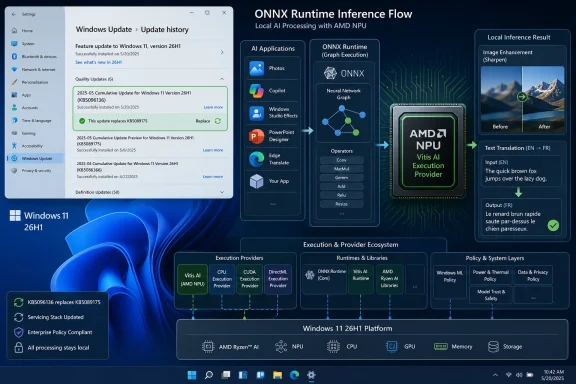
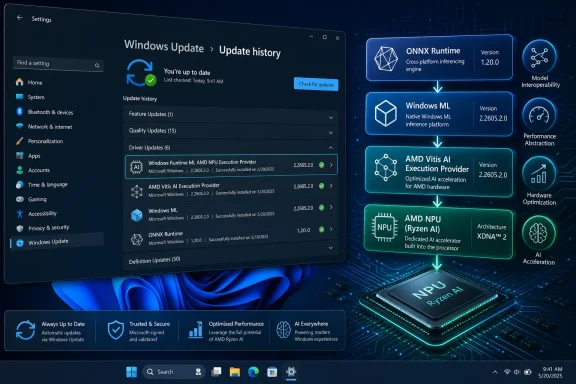
Windows Update settings show recent driver installations for ONNX Runtime and AMD NPU acceleration.Microsoft Moves AI Acceleration Into the Windows Servicing Machine​

For years, Windows hardware acceleration has been a messy bargain among drivers, SDKs, app frameworks, and vendor-specific runtimes. Developers could target GPUs and NPUs, but they often had to know too much about the exact silicon underneath the user’s machine. That approach made sense when acceleration was a specialist feature; it becomes untenable when every PC vendor wants to sell “AI PC” as a mainstream category.
KB5096136 belongs to Microsoft’s answer to that problem. The AMD Vitis AI Execution Provider is not a consumer-facing app, and most users will never launch it, configure it, or even know it exists. It is an execution provider, or EP, used by ONNX Runtime and Windows Machine Learning to route supported AI model operations onto AMD hardware.
That is the critical architectural move. Instead of every app bundling its own vendor binaries and hoping the right driver is present, Windows ML can use system-managed execution providers that are installed and updated through Windows Update. Microsoft’s pitch is simple: developers bring ONNX models, Windows handles the hardware selection, and vendors tune the acceleration layer.
The update’s support note does not list a dramatic new feature. It says the package includes improvements to the AMD Vitis AI Execution Provider AI component for Windows 11 version 26H1. In ordinary Windows servicing language, that is boilerplate. In platform language, it is a sign that the AI stack is being folded into the same evergreen cadence as graphics drivers, firmware helpers, and system components.

The Boring Name Is the Point​

The most revealing thing about KB5096136 may be how unglamorous it is. There is no product launch, no Copilot demo, no benchmark chart, and no promise that an existing PC will suddenly become smarter overnight. The update simply arrives through Windows Update, requires the latest cumulative update for Windows 11 version 26H1, and can be verified in Settings under Windows Update history.
That is exactly how Microsoft wants this class of component to feel. If local AI is going to become a normal part of Windows application behavior, the acceleration layer cannot remain a scavenger hunt of GitHub releases, OEM downloads, and vendor SDK installers. It has to become part of the platform’s maintenance fabric.
The name shown in update history — Windows Runtime ML AMD NPU Execution Provider Update — is clunky, but precise. It tells administrators that this is not a Radeon control panel update, not a generic chipset driver, and not an application framework from AMD’s consumer software suite. It is a runtime component sitting in the path between Windows ML workloads and AMD acceleration hardware.
That distinction matters for troubleshooting. If an app using ONNX Runtime performs differently after the update, the relevant layer may not be the app itself or the display driver. It may be the execution provider that Windows has acquired and registered for that device class.

AMD’s Vitis AI Stack Gets a Windows-Native Delivery Channel​

Vitis AI has long been AMD’s development stack for hardware-accelerated inference across platforms such as Ryzen AI, AMD adaptable SoCs, and Alveo data center acceleration cards. In the Windows PC context, its importance is narrower but still strategic: it gives AMD a path for ONNX workloads to run against AMD’s AI hardware without forcing every developer to become an AMD platform specialist.
That is especially important for Ryzen AI systems. AMD’s PC silicon strategy depends not only on TOPS numbers but on whether software can actually find and use the NPU reliably. Raw hardware capability is easy to market and difficult to exploit; the execution provider is one of the pieces that turns the marketing claim into a developer-accessible path.
Microsoft’s role is equally important. By distributing the provider through Windows Update, Microsoft gives AMD’s acceleration layer a place in the Windows trust and servicing model. The update is not framed as a downloadable AMD developer package. It is a Windows component update, gated by OS version and cumulative-update prerequisites.
This arrangement benefits both companies. AMD gets a more predictable route to users and developers. Microsoft gets a hardware-neutral story for Windows ML: Qualcomm, Intel, AMD, Nvidia, and others can bring optimized providers, while Windows presents developers with a more unified programming surface.
The risk is that the simplicity is only partial. Execution providers can be distributed by Windows, but models still need to be shaped, quantized, and tested for the hardware they target. Windows ML can reduce deployment friction; it cannot make every arbitrary model efficient on every NPU.

26H1 Is Becoming the Canary for the AI PC Stack​

The KB applies to Windows 11 version 26H1, all editions, and requires the latest cumulative update for that release. That specificity is not incidental. Windows 11 26H1 has emerged as a targeted branch for new device innovation rather than a normal broad feature update offered to the installed base.
For enthusiasts, that creates confusion. A KB article for Windows 11 26H1 can sound like a general Windows 11 update when it is really scoped to a narrower set of devices and builds. Existing Windows 11 24H2 or 25H2 systems should not assume that this package is relevant simply because they have AMD hardware.
For administrators, the practical reading is even stricter. If the device is not on Windows 11 version 26H1 with the required cumulative update, KB5096136 is not something to chase manually. It is part of a servicing chain for supported 26H1 systems, and Windows Update is expected to deliver it automatically where applicable.
That means KB5096136 is less about the average desktop today and more about the direction of the platform. Microsoft is preparing Windows to treat AI accelerators the way it treats other first-class compute resources. But the initial rollout is gated, hardware-aware, and branch-specific.
The cadence also tells a story. KB5096136 replaces KB5089175, which carried version 2.2604.1.0. The new package moves the AMD Vitis AI Execution Provider to 2.2605.2.0. That looks like a monthly component update cycle, which is exactly what one would expect if Microsoft and AMD are tuning the AI runtime layer alongside cumulative OS servicing.

Execution Providers Are the New Driver Boundary​

Windows users understand drivers. They may not like them, but they understand that hardware needs driver software and that drivers can improve performance, fix bugs, or break things. Execution providers are less familiar, but in the AI PC era they may become just as important.
An execution provider tells ONNX Runtime how to execute model operations on a particular compute backend. Some work may run on a CPU. Some may go to a GPU. Some may be offloaded to an NPU. The EP handles the hardware-specific optimization and operator support that make that routing practical.
In older PC software terms, this resembles a graphics API abstraction, but the fit is imperfect. AI models are not games, and NPUs are not general-purpose GPUs with a mature consumer software model. Model graphs can be partitioned across devices, operators may or may not be supported by a given provider, and fallbacks can quietly move work back to the CPU.
That is why system-managed EPs matter. If Microsoft can make the acquisition, update, certification, and registration of these providers predictable, developers can spend less time shipping vendor-specific binaries and more time building features. If Microsoft fails, Windows AI development risks becoming another fragmentation story: works on one laptop, crawls on another, fails silently on a third.
KB5096136 is one brick in that wall. It does not guarantee that AMD NPU acceleration will work perfectly for every app. It does show that Microsoft intends to keep the EP layer moving through normal Windows servicing rather than leaving it frozen at device launch.

The Update History Entry Is Now a Diagnostic Tool​

The KB tells users to verify the update through Settings, Windows Update, and Update history. That instruction is routine, but it has a new significance for AI components. As more applications rely on local inference, update history becomes part of the diagnostic trail for performance and compatibility.
A developer testing an ONNX workload on an AMD 26H1 device may need to know whether version 2.2605.2.0 is present. A help desk investigating inconsistent AI feature behavior across a fleet may need to compare execution provider versions. A power user benchmarking local models may need to distinguish between app changes, model changes, driver changes, and EP changes.
This is where Microsoft’s sparse support articles become frustrating. “Includes improvements” is not enough for serious debugging. Administrators and developers need to know whether an update changes operator coverage, model compatibility, quantization behavior, fallback logic, performance tuning, memory handling, or crash fixes.
Microsoft may have reasons for keeping component notes brief. Some details are vendor-owned, some are too low-level for general support pages, and some may change rapidly. But as Windows ML becomes more central, the audience for these updates will not be only casual consumers. It will include developers and IT pros who need change control.
If execution providers are going to be serviced like drivers, they need driver-like transparency. Not necessarily every internal fix, but enough release-note detail to explain what changed and why it matters.

Windows Update Becomes the AI Supply Chain​

The biggest strategic implication of KB5096136 is not AMD-specific. It is that Windows Update is becoming a distribution channel for AI supply-chain components. That includes runtimes, execution providers, model components, and possibly more specialized accelerators as the platform matures.
This is a logical move. AI PCs are being sold on local execution: privacy, latency, offline capability, and reduced cloud cost. But local execution depends on a deep software stack that must keep pace with models, drivers, security expectations, and hardware errata. A stale AI runtime can be as limiting as a stale graphics driver.
It is also a governance move. When Microsoft manages the delivery path, it can impose certification, compatibility testing, rollback behavior, and OS-version gating. That makes the platform easier to support, but it also centralizes control over which acceleration paths become mainstream on Windows.
For independent developers, the upside is obvious. Windows ML promises a route where apps can dynamically use vendor-optimized acceleration without shipping every vendor’s SDK. For enterprise administrators, the story is more complicated. Automatic updates are convenient until a regulated or highly controlled environment needs deterministic versions.
Microsoft’s documentation acknowledges the tension by describing both Windows-managed execution providers and bring-your-own approaches. That split will matter in real deployments. Consumer apps may happily rely on Windows Update; enterprises may pin versions, validate model behavior, and restrict automatic component churn.

The Admin Problem Is Not Installation, It Predictability​

From an administrator’s perspective, KB5096136 is easy to install because there is effectively nothing to do. Windows Update downloads and installs it automatically on eligible devices. The prerequisite is clear: the latest cumulative update for Windows 11 version 26H1 must already be installed.
But ease of installation is not the same as operational predictability. AI execution components sit close to application behavior, and subtle changes can produce visible differences. A model that previously fell back to CPU might begin using the NPU. A workload that was stable might expose a vendor bug. A performance improvement in one model class might change thermals or battery behavior in another.
That does not make the update dangerous. It makes it infrastructure. The more Windows features and third-party apps depend on local inference, the more these updates deserve the same attention admins already give display drivers, firmware, and monthly cumulative updates.
The most likely near-term impact is modest. Most users will not notice KB5096136 directly. Some AI-enabled apps on supported AMD 26H1 hardware may see improved behavior if they rely on Windows ML and the Vitis AI provider. Developers and testers are the group most likely to care about the exact version.
The long-term impact is more significant. This is how the AI PC stack becomes normal: not through one dramatic upgrade, but through a steady stream of low-visibility component updates that make hardware acceleration more reliable month by month.

The Developer Promise Still Has Sharp Edges​

Microsoft’s Windows ML pitch is attractive because it hides hardware complexity. Developers can use ONNX Runtime APIs, request policies such as performance or efficiency, and let Windows select suitable execution providers. In theory, that means one app can scale across CPUs, GPUs, and NPUs without shipping separate hardware-specific builds.
In practice, AI acceleration remains full of edge cases. ONNX model compatibility varies. Operator support differs by provider. Quantization choices can decide whether an NPU is useful or irrelevant. Some workloads are better suited to GPUs; others benefit from NPUs; many still run acceptably on CPUs.
That is why KB5096136 should not be read as a magic unlock for AMD AI performance. It is an update to one execution provider. It can improve the path for compatible models on supported platforms, but it cannot erase the work of model optimization or the reality of heterogeneous hardware.
Developers should treat Windows-managed EPs as a distribution advantage, not a substitute for testing. If an application’s AI feature is important, it should be validated across the specific hardware classes the app claims to support. The promise of Windows ML is fewer packaging headaches, not zero engineering responsibility.
Still, the direction is healthier than the alternative. Without a common Windows-level mechanism, every AI app would risk becoming its own mini-runtime distribution system. That would waste disk space, increase update friction, and make security and compatibility harder to reason about.

AMD Gets a Seat in Microsoft’s Local AI Contest​

The AI PC conversation has often been dominated by Qualcomm’s early Copilot+ push and by Intel’s attempt to make NPUs a standard part of mainstream mobile PC silicon. AMD’s Ryzen AI systems are part of the same contest, but software enablement is where the race gets real.
KB5096136 is a reminder that AMD’s Windows AI story is not only about chip specifications. It is about whether the Windows runtime can reliably target AMD acceleration hardware. Vitis AI is the bridge AMD brings to that effort, and Windows Update is the bridge Microsoft provides to users.
There is also a broader competitive layer. Nvidia remains dominant in high-end AI development and GPU acceleration, but the PC market is not only about discrete GPUs. Microsoft wants Windows AI features to work across a spectrum of hardware, including NPUs that sip power during sustained local inference. AMD wants its silicon to be treated as a first-class target in that world.
This will not be settled by one KB article. It will be settled by compatibility tables, developer adoption, application behavior, OEM quality, and whether users experience AI features as fast and battery-friendly rather than sluggish and mysterious. Component updates like KB5096136 are the plumbing behind that contest.
The best outcome for Windows users would be boring interoperability. An app asks for efficient local inference, Windows finds the right provider, the model runs where it should, and the user never thinks about the silicon vendor. The fact that we are not there yet is precisely why these updates matter.
The Small Print Carries the Real Message​

KB5096136 is narrow, but it says several concrete things that WindowsForum readers should take seriously. It confirms that Microsoft is continuing monthly-style servicing for AI execution providers, that AMD’s Vitis AI layer is part of the 26H1 Windows ML story, and that update history is becoming a useful place to audit local AI components.
  • KB5096136 updates the AMD Vitis AI Execution Provider to version 2.2605.2.0 for eligible Windows 11 version 26H1 devices.
  • The package replaces KB5089175, the earlier AMD Vitis AI Execution Provider update carrying version 2.2604.1.0.
  • The update is delivered automatically through Windows Update and requires the latest cumulative update for Windows 11 version 26H1.
  • Users can confirm installation in Windows Update history, where it should appear as a Windows Runtime ML AMD NPU Execution Provider update.
  • The practical effect is most relevant to apps and developers using ONNX Runtime or Windows ML to accelerate AI inference on supported AMD platforms.
  • The update does not imply that all AMD PCs, or all Windows 11 24H2 and 25H2 systems, are eligible for this specific 26H1 package.
The Windows AI platform is being assembled in pieces that look insignificant when viewed one KB at a time. KB5096136 will not transform a PC by itself, and Microsoft’s thin release note leaves too much unsaid for developers who want exact behavioral changes. But the direction is unmistakable: AI acceleration is becoming part of Windows’ serviced substrate, and the winners in the next phase of the PC will be the vendors whose hardware can disappear cleanly behind that abstraction.

References​

  1. Primary source: Microsoft Support
    Published: Tue, 26 May 2026 21:02:38 Z
  2. Official source: learn.microsoft.com
  3. Related coverage: amd.github.io
  4. Related coverage: runtime.onnx.org.cn
  5. Related coverage: amd.com
 

Microsoft has published KB5096143, an automatic Windows Update package for Windows 11 version 24H2 and 25H2 that updates AMD’s MIGraphX Execution Provider to version 2.2605.1.0 for hardware-accelerated ONNX inference on supported AMD GPUs. The update is narrow, almost invisible to ordinary users, and easy to miss in the noise of cumulative patches. But it says something important about where Windows AI is going: Microsoft is turning machine-learning acceleration into a serviced operating-system component rather than a developer-bundled afterthought.
That shift matters because the next phase of Windows performance will not be measured only in CPU scheduler tweaks, GPU driver versions, or whether an app uses the NPU. It will also depend on whether Windows can keep the middleware between AI models and local silicon current, compatible, and safe. KB5096143 is not a flashy Copilot feature drop; it is plumbing. Increasingly, the plumbing is the product.

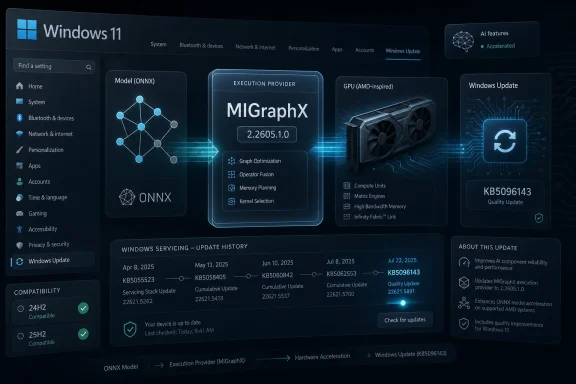
Windows 11 update dashboard shows M IGraphX execution provider and Quality Update KB5096143 for AI acceleration.Microsoft Moves AI Acceleration Into the Windows Servicing Machine​

For years, local machine-learning acceleration on Windows lived in an awkward space between developer frameworks, GPU vendors, Python packages, driver stacks, and app-specific deployment choices. If an application wanted to run an ONNX model efficiently, it often had to decide which execution provider to ship, which hardware to target, which runtime version to trust, and how much support pain to accept when a user’s machine did not resemble the developer’s test box.
Windows ML’s newer model pushes more of that burden toward the operating system. Execution providers become discoverable, downloadable, and serviceable components. Instead of every app dragging around its own copy of the world, Windows can provide a shared path to acceleration across CPU, GPU, and NPU hardware.
KB5096143 fits squarely into that strategy. It updates the AMD MIGraphX Execution Provider, the component that allows supported ONNX model operations to be offloaded to AMD GPUs through AMD’s graph inference engine. The visible change is a version number. The strategic change is that Windows Update is now part of the AI runtime supply chain.
That is a subtle but consequential line to cross. Microsoft has long used Windows Update to service drivers, security fixes, firmware, Defender intelligence, .NET runtimes, and store-delivered system components. AI execution providers now join that club. They are not merely developer conveniences; they are OS-adjacent infrastructure.

The Version Number Is Boring, Which Is Exactly the Point​

Version 2.2605.1.0 does not arrive with a consumer-facing feature list, a benchmark chart, or a promise that a particular app will suddenly run twice as fast. Microsoft’s support language is restrained: this update includes improvements to the MIGraphX Execution Provider AI component for Windows 11 version 24H2 and Windows 11 version 25H2. It requires the latest cumulative update for either supported Windows version and is downloaded and installed automatically from Windows Update.
That lack of drama is not a sign that nothing is happening. It is a sign that Microsoft wants this layer to behave like any other maintained system component. Users should not have to know which ONNX graph optimizations were touched, which operator coverage improved, or which hardware paths were tuned. Developers should be able to assume that eligible Windows machines are gradually getting fresher provider bits through the same machinery that already keeps the OS patched.
This is also why the update lands as a Knowledge Base article rather than a marketing announcement. Microsoft is documenting the presence of a serviced component, not launching a product. Users who want to verify installation are told to check Settings, Windows Update, and Update history, where the package should appear after installation.
There is a discipline to that approach. AI features tend to be sold with theatrical language, but inference acceleration works best when it becomes mundane. The less an end user has to think about providers, model partitions, fallbacks, and hardware routing, the more credible Windows becomes as a local AI platform.

AMD Gets a Seat at the Windows AI Table​

The AMD angle is more than a vendor footnote. NVIDIA has dominated much of the public conversation around accelerated AI, especially in developer and data-center contexts. Intel has pushed hard on NPUs and client-side AI PCs. AMD’s Windows AI story has had to span Ryzen CPUs, Radeon GPUs, Ryzen AI NPUs, ROCm, and vendor-specific optimizations that have not always felt as seamless on Windows as developers would like.
MIGraphX is AMD’s graph inference engine, designed to optimize and accelerate machine-learning inference. As an ONNX Runtime execution provider, it can take supported model operations and route them to AMD GPU hardware. In practical terms, that gives Windows applications another path to local acceleration on AMD-equipped systems, assuming the model, hardware, drivers, and runtime support line up.
That last caveat matters. Execution providers are not magic switches. They do not guarantee that every model will run entirely on the GPU, nor that every AMD GPU will behave identically, nor that every AI application will automatically benefit. ONNX Runtime can partition work across providers, fall back when operations are unsupported, and expose performance characteristics that depend heavily on model structure.
Still, the presence of a Windows-serviced MIGraphX provider gives AMD a cleaner integration point. Rather than relying only on individual developers to bundle the right AMD-specific pieces, Microsoft can make the provider part of the Windows AI component ecosystem. That does not solve every compatibility problem, but it reduces the number of places where the chain can break.

Windows 11 24H2 Becomes the AI Runtime Baseline​

KB5096143 applies to Windows 11 version 24H2 and Windows 11 version 25H2, and that support boundary is revealing. Windows 11 24H2 has become the baseline for Microsoft’s modern Windows AI stack, including the system-level ONNX Runtime integration and execution-provider catalog model. Older Windows releases may still run ONNX Runtime in traditional ways, but they are not the center of gravity for this new servicing approach.
That is a familiar Microsoft move. A capability arrives in one Windows generation as a developer-facing platform shift, then gains momentum as OEMs, silicon vendors, and application teams align around it. The operating system version becomes less about the Start menu and more about the platform contracts beneath the surface.
For IT administrators, this makes Windows 11 version selection more consequential. A device can be “Windows 11 compatible” in the ordinary sense while still missing the newest Windows ML plumbing. Conversely, a 24H2 or 25H2 machine with the right cumulative update installed can receive execution-provider updates like KB5096143 automatically, bringing its AI acceleration layer along with the rest of Windows servicing.
That also means update hygiene becomes part of AI readiness. The KB explicitly requires the latest cumulative update for Windows 11 24H2 or 25H2. In other words, the AI stack is not floating independently above Windows maintenance. It is coupled to the cumulative-update baseline, with all the operational implications that carries in managed environments.

Automatic Delivery Cuts Both Ways for Administrators​

Automatic installation through Windows Update is convenient for consumers and small businesses. If a machine qualifies, the update arrives without the user hunting down a package, deciphering GPU support notes, or choosing between runtime builds. For a local AI component whose value depends on broad availability, that is the right default.
In enterprise environments, the same convenience can look like a control problem. Administrators increasingly have to distinguish between security patches, feature enablement, driver updates, Store-delivered system apps, and now AI component updates. Each may arrive through Microsoft’s servicing ecosystem, but each carries a different risk profile.
A MIGraphX provider update is unlikely to raise the same alarms as a kernel change or browser zero-day fix. But it can still affect application behavior. If a line-of-business app uses ONNX models and Windows ML APIs, a provider update might change performance, improve compatibility, alter fallback behavior, or expose a previously dormant hardware path.
That does not mean organizations should block it by default. It means they should treat AI runtime components as part of their test matrix. The old assumption that machine-learning libraries are entirely application-owned is becoming less accurate on Windows. When the platform provides and updates the acceleration layer, platform testing has to include the acceleration layer.

The Real Bet Is Shared Infrastructure, Not One AMD Patch​

The most important thing about KB5096143 is not that it updates AMD MIGraphX. It is that Microsoft is normalizing a pattern. Windows can host a shared ONNX Runtime layer. Execution providers can be installed dynamically. Vendor-specific acceleration can be serviced through Windows channels. Applications can target Windows ML abstractions instead of individually solving every hardware permutation.
That is a bet on scale. No single app developer wants to own the compatibility matrix for Intel NPUs, AMD GPUs, Qualcomm NPUs, NVIDIA GPUs, DirectML, CPU fallback, driver versions, Windows builds, and model-specific quirks. Microsoft cannot erase that complexity, but it can centralize enough of it to make local AI development less punishing.
The benefit is not only smaller app packages, though that matters. It is also consistency. If multiple applications rely on the same system-serviced provider, a fix can benefit the ecosystem rather than being trapped inside one app’s next release. If a provider has a security or stability issue, Microsoft and the vendor have a clearer servicing path.
The danger is that shared infrastructure becomes a shared point of failure. A bad provider update could theoretically affect multiple applications at once. A compatibility regression could be harder for a single app vendor to work around if the provider is managed outside its package. The history of Windows suggests both outcomes are possible: centralized servicing can be a force multiplier for fixes and for bugs.

Local AI Needs Boring Updates More Than Big Demos​

The consumer AI conversation still tends to orbit visible features: image generation, recall-style indexing, transcription, code assistants, and chat interfaces bolted into familiar apps. But local AI on Windows will succeed or fail on the unglamorous question of whether models run reliably on real hardware without turning every user into a runtime engineer.
That is where execution providers matter. They sit between model intent and silicon capability. They decide, within the rules of the framework, whether a model operation can be accelerated, where it should run, and how to bridge gaps when the hardware path is incomplete.
For AMD systems, MIGraphX gives Windows another route to GPU-backed inference. For Microsoft, it helps fill out a vendor-neutral story in which Windows can route AI work to the best available hardware. For developers, it promises a future where targeting local acceleration does not require shipping a bespoke pile of dependencies for every GPU family.
The promise is still ahead of the reality. Anyone who has worked with GPU-accelerated machine learning on Windows knows that driver versions, package versions, operator support, and hardware capabilities can still turn a simple deployment into a scavenger hunt. KB5096143 does not end that era. It is a sign that Microsoft is trying to civilize it.

The Update History Entry Is the New Device Capability Clue​

Microsoft tells users to verify the update through Windows Update history, and that instruction is more useful than it first appears. In the AI PC era, device capability will not be captured by a single sticker, processor name, or GPU model. It will increasingly be reflected in a stack of update history entries, driver packages, runtime components, and optional providers.
That is uncomfortable for users who want simple answers. Does my PC support this AI feature? Can this model use my GPU? Is my NPU doing anything? Why is one laptop faster than another with similar silicon? The answers often live in layers of firmware, drivers, Windows builds, and runtime providers that are not easy to summarize.
For WindowsForum readers, the practical advice is to look beyond the headline Windows version. A Windows 11 24H2 or 25H2 system that lacks current cumulative updates may not be in the same AI-runtime state as one that is fully serviced. An AMD GPU in Device Manager does not by itself prove that MIGraphX acceleration is available to a given app. Update history is becoming part of the diagnostic trail.
This is also where Microsoft’s user experience remains thin. Windows can show that an update installed, but it does not yet give ordinary users a clean dashboard explaining which AI execution providers are present, which hardware they target, and which apps are using them. As local AI becomes more common, that opacity will become harder to defend.

Developers Get a Cleaner Target, But Not a Free Pass​

For developers building Windows applications around ONNX models, the appeal of system-managed execution providers is obvious. A shared runtime can reduce packaging weight, simplify deployment, and provide a more consistent way to discover hardware acceleration. The Windows ML execution-provider catalog model points toward a world where apps can ask the platform what is available instead of guessing.
But developers still have work to do. Models need to be tested across providers. Performance assumptions need to be validated on real hardware. CPU fallback paths need to remain functional. Error handling must account for the fact that an execution provider may be absent, incompatible, or only partially useful for a given model graph.
The temptation will be to treat Windows-serviced providers as a black box and trust the platform to do the right thing. That will work for some applications. It will not work for applications with strict latency, memory, privacy, or determinism requirements. AI acceleration is still acceleration, not a portability guarantee.
The best Windows AI apps will probably behave like well-written graphics applications. They will detect capabilities, choose sensible defaults, expose enough diagnostics for support teams, and degrade gracefully when the ideal path is unavailable. KB5096143 helps by improving the platform layer, but it does not absolve developers from engineering for variance.

AMD’s Windows AI Story Still Has to Prove Itself in the Field​

AMD has the hardware footprint to matter enormously in client AI. Ryzen laptops, Radeon graphics, integrated GPUs, and Ryzen AI-branded systems are everywhere across consumer and business channels. The question is whether that installed base can be translated into a predictable developer target.
MIGraphX is one piece of that answer. Windows Update servicing is another. But the field experience will determine whether developers and users trust the stack. If apps silently fall back to CPU, if performance varies wildly across machines, or if support forums fill with version-specific failures, the existence of a serviced provider will not be enough.
Microsoft and AMD therefore share the same burden: make the fast path boring. The user should not need to know whether MIGraphX handled a particular subgraph. The developer should not need to write a support article for every GPU family. The administrator should not need to become an AI framework specialist to decide whether an update is safe.
That is a high bar, and it will not be cleared by one KB article. But monthly, incremental, provider-level updates are how that bar gets approached. The ecosystem does not need one perfect release. It needs a reliable servicing cadence that makes local AI less brittle over time.

The Small KB That Reveals Microsoft’s Larger Windows AI Contract​

KB5096143 is easy to summarize but harder to dismiss. It updates AMD’s MIGraphX Execution Provider to version 2.2605.1.0, applies to Windows 11 24H2 and 25H2, requires the latest cumulative update, installs automatically through Windows Update, and can be confirmed in Update history. That is the visible administrative surface.
The deeper meaning is that Windows AI is becoming a maintained platform stack, not a loose collection of app-bundled components. That is good news for developers who want a stable target, users who want acceleration without manual setup, and AMD systems that need first-class participation in local inference workloads. It also creates new responsibilities for IT teams that must test, inventory, and understand AI components as part of normal Windows management.
The concrete takeaways are straightforward:
  • KB5096143 updates the AMD MIGraphX Execution Provider to version 2.2605.1.0 on eligible Windows 11 systems.
  • The update applies to Windows 11 version 24H2 and Windows 11 version 25H2, not to older Windows releases.
  • The package requires the latest cumulative update before it can be installed through Windows Update.
  • The component helps ONNX Runtime and Windows machine-learning workloads offload supported model operations to AMD GPUs.
  • Administrators should treat execution-provider updates as part of the Windows AI runtime surface, especially where line-of-business apps depend on ONNX inference.
  • Users can verify installation through Settings, Windows Update, and Update history rather than through a standalone AMD utility.
The age of Windows AI will not be defined only by the features Microsoft advertises on stage; it will be defined by whether updates like KB5096143 quietly make heterogeneous hardware usable, supportable, and trustworthy. If Microsoft can keep the execution layer current without turning every patch into a compatibility gamble, Windows gains something more durable than another Copilot button. It gains the beginnings of an AI substrate that developers can actually build on.

References​

  1. Primary source: Microsoft Support
    Published: Tue, 26 May 2026 21:03:08 Z
  2. Official source: learn.microsoft.com
  3. Related coverage: onnxruntime.ai
  4. Related coverage: shalvamist.github.io
  5. Related coverage: runtime.onnx.org.cn
 

Microsoft has released KB5096136, an automatic Windows Update package for Windows 11 version 26H1 that updates the AMD Vitis AI Execution Provider to version 2.2605.2.0 on eligible systems with the latest cumulative update installed. The package is small in presentation but large in implication: Microsoft is treating local AI acceleration as a serviced Windows component, not a one-time driver feature. For AMD-powered AI PCs, that means the inference layer sitting between apps, ONNX Runtime, Windows ML, and silicon is now part of the regular Windows maintenance story. For administrators, developers, and enthusiasts, the real news is not merely the version number; it is the shape of the platform Microsoft is building around it.

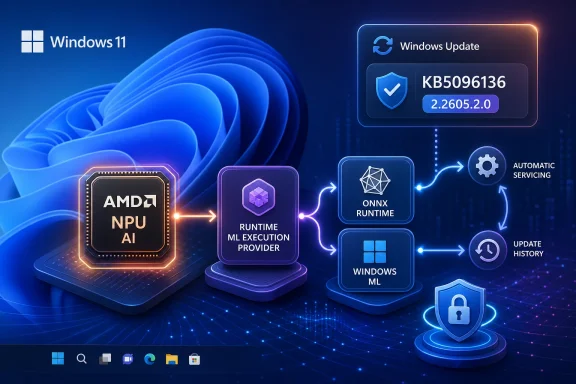
Windows 11 update demo showing KB5096136 with ONNX runtime, Windows ML, and AMD AI NPU connections.Microsoft Turns AI Acceleration Into a Windows Servicing Lane​

KB5096136 is not a feature update, not a new Copilot splash screen, and not the kind of Windows release that attracts mainstream attention. It is a component update for the AMD Vitis AI Execution Provider, the runtime bridge that lets compatible AI workloads run against AMD acceleration hardware through ONNX Runtime and Windows machine learning plumbing.
That makes it easy to underestimate. For years, Windows users have been trained to think of performance enablement as something that arrives through GPU drivers, chipset packages, firmware, or application updates. KB5096136 points in a different direction: the AI execution layer is increasingly being updated through Windows Update itself.
This is Microsoft’s new AI-PC bargain. If local inference is going to become a system capability rather than an app-by-app novelty, the operating system has to own more of the stack. Windows cannot simply expose an NPU and hope developers figure out every vendor runtime, driver revision, and model compatibility edge case on their own.
The name “Execution Provider” is bland enough to disappear into update history, but it describes a pivotal layer. In ONNX Runtime, an execution provider decides where and how model operations run: CPU, GPU, NPU, or some vendor-specific accelerator. For Windows ML, that layer is where Microsoft’s cross-vendor AI ambitions meet the awkward reality that Intel, AMD, Qualcomm, and NVIDIA do not all accelerate the same workloads in the same way.
KB5096136 therefore looks like a maintenance release only if you judge Windows by old categories. In the AI-PC era, the runtime is product infrastructure. A monthly or near-monthly refresh to that layer can change which workloads are stable, which models perform well, and which devices feel meaningfully “AI-capable” after purchase.

The Version Number Says More Than the Changelog​

The public description for KB5096136 is restrained. Microsoft says the update includes improvements to the AMD Vitis AI Execution Provider AI component for Windows 11 version 26H1, downloads and installs automatically from Windows Update, requires the latest cumulative update for Windows 11 26H1, and replaces KB5089175. After installation, it appears in update history as “Windows Runtime ML AMD NPU Execution Provider Update (KB5096136).”
That is the entire public story, at least in the support article. There are no benchmark claims, no model list, no detailed bug breakdown, and no administrator-facing compatibility matrix embedded in the KB text. The update moves the component from the prior KB5089175 line to version 2.2605.2.0, but Microsoft does not spell out which internal fixes or optimizations warranted the bump.
This is typical of the way Windows AI component updates have been published so far: precise enough to identify the package, opaque enough to leave practitioners guessing about behavioral impact. That is a problem for IT shops, but it is also a signal. Microsoft is treating these components more like Windows servicing units than like standalone developer SDK releases.
The replacement relationship matters. KB5096136 supersedes KB5089175, which means Microsoft is not simply stacking optional runtime builds on top of one another. It is maintaining a current execution provider line for the supported Windows release, with older component packages falling behind as the platform advances.
For users, this means the safest way to think about the update is not “new app feature.” It is “AI runtime maintenance.” If a future Windows feature, Store app, OEM utility, or developer workload expects a newer AMD NPU execution path, KB5096136 is the kind of groundwork that lets that expectation be met without a manual hunt for runtime packages.

Windows 11 26H1 Is the Narrow Doorway​

The most important constraint in KB5096136 is not AMD. It is Windows 11 version 26H1. Microsoft says the update is for Windows 11 26H1 and requires the latest cumulative update for that release before it will install.
That wording should stop anyone expecting this package to appear on a typical Windows 11 24H2 or 25H2 AMD laptop. This is not a universal AMD driver update for every Ryzen system. It is a Windows AI component update tied to a specific Windows release train, and Microsoft’s own Windows AI component strategy has increasingly separated runtime availability by OS version, hardware class, and servicing channel.
Windows 11 26H1 has already been framed as a targeted platform release rather than a broad in-place upgrade for the existing installed base. That matters because AI component updates now ride inside that same hardware-and-release segmentation. A user may have AMD silicon, a modern GPU, or even a Ryzen AI-branded device and still not be in the audience for this particular KB.
That narrowness is not necessarily bad engineering. AI acceleration depends on a precise intersection of firmware, drivers, runtime packages, OS scheduler behavior, model formats, and application frameworks. A general-purpose Windows release model is a poor fit for shipping support for brand-new AI hardware without guardrails.
But it does create a communication problem. The average enthusiast sees “AMD Vitis AI Execution Provider update” and reasonably asks whether their AMD machine should receive it. The answer is: only if the device is on the supported Windows 11 26H1 path, has the required cumulative update, and is eligible for the underlying AI component.
For administrators, that distinction should be written into deployment notes. KB5096136 is not something to force into a fleet because the name includes AMD. It is something to verify through Windows Update history on eligible 26H1 systems, especially where local AI workloads are part of the device’s value proposition.

AMD’s Role Is Bigger Than a Driver, Smaller Than a Platform​

Vitis AI is AMD’s development stack for hardware-accelerated AI inference across AMD platforms, including Ryzen AI, AMD adaptable SoCs, and Alveo data center acceleration cards. In the Windows context, the Vitis AI Execution Provider is one of the ways ONNX Runtime and Windows ML can route model execution to AMD acceleration hardware.
That distinction matters because it keeps two common misunderstandings apart. Vitis AI is not a Windows feature invented by Microsoft, but the Windows-delivered execution provider is not merely a generic AMD download either. It is where AMD’s AI tooling and Microsoft’s Windows runtime strategy meet.
For AMD, this is essential if Ryzen AI is to compete as more than a marketing badge. NPUs are only useful when applications can find them, feed them compatible workloads, and recover gracefully when models or operators are not supported. The execution provider is the bridge between the promise printed on the laptop box and the actual inference path used by software.
For Microsoft, AMD support is part of a broader neutrality act. Windows ML cannot become credible if it feels like a Qualcomm-only or Intel-only framework. The Windows AI stack has to give developers a sane way to target heterogeneous hardware without writing separate acceleration code for every vendor and every generation.
That does not mean perfect abstraction. Anyone who has worked with accelerated ML runtimes knows the abstraction always leaks. Operators differ, memory behavior differs, quantization expectations differ, and performance cliffs appear when a model falls back from NPU to CPU or from one provider to another.
Still, servicing the AMD provider through Windows Update is a meaningful commitment. It says Microsoft wants the vendor-specific pieces to remain updateable after the device ships, and it wants those updates visible through the same mechanism administrators already monitor for OS health.

The AI PC Needs Boring Plumbing More Than Demos​

The consumer AI-PC narrative has been dominated by demos: recall-like search, background blur, image generation, summarization, and “instant” local assistants. Those demos sell devices, but they do not make a platform. Platforms are built in the boring layers that keep applications working across hardware generations.
KB5096136 is one of those layers. It will not make a splashy desktop icon appear. It probably will not change a casual user’s workflow the moment it installs. But if Microsoft’s local AI ambitions are to survive beyond marketing cycles, component updates like this have to become routine.
The reason is simple: AI workloads change faster than traditional Windows subsystems. Models are revised, operators are optimized, frameworks evolve, and silicon vendors improve their runtimes. A static execution provider baked into a Windows image would age quickly, especially as developers start expecting local inference to behave like a normal system capability.
The Windows Update delivery model also reduces fragmentation. If every app bundles its own vendor runtime, every ISV becomes responsible for choosing a version, patching it, and debugging conflicts. If every OEM ships a custom runtime image and forgets about it after launch, users inherit a stale AI stack. Central servicing is not glamorous, but it is the only plausible route to a sustainable Windows AI ecosystem.
The downside is opacity. Traditional drivers usually come with vendor release notes, even if they are uneven. Windows AI component updates often arrive with generic “improvements” language. That may be tolerable for consumers, but it is weak tea for developers and enterprise administrators who need to know whether a regression was fixed, a model family was enabled, or a compatibility boundary changed.
Microsoft can get away with sparse notes while the Windows AI ecosystem is young. It will not be able to do so forever. The more Windows applications depend on local inference, the more execution provider changes become operationally significant.

Update History Becomes the New AI Inventory​

Microsoft tells users to verify KB5096136 by opening Settings, going to Windows Update, selecting Update history, and looking for “Windows Runtime ML AMD NPU Execution Provider Update (KB5096136).” That is straightforward for one machine and inadequate for a managed estate.
For IT pros, the update history entry is the beginning of inventory, not the end. If local AI capabilities are used for line-of-business applications, regulated workflows, accessibility features, or developer testing, administrators will need to know which devices have which execution provider versions. That inventory will have to include Windows version, cumulative update level, AI component package, AMD driver state, and hardware eligibility.
This is where the AI-PC story collides with enterprise reality. A feature can be “automatic” and still require governance. Windows Update may deliver the package, but IT still needs to understand rollout timing, validation rings, known-good versions, and whether help-desk reports correlate with a runtime update.
The prerequisite is especially important. KB5096136 requires the latest cumulative update for Windows 11 version 26H1. That means a device lagging on cumulative updates may also lag on AI runtime components. In practical terms, AI stack currency becomes another reason cumulative update compliance matters.
There is also a support implication. When an app’s local AI feature behaves differently across two nominally similar AMD systems, the difference may not be the app. It may be the execution provider version, the Windows release, the AMD NPU driver, or a servicing prerequisite that one machine missed.
Administrators should resist the temptation to treat these entries as cosmetic. They are the new equivalent of graphics driver branches for AI workloads, except now part of the Windows component ledger.

Developers Get a Cleaner Target, With New Caveats​

For developers building on ONNX Runtime or Windows ML, serviced execution providers are good news. They reduce the need to ship vendor-specific acceleration packages and make it more likely that a supported device has the right runtime available through the OS servicing channel.
That does not remove the burden of testing. It moves the burden upward. Developers still need to validate whether their models run correctly and efficiently on the AMD provider, whether unsupported operators fall back gracefully, and whether latency or power behavior meets expectations on real hardware.
The phrase “hardware-accelerated AI inference” can hide a lot of detail. A model may run on an NPU only partially. It may require quantization changes. It may hit a fallback path that is functionally correct but slower than expected. It may behave differently when a runtime update changes optimization behavior.
Versioned execution providers make those differences easier to reason about. If a regression appears after a component update, a developer at least has a package identity and version number to include in bug reports. If performance improves, the runtime version becomes part of the reproducibility story.
But Microsoft’s thin public changelogs limit that benefit. Developers can observe differences, but they may not know whether those differences were intended. In a mature platform, execution provider release notes should explain meaningful operator support changes, model compatibility updates, performance improvements, and known issues.
The direction is right. The documentation culture needs to catch up.

The Security Story Is Quiet but Real​

AI execution providers are not just performance plugins. They process model files, tensors, memory buffers, and application-provided inputs. They sit close to hardware acceleration paths. They interact with drivers and system services. That makes them part of the attack surface, even if most users never see them.
There is no indication in the public KB text that KB5096136 is a security update, and it should not be described as one without evidence. But the existence of automatic servicing for AI components has security significance. A runtime that can be updated through Windows Update can receive reliability and defense-in-depth improvements without waiting for an OEM image refresh or an app vendor bundle.
This matters as local AI becomes more common. More apps will load models. More third-party workflows will process untrusted or semi-trusted content locally. More enterprise systems will experiment with on-device inference to avoid sending sensitive data to cloud services. The local runtime layer will become more important, and therefore more worth hardening.
The industry has already learned this lesson with browsers, media codecs, GPU drivers, and font parsers. Any complex parser or accelerator interface that handles attacker-influenced content eventually needs disciplined servicing. AI runtimes are not exempt from that history.
For Windows users, the practical conclusion is simple: do not disable or indefinitely defer these component updates on eligible machines without a reason. The update may be described in performance or compatibility terms, but the maintenance channel itself is part of keeping the platform trustworthy.
For Microsoft, the challenge is transparency. If an AI component update fixes reliability issues, say so. If it includes security hardening without a CVE, say that in broad terms. The more silent these packages are, the harder it becomes for enterprises to prioritize them intelligently.

The Naming Problem Is Becoming a Management Problem​

“Windows Runtime ML AMD NPU Execution Provider Update” is accurate, but it is also an artifact of an ecosystem being assembled faster than it is being explained. Users are now expected to understand Windows ML, ONNX Runtime, execution providers, NPUs, vendor AI stacks, and versioned component packages. That is a lot to smuggle into Update history.
The naming problem would be merely cosmetic if these updates did not matter. But they do. A user troubleshooting an AI feature may need to know whether this package is installed. A developer may need to ask a tester for the execution provider version. An administrator may need to filter devices by component state. The words in update history become operational language.
Microsoft has been here before. The company spent years turning inscrutable driver and servicing entries into something closer to human-readable Windows Update history. AI components risk repeating the old mistake, with the added complication that the market is already confused about what an “AI PC” actually guarantees.
A cleaner Windows Settings experience would help. Instead of burying AI runtime packages among other update history entries, Microsoft could expose an AI components page showing installed model components, execution providers, vendor runtimes, versions, and hardware status. That would be useful to enthusiasts and invaluable to support teams.
Until then, KB numbers remain the breadcrumb trail. KB5096136 is the identifier to look for on eligible systems, and version 2.2605.2.0 is the runtime milestone attached to it.

The Real Competition Is Over the Default Path​

Intel, AMD, Qualcomm, and NVIDIA all want their hardware to be the place AI workloads land. Microsoft wants developers to target Windows rather than a vendor island. Users want apps that simply work. Those goals overlap, but they are not identical.
Execution providers are where the negotiation happens. If Windows ML can make the best available accelerator feel like the default path, Microsoft gains leverage over the AI-PC experience. If vendor stacks remain too fragmented, developers will either target the lowest common denominator or pick winners directly.
KB5096136 is therefore part of a quiet standards contest. It does not define a new public API by itself, but it maintains one of the vendor backends that makes Microsoft’s abstraction credible. A Windows AI layer without current AMD support would be less convincing. A Windows AI layer with AMD, Intel, Qualcomm, and NVIDIA providers serviced through predictable channels starts to look like a real platform.
The most interesting part is that Microsoft is not trying to hide vendor specificity. The update name says AMD. The provider name says Vitis AI. The component is specific because the hardware is specific. The abstraction is not that all accelerators are identical; it is that Windows can broker access to them in a manageable way.
That is a more realistic strategy than pretending the NPU market has already standardized. It acknowledges that hardware vendors will keep differentiating, while still giving developers and administrators a common servicing and discovery model.
For AMD, the pressure is obvious. Ryzen AI devices need to show that they receive timely runtime support through the Windows channel, not just launch-day promises. KB5096136 helps that case, but the ultimate judgment will come from workload behavior, developer adoption, and whether users notice local AI features feeling faster, more reliable, or more available over time.

The 26H1 Boundary Foreshadows a Fragmented AI Future​

The uncomfortable possibility is that Windows AI capabilities may fragment more before they unify. KB5096136 is tied to Windows 11 26H1. Other execution provider updates are tied to other Windows versions and device classes. Copilot+ PC features already vary by silicon, region, language, and policy state.
This is not unusual for a young hardware platform, but it complicates the Windows promise. Historically, Windows users expected broad compatibility across wildly different PCs. Performance varied, but the platform felt shared. AI PCs challenge that assumption because model acceleration depends on specialized hardware and frequently updated runtime layers.
The result is a new kind of Windows compatibility matrix. The question is no longer simply “Can this PC run Windows 11?” It is “Which Windows release is it on, which AI components are installed, which execution providers are supported, which driver branch is present, and which workloads can actually use the accelerator?”
That is a lot of complexity for a market still trying to persuade buyers that local AI matters. If Microsoft and its silicon partners want users to care, they must make the platform feel coherent despite those differences. Automatic component updates are one part of that answer. Clearer documentation and diagnostics must be the next.
For businesses, this means AI-PC procurement should be more disciplined than ordinary laptop buying. The sticker may say AMD Ryzen AI, but the operational question is whether the device’s Windows release and servicing path align with the workloads the organization expects to run. KB5096136 is a reminder that the operating system branch matters as much as the silicon brand.
For enthusiasts, it means patience. A component update arriving for 26H1 does not imply that every AMD system is being neglected. It may simply mean the package belongs to a different runway. But Microsoft should not rely on enthusiasts to infer that from KB taxonomy.

The Small KB That Shows Where Windows Is Heading​

KB5096136 is a modest update, but it leaves several concrete signals about Microsoft’s direction with AI on Windows:
  • Microsoft is servicing AMD’s Windows AI execution layer through Windows Update rather than leaving the entire runtime story to manual driver or SDK installation.
  • The update applies to Windows 11 version 26H1 systems that have the latest cumulative update installed, not to every AMD-based Windows 11 PC.
  • The package replaces KB5089175 and moves the AMD Vitis AI Execution Provider line to version 2.2605.2.0.
  • Users can verify installation in Windows Update history under “Windows Runtime ML AMD NPU Execution Provider Update (KB5096136).”
  • Developers and administrators should treat execution provider versions as part of AI workload compatibility, not as incidental update noise.
  • Microsoft still needs more detailed release notes if these components are going to become operationally important in business environments.
The larger point is that Windows AI is becoming less like a feature bundle and more like a serviced subsystem. KB5096136 is one brick in that subsystem, and its very ordinariness is the story.
Microsoft’s AI-PC strategy will not succeed because one KB update makes AMD systems dramatically smarter overnight. It will succeed, if it does, because Windows quietly learns how to keep the local inference stack current across silicon vendors, hardware generations, and application frameworks without making users become runtime engineers. KB5096136 is a small entry in update history, but it points toward a Windows future in which the most important AI improvements may arrive not as dazzling new apps, but as the invisible plumbing that lets those apps finally trust the machine underneath them.

References​

  1. Primary source: Microsoft Support
    Published: Tue, 26 May 2026 21:02:38 Z
  2. Official source: learn.microsoft.com
  3. Related coverage: windowsforum.com
 

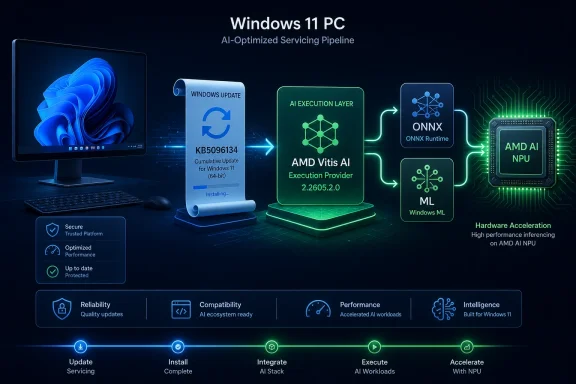
Microsoft has published KB5096134, an automatic Windows Update package for Windows 11 version 24H2 and 25H2 that updates the AMD Vitis AI Execution Provider to version 2.2605.2.0 for ONNX Runtime and Windows machine learning workloads on supported AMD AI hardware. The small support article says little, but the move says plenty: Windows’ AI stack is becoming an operating-system service, not a bundle of SDKs that every app vendor must carry alone. For users, the update is mostly invisible; for developers and administrators, it is another sign that local AI acceleration on Windows will live or die by Microsoft’s ability to keep silicon-specific components current without turning every PC into a driver archaeology project.

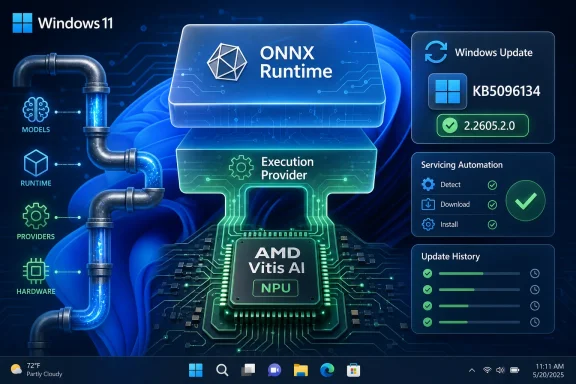
Infographic showing Windows 11 installing ONNX Runtime with AMD Vitis AI NPU and update KB5096134.Microsoft Quietly Moves AI Acceleration Into the Plumbing​

KB5096134 is not a flashy feature update. It does not promise a new Copilot surface, a redesigned Settings page, or a marquee consumer trick. It updates an execution provider, the software layer that lets ONNX Runtime and Windows ML send inference workloads to suitable hardware instead of falling back to a more generic path.
That distinction matters because execution providers are where the clean marketing phrase on-device AI meets the messy diversity of PC hardware. Qualcomm, Intel, AMD, NVIDIA, and Microsoft all have different accelerators, driver models, runtimes, constraints, and performance profiles. Windows ML’s pitch is that developers should not have to ship a separate hardware stack for every one of them.
The AMD Vitis AI Execution Provider sits in that middle layer. It is designed to help Windows ML and ONNX Runtime target AMD platforms, including Ryzen AI systems and other AMD acceleration hardware. KB5096134 bumps that component to version 2.2605.2.0, replacing the prior KB5089169 release.
The update applies to Windows 11 version 24H2 and Windows 11 version 25H2, and Microsoft says the latest cumulative update for those releases is required. Installation is automatic through Windows Update. Verification is mundane: Settings, Windows Update, Update history, where it should appear as “Windows Runtime ML AMD NPU Execution Provider Update (KB5096134).”
That mundane delivery mechanism is the story. Microsoft is treating AI acceleration less like an optional developer add-on and more like a maintained Windows subsystem. That is the right architectural direction, but it also raises an uncomfortable question: how much of the Windows AI experience is now dependent on opaque component updates whose contents are described only as “improvements”?

The Version Number Is Small, but the Strategy Is Not​

A version bump from KB5089169 to KB5096134 will not thrill anyone outside a release-management meeting. Yet the naming and cadence point to an emerging reality for Windows 11: the operating system’s AI capabilities are being disassembled into componentized, hardware-aware pieces that can move faster than the annual Windows branding cycle.
This is not the old Windows model, where most users thought in terms of service packs, feature updates, and Patch Tuesday. The new AI stack has its own moving parts. Models, runtimes, execution providers, driver dependencies, and app SDK packages can all change on different schedules.
That is both necessary and risky. Necessary, because AI inference performance depends heavily on low-level optimizations, supported operators, memory behavior, and hardware-specific quirks. Risky, because Windows administrators already struggle to map what changed, when it changed, and which update channel delivered it.
KB5096134 sits squarely in that tension. Microsoft’s support language says the update contains improvements to the AMD Vitis AI Execution Provider AI component. It does not spell out whether those improvements involve performance, stability, operator coverage, compatibility, power behavior, or servicing metadata. The practical answer may be “some combination of the above,” but that is not documentation; it is a shrug dressed as a release note.
For consumer PCs, that opacity is probably tolerable. If the update arrives automatically and makes local AI workloads behave better, few users will care. For managed fleets, developer workstations, and validation labs, the lack of detail is less charming.
The deeper significance is that Windows Update is becoming the distribution channel for AI middleware. That makes sense only if Microsoft can provide enough transparency for IT teams to trust it. KB5096134 is a useful update, but it is also a reminder that Microsoft’s release-note discipline has not yet caught up with its AI platform ambitions.

Execution Providers Are the New Driver Boundary​

The traditional Windows support problem was hardware drivers. A GPU driver broke a game. A printer driver broke printing. A chipset package changed sleep behavior. Administrators knew where to look, even if they did not always like what they found.
Execution providers complicate that model. They are not quite application code, not quite drivers, and not quite ordinary Windows components. They are translation layers that decide how an AI model runs on available hardware. If an app uses Windows ML and calls into a dynamically acquired execution provider, the behavior of that app may change when the provider changes, even if the app itself has not been updated.
That is the promise. Developers get better performance and broader operator support without shipping a new build. Users get improvements through Windows Update. The platform absorbs hardware complexity that would otherwise fragment the Windows AI ecosystem.
But the same mechanism also moves responsibility into a gray zone. If a local AI feature slows down, fails on a specific model, drains battery, or behaves differently after a component update, who owns the bug? The app developer? Microsoft? AMD? The OEM? The driver package? The answer may vary case by case, and that is precisely why observability will matter.
Microsoft’s Windows ML documentation frames dynamic execution provider delivery as a benefit: apps can acquire and use Windows-certified providers without bundling large vendor packages. That is a sensible default for a broad PC ecosystem. It reduces application size and gives Microsoft a path to patch common infrastructure.
Still, administrators will want more than a support article that says “improvements.” They will want version inventory, known issue tracking, rollback expectations, and compatibility notes. They will also want clarity on whether a given provider update arrives only through Windows Update, through optional preview releases, through cumulative updates, or through all of the above depending on timing.

AMD’s Vitis AI Lands in a More Competitive Windows Stack​

AMD’s presence in Windows AI has become more important as Ryzen AI systems have moved from concept to shipping machines. The Vitis AI stack is AMD’s route for hardware-accelerated inference, and on Windows it increasingly intersects with Microsoft’s effort to make Windows ML the stable developer-facing abstraction.
That is a competitive necessity. Qualcomm’s early Copilot+ PC push made NPUs part of the mainstream Windows conversation. Intel has its own NPU strategy through Core Ultra platforms. NVIDIA remains dominant in high-throughput GPU AI, especially for developer and creator workloads. AMD cannot afford to be merely “compatible” if Windows becomes a serious local inference platform.
KB5096134 does not turn a Ryzen AI laptop into a datacenter accelerator. It does not mean every ONNX model suddenly runs perfectly on AMD’s NPU. Hardware acceleration remains bounded by supported operators, driver versions, model shape, precision choices, memory limits, and the practical realities of scheduling workloads across CPU, GPU, and NPU.
What it does mean is that AMD’s Windows AI path is being serviced through the same kind of platform channel that Microsoft wants developers to rely on. That is strategically important. If Windows ML is to be credible, the execution providers behind it must be maintained frequently enough to keep pace with model changes and hardware evolution.
This is where the PC industry’s AI marketing meets engineering truth. Local AI is not a single feature. It is a pipeline. Models have to be converted, quantized, packaged, scheduled, accelerated, and updated. A weak link anywhere in that chain turns “AI PC” into a sticker.
For AMD, frequent Vitis AI Execution Provider updates through Windows Update suggest active participation in that pipeline. For Microsoft, they show an attempt to normalize hardware-specific AI support as part of Windows itself. For users, they may simply mean that an AI feature works better after a reboot.

Windows 11 24H2 and 25H2 Are Becoming the AI Baseline​

The KB applies to Windows 11 version 24H2 and 25H2, which is no accident. Microsoft’s modern Windows AI story is tied to the newer platform baseline. Windows 11 24H2 introduced major under-the-hood changes for Copilot+ PCs and AI-capable hardware, and 25H2 continues that trajectory rather than resetting it.
That matters for administrators still managing mixed Windows 10, Windows 11 23H2, 24H2, and 25H2 estates. The AI component story is not evenly distributed across all supported Windows clients. Some features, APIs, and execution provider mechanisms expect the 24H2-or-newer architecture.
The requirement for the latest cumulative update reinforces the same point. Microsoft does not want execution provider servicing floating independently of the OS servicing baseline. If the Windows ML stack, app SDK, driver interface, or system component assumptions depend on recent cumulative updates, then installing the execution provider alone is not enough.
This is reasonable engineering. It is also another push toward staying current. The more Windows features are decomposed into separately serviced components, the more stale baselines become a support liability. A machine that is “on Windows 11” is no longer a sufficiently precise answer.
For WindowsForum readers, the practical consequence is simple: when troubleshooting local AI behavior, collect the full stack. The Windows version, build number, cumulative update level, NPU or GPU driver, Windows ML package version, execution provider name, and execution provider version all matter. The days of saying “it works on Windows 11” are over.
This will frustrate some users, especially those who remember when a Windows feature was either present or absent. But AI acceleration is closer to graphics acceleration than to Notepad. The silicon matters, the driver matters, and the runtime layer matters.

Automatic Installation Is Convenient Until It Isn’t​

Microsoft says KB5096134 will download and install automatically from Windows Update. For home users and most enthusiasts, that is probably the correct choice. Nobody wants to manually track execution provider packages just to make a camera effect, image tool, or local inference feature perform properly.
Automatic delivery also helps developers. If an app depends on Windows ML’s dynamic provider model, the developer can assume that supported systems will gradually receive compatible improvements. That reduces pressure to ship vendor-specific binaries inside every application package.
The enterprise view is more cautious. Automatic updates are welcome when they are predictable, documented, and reversible. They become harder to love when they affect a runtime layer used by business applications, internal tools, or developer workflows.
The issue is not that KB5096134 is suspicious. There is no evidence that this particular update is causing trouble. The issue is the category. AI execution providers sit close enough to app behavior that an update can matter, but low enough in the stack that many users will not know it exists.
Managed environments should therefore treat these updates as part of the Windows servicing picture, not as irrelevant background noise. If an organization is testing Windows 11 25H2 on AMD Ryzen AI systems, execution provider updates belong in the validation matrix. If a developer team is benchmarking inference performance, the provider version belongs in the benchmark notes.
This is especially true because performance improvements can look like regressions if they change scheduling behavior or model compatibility in unexpected ways. A faster path for one workload may expose a different bottleneck in another. Local AI is still young enough on Windows that administrators should assume the stack will continue to move.

The Support Article Says Less Than IT Needs​

Microsoft’s support entry for KB5096134 is concise to the point of austerity. It identifies the component, the target Windows versions, the prerequisite, the replacement relationship, and the update-history string. That is enough for a consumer support database. It is not enough for the people who will be asked to explain why a workload changed.
The missing details are familiar. Microsoft does not enumerate fixed issues. It does not identify newly supported operators. It does not mention performance targets. It does not call out known issues. It does not provide a scenario matrix for Ryzen AI generations, driver versions, or supported model types.
Some of that restraint may be deliberate. Execution provider updates can include vendor-provided implementation changes that Microsoft does not want to document at a granular level. Release notes can also overpromise when the real-world behavior depends heavily on hardware and models.
But the current level of disclosure is too thin for a platform Microsoft wants developers to trust. If Windows ML is going to become a dependable abstraction layer for local AI, its servicing story needs to look more like a developer platform and less like a mystery patch.
A useful release note would not need to reveal proprietary implementation details. It could still say whether the update focuses on reliability, performance, compatibility, security hardening, operator support, packaging, or telemetry. Even broad categories would help.
The problem is not unique to AMD. It is a Microsoft AI component servicing problem. If Redmond wants Windows Update to become the trusted supply chain for local AI infrastructure, then the documentation has to acknowledge that these components are infrastructure.

Developers Get a Cleaner Target, but Not a Free Pass​

For developers building Windows applications around ONNX Runtime or Windows ML, KB5096134 reinforces the value of targeting the platform abstraction rather than hand-rolling a hardware matrix. Windows ML’s dynamic execution provider model can reduce package bloat and spare developers from bundling every vendor’s acceleration stack.
That is a real improvement. A Windows app that can request the appropriate execution provider and let Windows handle installation is easier to maintain than one that ships separate AMD, Intel, NVIDIA, Qualcomm, CPU, and fallback paths. It also gives users a better chance of receiving hardware optimizations after the app has shipped.
But developers should not mistake abstraction for certainty. Hardware acceleration remains conditional. A model that runs on CPU may not map efficiently to an NPU. A provider may support some operators and not others. A device may have the right OS version but the wrong driver. First-run acquisition may require network access unless the provider is already present.
The responsible application design is therefore layered. Detect providers. Check versions where relevant. Provide graceful fallback. Log enough diagnostic information to make support possible. Avoid presenting hardware acceleration as a binary promise when it is really a negotiated outcome.
This is especially important for apps using local AI in user-visible workflows. If a photo tool, note-taking app, video editor, accessibility feature, or enterprise document processor silently changes acceleration paths, users may experience different latency, battery drain, or thermal behavior. Good apps should make those differences survivable.
The best version of Windows ML gives developers a common on-ramp while preserving hardware choice. The worst version hides too much and leaves developers blamed for platform changes they cannot see. KB5096134 is a reminder that Microsoft and its silicon partners are still building the line between those futures.

Admins Should Inventory the AI Stack Before It Inventories Them​

Most IT departments do not yet have a mature process for tracking AI component versions on Windows clients. They track OS builds, security patches, firmware, BIOS versions, browsers, endpoint agents, and core business apps. Execution providers are new enough that they can slip through the cracks.
That will not last. As more Windows applications use local inference, AI runtime components will become part of ordinary support. A help desk ticket that once asked for the GPU driver may soon ask for the Windows ML execution provider version. A procurement test may compare not only NPU TOPS, but also the maturity of the Windows provider stack behind it.
KB5096134’s update-history entry gives administrators at least one visible checkpoint. It is not a complete inventory mechanism, but it is a place to start. On individual systems, Settings can confirm whether the package landed. At scale, organizations will need management tooling and reporting that can surface these component versions more cleanly.
There is also a policy dimension. Some environments tightly control Windows Update access, especially where devices are managed through WSUS, Configuration Manager, Intune rings, or third-party patch tooling. If execution provider updates rely on Windows Update delivery, admins need to understand whether their policies permit, defer, or block these packages.
That may sound like an edge case until an internal AI-enabled app works on unmanaged test laptops but not on production-managed systems. The likely culprit may not be the app. It may be that the provider was never acquired, never updated, or blocked by policy.
The Windows AI era will reward organizations that document the whole chain early. Hardware capability alone is not enough. The supported path includes OS release, cumulative update, driver, runtime, execution provider, app SDK, and model compatibility.

Users Will Mostly Notice When Things Break—or When They Suddenly Don’t​

For ordinary Windows users, KB5096134 should be boring. It arrives through Windows Update, appears in update history, and updates a component most people will never knowingly launch. That is exactly how infrastructure should feel when it works.
The benefits, if any are visible, will be indirect. A local AI feature may become faster. An app may choose an AMD acceleration path more reliably. A model may run with fewer failures. Battery life may improve for sustained inference if workloads move to a more appropriate accelerator.
The flip side is that failures will also be indirect. A user may not connect a changed AI feature to a Windows Runtime ML AMD NPU Execution Provider update. They may blame the app, the OEM, the GPU driver, or Windows generally. In many cases, they will not be entirely wrong, because all of those layers participate.
This is why Microsoft’s decision to expose the update in Settings matters. Even a plain update-history string gives enthusiasts and support technicians something to search, compare, and discuss. It turns an invisible component into a traceable event.
Still, Microsoft should go further over time. Windows needs a coherent place to view local AI capabilities: available accelerators, installed execution providers, driver compatibility, runtime versions, and fallback status. Device Manager is not enough, Settings is too shallow, and developer APIs are not a user support interface.
If Microsoft wants users to believe in AI PCs, it needs to make the AI part inspectable. Otherwise, “AI PC” risks becoming another sticker that hides more than it explains.

This Is How AI PCs Become Ordinary PCs​

The most interesting thing about KB5096134 is that it is not interesting in the usual product-news sense. It is not a launch. It is not a keynote. It is not a benchmark contest. It is a servicing event.
That is how new platform capabilities become normal. Wi-Fi, Bluetooth, graphics acceleration, biometric authentication, and modern standby all passed through the same evolution. First they were differentiators. Then they were compatibility headaches. Eventually they became expected plumbing, maintained through a mix of drivers, firmware, OS updates, and vendor packages.
AI acceleration is entering that middle stage now. The marketing has raced ahead, but the plumbing is catching up. Execution providers are a key part of that catch-up because they translate the broad promise of local inference into something specific hardware can execute.
The danger is that Microsoft repeats old Windows mistakes: too many layers, too little documentation, inconsistent update channels, and blame diffusion between the OS vendor, silicon vendor, OEM, and app developer. The opportunity is that Microsoft has learned enough from driver servicing, Windows Update for Business, and app platform fragmentation to build a cleaner model this time.
KB5096134 suggests Microsoft is choosing the cleaner model architecturally. Windows Update delivers the component. Windows ML abstracts the hardware path. Developers can depend on a certified provider mechanism. Users do not have to install a separate AMD AI runtime manually for every app.
The editorial caveat is that architecture is only half the platform. Trust comes from transparency, repeatability, and supportability. Microsoft has the first part in motion. The second part still needs work.

The KB5096134 Reality Check for Ryzen AI Windows Machines​

KB5096134 is not a reason to rush out and buy new hardware, nor is it a reason to panic about an existing AMD system. It is a maintenance update for a specific layer of the Windows AI stack. Its importance lies in what it reveals about where Windows is going.
The concrete takeaways are narrower than the marketing around AI PCs, and that is useful. This is a component update, not a feature rollout. It is part of the operating system’s effort to keep hardware acceleration viable as apps begin to lean on local inference.
  • KB5096134 updates the AMD Vitis AI Execution Provider to version 2.2605.2.0 on supported Windows 11 version 24H2 and 25H2 systems.
  • The update replaces KB5089169 and is delivered automatically through Windows Update when prerequisites are met.
  • The visible update-history entry should read “Windows Runtime ML AMD NPU Execution Provider Update (KB5096134).”
  • The update matters most to apps using ONNX Runtime or Windows ML to run AI inference on AMD acceleration hardware.
  • Administrators should track execution provider versions alongside OS builds, cumulative updates, and AMD driver versions when validating AI-capable Windows devices.
  • Developers should still design for fallback paths because execution provider availability does not guarantee that every model or workload will accelerate successfully.
KB5096134 is the kind of update Windows users were never supposed to care about, and that is precisely why it matters. If Microsoft gets this layer right, local AI on Windows becomes less about vendor demos and more about dependable, hardware-aware computing that applications can quietly use. If it gets the servicing and transparency wrong, the AI PC era will inherit the worst habits of the driver era with more abstraction and fewer clues. The next year of Windows AI will be judged less by slogans than by whether these invisible updates keep making real machines more capable without making them harder to trust.

References​

  1. Primary source: Microsoft Support
    Published: Tue, 26 May 2026 21:02:29 Z
  2. Official source: learn.microsoft.com
  3. Related coverage: windowsforum.com
  4. Related coverage: amd.com
  5. Related coverage: xilinx.com
 

Microsoft has published KB5096136, an automatic Windows Update package for Windows 11 version 26H1 that updates the AMD Vitis AI Execution Provider to version 2.2605.2.0 for systems using Windows machine learning and ONNX Runtime acceleration. That sounds like the sort of servicing footnote most users will never see unless they dig through Update history. It is more important than its size suggests, because it shows how Windows is turning local AI acceleration into a serviced platform layer rather than a driver-side curiosity. The update is also another reminder that Microsoft’s AI PC strategy now depends on a stack of small, vendor-specific components arriving on a cadence administrators will have to understand, inventory, and trust.

Diagram shows ONNX Runtime inference on AMD NPU with local image enhancement and text translation, alongside Windows Update.Microsoft Is Servicing the AI PC One Execution Provider at a Time​

KB5096136 is not a feature update, not a cumulative update, and not the kind of package that promises a new button on the taskbar. It is a component update for the AMD Vitis AI Execution Provider, the layer that lets ONNX Runtime and Windows machine learning workloads hand supported inference jobs to AMD hardware instead of simply falling back to the CPU.
That distinction matters. The modern Windows AI stack is not a single monolithic subsystem that magically detects every neural processor and uses it optimally. It is a chain of runtimes, execution providers, model formats, drivers, silicon-specific libraries, app frameworks, and policy decisions. When one link changes, the user-facing effect may be subtle, but the platform contract changes with it.
Microsoft’s support article is terse by design. It says the update contains improvements for the AMD Vitis AI Execution Provider AI component on Windows 11, version 26H1, requires the latest cumulative update for that Windows version, installs automatically through Windows Update, and replaces KB5089175. The visible sign of success is a line in Settings under Windows Update history: “Windows Runtime ML AMD NPU Execution Provider Update (KB5096136).”
That phrasing is revealing. Microsoft does not present this as an AMD software bundle, a developer preview, or a separate accelerator package. It is a Windows Runtime ML update. The branding tells administrators where Microsoft wants responsibility to sit: inside Windows servicing, even when the implementation is necessarily silicon-specific.

The Execution Provider Is Where AI Hype Meets Hardware Reality​

The term execution provider is easy to ignore because it sounds like plumbing, and in a sense it is. In ONNX Runtime, an execution provider is the adapter that determines where supported parts of a machine-learning model actually run. A model may be expressed in a portable format, but real acceleration depends on mapping operators, memory behavior, precision formats, and scheduling choices to the hardware underneath.
For AMD systems, Vitis AI is the relevant AMD stack for accelerating inference on supported AMD platforms. Microsoft’s own description points at Ryzen AI, AMD Adaptable SoCs, and Alveo data-center accelerator cards as part of the broader target family. In the Windows client context, the most interesting target is Ryzen AI hardware in PCs, where Microsoft and AMD are trying to make NPUs useful to normal applications rather than merely impressive on a spec sheet.
That is the unglamorous but essential layer beneath every local-AI promise. If a Windows app wants to run a model locally for image processing, language assistance, content extraction, camera effects, or search, it should not have to ship a separate acceleration stack for every NPU vendor. The operating system is supposed to provide a common route into the hardware. Execution providers are one of the places where that abstraction becomes real.
They are also where the abstraction leaks. Not every model runs everywhere. Not every operator is supported by every provider. A workload may split across NPU, GPU, and CPU depending on model structure and available support. Developers may see performance or compatibility differences between AMD, Intel, Qualcomm, and Nvidia paths even when using the same high-level Windows ML APIs.
KB5096136 therefore belongs to a category of updates that will rarely produce dramatic release notes but can materially affect whether local AI feels fast, battery-efficient, and reliable. A minor version bump in this layer can matter more to an AI workload than a much louder shell feature.

Windows 11 26H1 Makes This Update Feel Narrower Than It Really Is​

The update’s Windows 11 version target is notable: 26H1. Microsoft has described Windows 11 version 26H1 as a targeted release rather than the next general annual Windows feature update for the broad installed base. Devices on 26H1 have a different servicing story than mainstream 24H2 and 25H2 PCs, and Microsoft has said those systems will not move to the next second-half annual feature update in the usual way.
That makes KB5096136 look, at first glance, like a niche update for a narrow set of machines. In deployment terms, it is. A Windows 11 24H2 or 25H2 user should not assume this specific KB is intended for their device just because they have an AMD processor. Microsoft also published related AI component packages for other Windows versions and provider combinations, which is part of the point: the servicing matrix is becoming more fragmented.
The bigger story is not that every Windows user needs KB5096136. It is that Microsoft is now comfortable shipping AI substrate updates as ordinary Windows Update payloads, segmented by OS release, hardware capability, and provider. That is a quiet architectural shift for the PC.
For decades, Windows administrators mostly thought of hardware enablement as a mixture of inbox drivers, OEM driver packages, firmware, and occasional feature packs. AI PCs add a new layer: model runtimes and execution providers that may be neither traditional device drivers nor normal applications. They sit in the middle, and they will have to be maintained with the same seriousness as graphics drivers or security-sensitive codecs.

The Automatic Install Is the Policy Statement​

Microsoft says KB5096136 downloads and installs automatically from Windows Update. That may be the most consequential line in the support note.
Automatic installation signals that Microsoft does not want AI execution providers treated as optional developer components. If a device is eligible and current on cumulative updates, the platform layer should be brought forward without a user having to know what Vitis AI is. That makes sense for reliability and consistency. An application developer targeting Windows ML does not want to diagnose a user’s stale execution provider before a model can run properly.
For consumers, the benefit is simplicity. If a Copilot+ PC or AI-capable Windows device gains better local inference behavior, the improvement can arrive as part of routine servicing. The user may never know which provider made the difference, and arguably should not need to.
For enterprises, automatic installation cuts both ways. The less visible a component is, the more important inventory and change control become. An execution provider can affect application behavior, performance characteristics, power consumption, and potentially security posture. That does not mean KB5096136 is suspicious; it means this class of update deserves to be tracked.
The prerequisite reinforces the same model. Microsoft requires the latest cumulative update for Windows 11 version 26H1 before KB5096136 installs. That keeps the AI layer tied to the underlying OS servicing baseline, reducing the odds that a new provider lands on an older platform state that lacks required runtime pieces.

AMD’s Role Is Strategic, Not Merely Supportive​

AMD’s presence in this update is not incidental. The AI PC market is now a three-way contest between silicon vendors trying to make their NPUs relevant and an operating system vendor trying to abstract those differences without erasing them. Qualcomm has pushed Windows on Arm hard through Snapdragon X-class chips. Intel has made NPU acceleration part of its Core Ultra story. AMD has Ryzen AI and a broader Vitis AI ecosystem.
Microsoft needs all of them. A Windows AI platform that works well only on one vendor’s hardware would be commercially awkward and technically fragile. A platform that tries to hide every silicon difference too aggressively risks leaving performance on the table. Execution providers are the compromise: common app-facing frameworks above, vendor-tuned acceleration below.
For AMD, Vitis AI gives the company a path to make its hardware visible to Windows applications without forcing every developer to become an AMD specialist. That is especially important because AI acceleration is not just about peak TOPS numbers. It is about whether useful models can run efficiently, repeatedly, and predictably in the applications users already have open.
This is where version numbers like 2.2605.2.0 become part of the competitive story. They are not marketing slogans, but they are evidence of cadence. If Microsoft and AMD can update the provider regularly, fix compatibility problems, improve performance, and align with Windows ML changes, AMD’s AI hardware becomes more credible as a platform target.

The Update History Line Is Now an Admin Artifact​

Microsoft tells users to verify installation by opening Settings, going to Windows Update, then Update history, and looking for “Windows Runtime ML AMD NPU Execution Provider Update (KB5096136).” That instruction is mundane, but it points to a growing operational problem: the Windows AI stack is becoming something administrators will need to audit.
In the old model, a help desk might ask for the Windows build, GPU driver version, and BIOS revision. In the AI PC model, the relevant state may include Windows version, cumulative update level, NPU driver, execution provider version, app SDK version, model package version, and policy configuration. A failed local AI feature may not be “Copilot is broken.” It may be that the app is targeting a provider capability the device has not yet received.
The industry has been here before. GPU compute, media acceleration, and browser hardware acceleration all became troubleshooting surfaces once applications started depending on them. AI acceleration is likely to follow the same path, but with more vendors, more privacy expectations, and a faster cadence.
The good news is that Windows Update history gives at least one user-visible breadcrumb. The bad news is that Update history is not the same thing as fleet observability. Enterprises will want this information exposed clearly through management tools, reporting pipelines, and support diagnostics. If AI components are going to be serviced like platform dependencies, they need to be visible like platform dependencies.

Local AI Needs Boring Updates More Than Grand Demos​

The PC industry has spent the last two years selling AI hardware through demos: background blur, image generation, semantic search, document recall, text assistance, and live effects. Demos matter, but they are not what makes a platform durable. Durable platforms are built through boring updates that fix edge cases, improve compatibility, and keep developers from abandoning the abstraction.
KB5096136 is one of those boring updates. It does not claim a headline feature. It does not promise a new Copilot experience. It does not publish a long list of benchmark improvements. It simply advances the AMD Vitis AI Execution Provider for eligible Windows 11 26H1 systems.
That restraint should not be mistaken for irrelevance. Local AI is full of hidden dependencies. If a model runs on the CPU instead of the NPU, battery life may suffer. If an execution provider mishandles an operator, an app may fall back silently or fail loudly. If provider versions vary too widely across the installed base, developers will target the lowest common denominator or avoid the stack entirely.
In that context, regular provider updates are not maintenance after the fact. They are a precondition for the platform becoming useful. The AI PC only works as a category if the software stack improves after the hardware ships.

Microsoft’s AI Component Model Is Becoming Its Own Servicing Lane​

Microsoft’s release information for Windows AI components shows a broader pattern: execution providers and other AI components are being tracked with their own release history. That puts components such as AMD Vitis AI, AMD MIGraphX, Intel OpenVINO, Nvidia TensorRT-RTX, and Qualcomm QNN into a recognizable servicing lane.
This is a departure from the mental model most Windows users still have. A Windows update used to be thought of as an operating system patch, a driver update, a Defender definition, or an app update. AI components blur those boundaries. They are OS-adjacent, hardware-specific, developer-facing, and user-impacting all at once.
The naming also creates friction. KB5096136 updates AMD Vitis AI Execution Provider version 2.2605.2.0, while Microsoft’s Windows ML documentation may discuss execution providers in terms of MSIX package versions, runtime tracks, and SDK compatibility. That is manageable for developers, but confusing for everyone else.
Microsoft will need to make this simpler without hiding too much. If an app says a local AI feature requires an updated execution provider, users should not have to decode three versioning schemes. If an administrator blocks or defers a component, they should know what breaks. The servicing lane is emerging; the operational language around it is still catching up.

The Replacement of KB5089175 Shows the Cadence Is Monthly, Not Occasional​

KB5096136 replaces KB5089175, the prior AMD Vitis AI Execution Provider update. That replacement detail is easy to skim past, but it suggests a cadence. These are not one-time enablement packages issued at hardware launch and then forgotten. They are part of an ongoing rhythm.
A monthly or near-monthly rhythm has advantages. AI frameworks and hardware runtimes are moving quickly, and waiting for annual Windows feature updates would be too slow. Provider updates can ship improvements closer to the pace of silicon enablement and developer adoption.
The risk is churn. If execution providers change frequently, developers and IT teams need to know whether updates are additive, breaking, security-relevant, or performance-oriented. Microsoft’s KB text for this update uses the generic phrase “includes improvements,” which is serviceable for consumers but thin for professionals.
That thinness is not unique to Microsoft. Vendors often keep low-level release notes short because the meaningful details are obscure, proprietary, or only relevant to a narrow developer audience. But as AI acceleration becomes a mainstream Windows dependency, “improvements” will not always be enough. Administrators will increasingly ask what changed, why it matters, and whether a given app workload should be retested.

Developers Get a Cleaner Target, but Not a Free Ride​

For Windows developers, the promise of Windows ML and ONNX Runtime acceleration is portability. Build against supported APIs and model formats, and let the platform choose the best available hardware. In theory, that reduces the need to ship separate code paths for every NPU vendor.
In practice, developers still need to test. Execution providers vary in supported operators, performance behavior, precision tradeoffs, and failure modes. An app that performs well through one provider may behave differently through another. A model that accelerates cleanly on one silicon family may split execution across devices elsewhere.
KB5096136 does not eliminate that complexity. It simply updates one provider in one Windows servicing context. But updates like this are the mechanism by which the abstraction gets better. Every provider revision gives Microsoft and AMD a chance to narrow gaps between what developers expect and what the hardware can actually execute.
The best outcome is boring: apps ask Windows for acceleration, Windows routes work to AMD’s NPU where appropriate, and the user gets faster or more efficient local inference without caring about the stack. The worst outcome is fragmentation disguised as abstraction. Microsoft’s servicing discipline will determine which version Windows users experience.

Security and Privacy Are Part of the Same Story​

Local AI is often sold as a privacy improvement because data can stay on the device rather than being sent to a cloud service. That argument is valid as far as it goes, but local processing does not remove the need for trust. It moves trust into the local stack.
An execution provider sits close to sensitive workloads. It may process images, text embeddings, audio features, document content, or application data depending on what the model is doing. Bugs in this layer could cause crashes, incorrect results, information exposure, or privilege-boundary concerns, depending on architecture and integration.
That does not mean KB5096136 is a security update. Microsoft’s article does not present it as one. But the category deserves security-minded attention because accelerated local AI is becoming part of the trusted computing base for user experiences that handle personal data.
This is another reason automatic Windows Update delivery is both helpful and consequential. Keeping these components current reduces the risk of long-lived stale runtimes. At the same time, organizations with strict validation processes will want a way to understand and stage these updates without losing control of the AI features their users depend on.

The 26H1 Split Foreshadows a Messier Windows Future​

Windows 11 version 26H1 is not just another label in this story. It is a sign that Windows servicing is becoming more conditional on hardware generations and platform needs. Microsoft’s historical pitch for Windows has been broad compatibility: one Windows line serving a sprawling ecosystem. AI PCs pressure that model.
New NPUs, new Arm cores, new power-management requirements, and new local model workloads all create reasons to tune Windows for specific hardware classes. That may be technically sensible. It may also make the Windows version landscape harder to explain.
KB5096136 lives inside that tension. It is a small provider update, but it targets a Windows release with a special place in the roadmap. Existing mainstream PCs may receive analogous AI component updates under different KB numbers, while 26H1 devices follow their own path. The more Microsoft does this, the more important clear documentation becomes.
The danger is not that Windows has multiple servicing tracks. It already does. The danger is that users and administrators lose the ability to tell which track they are on, which AI capabilities are supported, and which updates are expected. AI features are already hard enough to describe without version-line ambiguity.

The Practical Read for WindowsForum Readers​

For enthusiasts, KB5096136 is a signal to stop treating AI PC support as a single checkbox in a spec sheet. The NPU matters, but so does the execution provider that makes it usable. If you are testing local AI workloads on AMD hardware, provider version should be part of your notes.
For sysadmins, the update is a reminder that Windows Update is now carrying more AI-specific payloads. These packages may not reboot the world or change the Start menu, but they can alter the behavior of local inference workloads. If your organization is piloting AI PCs, you should start collecting this component state before users file tickets that are impossible to reproduce.
For developers, the message is more nuanced. The Windows ML path is becoming more real, but it remains a moving target. That is not necessarily bad. A young platform that updates regularly is healthier than one frozen at launch. But applications that depend on local acceleration need diagnostics, fallbacks, and test coverage across vendors.
And for ordinary users, the answer is simple: if KB5096136 appears in Update history on an eligible Windows 11 26H1 device, it is expected. It is not a general Windows feature upgrade, and it is not something most people need to manually seek out.

The Small KB That Explains the AI PC’s Maintenance Burden​

KB5096136 is a compact update with a larger lesson: the AI PC is not a product you buy once, but a stack Microsoft and its silicon partners must keep servicing. The update’s concrete facts are straightforward, but their implications reach into deployment, development, support, and trust.
  • KB5096136 updates the AMD Vitis AI Execution Provider to version 2.2605.2.0 for Windows 11 version 26H1 systems.
  • The update is delivered automatically through Windows Update and requires the latest cumulative update for Windows 11 version 26H1.
  • The package replaces KB5089175, showing that AMD’s Windows AI execution layer is already on an active servicing cadence.
  • Users can confirm installation in Windows Update history under the Windows Runtime ML AMD NPU Execution Provider entry.
  • The update matters most for workloads that use ONNX Runtime or Windows machine learning to accelerate inference on supported AMD hardware.
  • IT teams testing AI PCs should begin tracking execution provider versions alongside Windows builds, drivers, firmware, and application versions.
The useful way to read KB5096136 is not as a dramatic new feature, but as a maintenance receipt for Microsoft’s larger bet: that Windows can become the broker between AI applications and an increasingly diverse hardware ecosystem. If that bet succeeds, users will experience local AI as something that simply works and improves quietly over time. If it fails, the AI PC will become another compatibility maze of vendor runtimes, version mismatches, and features that work only in demos. For now, the quiet arrival of AMD’s updated execution provider suggests Microsoft understands that the future of on-device AI will be won less by keynote moments than by the invisible discipline of servicing the stack underneath them.

References​

  1. Primary source: Microsoft Support
    Published: Tue, 26 May 2026 21:02:38 Z
  2. Related coverage: windowsforum.com
  3. Official source: learn.microsoft.com
 

Microsoft has published KB5096134 as an automatic Windows Update package for Windows 11 versions 24H2 and 25H2, updating the AMD Vitis AI Execution Provider to version 2.2605.2.0 for ONNX Runtime and Windows machine-learning workloads on supported AMD AI hardware this week. The update is small in the visible sense but large in architectural meaning: Microsoft is treating AI acceleration as a serviced Windows component, not a driver-side afterthought. For users, it will mostly appear as another line in Update history. For developers and administrators, it is another sign that the Windows AI stack is becoming part of the operating system’s normal maintenance rhythm.

Futuristic holographic interface with a glowing chip, data network icons, and neon light trails.Microsoft Moves AI Acceleration Into the Windows Servicing Machine​

KB5096134 is not the kind of update that changes the Start menu, adds a Copilot button, or triggers a reboot drama visible across an office floor. It updates an execution provider, a layer most users will never knowingly touch, that helps ONNX Runtime and Windows ML route compatible AI inference workloads to AMD hardware.
That invisibility is the point. Microsoft’s current Windows AI strategy depends on making local inference feel ordinary. If an application can ask Windows for acceleration and Windows can quietly keep the vendor-specific component current, developers have one less reason to ship fragile hardware-detection logic or bundle multiple inference back ends.
The AMD Vitis AI Execution Provider sits in that middle ground between a model and the silicon. It is not the model itself, and it is not the full AMD driver stack. It is the translation and execution layer that lets supported workloads make use of AMD’s AI-capable platforms, including Ryzen AI hardware and other AMD acceleration targets.
That makes KB5096134 more interesting than its sparse support-page language suggests. Microsoft is not merely pushing an AMD component through Windows Update; it is reinforcing Windows Update as the distribution channel for the AI substrate beneath modern applications.

The Execution Provider Is the New Driver, Even If Microsoft Won’t Call It That​

Windows users understand display drivers, printer drivers, chipset drivers, and firmware updates because those categories have decades of baggage behind them. Execution providers are newer and less intuitive, but they are beginning to play a similar role for AI applications. They determine whether a workload runs generically, slowly, or with hardware-specific acceleration.
ONNX Runtime already gives developers a cross-platform way to run machine-learning models. Windows ML builds on that idea for Windows developers by offering a more integrated system path. Execution providers are the adapters that make this practical across different silicon vendors.
AMD’s Vitis AI Execution Provider is one of those adapters. Qualcomm has its own route through QNN, Intel through OpenVINO, NVIDIA through TensorRT RTX-oriented components, and AMD also has GPU-focused paths such as MIGraphX. Microsoft’s challenge is not simply supporting AI; it is supporting a market where every silicon vendor wants its own acceleration stack while developers want one predictable API surface.
That tension explains why these updates matter. If execution providers are updated independently of applications, Microsoft can improve operator support, compatibility, and performance without forcing every app developer to republish software. The risk is that Windows becomes the place where more vendor complexity is hidden, and hidden complexity is still complexity.

KB5096134 Is a Quiet Update With a Narrow Doorway​

The stated eligibility for KB5096134 is specific: Windows 11, version 24H2 or Windows 11, version 25H2, with the latest cumulative update installed. That means this is not a general Windows 10-era compatibility package, nor is it aimed at older Windows 11 releases. Microsoft is putting this servicing model behind its newest Windows platform releases.
The update installs automatically from Windows Update. Users who want to confirm it is present must go to Settings, then Windows Update, then Update history. After installation, the relevant entry should appear as a Windows Runtime ML AMD NPU Execution Provider update.
That wording matters because it tells us where Microsoft wants the mental model to land. This is not presented as an AMD chipset update. It is not framed as a Radeon package. It is a Windows Runtime ML component update, even though the useful work depends on AMD’s stack.
For IT departments, the requirement for the latest cumulative update is equally important. AI component servicing is not floating separately from Windows servicing hygiene. Microsoft is making current cumulative updates the foundation for these smaller AI-layer updates, which gives administrators one more reason to keep 24H2 and 25H2 devices aligned with monthly maintenance.

Windows 11 24H2 and 25H2 Become the AI Servicing Baseline​

Microsoft has spent years trying to make Windows updates feel modular without letting the platform fragment beyond repair. The AI component update model is another iteration of that same strategy. The operating system carries the framework, Windows Update supplies compatible acceleration components, and apps consume the result through supported APIs.
That model only works if Microsoft can keep the base platform constrained. By limiting KB5096134 to Windows 11 24H2 and 25H2, the company avoids promising uniform AI behavior across older Windows builds. It also nudges the ecosystem toward the newest servicing tracks.
For enthusiasts, this may feel arbitrary. A machine with a capable AMD processor or NPU may seem like it should receive the same execution provider regardless of Windows release. But from a platform engineering standpoint, AI acceleration touches runtime libraries, app deployment frameworks, driver interfaces, model execution behavior, and security boundaries. Microsoft is choosing fewer combinations over broader theoretical reach.
The consequence is familiar. New Windows AI features will not merely depend on having the right silicon; they will depend on having the right Windows version, the right cumulative update, and the right vendor component. Hardware capability is becoming necessary but not sufficient.

AMD Gets a Better Windows Story, But Not a Simpler One​

For AMD, this update supports a broader strategic need. Ryzen AI laptops and AI-capable AMD platforms must compete not just on TOPS figures, but on whether real applications can reliably find and use the acceleration hardware. A benchmark win is not the same as a developer ecosystem.
The Vitis AI brand has long belonged to AMD’s broader AI development stack, spanning more than consumer laptops. Bringing that execution path into Windows Update gives AMD a more integrated client-PC story. It allows the company to say, in effect, that supported Windows machines can receive AI runtime improvements through the same channel users already trust for operating-system maintenance.
But AMD’s Windows AI story is still multi-lane. Vitis AI, Ryzen AI software, ONNX Runtime support, NPU drivers, Adrenalin packages, and GPU-oriented execution providers can all be relevant depending on the workload. That is not necessarily a flaw; heterogeneous computing is inherently messy. But it means the industry’s marketing phrase “AI PC” continues to conceal a great deal of plumbing.
KB5096134 does not erase that complexity. It simply moves one important piece of it into a managed Windows servicing path. That is progress, but it is not magic.

Developers Win When the Runtime Stops Being Their Problem​

The strongest argument for Microsoft’s execution-provider model is developer sanity. Without a shared system mechanism, every Windows AI app faces awkward choices. It can bundle large runtimes, ship multiple vendor-specific paths, rely on users to install the right driver package, or fall back to CPU execution when the environment is not exactly right.
Windows ML’s execution-provider catalog is designed to make that less painful. An app can target Windows ML and compatible providers rather than becoming a hardware-detection utility with an interface attached. Once a provider is installed, Microsoft’s documentation says compatible updates can arrive through Windows Update and become available without the app manually updating.
That is the dream version. In practice, developers still need to check what is present, handle fallback behavior, test across hardware, and understand what operators are supported by each provider. AI models are not interchangeable widgets; a model that runs efficiently on one provider may require conversion, quantization, or operator changes elsewhere.
Still, KB5096134 is part of the scaffolding developers need. The less time a software vendor spends teaching users how to install an AMD-specific runtime, the more likely it is to ship local AI features at all.

Administrators Get Predictability, and a New Asset to Inventory​

For sysadmins, automatic installation is both reassuring and irritating. It reduces the need for manual runtime distribution, but it also adds another component that can affect application behavior. If a local AI workload changes performance after Patch Tuesday or a preview update cycle, the execution provider may now be part of the investigation.
The practical management question is not whether KB5096134 is “good” or “bad.” It is whether organizations know which devices have the hardware, Windows build, cumulative update level, and provider version needed for a given workload. AI acceleration turns into another inventory dimension.
This will matter more as line-of-business applications adopt local inference. A help-desk tool that performs document classification locally, a creative app that uses on-device image features, or a security product that performs local model inference may all behave differently depending on whether the provider exists and which version is installed.
The old enterprise reflex was to test Windows updates against applications. The new version includes testing the local AI path as well. It is not enough to ask whether the app launches; administrators will increasingly need to ask whether it uses the intended accelerator.

The User Experience Is Deliberately Boring​

Most users should not expect KB5096134 to produce an obvious before-and-after moment. There is no new app to open, no settings panel that suddenly becomes meaningful, and no guarantee that every AI-branded feature will accelerate faster. The update matters only when software uses the relevant Windows ML or ONNX Runtime path and the device has compatible AMD hardware and drivers.
That makes the update easy to underestimate. Some of the most consequential Windows platform changes now arrive as components that users cannot interpret by name. “AMD Vitis AI Execution Provider” sounds like a developer package, yet it may influence how future consumer apps perform AI tasks locally.
Microsoft appears comfortable with that disconnect. The company wants Windows to abstract the acceleration layer just as it abstracts many other hardware capabilities. Users should not need to know which provider is active any more than they need to know which DirectX shader compiler path a game used.
The danger is support opacity. When acceleration fails silently, users may blame the app, the PC maker, AMD, or Windows. The more invisible the stack becomes, the more important diagnostics become for developers, IT staff, and power users.

The AI PC Era Is Being Built From Unromantic Updates​

The AI PC narrative has been sold through launch events, Copilot demos, neural processing unit metrics, and sleek laptop branding. KB5096134 is the other side of that narrative: a support article, a version number, and a line in Update history. This is what platform transitions look like after the keynote.
The industry tends to overstate visible features and understate servicing models. Yet the success of local AI on Windows will depend heavily on whether updates like this work reliably. If execution providers improve frequently without breaking apps, developers gain confidence. If they introduce regressions or behave inconsistently across devices, the local AI promise becomes another compatibility maze.
Microsoft’s approach is pragmatic. It cannot make AMD, Intel, Qualcomm, and NVIDIA converge on one hardware stack. It can, however, make Windows the broker that installs and updates the right pieces when the device and app need them.
That gives Microsoft leverage. Whoever controls the update path and runtime abstraction controls much of the developer experience. KB5096134 is an AMD update, but it is also a Microsoft platform move.

The Real Test Comes When Apps Depend on This​

Right now, many Windows users can ignore execution-provider updates because relatively few mainstream applications depend on them in a visible way. That will not last. As more software adds local summarization, image processing, transcription, search, and automation features, the quality of the local inference stack will become user-facing whether Microsoft wants it to or not.
When that happens, version numbers like 2.2605.2.0 will matter more. A new provider build may add support for operators needed by a model, improve performance for a class of workloads, or fix compatibility issues on specific hardware. It may also expose the uncomfortable reality that “AI PC” capability is not a single checkbox.
There is a subtle shift here in how Windows applications are serviced. An app update may not be the thing that improves the app. A Windows runtime update, a vendor execution-provider update, or a driver update may be the real cause. That makes performance attribution harder but also gives the platform more room to improve after a device ships.
For AMD systems, that post-sale improvement path is especially important. AI hardware is being bought today for workloads that are still emerging. If the runtime cannot evolve cleanly, early AI PCs age badly. If it can, the hardware may become more useful over time.

The Update History Line Tells a Bigger Story​

KB5096134 is worth checking for, but it is not worth treating like a traditional feature drop. Its significance is infrastructural. It shows that Microsoft’s AI runtime strategy is now mature enough to have ordinary servicing artifacts, and ordinary servicing artifacts are how Windows features become durable.
The concrete picture is simple:
  • KB5096134 updates the AMD Vitis AI Execution Provider to version 2.2605.2.0 on eligible Windows 11 24H2 and 25H2 devices.
  • The update is delivered automatically through Windows Update, provided the device already has the latest cumulative update for its supported Windows release.
  • Users can verify installation through Windows Update history, where it should appear as a Windows Runtime ML AMD NPU Execution Provider update.
  • The update matters only for workloads that use the relevant Windows ML or ONNX Runtime acceleration path on supported AMD AI hardware.
  • Developers and administrators should treat execution-provider versions as part of the Windows AI compatibility surface, not as obscure background noise.
The broader lesson is that the AI PC transition will be won or lost in these mundane layers. Models will get the demos, silicon vendors will get the charts, and Microsoft will keep trying to make the operating system the place where all of it quietly meets. KB5096134 will not change most users’ day on its own, but it points toward a Windows future where AI acceleration is updated, inventoried, and troubleshot like any other serious platform dependency.

References​

  1. Primary source: Microsoft Support
    Published: Tue, 26 May 2026 21:02:29 Z
  2. Official source: learn.microsoft.com
  3. Related coverage: windowsforum.com
  4. Related coverage: amd.com
  5. Related coverage: xilinx.com
 

Attachments

  • windowsforum-kb5096134-updates-amd-vitis-ai-execution-provider-for-windows-11-24h2-25h2.webp
    windowsforum-kb5096134-updates-amd-vitis-ai-execution-provider-for-windows-11-24h2-25h2.webp
    161 KB · Views: 0
Back
Top