

Microsoft has released Windows 10 cumulative update KB5099539, moving version 22H2 to OS Build 19045.7548 and version 21H2 to OS Build 19044.7548. The July 14, 2026 Patch Tuesday package fixes application compatibility, OneDrive, File Explorer, and Recycle Bin problems while introducing security changes affecting Secure Boot, Remote Desktop, and legacy network transports.
There is an important eligibility distinction: ordinary Windows 10 version 22H2 support ended on October 14, 2025. As detailed in Microsoft’s release notes and reported by Neowin, consumer and business PCs running 22H2 now need to be enrolled in the Extended Security Updates program to receive KB5099539 through Windows Update.
Windows 10 Enterprise LTSC 2021 and Windows 10 IoT Enterprise LTSC 2021 are also covered. Microsoft lists January 12, 2027 as the end-of-support date for Enterprise LTSC 2021, while IoT Enterprise LTSC 2021 remains supported until January 13, 2032.
One of the most consequential corrections targets an OLE Automation compatibility problem introduced by the June 2026 security update, KB5094127. Applications using
That is a fairly specialized description, but the practical reach could extend to older enterprise applications, automation scripts, Office integrations, and line-of-business software built around COM. Microsoft says the defect could produce parameter-marshaling errors or failed automation calls because Windows was not managing parameter ownership correctly.
KB5099539 changes that ownership handling and is intended to restore the expected application behavior. Organizations that encountered unexplained failures in COM-dependent software immediately after June’s update have a concrete reason to prioritize July’s package in their validation rings.
The update also repairs the OneDrive shortcut in File Explorer when Explorer is running with administrative privileges. Previously, launching Explorer in an elevated context could leave the OneDrive entry unusable, complicating workflows that required both administrative access and cloud-backed files.
A smaller but potentially alarming Recycle Bin error has also been corrected. When permanently deleting a file, Windows could display its internal Recycle Bin filename rather than the original, recognizable filename in the confirmation dialog. The data being selected was not necessarily different, but the misleading name made it harder for users to verify exactly what they were removing.
The July update adds what Microsoft describes as “high confidence” device-targeting information. This increases the number of eligible PCs that can automatically receive the replacement certificates, with deployment continuing across supported consumer systems and non-managed business devices over the coming months.
Windows Security also gains dynamic status reporting for Secure Boot states. This should give users and support staff a more current view of whether a device is prepared for the certificate transition rather than relying entirely on static configuration indicators.
Microsoft says devices that have not yet received the new certificates should continue to boot and install normal Windows updates. Even so, administrators should treat certificate readiness as a deployment issue rather than assuming every system with Secure Boot enabled has already completed the transition.
There is an additional warning for teams maintaining Windows installation media. Microsoft says dynamically serviced images must contain the correct
TDI is legacy Windows networking technology, so most current applications should not depend on such a configuration. The systems most likely to be exposed are those running old security products, proprietary network clients, specialized industrial software, or drivers that have remained operational long after their original deployment.
For administrators, this is the July update’s clearest compatibility risk. A failure may present as an application or service losing network access rather than as a failed Windows installation, making it important to test network-dependent legacy workloads instead of checking only whether the PC successfully reboots.
Microsoft frames the change as security hardening rather than an optional compatibility adjustment. Organizations that discover an affected product should verify whether its transport is properly registered or seek an updated driver, rather than treating removal of the update as a durable solution.
The new hotkey cleanup behavior introduces another, narrower compatibility consideration. Microsoft says some built-in Windows experiences that relied on the previous hotkey lifecycle could, in rare cases, temporarily stop reacting to certain keyboard shortcuts.
Restarting the affected application should normally restore shortcut handling. If it does not, Microsoft asks users to report the problem through Feedback Hub, indicating that the company expects edge cases as applications adjust to the revised unregister and cleanup behavior.
Trusted publisher settings help Windows decide whether an
Microsoft has also published Group Policy guidance for controlling which RDP files users may open. Enterprises that distribute signed
This is not an immediate removal of SHA-1 support. It is, however, a clear migration marker: administrators can deploy SHA-2 trust records alongside current configurations, test signed RDP files, and eliminate weaker thumbprints on their own schedule rather than waiting for enforcement.
The servicing stack also gains updated logic for determining whether a device is hosted on Microsoft Azure, using a newer certificate chain during validation. Azure-hosted environments with restricted outbound access may need to ensure that Microsoft’s required certificate and revocation-list endpoints remain reachable.
For routine installations, eligible PCs can obtain KB5099539 from Settings under Update & Security and Windows Update. Standalone packages are available through the Microsoft Update Catalog, while managed deployments can use Windows Update for Business or Windows Server Update Services.
WSUS administrators should synchronize the Security Updates classification under “Windows 10, version 1903 and later” for version 22H2. Windows 10 version 21H2 LTSC deployments use the Windows 10 LTSB product classification.
Microsoft currently lists no known issues with KB5099539. That clean status does not remove the need to test third-party TDI software, COM automation, RDP publisher policies, and Secure Boot-enabled installation media, but it gives Windows 10 ESU administrators a comparatively straightforward July deployment target—and a direct fix for the application regressions introduced in June.
There is an important eligibility distinction: ordinary Windows 10 version 22H2 support ended on October 14, 2025. As detailed in Microsoft’s release notes and reported by Neowin, consumer and business PCs running 22H2 now need to be enrolled in the Extended Security Updates program to receive KB5099539 through Windows Update.
Windows 10 Enterprise LTSC 2021 and Windows 10 IoT Enterprise LTSC 2021 are also covered. Microsoft lists January 12, 2027 as the end-of-support date for Enterprise LTSC 2021, while IoT Enterprise LTSC 2021 remains supported until January 13, 2032.
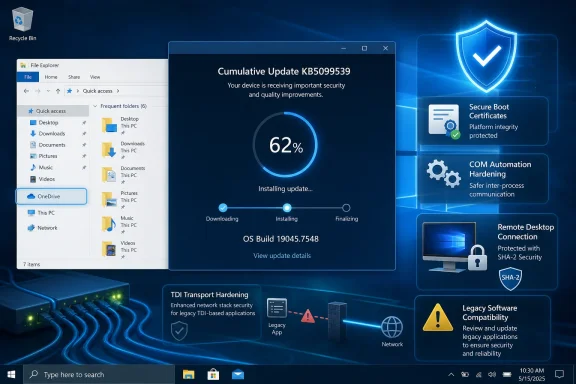 June’s OLE Automation Regression Gets a Fix
One of the most consequential corrections targets an OLE Automation compatibility problem introduced by the June 2026 security update, KB5094127. Applications using IDispatch::Invoke to call COM methods could fail when BYREF parameters shared the same underlying storage.That is a fairly specialized description, but the practical reach could extend to older enterprise applications, automation scripts, Office integrations, and line-of-business software built around COM. Microsoft says the defect could produce parameter-marshaling errors or failed automation calls because Windows was not managing parameter ownership correctly.
KB5099539 changes that ownership handling and is intended to restore the expected application behavior. Organizations that encountered unexplained failures in COM-dependent software immediately after June’s update have a concrete reason to prioritize July’s package in their validation rings.
The update also repairs the OneDrive shortcut in File Explorer when Explorer is running with administrative privileges. Previously, launching Explorer in an elevated context could leave the OneDrive entry unusable, complicating workflows that required both administrative access and cloud-backed files.
A smaller but potentially alarming Recycle Bin error has also been corrected. When permanently deleting a file, Windows could display its internal Recycle Bin filename rather than the original, recognizable filename in the confirmation dialog. The data being selected was not necessarily different, but the misleading name made it harder for users to verify exactly what they were removing.
Secure Boot Certificate Deployment Moves Forward
KB5099539 expands Microsoft’s ongoing effort to distribute replacement Secure Boot certificates. Certificates used by many Windows devices began reaching expiration milestones in June 2026, forcing Microsoft to transition systems to newer certificates without disrupting startup or routine update delivery.The July update adds what Microsoft describes as “high confidence” device-targeting information. This increases the number of eligible PCs that can automatically receive the replacement certificates, with deployment continuing across supported consumer systems and non-managed business devices over the coming months.
Windows Security also gains dynamic status reporting for Secure Boot states. This should give users and support staff a more current view of whether a device is prepared for the certificate transition rather than relying entirely on static configuration indicators.
Microsoft says devices that have not yet received the new certificates should continue to boot and install normal Windows updates. Even so, administrators should treat certificate readiness as a deployment issue rather than assuming every system with Secure Boot enabled has already completed the transition.
There is an additional warning for teams maintaining Windows installation media. Microsoft says dynamically serviced images must contain the correct
boot.stl file, which participates in Secure Boot validation and must match the Windows version and architecture. Omitting it can prevent installation media from starting correctly and produce error code 0xc0430001.Network Hardening May Expose Legacy Software
The update enforces registration requirements for Transport Driver Interface transports. Applications that attempt to use sockets over an unregistered third-party TDI transport may stop working after KB5099539 is installed, while registered transports are not affected.TDI is legacy Windows networking technology, so most current applications should not depend on such a configuration. The systems most likely to be exposed are those running old security products, proprietary network clients, specialized industrial software, or drivers that have remained operational long after their original deployment.
For administrators, this is the July update’s clearest compatibility risk. A failure may present as an application or service losing network access rather than as a failed Windows installation, making it important to test network-dependent legacy workloads instead of checking only whether the PC successfully reboots.
Microsoft frames the change as security hardening rather than an optional compatibility adjustment. Organizations that discover an affected product should verify whether its transport is properly registered or seek an updated driver, rather than treating removal of the update as a durable solution.
The new hotkey cleanup behavior introduces another, narrower compatibility consideration. Microsoft says some built-in Windows experiences that relied on the previous hotkey lifecycle could, in rare cases, temporarily stop reacting to certain keyboard shortcuts.
Restarting the affected application should normally restore shortcut handling. If it does not, Microsoft asks users to report the problem through Feedback Hub, indicating that the company expects edge cases as applications adjust to the revised unregister and cleanup behavior.
RDP Trust Begins Its Move Away From SHA-1
Remote Desktop receives a security-focused modernization with support for SHA-2 certificate thumbprints for trusted RDP publishers. SHA-1 remains available for backward compatibility, but Microsoft says it is planned for removal and recommends migrating to SHA-256 or a stronger algorithm as soon as possible.Trusted publisher settings help Windows decide whether an
.rdp file comes from a recognized source. Strengthening the thumbprint algorithm matters because malicious Remote Desktop configuration files can be used in phishing campaigns to persuade users to connect to attacker-controlled infrastructure or expose credentials and local resources.Microsoft has also published Group Policy guidance for controlling which RDP files users may open. Enterprises that distribute signed
.rdp files or maintain publisher allowlists should inventory existing SHA-1 thumbprints now, before a later update turns Microsoft’s deprecation warning into a breaking change.This is not an immediate removal of SHA-1 support. It is, however, a clear migration marker: administrators can deploy SHA-2 trust records alongside current configurations, test signed RDP files, and eliminate weaker thumbprints on their own schedule rather than waiting for enforcement.
Deployment Still Depends on the Servicing Stack
KB5099539 includes servicing stack update KB5104021, bringing the servicing component to version 19041.7546. Microsoft now combines the latest servicing stack update with the cumulative update, although devices still need an adequate servicing baseline before the package will be offered or installed correctly.The servicing stack also gains updated logic for determining whether a device is hosted on Microsoft Azure, using a newer certificate chain during validation. Azure-hosted environments with restricted outbound access may need to ensure that Microsoft’s required certificate and revocation-list endpoints remain reachable.
For routine installations, eligible PCs can obtain KB5099539 from Settings under Update & Security and Windows Update. Standalone packages are available through the Microsoft Update Catalog, while managed deployments can use Windows Update for Business or Windows Server Update Services.
WSUS administrators should synchronize the Security Updates classification under “Windows 10, version 1903 and later” for version 22H2. Windows 10 version 21H2 LTSC deployments use the Windows 10 LTSB product classification.
Microsoft currently lists no known issues with KB5099539. That clean status does not remove the need to test third-party TDI software, COM automation, RDP publisher policies, and Secure Boot-enabled installation media, but it gives Windows 10 ESU administrators a comparatively straightforward July deployment target—and a direct fix for the application regressions introduced in June.
References
- Primary source: Neowin
Published: 2026-07-14T17:22:01+00:00
Windows 10 KB5099539 July 2026 Cumulative Update is now available for download - Neowin
Microsoft has released the July 2026 Patch Tuesday cumulative updates for Windows 10 under KB5099539. Here's what's included: www.neowin.net
- Official source: support.microsoft.com
July 14, 2026—KB5099539 (OS Builds 19045.7548 and 19044.7548) | Microsoft Support
July 14, 2026—KB5099539 (OS Builds 19045.7548 and 19044.7548)support.microsoft.com
