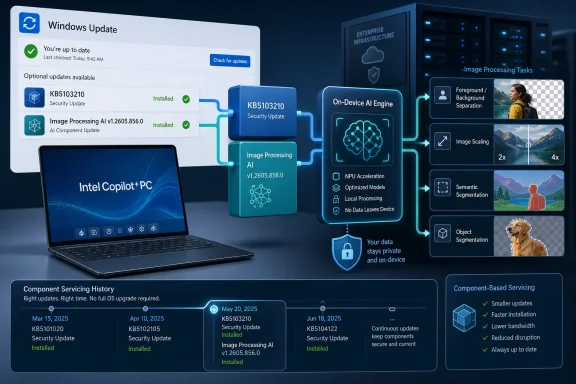
Microsoft has published KB5103210, an automatic Windows Update package for Intel-powered Copilot+ PCs running Windows 11 version 26H1, updating the Image Processing AI component to version 1.2605.856.0 after the latest cumulative update is already installed on the device. The dry wording hides a more interesting shift: Windows’ AI stack is becoming a serviced platform, not a bundle of features tied neatly to a twice-yearly operating-system story. For IT shops, that means the AI PC is no longer just a procurement category. It is now another moving layer in the Windows servicing model.
KB5103210 is not a feature update in the old Windows sense. It is not a shiny new app, not a Start menu redesign, and not the sort of Patch Tuesday payload that administrators can easily explain to users as “security and reliability fixes.” It is a component update for image-processing models and runtime pieces that sit underneath Windows experiences and apps.
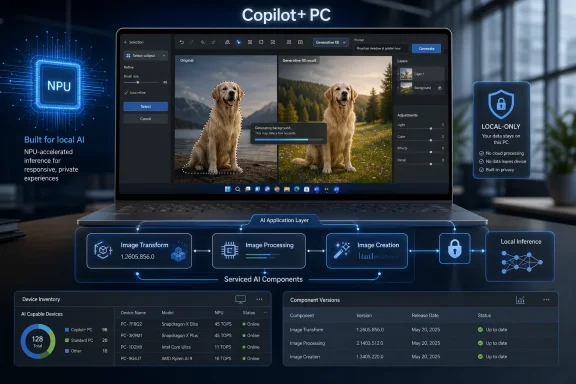
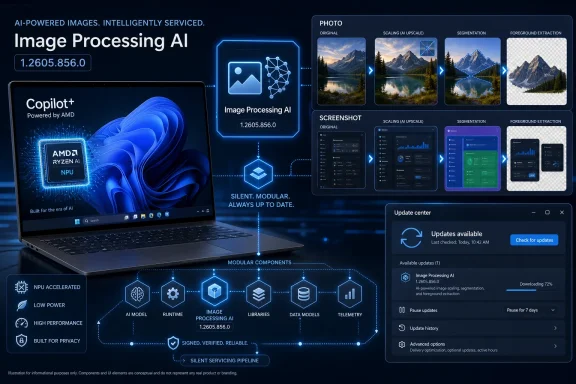
That matters because Microsoft is treating AI capabilities as modular Windows infrastructure. The Image Processing AI component enables on-device understanding and manipulation of images: scaling, segmentation, separating foreground from background, visual analysis, and related tasks that feed enhancement, accessibility, and editing experiences. In plain English, this is plumbing for the features that make a Copilot+ PC feel different from a normal Windows laptop.
The update applies only to Intel-powered Copilot+ PCs, and only to systems on Windows 11 version 26H1. It replaces KB5096578 and appears in update history as “2026-06 Image Processing version 1.2605.856.0 for Intel-powered systems (KB5103210).” That is the kind of line most users will never read, but administrators should.
The significance is not that one image-processing component got a new version number. The significance is that Windows AI is now being patched, tracked, replaced, and audited like a living subsystem.
That makes KB5103210 part of a more selective servicing track. If you are running Windows 11 24H2 or 25H2 on a conventional laptop, this update is not for you. If you bought a qualifying Intel Copilot+ PC with the right generation of silicon and 26H1 preinstalled, Windows Update will handle the component automatically once the latest cumulative update is present.
This is a subtle but important departure from the way many users still think about Windows versions. The old mental model is simple: Windows has a version, the version receives updates, and everyone on that version broadly shares the same platform. Copilot+ PCs complicate that model because hardware capability, Windows build, model package, silicon vendor, and AI runtime all determine what the machine can actually do.
Microsoft’s AI update history now reads less like a traditional Windows changelog and more like a driver-and-model release ledger. There are entries for execution providers, image processing, image transforms, Phi Silica, and other components. The operating system is still the shell around the experience, but the AI behavior increasingly lives in separate payloads.
That may be the right architecture. AI models and hardware runtimes need to evolve faster than Windows’ big release cadence. But it also creates a new burden: the machine’s AI behavior can change without the user installing what they would recognize as a “new Windows version.”
That multi-vendor strategy forces Microsoft to maintain AI components across different silicon back ends. A feature such as foreground extraction may look the same in a Windows app, but the path underneath it can depend on the NPU, the execution provider, the driver stack, and the model package tuned for that hardware. The user sees a button. The administrator inherits a matrix.
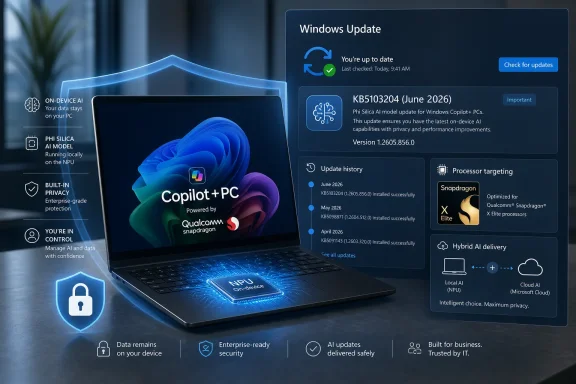
Intel-powered Copilot+ PCs therefore need updates that are not necessarily identical to Qualcomm or AMD systems. That is why Microsoft’s AI servicing model is fragmented by component and platform. It is also why KB5103210 should be read as a silicon-specific maintenance release rather than a universal Windows AI upgrade.
For users, this fragmentation will mostly remain invisible until something breaks or behaves differently across devices. For IT teams, it is another reason not to treat “Copilot+ PC” as a single operational category. An Intel Copilot+ laptop, a Snapdragon Copilot+ laptop, and an AMD Copilot+ laptop may carry the same Windows branding while receiving different component updates at different times.
This is not unusual in PC history. Graphics drivers, Wi-Fi firmware, and chipset packages have always varied by vendor. What is new is that the variation now reaches into user-facing AI features Microsoft is actively marketing as part of Windows itself.
That local-first pitch is especially important for image workloads. Images can include faces, documents, screenshots, locations, private workspaces, and sensitive business material. If Windows can segment a person from a background, enhance an image, or analyze visual content without sending that data to a cloud service, the privacy and compliance argument becomes stronger.
But local processing does not eliminate trust questions. It moves them. Instead of asking only which cloud service receives the data, administrators must ask which local models are installed, how they are updated, whether their behavior is documented, and how regressions are detected.
That is where updates like KB5103210 become more than maintenance trivia. A model improvement can change the quality of an image edit. A runtime change can affect performance or battery life. A segmentation model can improve edge detection, but it can also introduce new artifacts. If AI features become part of normal workflows, these changes become operationally meaningful.
The privacy story also depends on clear boundaries. Microsoft says these components enable local AI experiences, but Windows increasingly mixes local models, cloud-backed Copilot services, app-level AI, and developer APIs. Users may not know which path a given feature uses. Administrators will need controls and documentation that distinguish local inference from cloud processing with much more precision than consumer marketing pages typically provide.
This minimalism is familiar to anyone who has read Windows support pages for years. “This update includes improvements” has become the house style of modern servicing. It reduces confusion for casual users, but it leaves power users and administrators guessing about the practical effect.
For a conventional cumulative update, sparse language is annoying but expected. For AI components, it is more problematic. Model behavior is not like a DLL version bump. If an image-processing model changes how it identifies a foreground subject, handles transparent objects, or treats low-light images, the result can be visible and subjective.
That does not mean Microsoft should publish model weights, proprietary tuning data, or exhaustive test results. But the company should offer a clearer taxonomy for AI component updates. Administrators need to know whether a release is mainly compatibility, performance, quality, safety, or security. Developers need to know whether app behavior might change. Users need a basic reason to trust that an automatic model update is beneficial.
The industry has spent decades building expectations around software changelogs. AI components are now software, runtime, and model behavior rolled into one. The old phrasing is not enough.
For managed environments, automatic installation is more complicated. AI components may not fit neatly into existing testing rings if administrators are focused mainly on monthly cumulative updates, Microsoft 365 app updates, drivers, and firmware. Yet the user-visible effects of an AI component update could land squarely in workflows that organizations care about.
Imagine a design team that relies on background removal in a Windows app, a support desk using visual analysis features, or an accessibility deployment where image understanding helps users interpret content. A component update that improves accuracy for most people could still alter a workflow enough to generate tickets. At enterprise scale, “better” is not the same as “unchanged.”
There is also the audit angle. If a regulated organization permits local AI features because data remains on the device, it still needs to know what was installed and when. The Settings app’s update history is useful for a single machine. Fleet-level visibility is the harder requirement.
Microsoft’s broader management tools will need to make AI component state visible in a way that maps to real administrative questions. Which devices have the component? Which version? Which silicon path? Which Windows build? Which component replaced which earlier component? KB5103210 answers those questions only one device at a time.
This has been a recurring problem for Microsoft’s AI PC push. The company wants consumers to understand Copilot+ as a premium Windows experience, but the implementation is necessarily technical. A machine must have an NPU meeting Microsoft’s threshold. It must run a supported Windows build. It must receive the right AI components. The feature the user wants must be available for that silicon and release channel.
That complexity will only grow as Microsoft experiments with bringing some local AI capabilities to PCs with discrete GPUs. If Windows can run certain AI models on supported Nvidia GPUs in experimental developer scenarios, the line between Copilot+ hardware and broader Windows AI hardware becomes less clean. Microsoft may still reserve polished consumer features for Copilot+ PCs, but developers and enthusiasts will notice the widening gap between branding and technical capability.
Intel’s role is central here. The PC market still runs heavily on x86 hardware, and many business buyers remain more comfortable with Intel-based fleets than with Arm transition risks. If Microsoft wants Copilot+ to become mainstream in enterprises, Intel systems must receive timely, reliable, well-documented AI component updates.
KB5103210 is one small proof point that the machinery exists. It is not proof that the messaging has caught up.
In the AI PC era, silicon vendors are not merely selling chips. They are selling the promise that Windows workloads will be optimized for their hardware over time. Microsoft, in turn, becomes the referee and distributor of that optimization. The Windows Update pipeline is where the promise becomes reality or starts to fray.
This is particularly important for image processing because it sits close to everyday use. Users may not care which model performs segmentation, but they will notice whether background blur is clean, whether a subject cutout looks professional, whether accessibility descriptions are responsive, or whether an editing feature drains battery. The NPU becomes real only when the experience is fast and good.
That creates pressure on Microsoft to keep AI components updated independently from full Windows releases. It also creates pressure to avoid making the update story feel chaotic. Frequent component updates can be a strength if they improve features transparently. They can become a liability if users and admins cannot tell what changed.
The Windows ecosystem has survived this tension before with drivers. AI components are different because the output is not just device compatibility; it is interpretation. A driver helps a camera work. An image model decides what the camera image contains.
Administrators should pay closer attention. The update has a prerequisite, a replacement relationship, a silicon scope, a Windows version requirement, and a visible update-history string. Those are the pieces needed to build inventory logic, help-desk scripts, and compliance reporting.
The immediate action is simple. On an affected Intel Copilot+ PC, open Settings, go to Windows Update, check Update history, and look for the June 2026 Image Processing entry with version 1.2605.856.0. If it is not present, confirm that the latest cumulative update for Windows 11 26H1 is installed first.
The larger action is strategic. Organizations evaluating Copilot+ PCs should add AI component servicing to their test plans. That means not just asking whether Recall, Cocreator, Live Captions, or image-editing features are enabled, but also asking how the underlying components are updated, logged, and controlled.
Windows AI is no longer a demo layered on top of the operating system. It is becoming part of the operating environment that must be serviced like any other dependency.
 Microsoft Turns the AI PC Into a Servicing Problem
KB5103210 is not a feature update in the old Windows sense. It is not a shiny new app, not a Start menu redesign, and not the sort of Patch Tuesday payload that administrators can easily explain to users as “security and reliability fixes.” It is a component update for image-processing models and runtime pieces that sit underneath Windows experiences and apps.That matters because Microsoft is treating AI capabilities as modular Windows infrastructure. The Image Processing AI component enables on-device understanding and manipulation of images: scaling, segmentation, separating foreground from background, visual analysis, and related tasks that feed enhancement, accessibility, and editing experiences. In plain English, this is plumbing for the features that make a Copilot+ PC feel different from a normal Windows laptop.
The update applies only to Intel-powered Copilot+ PCs, and only to systems on Windows 11 version 26H1. It replaces KB5096578 and appears in update history as “2026-06 Image Processing version 1.2605.856.0 for Intel-powered systems (KB5103210).” That is the kind of line most users will never read, but administrators should.
The significance is not that one image-processing component got a new version number. The significance is that Windows AI is now being patched, tracked, replaced, and audited like a living subsystem.
26H1 Is the Narrow Door This Update Walks Through
The 26H1 requirement is the first clue that this update is aimed at a very specific slice of the Windows ecosystem. Windows 11 version 26H1 is not the ordinary successor to 25H2 for the broad installed base. Microsoft describes it as a hardware-scoped release for new devices, not an in-place feature update for existing Windows 11 PCs.That makes KB5103210 part of a more selective servicing track. If you are running Windows 11 24H2 or 25H2 on a conventional laptop, this update is not for you. If you bought a qualifying Intel Copilot+ PC with the right generation of silicon and 26H1 preinstalled, Windows Update will handle the component automatically once the latest cumulative update is present.
This is a subtle but important departure from the way many users still think about Windows versions. The old mental model is simple: Windows has a version, the version receives updates, and everyone on that version broadly shares the same platform. Copilot+ PCs complicate that model because hardware capability, Windows build, model package, silicon vendor, and AI runtime all determine what the machine can actually do.
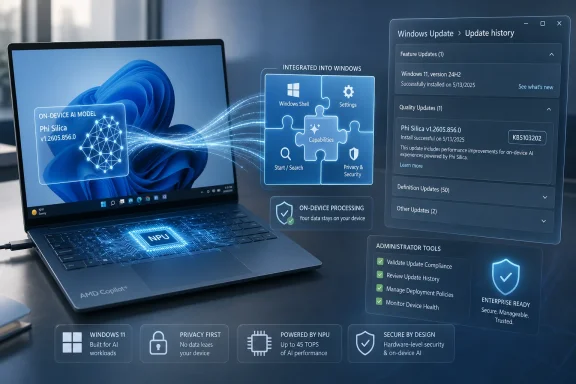
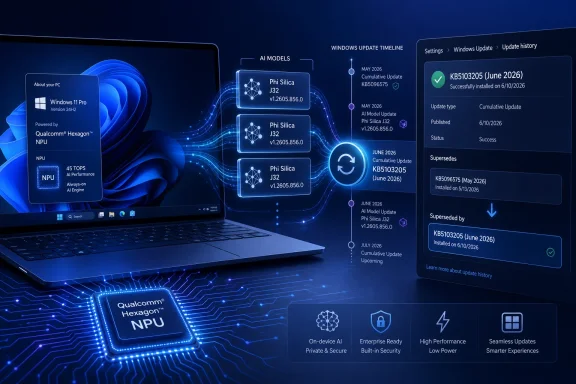
Microsoft’s AI update history now reads less like a traditional Windows changelog and more like a driver-and-model release ledger. There are entries for execution providers, image processing, image transforms, Phi Silica, and other components. The operating system is still the shell around the experience, but the AI behavior increasingly lives in separate payloads.
That may be the right architecture. AI models and hardware runtimes need to evolve faster than Windows’ big release cadence. But it also creates a new burden: the machine’s AI behavior can change without the user installing what they would recognize as a “new Windows version.”
Intel Gets Its Own Lane in the Copilot+ Traffic System
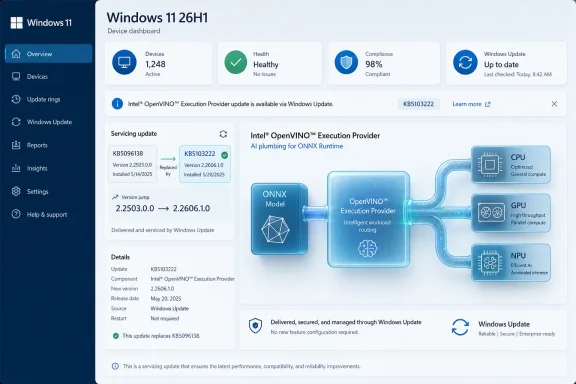
KB5103210 is explicitly for Intel-powered systems, which is not an incidental detail. Copilot+ PCs began as a Windows-on-Arm showcase, with Qualcomm’s Snapdragon X chips carrying the first wave of Microsoft’s NPU-centric marketing. Intel and AMD later joined the Copilot+ story as their NPUs reached Microsoft’s performance threshold.That multi-vendor strategy forces Microsoft to maintain AI components across different silicon back ends. A feature such as foreground extraction may look the same in a Windows app, but the path underneath it can depend on the NPU, the execution provider, the driver stack, and the model package tuned for that hardware. The user sees a button. The administrator inherits a matrix.
Intel-powered Copilot+ PCs therefore need updates that are not necessarily identical to Qualcomm or AMD systems. That is why Microsoft’s AI servicing model is fragmented by component and platform. It is also why KB5103210 should be read as a silicon-specific maintenance release rather than a universal Windows AI upgrade.
For users, this fragmentation will mostly remain invisible until something breaks or behaves differently across devices. For IT teams, it is another reason not to treat “Copilot+ PC” as a single operational category. An Intel Copilot+ laptop, a Snapdragon Copilot+ laptop, and an AMD Copilot+ laptop may carry the same Windows branding while receiving different component updates at different times.
This is not unusual in PC history. Graphics drivers, Wi-Fi firmware, and chipset packages have always varied by vendor. What is new is that the variation now reaches into user-facing AI features Microsoft is actively marketing as part of Windows itself.
The Privacy Pitch Depends on Local Components Staying Trustworthy
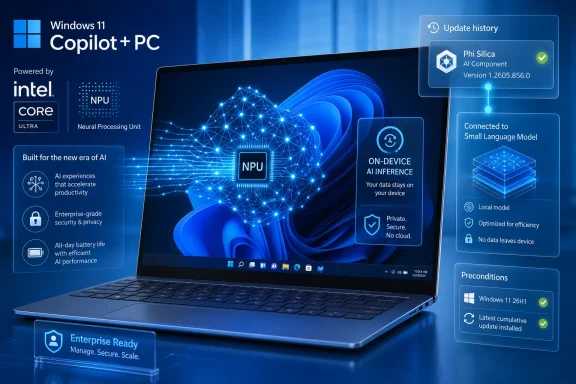
Microsoft’s central argument for Copilot+ PCs has been local AI: fast responses, lower latency, and data that stays on the device. KB5103210 reinforces that message by describing the Image Processing AI component as running on dedicated AI hardware and supporting on-device image understanding and processing.That local-first pitch is especially important for image workloads. Images can include faces, documents, screenshots, locations, private workspaces, and sensitive business material. If Windows can segment a person from a background, enhance an image, or analyze visual content without sending that data to a cloud service, the privacy and compliance argument becomes stronger.
But local processing does not eliminate trust questions. It moves them. Instead of asking only which cloud service receives the data, administrators must ask which local models are installed, how they are updated, whether their behavior is documented, and how regressions are detected.
That is where updates like KB5103210 become more than maintenance trivia. A model improvement can change the quality of an image edit. A runtime change can affect performance or battery life. A segmentation model can improve edge detection, but it can also introduce new artifacts. If AI features become part of normal workflows, these changes become operationally meaningful.
The privacy story also depends on clear boundaries. Microsoft says these components enable local AI experiences, but Windows increasingly mixes local models, cloud-backed Copilot services, app-level AI, and developer APIs. Users may not know which path a given feature uses. Administrators will need controls and documentation that distinguish local inference from cloud processing with much more precision than consumer marketing pages typically provide.
The Changelog Is Too Thin for the Importance of the Component
The KB article says the update includes improvements to the Image Processing AI component. That is almost certainly true, but it is not very informative. Microsoft does not spell out whether the improvements are quality fixes, model updates, hardware compatibility changes, performance tuning, reliability patches, security hardening, or something else.This minimalism is familiar to anyone who has read Windows support pages for years. “This update includes improvements” has become the house style of modern servicing. It reduces confusion for casual users, but it leaves power users and administrators guessing about the practical effect.
For a conventional cumulative update, sparse language is annoying but expected. For AI components, it is more problematic. Model behavior is not like a DLL version bump. If an image-processing model changes how it identifies a foreground subject, handles transparent objects, or treats low-light images, the result can be visible and subjective.
That does not mean Microsoft should publish model weights, proprietary tuning data, or exhaustive test results. But the company should offer a clearer taxonomy for AI component updates. Administrators need to know whether a release is mainly compatibility, performance, quality, safety, or security. Developers need to know whether app behavior might change. Users need a basic reason to trust that an automatic model update is beneficial.
The industry has spent decades building expectations around software changelogs. AI components are now software, runtime, and model behavior rolled into one. The old phrasing is not enough.
Automatic Installation Is Convenient Until Governance Enters the Room
KB5103210 downloads and installs automatically from Windows Update. For consumers, that is the sane default. Nobody wants to manually hunt for a model package so Photos, Paint, accessibility features, or future AI-assisted editing tools work correctly.For managed environments, automatic installation is more complicated. AI components may not fit neatly into existing testing rings if administrators are focused mainly on monthly cumulative updates, Microsoft 365 app updates, drivers, and firmware. Yet the user-visible effects of an AI component update could land squarely in workflows that organizations care about.
Imagine a design team that relies on background removal in a Windows app, a support desk using visual analysis features, or an accessibility deployment where image understanding helps users interpret content. A component update that improves accuracy for most people could still alter a workflow enough to generate tickets. At enterprise scale, “better” is not the same as “unchanged.”
There is also the audit angle. If a regulated organization permits local AI features because data remains on the device, it still needs to know what was installed and when. The Settings app’s update history is useful for a single machine. Fleet-level visibility is the harder requirement.
Microsoft’s broader management tools will need to make AI component state visible in a way that maps to real administrative questions. Which devices have the component? Which version? Which silicon path? Which Windows build? Which component replaced which earlier component? KB5103210 answers those questions only one device at a time.
Copilot+ Branding Is Starting to Hide a Lot of Machinery
The phrase “Copilot+ PC” sounds like a simple badge. In practice, it now covers processor requirements, NPU performance, Windows version eligibility, model availability, feature rollout timing, silicon-specific runtime support, and region-dependent experiences. KB5103210 is a reminder that the badge is not the platform. The platform is the servicing machinery behind it.This has been a recurring problem for Microsoft’s AI PC push. The company wants consumers to understand Copilot+ as a premium Windows experience, but the implementation is necessarily technical. A machine must have an NPU meeting Microsoft’s threshold. It must run a supported Windows build. It must receive the right AI components. The feature the user wants must be available for that silicon and release channel.
That complexity will only grow as Microsoft experiments with bringing some local AI capabilities to PCs with discrete GPUs. If Windows can run certain AI models on supported Nvidia GPUs in experimental developer scenarios, the line between Copilot+ hardware and broader Windows AI hardware becomes less clean. Microsoft may still reserve polished consumer features for Copilot+ PCs, but developers and enthusiasts will notice the widening gap between branding and technical capability.
Intel’s role is central here. The PC market still runs heavily on x86 hardware, and many business buyers remain more comfortable with Intel-based fleets than with Arm transition risks. If Microsoft wants Copilot+ to become mainstream in enterprises, Intel systems must receive timely, reliable, well-documented AI component updates.
KB5103210 is one small proof point that the machinery exists. It is not proof that the messaging has caught up.
The Real Competition Is Not Just Faster NPUs
It is tempting to read every Copilot+ update through the lens of hardware performance: 40 TOPS, 45 TOPS, 48 TOPS, and whatever number comes next. That metric matters, but KB5103210 points to a quieter competition over software freshness. The best NPU in the world is not useful if Windows’ model packages, execution providers, and app integrations lag behind.In the AI PC era, silicon vendors are not merely selling chips. They are selling the promise that Windows workloads will be optimized for their hardware over time. Microsoft, in turn, becomes the referee and distributor of that optimization. The Windows Update pipeline is where the promise becomes reality or starts to fray.
This is particularly important for image processing because it sits close to everyday use. Users may not care which model performs segmentation, but they will notice whether background blur is clean, whether a subject cutout looks professional, whether accessibility descriptions are responsive, or whether an editing feature drains battery. The NPU becomes real only when the experience is fast and good.
That creates pressure on Microsoft to keep AI components updated independently from full Windows releases. It also creates pressure to avoid making the update story feel chaotic. Frequent component updates can be a strength if they improve features transparently. They can become a liability if users and admins cannot tell what changed.
The Windows ecosystem has survived this tension before with drivers. AI components are different because the output is not just device compatibility; it is interpretation. A driver helps a camera work. An image model decides what the camera image contains.
Users Will See the Feature, Admins Will See the Inventory
For most users, KB5103210 will pass unnoticed. Windows Update will install it, update history will record it, and image-related AI experiences may simply become a little better or more reliable. That is the best-case scenario for consumer Windows servicing: nothing breaks, nothing demands attention, and the machine improves quietly.Administrators should pay closer attention. The update has a prerequisite, a replacement relationship, a silicon scope, a Windows version requirement, and a visible update-history string. Those are the pieces needed to build inventory logic, help-desk scripts, and compliance reporting.
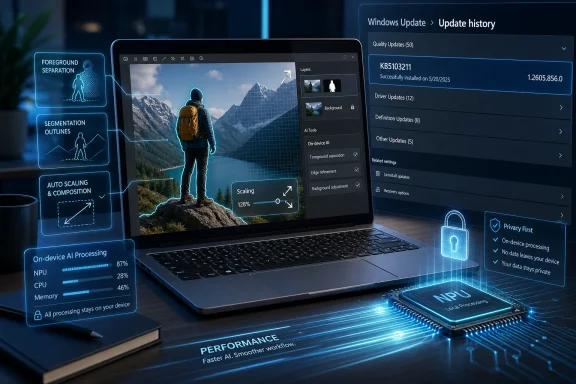
The immediate action is simple. On an affected Intel Copilot+ PC, open Settings, go to Windows Update, check Update history, and look for the June 2026 Image Processing entry with version 1.2605.856.0. If it is not present, confirm that the latest cumulative update for Windows 11 26H1 is installed first.
The larger action is strategic. Organizations evaluating Copilot+ PCs should add AI component servicing to their test plans. That means not just asking whether Recall, Cocreator, Live Captions, or image-editing features are enabled, but also asking how the underlying components are updated, logged, and controlled.
Windows AI is no longer a demo layered on top of the operating system. It is becoming part of the operating environment that must be serviced like any other dependency.
The June Image Update Draws a Map for the Next Windows Fleet
KB5103210 is a small update with a large implication: AI PC management will be won or lost in the boring details. The update is automatic, silicon-specific, version-scoped, and tied to Windows’ emerging AI component history. That combination tells us more about Microsoft’s direction than the sparse support text does.- KB5103210 updates the Image Processing AI component on Intel-powered Copilot+ PCs to version 1.2605.856.0.
- The update applies to Windows 11 version 26H1 systems and requires the latest cumulative update for that release.
- The package replaces KB5096578 and should appear in Windows Update history as a June 2026 Image Processing update.
- The component supports local image understanding tasks such as scaling, segmentation, foreground and background extraction, and visual analysis.
- The update reinforces that Copilot+ PCs are serviced through multiple AI component streams, not just ordinary Windows feature updates.
- Administrators should treat AI component versions as inventory data, especially when testing Intel Copilot+ PCs for managed environments.
References
- Primary source: Microsoft Support
Published: Tue, 23 Jun 2026 17:02:45 Z
- Official source: microsoft.com
Shop High-Performance Laptops, Computers, PCs, and Tablets | Microsoft Windows
Shop high-performance laptops, PCs, and tablets built for multitasking, advanced AI capabilities, powerful graphics, and all-day performance. Explore premium, high-spec Windows devices.www.microsoft.com - Official source: learn.microsoft.com
Release information for AI components | Microsoft Learn
Release information for AI componentslearn.microsoft.com - Related coverage: windowscentral.com
Microsoft Copilot+ PC guide: What it is, features, how to access it, and PC requirements, and everything you need to know | Windows Central
Microsoft Copilot+ has been announced for upcoming AI PCs, but what exactly is it? Here's everything you need to know.www.windowscentral.com - Related coverage: pcworld.com
Intel Core Ultra & Windows Copilot: What local AI can (and can't) do | PCWorld
Intel Core Ultra CPUs enable the operation of local AI solutions. This allows users to utilize AI solutions without having to send data to the cloud. Windows supports this with Copilot. This article explains what's behind it.www.pcworld.com - Related coverage: tomshardware.com
Copilot+ PCs: All we know about the AI-ready laptops and exclusive Windows features | Tom's Hardware
Microsoft's shiny new AI innovations for the laptop spacewww.tomshardware.com

- Related coverage: windowslatest.com
Windows 11 AI components are getting their own changelogs (release history), as Microsoft plans model updates
Windows Latest today found a new support document called "Release information for AI components." This lists all AI model updates. www.windowslatest.com
- Related coverage: techradar.com
Microsoft is bringing AI features to more Windows 11 PCs — just in case you were under the impression that AI was being cut back | TechRadar
There's no need for an NPU for certain AI features now, as an Nvidia GPU will do the jobwww.techradar.com - Official source: news.microsoft.com
- Official source: info.microsoft.com
- Related coverage: intel.cn
- Related coverage: download.intel.com
Intel Core Ultra Extends AI PCs to the Enterprise with New Intel vPro...
PDF documentdownload.intel.com
- Related coverage: na.ingrammicro.com