

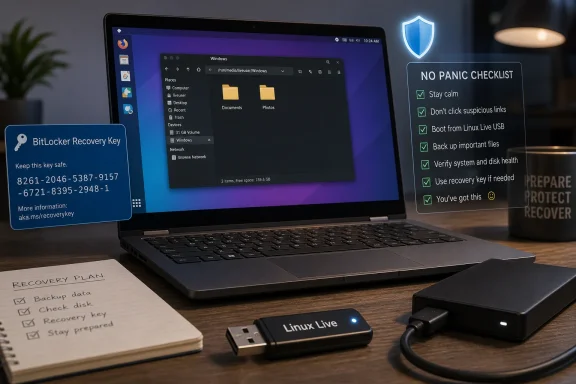
Keeping a Linux live USB alongside a Windows PC is a practical emergency plan because it lets users boot a separate operating system, inspect files, copy data, and sometimes neutralize Windows-specific malware without relying on the broken Windows installation itself. The trick is not that Linux is magic. It is that a dead or compromised Windows environment stops being the battlefield. For home users and small shops alike, that tiny flash drive can turn a crisis from a wipe-and-pray event into a controlled recovery operation.
There is a quiet heresy inside the MakeUseOf piece that inspired this discussion: when Windows fails badly enough, the smartest first move may be to stop using Windows entirely. Not permanently, not ideologically, and not as a desktop lifestyle statement. Just long enough to get outside the blast radius.
That distinction matters. Windows recovery has improved over the years, and Microsoft’s built-in recovery environment can reset a PC, roll back updates, launch repair tools, and reinstall the operating system from USB media. But Windows recovery still lives in the Windows universe: the same disk layout, the same boot chain, the same encryption assumptions, and often the same user panic.
A Linux live USB changes the sequence. Instead of asking “How do I fix Windows?” it asks the better first question: “What do I need to save before I touch anything?” That is the difference between troubleshooting and triage.
The argument is especially persuasive because it does not require converting anyone to Linux. A live USB is not a declaration of platform allegiance. It is a fire extinguisher mounted next to the kitchen door. You do not have to love extinguishers, read extinguisher forums, or move into an extinguisher-only household to understand why having one nearby is better than wishing you did.
That does not mean a malicious executable becomes safe in some metaphysical sense. It means it usually becomes inert while viewed from the outside. The ransomware payload, credential stealer, fake antivirus stub, or persistence script sitting on an NTFS partition is still a malicious file. But without the Windows environment that launches and supports it, it is often just another object in a file manager.
This is why offline malware removal has been a trusted pattern for years. Security professionals frequently prefer scanning and manipulating a compromised system from a known-good environment because active malware can hide processes, lock files, tamper with tools, or interfere with cleanup attempts while the infected OS is running. A live USB gives ordinary users a crude version of that same advantage.
The user still needs judgment. Linux will not automatically identify every malicious file, rebuild a damaged bootloader, or reverse a ransomware event. If files are encrypted, mounting the disk from Linux will not reveal their contents without the decryption key. If the attacker has stolen credentials, copied browser tokens, or planted persistence somewhere else, the machine is only one part of the cleanup.
But as a first move, booting Linux can stop the immediate chase. The malware is no longer reacting in real time. The user can copy irreplaceable data, inspect suspicious startup folders, run offline scanners where appropriate, and decide whether the correct end state is repair, restore, or total reinstallation.
That is why a Linux live USB feels disproportionately powerful the first time it works. A laptop that cannot reach the Windows login screen may still have a perfectly readable SSD. The operating system may be mangled, but the data partition may be fine. From a live desktop such as Linux Mint or Ubuntu, a user can often open the file manager, mount the Windows volume, and copy important folders to an external drive.
This is the part Windows users should internalize. Startup Repair, System Restore, Reset this PC, and clean installation all have their place. But they are not morally superior to copying the user’s data first. In a real incident, the safest order is usually preserve, then repair.
That order matters because repair attempts can make later recovery harder. Reset operations can remove applications. Reinstalls can overwrite partitions if the user clicks through too quickly. A failing drive can degrade further with every reboot and scan. Malware cleanup can delete files that turn out to be needed evidence or contain recoverable data.
A Linux USB does not guarantee recovery, especially when BitLocker or device encryption is involved. Modern Windows systems often ship with encryption enabled, and access to the contents of the drive may require a recovery key tied to a Microsoft account, Entra ID, or organizational management system. That is not a flaw in Linux; it is encryption doing its job. The practical lesson is that a rescue USB and a known-good copy of your BitLocker recovery key belong in the same preparedness conversation.
That is all useful. It is also mostly designed around restoring Windows to a working state. A Linux live USB is designed by accident, rather than by Microsoft’s product planning, around something more primitive: accessing a disk from outside the installed OS.
That independence is the point. The rescue environment is not chained to the local Windows installation, its registry, its user profile corruption, its broken update state, or its infected session. If the Windows bootloader is confused, Linux may still boot. If Explorer is unusable, Linux has its own file manager. If a startup item hijacks every Windows login, Linux ignores it.
There are cases where Microsoft’s tools are the better answer. If the machine is BitLocker-protected and the user has the key, Windows Recovery Environment may be the cleaner route for rollback or repair. If the problem is a known update issue, uninstalling the latest quality update from WinRE can be faster than poking around from Linux. If the user needs to preserve OEM recovery partitions, driver packages, and factory state, Windows-native recovery media may understand that workflow better.
But there is a reason IT people like out-of-band tools. The more severe the failure, the less comforting it is to depend entirely on the failed system’s own self-healing path. A live Linux USB gives users a second operating environment, and sometimes that second opinion is the difference between clarity and chaos.
The modern boot stack, however, adds friction. Secure Boot may allow some Linux distributions to start cleanly, block others, or require additional trust steps depending on the distribution, bootloader, firmware, and USB creation method. Ventoy is popular because it lets users copy ISO files onto a USB drive and select them from a boot menu, but Secure Boot support can involve enrollment prompts that may confuse exactly the kind of user reaching for a rescue stick under pressure.
Rufus remains the more traditional option: choose an ISO, write it to a USB drive, and create a bootable installer or live environment. Ventoy is more flexible for people who want a Swiss Army knife with Linux, Windows installation media, rescue ISOs, firmware tools, and diagnostics all on one drive. The better choice depends on temperament. If the user wants one Linux image and the fewest surprises, Rufus is hard to beat. If the user wants a multi-ISO toolkit, Ventoy is the enthusiast’s friend.
The important step is testing before disaster. Boot the USB on the machine while everything still works. Confirm that the firmware boot menu appears. Confirm that the Linux desktop loads. Confirm that the internal drive is visible. Confirm that Wi-Fi, keyboard, trackpad, and external storage work well enough for rescue tasks. A recovery tool that has never been tested is not a plan; it is a theory.
Encryption deserves special emphasis. If BitLocker or Windows device encryption protects the disk, Linux may see the partition but not its readable contents until it is unlocked. Users should know where their recovery keys are before an emergency. For businesses, that means verifying escrow in Entra ID, Active Directory, or the organization’s endpoint management system. For consumers, it often means checking the Microsoft account associated with the PC.
If ransomware has already encrypted local files, Linux will not decrypt them. If the malware has synchronized encrypted junk to OneDrive, Google Drive, Dropbox, or a NAS share, the recovery problem has moved beyond the local SSD. If credentials were stolen, copying files from Linux does not rotate passwords, revoke sessions, or invalidate tokens. If firmware-level compromise is suspected, a consumer live USB is nowhere near enough assurance.
That does not make the USB less valuable. It clarifies the role. The live environment is the safe room, not the court system, the insurance adjuster, and the rebuild crew combined.
After data is copied, users still need to make a hard decision about trust. On a mildly broken Windows install caused by a failed update, repair may be reasonable. On a confirmed malware infection, especially one involving credential theft or unknown persistence, a clean reinstall is often the more defensible endpoint. For managed environments, the answer may be wiping and reprovisioning from known-good images rather than performing artisanal cleanup on a suspect machine.
This is where home users and IT professionals diverge in language but not in principle. The home user says, “I just want my files back.” The admin says, “I need a known-good state.” The Linux USB helps with the first goal. It does not automatically satisfy the second.
In practice, the opposite is true. The more abstract and account-bound computing becomes, the more valuable it is to have a local, physical, vendor-neutral recovery path. A USB stick does not care whether the Microsoft Store opens, whether your Windows profile loads, whether the network stack is behaving, or whether a cloud sync client is stuck. It gives you a desktop and a file manager when the normal chain of conveniences has snapped.
Cloud sync is not the same as backup, and backup is not the same as recovery. A synced folder may faithfully replicate deletion, corruption, or ransomware damage. A backup may exist but require software that runs only inside Windows. A recovery image may restore the OS but not the one folder the user forgot to protect. The live USB sits outside those assumptions.
For Windows enthusiasts, this should feel familiar rather than alien. The platform has always rewarded people who keep bootable media, offline installers, driver packages, firmware tools, and diagnostic utilities close at hand. A Linux live USB is just the modern version of the technician’s bag: small, cheap, unglamorous, and invaluable when something goes sideways.
The irony is that Linux’s greatest value to many Windows users is not as a replacement desktop. It is as the one desktop that still appears when Windows refuses to.
That is why enterprises should not hear this advice as “let everyone bring random Linux sticks.” They should hear it as a reminder that out-of-band recovery remains necessary even in modern Windows management. The organization should define who can use rescue media, what media is approved, how BitLocker keys are retrieved, where recovered data is written, and when a device must be wiped rather than repaired.
Secure Boot, BitLocker, and measured boot are not annoyances in this context. They are boundaries. If Linux cannot read a drive without a recovery key, that is a protection against exactly the kind of uncontrolled data access enterprises worry about. The right operational response is not to disable security wholesale, but to make sure authorized recovery is possible without improvisation.
For smaller businesses, the lesson is more basic. Keep recovery keys escrowed. Keep tested Windows installation media. Keep a known-good Linux rescue USB. Keep an external drive dedicated to emergency recovery. Document the boot-menu key for common hardware. The time to discover that a fleet of laptops hides the boot menu behind firmware settings is not the morning after a bad update.
A disciplined rescue process does not make Linux the hero and Windows the villain. It simply recognizes that resilience comes from diversity. One operating system failing should not make every recovery path fail with it.
The best rescue plan is the one prepared before pride, panic, and deadlines enter the room.
 The Best Windows Rescue Tool May Not Be Windows
There is a quiet heresy inside the MakeUseOf piece that inspired this discussion: when Windows fails badly enough, the smartest first move may be to stop using Windows entirely. Not permanently, not ideologically, and not as a desktop lifestyle statement. Just long enough to get outside the blast radius.That distinction matters. Windows recovery has improved over the years, and Microsoft’s built-in recovery environment can reset a PC, roll back updates, launch repair tools, and reinstall the operating system from USB media. But Windows recovery still lives in the Windows universe: the same disk layout, the same boot chain, the same encryption assumptions, and often the same user panic.
A Linux live USB changes the sequence. Instead of asking “How do I fix Windows?” it asks the better first question: “What do I need to save before I touch anything?” That is the difference between troubleshooting and triage.
The argument is especially persuasive because it does not require converting anyone to Linux. A live USB is not a declaration of platform allegiance. It is a fire extinguisher mounted next to the kitchen door. You do not have to love extinguishers, read extinguisher forums, or move into an extinguisher-only household to understand why having one nearby is better than wishing you did.
Malware Loses Power When Its Operating System Disappears
The simplest case for a Linux rescue USB is malware response, and it rests on a boring but powerful technical fact: most Windows malware is written to run on Windows. It expects Windows services, Windows startup mechanisms, Windows registry keys, Windows file paths, Windows APIs, Windows scripting hosts, and Windows user sessions. Boot into Linux, and much of that machinery is no longer present.That does not mean a malicious executable becomes safe in some metaphysical sense. It means it usually becomes inert while viewed from the outside. The ransomware payload, credential stealer, fake antivirus stub, or persistence script sitting on an NTFS partition is still a malicious file. But without the Windows environment that launches and supports it, it is often just another object in a file manager.
This is why offline malware removal has been a trusted pattern for years. Security professionals frequently prefer scanning and manipulating a compromised system from a known-good environment because active malware can hide processes, lock files, tamper with tools, or interfere with cleanup attempts while the infected OS is running. A live USB gives ordinary users a crude version of that same advantage.
The user still needs judgment. Linux will not automatically identify every malicious file, rebuild a damaged bootloader, or reverse a ransomware event. If files are encrypted, mounting the disk from Linux will not reveal their contents without the decryption key. If the attacker has stolen credentials, copied browser tokens, or planted persistence somewhere else, the machine is only one part of the cleanup.
But as a first move, booting Linux can stop the immediate chase. The malware is no longer reacting in real time. The user can copy irreplaceable data, inspect suspicious startup folders, run offline scanners where appropriate, and decide whether the correct end state is repair, restore, or total reinstallation.
The Real Treasure Is Not Windows, It Is the Stuff Inside Windows
The MakeUseOf author’s most important observation is not about malware at all. It is about priorities. People say their computer is broken, but what they usually mean is that their work, photos, tax records, school files, project folders, or client documents are suddenly trapped behind a failed boot.That is why a Linux live USB feels disproportionately powerful the first time it works. A laptop that cannot reach the Windows login screen may still have a perfectly readable SSD. The operating system may be mangled, but the data partition may be fine. From a live desktop such as Linux Mint or Ubuntu, a user can often open the file manager, mount the Windows volume, and copy important folders to an external drive.
This is the part Windows users should internalize. Startup Repair, System Restore, Reset this PC, and clean installation all have their place. But they are not morally superior to copying the user’s data first. In a real incident, the safest order is usually preserve, then repair.
That order matters because repair attempts can make later recovery harder. Reset operations can remove applications. Reinstalls can overwrite partitions if the user clicks through too quickly. A failing drive can degrade further with every reboot and scan. Malware cleanup can delete files that turn out to be needed evidence or contain recoverable data.
A Linux USB does not guarantee recovery, especially when BitLocker or device encryption is involved. Modern Windows systems often ship with encryption enabled, and access to the contents of the drive may require a recovery key tied to a Microsoft account, Entra ID, or organizational management system. That is not a flaw in Linux; it is encryption doing its job. The practical lesson is that a rescue USB and a known-good copy of your BitLocker recovery key belong in the same preparedness conversation.
Microsoft Has Recovery Tools, But They Are Not a Substitute for Independence
Microsoft’s own recovery story is broader than many users realize. Windows can create a recovery drive. Windows installation media can reinstall the operating system. Windows Recovery Environment can offer command-line access, startup repair, uninstall updates, system image recovery, and reset workflows. For managed fleets, enterprise recovery can be wrapped in Autopilot, Intune, Entra ID, BitLocker escrow, and deployment tooling.That is all useful. It is also mostly designed around restoring Windows to a working state. A Linux live USB is designed by accident, rather than by Microsoft’s product planning, around something more primitive: accessing a disk from outside the installed OS.
That independence is the point. The rescue environment is not chained to the local Windows installation, its registry, its user profile corruption, its broken update state, or its infected session. If the Windows bootloader is confused, Linux may still boot. If Explorer is unusable, Linux has its own file manager. If a startup item hijacks every Windows login, Linux ignores it.
There are cases where Microsoft’s tools are the better answer. If the machine is BitLocker-protected and the user has the key, Windows Recovery Environment may be the cleaner route for rollback or repair. If the problem is a known update issue, uninstalling the latest quality update from WinRE can be faster than poking around from Linux. If the user needs to preserve OEM recovery partitions, driver packages, and factory state, Windows-native recovery media may understand that workflow better.
But there is a reason IT people like out-of-band tools. The more severe the failure, the less comforting it is to depend entirely on the failed system’s own self-healing path. A live Linux USB gives users a second operating environment, and sometimes that second opinion is the difference between clarity and chaos.
The Five-Minute Insurance Policy Has a Few Fine-Print Clauses
The romantic version of the Linux USB story is simple: download Linux Mint, write it to a flash drive, boot the broken PC, rescue your files. In many cases, that really is close to the experience. Linux Mint remains a sensible recommendation because its Cinnamon desktop is familiar to Windows users, its live environment is approachable, and its file manager makes external drives and NTFS partitions visible without forcing newcomers into terminal commands.The modern boot stack, however, adds friction. Secure Boot may allow some Linux distributions to start cleanly, block others, or require additional trust steps depending on the distribution, bootloader, firmware, and USB creation method. Ventoy is popular because it lets users copy ISO files onto a USB drive and select them from a boot menu, but Secure Boot support can involve enrollment prompts that may confuse exactly the kind of user reaching for a rescue stick under pressure.
Rufus remains the more traditional option: choose an ISO, write it to a USB drive, and create a bootable installer or live environment. Ventoy is more flexible for people who want a Swiss Army knife with Linux, Windows installation media, rescue ISOs, firmware tools, and diagnostics all on one drive. The better choice depends on temperament. If the user wants one Linux image and the fewest surprises, Rufus is hard to beat. If the user wants a multi-ISO toolkit, Ventoy is the enthusiast’s friend.
The important step is testing before disaster. Boot the USB on the machine while everything still works. Confirm that the firmware boot menu appears. Confirm that the Linux desktop loads. Confirm that the internal drive is visible. Confirm that Wi-Fi, keyboard, trackpad, and external storage work well enough for rescue tasks. A recovery tool that has never been tested is not a plan; it is a theory.
Encryption deserves special emphasis. If BitLocker or Windows device encryption protects the disk, Linux may see the partition but not its readable contents until it is unlocked. Users should know where their recovery keys are before an emergency. For businesses, that means verifying escrow in Entra ID, Active Directory, or the organization’s endpoint management system. For consumers, it often means checking the Microsoft account associated with the PC.
The Rescue Stick Is Not a Cleanup Strategy by Itself
The danger of good emergency tools is that people can start treating them like cures. A Linux live USB is not a full incident response process. It is a way to gain access, preserve evidence or data, and operate from outside the compromised Windows session.If ransomware has already encrypted local files, Linux will not decrypt them. If the malware has synchronized encrypted junk to OneDrive, Google Drive, Dropbox, or a NAS share, the recovery problem has moved beyond the local SSD. If credentials were stolen, copying files from Linux does not rotate passwords, revoke sessions, or invalidate tokens. If firmware-level compromise is suspected, a consumer live USB is nowhere near enough assurance.
That does not make the USB less valuable. It clarifies the role. The live environment is the safe room, not the court system, the insurance adjuster, and the rebuild crew combined.
After data is copied, users still need to make a hard decision about trust. On a mildly broken Windows install caused by a failed update, repair may be reasonable. On a confirmed malware infection, especially one involving credential theft or unknown persistence, a clean reinstall is often the more defensible endpoint. For managed environments, the answer may be wiping and reprovisioning from known-good images rather than performing artisanal cleanup on a suspect machine.
This is where home users and IT professionals diverge in language but not in principle. The home user says, “I just want my files back.” The admin says, “I need a known-good state.” The Linux USB helps with the first goal. It does not automatically satisfy the second.
The Old-School USB Stick Fits the Cloud Era Better Than It Should
It is tempting to dismiss the whole idea as retrocomputing. In 2026, many users live in browsers, sync folders, password managers, and cloud-backed desktops. Windows itself is increasingly tied to Microsoft accounts, recovery keys, online identity, and hardware-backed security. Surely the era of booting from a thumb drive should be fading.In practice, the opposite is true. The more abstract and account-bound computing becomes, the more valuable it is to have a local, physical, vendor-neutral recovery path. A USB stick does not care whether the Microsoft Store opens, whether your Windows profile loads, whether the network stack is behaving, or whether a cloud sync client is stuck. It gives you a desktop and a file manager when the normal chain of conveniences has snapped.
Cloud sync is not the same as backup, and backup is not the same as recovery. A synced folder may faithfully replicate deletion, corruption, or ransomware damage. A backup may exist but require software that runs only inside Windows. A recovery image may restore the OS but not the one folder the user forgot to protect. The live USB sits outside those assumptions.
For Windows enthusiasts, this should feel familiar rather than alien. The platform has always rewarded people who keep bootable media, offline installers, driver packages, firmware tools, and diagnostic utilities close at hand. A Linux live USB is just the modern version of the technician’s bag: small, cheap, unglamorous, and invaluable when something goes sideways.
The irony is that Linux’s greatest value to many Windows users is not as a replacement desktop. It is as the one desktop that still appears when Windows refuses to.
Enterprise IT Should Treat This as a Tool, Not a Policy Loophole
In business environments, the Linux USB argument gets more complicated. A personal rescue stick is useful at home, but an unmanaged bootable OS can collide with security policy, data handling requirements, chain-of-custody rules, and endpoint controls. If a laptop contains regulated data, the ability to boot another OS and copy files is not merely a convenience; it is a governance question.That is why enterprises should not hear this advice as “let everyone bring random Linux sticks.” They should hear it as a reminder that out-of-band recovery remains necessary even in modern Windows management. The organization should define who can use rescue media, what media is approved, how BitLocker keys are retrieved, where recovered data is written, and when a device must be wiped rather than repaired.
Secure Boot, BitLocker, and measured boot are not annoyances in this context. They are boundaries. If Linux cannot read a drive without a recovery key, that is a protection against exactly the kind of uncontrolled data access enterprises worry about. The right operational response is not to disable security wholesale, but to make sure authorized recovery is possible without improvisation.
For smaller businesses, the lesson is more basic. Keep recovery keys escrowed. Keep tested Windows installation media. Keep a known-good Linux rescue USB. Keep an external drive dedicated to emergency recovery. Document the boot-menu key for common hardware. The time to discover that a fleet of laptops hides the boot menu behind firmware settings is not the morning after a bad update.
A disciplined rescue process does not make Linux the hero and Windows the villain. It simply recognizes that resilience comes from diversity. One operating system failing should not make every recovery path fail with it.
The Sensible Windows User Keeps More Than One Door Out
The concrete advice is refreshingly modest. A user does not need a drawer full of forensic gear or a weekend course in Linux administration. They need a USB 3.0 flash drive, a current Linux ISO, a tool such as Rufus or Ventoy, an external drive for recovered files, and a little rehearsal.The best rescue plan is the one prepared before pride, panic, and deadlines enter the room.
- A Linux live USB is most useful for booting around a broken Windows installation and copying important files before attempting repairs.
- Windows malware often cannot execute normally in a Linux live environment, but that does not mean the infection has been removed.
- BitLocker and device encryption can block file access from Linux unless the user has the correct recovery key.
- Rufus is simple for a single rescue image, while Ventoy is better for users who want multiple ISOs on one flash drive.
- The USB should be tested on the target PC before an emergency, including Secure Boot behavior and access to internal and external storage.
- After confirmed malware, recovering data is only the first step; passwords, cloud sessions, backups, and the Windows installation itself may still need remediation.
References
- Primary source: MakeUseOf
Published: 2026-06-18T18:01:12.366018
I keep Linux on a USB for Windows emergencies — and it's saved me more than once
When Windows fails, this tiny USB drive takes over. www.makeuseof.com
- Official source: support.microsoft.com
Find your BitLocker recovery key - Microsoft Support
Learn how to find your BitLocker recovery key in Windows.support.microsoft.com - Official source: learn.microsoft.com
BitLocker recovery process | Microsoft Learn
Learn how to obtain BitLocker recovery information for Microsoft Entra joined, Microsoft Entra hybrid joined, and Active Directory joined devices, and how to restore access to a locked drive.learn.microsoft.com - Related coverage: windowscentral.com
Windows 11 KB5083769 update triggers BitLocker recovery | Windows Central
A faulty BitLocker configuration is forcing some PCs into BitLocker recovery mode after the April 2026 update, but there's a workaround to resolve this issue.www.windowscentral.com - Related coverage: linux.org

- Related coverage: techradar.com
Linux users are about to face another major Microsoft Secure Boot issue | TechRadar
A signing key supporting Secure Boot on Linux is about to expirewww.techradar.com
- Related coverage: tomshardware.com
Linux Mint 22.2 ‘Zara’ released with native fingerprint support – also has a new syncing sticky note system | Tom's Hardware
Supported until 2029, Zara also delivers improved update management.www.tomshardware.com
