- Thread Author
- #1
Ello all
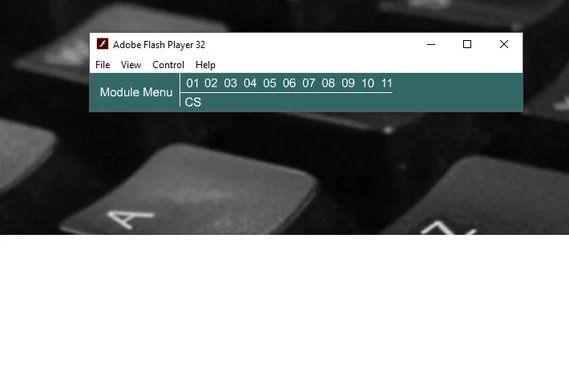
So, way back in the day of 2004 to 05, i took a ccna and ccnp class. The curriculum from cisco was done as swf files i think. Basically, you logged into a website and all the modules were interactive.
Since they give you a hard copy to use offline, i used to be able to use it all the time back on xp and what not, but now i can not remember how i got it to work.
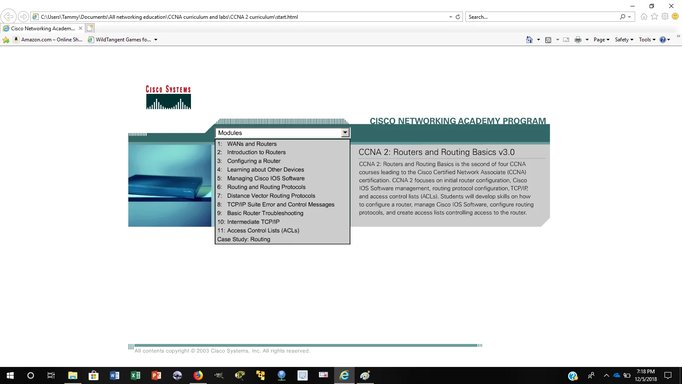
I try in internet explore(older version) and it loads the main page, but when i click on the menu, select one of the options, it never loads the page. it does nothing. Im not 100% sure if its swf files or active x stuff or what. I just click on start.html and it loads.
Is there a way to get this up and running because i would like to go over this stuff again. thank you
So, way back in the day of 2004 to 05, i took a ccna and ccnp class. The curriculum from cisco was done as swf files i think. Basically, you logged into a website and all the modules were interactive.
Since they give you a hard copy to use offline, i used to be able to use it all the time back on xp and what not, but now i can not remember how i got it to work.
I try in internet explore(older version) and it loads the main page, but when i click on the menu, select one of the options, it never loads the page. it does nothing. Im not 100% sure if its swf files or active x stuff or what. I just click on start.html and it loads.
Is there a way to get this up and running because i would like to go over this stuff again. thank you