Microsoft 365 Outage Jan 22–23 2026: Traffic Rebalance and Service Disruption

  • Thread Author
Microsoft 365 users across North America endured a prolonged, high-impact disruption on January 22–23, 2026, as core services including Outlook, Exchange Online, OneDrive, Microsoft Defender, and Microsoft Purview were intermittently unavailable or sluggish for nearly ten hours whatile engineers worked to restore and rebalance traffic across affected infrastructure.

Background​

The incident began in mid-afternoon Eastern Time on January 22, 2026, when system telemetry and user reports simultaneously spiked. Microsoft logged an active incident under identifier MO1221364 and acknowledged that “a portion of dependent service infrastructure in the North America region isn’t processing traffic as expected.” That failure cascaded into visible customer symptoms: external mail deliveries returned SMTP 4xx temporary errors (commonly seen as 451 4.3.2 temporary server error responses), tenant administrators reported trouble accessing the Microsoft 365 admin console, and security and governance portals such as Microsoft Defender and Microsoft Purview became intermittent or inaccessible for many customers.
Public outage-trackers showed a rapid escalation of complaints during the afternoon and evening, with reported peaks varying by snapshot and source — figures ranged from several thousand reports to mid‑teens of thousands at the incident’s peak. Over the following hours Microsoft implemented targeted remediation actions, chiefly traffic rebalancing to route load away from the degraded infrastructure. The company reported that access was restored and mail flow stabilized early on January 23 UTC, although a minority of tenants reported lingering delivery delays and portal access problems for a period after the official update.

What failed and why it mattered​

Services affected​

  • Exchange Online / Outlook: Primary symptoms were delayed or blocked receipt of external email, SMTP 4xx errors during delivery attempts, and timeouts when users tried to send or receive messages.
  • Microsoft 365 Admin Center: Administrators reported difficulty viewing the service health dashboard and managing tenant-level settings during the incident window.
  • Microsoft Defender & Microsoft Purview: Security and compliance portals showed degraded responsiveness or were intermittently inaccessible, reducing visibility into threats and retention/labeling controls.
  • OneDrive / SharePoint: Search and file-access operations degraded for some tenants, hampering collaboration and access to important documents.
  • Microsoft Teams (partial): Some tenants reported inability to create chats, add members, or see presence information in affected sections of the environment.
These components form a tightly integrated productivity and security stack for millions of businesses; when foundational traffic-handling systems falter, multiple dependent services can show simultaneous symptoms. For many organizations the core loss — inability to receive external email — translated quickly into operational and customer-facing impacts.

The technical root described by Microsoft​

Microsoft’s public post-mortem language during the incident focused on traffic-processing abnormalities inside a subset of North American infrastructure. The immediate remediation consisted of:
  • Restoring degraded infrastructure components to a healthy state.
  • Implementing traffic rebalancing to shift requests away from affected sections and distribute load more broadly.
  • Incremental verification of telemetry to ensure the environment entered a balanced, stable state.
In plain terms, one or more internal systems that accept and route customer traffic stopped processing requests properly; the mitigation was to route traffic away from those components while they were repaired or reconfigured. That approach is standard for large cloud platforms but requires careful coordination to avoid creating new imbalances.

Timeline (concise, with absolute times)​

  1. Early-to-mid afternoon ET (around 14:33 ET / 19:33 UTC): First official incident entry and public acknowledgement under MO1221364; users began seeing 451 4.3.2 SMTP errors and admin portal timeouts.
  2. Afternoon through evening ET: Spike in user reports on outage-tracking services; troubleshooting and incremental mitigation (traffic rerouting/load balancing) in progress.
  3. Overnight (around 05:33 UTC on Jan 23): Microsoft reported access restored and mail flow stabilized; engineers continued load-balancing and monitoring.
  4. Shortly thereafter: Microsoft confirmed the incident impact had been resolved, although some tenants reported lingering issues.
Note: public reporting showed variability in peak-report numbers and in the precise minutes of initial acknowledgement; the incident window spanned roughly ten hours from the first public acknowledgment to the company’s declaration of resolution.

The customer impact: real-world consequences​

The outage illustrated how heavily many businesses depend on a single vendor’s cloud tenancy. Observed and reported consequences included:
  • Blocked or delayed client communications for customer‑facing businesses, including time-sensitive financial and legal correspondence.
  • Reduced visibility into security telemetry and compliance controls while Defender and Purview portals were degraded.
  • Lost productivity as workers could not access files in OneDrive/SharePoint or coordinate via Teams.
  • Increased load on support desks and service desk queues; admins scrambled to triage incidents with limited visibility because tenant admin consoles were also affected.
  • Secondary impacts where third-party systems integrated with Microsoft 365 experienced failures (e.g., vendors that rely on Exchange for notifications).
For regulated sectors and service providers with tight SLAs, prolonged inbound mail failures or inability to confirm message receipt can create compliance and contractual exposure.

Why the outage escalated: technical analysis​

Large cloud platforms are engineered with resilience in mind: redundancy, regional failover, and automated traffic distribution are core design principles. Still, several factors make outages at hyperscale providers particularly disruptive:
  • Shared infrastructure dependencies: Many SaaS features rely on a small set of routing and processing components. When those components falter, multiple services appear to fail at once.
  • Stateful routing and session affinity: Some mail and portal flows depend on stateful connections. If sessions cannot be migrated smoothly away from degraded nodes, customers see transient failures.
  • Telemetry and control-plane coupling: If tenant admin portals or status dashboards are hosted on the same systems or rely on the same routing fabric as production traffic, administrators lose both the service and the means to observe it — complicating triage.
  • Load rebalancing complexity: While rerouting traffic is a logical mitigation, achieving a balanced state across thousands of physical nodes and network paths is non-trivial. Rebalancing itself can generate transient capacity pressure elsewhere.
  • External DNS and MX interactions: SMTP is an inherently distributed protocol. When Mail Exchange (MX) delivery attempts receive repeated 4xx responses, sending systems queue and retry messages — producing delayed delivery and confusing administrators who see queued mail reports from external providers.
In this incident, Microsoft’s chosen remediation path was traffic rebalancing and restoring targeted infrastructure nodes. That approach indicates the underlying failure was not a complete network partition but a degradation in the ability of specific components to handle normal load. The risk with rebalancing is that it’s iterative and can take time to converge to a stable state across all tenants and regions, especially during periods of high traffic.

What Microsoft did and what it said​

During the outage Microsoft posted incremental updates to its public incident channel and the Microsoft 365 admin center. The core messages described:
  • An initial investigation and active monitoring of customer-impacted scenarios.
  • Identification of the affected portion of North American infrastructure that was not processing traffic as expected.
  • Execution of a recovery plan that involved restoring the infrastructure to a healthy state and rerouting traffic.
  • Reassurances that mail flow was stable after remediation and confirmation that impact had been resolved.
Those statements are consistent with standard incident-response playbooks for cloud providers. From a communications perspective the public updates were factual and focused on remediation steps, but the cadence and granularity of information — particularly about root cause and corrective actions — will matter to enterprise customers asking for post-incident transparency.

Cross-checkable facts and where reporting varies​

  • The incident was tracked under the identifier MO1221364 and began in the mid-afternoon Eastern Time on Jan 22, 2026. Multiple independent monitoring snapshots and Microsoft’s own service health entries confirm this.
  • Error messages commonly reported by customers during the outage included SMTP 4xx / 451 4.3.2 temporary server errors when attempting to send or receive mail; this symptom was widely reported by administrators.
  • Public outage trackers showed a range for peak complaint counts: snapshots vary widely (approximately 8,000–16,000 reports at different times). Differences stem from timing, geographic coverage, and the sampling method used by those services.
  • Microsoft’s remediation centered on traffic rebalancing and restoring affected infrastructure; it declared the impact resolved roughly ten hours after the initial acknowledgement, although a minority of customers reported residual edge cases afterwards.
Where numbers or timestamps diverge in press reports, treat the highest-reported figures as indicative of the scope rather than definitive counts. Crowd-sourced outage tallies are useful for trend detection but not precise measures of total affected users.

The broader context and pattern risk​

This outage did not occur in isolation. Over the past months large-scale providers have experienced several multi-hour incidents that emphasized shared-risk constraints in massive cloud platforms and the global economy’s dependence on a small number of vendor-operated infrastructures.
Key points in context:
  • Outages tend to have outsized attention because mainstream productivity relies on always-on email and collaboration.
  • When the administrative and status consoles are impacted alongside production services, customers lose both service and visibility, increasing frustration and operational risk.
  • Platform-wide incidents reinforce the importance of cross-checks, diversification, and robust incident-response playbooks for critical businesses.
For the vendor, repeated high-profile disruptions invite increased regulatory and contractual scrutiny — particularly from customers who depend on guaranteed availability and precise SLAs.

Strengths shown by Microsoft during this incident​

  • Rapid detection and public acknowledgement: Microsoft posted an incident entry quickly and maintained a public incident identifier that tenants could reference.
  • Clear remediation steps: The mitigation (restore affected nodes, rebalance traffic) was standard, sensible, and ultimately effective.
  • Scale of containment: Recovery actions appeared to limit the outage to a defined region rather than trigger a wider global disruption.
  • Post-incident stability verification: Microsoft explicitly monitored mail flow and telemetry before declaring impact resolved, reducing the chance of a premature resolution statement.
These operational strengths demonstrate that large cloud operators can use established playbooks to restore service even when complex routing or capacity problems arise.

Risks and shortcomings exposed​

  • Single-vendor dependency: Organizations that trust a single cloud provider for email, identity, and security lose multiple capabilities when that provider’s infrastructure degrades.
  • Visibility blind spots: When admin consoles are impacted, tenant administrators lack the tools to monitor or partially remediate tenant-specific issues.
  • Recovery time and scale: Nearly ten hours to reach widespread restoration is a long window for many businesses; the iterative nature of traffic rebalancing can stretch recovery time.
  • Inconsistent public metrics: Variable counts on public outage trackers complicate the assessment of actual impact and may amplify uncertainty among customers.
  • Communications granularity: High-level remediation statements are useful, but enterprise customers will expect precise root-cause analyses and concrete corrective actions in the post-incident report.
These issues are not unique to a single vendor, but the incident underscores the need for improved transparency, better customer tooling during incidents, and more resilient hybrid approaches.

Practical guidance for IT teams and administrators​

  1. Prioritise resilient email flows
    • Maintain an external monitoring pipeline for SMTP delivery (testing from outside the tenancy).
    • Use secondary MX routing or mail relays for critical inbound flows where compliance and continuity require near‑zero acceptance gaps.
  2. Plan for admin-console loss
    • Ensure at least two forms of out-of-band administrative access (for example, mobile admin apps, secondary emergency accounts, or alternative management pathways).
    • Pre-publish incident runbooks with vendor-agnostic steps that do not rely on the provider console.
  3. Harden communications and incident response
    • Predefine escalation contacts with your cloud provider and keep up-to-date incident-contact paths.
    • Run tabletop exercises for vendor-wide outages that simulate loss of both admin and production portals.
  4. Diversify critical controls
    • Consider third-party monitoring, email continuity services, or hybrid deployment models to maintain essential inbound/outbound communications during vendor outages.
    • Implement multi-layered data protection (e.g., third-party backups, exportable journaling) for compliance-critical mailflows.
  5. Measure and negotiate SLAs
    • Understand the provider’s SLA scope and what remediation or credits apply in prolonged incidents.
    • Negotiate contractual transparency and post-incident reporting commitments if email and security services are business-critical.

What enterprises should demand in post-incident reporting​

Companies that rely on hosted services should expect vendor reports to include:
  • A clear, technical root-cause summary (not just high-level phrasing).
  • A timeline of detection, remediation steps, and verification checkpoints.
  • Concrete corrective actions and changes to prevent recurrence.
  • Service‑specific impact detail (which functions and tenants were affected and why).
  • An assessment of customer-visible residual risks and recommended mitigations.
These elements empower downstream customers to evaluate whether the vendor’s corrective measures are adequate for their risk tolerance.

The strategic takeaway for CIOs and IT decision-makers​

This outage reinforces several strategic priorities:
  • Resilience over convenience: Convenience of an all-in-one cloud stack must be balanced with contingency planning that tolerates partial or complete outages.
  • Operational transparency matters: Vendors that provide granular, timely operational telemetry and clear remediation commitments help customers recover faster and make better business decisions during incidents.
  • Prepare for imperfect restoration: Even after a vendor declares an incident resolved, residual effects sometimes linger; plan for staged resumption of operations rather than an immediate binary return to normal.
Large cloud providers will inevitably encounter edge-case failures; the differentiator for customers is how those providers communicate, mitigate, and follow through with meaningful prevention actions.

Conclusion​

The January 22–23 Microsoft 365 disruption was a textbook example of how a localized infrastructure fault can cascade through a complex, interconnected cloud ecosystem and create widespread business impact. Microsoft’s remediation — focused on restoring affected nodes and rebalancing traffic — ultimately succeeded, but the incident exposed persistent enterprise risks: concentrated vendor dependency, loss of admin visibility during outages, and the prolonged time-to-stability that load-rebalancing mitigations can entail.
For IT leaders, the immediate lesson is practical: assume that any single cloud provider, however reliable in normal operation, can suffer extended outages; plan accordingly. Implement layered defenses for inbound communications and administrative access, rehearse outage scenarios, and insist on post-incident transparency that provides the technical detail needed to assess risk and prevent recurrence.
The incident also carries a broader industry message: resilience in an era of hyperscale cloud requires both provider-level engineering rigor and customer-side architectural diversity. Until architectures and commercial relationships evolve to reduce single‑vendor systemic risk, extended outages like this will remain consequential events for businesses and their customers.

Source: theregister.com Microsoft 365 outage drags on for nearly 10 hours

 

Microsoft 365 users across North America endured a prolonged, high-impact disruption on January 22–23, 2026, as core services including Outlook, Exchange Online, OneDrive, Microsoft Defender, and Microsoft Purview were intermittently unavailable or sluggish for nearly ten hours whatile engineers worked to restore and rebalance traffic across affected infrastructure.

Background​

The incident began in mid-afternoon Eastern Time on January 22, 2026, when system telemetry and user reports simultaneously spiked. Microsoft logged an active incident under identifier MO1221364 and acknowledged that “a portion of dependent service infrastructure in the North America region isn’t processing traffic as expected.” That failure cascaded into visible customer symptoms: external mail deliveries returned SMTP 4xx temporary errors (commonly seen as 451 4.3.2 temporary server error responses), tenant administrators reported trouble accessing the Microsoft 365 admin console, and security and governance portals such as Microsoft Defender and Microsoft Purview became intermittent or inaccessible for many customers.
Public outage-trackers showed a rapid escalation of complaints during the afternoon and evening, with reported peaks varying by snapshot and source — figures ranged from several thousand reports to mid‑teens of thousands at the incident’s peak. Over the following hours Microsoft implemented targeted remediation actions, chiefly traffic rebalancing to route load away from the degraded infrastructure. The company reported that access was restored and mail flow stabilized early on January 23 UTC, although a minority of tenants reported lingering delivery delays and portal access problems for a period after the official update.

What failed and why it mattered​

Services affected​

  • Exchange Online / Outlook: Primary symptoms were delayed or blocked receipt of external email, SMTP 4xx errors during delivery attempts, and timeouts when users tried to send or receive messages.
  • Microsoft 365 Admin Center: Administrators reported difficulty viewing the service health dashboard and managing tenant-level settings during the incident window.
  • Microsoft Defender & Microsoft Purview: Security and compliance portals showed degraded responsiveness or were intermittently inaccessible, reducing visibility into threats and retention/labeling controls.
  • OneDrive / SharePoint: Search and file-access operations degraded for some tenants, hampering collaboration and access to important documents.
  • Microsoft Teams (partial): Some tenants reported inability to create chats, add members, or see presence information in affected sections of the environment.
These components form a tightly integrated productivity and security stack for millions of businesses; when foundational traffic-handling systems falter, multiple dependent services can show simultaneous symptoms. For many organizations the core loss — inability to receive external email — translated quickly into operational and customer-facing impacts.

The technical root described by Microsoft​

Microsoft’s public post-mortem language during the incident focused on traffic-processing abnormalities inside a subset of North American infrastructure. The immediate remediation consisted of:
  • Restoring degraded infrastructure components to a healthy state.
  • Implementing traffic rebalancing to shift requests away from affected sections and distribute load more broadly.
  • Incremental verification of telemetry to ensure the environment entered a balanced, stable state.
In plain terms, one or more internal systems that accept and route customer traffic stopped processing requests properly; the mitigation was to route traffic away from those components while they were repaired or reconfigured. That approach is standard for large cloud platforms but requires careful coordination to avoid creating new imbalances.

Timeline (concise, with absolute times)​

  1. Early-to-mid afternoon ET (around 14:33 ET / 19:33 UTC): First official incident entry and public acknowledgement under MO1221364; users began seeing 451 4.3.2 SMTP errors and admin portal timeouts.
  2. Afternoon through evening ET: Spike in user reports on outage-tracking services; troubleshooting and incremental mitigation (traffic rerouting/load balancing) in progress.
  3. Overnight (around 05:33 UTC on Jan 23): Microsoft reported access restored and mail flow stabilized; engineers continued load-balancing and monitoring.
  4. Shortly thereafter: Microsoft confirmed the incident impact had been resolved, although some tenants reported lingering issues.
Note: public reporting showed variability in peak-report numbers and in the precise minutes of initial acknowledgement; the incident window spanned roughly ten hours from the first public acknowledgment to the company’s declaration of resolution.

The customer impact: real-world consequences​

The outage illustrated how heavily many businesses depend on a single vendor’s cloud tenancy. Observed and reported consequences included:
  • Blocked or delayed client communications for customer‑facing businesses, including time-sensitive financial and legal correspondence.
  • Reduced visibility into security telemetry and compliance controls while Defender and Purview portals were degraded.
  • Lost productivity as workers could not access files in OneDrive/SharePoint or coordinate via Teams.
  • Increased load on support desks and service desk queues; admins scrambled to triage incidents with limited visibility because tenant admin consoles were also affected.
  • Secondary impacts where third-party systems integrated with Microsoft 365 experienced failures (e.g., vendors that rely on Exchange for notifications).
For regulated sectors and service providers with tight SLAs, prolonged inbound mail failures or inability to confirm message receipt can create compliance and contractual exposure.

Why the outage escalated: technical analysis​

Large cloud platforms are engineered with resilience in mind: redundancy, regional failover, and automated traffic distribution are core design principles. Still, several factors make outages at hyperscale providers particularly disruptive:
  • Shared infrastructure dependencies: Many SaaS features rely on a small set of routing and processing components. When those components falter, multiple services appear to fail at once.
  • Stateful routing and session affinity: Some mail and portal flows depend on stateful connections. If sessions cannot be migrated smoothly away from degraded nodes, customers see transient failures.
  • Telemetry and control-plane coupling: If tenant admin portals or status dashboards are hosted on the same systems or rely on the same routing fabric as production traffic, administrators lose both the service and the means to observe it — complicating triage.
  • Load rebalancing complexity: While rerouting traffic is a logical mitigation, achieving a balanced state across thousands of physical nodes and network paths is non-trivial. Rebalancing itself can generate transient capacity pressure elsewhere.
  • External DNS and MX interactions: SMTP is an inherently distributed protocol. When Mail Exchange (MX) delivery attempts receive repeated 4xx responses, sending systems queue and retry messages — producing delayed delivery and confusing administrators who see queued mail reports from external providers.
In this incident, Microsoft’s chosen remediation path was traffic rebalancing and restoring targeted infrastructure nodes. That approach indicates the underlying failure was not a complete network partition but a degradation in the ability of specific components to handle normal load. The risk with rebalancing is that it’s iterative and can take time to converge to a stable state across all tenants and regions, especially during periods of high traffic.

What Microsoft did and what it said​

During the outage Microsoft posted incremental updates to its public incident channel and the Microsoft 365 admin center. The core messages described:
  • An initial investigation and active monitoring of customer-impacted scenarios.
  • Identification of the affected portion of North American infrastructure that was not processing traffic as expected.
  • Execution of a recovery plan that involved restoring the infrastructure to a healthy state and rerouting traffic.
  • Reassurances that mail flow was stable after remediation and confirmation that impact had been resolved.
Those statements are consistent with standard incident-response playbooks for cloud providers. From a communications perspective the public updates were factual and focused on remediation steps, but the cadence and granularity of information — particularly about root cause and corrective actions — will matter to enterprise customers asking for post-incident transparency.

Cross-checkable facts and where reporting varies​

  • The incident was tracked under the identifier MO1221364 and began in the mid-afternoon Eastern Time on Jan 22, 2026. Multiple independent monitoring snapshots and Microsoft’s own service health entries confirm this.
  • Error messages commonly reported by customers during the outage included SMTP 4xx / 451 4.3.2 temporary server errors when attempting to send or receive mail; this symptom was widely reported by administrators.
  • Public outage trackers showed a range for peak complaint counts: snapshots vary widely (approximately 8,000–16,000 reports at different times). Differences stem from timing, geographic coverage, and the sampling method used by those services.
  • Microsoft’s remediation centered on traffic rebalancing and restoring affected infrastructure; it declared the impact resolved roughly ten hours after the initial acknowledgement, although a minority of customers reported residual edge cases afterwards.
Where numbers or timestamps diverge in press reports, treat the highest-reported figures as indicative of the scope rather than definitive counts. Crowd-sourced outage tallies are useful for trend detection but not precise measures of total affected users.

The broader context and pattern risk​

This outage did not occur in isolation. Over the past months large-scale providers have experienced several multi-hour incidents that emphasized shared-risk constraints in massive cloud platforms and the global economy’s dependence on a small number of vendor-operated infrastructures.
Key points in context:
  • Outages tend to have outsized attention because mainstream productivity relies on always-on email and collaboration.
  • When the administrative and status consoles are impacted alongside production services, customers lose both service and visibility, increasing frustration and operational risk.
  • Platform-wide incidents reinforce the importance of cross-checks, diversification, and robust incident-response playbooks for critical businesses.
For the vendor, repeated high-profile disruptions invite increased regulatory and contractual scrutiny — particularly from customers who depend on guaranteed availability and precise SLAs.

Strengths shown by Microsoft during this incident​

  • Rapid detection and public acknowledgement: Microsoft posted an incident entry quickly and maintained a public incident identifier that tenants could reference.
  • Clear remediation steps: The mitigation (restore affected nodes, rebalance traffic) was standard, sensible, and ultimately effective.
  • Scale of containment: Recovery actions appeared to limit the outage to a defined region rather than trigger a wider global disruption.
  • Post-incident stability verification: Microsoft explicitly monitored mail flow and telemetry before declaring impact resolved, reducing the chance of a premature resolution statement.
These operational strengths demonstrate that large cloud operators can use established playbooks to restore service even when complex routing or capacity problems arise.

Risks and shortcomings exposed​

  • Single-vendor dependency: Organizations that trust a single cloud provider for email, identity, and security lose multiple capabilities when that provider’s infrastructure degrades.
  • Visibility blind spots: When admin consoles are impacted, tenant administrators lack the tools to monitor or partially remediate tenant-specific issues.
  • Recovery time and scale: Nearly ten hours to reach widespread restoration is a long window for many businesses; the iterative nature of traffic rebalancing can stretch recovery time.
  • Inconsistent public metrics: Variable counts on public outage trackers complicate the assessment of actual impact and may amplify uncertainty among customers.
  • Communications granularity: High-level remediation statements are useful, but enterprise customers will expect precise root-cause analyses and concrete corrective actions in the post-incident report.
These issues are not unique to a single vendor, but the incident underscores the need for improved transparency, better customer tooling during incidents, and more resilient hybrid approaches.

Practical guidance for IT teams and administrators​

  1. Prioritise resilient email flows
    • Maintain an external monitoring pipeline for SMTP delivery (testing from outside the tenancy).
    • Use secondary MX routing or mail relays for critical inbound flows where compliance and continuity require near‑zero acceptance gaps.
  2. Plan for admin-console loss
    • Ensure at least two forms of out-of-band administrative access (for example, mobile admin apps, secondary emergency accounts, or alternative management pathways).
    • Pre-publish incident runbooks with vendor-agnostic steps that do not rely on the provider console.
  3. Harden communications and incident response
    • Predefine escalation contacts with your cloud provider and keep up-to-date incident-contact paths.
    • Run tabletop exercises for vendor-wide outages that simulate loss of both admin and production portals.
  4. Diversify critical controls
    • Consider third-party monitoring, email continuity services, or hybrid deployment models to maintain essential inbound/outbound communications during vendor outages.
    • Implement multi-layered data protection (e.g., third-party backups, exportable journaling) for compliance-critical mailflows.
  5. Measure and negotiate SLAs
    • Understand the provider’s SLA scope and what remediation or credits apply in prolonged incidents.
    • Negotiate contractual transparency and post-incident reporting commitments if email and security services are business-critical.

What enterprises should demand in post-incident reporting​

Companies that rely on hosted services should expect vendor reports to include:
  • A clear, technical root-cause summary (not just high-level phrasing).
  • A timeline of detection, remediation steps, and verification checkpoints.
  • Concrete corrective actions and changes to prevent recurrence.
  • Service‑specific impact detail (which functions and tenants were affected and why).
  • An assessment of customer-visible residual risks and recommended mitigations.
These elements empower downstream customers to evaluate whether the vendor’s corrective measures are adequate for their risk tolerance.

The strategic takeaway for CIOs and IT decision-makers​

This outage reinforces several strategic priorities:
  • Resilience over convenience: Convenience of an all-in-one cloud stack must be balanced with contingency planning that tolerates partial or complete outages.
  • Operational transparency matters: Vendors that provide granular, timely operational telemetry and clear remediation commitments help customers recover faster and make better business decisions during incidents.
  • Prepare for imperfect restoration: Even after a vendor declares an incident resolved, residual effects sometimes linger; plan for staged resumption of operations rather than an immediate binary return to normal.
Large cloud providers will inevitably encounter edge-case failures; the differentiator for customers is how those providers communicate, mitigate, and follow through with meaningful prevention actions.

Conclusion​

The January 22–23 Microsoft 365 disruption was a textbook example of how a localized infrastructure fault can cascade through a complex, interconnected cloud ecosystem and create widespread business impact. Microsoft’s remediation — focused on restoring affected nodes and rebalancing traffic — ultimately succeeded, but the incident exposed persistent enterprise risks: concentrated vendor dependency, loss of admin visibility during outages, and the prolonged time-to-stability that load-rebalancing mitigations can entail.
For IT leaders, the immediate lesson is practical: assume that any single cloud provider, however reliable in normal operation, can suffer extended outages; plan accordingly. Implement layered defenses for inbound communications and administrative access, rehearse outage scenarios, and insist on post-incident transparency that provides the technical detail needed to assess risk and prevent recurrence.
The incident also carries a broader industry message: resilience in an era of hyperscale cloud requires both provider-level engineering rigor and customer-side architectural diversity. Until architectures and commercial relationships evolve to reduce single‑vendor systemic risk, extended outages like this will remain consequential events for businesses and their customers.

Source: theregister.com Microsoft 365 outage drags on for nearly 10 hours
 

Microsoft 365 users across North America endured a prolonged, high-impact disruption on January 22–23, 2026, as core services including Outlook, Exchange Online, OneDrive, Microsoft Defender, and Microsoft Purview were intermittently unavailable or sluggish for nearly ten hours whatile engineers worked to restore and rebalance traffic across affected infrastructure.

Background​

The incident began in mid-afternoon Eastern Time on January 22, 2026, when system telemetry and user reports simultaneously spiked. Microsoft logged an active incident under identifier MO1221364 and acknowledged that “a portion of dependent service infrastructure in the North America region isn’t processing traffic as expected.” That failure cascaded into visible customer symptoms: external mail deliveries returned SMTP 4xx temporary errors (commonly seen as 451 4.3.2 temporary server error responses), tenant administrators reported trouble accessing the Microsoft 365 admin console, and security and governance portals such as Microsoft Defender and Microsoft Purview became intermittent or inaccessible for many customers.
Public outage-trackers showed a rapid escalation of complaints during the afternoon and evening, with reported peaks varying by snapshot and source — figures ranged from several thousand reports to mid‑teens of thousands at the incident’s peak. Over the following hours Microsoft implemented targeted remediation actions, chiefly traffic rebalancing to route load away from the degraded infrastructure. The company reported that access was restored and mail flow stabilized early on January 23 UTC, although a minority of tenants reported lingering delivery delays and portal access problems for a period after the official update.

What failed and why it mattered​

Services affected​

  • Exchange Online / Outlook: Primary symptoms were delayed or blocked receipt of external email, SMTP 4xx errors during delivery attempts, and timeouts when users tried to send or receive messages.
  • Microsoft 365 Admin Center: Administrators reported difficulty viewing the service health dashboard and managing tenant-level settings during the incident window.
  • Microsoft Defender & Microsoft Purview: Security and compliance portals showed degraded responsiveness or were intermittently inaccessible, reducing visibility into threats and retention/labeling controls.
  • OneDrive / SharePoint: Search and file-access operations degraded for some tenants, hampering collaboration and access to important documents.
  • Microsoft Teams (partial): Some tenants reported inability to create chats, add members, or see presence information in affected sections of the environment.
These components form a tightly integrated productivity and security stack for millions of businesses; when foundational traffic-handling systems falter, multiple dependent services can show simultaneous symptoms. For many organizations the core loss — inability to receive external email — translated quickly into operational and customer-facing impacts.

The technical root described by Microsoft​

Microsoft’s public post-mortem language during the incident focused on traffic-processing abnormalities inside a subset of North American infrastructure. The immediate remediation consisted of:
  • Restoring degraded infrastructure components to a healthy state.
  • Implementing traffic rebalancing to shift requests away from affected sections and distribute load more broadly.
  • Incremental verification of telemetry to ensure the environment entered a balanced, stable state.
In plain terms, one or more internal systems that accept and route customer traffic stopped processing requests properly; the mitigation was to route traffic away from those components while they were repaired or reconfigured. That approach is standard for large cloud platforms but requires careful coordination to avoid creating new imbalances.

Timeline (concise, with absolute times)​

  1. Early-to-mid afternoon ET (around 14:33 ET / 19:33 UTC): First official incident entry and public acknowledgement under MO1221364; users began seeing 451 4.3.2 SMTP errors and admin portal timeouts.
  2. Afternoon through evening ET: Spike in user reports on outage-tracking services; troubleshooting and incremental mitigation (traffic rerouting/load balancing) in progress.
  3. Overnight (around 05:33 UTC on Jan 23): Microsoft reported access restored and mail flow stabilized; engineers continued load-balancing and monitoring.
  4. Shortly thereafter: Microsoft confirmed the incident impact had been resolved, although some tenants reported lingering issues.
Note: public reporting showed variability in peak-report numbers and in the precise minutes of initial acknowledgement; the incident window spanned roughly ten hours from the first public acknowledgment to the company’s declaration of resolution.

The customer impact: real-world consequences​

The outage illustrated how heavily many businesses depend on a single vendor’s cloud tenancy. Observed and reported consequences included:
  • Blocked or delayed client communications for customer‑facing businesses, including time-sensitive financial and legal correspondence.
  • Reduced visibility into security telemetry and compliance controls while Defender and Purview portals were degraded.
  • Lost productivity as workers could not access files in OneDrive/SharePoint or coordinate via Teams.
  • Increased load on support desks and service desk queues; admins scrambled to triage incidents with limited visibility because tenant admin consoles were also affected.
  • Secondary impacts where third-party systems integrated with Microsoft 365 experienced failures (e.g., vendors that rely on Exchange for notifications).
For regulated sectors and service providers with tight SLAs, prolonged inbound mail failures or inability to confirm message receipt can create compliance and contractual exposure.

Why the outage escalated: technical analysis​

Large cloud platforms are engineered with resilience in mind: redundancy, regional failover, and automated traffic distribution are core design principles. Still, several factors make outages at hyperscale providers particularly disruptive:
  • Shared infrastructure dependencies: Many SaaS features rely on a small set of routing and processing components. When those components falter, multiple services appear to fail at once.
  • Stateful routing and session affinity: Some mail and portal flows depend on stateful connections. If sessions cannot be migrated smoothly away from degraded nodes, customers see transient failures.
  • Telemetry and control-plane coupling: If tenant admin portals or status dashboards are hosted on the same systems or rely on the same routing fabric as production traffic, administrators lose both the service and the means to observe it — complicating triage.
  • Load rebalancing complexity: While rerouting traffic is a logical mitigation, achieving a balanced state across thousands of physical nodes and network paths is non-trivial. Rebalancing itself can generate transient capacity pressure elsewhere.
  • External DNS and MX interactions: SMTP is an inherently distributed protocol. When Mail Exchange (MX) delivery attempts receive repeated 4xx responses, sending systems queue and retry messages — producing delayed delivery and confusing administrators who see queued mail reports from external providers.
In this incident, Microsoft’s chosen remediation path was traffic rebalancing and restoring targeted infrastructure nodes. That approach indicates the underlying failure was not a complete network partition but a degradation in the ability of specific components to handle normal load. The risk with rebalancing is that it’s iterative and can take time to converge to a stable state across all tenants and regions, especially during periods of high traffic.

What Microsoft did and what it said​

During the outage Microsoft posted incremental updates to its public incident channel and the Microsoft 365 admin center. The core messages described:
  • An initial investigation and active monitoring of customer-impacted scenarios.
  • Identification of the affected portion of North American infrastructure that was not processing traffic as expected.
  • Execution of a recovery plan that involved restoring the infrastructure to a healthy state and rerouting traffic.
  • Reassurances that mail flow was stable after remediation and confirmation that impact had been resolved.
Those statements are consistent with standard incident-response playbooks for cloud providers. From a communications perspective the public updates were factual and focused on remediation steps, but the cadence and granularity of information — particularly about root cause and corrective actions — will matter to enterprise customers asking for post-incident transparency.

Cross-checkable facts and where reporting varies​

  • The incident was tracked under the identifier MO1221364 and began in the mid-afternoon Eastern Time on Jan 22, 2026. Multiple independent monitoring snapshots and Microsoft’s own service health entries confirm this.
  • Error messages commonly reported by customers during the outage included SMTP 4xx / 451 4.3.2 temporary server errors when attempting to send or receive mail; this symptom was widely reported by administrators.
  • Public outage trackers showed a range for peak complaint counts: snapshots vary widely (approximately 8,000–16,000 reports at different times). Differences stem from timing, geographic coverage, and the sampling method used by those services.
  • Microsoft’s remediation centered on traffic rebalancing and restoring affected infrastructure; it declared the impact resolved roughly ten hours after the initial acknowledgement, although a minority of customers reported residual edge cases afterwards.
Where numbers or timestamps diverge in press reports, treat the highest-reported figures as indicative of the scope rather than definitive counts. Crowd-sourced outage tallies are useful for trend detection but not precise measures of total affected users.

The broader context and pattern risk​

This outage did not occur in isolation. Over the past months large-scale providers have experienced several multi-hour incidents that emphasized shared-risk constraints in massive cloud platforms and the global economy’s dependence on a small number of vendor-operated infrastructures.
Key points in context:
  • Outages tend to have outsized attention because mainstream productivity relies on always-on email and collaboration.
  • When the administrative and status consoles are impacted alongside production services, customers lose both service and visibility, increasing frustration and operational risk.
  • Platform-wide incidents reinforce the importance of cross-checks, diversification, and robust incident-response playbooks for critical businesses.
For the vendor, repeated high-profile disruptions invite increased regulatory and contractual scrutiny — particularly from customers who depend on guaranteed availability and precise SLAs.

Strengths shown by Microsoft during this incident​

  • Rapid detection and public acknowledgement: Microsoft posted an incident entry quickly and maintained a public incident identifier that tenants could reference.
  • Clear remediation steps: The mitigation (restore affected nodes, rebalance traffic) was standard, sensible, and ultimately effective.
  • Scale of containment: Recovery actions appeared to limit the outage to a defined region rather than trigger a wider global disruption.
  • Post-incident stability verification: Microsoft explicitly monitored mail flow and telemetry before declaring impact resolved, reducing the chance of a premature resolution statement.
These operational strengths demonstrate that large cloud operators can use established playbooks to restore service even when complex routing or capacity problems arise.

Risks and shortcomings exposed​

  • Single-vendor dependency: Organizations that trust a single cloud provider for email, identity, and security lose multiple capabilities when that provider’s infrastructure degrades.
  • Visibility blind spots: When admin consoles are impacted, tenant administrators lack the tools to monitor or partially remediate tenant-specific issues.
  • Recovery time and scale: Nearly ten hours to reach widespread restoration is a long window for many businesses; the iterative nature of traffic rebalancing can stretch recovery time.
  • Inconsistent public metrics: Variable counts on public outage trackers complicate the assessment of actual impact and may amplify uncertainty among customers.
  • Communications granularity: High-level remediation statements are useful, but enterprise customers will expect precise root-cause analyses and concrete corrective actions in the post-incident report.
These issues are not unique to a single vendor, but the incident underscores the need for improved transparency, better customer tooling during incidents, and more resilient hybrid approaches.

Practical guidance for IT teams and administrators​

  1. Prioritise resilient email flows
    • Maintain an external monitoring pipeline for SMTP delivery (testing from outside the tenancy).
    • Use secondary MX routing or mail relays for critical inbound flows where compliance and continuity require near‑zero acceptance gaps.
  2. Plan for admin-console loss
    • Ensure at least two forms of out-of-band administrative access (for example, mobile admin apps, secondary emergency accounts, or alternative management pathways).
    • Pre-publish incident runbooks with vendor-agnostic steps that do not rely on the provider console.
  3. Harden communications and incident response
    • Predefine escalation contacts with your cloud provider and keep up-to-date incident-contact paths.
    • Run tabletop exercises for vendor-wide outages that simulate loss of both admin and production portals.
  4. Diversify critical controls
    • Consider third-party monitoring, email continuity services, or hybrid deployment models to maintain essential inbound/outbound communications during vendor outages.
    • Implement multi-layered data protection (e.g., third-party backups, exportable journaling) for compliance-critical mailflows.
  5. Measure and negotiate SLAs
    • Understand the provider’s SLA scope and what remediation or credits apply in prolonged incidents.
    • Negotiate contractual transparency and post-incident reporting commitments if email and security services are business-critical.

What enterprises should demand in post-incident reporting​

Companies that rely on hosted services should expect vendor reports to include:
  • A clear, technical root-cause summary (not just high-level phrasing).
  • A timeline of detection, remediation steps, and verification checkpoints.
  • Concrete corrective actions and changes to prevent recurrence.
  • Service‑specific impact detail (which functions and tenants were affected and why).
  • An assessment of customer-visible residual risks and recommended mitigations.
These elements empower downstream customers to evaluate whether the vendor’s corrective measures are adequate for their risk tolerance.

The strategic takeaway for CIOs and IT decision-makers​

This outage reinforces several strategic priorities:
  • Resilience over convenience: Convenience of an all-in-one cloud stack must be balanced with contingency planning that tolerates partial or complete outages.
  • Operational transparency matters: Vendors that provide granular, timely operational telemetry and clear remediation commitments help customers recover faster and make better business decisions during incidents.
  • Prepare for imperfect restoration: Even after a vendor declares an incident resolved, residual effects sometimes linger; plan for staged resumption of operations rather than an immediate binary return to normal.
Large cloud providers will inevitably encounter edge-case failures; the differentiator for customers is how those providers communicate, mitigate, and follow through with meaningful prevention actions.

Conclusion​

The January 22–23 Microsoft 365 disruption was a textbook example of how a localized infrastructure fault can cascade through a complex, interconnected cloud ecosystem and create widespread business impact. Microsoft’s remediation — focused on restoring affected nodes and rebalancing traffic — ultimately succeeded, but the incident exposed persistent enterprise risks: concentrated vendor dependency, loss of admin visibility during outages, and the prolonged time-to-stability that load-rebalancing mitigations can entail.
For IT leaders, the immediate lesson is practical: assume that any single cloud provider, however reliable in normal operation, can suffer extended outages; plan accordingly. Implement layered defenses for inbound communications and administrative access, rehearse outage scenarios, and insist on post-incident transparency that provides the technical detail needed to assess risk and prevent recurrence.
The incident also carries a broader industry message: resilience in an era of hyperscale cloud requires both provider-level engineering rigor and customer-side architectural diversity. Until architectures and commercial relationships evolve to reduce single‑vendor systemic risk, extended outages like this will remain consequential events for businesses and their customers.

Source: theregister.com Microsoft 365 outage drags on for nearly 10 hours
 

Microsoft confirmed it resolved a widespread Microsoft 365 outage that began on January 22, 2026 and lasted roughly ten hours, after an infrastructure issue in North America left Outlook, Exchange Online, Teams, Microsoft Defender, Microsoft Purview and several admin portals intermittently unavailable for many enterprise customers during business hours.

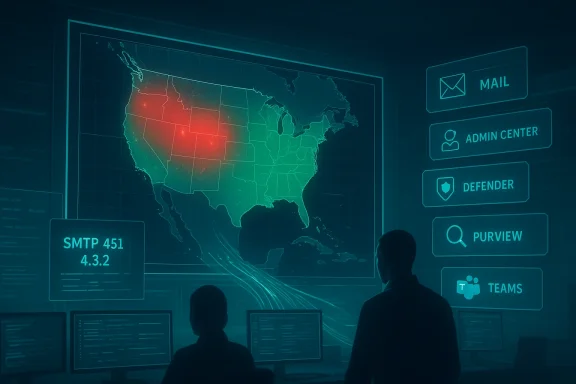
Cybersecurity operations center monitors a U.S. map with red hotspots.Background and overview​

The incident began in the mid‑afternoon Eastern Time on January 22, 2026, when telemetry and user reports surged across public outage trackers. Microsoft logged the incident under identifier MO1221364 and publicly described the problem as “a portion of dependent service infrastructure in the North America region” that was not processing traffic as expected. Engineers worked through the night to restore capacity and rebalance traffic across affected infrastructure; Microsoft declare early on January 23.
The visible customer symptoms were wide‑ranging and synchronous with the company’s diagnosis: large numbers of inbound mail deferrals (notably SMTP 451 4.3.2 temporary server errors), inability for many tenants to access the Microsoft 365 admin centre and security portals, slow or failed OneDrive/SharePoint file access, and degraded Teams experiences for some users. Public outage aggregators recorded peaks in the low‑to‑mid tens of thousands of reports at various snapshots, but these counters are user‑submitted signals rather than a precise measure of impacted accounts.
This was the second high‑impact Microsoft service disruption within 24 hours: a briefer outage on January 21 had already drawn attention to third‑party networking dependencies. The rapid succession of incidents has renewed debate about cloud concentration and operational resilience across the enterprise ecosystem.

Timeline: what happened, minute by minute​

Detection and early spike​

  • Around 14:30 ET on January 22 public trackers and customer telemetry showed a sharp rise in reports for Outlook, Microsoft 365 and related portals. Many senders attempting to deliver email to Exchange Online saw transient SMTP 4xx rejections (commonly 451 4.3.2), which cause sending systems to queue and retry rather than permanently bounce messages.

Investigation and mitigation​

  • Microsoft publicly acknowledged an investigation and assigned incident MO1221364. The company’s initial messages indicated the problem was infrastructure processing of traffic in North America and that mitigation work would include restoring capacity and directing traffic to alternate regions or healthy nodes while monitoring telemetry for stability.

Restoration and follow‑up​

  • Engineers performed restorative work, followed by incremental traffic rebalancing to avoid creating new load bottlenecks when diverting traffic. Microsoft reported positive signs of recovery overnight and declared the incident “resolved” on January 23, though administrators continued to see a long tail of residual issues for some tenants while caches and routing converged.

Services impacted and practical symptoms​

Multiple product areas that share ingress and identity frontends, producing a compound set of user impacts:
  • Exchange Online / Outlook: Delays or temporary rejections for inbound mail, intermittent mailbox access, and SMTP 451 4.3.2 errors observed by many senders. This was the most immediate business‑facing impact for customer organisations.
  • **Microsoft 365 admin centre reported blank pages or HTTP 5xx responses, complicating diagnosis and remediation for tenant owners.
  • Microsoft Defender and Microsoft Purview: Security and compliance portals showed degraded responsiveness or temporary inaccessibility, reducing visibility into alerts and retention controls.
  • OneDrive / SharePoint: Search and file access slowed or failed for some tenants, impacting collaboration workflows.
  • Microsoft Teams: Partial impacts included presence, chat creation and meeting join issues for users routed through affected infrastructure.
These symptoms fit a common pattern: when edge routing, load‑balancers or identity frontends are constrained, multiple downstream services—though potentially healthy—appear offline to end users because requests either fail at the network ingress or cannot be authenticated.

Technical analysis — what Microsoft said, and what that likely means​

Microsoft’s public summary attributed the outage to elevated service load combined with temporary capacity constraints during maintenance, and described remediation as restoring infrastructure and rebalancing traffic to healthy nodes. Tom’s Guide and other outlets interpreted the company’s language to mean that maintenance actions—where some servers or Points of Presence (PoPs) were taken out of service—left insufficient capacity to absorb production traffic, producing cascading failures that required traffic redistribution to resolve.
In simple terms, the failure class is a capacity / ingress imbalance rather than a single‑service code bug:
  • Front‑end gateways or PoPs that accept traffic were partially unavailable or under‑provisioned during maintenance.
  • Traffic continued to be routed to those constrained components, creating queueing and transient server‑side rejections (the observed 451 SMTP responses).
  • The mitigation path involved bringing the affected components back to a healthy state and carefully rerouting to avoid creating new hotspots while the system converged back to a stable configuration.
Caveats and limits of public data
  • Microsoft’s status messages and public post‑mortems are the authoritative starting point, but precise internal triggers (for example, whether a specific configuration rollback, an automation misstep or a third‑party network event triggered the cascading imbalance) require a detailed post‑incident report from Microsoft to confirm. Independent outlets and outage aggregators corroborate the high‑level mechanics but cannot fully verify internal sequence or exact counts of affected tenants. Treat any detailed causal narrative as provisional until Microsoft publishes a full RCA.

Why SMTP 451 4.3.2 kept appearing — a quick explainer​

The SMTP error code 451 4.3.2 is a temporary server‑side error indicating the receiving mail server is presently unable to accept mail and that the sending MTA should retry. Practically speaking:
  • When Exchange front‑ends are overloaded or cannot route to mailbox processing hosts, they may respond with transient 4xx codes.
  • Sending mail systems then queue messages and retry according to SMTP retry policies; most deliveries succeed after retries once the receiving infrastructure accepts traffic again.
  • For high‑urgency communications, organizations must maintain alternative notification channels as retries can take minutes to hours to complete.
This explains why many senders saw temporary deferrals rather than permanent bounces—most mail was ultimately delivered after Microsoft restored capacity and accepted retried deliveries.

Microsoft’s response: strengths and weaknesses​

Strengths
  • Microsoft acknowledged the incident quickly on public channels, posted incident identifiers for tenant admins (MO1221364) and provided repeated status updates as telemetry changed. These are essential actions for enterprise customers to begin triage and to gather forensic evidence.
  • Engineers implemented a standard set of mitigations — restore, reroute, rebalance — which are appropriate for ingress and capacity imbalance scenarios when done carefully to avoid oscillation.
Weaknesses and customer pain points
  • The Microsoft 365 admin centre itself was affected, limiting tenant administrators’ ability to view status and run tenant‑level diagnostics from within the affected consoles. That loss of visibility increases the operational burden on IT teams during incidents.
  • Lossad‑rebalancing in hyperscale systems has an inherent “long tail”: even after the underlying hosts are healthy, DNS propagation, CDN state, and session caching can produce intermittent symptoms for a period. Customers reported this long tail and the need to wait for full convergence. claim that “too many servers hosted in North America were shut down during maintenance” is a reasonable interpretation of Microsoft’s wording and was reported by outlets, but its exactness (how many servers, which maintenance runbook step) is not independently verifiable from public statements. This nuance matters for customers assessing risk and for regulators interested in change control practices. Treat detailed numerical attributions as provisional until Microsoft issues its RCA.

Business impact: immediate cost and operational consequences​

For many organisations the most visible impact was the inability to receive time‑sensitive external email, which in live business environments can halt sales, legal, financial and support workflows. Additional practical consequences included:
  • Increased load on internal help desks and MSPs as employees and customers called alternative support channels.
  • Temporary blind spots in security telemetry and compliance portals (Defender / Purview), which complicates incident detection and response during the outage window.
  • For regulated sectors, prolonged inbound mail failures and lack of audit visibility can create compliance exposure or contractual slippage if notifications and confirmations are delayed.
A number of MSPs and enterprise admins posted logs showing SMTP 451 responses and queues backing up at perimeter gateways (Proofpoint, Mimecast, Barracuda and similar). Those vendor logs, combined with Downdetector spikes, painted a consistent picture of a widespread yet regionally concentrated ingress failure rather than isolated tenant corruption.

The broader pattern: why consecutive outages matter​

This outage followed a brief Microsoft 365 incident on January 21, attributed to a third‑party network provider, and comes after other large provider outages through late 2025 (notably an AWS event in October and a multihour Verizon disruption earlier in January). Industry observers argue these events illustrate a systemic cloud models centralise many shared functions (edge routing, identity issuance, TLS termination) to optimize performance and cost.
  • That centralization reduces static cost but increases the blast radius when a control‑plane, maintenance process or transit path fails. The result is concentrated systemic risk for dependent enterprises.
From a resilience standpoint, the consecutive Microsoft incidents amplify three enterprise priorities:
Maintain vendor‑aware continuity plans that explicitly cover identity and mailpath loss.
  • Implement layered email defenses (buffered gateways, alternate MX, staged failover) and monitoring to detect vendor incidents quickly.
  • Exercise emergency admin access procedures that do not rely exclusively on primary authentication flows that may be impacted.

Practical checklist for IT teams after this incident​

  • Verify message delivery and integrity for the outage window:
  • Reconcile sending logs and queue timestamps with tenant mail traces to confirm no messages were lost or silently dropped.
  • Inspect security and compliance telemetry:
  • Confirm Defender and Purview alert fidelity during the outage; capture any gaps that may affect investigations.
  • Review change control and vendor SLAs:
  • Request Microsoft’s post‑incident report when available; evaluate contractual remedies and SLA credits where appropriate.
  • Update continuity plans:
  • Add explicit playbooks for inbound mail failures (what to do when SMTP 451s spike), alternative collaboration channels, and emergency admin access procedures.
  • Deploy independent synthetic monitoring:
  • Use external probes that do not depend on a single network path or identity provider to detect vendor anomalies earlier.

Risk mitigation: architectural options for reducing single‑vendor exposure​

  • Hybrid mailflow: Maintain an on‑premises or third‑party queued MX path capable of temporarily accepting inbound mail when cloud mail ingestion is constrained.
  • Alternate MX records: Configure secondary MX endpoints with differing geographic paths so that a single regional ingress problem does not block all external delivery.
  • Multi‑vendor security stack: Where feasible, split detection and archival responsibilities across vendors to avoid simultaneous blind spots in security and compliance.
  • Emergency access accounts: Maintain break‑glass credentials and recovery mechanisms that do not rely solely on the vendor’s primary authentication path, while ensuring these accounts are tightly controlled and audited.
These mitigations carry cost and operational complexity, but the January incident underscores that the trade‑off between convenience and resilience must be made explicitly at the leadership and procurement level.

What remains uncertain — points to watch in Microsoft’s forthcoming RCA​

  • Exact maintenance actions: public reporting suggests maintenance removed capacity from North American ingress stacks during elevated load, but precise sequencing and automation interactions need Microsoft confirmation.
  • Whether any automation or roll‑forward created state‑inconsistencies that extended the outage window.
  • Lessons learned and concrete steps Microsoft will take to reduce the likelihood and impact of similar events in the future (for example, changes to maintenance windows, improved guardrails around automated capacity changes, or broader geographic redundancy guarantees).
Until the vendor publishes a full post‑incident report, these details remain provisional and should be treated accordingly.

Conclusion​

The January 22–23 Microsoft 365 outage was a stark reminder that even the largest cloud platforms can suffer prolonged, high‑impact disruptions when infrastructure capacity and maintenance actions collide with live traffic. Microsoft’s mitigation—restoring hosts and rebalancing traffic—was successful in resolving service access, but it exposed the operational friction that occurs when administrative consoles and security portals are themselves affected during an incident. Enterprises must treat this episode as a practical trigger to reassess continuity plans: verify recovery playbooks for inbound mail, prepare alternative communication channels, insist on clear vendor post‑incident transparency, and evaluate architectural steps that reduce single‑vendor systemic risk. For IT leaders, the immediate test is not whether cloud services will ever fail—they will—but whether their organisations are prepared to continue critical operations when they do.


Source: english.mathrubhumi.com Microsoft 365 outage resolved after nearly 10 hours
 

Back
Top