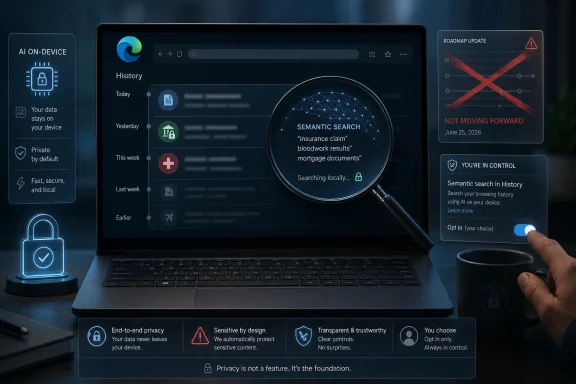
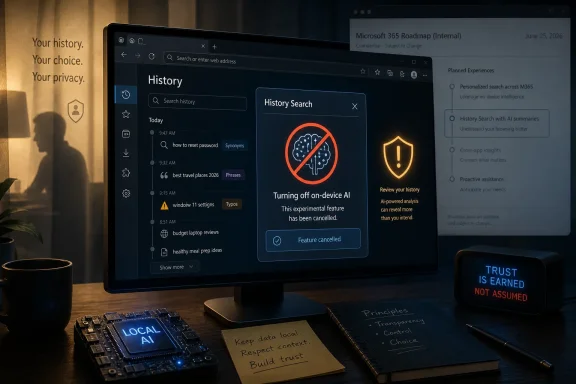
Microsoft cancelled Microsoft Edge’s AI-powered History search roadmap item on June 25, 2026, after previously listing the feature for worldwide general availability in August 2025 with an on-device model and an enterprise policy control. The retreat is small in product terms but revealing in platform terms. Microsoft is learning, again, that “local AI” does not automatically neutralize user distrust when the data involved is browsing history. Edge may still be one of the most capable browsers on Windows, but capability is no longer the only measure that matters.
The cancelled feature was straightforward on paper. Instead of requiring exact matches in Edge History, users would have been able to find previously visited sites using synonyms, natural-language phrases, or minor typos. If you remembered the idea of a page but not the title, URL, or exact wording, Edge would try to bridge the gap.
That is a genuinely useful problem to solve. Browser history is one of the most underpowered search surfaces in daily computing, even though it contains a highly personal map of what a user has read, researched, bought, feared, fixed, and forgotten. Anyone who has tried to find “that driver page from last Tuesday” or “the forum post about the registry key” can see the appeal.
Microsoft’s pitch also included the privacy qualifier that modern AI features now carry like a passport stamp: the model would run on-device, trained using the user’s data, and that data would not leave the device or be sent to Microsoft. For administrators, the company documented a policy, EdgeHistoryAISearchEnabled, to disable the feature in managed environments.
And yet the roadmap entry now says Microsoft has decided not to move forward “at this time.” That phrase leaves the door open, but it also marks a rare moment where the AI drumbeat pauses. In a product era defined by Copilot panels, AI summaries, and model-powered assistance in every corner of the stack, a browser feature that searched history more intelligently was apparently not ready to cross the line from plausible to shippable.
That makes it both valuable and radioactive. A semantic index of browsing history could help users recover useful pages faster, but it also transforms a chronological log into an inferred memory system. The difference between “show me pages with this word in the title” and “infer what I probably meant” is not just a usability improvement; it is a change in what the browser knows how to do with the record it already has.
Microsoft tried to address that with on-device processing. In technical terms, local modeling is the right instinct. It reduces exposure to cloud processing, lowers the need for data transfer, and can keep sensitive user activity away from vendor servers. For enterprise customers, it is also easier to discuss in risk reviews than a service that uploads browsing history for remote inference.
But “on-device” is not a magic word. A local model can still create a richer index than the user expects. It can still make deleted, obscure, or half-remembered activity easier to rediscover by someone sitting at the same profile. It can still raise compliance questions in regulated environments where retention, discovery, and audit boundaries matter. The privacy question is not only where the bytes go; it is what new structure gets built from them.
That is precisely the kind of switch administrators ask for. It is mandatory, per-profile, dynamically refreshable, and available through the usual policy channels. In managed Windows estates, that means Group Policy and registry-backed deployment; on macOS, it means preference management. For IT teams, the policy is the difference between a feature they can test and a feature they must firefight.
Still, a policy control does not settle the product question. Enterprise admins can disable many things they dislike, but the default direction of the browser still matters. If the feature is on unless blocked, organizations inherit the work of discovering it, classifying it, and deciding whether it fits their risk model. That is not a trivial burden when the surface area is browsing history.
The policy also creates an odd optics problem. Microsoft’s own documentation effectively says, “This is useful enough to ship, sensitive enough to govern, and personal enough to keep local.” That may be true, but it also concentrates the controversy. The moment a feature needs an AI policy toggle for browser history, security teams will ask why it exists, what it indexes, how it stores embeddings or model artifacts, and what happens when a profile is synced, roamed, backed up, compromised, or handed over during an investigation.
That sequence suggests the feature lived in the liminal space Microsoft now uses for many Edge capabilities: announced, documented, policy-wrapped, and selectively rolled out, but not necessarily experienced by every user. Controlled feature rollouts are useful engineering tools, especially in a browser that must move with Chromium while layering Microsoft-specific services on top. They are also confusing public signals.
For Windows users, the practical result is that a feature can be “in the release notes,” “on the roadmap,” “in policy documentation,” and still not become a durable product commitment. This is not unique to Microsoft, but Edge makes the phenomenon unusually visible because it straddles consumer convenience, enterprise governance, and Windows platform strategy.
The cancellation therefore should not be read as proof that the technology failed. It may have been a privacy review issue, a telemetry concern, a user-trust calculation, a quality problem, a deployment complication, a roadmap cleanup, or simply a feature Microsoft no longer wanted to prioritize. The important point is that the company had enough reason to stop advancing it as described.
Users do not only worry that Microsoft, Google, Apple, or another vendor will upload their data. They worry that software will reinterpret their private activity in ways they did not ask for, do not understand, and cannot easily audit. With browser history, that anxiety is amplified because the source material is already intimate.
A keyword search is legible. If you type “printer driver,” the browser searches for that phrase or something close to it. A semantic history feature is less legible. It must encode pages, titles, URLs, snippets, or some combination of metadata into a searchable representation that can connect related meanings. Even if that representation never leaves the machine, it changes the local privacy profile.
That does not mean semantic history search is inherently bad. In fact, the best version of it could be a signature feature for a privacy-forward browser: local, transparent, opt-in, easy to clear, easy to inspect, and separated cleanly from cloud sync. But the burden of explanation is higher than the roadmap blurb allowed. “Your data never leaves your device” is the beginning of the conversation, not the end.
That is why AI-powered History search was never just a search enhancement. It arrived in a browser whose users have spent years watching Microsoft promote Edge through Windows prompts, default-app nudges, Bing integrations, shopping features, sidebar services, and Copilot entry points. Some users like those features. Many do not. Either way, the browser’s reputation affects how its AI additions are received.
The irony is that Edge often has the technical goods. Sleeping tabs, vertical tabs, enterprise policy depth, PDF features, profile management, and Windows integration all give it real advantages. Microsoft’s problem is not that Edge lacks usefulness. It is that useful features are increasingly bundled with a feeling of strategic insistence.
In that context, a local AI history index may have looked less like a helpful upgrade and more like another example of Microsoft pushing intelligence into a surface users did not expect to become intelligent. The trust deficit is not about one toggle. It is about years of browser behavior that trained users to read every new Edge capability as both a feature and a funnel.
The EdgeHistoryAISearchEnabled policy would have been easy enough to set. The harder work would have been deciding the default posture. Should semantic history search be disabled everywhere, allowed for low-risk users, piloted for developers, or permitted only on devices with stronger local security controls? Should it be treated like a search feature, a privacy feature, or an AI feature?
The answer would vary by organization. A software company might welcome better history recall for engineers and support teams. A hospital, law firm, school district, government agency, or financial institution might see a searchable semantic layer over browsing history as unnecessary risk. A managed device used by multiple roles, contractors, or frontline workers raises still more questions.
The cancellation buys time, but it does not remove the underlying issue. Microsoft continues to add AI-related controls to Edge, and administrators should expect the policy surface to grow, not shrink. The lesson is to stop treating browser AI as an occasional novelty and start treating it as part of the standard endpoint governance model.
The question is who can ship it credibly. Apple can lean on its privacy brand and local processing story. Google can build from Chrome’s dominant browser position and its long history with search, though it faces its own trust and advertising conflicts. Smaller browsers can pitch local-first intelligence as a differentiator. Microsoft, meanwhile, has the enterprise plumbing and Windows reach, but it must overcome skepticism generated by its own distribution tactics.
There is also a broader technical trend at work. As on-device models become more capable, applications will not merely search stored data; they will build private indexes of user activity. Files, photos, clipboard history, command palettes, browser sessions, chat logs, shell activity, and app usage can all become searchable memory surfaces. That will be powerful. It will also be uncomfortable.
The companies that win here will be the ones that make the feature feel owned by the user rather than imposed by the platform. That means opt-in flows that are not dark patterns, clear local storage controls, simple deletion semantics, and honest descriptions of what is indexed. It also means giving administrators defaults they can defend.
For admins, that means documentation should be read as evidence, not prophecy. A policy appearing in Microsoft Learn does not guarantee a feature will arrive everywhere in the form first described. A roadmap entry is a planning signal, not a contract. A release note can describe a controlled rollout that many users never see.
That ambiguity is frustrating, but it is also the reality of modern evergreen software. Edge no longer ships as a static application where features arrive in neat annual packages. It is a service-like browser with staggered rollouts, experiments, cloud-controlled flags, policy gates, and channel-specific behavior. The administrative model has improved, but the predictability problem remains.
The cancellation of AI-powered History search therefore points to a documentation challenge as much as a product challenge. Microsoft needs to make it easier for customers to know whether a sensitive feature is planned, piloting, shipping, paused, cancelled, or merely documented for future use. In security-conscious environments, ambiguity is itself a cost.
That boundary is healthy. Browsers are becoming the operating systems inside the operating system, and history is one of their most sensitive internal records. If AI is going to operate there, users and administrators deserve more than a feature card. They deserve a model of control they can understand before the model starts understanding them.
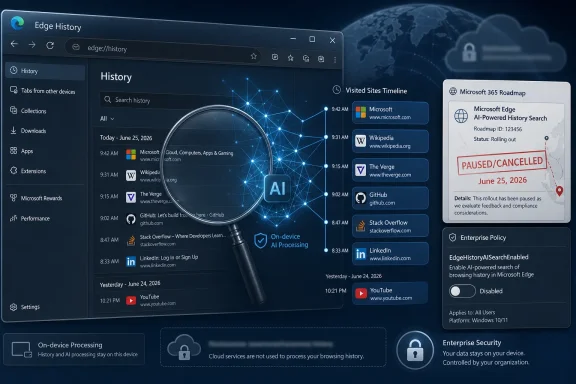 Microsoft’s Small Cancellation Says Something Larger About Browser AI
The cancelled feature was straightforward on paper. Instead of requiring exact matches in Edge History, users would have been able to find previously visited sites using synonyms, natural-language phrases, or minor typos. If you remembered the idea of a page but not the title, URL, or exact wording, Edge would try to bridge the gap.That is a genuinely useful problem to solve. Browser history is one of the most underpowered search surfaces in daily computing, even though it contains a highly personal map of what a user has read, researched, bought, feared, fixed, and forgotten. Anyone who has tried to find “that driver page from last Tuesday” or “the forum post about the registry key” can see the appeal.
Microsoft’s pitch also included the privacy qualifier that modern AI features now carry like a passport stamp: the model would run on-device, trained using the user’s data, and that data would not leave the device or be sent to Microsoft. For administrators, the company documented a policy, EdgeHistoryAISearchEnabled, to disable the feature in managed environments.
And yet the roadmap entry now says Microsoft has decided not to move forward “at this time.” That phrase leaves the door open, but it also marks a rare moment where the AI drumbeat pauses. In a product era defined by Copilot panels, AI summaries, and model-powered assistance in every corner of the stack, a browser feature that searched history more intelligently was apparently not ready to cross the line from plausible to shippable.
The Browser History File Is Not Just Another Dataset
The central tension is that browser history is not normal application data. It is not a document library, a mailbox, or a photo folder, even though those are sensitive too. History is behavioral exhaust: a timestamped record of intent before it becomes polished enough to be saved, shared, or deleted.That makes it both valuable and radioactive. A semantic index of browsing history could help users recover useful pages faster, but it also transforms a chronological log into an inferred memory system. The difference between “show me pages with this word in the title” and “infer what I probably meant” is not just a usability improvement; it is a change in what the browser knows how to do with the record it already has.
Microsoft tried to address that with on-device processing. In technical terms, local modeling is the right instinct. It reduces exposure to cloud processing, lowers the need for data transfer, and can keep sensitive user activity away from vendor servers. For enterprise customers, it is also easier to discuss in risk reviews than a service that uploads browsing history for remote inference.
But “on-device” is not a magic word. A local model can still create a richer index than the user expects. It can still make deleted, obscure, or half-remembered activity easier to rediscover by someone sitting at the same profile. It can still raise compliance questions in regulated environments where retention, discovery, and audit boundaries matter. The privacy question is not only where the bytes go; it is what new structure gets built from them.
Edge’s Enterprise Safety Valve Was Necessary, Not Sufficient
The existence of EdgeHistoryAISearchEnabled tells us Microsoft understood the enterprise problem from the start. The policy was designed to control whether users could use AI-enhanced search in browsing history. When enabled or left unconfigured, users could search with synonyms, phrases, and small spelling errors; when disabled, they would fall back to exact matching.That is precisely the kind of switch administrators ask for. It is mandatory, per-profile, dynamically refreshable, and available through the usual policy channels. In managed Windows estates, that means Group Policy and registry-backed deployment; on macOS, it means preference management. For IT teams, the policy is the difference between a feature they can test and a feature they must firefight.
Still, a policy control does not settle the product question. Enterprise admins can disable many things they dislike, but the default direction of the browser still matters. If the feature is on unless blocked, organizations inherit the work of discovering it, classifying it, and deciding whether it fits their risk model. That is not a trivial burden when the surface area is browsing history.
The policy also creates an odd optics problem. Microsoft’s own documentation effectively says, “This is useful enough to ship, sensitive enough to govern, and personal enough to keep local.” That may be true, but it also concentrates the controversy. The moment a feature needs an AI policy toggle for browser history, security teams will ask why it exists, what it indexes, how it stores embeddings or model artifacts, and what happens when a profile is synced, roamed, backed up, compromised, or handed over during an investigation.
The August 2025 Date Became a Warning Label
The roadmap chronology is unusually messy. The item was created in June 2025, listed for general availability in August 2025, and still received a cancellation update on June 25, 2026. Meanwhile, Edge release notes from the 2025-era channel documentation described AI-powered History search as a controlled feature rollout, with the same explanation about synonyms, phrases, typos, and an on-device model.That sequence suggests the feature lived in the liminal space Microsoft now uses for many Edge capabilities: announced, documented, policy-wrapped, and selectively rolled out, but not necessarily experienced by every user. Controlled feature rollouts are useful engineering tools, especially in a browser that must move with Chromium while layering Microsoft-specific services on top. They are also confusing public signals.
For Windows users, the practical result is that a feature can be “in the release notes,” “on the roadmap,” “in policy documentation,” and still not become a durable product commitment. This is not unique to Microsoft, but Edge makes the phenomenon unusually visible because it straddles consumer convenience, enterprise governance, and Windows platform strategy.
The cancellation therefore should not be read as proof that the technology failed. It may have been a privacy review issue, a telemetry concern, a user-trust calculation, a quality problem, a deployment complication, a roadmap cleanup, or simply a feature Microsoft no longer wanted to prioritize. The important point is that the company had enough reason to stop advancing it as described.
Local AI Is Becoming the New Trust Theater
The phrase on-device model is doing a lot of work across the industry. It signals that a feature is faster, more private, and less dependent on the cloud. In many cases, those things are true. But local AI also risks becoming the new trust theater: a technically accurate reassurance that does not answer the user’s actual concern.Users do not only worry that Microsoft, Google, Apple, or another vendor will upload their data. They worry that software will reinterpret their private activity in ways they did not ask for, do not understand, and cannot easily audit. With browser history, that anxiety is amplified because the source material is already intimate.
A keyword search is legible. If you type “printer driver,” the browser searches for that phrase or something close to it. A semantic history feature is less legible. It must encode pages, titles, URLs, snippets, or some combination of metadata into a searchable representation that can connect related meanings. Even if that representation never leaves the machine, it changes the local privacy profile.
That does not mean semantic history search is inherently bad. In fact, the best version of it could be a signature feature for a privacy-forward browser: local, transparent, opt-in, easy to clear, easy to inspect, and separated cleanly from cloud sync. But the burden of explanation is higher than the roadmap blurb allowed. “Your data never leaves your device” is the beginning of the conversation, not the end.
Microsoft’s AI Ambition Keeps Colliding With Windows Muscle Memory
Edge sits in an awkward place in Microsoft’s product universe. It is a browser competing with Chrome, Safari, Firefox, Brave, and others. It is also a Windows component, an enterprise-managed application, a PDF reader, a web app runtime, a Microsoft account surface, a Bing funnel, and increasingly a Copilot delivery vehicle. Every new Edge feature lands under the shadow of that accumulated role confusion.That is why AI-powered History search was never just a search enhancement. It arrived in a browser whose users have spent years watching Microsoft promote Edge through Windows prompts, default-app nudges, Bing integrations, shopping features, sidebar services, and Copilot entry points. Some users like those features. Many do not. Either way, the browser’s reputation affects how its AI additions are received.
The irony is that Edge often has the technical goods. Sleeping tabs, vertical tabs, enterprise policy depth, PDF features, profile management, and Windows integration all give it real advantages. Microsoft’s problem is not that Edge lacks usefulness. It is that useful features are increasingly bundled with a feeling of strategic insistence.
In that context, a local AI history index may have looked less like a helpful upgrade and more like another example of Microsoft pushing intelligence into a surface users did not expect to become intelligent. The trust deficit is not about one toggle. It is about years of browser behavior that trained users to read every new Edge capability as both a feature and a funnel.
Admins Will Read the Cancellation as a Temporary Reprieve
For IT administrators, the cancellation is good news mostly because it removes one more policy decision from the near-term checklist. Browser management has become a dense discipline: extension controls, sync settings, password manager policy, security baselines, profile separation, web platform permissions, PDF handling, AI controls, and now a growing number of Copilot-adjacent experiences. Each new AI feature adds both a productivity promise and a governance chore.The EdgeHistoryAISearchEnabled policy would have been easy enough to set. The harder work would have been deciding the default posture. Should semantic history search be disabled everywhere, allowed for low-risk users, piloted for developers, or permitted only on devices with stronger local security controls? Should it be treated like a search feature, a privacy feature, or an AI feature?
The answer would vary by organization. A software company might welcome better history recall for engineers and support teams. A hospital, law firm, school district, government agency, or financial institution might see a searchable semantic layer over browsing history as unnecessary risk. A managed device used by multiple roles, contractors, or frontline workers raises still more questions.
The cancellation buys time, but it does not remove the underlying issue. Microsoft continues to add AI-related controls to Edge, and administrators should expect the policy surface to grow, not shrink. The lesson is to stop treating browser AI as an occasional novelty and start treating it as part of the standard endpoint governance model.
The Feature Microsoft Cancelled Is Still a Feature Someone Will Build
It would be a mistake to assume AI history search is dead as an idea. The use case is too obvious. Users forget exact titles, vendors rename pages, documentation moves, and search engines are poor substitutes for personal browsing recall. A browser that can understand “that page about fixing the blue screen after the firmware update” is solving a real everyday problem.The question is who can ship it credibly. Apple can lean on its privacy brand and local processing story. Google can build from Chrome’s dominant browser position and its long history with search, though it faces its own trust and advertising conflicts. Smaller browsers can pitch local-first intelligence as a differentiator. Microsoft, meanwhile, has the enterprise plumbing and Windows reach, but it must overcome skepticism generated by its own distribution tactics.
There is also a broader technical trend at work. As on-device models become more capable, applications will not merely search stored data; they will build private indexes of user activity. Files, photos, clipboard history, command palettes, browser sessions, chat logs, shell activity, and app usage can all become searchable memory surfaces. That will be powerful. It will also be uncomfortable.
The companies that win here will be the ones that make the feature feel owned by the user rather than imposed by the platform. That means opt-in flows that are not dark patterns, clear local storage controls, simple deletion semantics, and honest descriptions of what is indexed. It also means giving administrators defaults they can defend.
The Roadmap Retraction Leaves a Policy Ghost Behind
One of the stranger outcomes is that the policy documentation may outlive the product plan, at least for a while. EdgeHistoryAISearchEnabled exists as an artifact of a feature that Microsoft described, documented, and then declined to move forward with at this time. In the Microsoft ecosystem, that is not unusual. Policies, release notes, and roadmap cards do not always age in perfect synchronization.For admins, that means documentation should be read as evidence, not prophecy. A policy appearing in Microsoft Learn does not guarantee a feature will arrive everywhere in the form first described. A roadmap entry is a planning signal, not a contract. A release note can describe a controlled rollout that many users never see.
That ambiguity is frustrating, but it is also the reality of modern evergreen software. Edge no longer ships as a static application where features arrive in neat annual packages. It is a service-like browser with staggered rollouts, experiments, cloud-controlled flags, policy gates, and channel-specific behavior. The administrative model has improved, but the predictability problem remains.
The cancellation of AI-powered History search therefore points to a documentation challenge as much as a product challenge. Microsoft needs to make it easier for customers to know whether a sensitive feature is planned, piloting, shipping, paused, cancelled, or merely documented for future use. In security-conscious environments, ambiguity is itself a cost.
What Edge Users Should Infer From This Particular U-Turn
The most concrete lesson is not that Microsoft has abandoned AI in Edge. It plainly has not. The lesson is that even Microsoft appears to recognize a boundary around browser history that cannot be crossed with the usual combination of release notes, local-processing language, and an admin policy.That boundary is healthy. Browsers are becoming the operating systems inside the operating system, and history is one of their most sensitive internal records. If AI is going to operate there, users and administrators deserve more than a feature card. They deserve a model of control they can understand before the model starts understanding them.
- Microsoft cancelled roadmap item 495834 on June 25, 2026, after previously targeting general availability for AI-powered Edge History search in August 2025.
- The proposed feature would have used synonyms, phrases, and typo tolerance to find previously visited sites without relying only on exact history matches.
- Microsoft said the model would be trained on-device using user data that would not be sent to Microsoft, but local processing does not eliminate every privacy, compliance, or trust concern.
- Enterprise administrators had a documented control, EdgeHistoryAISearchEnabled, that could disable AI-enhanced history search and preserve exact-match behavior.
- The cancellation reduces immediate deployment pressure for IT teams, but it does not change the broader direction of AI features moving deeper into Edge and Windows.
- The next credible version of this idea will need stronger user-facing transparency, cleaner opt-in behavior, and clearer guarantees about indexing, deletion, sync, and administrative control.
References
- Primary source: Microsoft 365 Roadmap
Published: 2026-06-25T23:15:45.5477468Z
Microsoft 365 Roadmap | Microsoft 365
The Microsoft 365 Roadmap lists updates that are currently planned for applicable subscribers. Check here for more information on the status of new features and updates.www.microsoft.com
- Official source: learn.microsoft.com
Microsoft Edge Browser Policy Documentation EdgeHistoryAISearchEnabled | Microsoft Learn
Windows and Mac documentation for supported Microsoft Edge Browser policy: Control access to AI-enhanced search in Historylearn.microsoft.com - Related coverage: d365hub.com
- Related coverage: m365admin.handsontek.net
Microsoft Edge: AI-powered History search - M365 Admin
Enhanced search finds sites in your History even when you use a synonym, phrase, or typo. After this feature is turned on, sites you visit will be shown in enhanced history search results. An on-device model is trained using your data, which never leaves your device and is never sent to...m365admin.handsontek.net - Related coverage: supersimple365.com
Microsoft Edge gets an AI-powered History search - Super Simple 365
Short VersionMicrosoft Edge is introducing an AI-powered history search to help you find previously visited sites more easily. Now due late September to late October 2025. DetailsMicrosoft: “This enhanced experience uses an on-device model to understand synonyms, natural language, and minor... supersimple365.com
- Official source: cdn-dynmedia-1.microsoft.com
- Official source: wwps.microsoft.com