

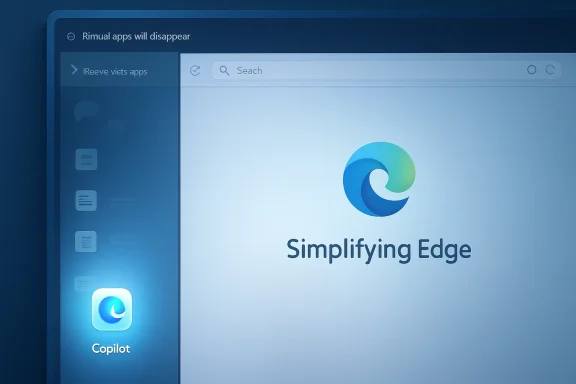
Microsoft is removing Microsoft Edge’s ability to pin websites and web apps to the browser Sidebar, with existing pinned apps scheduled to disappear in a future update, while Copilot remains available in the same interface area. The change has no announced removal date, but Microsoft’s own support language now frames the app tower as a feature being wound down. That makes this less a routine cleanup than a revealing product decision: Edge is losing one of its more browser-native productivity tricks while preserving the AI surface Microsoft most wants users to see.
The company says it is simplifying Edge. Users who relied on the Sidebar hear something else: the customizable part is going away, the Microsoft-controlled part is staying, and the browser is becoming a little less personal in the process. That distinction matters because Edge has never won affection by being the most neutral browser on the desktop. It has won pockets of loyalty when it did something Chrome did not.
For years, Edge’s Sidebar was one of those oddly useful Microsoft features that sounded like clutter until it became part of someone’s workflow. It let users pin web apps and sites into a vertical rail and open them alongside whatever page they were already viewing. Messaging apps, dashboards, music players, dictionaries, documentation, internal tools, email, project boards, and AI chatbots could all live in a slim side pane instead of becoming yet another tab in an already overburdened tab strip.
That was not a gimmick in the way many browser additions are gimmicks. It changed the shape of browser work. A user could keep an ERP dashboard in the side pane while reviewing a purchase order, watch a chat thread while editing a document, or keep a reference page open without splitting the desktop into multiple windows. It was the sort of small spatial convenience that matters more after the tenth use than the first.
The feature also gave Edge an identity problem in the best possible sense. Since Microsoft rebuilt Edge on Chromium, the browser has had to justify why anyone should use it instead of Chrome, Brave, Vivaldi, Arc, Firefox, or Safari. Performance claims and security defaults help, especially in enterprise settings, but consumer loyalty usually comes from a handful of features that feel lived in. Sidebar web app pinning was one of those.
Now Microsoft is removing the exact piece that made the Sidebar user-directed. New apps can no longer be added, and the apps already pinned in the app tower are slated to be removed in a future update. Copilot, meanwhile, is explicitly unaffected. In product-management terms, that is a simplification. In user terms, it looks like Microsoft clearing the shelf but keeping its own product on display.
A pinned site in the Sidebar could act like a companion surface to the current page. It did not demand a full tab switch. It did not require a separate application window. It could sit beside the main browsing session in a narrow, often mobile-like presentation, turning the browser into something closer to a workspace. That is meaningfully different from a bookmark.
This is why the backlash has been sharper than Microsoft may have expected. The people complaining are not necessarily defending visual clutter for its own sake. They are defending a workflow that let Edge behave like a compact operating environment for the web. For users whose jobs already happen mostly inside browser-based tools, the distinction is obvious.
The irony is that Microsoft has spent years selling the idea that work increasingly happens across panes, feeds, chats, side panels, and contextual assistants. Teams, Outlook, Loop, Office, Windows Widgets, and Copilot all assume that productivity is not a single full-screen document but a choreography of adjacent information. Edge’s Sidebar fit that thesis. It just did so without requiring the adjacent information to be Microsoft’s.
So yes, simplification is a legitimate goal. Edge could benefit from a sharper product line and fewer surfaces competing for attention. The problem is that simplification only earns trust when the cuts look even-handed. Removing user-pinned Sidebar apps while sparing Copilot sends a different message: Microsoft is not reducing surface area so much as reallocating it toward strategic priorities.
That perception is especially damaging because Copilot has become the beneficiary of so many interface decisions across Microsoft products. Edge, Windows, Microsoft 365, and even smaller system apps have all carried waves of AI integration. Some of those integrations are useful. Some feel premature. Some are simply too prominent for users who did not ask for them.
Edge’s Sidebar change lands in that atmosphere. Even if the engineering reason is mundane, the optics are obvious. A feature that let users put almost any web tool in the rail is being retired, while the rail remains a home for Microsoft’s AI assistant. The company may call that streamlining. Users are likely to call it preference laundering.
The second idea is where Microsoft wants the market to go. Copilot in Edge is not just another sidebar app; it is a beachhead for a future in which the browser becomes an assistant wrapped around the web. It can interpret pages, answer questions, help compose text, and eventually connect browsing to broader work tasks. If that future works, it could be genuinely important.
But the agentic browser cannot arrive by making the ordinary browser worse. Users do not adopt new computing paradigms because vendors remove the old conveniences and leave the new button behind. They adopt them when the new system proves it can do more while preserving control. The Sidebar removal cuts against that bargain.
Edge’s best argument against Chrome has often been that it is Chrome-plus: the same web compatibility with better Windows integration and a handful of clever interface ideas. If Microsoft trims the plus features and leaves the AI promotions, Edge risks becoming Chrome-with-Copilot. That may be strategically coherent for Microsoft. It is not necessarily compelling for users.
Still, small user revolts are worth reading carefully because they often come from the people who understand a feature’s practical value before telemetry does. A feature can look niche in aggregate and still be central to a high-value workflow. IT pros, analysts, developers, researchers, students, and power users often depend on affordances that casual users ignore. Removing those affordances can save interface complexity while quietly eroding enthusiasm among the people who recommend tools to everyone else.
The reaction also reveals a trust gap. Users are not just saying they will miss a button. They are saying they do not believe Microsoft’s explanation fully accounts for the decision. When a company removes custom user functionality and preserves its own AI entry point, users do not need a conspiracy theory to infer a priority stack.
Microsoft has not publicly engaged those concerns in detail. That silence leaves the support document to do the talking, and support documents are not built to win editorial arguments. They state outcomes. They do not explain trade-offs. In this case, the outcome is stark enough that the missing explanation becomes part of the story.
That is one reason Microsoft’s simplification argument may resonate in some IT departments. Fewer user-configurable app surfaces can mean fewer unknowns. If employees can pin arbitrary sites into a persistent browser pane, admins may worry about data leakage, shadow IT, inconsistent behavior, or simply the difficulty of documenting what the browser does. From that angle, retiring the app list could be framed as reducing enterprise ambiguity.
But Copilot complicates that story. An AI assistant in the browser is not a simpler risk surface merely because Microsoft owns it. It raises its own questions about data access, page context, tenant controls, identity, retention, compliance, and user expectations. Microsoft has invested heavily in enterprise controls around Copilot, but the basic governance issue remains: IT does not escape complexity when a customizable web rail disappears and an AI rail remains.
The better enterprise argument would be configurability. Let administrators disable Sidebar app pinning if they dislike it, preserve it where it is useful, and manage Copilot according to organizational policy. Microsoft already lives in that world across Edge and Windows. A hard retirement feels less like mature enterprise management and more like product simplification by deletion.
That is why customizable features matter. They turn vendor surface area into user surface area. A sidebar that can hold WhatsApp, Jira, Outlook, YouTube Music, documentation, a company dashboard, or a preferred AI chatbot is not merely a Microsoft idea imposed on the browser. It is a user’s workspace. Once configured, it belongs psychologically to the person using it.
Copilot does not occupy that same mental category. Even for users who like it, Copilot is Microsoft’s thing. It may be useful, powerful, and improving, but it arrives with a corporate agenda attached. When it survives a cleanup that removes user-pinned alternatives, the browser feels less like a workbench and more like a showroom.
This is where Edge risks learning the wrong lesson from Chrome. Chrome’s dominance does not come from being beloved for every interface decision. It comes from compatibility, inertia, account sync, performance, and the gravitational pull of Google services. Edge cannot out-Chrome Chrome by being just as pushy with a smaller ecosystem. Its path is to feel more considerate, more Windows-native, and more configurable.
Instead, the message is broad: Edge is being simplified, new apps cannot be added, existing pinned apps will go away, and Copilot is not affected. That may be accurate. It is not satisfying. Product explanations do not need to expose every internal metric, but they do need to respect the intelligence of the users who notice what changed.
A credibility test for simplification is simple: does the product become easier for users to shape, or easier for the vendor to steer? Removing features can pass that test when the features are redundant, confusing, or broken. It fails when the removed feature was one of the few ways users could adapt the product to their own work.
Edge has had too many moments where helpful ideas were buried under promotional energy. Collections, Sidebar apps, vertical tabs, sleeping tabs, split screen, and strong PDF handling all showed Microsoft can build browser features that are not just ecosystem hooks. But when those features are retired, hidden, or overshadowed while Copilot continues to expand, the product’s center of gravity becomes unmistakable.
When a browser removes a user-configurable surface and preserves an AI assistant, it weakens that feeling. It tells users that their workflows are provisional, while the vendor’s strategic bets are permanent. That is a dangerous message at a time when many users are already skeptical of forced AI integration.
Microsoft has lately shown some awareness of this problem. The company has walked back or reduced some AI entry points in parts of Windows and has improved options for hiding Copilot in certain contexts. Those moves suggest Microsoft understands that ubiquity can become backlash if it feels compulsory. Edge’s Sidebar decision cuts in the opposite direction.
The better Copilot strategy is not to make Copilot the last app standing. It is to make Copilot useful enough that users choose it over whatever else they could pin. If Microsoft believes Copilot is the best companion pane for the web, it should win that contest inside a flexible browser, not by narrowing the field.
Source: gHacks Microsoft Edge Removes Sidebar Web App Pinning, Keeping Copilot Untouched - gHacks Tech News
The company says it is simplifying Edge. Users who relied on the Sidebar hear something else: the customizable part is going away, the Microsoft-controlled part is staying, and the browser is becoming a little less personal in the process. That distinction matters because Edge has never won affection by being the most neutral browser on the desktop. It has won pockets of loyalty when it did something Chrome did not.
 Microsoft Cuts the Feature That Made Edge Feel Less Like Chrome
For years, Edge’s Sidebar was one of those oddly useful Microsoft features that sounded like clutter until it became part of someone’s workflow. It let users pin web apps and sites into a vertical rail and open them alongside whatever page they were already viewing. Messaging apps, dashboards, music players, dictionaries, documentation, internal tools, email, project boards, and AI chatbots could all live in a slim side pane instead of becoming yet another tab in an already overburdened tab strip.That was not a gimmick in the way many browser additions are gimmicks. It changed the shape of browser work. A user could keep an ERP dashboard in the side pane while reviewing a purchase order, watch a chat thread while editing a document, or keep a reference page open without splitting the desktop into multiple windows. It was the sort of small spatial convenience that matters more after the tenth use than the first.
The feature also gave Edge an identity problem in the best possible sense. Since Microsoft rebuilt Edge on Chromium, the browser has had to justify why anyone should use it instead of Chrome, Brave, Vivaldi, Arc, Firefox, or Safari. Performance claims and security defaults help, especially in enterprise settings, but consumer loyalty usually comes from a handful of features that feel lived in. Sidebar web app pinning was one of those.
Now Microsoft is removing the exact piece that made the Sidebar user-directed. New apps can no longer be added, and the apps already pinned in the app tower are slated to be removed in a future update. Copilot, meanwhile, is explicitly unaffected. In product-management terms, that is a simplification. In user terms, it looks like Microsoft clearing the shelf but keeping its own product on display.
The Sidebar Was Never Just a Shortcut Drawer
The mistake in Microsoft’s framing is that it treats the Sidebar as if it were mainly a place to launch things. If that were true, users could replace it with bookmarks, pinned tabs, taskbar shortcuts, installed PWAs, or the Windows Start menu. But the Sidebar’s value was not merely fast access; it was persistent context.A pinned site in the Sidebar could act like a companion surface to the current page. It did not demand a full tab switch. It did not require a separate application window. It could sit beside the main browsing session in a narrow, often mobile-like presentation, turning the browser into something closer to a workspace. That is meaningfully different from a bookmark.
This is why the backlash has been sharper than Microsoft may have expected. The people complaining are not necessarily defending visual clutter for its own sake. They are defending a workflow that let Edge behave like a compact operating environment for the web. For users whose jobs already happen mostly inside browser-based tools, the distinction is obvious.
The irony is that Microsoft has spent years selling the idea that work increasingly happens across panes, feeds, chats, side panels, and contextual assistants. Teams, Outlook, Loop, Office, Windows Widgets, and Copilot all assume that productivity is not a single full-screen document but a choreography of adjacent information. Edge’s Sidebar fit that thesis. It just did so without requiring the adjacent information to be Microsoft’s.
Copilot Survives Because This Is About Priority, Not Pixels
Microsoft’s strongest defense is also its weakest: Edge really has become crowded. The browser has accumulated shopping tools, coupons, sidebars, collections, vertical tabs, Drop, split screen, PDF tools, games-adjacent surfaces, read-aloud features, AI buttons, startup nudges, and account prompts. Some of those are useful. Many are defensible individually. Together, they can make Edge feel like a browser wearing a utility belt it refuses to take off.So yes, simplification is a legitimate goal. Edge could benefit from a sharper product line and fewer surfaces competing for attention. The problem is that simplification only earns trust when the cuts look even-handed. Removing user-pinned Sidebar apps while sparing Copilot sends a different message: Microsoft is not reducing surface area so much as reallocating it toward strategic priorities.
That perception is especially damaging because Copilot has become the beneficiary of so many interface decisions across Microsoft products. Edge, Windows, Microsoft 365, and even smaller system apps have all carried waves of AI integration. Some of those integrations are useful. Some feel premature. Some are simply too prominent for users who did not ask for them.
Edge’s Sidebar change lands in that atmosphere. Even if the engineering reason is mundane, the optics are obvious. A feature that let users put almost any web tool in the rail is being retired, while the rail remains a home for Microsoft’s AI assistant. The company may call that streamlining. Users are likely to call it preference laundering.
A Browser That Wants to Be an Agent Must Still Be a Browser
Microsoft’s broader Edge strategy is caught between two ideas. One is the traditional browser idea: fast rendering, good compatibility, strong security, manageable settings, and enough convenience features to differentiate the product. The other is the agentic browser idea: the browser as an AI-mediated workspace that reads, summarizes, recommends, drafts, and acts.The second idea is where Microsoft wants the market to go. Copilot in Edge is not just another sidebar app; it is a beachhead for a future in which the browser becomes an assistant wrapped around the web. It can interpret pages, answer questions, help compose text, and eventually connect browsing to broader work tasks. If that future works, it could be genuinely important.
But the agentic browser cannot arrive by making the ordinary browser worse. Users do not adopt new computing paradigms because vendors remove the old conveniences and leave the new button behind. They adopt them when the new system proves it can do more while preserving control. The Sidebar removal cuts against that bargain.
Edge’s best argument against Chrome has often been that it is Chrome-plus: the same web compatibility with better Windows integration and a handful of clever interface ideas. If Microsoft trims the plus features and leaves the AI promotions, Edge risks becoming Chrome-with-Copilot. That may be strategically coherent for Microsoft. It is not necessarily compelling for users.
The Petition Is Small, but the Signal Is Larger
The user petition asking Microsoft to preserve the Sidebar is not, by itself, evidence of mass rebellion. Browser feature petitions often attract the most invested users, and the most invested users are not always representative. Many Edge users may never have touched the app tower at all. Some may have disabled the Sidebar the first day it appeared.Still, small user revolts are worth reading carefully because they often come from the people who understand a feature’s practical value before telemetry does. A feature can look niche in aggregate and still be central to a high-value workflow. IT pros, analysts, developers, researchers, students, and power users often depend on affordances that casual users ignore. Removing those affordances can save interface complexity while quietly eroding enthusiasm among the people who recommend tools to everyone else.
The reaction also reveals a trust gap. Users are not just saying they will miss a button. They are saying they do not believe Microsoft’s explanation fully accounts for the decision. When a company removes custom user functionality and preserves its own AI entry point, users do not need a conspiracy theory to infer a priority stack.
Microsoft has not publicly engaged those concerns in detail. That silence leaves the support document to do the talking, and support documents are not built to win editorial arguments. They state outcomes. They do not explain trade-offs. In this case, the outcome is stark enough that the missing explanation becomes part of the story.
Enterprise IT Sees the Same Pattern Through a Different Lens
For managed environments, the Edge Sidebar has always been a policy question as much as a usability feature. Admins have had to decide whether Sidebar apps were helpful productivity aids, uncontrolled data surfaces, or yet another source of support tickets. The answer varied by organization. A school, a call center, a developer shop, and a regulated financial firm will not see browser side panels the same way.That is one reason Microsoft’s simplification argument may resonate in some IT departments. Fewer user-configurable app surfaces can mean fewer unknowns. If employees can pin arbitrary sites into a persistent browser pane, admins may worry about data leakage, shadow IT, inconsistent behavior, or simply the difficulty of documenting what the browser does. From that angle, retiring the app list could be framed as reducing enterprise ambiguity.
But Copilot complicates that story. An AI assistant in the browser is not a simpler risk surface merely because Microsoft owns it. It raises its own questions about data access, page context, tenant controls, identity, retention, compliance, and user expectations. Microsoft has invested heavily in enterprise controls around Copilot, but the basic governance issue remains: IT does not escape complexity when a customizable web rail disappears and an AI rail remains.
The better enterprise argument would be configurability. Let administrators disable Sidebar app pinning if they dislike it, preserve it where it is useful, and manage Copilot according to organizational policy. Microsoft already lives in that world across Edge and Windows. A hard retirement feels less like mature enterprise management and more like product simplification by deletion.
The Real Competition Is Not Chrome, It Is User Control
Edge’s market challenge is not simply that Chrome exists. It is that users have learned to distrust browsers that behave like distribution channels for someone else’s priorities. Chrome carries Google’s ecosystem gravity. Safari carries Apple’s platform gravity. Edge carries Microsoft’s. The winning browser is often the one whose gravity feels least annoying in a given workflow.That is why customizable features matter. They turn vendor surface area into user surface area. A sidebar that can hold WhatsApp, Jira, Outlook, YouTube Music, documentation, a company dashboard, or a preferred AI chatbot is not merely a Microsoft idea imposed on the browser. It is a user’s workspace. Once configured, it belongs psychologically to the person using it.
Copilot does not occupy that same mental category. Even for users who like it, Copilot is Microsoft’s thing. It may be useful, powerful, and improving, but it arrives with a corporate agenda attached. When it survives a cleanup that removes user-pinned alternatives, the browser feels less like a workbench and more like a showroom.
This is where Edge risks learning the wrong lesson from Chrome. Chrome’s dominance does not come from being beloved for every interface decision. It comes from compatibility, inertia, account sync, performance, and the gravitational pull of Google services. Edge cannot out-Chrome Chrome by being just as pushy with a smaller ecosystem. Its path is to feel more considerate, more Windows-native, and more configurable.
Microsoft’s Simplification Campaign Needs a Credibility Test
There is a version of this decision that could have worked. Microsoft could have said the current Sidebar app tower is being retired because it is technically costly, underused, inconsistent across platforms, or difficult to secure. It could have offered a migration path to a new side pane framework, better PWA integration, or a policy-controlled replacement. It could have separated the Copilot announcement from the Sidebar retirement so the AI assistant did not appear to be the sole survivor of a purge.Instead, the message is broad: Edge is being simplified, new apps cannot be added, existing pinned apps will go away, and Copilot is not affected. That may be accurate. It is not satisfying. Product explanations do not need to expose every internal metric, but they do need to respect the intelligence of the users who notice what changed.
A credibility test for simplification is simple: does the product become easier for users to shape, or easier for the vendor to steer? Removing features can pass that test when the features are redundant, confusing, or broken. It fails when the removed feature was one of the few ways users could adapt the product to their own work.
Edge has had too many moments where helpful ideas were buried under promotional energy. Collections, Sidebar apps, vertical tabs, sleeping tabs, split screen, and strong PDF handling all showed Microsoft can build browser features that are not just ecosystem hooks. But when those features are retired, hidden, or overshadowed while Copilot continues to expand, the product’s center of gravity becomes unmistakable.
The Copilot-Era Browser Still Has to Earn Consent
The larger issue is consent. AI features in mainstream software are moving from optional experiments to persistent interface fixtures. Vendors argue that this is the natural evolution of computing, and they may be right in the long run. But consent is not just a toggle. It is the feeling that the software is still arranged around the user’s intent.When a browser removes a user-configurable surface and preserves an AI assistant, it weakens that feeling. It tells users that their workflows are provisional, while the vendor’s strategic bets are permanent. That is a dangerous message at a time when many users are already skeptical of forced AI integration.
Microsoft has lately shown some awareness of this problem. The company has walked back or reduced some AI entry points in parts of Windows and has improved options for hiding Copilot in certain contexts. Those moves suggest Microsoft understands that ubiquity can become backlash if it feels compulsory. Edge’s Sidebar decision cuts in the opposite direction.
The better Copilot strategy is not to make Copilot the last app standing. It is to make Copilot useful enough that users choose it over whatever else they could pin. If Microsoft believes Copilot is the best companion pane for the web, it should win that contest inside a flexible browser, not by narrowing the field.
The Browser Rail Microsoft Should Have Left Alone
The concrete facts of the Edge Sidebar retirement are simple, but their implications are not. Microsoft is not removing Copilot from the Sidebar area. It is removing the ability that let users turn that area into a customized strip of web tools. For anyone deciding whether this is a minor cleanup or a meaningful regression, the distinction is the whole story.- Microsoft has stopped allowing new websites and web apps to be added to the Edge Sidebar app tower.
- Existing pinned Sidebar apps are scheduled to be removed in a future Edge update, though Microsoft has not announced a specific date.
- Copilot and the side pane are not affected by the Sidebar app pinning retirement.
- The removed capability mattered because it let users keep web tools available beside any current tab, not merely because it offered another shortcut list.
- The backlash is small but telling because it comes from users who treated Edge’s Sidebar as a daily productivity surface rather than decoration.
- Microsoft can still make Edge simpler, but it will need to prove that simplification means less clutter for users rather than more room for Microsoft’s preferred services.
Source: gHacks Microsoft Edge Removes Sidebar Web App Pinning, Keeping Copilot Untouched - gHacks Tech News
