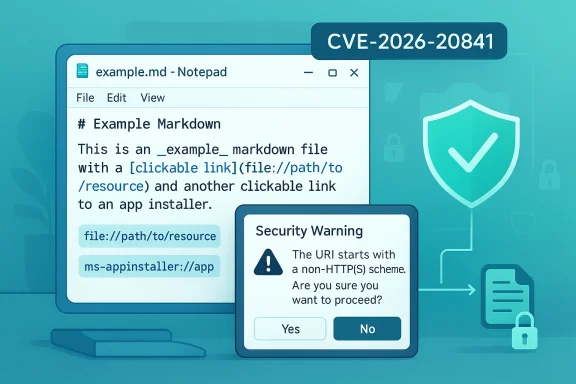
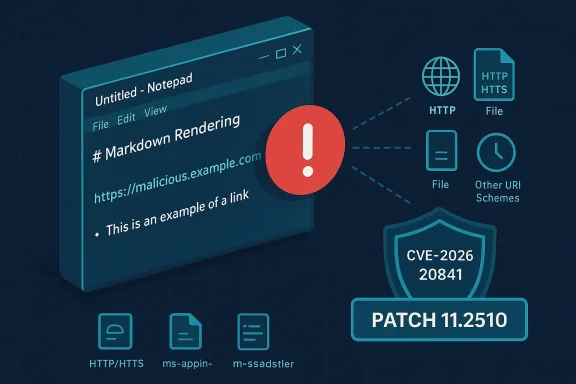
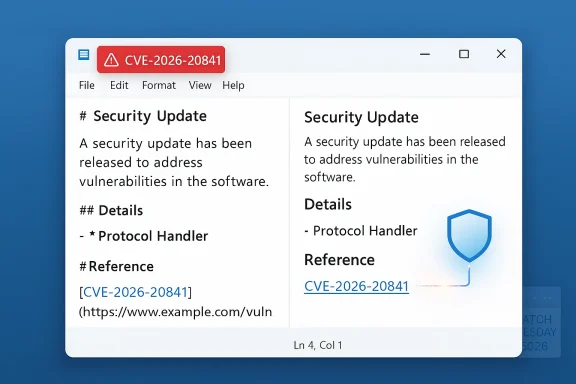
Microsoft’s February Patch Tuesday closed a dangerous loophole in the modern Notepad app that could let an attacker turn a simple Markdown (.md) file into a remote code execution (RCE) trap — a single click on a crafted link inside Notepad’s Markdown view could launch unverified protocols and cause arbitrary code to run with the user’s privileges. (msrc.microsoft.com)
Notepad has shed its reputation as a minimal text-only program over the last year, gaining Markdown preview, clickable links, tabbed documents, and optional cloud/AI integrations. That feature creep materially increased the app’s attack surface: markdown rendering introduced protocol-handling and link-fat historically belong to web browsers or richer document viewers — not a lightweight editor.
On February 10, 2026, Microsoft published a security update that addresses CVE-2026-20841, a command-injection / remote code execution vulnerability in the modern Windows Notepad app. Microsoft’s advisory describes the root cause as improper neutralization of special elements used in a command (CWE-77), allowing an attacker to craft Markdown files containing specially formed links that trigger “unverified protocols” when clicked and thereby load and execute remote payloads. The CVSS v3.1 base score attributed to this flaw is 8.8 (High), while Microsoft’s own maximum severity flag for the item is Important. (msrc.microsoft.com)
Multiple independent security outlets and vulnerability trackers corroborated Microsoft’s advisory and the scoring, and noted that the fix landed as part of Microsoft’s February 2026 Patch Tuesday packages. At the time of the patch Microsoft reported no known active exploitation in the wild, but the mechanics are straightforward enough to make rapid remediation prudent.
Microsoft’s internal rubric and advisory metadata, however, sometimes map CVSS differently into vendor-facing severity labels. Microsoft lists the vulnerability’s maximum severity rating as Important in its Security Update Guide entry. That difference does not mean the issue is unimportant — it reflects Microsoft’s internal classification and how it maps to servicing priorities across many components. Operationally, defenders should treat an 8.8 RCE as high-priority for patching even if Microsoft’s textual label reads “Important.” (msrc.microsoft.com)
Practical verification steps for administrators and end users:
From a security perspective, the safest approach is to assume every added capability will need the same rigor as a full-featured application: hardened parsing, strict input validation, sandboxing, and explicit privilege separation. This vulnerability shows what can happen when parsing and protocol-handling code in a once-simple app are not treated with that level of scrutiny.
A note of caution: some early articles referenced named researchers or alleged exploit code; where those claims appeared without corroborating technical write-ups or PoC code, they should be treated as unverified. Rely on vendor advisories and trusted technical analyses for remediation steps, and flag any third-party claims that lack proof-of-concept details until they are validated.
Source: Neowin Microsoft patches Notepad flaw that could let attackers hijack Windows PCs
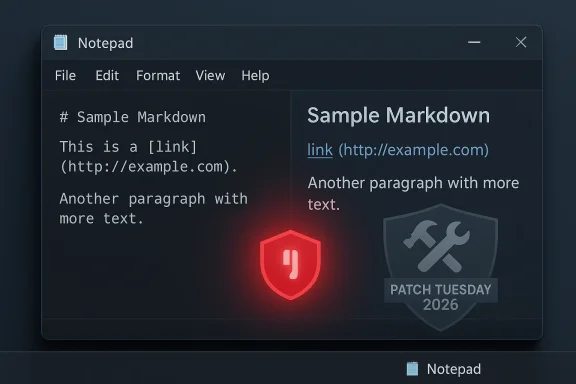 Background / Overview
Notepad has shed its reputation as a minimal text-only program over the last year, gaining Markdown preview, clickable links, tabbed documents, and optional cloud/AI integrations. That feature creep materially increased the app’s attack surface: markdown rendering introduced protocol-handling and link-fat historically belong to web browsers or richer document viewers — not a lightweight editor. On February 10, 2026, Microsoft published a security update that addresses CVE-2026-20841, a command-injection / remote code execution vulnerability in the modern Windows Notepad app. Microsoft’s advisory describes the root cause as improper neutralization of special elements used in a command (CWE-77), allowing an attacker to craft Markdown files containing specially formed links that trigger “unverified protocols” when clicked and thereby load and execute remote payloads. The CVSS v3.1 base score attributed to this flaw is 8.8 (High), while Microsoft’s own maximum severity flag for the item is Important. (msrc.microsoft.com)
Multiple independent security outlets and vulnerability trackers corroborated Microsoft’s advisory and the scoring, and noted that the fix landed as part of Microsoft’s February 2026 Patch Tuesday packages. At the time of the patch Microsoft reported no known active exploitation in the wild, but the mechanics are straightforward enough to make rapid remediation prudent.
What the vulnerability is — technically readable, operationally dangerous
The short technical chain
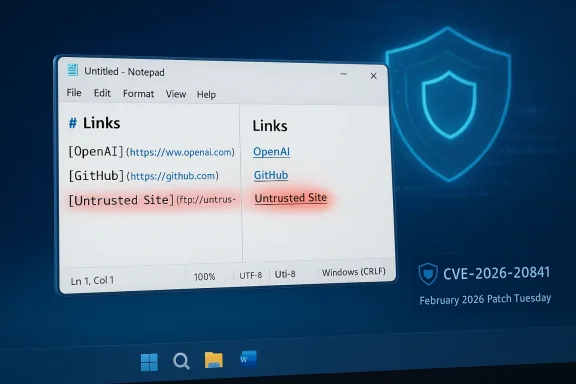
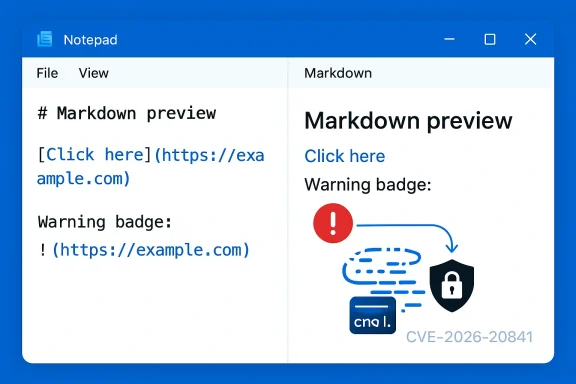
- Notepad’s Markdown handler renders links and exposes clickable targets in the UI.
- A crafted Markdown (.md) file can contain links that reference non-standard or protocol handler URIs (for example, custom-scheme links).
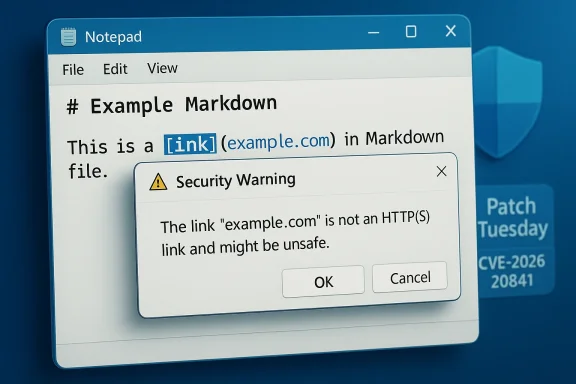
- When a user opens that Markdown file in Notepad and clicks the malicious link, Notepad may hand that URI off to the system or otherwise trigger a protocol launch without sufficiently sanitizing or neutralizing dangerous characters.
- The launched handler can fetch and execute remote content or cause the OS to start processes with the user’s privileges, enabling arbitrary code execution. (msrc.microsoft.com)
Why it’s more than a “text file” problem
Notepad’s incremental feature set now overlaps with functionality that traditionally belongs to web browsers (link handling) and document viewers (rendering of embedded content). When an application begins launching external handlers or integrating with networked services, the assumption that files are inert breaks down: text files become vectors for protocol-based execution chains. That shift is precisely how a seemingly small parsing error can turn into full RCE.Scope: who and what is affected
- The vulnerability specifically targets the modern Windows Notepad app — the updated app distributed via the Microsoft Store and integrated in recent Windows builds that include Markdown preview and clickable link handling. Older classic Notepad variants (very simple text-only builds without Markdown rendering) are not the primary vector. (msrc.microsoft.com)
- The attack path requires user interaction (clicking a link inside a Markdown document opened in Notepad). That interaction lowers the complexity threshold for attackers because phishing or social engineering is a reliable delivery method.
- The vulnerability’s CVSS vector indicates network attack vector with user interaction — an attacker can deliver the malicious Markdown file by email attachment, file share, website, or removable media and rely on a click to complete the chain.
Why the score and vendor rating differ: CVSS 8.8 vs Microsoft’s “Important”
The published CVSS v3.1 score of 8.8 classifies CVE-2026-20841 as High severity because it enables remote code execution with trivial privileges, low attack complexity, and high impact on confidentiality, integrity, and availability. Independent trackers and aggregators recorded the 8.8 score and the corresponding vector string.Microsoft’s internal rubric and advisory metadata, however, sometimes map CVSS differently into vendor-facing severity labels. Microsoft lists the vulnerability’s maximum severity rating as Important in its Security Update Guide entry. That difference does not mean the issue is unimportant — it reflects Microsoft’s internal classification and how it maps to servicing priorities across many components. Operationally, defenders should treat an 8.8 RCE as high-priority for patching even if Microsoft’s textual label reads “Important.” (msrc.microsoft.com)
Attack scenarios — plausible, low-bar threat models
Attackers need a practical delivery method and the simple engagement of the user. Reasonable scenarios include:- Phishing email that attaches a Markdown file named to look innocuous (e.g., “invoice.md” or “readme.md”). The user opens it and clicks an embedded link that promises more information.
- Downloaded package from a compromised site or file share where README.md contains malicious links that victims click during routine workflows.
- Targeted social-engineering campaigns where attackers combine convincing text and context to encourage a click (e.g., internal-seeming memos, IT notices, or HR-related documents).
What Microsoft patched (and how to ensure you’re actually patched)
Microsoft fixed the input-handling logic in the affected Notepad versions as part of the February 10, 2026 security updates (Patch Tuesday). The update was delivered through the normal Windows Update channels and via the Microsoft Store package flow that serves the modern Notepad app. Administrators should verify that endpoints have applied the February cumulative updates or the specific package that updates the Notepad Store app to the patched minimum version (the update mapping is available in Microsoft’s Security Update Guide entry). (msrc.microsoft.com)Practical verification steps for administrators and end users:
- Confirm the Notepad app version on a device and compare it to the Microsoft advisory’s patched-version mapping. If Notepad is managed via the Microsoft Store, ensure the Store has applied the app update.
- Roll out the February 10, 2026 cumulative OS updates across managed devices using your standard patching pipeline (WSUS, Intune, SCCM, Windows Update for Business).
- For environments that block Microsoft Store updates, work with your endpoint and application management teams to ensure the Notepad package you distribute contains the fix.
- Monitor Windows Update compliance and patch reports during the 7–14 day window post-release to catch stragglers. (msrc.microsoft.com)
Practical mitigations and recommended hardening
Immediate actions every Windows administrator and security-conscious user should take:- Install the February 10, 2026 updates as soon as testing permits. Prioritize endpoints with high business impact, elevated privileges, or access to sensitive data. (msrc.microsoft.com)
- Educate users to treat Markdown files (.md) from unknown sources with suspicion and avoid clicking links inside any untrusted document. Security awareness remains a crucial last line of defense.
- Consider temporarily disabling Markdown preview or link-clicking inside Notepad for high-risk user groups. Notepad’s settings in recent builds allow toggling some features; where that’s available, disabling clickable link handling reduces the immediate attack surface.
- Harden email gateways and file-sharing scanners to block or quarantine suspicious Markdown files and flagged inbound attachments. Modern secure email gateways can apply content-disarm-and-repair strategies or block particular file types by policy.
- Apply application allowlisting and endpoint detection rules that restrict process creation from non-allowlisted binaries and escalate alerts for anomalous child processes spawned from Notepad or other document viewers.
- Hunt for unusual Notepad child process activity and protocol handler launches initiated from user sessions.
- Create detections for Markdown files containing suspicious URIs or repeated delivery patterns from external senders.
- Check telemetry for repeated failures or crash loops in Notepad Markdown rendering handlers — these may indicate attempted exploitation or reconnaissance.
Detection playbook — what to watch for
- Execution of external protocol handlers (e.g., unexpected custom-scheme launches) from Notepad’s process context.
- Notepad spawning command interpreters (powershell.exe, cmd.exe) or script runners immediately after user interaction.
- Suspicious network activity from endpoint processes shortly after a Markdown file is opened (downloads of executables, scripts, or untrusted installers).
- Phishing campaigns distributing Markdown files with obfuscated links; use email analytics to detect similar templates and block senders or domains.
Risk assessment and why this matters for both home users and enterprises
- Notepad is a universal presence on Windows devices. Even if an organization tries to restrict it, many standard operations and legacy scripts assume its availability. That ubiquity makes a vulnerability in Notepad attractive to attackers seeking lateral movement or initial access.
- Because exploitation requires only user interaction with low complexity, the threshold for successful attacks is low: well-crafted social-engineering lures work remarkably well in the wild.
- The vulnerability allows code execution in the context of the clicked user. For administrators or users with elevated privileges, the impact is substantially higher — up to full system compromise if the user has admin rights. (msrc.microsoft.com)
The broader debate: feature bloat vs security posture
This incident crystallizes a perennial trade-off for platform vendors: adding modern conveniences to legacy apps increases usability but expands the attack surface. Notepad began as a minimal editor; the addition of Markdown rendering, clickable link handling, and Copilot/AI integrations turned it into an application that now interacts with networrd-party content. Critics have argued that such functionality belongs in web browsers or fully sandboxed editors, not the baseline system text editor. The counterargument is product-driven: richer features meet user needs and support OS-level integrations, such as Copilot functionality, which rely on network access and external resources to work properly.From a security perspective, the safest approach is to assume every added capability will need the same rigor as a full-featured application: hardened parsing, strict input validation, sandboxing, and explicit privilege separation. This vulnerability shows what can happen when parsing and protocol-handling code in a once-simple app are not treated with that level of scrutiny.
Credibility of reporting and where to be cautious
Multiple reputable outlets and vulnerability trackers confirm the high-level facts: Microsoft registered CVE-2026-20841; the flaw is a command-injection RCE that targets Markdown handling in the Notepad app; Microsoft issued a Patch Tuesday remediation on February 10, 2026; and no active exploitation was publicly reported at the time of the advisory. The CVSS 3.1 score of 8.8 appears across OpenCVE and aggregator feeds, and the NVD entry references Microsoft’s advisory as the canonical source.A note of caution: some early articles referenced named researchers or alleged exploit code; where those claims appeared without corroborating technical write-ups or PoC code, they should be treated as unverified. Rely on vendor advisories and trusted technical analyses for remediation steps, and flag any third-party claims that lack proof-of-concept details until they are validated.
For IT teams: prioritized checklist
- Inventory — Identify all systems running the modern Notepad app (Store-managed clients and integrated Windows builds).
- Patch — Deploy the February 10, 2026 updates immediately; confirm Notepad package versions reflect the fix. (msrc.microsoft.com)
- Harden — Temporarily disable Markdown link-clicking in Notepad for high-risk users; tighten email/file-transfer policies for .md attachments.
- Monitor — Add EDR rules for Notepad process anomalies and hunt for suspicious protocol launches from user sessions.
- Educate — Run a brief user-awareness campaign: treat .md attachments like any other risky document type and avoid clicking links in untrusted files.
- Test — After patching, validate behavior in a controlled environment (open previously malicious test cases if you have controlled samples) to ensure mitigation is effective.
Final analysis — strengths of Microsoft’s response and remaining risks
Strengths:- Microsoft moved the fix through its regular Patch Tuesday cadence and published an advisory mapping the CVE to updates. That provides a clear, supported remediation path for administrators. (msrc.microsoft.com)
- The vendor announced the issue quickly and flagged the absence of known active exploitation, reducing immediate panic while signaling urgency. (msrc.microsoft.com)
- The Notepad app’s expanded functionality creates recurring surface area challenges. Even after this fix, similar bugs can arise from protocol handlers, third-party integrations, or future feature additions if not subject to rigorous threat modeling and sandboxing.
- Because the attack relies on user interaction, human factors remain a decisive risk. Enterprises must pair technical patching with user education and layered defenses (email filtering, application allowlisting, EDR) to reduce successful phishing outcomes.
- Some reporting—particularly around named researchers or exploit details—remains uncorroborated in the public record; defenders should prioritize vendor guidance over sensationalized claims.
Conclusion
CVE-2026-20841 is a timely reminder that adding network-aware features to long-standing utilities changes their security model. The flaw’s mechanics are straightforward, the attack path is realistic, and the ubiquity of Notepad makes the risk operationally meaningful. Microsoft’s patch closes the immediate vector, but the incident underscores the need for stricter parsing hygiene, sandboxing for content-rendering features, and conservative defaults for applications that ship with the operating system. System owners should apply the February 10, 2026 updates without delay, harden their endpoints where possible, and sustain phishing-resistant practices — because in 2026 a text file is no longer always just a text file. (msrc.microsoft.com)Source: Neowin Microsoft patches Notepad flaw that could let attackers hijack Windows PCs