

Microsoft CEO Satya Nadella told investors during Microsoft’s fiscal 2026 third-quarter earnings cycle that the company is doing “foundational work” to win back fans across Windows, Xbox, Bing, and Edge, with Windows 11 quality, performance, updates, and core-user trust now pushed back toward the center of Microsoft’s consumer strategy. That is a striking admission from a company that spent much of the past several years treating Windows less like a beloved product and more like a delivery surface for cloud services, ads, subscriptions, search, and AI. The shift does not mean Microsoft has suddenly rediscovered the old religion of desktop computing. It means the backlash has become large enough, persistent enough, and commercially inconvenient enough that even a cloud-first Microsoft can no longer ignore the operating system’s emotional deficit.
For years, Windows users have complained that Microsoft did not seem to be optimizing Windows for them. It was optimizing Windows for Microsoft. The Start menu became a promotional canvas, Settings became a slow-motion migration project, search became a Bing funnel, and the desktop became a place where Copilot, Teams, OneDrive, widgets, Microsoft accounts, and Edge nudges all competed for first-run attention.
Nadella’s “win back fans” language matters because it concedes that fans were lost. Companies do not usually talk this way unless telemetry, customer feedback, press coverage, and internal escalation have aligned around the same uncomfortable conclusion. The Windows brand still has enormous reach, but reach and affection are different things.
Windows 11’s problem has never been that it is unusable. On modern hardware, it is often polished, secure, and productive. The problem is that too many of its most visible decisions felt extractive rather than additive, as if the operating system was forever asking the user to accept one more default, one more cloud tie-in, one more “recommended” experience, one more reboot.
That is why Microsoft’s new emphasis on quality and fundamentals lands with more force than another feature reveal. The company is not promising a new coat of paint. It is admitting that the foundation needs work.
That front door has been squeaky. Consumer Windows users have spent years feeling like second-class stakeholders in a company whose most important customers are now CIOs, developers, advertisers, and hyperscale AI buyers. The irony is that the consumer desktop remains one of Microsoft’s most strategically valuable surfaces precisely because it is so ordinary. It is where people work, play, manage files, troubleshoot hardware, join meetings, install games, and notice every small annoyance.
A bad Windows decision travels farther than a bad Azure portal tweak. A forced reboot before a meeting, a sluggish Start menu on a midrange laptop, or a setup flow that feels like an obstacle course becomes a story people tell. Windows resentment is cumulative; it is built from a thousand papercuts.
Microsoft can survive unhappy enthusiasts. It cannot easily replace their role in the ecosystem. Enthusiasts build PCs, advise relatives, manage small offices, run forums, test Insider builds, write scripts, file bug reports, and shape the folk wisdom around whether an upgrade is “safe yet.” When that class turns cynical, the damage is not just emotional. It becomes operational drag.
Modern Windows has often behaved as if RAM were infinite and patience were renewable. It is true that many new PCs ship with 16GB or more, and Copilot+ PCs push the hardware baseline upward again. But the Windows installed base is not a showroom. It is a messy global fleet of school laptops, budget desktops, gaming rigs, old office machines, handheld PCs, refurbished notebooks, and machines upgraded because Windows 10 support deadlines forced a decision.
On those systems, architectural choices matter. A Start menu implemented through layered web technologies may be easier for cross-team development, experimentation, and service-driven UI changes. But when the user presses the Windows key, they do not care about Microsoft’s internal velocity. They care whether the menu appears instantly.
The reported move away from React and WebView2-style shell experiences toward more native WinUI 3 components is therefore symbolically important. It suggests Microsoft understands that Windows cannot simply be a browser-shaped application platform wearing a desktop costume. Some parts of an operating system have to feel like they belong to the machine.
This is where enthusiasts are right to be demanding. If File Explorer, search, the taskbar, Settings, and the Start menu are not fast, the rest of the operating system feels suspect. Performance is not a benchmark category. It is the user’s sense that the computer is obeying them.
Windows 11’s centered Start menu was not, by itself, a disaster. Plenty of users adapted quickly. The deeper problem was that the menu felt less like a trusted launcher and more like a curated Microsoft surface. Recommended files, web results, account prompts, layout limitations, and sluggish behavior combined into an experience that seemed designed by committee.
The Start menu has to be boring in the best possible way. It should appear, search locally, launch quickly, and get out of the way. Every extra layer of recommendation or cloud intelligence has to justify itself against the user’s baseline expectation: I clicked Start because I want to start something.
A native redesign will not magically restore trust. Microsoft has redesigned the Start menu many times, and not every redesign has improved the relationship. But if the company is genuinely moving critical shell surfaces closer to the system, reducing memory use, and cutting latency, then it is finally treating the Start menu as infrastructure rather than inventory.
That distinction matters. Infrastructure earns loyalty by disappearing. Inventory earns revenue by inserting itself. Windows has suffered because too much of the shell began to feel like the latter.
The old bargain was paternalistic: Windows will update because it must, and the user will adapt. That bargain made sense for botnet prevention, ransomware mitigation, and ecosystem hygiene. It made less sense when updates arrived at bad moments, reboot options became ambiguous, driver updates broke peripherals, or setup flows forced new hardware into a holding pattern before the user could reach the desktop.
Microsoft’s new update controls are therefore more than convenience features. Letting users skip updates during initial setup, extend update pauses repeatedly, and shut down or restart without installing pending updates changes the posture of Windows. It says, at least in the interface, that the person at the keyboard has legitimate timing needs.
There are limits. The “indefinite” pause framing is really a 35-day pause that can be extended again and again, not a philosophical return to the free-for-all update model of old Windows. Microsoft still wants devices secure by default, and it should. But the important part is that Windows is beginning to separate security necessity from user-hostile timing.
That separation is overdue. Users do not hate security updates. They hate being surprised by them.
Account requirements, connectivity prompts, privacy screens, service offers, update delays, recovery options, device naming, OneDrive nudges, and Microsoft 365 invitations turned setup into a negotiation. Some of those steps are defensible. Some are useful. But taken together, they created a first impression that the PC was not quite yours until Microsoft had finished onboarding you into its ecosystem.
Allowing users to skip updates during setup is a small but revealing correction. It acknowledges that “secure and current” is not always the same as “ready to use.” A gamer building a new rig, an IT hobbyist imaging a machine, a parent setting up a laptop before school, or a technician validating hardware may need the desktop now and updates later.
The old model treated that urgency as an edge case. The new model treats it as normal human behavior. That is a subtle but important shift.
Still, Microsoft should be careful not to mistake this for victory. The setup experience remains one of the places where Windows most clearly reveals its internal politics. If every product group gets a prompt, no user gets a clean first run.
Removing Copilot from places where it does not belong is therefore not an anti-AI move. It is an admission that AI placement has to earn its keep. An assistant that helps summarize a document, automate a task, or explain a system setting may be welcome. An assistant that appears because Microsoft needs engagement metrics is just another unwanted resident of the desktop.
This is the central challenge for Windows in the AI era. Microsoft wants Windows to be the client for intelligent computing. Users want Windows to be stable, fast, private, predictable, and respectful. These goals can coexist, but only if AI is treated as capability rather than wallpaper.
The NPU activity display in Task Manager is a good example of the healthier path. It gives users visibility into a new class of hardware acceleration. It makes the system more legible. It does not demand attention with a personality or a subscription pitch.
Windows fans tend to reward transparency. They punish condescension. Microsoft’s AI strategy on the desktop will live or die by whether it remembers the difference.
For Windows users, Xbox matters because PC gaming is one of the strongest remaining emotional anchors for the platform. Windows dominates PC gaming not because gamers adore every Windows decision, but because the ecosystem is vast, compatible, moddable, and deeply entrenched. Steam, drivers, anti-cheat systems, GPU vendors, hardware builders, and decades of software gravity all reinforce that position.
But dominance is not affection. Gamers notice overlay bloat, update timing, background services, Game Bar quirks, Store limitations, and account friction. They also notice when Windows handhelds struggle to deliver a console-like experience because the OS is still fundamentally built around keyboard-and-mouse assumptions.
If Microsoft wants to win back fans, Xbox and Windows cannot be treated as separate recovery projects. The PC is now the most credible Xbox hardware Microsoft has. That means Windows has to become better at being a gaming OS without turning into an ad board for Game Pass or a mandatory launcher maze.
The handheld PC boom made this painfully obvious. Devices inspired by the Steam Deck exposed how much friction Windows still carries in smaller, controller-first contexts. Microsoft has the assets to fix that. The question is whether it has the discipline.
What they want is not nostalgia. They want agency. They want Microsoft to stop moving familiar controls without finishing the replacements. They want the OS to respect local workflows. They want performance improvements that can be felt without a marketing slide. They want fewer inbox apps that behave like growth experiments. They want the operating system to be excellent before it is ambitious.
This is why “fundamentals” is the right word, even if it is corporate language. Fundamentals are not glamorous. They are the things that make a platform feel trustworthy: fast launch times, consistent settings, reliable search, low idle resource use, coherent update behavior, stable drivers, clear privacy controls, and UI that does not stutter under ordinary load.
Microsoft used to understand that Windows loyalty was built by compatibility and control. The company still delivers compatibility better than almost anyone. Control is where the relationship frayed.
Administrators will want to know how the new controls map to Intune, Windows Update for Business, Autopatch, Group Policy, compliance reporting, and device health signals. They will also want clarity around commercial OOBE behavior, because managed devices often need deterministic provisioning more than consumer convenience.
The best outcome would be a Windows Update experience that is calmer for consumers and more legible for admins. A single monthly restart cadence that coordinates driver, firmware, .NET, and quality updates could reduce user disruption if it works as advertised. But IT departments have learned not to trust neat diagrams until the second or third patch cycle proves them.
There is also a security tension that Microsoft cannot hand-wave away. More user control can mean more unpatched machines. More automation can mean more surprise disruption. The right answer is not one extreme or the other; it is differentiated control with clear policy boundaries.
Microsoft’s Secure Future Initiative adds another layer. After years of high-profile security failures across the industry, Microsoft has been loudly recommitting to secure-by-design principles. Windows cannot become a patch-optional nostalgia machine. But it can become an OS that explains itself better and interrupts less.
The company’s incentives remain conflicted. Edge wants users. Bing wants queries. Copilot wants engagement. Microsoft 365 wants subscriptions. OneDrive wants storage relationships. Xbox wants Game Pass. Windows, meanwhile, needs to feel neutral enough that users trust it as the ground under all those services.
That neutrality is hard to maintain inside a company with so many adjacent businesses. Every integration can be defended as helpful. Every prompt can be justified as discoverability. Every default can be described as convenience. But the aggregate experience is what users judge, and the aggregate experience is what has hurt Windows 11.
If Microsoft is serious, it must empower the Windows team to say no. No to unnecessary prompts. No to slow shell components. No to half-migrated settings pages. No to AI placements that lack utility. No to features that improve internal metrics while degrading user trust.
That is the difference between a quality initiative and a cultural change.
These are not keynote moments. They are the kinds of changes users notice only after the irritation disappears. That is precisely why they matter.
A great operating system does not constantly remind you that it has improved. It creates the conditions for you to forget about it. Windows has too often demanded attention in the wrong ways, and Microsoft is now trying to reverse that attention economy at the OS level.
The company should measure success not by how many users click a new feature, but by how many stop complaining about the old ones. In Windows, silence can be a form of applause.
Source: Mezha Microsoft CEO wants to win back lost Windows fans
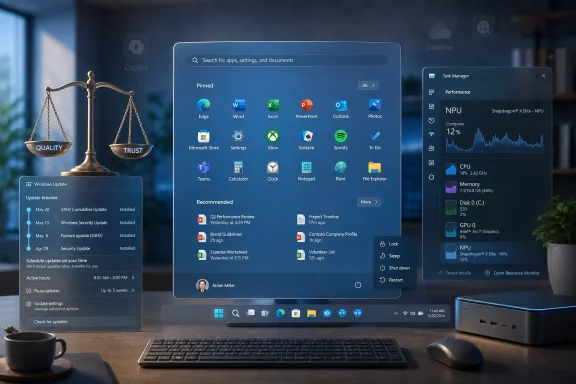 Microsoft Finally Says the Quiet Part Out Loud
For years, Windows users have complained that Microsoft did not seem to be optimizing Windows for them. It was optimizing Windows for Microsoft. The Start menu became a promotional canvas, Settings became a slow-motion migration project, search became a Bing funnel, and the desktop became a place where Copilot, Teams, OneDrive, widgets, Microsoft accounts, and Edge nudges all competed for first-run attention.Nadella’s “win back fans” language matters because it concedes that fans were lost. Companies do not usually talk this way unless telemetry, customer feedback, press coverage, and internal escalation have aligned around the same uncomfortable conclusion. The Windows brand still has enormous reach, but reach and affection are different things.
Windows 11’s problem has never been that it is unusable. On modern hardware, it is often polished, secure, and productive. The problem is that too many of its most visible decisions felt extractive rather than additive, as if the operating system was forever asking the user to accept one more default, one more cloud tie-in, one more “recommended” experience, one more reboot.
That is why Microsoft’s new emphasis on quality and fundamentals lands with more force than another feature reveal. The company is not promising a new coat of paint. It is admitting that the foundation needs work.
The Cloud Giant Still Needs the Desktop to Feel Human
Microsoft’s earnings tell the real story of modern Microsoft: Azure, Microsoft Cloud, AI infrastructure, enterprise software, and commercial subscriptions are the growth engines. Windows is no longer the center of the company’s financial universe in the way it was during the Gates and Ballmer eras. But Windows remains the front door through which hundreds of millions of people experience Microsoft.That front door has been squeaky. Consumer Windows users have spent years feeling like second-class stakeholders in a company whose most important customers are now CIOs, developers, advertisers, and hyperscale AI buyers. The irony is that the consumer desktop remains one of Microsoft’s most strategically valuable surfaces precisely because it is so ordinary. It is where people work, play, manage files, troubleshoot hardware, join meetings, install games, and notice every small annoyance.
A bad Windows decision travels farther than a bad Azure portal tweak. A forced reboot before a meeting, a sluggish Start menu on a midrange laptop, or a setup flow that feels like an obstacle course becomes a story people tell. Windows resentment is cumulative; it is built from a thousand papercuts.
Microsoft can survive unhappy enthusiasts. It cannot easily replace their role in the ecosystem. Enthusiasts build PCs, advise relatives, manage small offices, run forums, test Insider builds, write scripts, file bug reports, and shape the folk wisdom around whether an upgrade is “safe yet.” When that class turns cynical, the damage is not just emotional. It becomes operational drag.
Windows 11’s Real Rival Is Not macOS, It Is Memory
The most interesting part of the renewed Windows push is not the rhetoric around fans. It is the reported engineering direction: less web wrapping, more native UI, lower memory pressure, faster shell components, fewer delays, and more predictable updates. That is a tacit critique of the very design culture that made Windows 11 feel heavier than it needed to be.Modern Windows has often behaved as if RAM were infinite and patience were renewable. It is true that many new PCs ship with 16GB or more, and Copilot+ PCs push the hardware baseline upward again. But the Windows installed base is not a showroom. It is a messy global fleet of school laptops, budget desktops, gaming rigs, old office machines, handheld PCs, refurbished notebooks, and machines upgraded because Windows 10 support deadlines forced a decision.
On those systems, architectural choices matter. A Start menu implemented through layered web technologies may be easier for cross-team development, experimentation, and service-driven UI changes. But when the user presses the Windows key, they do not care about Microsoft’s internal velocity. They care whether the menu appears instantly.
The reported move away from React and WebView2-style shell experiences toward more native WinUI 3 components is therefore symbolically important. It suggests Microsoft understands that Windows cannot simply be a browser-shaped application platform wearing a desktop costume. Some parts of an operating system have to feel like they belong to the machine.
This is where enthusiasts are right to be demanding. If File Explorer, search, the taskbar, Settings, and the Start menu are not fast, the rest of the operating system feels suspect. Performance is not a benchmark category. It is the user’s sense that the computer is obeying them.
The Start Menu Became the Trial Microsoft Could Not Win
No Windows feature carries more symbolic weight than the Start menu. Microsoft learned this the hard way with Windows 8, then relearned it more quietly with Windows 11. Users can forgive a lot, but they are remarkably unforgiving when the operating system interrupts the ritual of launching an app, finding a file, or shutting down the PC.Windows 11’s centered Start menu was not, by itself, a disaster. Plenty of users adapted quickly. The deeper problem was that the menu felt less like a trusted launcher and more like a curated Microsoft surface. Recommended files, web results, account prompts, layout limitations, and sluggish behavior combined into an experience that seemed designed by committee.
The Start menu has to be boring in the best possible way. It should appear, search locally, launch quickly, and get out of the way. Every extra layer of recommendation or cloud intelligence has to justify itself against the user’s baseline expectation: I clicked Start because I want to start something.
A native redesign will not magically restore trust. Microsoft has redesigned the Start menu many times, and not every redesign has improved the relationship. But if the company is genuinely moving critical shell surfaces closer to the system, reducing memory use, and cutting latency, then it is finally treating the Start menu as infrastructure rather than inventory.
That distinction matters. Infrastructure earns loyalty by disappearing. Inventory earns revenue by inserting itself. Windows has suffered because too much of the shell began to feel like the latter.
Updates Were the Flashpoint Because Control Was the Principle
Windows Update has long been the place where Microsoft’s security obligations collide with the user’s desire for ownership. Microsoft is correct that updates are essential. The modern threat environment does not allow a mass-market OS to behave like Windows XP in 2003, when users could ignore patches indefinitely and hope for the best. But correctness is not the same thing as trust.The old bargain was paternalistic: Windows will update because it must, and the user will adapt. That bargain made sense for botnet prevention, ransomware mitigation, and ecosystem hygiene. It made less sense when updates arrived at bad moments, reboot options became ambiguous, driver updates broke peripherals, or setup flows forced new hardware into a holding pattern before the user could reach the desktop.
Microsoft’s new update controls are therefore more than convenience features. Letting users skip updates during initial setup, extend update pauses repeatedly, and shut down or restart without installing pending updates changes the posture of Windows. It says, at least in the interface, that the person at the keyboard has legitimate timing needs.
There are limits. The “indefinite” pause framing is really a 35-day pause that can be extended again and again, not a philosophical return to the free-for-all update model of old Windows. Microsoft still wants devices secure by default, and it should. But the important part is that Windows is beginning to separate security necessity from user-hostile timing.
That separation is overdue. Users do not hate security updates. They hate being surprised by them.
The Setup Experience Was a Bad First Date
The out-of-box experience has become one of the most revealing parts of Windows. A fresh Windows setup used to be a utilitarian passage: region, keyboard, account, desktop. In the Windows 11 era, it became a showcase for Microsoft’s priorities, and not always in a flattering way.Account requirements, connectivity prompts, privacy screens, service offers, update delays, recovery options, device naming, OneDrive nudges, and Microsoft 365 invitations turned setup into a negotiation. Some of those steps are defensible. Some are useful. But taken together, they created a first impression that the PC was not quite yours until Microsoft had finished onboarding you into its ecosystem.
Allowing users to skip updates during setup is a small but revealing correction. It acknowledges that “secure and current” is not always the same as “ready to use.” A gamer building a new rig, an IT hobbyist imaging a machine, a parent setting up a laptop before school, or a technician validating hardware may need the desktop now and updates later.
The old model treated that urgency as an edge case. The new model treats it as normal human behavior. That is a subtle but important shift.
Still, Microsoft should be careful not to mistake this for victory. The setup experience remains one of the places where Windows most clearly reveals its internal politics. If every product group gets a prompt, no user gets a clean first run.
Copilot Retrenchment Shows the AI Push Hit a Wall
The Copilot era created a new source of Windows tension. Microsoft’s AI ambitions are enormous, and the company has every incentive to place Copilot where users will see it. But Windows users are not opposed to AI because they dislike new tools. They are opposed to AI when it appears as clutter, branding, latency, or uncertainty inside workflows that used to be straightforward.Removing Copilot from places where it does not belong is therefore not an anti-AI move. It is an admission that AI placement has to earn its keep. An assistant that helps summarize a document, automate a task, or explain a system setting may be welcome. An assistant that appears because Microsoft needs engagement metrics is just another unwanted resident of the desktop.
This is the central challenge for Windows in the AI era. Microsoft wants Windows to be the client for intelligent computing. Users want Windows to be stable, fast, private, predictable, and respectful. These goals can coexist, but only if AI is treated as capability rather than wallpaper.
The NPU activity display in Task Manager is a good example of the healthier path. It gives users visibility into a new class of hardware acceleration. It makes the system more legible. It does not demand attention with a personality or a subscription pitch.
Windows fans tend to reward transparency. They punish condescension. Microsoft’s AI strategy on the desktop will live or die by whether it remembers the difference.
Xbox Makes the Windows Problem Harder to Dismiss
Nadella paired Windows with Xbox in the same “win back fans” thought, and that pairing is not accidental. Microsoft’s consumer trust problem is not confined to the operating system. Xbox has spent years oscillating between bold ecosystem strategy and confusing execution: Game Pass growth, cloud gaming, PC integration, studio acquisitions, hardware uncertainty, multiplatform releases, and declining console revenue.For Windows users, Xbox matters because PC gaming is one of the strongest remaining emotional anchors for the platform. Windows dominates PC gaming not because gamers adore every Windows decision, but because the ecosystem is vast, compatible, moddable, and deeply entrenched. Steam, drivers, anti-cheat systems, GPU vendors, hardware builders, and decades of software gravity all reinforce that position.
But dominance is not affection. Gamers notice overlay bloat, update timing, background services, Game Bar quirks, Store limitations, and account friction. They also notice when Windows handhelds struggle to deliver a console-like experience because the OS is still fundamentally built around keyboard-and-mouse assumptions.
If Microsoft wants to win back fans, Xbox and Windows cannot be treated as separate recovery projects. The PC is now the most credible Xbox hardware Microsoft has. That means Windows has to become better at being a gaming OS without turning into an ad board for Game Pass or a mandatory launcher maze.
The handheld PC boom made this painfully obvious. Devices inspired by the Steam Deck exposed how much friction Windows still carries in smaller, controller-first contexts. Microsoft has the assets to fix that. The question is whether it has the discipline.
Enthusiasts Are Not Asking for Nostalgia
It is tempting to frame the lost Windows fan as someone who simply wants Windows 7 back. That is too easy and mostly wrong. The best Windows enthusiasts are not anti-change. They adopt new hardware early, test preview builds, argue about filesystems, benchmark schedulers, and install utilities that would terrify normal people.What they want is not nostalgia. They want agency. They want Microsoft to stop moving familiar controls without finishing the replacements. They want the OS to respect local workflows. They want performance improvements that can be felt without a marketing slide. They want fewer inbox apps that behave like growth experiments. They want the operating system to be excellent before it is ambitious.
This is why “fundamentals” is the right word, even if it is corporate language. Fundamentals are not glamorous. They are the things that make a platform feel trustworthy: fast launch times, consistent settings, reliable search, low idle resource use, coherent update behavior, stable drivers, clear privacy controls, and UI that does not stutter under ordinary load.
Microsoft used to understand that Windows loyalty was built by compatibility and control. The company still delivers compatibility better than almost anyone. Control is where the relationship frayed.
Enterprise IT Will Welcome the Tone and Audit the Details
For sysadmins, Microsoft’s new posture is encouraging but not sufficient. Enterprise environments have different update needs, different compliance duties, and different risk models than home PCs. A consumer-facing “pause as many times as you need” button is not automatically an enterprise policy.Administrators will want to know how the new controls map to Intune, Windows Update for Business, Autopatch, Group Policy, compliance reporting, and device health signals. They will also want clarity around commercial OOBE behavior, because managed devices often need deterministic provisioning more than consumer convenience.
The best outcome would be a Windows Update experience that is calmer for consumers and more legible for admins. A single monthly restart cadence that coordinates driver, firmware, .NET, and quality updates could reduce user disruption if it works as advertised. But IT departments have learned not to trust neat diagrams until the second or third patch cycle proves them.
There is also a security tension that Microsoft cannot hand-wave away. More user control can mean more unpatched machines. More automation can mean more surprise disruption. The right answer is not one extreme or the other; it is differentiated control with clear policy boundaries.
Microsoft’s Secure Future Initiative adds another layer. After years of high-profile security failures across the industry, Microsoft has been loudly recommitting to secure-by-design principles. Windows cannot become a patch-optional nostalgia machine. But it can become an OS that explains itself better and interrupts less.
The Quality Campaign Has to Survive the Next Feature Cycle
The danger for Microsoft is that this quality push becomes another seasonal campaign. Windows has had many “we heard your feedback” moments. Some produced lasting improvements. Others were buried under the next wave of monetization, reorganization, or platform strategy.The company’s incentives remain conflicted. Edge wants users. Bing wants queries. Copilot wants engagement. Microsoft 365 wants subscriptions. OneDrive wants storage relationships. Xbox wants Game Pass. Windows, meanwhile, needs to feel neutral enough that users trust it as the ground under all those services.
That neutrality is hard to maintain inside a company with so many adjacent businesses. Every integration can be defended as helpful. Every prompt can be justified as discoverability. Every default can be described as convenience. But the aggregate experience is what users judge, and the aggregate experience is what has hurt Windows 11.
If Microsoft is serious, it must empower the Windows team to say no. No to unnecessary prompts. No to slow shell components. No to half-migrated settings pages. No to AI placements that lack utility. No to features that improve internal metrics while degrading user trust.
That is the difference between a quality initiative and a cultural change.
The Repair Job Begins With Boring Victories
The most credible parts of Microsoft’s current Windows reset are not the grand statements. They are the boring fixes. A faster Start menu. A clearer power menu. Fewer restarts. More transparent update timing. Lower RAM usage. Less UI lag. Better driver labels. Faster recovery from update failures.These are not keynote moments. They are the kinds of changes users notice only after the irritation disappears. That is precisely why they matter.
A great operating system does not constantly remind you that it has improved. It creates the conditions for you to forget about it. Windows has too often demanded attention in the wrong ways, and Microsoft is now trying to reverse that attention economy at the OS level.
The company should measure success not by how many users click a new feature, but by how many stop complaining about the old ones. In Windows, silence can be a form of applause.
The Windows Loyalty Test Microsoft Set for Itself
Microsoft’s promise to win back Windows fans will be judged in the details, not the earnings-call phrasing. The next year will show whether this is a real product correction or merely a softer wrapper around the same old priorities.- Microsoft has publicly acknowledged that it needs to win back consumer fans, which is unusually direct language for a company discussing Windows, Xbox, Bing, and Edge.
- Windows 11’s update changes are meaningful because they restore timing control without fully abandoning Microsoft’s security-by-default model.
- The reported shift toward native shell components matters because performance complaints are often rooted in architectural choices, not just isolated bugs.
- Removing Copilot from places where it is not useful would make AI feel less like a mandate and more like a tool.
- Enterprise IT should treat the new direction as promising, but wait for policy details, deployment behavior, and several update cycles before declaring victory.
- Microsoft’s hardest task is not adding features; it is preventing Windows from becoming a battleground for every other Microsoft business unit.
Source: Mezha Microsoft CEO wants to win back lost Windows fans
