

Microsoft used Ilya Bukshteyn’s InfoComm keynote last week to tell the AV industry that Teams Rooms has passed 1.5 million active rooms and that the next phase of workplace AI depends on cameras, microphones, displays, sensors, and room systems being deployed at scale. The message was flattering, but it was also blunt. Microsoft can write the Copilot story in software, but ambient AI only becomes real when the physical workplace is instrumented well enough for the software to see, hear, identify, summarize, and act.
That is the quiet significance of the keynote. Microsoft is no longer pitching Teams Rooms as merely a better way to join a video meeting. It is positioning the meeting room as a managed AI endpoint — a place where identity, acoustics, camera placement, device health, room scheduling, building navigation, call handling, and workplace policy all collapse into a single computing surface.
For most of its life, the modern conference room was judged by a brutally simple metric: could people join the meeting without calling IT? Teams Rooms, Zoom Rooms, Webex devices, and a long tail of appliance-like collaboration bars all grew out of that pain. The prize was reliability, not intelligence.
Microsoft’s InfoComm pitch suggests that era is ending. The room is no longer just a peripheral attached to a calendar invite. It is becoming a sensor platform, an identity platform, and an AI runtime that happens to have a camera and a display.
That shift explains why Bukshteyn’s 1.5 million active Teams Rooms figure matters. These are not idle software downloads or free consumer accounts. They are licensed rooms that organizations keep paying for only if the space remains useful. Growth “often at a rate of over a thousand systems every single workday,” as described in the keynote coverage, is less a vanity metric than a deployment base for Microsoft’s next layer of AI services.
This is also why the keynote was delivered to the AV industry rather than only to Microsoft administrators or developers. Ambient AI is not a feature that can be pushed through Windows Update and declared complete. It needs microphones good enough to separate speakers, cameras good enough to frame people and interpret space, compute capable of processing signals locally or securely in the cloud, and integrators who understand why a camera blocked by a chair is not a cosmetic issue but a data-quality failure.
But there is a harder edge to the invitation. Microsoft is effectively asking the AV channel to become the last mile of Copilot. The company can build Facilitator agents and call-screening agents, but a bad microphone array will still produce bad transcripts. A poorly placed camera will still miss the person speaking. An unmanaged Android bar or neglected Windows room PC will still become the weak link in an otherwise polished AI demo.
That is why the keynote’s hardware examples were not incidental. Bukshteyn pointed to Android and Windows devices across form factors: Cisco boards, Maxhub all-in-one boards, Logitech Rally Bar, Q-SYS bars, and the broader Teams Rooms ecosystem. The pitch is that Microsoft is not choosing a single hardware ideology. It wants Teams Rooms everywhere, whether the endpoint is an appliance, a Windows-based system, an all-in-one board, or a collaboration bar.
For WindowsForum readers, the Windows-versus-Android angle is worth watching. Microsoft has learned to be pragmatic in meeting rooms because enterprise AV procurement does not behave like consumer PC buying. Some customers want appliance simplicity, others want Windows manageability, and many want whatever their integrator can support across hundreds of rooms with minimal truck rolls.
Speaker attribution, personalized recaps, action items, and room-aware workflows all depend on knowing who is in the room and who said what. In hybrid meetings, that has long been a weak point. Remote participants appear as named tiles. People in a physical room often collapse into a single generic “conference room” identity unless the room has intelligent speakers, enrolled users, and the right policies enabled.
Microsoft’s answer is to make enrollment less awkward. Express voice enrollment, announced as shipping this month, removes the old requirement to read scripted sentences aloud. A user opts in, and Microsoft uses a meeting recording to generate a digital voice signature. Bukshteyn said no raw audio is stored, and that the signature is designed to align with data retention policies.
Express face enrollment is also coming, using as little as one frame of video. That is a dramatic simplification if it works as advertised. It is also the kind of sentence that will make privacy officers, works councils, legal departments, and security teams sit up straight.
Microsoft knows this, which is why the keynote emphasized opt-in experiences and a move away from burying enrollment in settings. The proposed interaction — a prompt asking whether Teams may use a recording to provide better future experiences — is exactly the kind of consent moment that can either normalize AI identity systems or trigger resistance. The difference will depend on tenant controls, transparency, retention boundaries, and whether users believe enrollment benefits them rather than only management.
That is a long way from “start meeting.” It is the meeting room recast as a semi-autonomous workplace assistant.
The examples are deliberately mundane, and that is their power. A room that knows it is overcrowded is not science fiction. A room that notices the camera is blocked is not a moonshot. A room that helps an employee cast content or join an external meeting is not replacing anyone’s job. These are exactly the annoyances that consume office minutes every day.
But mundane does not mean simple. To infer that a room is messy, the system needs some combination of visual understanding, baseline room state, policy logic, and confidence thresholds. To recommend another space, it needs room availability, capacity, location, and perhaps accessibility or equipment metadata. To help with another meeting service, it needs cross-platform workflow knowledge. To avoid being creepy, it needs restraint.
The phrase “eyes, ears and a brain everywhere” captures both the product opportunity and the discomfort. In a lab demo, it sounds like an assistant. In a real workplace, it sounds like infrastructure that must be governed.
This is not merely voicemail with a better transcript. If an AI agent can answer, determine intent, decide urgency, schedule follow-ups, and route callers, then Teams Phone starts to look less like a cloud calling product and more like a workplace process engine with a phone number attached.
For IT departments, that raises familiar but serious questions. Who is allowed to let an agent answer on their behalf? What disclosures are required? How are recordings and transcripts stored? Can the agent make commitments, book meetings, or collect sensitive information? What happens when a caller disputes what the agent said?
Microsoft’s advantage is distribution. Teams already sits in the daily workflow of many organizations, and Teams Phone is already part of the Microsoft 365 conversation. If AI call handling becomes “just another Teams feature,” Microsoft can move faster than standalone voice AI vendors that must first win procurement trust.
Its disadvantage is also distribution. A mistake in a niche bot is an isolated incident. A mistake in Teams Phone can become an enterprise governance problem overnight.
The Frontier framing also lets Microsoft move features into customer hands without pretending that the operating model is finished. That matters because agentic workplace AI is not like shipping a new emoji reaction or meeting layout. It changes expectations about who — or what — is participating in work.
Administrators should treat Frontier features as pilots, not gifts. They need defined user groups, clear communication, logging, rollback paths, and a governance model before the novelty spreads faster than policy. The most dangerous AI rollout is the one that starts as a helpful experiment and becomes unofficial infrastructure before anyone has written down who owns it.
This is especially true in rooms, where users may not realize that the space itself has become an active participant. A prompt on a personal laptop is one thing. A room that wakes, watches, listens, identifies, summarizes, and suggests action is another.
Windows-based Teams Rooms can fit into familiar endpoint management models, policy frameworks, update rings, security baselines, and monitoring practices. Android-based systems can offer appliance simplicity and lower operational overhead. Both approaches can succeed, and both can fail spectacularly if they are treated as set-and-forget gadgets rather than managed workplace computers.
Ambient AI raises the stakes because these devices are no longer just call endpoints. They are handling identity signals, meeting content, room telemetry, and potentially agent interactions that can affect business workflows. That pushes AV hardware into the same governance conversation as laptops, phones, servers, and cloud apps.
Microsoft’s upcoming work on AI-assisted management and deployment, plus agent-driven management and deployment for Teams systems, appears aimed at precisely this operational burden. If Teams Rooms keep growing at the claimed pace, customers cannot manage them room by room forever. They will need automation that can detect bad device states, recommend fixes, stage deployments, and perhaps eventually remediate problems without waiting for a technician.
That sounds useful. It also sounds like yet another place where administrators will need to understand the difference between recommendation, automation, and delegated authority.
A camera placed for aesthetics may not be placed for recognition. A microphone solution that works for human listeners may not be optimal for transcription and speaker attribution. A display arrangement that looks clean in a boardroom may hide prompts that matter for consent or participation. The AV design brief is changing.
This is the kind of change that produces friction between disciplines. Facilities teams care about room utilization and aesthetics. AV integrators care about signal quality and supportability. IT cares about identity, compliance, patching, and security. Legal cares about consent and retention. Microsoft is asking all of them to converge around Teams as the ambient interface.
Training will not solve the politics, but it can reduce avoidable failure. If the industry is going to deploy “eyes, ears and a brain” into workplaces, it should at least know where to put the eyes and ears.
The harder argument is legitimacy. Employees may accept AI note-taking in a scheduled meeting they join knowingly. They may be less comfortable with rooms that infer occupancy, messiness, identity, and behavior. Even if Microsoft stores signatures rather than raw audio, and even if enrollment is opt-in, the social meaning of workplace sensing is larger than the storage architecture.
There is also a data asymmetry problem. The organization buys the system and configures the policies, but employees generate the signals. If the perceived benefit flows mainly upward — better analytics for management, more searchable records, more durable memory of every conversation — adoption will become contested. If the benefit is felt directly by workers — fewer missed tasks, better accessibility, less meeting fatigue, smoother rooms — the trade-off may look different.
Microsoft’s challenge is to make ambient AI feel like a coworker rather than a compliance camera. That is not a branding problem. It is a product behavior problem.
Teams gives Microsoft a formidable starting point. It already connects identity, calendars, chats, meetings, calls, files, and admin policy. Teams Rooms extends that graph into physical space. Teams Phone extends it into voice interactions beyond scheduled meetings. Copilot gives Microsoft the AI wrapper to tie the whole thing together.
Competitors will not stand still. Cisco, Zoom, Google, and specialist AV and workplace-management vendors all have their own versions of room intelligence, meeting summaries, device management, and AI assistance. The differentiator may not be whose model writes the prettiest summary. It may be whose system can be deployed, governed, secured, supported, and trusted across thousands of rooms and millions of employees.
That is why the AV industry matters. The default workplace brain will not be won only in cloud data centers. It will be won in ceiling microphones, camera sightlines, room consoles, firmware updates, enrollment flows, and the patience of the people asked to use them.
That is the quiet significance of the keynote. Microsoft is no longer pitching Teams Rooms as merely a better way to join a video meeting. It is positioning the meeting room as a managed AI endpoint — a place where identity, acoustics, camera placement, device health, room scheduling, building navigation, call handling, and workplace policy all collapse into a single computing surface.
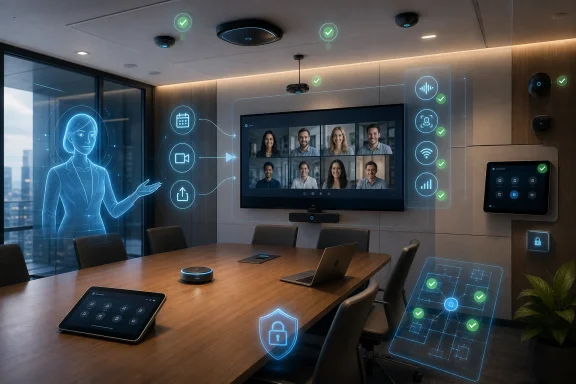 Microsoft’s Room Strategy Has Outgrown the Meeting Join Button
For most of its life, the modern conference room was judged by a brutally simple metric: could people join the meeting without calling IT? Teams Rooms, Zoom Rooms, Webex devices, and a long tail of appliance-like collaboration bars all grew out of that pain. The prize was reliability, not intelligence.Microsoft’s InfoComm pitch suggests that era is ending. The room is no longer just a peripheral attached to a calendar invite. It is becoming a sensor platform, an identity platform, and an AI runtime that happens to have a camera and a display.
That shift explains why Bukshteyn’s 1.5 million active Teams Rooms figure matters. These are not idle software downloads or free consumer accounts. They are licensed rooms that organizations keep paying for only if the space remains useful. Growth “often at a rate of over a thousand systems every single workday,” as described in the keynote coverage, is less a vanity metric than a deployment base for Microsoft’s next layer of AI services.
This is also why the keynote was delivered to the AV industry rather than only to Microsoft administrators or developers. Ambient AI is not a feature that can be pushed through Windows Update and declared complete. It needs microphones good enough to separate speakers, cameras good enough to frame people and interpret space, compute capable of processing signals locally or securely in the cloud, and integrators who understand why a camera blocked by a chair is not a cosmetic issue but a data-quality failure.
The AV Industry Is Being Promoted — and Conscripted
Microsoft’s phrase “we need your help” sounds collaborative, and in one sense it is. AV integrators, OEMs, and standards bodies are the people who turn theoretical room intelligence into practical deployments across boardrooms, classrooms, huddle spaces, front desks, labs, clinics, and government offices. If Teams is to become the “place where humans can get AI assistance,” the room hardware cannot be an afterthought.But there is a harder edge to the invitation. Microsoft is effectively asking the AV channel to become the last mile of Copilot. The company can build Facilitator agents and call-screening agents, but a bad microphone array will still produce bad transcripts. A poorly placed camera will still miss the person speaking. An unmanaged Android bar or neglected Windows room PC will still become the weak link in an otherwise polished AI demo.
That is why the keynote’s hardware examples were not incidental. Bukshteyn pointed to Android and Windows devices across form factors: Cisco boards, Maxhub all-in-one boards, Logitech Rally Bar, Q-SYS bars, and the broader Teams Rooms ecosystem. The pitch is that Microsoft is not choosing a single hardware ideology. It wants Teams Rooms everywhere, whether the endpoint is an appliance, a Windows-based system, an all-in-one board, or a collaboration bar.
For WindowsForum readers, the Windows-versus-Android angle is worth watching. Microsoft has learned to be pragmatic in meeting rooms because enterprise AV procurement does not behave like consumer PC buying. Some customers want appliance simplicity, others want Windows manageability, and many want whatever their integrator can support across hundreds of rooms with minimal truck rolls.
Ambient AI Begins With Enrollment, Not Magic
The keynote’s most consequential detail may not be the agent demos. It may be Microsoft’s emphasis on voice and face enrollment. That is where the glossy vision becomes administratively and politically difficult.Speaker attribution, personalized recaps, action items, and room-aware workflows all depend on knowing who is in the room and who said what. In hybrid meetings, that has long been a weak point. Remote participants appear as named tiles. People in a physical room often collapse into a single generic “conference room” identity unless the room has intelligent speakers, enrolled users, and the right policies enabled.
Microsoft’s answer is to make enrollment less awkward. Express voice enrollment, announced as shipping this month, removes the old requirement to read scripted sentences aloud. A user opts in, and Microsoft uses a meeting recording to generate a digital voice signature. Bukshteyn said no raw audio is stored, and that the signature is designed to align with data retention policies.
Express face enrollment is also coming, using as little as one frame of video. That is a dramatic simplification if it works as advertised. It is also the kind of sentence that will make privacy officers, works councils, legal departments, and security teams sit up straight.
Microsoft knows this, which is why the keynote emphasized opt-in experiences and a move away from burying enrollment in settings. The proposed interaction — a prompt asking whether Teams may use a recording to provide better future experiences — is exactly the kind of consent moment that can either normalize AI identity systems or trigger resistance. The difference will depend on tenant controls, transparency, retention boundaries, and whether users believe enrollment benefits them rather than only management.
The Meeting Room Is Becoming a Computer Vision Problem
Facilitator Agent Skills in Teams Rooms are where Microsoft’s ambient AI story becomes most concrete. The public preview described in the keynote imagines a room agent that can notice when more people enter than there are chairs, suggest another meeting room, warn that a room is messy, detect when chairs have been moved or placed in front of a camera, take notes on request, help people join meetings from other services, assist with casting, and even answer contextual questions such as travel time to Seattle airport.That is a long way from “start meeting.” It is the meeting room recast as a semi-autonomous workplace assistant.
The examples are deliberately mundane, and that is their power. A room that knows it is overcrowded is not science fiction. A room that notices the camera is blocked is not a moonshot. A room that helps an employee cast content or join an external meeting is not replacing anyone’s job. These are exactly the annoyances that consume office minutes every day.
But mundane does not mean simple. To infer that a room is messy, the system needs some combination of visual understanding, baseline room state, policy logic, and confidence thresholds. To recommend another space, it needs room availability, capacity, location, and perhaps accessibility or equipment metadata. To help with another meeting service, it needs cross-platform workflow knowledge. To avoid being creepy, it needs restraint.
The phrase “eyes, ears and a brain everywhere” captures both the product opportunity and the discomfort. In a lab demo, it sounds like an assistant. In a real workplace, it sounds like infrastructure that must be governed.
Teams Phone Shows the Same AI Pattern in a Different Channel
The room was the star of the InfoComm message, but the Teams Phone announcements point in the same direction. Copilot Call Delegation, which can screen calls and interact with callers on behalf of an individual, and Teams Phone Agent, which can perform a similar function for a company mainline, extend Microsoft’s agent strategy into voice workflows that have traditionally belonged to PBX systems, receptionists, contact-center platforms, and third-party call bots.This is not merely voicemail with a better transcript. If an AI agent can answer, determine intent, decide urgency, schedule follow-ups, and route callers, then Teams Phone starts to look less like a cloud calling product and more like a workplace process engine with a phone number attached.
For IT departments, that raises familiar but serious questions. Who is allowed to let an agent answer on their behalf? What disclosures are required? How are recordings and transcripts stored? Can the agent make commitments, book meetings, or collect sensitive information? What happens when a caller disputes what the agent said?
Microsoft’s advantage is distribution. Teams already sits in the daily workflow of many organizations, and Teams Phone is already part of the Microsoft 365 conversation. If AI call handling becomes “just another Teams feature,” Microsoft can move faster than standalone voice AI vendors that must first win procurement trust.
Its disadvantage is also distribution. A mistake in a niche bot is an isolated incident. A mistake in Teams Phone can become an enterprise governance problem overnight.
The Frontier Program Is Microsoft’s Controlled Risk Valve
Bukshteyn’s call for organizations to join Microsoft’s Frontier program is revealing. Microsoft wants customers to try these new AI experiences early, but it also needs real-world data on where the agents help, where they misunderstand context, and where enterprise policy gets in the way. A polished keynote can show a Facilitator helping with chairs and airport travel. Only live deployments will show whether users actually ask for that, ignore it, or ask for things Microsoft did not anticipate.The Frontier framing also lets Microsoft move features into customer hands without pretending that the operating model is finished. That matters because agentic workplace AI is not like shipping a new emoji reaction or meeting layout. It changes expectations about who — or what — is participating in work.
Administrators should treat Frontier features as pilots, not gifts. They need defined user groups, clear communication, logging, rollback paths, and a governance model before the novelty spreads faster than policy. The most dangerous AI rollout is the one that starts as a helpful experiment and becomes unofficial infrastructure before anyone has written down who owns it.
This is especially true in rooms, where users may not realize that the space itself has become an active participant. A prompt on a personal laptop is one thing. A room that wakes, watches, listens, identifies, summarizes, and suggests action is another.
The Windows Angle Is Manageability, Not Nostalgia
For Windows enthusiasts, the temptation is to read the device examples as another platform contest: Windows room systems versus Android appliances. That is partly real, but it is not the most interesting part of the story. The more important distinction is manageability.Windows-based Teams Rooms can fit into familiar endpoint management models, policy frameworks, update rings, security baselines, and monitoring practices. Android-based systems can offer appliance simplicity and lower operational overhead. Both approaches can succeed, and both can fail spectacularly if they are treated as set-and-forget gadgets rather than managed workplace computers.
Ambient AI raises the stakes because these devices are no longer just call endpoints. They are handling identity signals, meeting content, room telemetry, and potentially agent interactions that can affect business workflows. That pushes AV hardware into the same governance conversation as laptops, phones, servers, and cloud apps.
Microsoft’s upcoming work on AI-assisted management and deployment, plus agent-driven management and deployment for Teams systems, appears aimed at precisely this operational burden. If Teams Rooms keep growing at the claimed pace, customers cannot manage them room by room forever. They will need automation that can detect bad device states, recommend fixes, stage deployments, and perhaps eventually remediate problems without waiting for a technician.
That sounds useful. It also sounds like yet another place where administrators will need to understand the difference between recommendation, automation, and delegated authority.
Training Is the Soft Infrastructure Behind the Hardware Push
The announced long-term training partnership with AVIXA is easy to overlook beside the AI demos, but it may be one of the more durable pieces of the keynote. Microsoft is putting its learning content on AVIXA’s global learning platform because the company knows that ambient AI will fail if the people designing rooms do not understand the software assumptions baked into the experience.A camera placed for aesthetics may not be placed for recognition. A microphone solution that works for human listeners may not be optimal for transcription and speaker attribution. A display arrangement that looks clean in a boardroom may hide prompts that matter for consent or participation. The AV design brief is changing.
This is the kind of change that produces friction between disciplines. Facilities teams care about room utilization and aesthetics. AV integrators care about signal quality and supportability. IT cares about identity, compliance, patching, and security. Legal cares about consent and retention. Microsoft is asking all of them to converge around Teams as the ambient interface.
Training will not solve the politics, but it can reduce avoidable failure. If the industry is going to deploy “eyes, ears and a brain” into workplaces, it should at least know where to put the eyes and ears.
The Privacy Debate Will Arrive After the Productivity Demo
Microsoft’s strongest argument is productivity. Better transcripts, better recaps, smarter action items, room-aware assistance, call screening, and automated note-taking are all easy to understand. Anyone who has joined a bad hybrid meeting or hunted for an available room can see the appeal.The harder argument is legitimacy. Employees may accept AI note-taking in a scheduled meeting they join knowingly. They may be less comfortable with rooms that infer occupancy, messiness, identity, and behavior. Even if Microsoft stores signatures rather than raw audio, and even if enrollment is opt-in, the social meaning of workplace sensing is larger than the storage architecture.
There is also a data asymmetry problem. The organization buys the system and configures the policies, but employees generate the signals. If the perceived benefit flows mainly upward — better analytics for management, more searchable records, more durable memory of every conversation — adoption will become contested. If the benefit is felt directly by workers — fewer missed tasks, better accessibility, less meeting fatigue, smoother rooms — the trade-off may look different.
Microsoft’s challenge is to make ambient AI feel like a coworker rather than a compliance camera. That is not a branding problem. It is a product behavior problem.
The Competitive Fight Is Over the Default Workplace Brain
The keynote also shows how Microsoft wants to define the next competitive layer in collaboration. The last decade’s fight was over meetings and chat. The next fight is over the default workplace brain: the agent that knows the meeting, the room, the phone call, the file, the calendar, the building, and the people.Teams gives Microsoft a formidable starting point. It already connects identity, calendars, chats, meetings, calls, files, and admin policy. Teams Rooms extends that graph into physical space. Teams Phone extends it into voice interactions beyond scheduled meetings. Copilot gives Microsoft the AI wrapper to tie the whole thing together.
Competitors will not stand still. Cisco, Zoom, Google, and specialist AV and workplace-management vendors all have their own versions of room intelligence, meeting summaries, device management, and AI assistance. The differentiator may not be whose model writes the prettiest summary. It may be whose system can be deployed, governed, secured, supported, and trusted across thousands of rooms and millions of employees.
That is why the AV industry matters. The default workplace brain will not be won only in cloud data centers. It will be won in ceiling microphones, camera sightlines, room consoles, firmware updates, enrollment flows, and the patience of the people asked to use them.
The Room Is Now Part of the Tenant Boundary
The practical lesson from Microsoft’s InfoComm message is that Teams Rooms should no longer be treated as a meeting accessory. They are becoming managed AI endpoints, and organizations should plan accordingly before the features arrive as defaults, previews, or tempting pilot programs.- Organizations should inventory Teams Rooms hardware with the same seriousness they apply to laptops and mobile devices.
- Administrators should review voice and face enrollment policies before encouraging users to opt in.
- AV teams should design rooms for AI signal quality, not only for human sightlines and sound.
- Security and legal teams should decide how agent-generated notes, transcripts, call summaries, and room observations fit existing retention rules.
- Early adopters should use Microsoft’s Frontier program as a governed pilot, not as an informal shortcut around policy.
- Windows and Android room systems should be evaluated on lifecycle management, update reliability, and support model rather than platform preference alone.
References
- Primary source: avinteractive.com
Published: 2026-06-23T16:22:07.992599
Microsoft: 'We need your help to deliver ambient AI' | AV Magazine
This was the key message in Ilya Bukshteyn's InfoComm keynote which also covered Express voice enrolment, Facilitator agent skills and achieving 1.5m active MTR licences.www.avinteractive.com - Official source: learn.microsoft.com
Facilitator in Teams Rooms - Microsoft Teams | Microsoft Learn
This user guide provides comprehensive setup instructions and information on using the Facilitator agent within Teams Rooms. The AI-powered Facilitator agent or app lets meeting participants hold unscheduled meetings and use Facilitator to transcribe the entire meeting conversation and create...learn.microsoft.com - Official source: support.microsoft.com
Copilot-Anrufweiterleitung in Microsoft Teams verwenden | Microsoft Support
Copilot-Anrufdelegierung in Teams Phone verwendet Copilot KI, um Anrufe effizienter zu verwalten, indem wichtige Punkte, Aktionselemente und nächste Schritte während oder nach Anrufen erfasst werden. Es unterstützt VoIP- und PSTN-Anrufe und kann Zusammenfassungen generieren, die Ihnen helfen...support.microsoft.com - Related coverage: voip.review
Microsoft Revamps Teams Phone with AI Call Delegation | VoIP Review
Microsoft's April 2026 update adds Microsoft 365 Copilot call delegation, enhancing Teams Phone capabilities.voip.review - Official source: techcommunity.microsoft.com
What's New in Microsoft Teams | April 2026 | Microsoft Community Hub
Our team just wrapped up the M365 Community Conference in Orlando, FL, and it was an incredible way to close out April! Our teams were energized by... techcommunity.microsoft.com
- Official source: adoption.microsoft.com
