

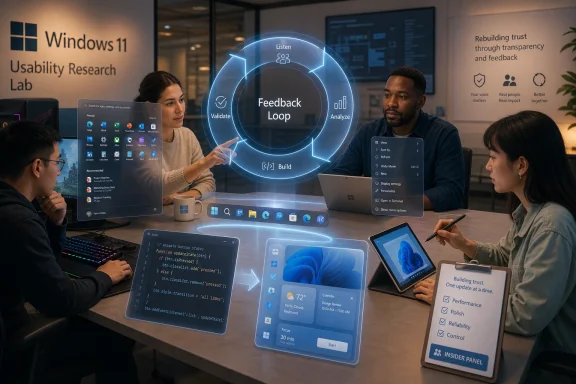
Microsoft has begun inviting selected Windows Insiders in May 2026 to join a new Windows Insider Panel run by its Windows and Devices research team, a feedback program meant to study how testers use Windows 11 and where its interface still frustrates them. It is a small move on paper, but it lands in the middle of a much larger campaign: Microsoft is trying to persuade Windows users that it has heard years of complaints about polish, performance, reliability, and unwanted product nudges. The charitable read is that Redmond is finally doing the slow, unglamorous work of listening before redesigning. The skeptical read is that Windows 11 should not need a listening tour nearly five years after launch.
The Windows Insider Panel, as described in reports of Microsoft’s invitations, is not just another “send us feedback” button buried in the operating system. It asks selected testers to complete a survey about what devices they use and how they use Windows 11, then places them into future research studies that may focus on specific parts of the user experience. That matters because it suggests Microsoft wants more than bug reports; it wants context.
Context is exactly what Windows 11 has often lacked. The operating system has plenty of telemetry, plenty of forum threads, and plenty of Feedback Hub complaints, but raw signals do not necessarily tell a product team why a design works for one user and fails for another. A gaming desktop, a corporate laptop, a Surface tablet, a school-issued device, and a developer workstation may all run “Windows 11,” but they do not experience the operating system the same way.
That is the useful promise of a research panel. Microsoft can ask whether a person lives in File Explorer all day, relies on virtual desktops, switches between tablet and keyboard modes, launches apps from search, or avoids the Start menu entirely. Those answers are more valuable than a popularity contest over whether the taskbar should move.
But the panel is also a confession. Microsoft is implicitly acknowledging that the official channels it already had were not enough. The Windows Insider Program has existed for more than a decade, Feedback Hub is built into the operating system, and Windows 11 has been tested in public since 2021. If a new panel is needed now, it is because the old listening machinery has not produced enough trust.
Windows users are unusually tolerant of complexity when that complexity serves them. They will forgive an ugly dialog if it is powerful, a legacy tool if it is reliable, and an odd workflow if it gives them control. What they resent is simplification that removes capability, especially when the replacement feels slower, less flexible, or more commercially motivated.
Windows 11 arrived with a more modern visual language, but some of its most visible changes felt like trade-offs imposed from above. The Start menu became cleaner but less dense. The taskbar became prettier but less configurable. Right-click menus became tidier but required an extra click for familiar commands. Microsoft’s design story was about coherence; many users experienced it as friction.
That distinction is crucial. People do not hate modern design. They hate being told that fewer options are inherently better when the old options matched real workflows. The Windows desktop is not a phone home screen, and a workstation operating system cannot survive on aesthetic consistency alone.
That pattern is encouraging, but it also raises the obvious question: why now? Windows 11 was not launched yesterday. The complaints about taskbar regressions, context menu behavior, Start menu layout, search clutter, and general polish have been around for years. Insiders flagged many of these issues before release, and the wider user base reinforced them after release.
The answer is probably not one single crisis. Windows 10’s support deadline forced millions of users to confront the Windows 11 upgrade path. AI features became more prominent, sometimes before users felt the operating system’s basics were finished. Enterprise customers grew more sensitive to update reliability and security defaults. Enthusiasts, once Windows’ most forgiving constituency, became increasingly cynical.
The result is a credibility gap. When Microsoft says it is listening, many users now want proof in shipped builds, not blog-post language. A research panel is useful only if it changes what gets prioritized, what gets delayed, and what gets abandoned.
For IT pros, the Insider Program can be valuable because it reveals coming changes before they hit production fleets. For enthusiasts, it offers early access and a voice in development. For Microsoft, it supplies crash data, compatibility signals, and user sentiment at scale. But none of that guarantees that the loudest or most useful feedback will change the product.
The new panel appears designed to solve a different problem: not “What broke in this build?” but “How does this design fit into someone’s day?” That is a more qualitative question, and Windows badly needs more qualitative product judgment. You cannot fully instrument annoyance. Telemetry may show that users click “Show more options” in a context menu, but it does not automatically tell you whether they are mildly inconvenienced, deeply irritated, or training themselves to avoid the new menu entirely.
This is where Microsoft’s challenge becomes cultural rather than technical. A company can collect feedback forever and still ship designs users dislike if its internal incentives reward novelty, engagement, or ecosystem promotion over task completion. The panel will matter only if research has power inside the Windows organization.
Microsoft has been testing and rolling out Start menu changes that try to reduce friction, including layouts that make the app list more accessible and reduce the hard separation between pinned apps and the full list. That is the kind of practical correction users have been asking for since Windows 11 debuted. It is also a useful example of why feedback takes too long to become product.
The original Windows 11 Start menu was not broken in a catastrophic sense. It launched apps. It looked clean. It fit Microsoft’s new design language. But it also felt oddly underpowered for a desktop operating system with decades of muscle memory behind it. The recommended area, the reduced density, and the extra navigation made the menu feel less like a command center and more like a curated panel.
When users complain about the Start menu, they are often complaining about agency. They want Windows to help them get to their apps, files, and settings quickly, not to teach them a new philosophy of minimalism. The best version of the Start menu is not necessarily the prettiest one; it is the one that disappears into habit.
A context menu that takes a beat too long to appear is a UX problem. A File Explorer window that hesitates is a UX problem. Widgets or background services that consume memory are UX problems. An update that makes a machine feel less predictable is a UX problem. The panel may focus on interface studies, but the larger Windows 11 repair effort cannot stop at interface studies.
This is particularly important because Windows 11 is now carrying more ambitions than ever. It is expected to be a secure-by-default enterprise platform, a gaming OS, a developer workstation, an AI endpoint, a Microsoft 365 surface, a consumer laptop experience, and a bridge across Android and iOS devices. Every one of those roles adds background processes, UI entry points, policy hooks, and edge cases.
The danger is that Microsoft fixes visible irritations while leaving the operating system feeling heavy. Users will appreciate a better Start menu, but they will not forgive sluggishness because the icons align nicely. The real test of the quality push is whether Windows 11 feels lighter, more predictable, and more respectful on ordinary hardware.
This is not because AI features are automatically bad. Some will be useful, particularly for accessibility, search, automation, summarization, and enterprise workflows where Microsoft 365 context matters. The problem is sequencing. Users want confidence that Windows can handle the basics before it asks them to embrace a new layer of intelligence.
There is also a governance issue. AI features often require data access, cloud services, or new local indexing behavior. Security-minded users and administrators want clear controls, predictable defaults, and honest explanations. They are more likely to accept those features if Microsoft has earned credibility through restraint.
The Windows Insider Panel could help here if Microsoft uses it to test not only whether users understand AI interfaces, but whether they want them in particular places at all. The most valuable feedback may sometimes be “do not put this there.” Product teams need to hear that before a feature becomes another toggle administrators must hunt down.
A UX research panel does not directly solve those enterprise problems, but it can still help. Many enterprise pain points are user experience problems at fleet scale. A confusing search change becomes a ticket spike. A redesigned settings flow becomes a documentation rewrite. A notification prompt becomes a compliance concern. A new consumer-facing surface becomes something to disable, audit, or defend.
Microsoft’s challenge is that Windows is both a consumer product and enterprise infrastructure. It cannot behave like a fast-moving web app where experiments can be reversed with limited fallout. A small interface change in Windows can ripple through training materials, accessibility workflows, assistive technologies, automation scripts, kiosk configurations, and regulated environments.
That is why the phrase “help shape the future of Windows” should be treated seriously but cautiously. The future of Windows is not only a prettier desktop. It is a contract about stability. If Microsoft wants IT pros back on its side, it must prove that listening includes saying no to churn.
Microsoft is vulnerable to that charge because Windows users have heard “we’re listening” many times. They heard it after Windows 8. They heard it throughout Windows 10. They heard it when Windows 11 restored some missing taskbar functions and adjusted rough edges over time. Listening has been part of the brand story for years, even when the product did not always feel listener-driven.
The way to avoid theater is straightforward but difficult. Microsoft should close the loop. If a panel study leads to a change, say so. If feedback conflicts, explain the trade-off. If a beloved feature cannot return, give a technical or design reason that respects the audience. If telemetry contradicts vocal complaints, acknowledge both.
Windows users do not need every decision to go their way. They need to believe decisions are made with a clear understanding of how people actually use PCs. That belief has eroded, and rebuilding it will require visible humility.
The promising version is that Microsoft becomes less arrogant about defaults. Windows 11’s early design often seemed too confident that users would adapt to removed options, extra clicks, and cleaner but less capable surfaces. A better Windows would distinguish between simplification for newcomers and configurability for people who know what they want.
That does not mean every Windows 10 behavior should return. Nostalgia is not a product strategy, and Windows has carried too much old machinery for too long. But modernization should preserve the principle that made Windows durable: the user’s workflow matters more than the designer’s ideal screenshot.
A less arrogant Windows would also be clearer about Microsoft’s own interests. Search integration, account prompts, Microsoft 365 surfaces, Edge promotion, and AI entry points are not neutral design decisions. Some may be useful. Some may be commercially convenient. Users can tell the difference, and pretending otherwise only deepens resentment.
That story is now hard to shake. Even when Microsoft ships legitimate improvements, many users read them through suspicion. Is this really for me, or for Microsoft’s ecosystem? Will this make my PC faster, or just more instrumented? Will this respect my settings, or reset them after an update? Those questions are corrosive because they turn every change into a negotiation.
The new research panel is one way to interrupt that cycle. It gives Microsoft a chance to hear from people before frustration hardens into rejection. It also gives the company a chance to test designs with users who are invested enough to participate but experienced enough to spot friction early.
Still, the bill is larger than UX research. Microsoft must ship fewer rough edges, document changes better, respect administrative controls, and reduce the sense that Windows is always trying to steer the user toward something. Listening is the start of repair, not the repair itself.
The harder part is that Windows credibility is earned cumulatively. A single improved menu will not reverse years of annoyance. A single panel will not convince skeptical administrators. A single blog post will not make users forget update problems or unwanted prompts. The repair effort has to show up month after month in builds that feel calmer and more deliberate.
That means Microsoft should be measured less by how many new features it previews and more by how many old irritations disappear. The best Windows 11 updates in 2026 may be the ones that do not make dramatic headlines. Faster menus, fewer regressions, clearer settings, better defaults, and fewer promotional intrusions would do more for the platform than another marquee feature nobody asked for.
There is also a lesson here for Windows 12, whenever Microsoft decides to draw that line. If Windows 11’s second act is about listening, the next major Windows release should not repeat the cycle of removing mature workflows in the name of freshness. Microsoft has the data now. It has the complaints. It has the cautionary tale.
The next phase is the one that matters: turning research into restraint, feedback into defaults that respect users, and Windows 11 into an operating system that feels less like a vehicle for Microsoft’s priorities and more like a tool shaped around the people who still depend on PCs every day.
Source: TechRadar https://www.techradar.com/computing...d-im-hopeful-this-isnt-just-a-desperate-move/
 Microsoft’s New Panel Is a Confession Disguised as Outreach
The Windows Insider Panel, as described in reports of Microsoft’s invitations, is not just another “send us feedback” button buried in the operating system. It asks selected testers to complete a survey about what devices they use and how they use Windows 11, then places them into future research studies that may focus on specific parts of the user experience. That matters because it suggests Microsoft wants more than bug reports; it wants context.Context is exactly what Windows 11 has often lacked. The operating system has plenty of telemetry, plenty of forum threads, and plenty of Feedback Hub complaints, but raw signals do not necessarily tell a product team why a design works for one user and fails for another. A gaming desktop, a corporate laptop, a Surface tablet, a school-issued device, and a developer workstation may all run “Windows 11,” but they do not experience the operating system the same way.
That is the useful promise of a research panel. Microsoft can ask whether a person lives in File Explorer all day, relies on virtual desktops, switches between tablet and keyboard modes, launches apps from search, or avoids the Start menu entirely. Those answers are more valuable than a popularity contest over whether the taskbar should move.
But the panel is also a confession. Microsoft is implicitly acknowledging that the official channels it already had were not enough. The Windows Insider Program has existed for more than a decade, Feedback Hub is built into the operating system, and Windows 11 has been tested in public since 2021. If a new panel is needed now, it is because the old listening machinery has not produced enough trust.
Windows 11’s Real Problem Was Never One Bad Menu
The temptation is to reduce the Windows 11 backlash to a list of annoyances: the centered taskbar, the simplified context menu, the redesigned Start menu, the missing taskbar options, the Settings app’s long migration from Control Panel, the sometimes intrusive Microsoft account prompts, and the endless sense that the web keeps leaking into local search. Those complaints are real, but they are symptoms of a deeper problem.Windows users are unusually tolerant of complexity when that complexity serves them. They will forgive an ugly dialog if it is powerful, a legacy tool if it is reliable, and an odd workflow if it gives them control. What they resent is simplification that removes capability, especially when the replacement feels slower, less flexible, or more commercially motivated.
Windows 11 arrived with a more modern visual language, but some of its most visible changes felt like trade-offs imposed from above. The Start menu became cleaner but less dense. The taskbar became prettier but less configurable. Right-click menus became tidier but required an extra click for familiar commands. Microsoft’s design story was about coherence; many users experienced it as friction.
That distinction is crucial. People do not hate modern design. They hate being told that fewer options are inherently better when the old options matched real workflows. The Windows desktop is not a phone home screen, and a workstation operating system cannot survive on aesthetic consistency alone.
The Company Is Trying to Rebuild the Feedback Loop It Already Claimed to Have
Microsoft has spent months signaling that it is recommitting to Windows quality. The company has talked about performance, reliability, “craft,” clearer Insider channels, a redesigned Feedback Hub experience, and more direct meetings with Windows Insiders. The new research panel fits neatly into that pattern.That pattern is encouraging, but it also raises the obvious question: why now? Windows 11 was not launched yesterday. The complaints about taskbar regressions, context menu behavior, Start menu layout, search clutter, and general polish have been around for years. Insiders flagged many of these issues before release, and the wider user base reinforced them after release.
The answer is probably not one single crisis. Windows 10’s support deadline forced millions of users to confront the Windows 11 upgrade path. AI features became more prominent, sometimes before users felt the operating system’s basics were finished. Enterprise customers grew more sensitive to update reliability and security defaults. Enthusiasts, once Windows’ most forgiving constituency, became increasingly cynical.
The result is a credibility gap. When Microsoft says it is listening, many users now want proof in shipped builds, not blog-post language. A research panel is useful only if it changes what gets prioritized, what gets delayed, and what gets abandoned.
The Insider Program Needed More Than New Channels
The Windows Insider Program has always had a strange dual identity. It is partly a test lab, partly a fan club, partly a telemetry funnel, and partly a preview theater for features Microsoft already wants to ship. That makes it powerful, but also messy.For IT pros, the Insider Program can be valuable because it reveals coming changes before they hit production fleets. For enthusiasts, it offers early access and a voice in development. For Microsoft, it supplies crash data, compatibility signals, and user sentiment at scale. But none of that guarantees that the loudest or most useful feedback will change the product.
The new panel appears designed to solve a different problem: not “What broke in this build?” but “How does this design fit into someone’s day?” That is a more qualitative question, and Windows badly needs more qualitative product judgment. You cannot fully instrument annoyance. Telemetry may show that users click “Show more options” in a context menu, but it does not automatically tell you whether they are mildly inconvenienced, deeply irritated, or training themselves to avoid the new menu entirely.
This is where Microsoft’s challenge becomes cultural rather than technical. A company can collect feedback forever and still ship designs users dislike if its internal incentives reward novelty, engagement, or ecosystem promotion over task completion. The panel will matter only if research has power inside the Windows organization.
The Start Menu Is the Symbol Because Everyone Touches It
No part of Windows carries more symbolic weight than the Start menu. It is not the most technically important component, and many power users bypass it with search, pinned apps, keyboard launchers, or third-party tools. But it is the front door of the operating system, and when the front door feels wrong, the whole house feels off.Microsoft has been testing and rolling out Start menu changes that try to reduce friction, including layouts that make the app list more accessible and reduce the hard separation between pinned apps and the full list. That is the kind of practical correction users have been asking for since Windows 11 debuted. It is also a useful example of why feedback takes too long to become product.
The original Windows 11 Start menu was not broken in a catastrophic sense. It launched apps. It looked clean. It fit Microsoft’s new design language. But it also felt oddly underpowered for a desktop operating system with decades of muscle memory behind it. The recommended area, the reduced density, and the extra navigation made the menu feel less like a command center and more like a curated panel.
When users complain about the Start menu, they are often complaining about agency. They want Windows to help them get to their apps, files, and settings quickly, not to teach them a new philosophy of minimalism. The best version of the Start menu is not necessarily the prettiest one; it is the one that disappears into habit.
Performance Is Now Part of User Experience, Not a Separate Track
Microsoft’s recent language around Windows quality has sensibly tied customer satisfaction to performance. That may sound obvious, but it is an important correction. Too often, operating system design treats speed as engineering plumbing and interface polish as a separate layer. Users experience them as the same thing.A context menu that takes a beat too long to appear is a UX problem. A File Explorer window that hesitates is a UX problem. Widgets or background services that consume memory are UX problems. An update that makes a machine feel less predictable is a UX problem. The panel may focus on interface studies, but the larger Windows 11 repair effort cannot stop at interface studies.
This is particularly important because Windows 11 is now carrying more ambitions than ever. It is expected to be a secure-by-default enterprise platform, a gaming OS, a developer workstation, an AI endpoint, a Microsoft 365 surface, a consumer laptop experience, and a bridge across Android and iOS devices. Every one of those roles adds background processes, UI entry points, policy hooks, and edge cases.
The danger is that Microsoft fixes visible irritations while leaving the operating system feeling heavy. Users will appreciate a better Start menu, but they will not forgive sluggishness because the icons align nicely. The real test of the quality push is whether Windows 11 feels lighter, more predictable, and more respectful on ordinary hardware.
AI Made the Listening Problem Harder
The timing of Microsoft’s Windows repair campaign is awkward because it overlaps with the company’s aggressive AI push. Copilot, Recall, Click to Do, semantic search, AI-powered settings and productivity features all sit on top of the same trust foundation. If users believe the base operating system is unfinished or pushy, AI becomes another burden rather than a benefit.This is not because AI features are automatically bad. Some will be useful, particularly for accessibility, search, automation, summarization, and enterprise workflows where Microsoft 365 context matters. The problem is sequencing. Users want confidence that Windows can handle the basics before it asks them to embrace a new layer of intelligence.
There is also a governance issue. AI features often require data access, cloud services, or new local indexing behavior. Security-minded users and administrators want clear controls, predictable defaults, and honest explanations. They are more likely to accept those features if Microsoft has earned credibility through restraint.
The Windows Insider Panel could help here if Microsoft uses it to test not only whether users understand AI interfaces, but whether they want them in particular places at all. The most valuable feedback may sometimes be “do not put this there.” Product teams need to hear that before a feature becomes another toggle administrators must hunt down.
Enterprise IT Will Judge the Repair Effort by Boring Things
Home users may judge Windows 11’s improvement by the Start menu, File Explorer, taskbar behavior, gaming performance, or whether the OS stops nagging them. Enterprise IT has a colder scorecard. Administrators care about deployment predictability, update reliability, policy control, application compatibility, security baselines, and the ability to explain changes before help desks are flooded.A UX research panel does not directly solve those enterprise problems, but it can still help. Many enterprise pain points are user experience problems at fleet scale. A confusing search change becomes a ticket spike. A redesigned settings flow becomes a documentation rewrite. A notification prompt becomes a compliance concern. A new consumer-facing surface becomes something to disable, audit, or defend.
Microsoft’s challenge is that Windows is both a consumer product and enterprise infrastructure. It cannot behave like a fast-moving web app where experiments can be reversed with limited fallout. A small interface change in Windows can ripple through training materials, accessibility workflows, assistive technologies, automation scripts, kiosk configurations, and regulated environments.
That is why the phrase “help shape the future of Windows” should be treated seriously but cautiously. The future of Windows is not only a prettier desktop. It is a contract about stability. If Microsoft wants IT pros back on its side, it must prove that listening includes saying no to churn.
The Panel’s Biggest Risk Is Becoming Theater
There is a familiar corporate pattern in which feedback becomes performance. A company invites users into panels, publishes warm language about listening, runs workshops, and then ships decisions that were already politically inevitable. The result is worse than not asking, because it teaches users that participation is decorative.Microsoft is vulnerable to that charge because Windows users have heard “we’re listening” many times. They heard it after Windows 8. They heard it throughout Windows 10. They heard it when Windows 11 restored some missing taskbar functions and adjusted rough edges over time. Listening has been part of the brand story for years, even when the product did not always feel listener-driven.
The way to avoid theater is straightforward but difficult. Microsoft should close the loop. If a panel study leads to a change, say so. If feedback conflicts, explain the trade-off. If a beloved feature cannot return, give a technical or design reason that respects the audience. If telemetry contradicts vocal complaints, acknowledge both.
Windows users do not need every decision to go their way. They need to believe decisions are made with a clear understanding of how people actually use PCs. That belief has eroded, and rebuilding it will require visible humility.
The Best Outcome Is a Less Arrogant Windows
The most promising version of this story is not that Microsoft suddenly crowd-sources Windows design. Operating systems cannot be designed by referendum. Users often disagree with one another, and the loudest complaint is not always the most important one. Good product leadership still requires judgment.The promising version is that Microsoft becomes less arrogant about defaults. Windows 11’s early design often seemed too confident that users would adapt to removed options, extra clicks, and cleaner but less capable surfaces. A better Windows would distinguish between simplification for newcomers and configurability for people who know what they want.
That does not mean every Windows 10 behavior should return. Nostalgia is not a product strategy, and Windows has carried too much old machinery for too long. But modernization should preserve the principle that made Windows durable: the user’s workflow matters more than the designer’s ideal screenshot.
A less arrogant Windows would also be clearer about Microsoft’s own interests. Search integration, account prompts, Microsoft 365 surfaces, Edge promotion, and AI entry points are not neutral design decisions. Some may be useful. Some may be commercially convenient. Users can tell the difference, and pretending otherwise only deepens resentment.
This Is the Repair Bill for Years of Small Frictions
Windows 11 did not become controversial because of one catastrophic mistake. It became controversial through accumulation. A missing option here, an extra click there, a slower component, a confusing prompt, a half-migrated setting, a feature that felt more like promotion than utility — each one was survivable, but together they created a story.That story is now hard to shake. Even when Microsoft ships legitimate improvements, many users read them through suspicion. Is this really for me, or for Microsoft’s ecosystem? Will this make my PC faster, or just more instrumented? Will this respect my settings, or reset them after an update? Those questions are corrosive because they turn every change into a negotiation.
The new research panel is one way to interrupt that cycle. It gives Microsoft a chance to hear from people before frustration hardens into rejection. It also gives the company a chance to test designs with users who are invested enough to participate but experienced enough to spot friction early.
Still, the bill is larger than UX research. Microsoft must ship fewer rough edges, document changes better, respect administrative controls, and reduce the sense that Windows is always trying to steer the user toward something. Listening is the start of repair, not the repair itself.
Redmond’s Listening Tour Has To Ship In Code
The encouraging part of Microsoft’s current Windows push is that it appears broader than public relations. The company has talked about quality, Insider clarity, performance, reliability, Start menu work, File Explorer improvements, and more direct contact with testers. Those are the right areas.The harder part is that Windows credibility is earned cumulatively. A single improved menu will not reverse years of annoyance. A single panel will not convince skeptical administrators. A single blog post will not make users forget update problems or unwanted prompts. The repair effort has to show up month after month in builds that feel calmer and more deliberate.
That means Microsoft should be measured less by how many new features it previews and more by how many old irritations disappear. The best Windows 11 updates in 2026 may be the ones that do not make dramatic headlines. Faster menus, fewer regressions, clearer settings, better defaults, and fewer promotional intrusions would do more for the platform than another marquee feature nobody asked for.
There is also a lesson here for Windows 12, whenever Microsoft decides to draw that line. If Windows 11’s second act is about listening, the next major Windows release should not repeat the cycle of removing mature workflows in the name of freshness. Microsoft has the data now. It has the complaints. It has the cautionary tale.
The Concrete Test Is Whether Users Get Control Back
Microsoft’s new panel will be judged by practical outcomes, not the warmth of its invitation emails. The important question is not whether users are asked for opinions, but whether Windows becomes more responsive to the way people actually work.- Microsoft’s new Windows Insider Panel gives the company a more structured way to study Windows 11 usage than ordinary Feedback Hub complaints.
- The panel matters because Windows 11’s most persistent problems are about workflow friction, not just isolated bugs.
- Start menu and taskbar changes remain symbolic because they affect daily muscle memory for both casual users and power users.
- Performance, reliability, and interface polish should be treated as one quality problem rather than separate engineering and design tracks.
- Enterprise administrators will judge Microsoft’s listening campaign by predictable updates, policy control, and reduced support burden.
- The program will look like theater unless Microsoft visibly connects user feedback to shipped changes and explains the trade-offs it rejects.
The next phase is the one that matters: turning research into restraint, feedback into defaults that respect users, and Windows 11 into an operating system that feels less like a vehicle for Microsoft’s priorities and more like a tool shaped around the people who still depend on PCs every day.
Source: TechRadar https://www.techradar.com/computing...d-im-hopeful-this-isnt-just-a-desperate-move/
