srinpraveen
New Member
- Joined
- Jul 22, 2011
- Messages
- 40
- Thread Author
- #1
Hello buddies.
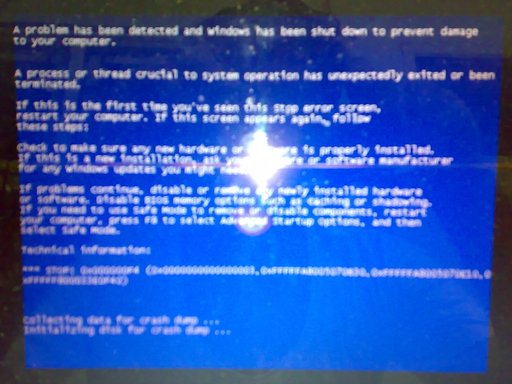
I have been plagued by a bsod errors on my windows 7 home premium 64 bit (sony vaio laptop AMD core 4GB RAM) for the past 4 months namely by the title "kernel_inpage_error". The error codes are usually like 0X00000F4 or 0X000007A. I have been banging my head for days regarding the mystery regarding why dump files are not created after a crash.
If I had a dump file, I could post it here. But its so frustrating. I have done all the pre-requisites to help in the creation of the minidump. But it just fails to be created. I tried memory dump that too is not being created in the event of a crash.
Here are the stuff that I have already done.
1) Created Minidump folder on C:\Windows manually. This is because at first, I was of the opinion that the minidump folder will be automatically created in the event of a crash. But since it was never created, I manually created a folder named "Minidump" in C:\windows.
2) Paging file size is more than sufficient to facilitate the creation of a *.dmp file. Initially this was system managed and was kept at 3740MB, But since the dump files were not created, I customized it to around 1.5 times more value around 5500MB. Still no creation of a dump file on bsod.
3) Pagefile.sys is on C:\ which is the OS partition
4) I have done memtest for 7 passes. Says no errors.
5) Tested the hard-drive through all the tests provided by seagate tools. No errors.
6) Complete System Scan, rootkit, MBR through avira. No viruses detected. KIS 2012 also throws no virus detections.
7) I did chkdisk commands , scannow commands no errors on system files or hard-disk sectors.
8) I use ccleaner regularly to clean the registries and also use reginout to clean up the system.
The highest tendency for bsods to occur usually is when I video chat in skype. Or when I do several stuff parallely such as view a streaming video, download a file, virus scan all simulataneously then the bsod happens. But there is no way I can generalise like that. This is just my hunch. There have been cases when they have randomly occurred as well. So till I have the dump file, I can absolutely do nothing.
Pls Pls help me. WHAT exactly do I do to create a dump file?
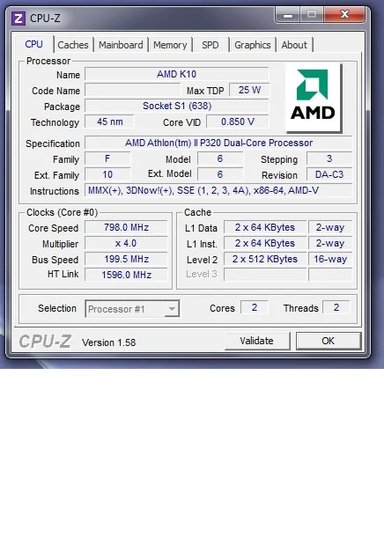
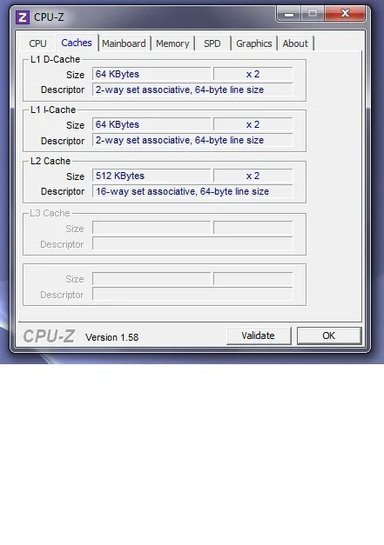
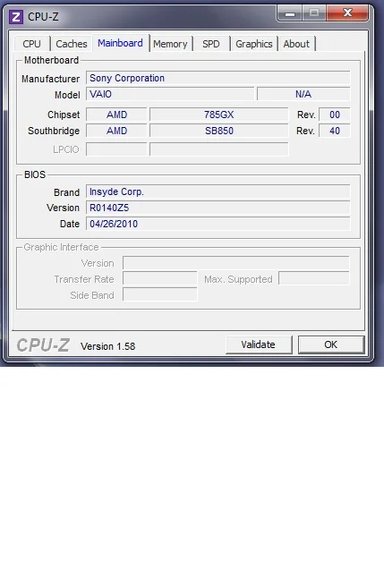
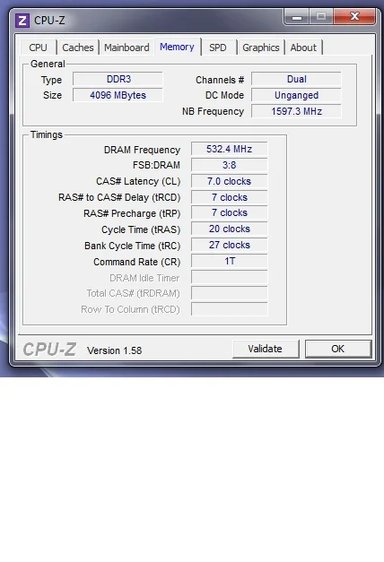
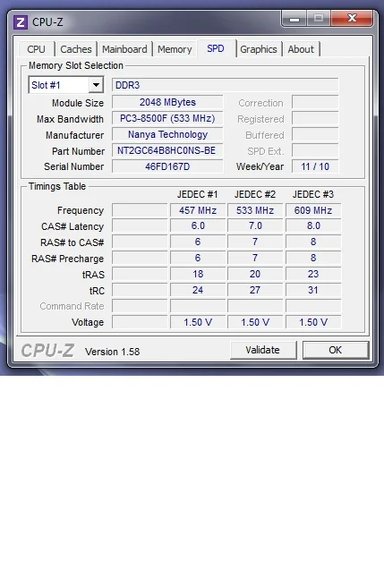
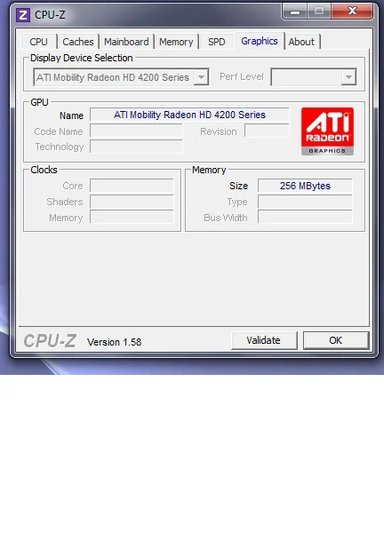
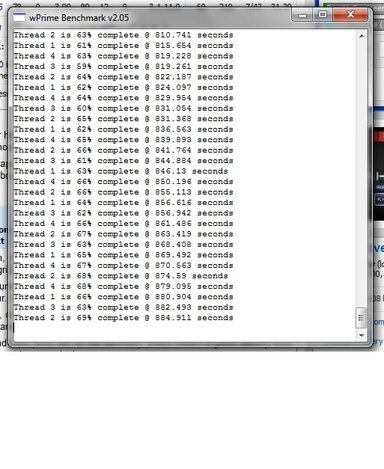
here are some images for you to view.
This one is after running this file Link Removed.
Link Removed
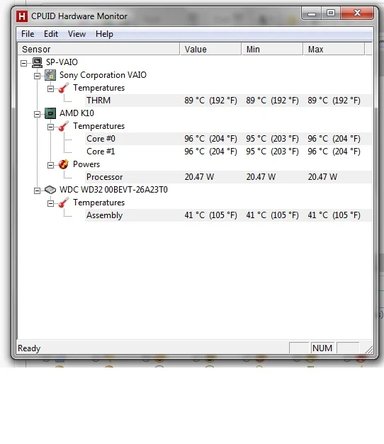
Here is an image of my temperatures ie.core temp etc.
Link Removed
I have all the windows sdk tools from windbg.org but what's the use when I don't have a dump file?
I have been plagued by a bsod errors on my windows 7 home premium 64 bit (sony vaio laptop AMD core 4GB RAM) for the past 4 months namely by the title "kernel_inpage_error". The error codes are usually like 0X00000F4 or 0X000007A. I have been banging my head for days regarding the mystery regarding why dump files are not created after a crash.
If I had a dump file, I could post it here. But its so frustrating. I have done all the pre-requisites to help in the creation of the minidump. But it just fails to be created. I tried memory dump that too is not being created in the event of a crash.
Here are the stuff that I have already done.
1) Created Minidump folder on C:\Windows manually. This is because at first, I was of the opinion that the minidump folder will be automatically created in the event of a crash. But since it was never created, I manually created a folder named "Minidump" in C:\windows.
2) Paging file size is more than sufficient to facilitate the creation of a *.dmp file. Initially this was system managed and was kept at 3740MB, But since the dump files were not created, I customized it to around 1.5 times more value around 5500MB. Still no creation of a dump file on bsod.
3) Pagefile.sys is on C:\ which is the OS partition
4) I have done memtest for 7 passes. Says no errors.
5) Tested the hard-drive through all the tests provided by seagate tools. No errors.
6) Complete System Scan, rootkit, MBR through avira. No viruses detected. KIS 2012 also throws no virus detections.
7) I did chkdisk commands , scannow commands no errors on system files or hard-disk sectors.
8) I use ccleaner regularly to clean the registries and also use reginout to clean up the system.
The highest tendency for bsods to occur usually is when I video chat in skype. Or when I do several stuff parallely such as view a streaming video, download a file, virus scan all simulataneously then the bsod happens. But there is no way I can generalise like that. This is just my hunch. There have been cases when they have randomly occurred as well. So till I have the dump file, I can absolutely do nothing.
Pls Pls help me. WHAT exactly do I do to create a dump file?
here are some images for you to view.
This one is after running this file Link Removed.
Link Removed
Here is an image of my temperatures ie.core temp etc.
Link Removed
I have all the windows sdk tools from windbg.org but what's the use when I don't have a dump file?
Last edited: