

Microsoft said on July 1, 2026, that New Outlook for Windows has gained broader .PST support, including improved search and import behavior, while still requiring Classic Outlook to be installed in the background for local data-file access. That is the kind of sentence Microsoft wants to sound like progress. It is progress, but it is also a confession: the future of Outlook still needs the old Outlook standing behind the curtain. For users and admins, the real story is not that New Outlook has caught up; it is that Microsoft is now trying to make almost caught up feel like a migration strategy.
New Outlook has always had a branding problem masquerading as a product problem. Microsoft calls it “new,” but many of the people being asked to move are not looking for novelty. They are looking for the specific accumulated habits, knobs, edge cases, and local-data workflows that made Outlook Classic the default business mail client for a generation.
That is why .PST support matters more than it appears to on a feature checklist. A .PST file is not glamorous. It is a dusty local archive, a compliance workaround, a migration crutch, a lifeboat for retired mailboxes, and, in plenty of small businesses, the closest thing to an email records-management system anyone ever deployed.
Microsoft’s latest update narrows one of the most visible gaps between New Outlook and Outlook Classic. Users can now open Settings, go to Data files, add a .PST file, and see it in the folder list. More importantly, Microsoft appears to have moved beyond the earlier, basic implementation that could expose data but not always behave like Outlook users expected.
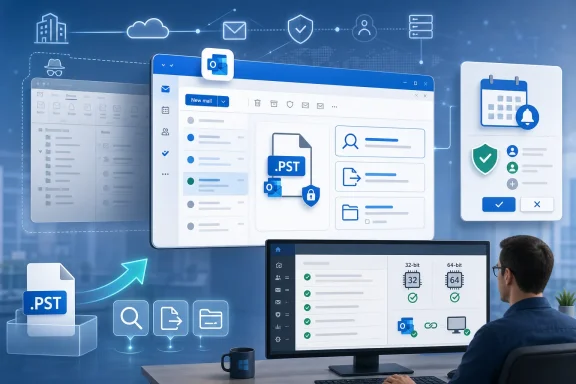
That is the good news. The less comfortable news is in the dependency. Opening .PST files in New Outlook still requires Classic Outlook to be installed, and both applications must use the same architecture, whether 32-bit or 64-bit. In other words, New Outlook can now walk further into Classic Outlook territory, but only while holding Classic Outlook’s hand.
This is not a trivial technical footnote. It changes how IT departments should read the announcement. Microsoft is not yet offering a clean break from the Win32 Outlook stack for organizations that rely on local archives. It is offering a hybrid bridge, and bridges are useful precisely because the destination is not yet fully reachable.
But the installed base does not move at product-strategy speed. Many organizations still have mail histories living in .PST files because mergers, employee departures, mailbox quotas, eDiscovery habits, legacy Exchange deployments, and plain old inertia made them unavoidable. In the consumer world, .PST files remain the place where years of POP mail, imported archives, and family-account histories often end up.
That is why New Outlook’s early lack of serious .PST support was never just a missing feature. It was a signal to experienced users that Microsoft had built the new client around a model of email that did not match their reality. If your workflow assumes everything important lives in the cloud, local archives look like technical debt. If your workflow assumes the archive is the record, losing access to .PST files looks like losing institutional memory.
The rollout Microsoft has been assembling since 2025 reflects that reality. Exporting mailbox data to .PST, scheduling regular exports, browsing old calendar and contact data, moving mail as attachments, importing mail, and now preparing broader calendar and contact import support are not shiny productivity upgrades. They are migration plumbing.
That plumbing is boring until it is missing. Then it becomes the reason a department refuses to move.
Outlook Classic is not merely an email app; it is a platform of habits. It sits in workflows involving shared mailboxes, delegated sending, local archives, calendar etiquette, Word-based mail merge, add-ins, cached Exchange mode, offline behavior, and years of muscle memory. New Outlook is trying to be lighter, more consistent with Outlook on the web, and easier for Microsoft to evolve across platforms. That architecture has benefits, but the transition cost lands on users.
The new .PST work shows Microsoft taking that cost more seriously. Advanced search behavior matters because opening an archive is not enough if users cannot reliably find a sender, a folder, or a message body. Import support matters because browsing an old file and integrating its contents into a mailbox are different tasks. Calendar and contact import matter because archives are not only mailboxes; they are records of relationships and appointments.
Still, every catch-up feature also reminds users why they hesitated. Microsoft is effectively asking customers to applaud the return of things they already had. That is not unusual in platform transitions, but it creates resentment when the replacement arrives before the old workflows are fully rebuilt.
The delegated mailbox Sent Items issue is a perfect example. In Classic Outlook, a reply sent from a shared mailbox could be saved where the team expected it: in the shared mailbox’s Sent Items folder. In New Outlook, users have observed replies ending up in the personal sender’s Sent Items folder instead, leaving the shared mailbox record incomplete. For a sales queue, help desk, finance inbox, or executive assistant workflow, that is not cosmetic. It is operational visibility.
Microsoft’s reported plan to add a confirmation prompt with a choice between saving and sending an update is exactly the sort of small affordance that separates a business tool from a web form. Calendar clients live or die by social friction. No one wants to be the person who pings 80 attendees because they corrected a typo in an agenda.
Classic Outlook accumulated many of these affordances over years because enterprise software learns through embarrassment. Users complain, admins escalate, product teams adjust, and eventually the app develops a sense of workplace etiquette. New Outlook, by contrast, has sometimes felt as if it inherited the surface of Outlook without fully inheriting the scar tissue.
That is changing, but slowly. The more Microsoft adds these controls back, the more obvious it becomes that “simple” is not always synonymous with “better.” Simple interfaces are excellent when they remove unnecessary complexity. They are much less welcome when they remove the guardrails that power users rely on to avoid mistakes.
Architecture matching makes the point sharper. If New Outlook’s .PST handling depends on Classic Outlook components, then organizations cannot treat the old client as fully retired in environments where local data files matter. They have to care about whether Office is installed as 32-bit or 64-bit. They have to care about image consistency. They have to care about what happens when Classic Outlook is removed from a device that still needs archive access.
That undercuts the clean narrative of a unified Outlook future. Microsoft wants one Outlook experience across Windows, web, and eventually a more coherent cross-platform story. But .PST files are stubbornly local, stubbornly Windows-shaped, and stubbornly tied to the desktop Outlook lineage. They do not fit neatly into the web-first model.
Microsoft says it intends to remove the Classic Outlook requirement later this year. That will be the more meaningful milestone. Until then, the current release is best understood as a compatibility layer, not a completed migration endpoint.
There is nothing wrong with compatibility layers. Windows itself is built on them. But administrators need to know when they are dealing with a bridge rather than a foundation.
The trouble is that Outlook Classic became important precisely because it was not merely a service window. It was deeply entangled with local Windows behavior, Office integration, files, add-ins, and offline work. Some of that legacy is messy. Some of it is indispensable. Most of it is hard to distinguish until a user opens the new app and discovers that one particular workflow has vanished.
The latest wave of features suggests Microsoft is becoming more pragmatic. It is not abandoning the new client, and it is not reversing the long-term direction. But it is acknowledging that the path to replacement runs through a long list of unglamorous parity items.
That includes .PST import and export, calendar update controls, shared mailbox sent-item behavior, all-account views, mail merge improvements, and the other pieces that make Outlook feel less like a lightweight mail app and more like the command center people expect. The company is learning, or relearning, that Outlook’s value is not in any one feature. It is in the density of small accommodations.
The risk is that Microsoft mistakes checked boxes for trust. Users who felt forced into an unfinished client will not be won back by a roadmap alone. They will need to see that the new app behaves reliably under boring, repetitive, real-world pressure.
It is also fair to say that “closer” is doing a lot of work. Performance complaints remain part of the conversation. Advanced workflows remain uneven. Some users still regard the app as a web wrapper wearing a desktop badge. Whether or not that description is technically complete, it captures the emotional reality of the migration: people notice when a replacement feels less immediate than the tool it replaces.
The most charitable reading is that Microsoft is trying to modernize Outlook without dragging every old implementation detail forward. That is a legitimate goal. Outlook Classic carries decades of complexity, and not all of it deserves preservation.
The less charitable reading is that Microsoft pushed the future before the future was ready. That reading is harder to dismiss because the company is now spending release after release restoring capabilities that many users never agreed were optional.
Microsoft is trying to define Outlook less as a native application and more as a coherent service experience. The same philosophical tension appears wherever that project runs into platform-specific expectations. Mac users may not care about the same deployment details as Windows admins, but they still care when advanced features lag behind the familiar client.
Cross-platform consistency is valuable until it becomes cross-platform flattening. Business users do not live inside Microsoft’s product architecture diagrams. They live inside calendars, archives, delegated inboxes, and message trails that have consequences when they go missing.
That is why Outlook’s modernization has to be judged by the hardest workflows, not the cleanest demo. A mail client that works beautifully for a single cloud mailbox can still fail the assistant managing three executives’ calendars, the lawyer searching a ten-year local archive, or the support lead trying to audit replies from a shared queue.
That does not mean the pressure is gone. New Outlook is still the strategic destination. Classic Outlook is still the aging client. The direction of travel remains clear even if the schedule is elastic.
For IT departments, the right response is neither panic nor blind adoption. The right response is inventory. Which users rely on .PST files? Which teams use shared mailboxes? Which workflows depend on Sent Items landing in a particular mailbox? Which departments use mail merge? Which executives have delegated calendar structures that punish tiny behavioral changes?
Those answers matter more than Microsoft’s marketing language. A feature can be “launched” and still not be sufficient for a given organization. A roadmap item can be “coming soon” and still be too uncertain for a migration deadline. Outlook deployments fail in the gap between product availability and workflow confidence.
But the end of active .PST development does not mean the end of .PST files in the wild. Local archives will remain in backups, old user profiles, legal holds, USB drives, retired mailbox exports, and forgotten departmental folders. The format will survive not because it is modern, but because business data has a way of outliving the strategy that produced it.
That creates a long tail of support. Even if Microsoft delivers a complete enough implementation later this year, admins will still need to test ugly cases: large archives, corrupted files, mixed architectures, long folder trees, imported contacts, old calendar items, and search behavior across newly created folders. The everyday path may work while the edge cases remain sharp.
The same applies to delegated mailboxes and calendar notifications. The fix is not complete when a feature exists. It is complete when users stop building workarounds around its absence.
New Outlook is still trying to earn that boringness. The cleaner interface is real. The web-aligned development model has advantages. The faster feature cadence may eventually pay off. But none of that matters if users have to pause before every routine action and ask whether the new client behaves like the old one did.
The .PST update helps because it reduces one obvious reason to reject the migration. The calendar update prompt will help because it restores user control. The delegated Sent Items fix will help because shared work needs shared records. These are not headline features in the consumer-app sense. They are trust repairs.
Microsoft’s challenge is that each repair invites the same question: why was this not there already? The company can survive that question if the answer becomes “because the transition is nearly done.” It cannot survive it indefinitely if the answer remains “because New Outlook still does not understand how Outlook is used.”
 Microsoft Moves the Goalposts From Replacement to Tolerable Substitution
New Outlook has always had a branding problem masquerading as a product problem. Microsoft calls it “new,” but many of the people being asked to move are not looking for novelty. They are looking for the specific accumulated habits, knobs, edge cases, and local-data workflows that made Outlook Classic the default business mail client for a generation.That is why .PST support matters more than it appears to on a feature checklist. A .PST file is not glamorous. It is a dusty local archive, a compliance workaround, a migration crutch, a lifeboat for retired mailboxes, and, in plenty of small businesses, the closest thing to an email records-management system anyone ever deployed.
Microsoft’s latest update narrows one of the most visible gaps between New Outlook and Outlook Classic. Users can now open Settings, go to Data files, add a .PST file, and see it in the folder list. More importantly, Microsoft appears to have moved beyond the earlier, basic implementation that could expose data but not always behave like Outlook users expected.
That is the good news. The less comfortable news is in the dependency. Opening .PST files in New Outlook still requires Classic Outlook to be installed, and both applications must use the same architecture, whether 32-bit or 64-bit. In other words, New Outlook can now walk further into Classic Outlook territory, but only while holding Classic Outlook’s hand.
This is not a trivial technical footnote. It changes how IT departments should read the announcement. Microsoft is not yet offering a clean break from the Win32 Outlook stack for organizations that rely on local archives. It is offering a hybrid bridge, and bridges are useful precisely because the destination is not yet fully reachable.
The .PST File Refuses to Die Because Business Memory Refuses to Die
Microsoft has spent years nudging Outlook toward a cloud-first model, and that shift makes sense from Redmond’s point of view. Exchange Online, Microsoft 365 retention policies, cloud search, and centralized administration are easier to secure and easier to manage than a scattering of local archive files across user profiles and old laptops.But the installed base does not move at product-strategy speed. Many organizations still have mail histories living in .PST files because mergers, employee departures, mailbox quotas, eDiscovery habits, legacy Exchange deployments, and plain old inertia made them unavoidable. In the consumer world, .PST files remain the place where years of POP mail, imported archives, and family-account histories often end up.
That is why New Outlook’s early lack of serious .PST support was never just a missing feature. It was a signal to experienced users that Microsoft had built the new client around a model of email that did not match their reality. If your workflow assumes everything important lives in the cloud, local archives look like technical debt. If your workflow assumes the archive is the record, losing access to .PST files looks like losing institutional memory.
The rollout Microsoft has been assembling since 2025 reflects that reality. Exporting mailbox data to .PST, scheduling regular exports, browsing old calendar and contact data, moving mail as attachments, importing mail, and now preparing broader calendar and contact import support are not shiny productivity upgrades. They are migration plumbing.
That plumbing is boring until it is missing. Then it becomes the reason a department refuses to move.
Feature Parity Is a Political Problem Inside the Enterprise
The phrase feature parity is often used as if software clients are spreadsheets. One product has feature A, another lacks feature A, and eventually the gap is closed. Outlook is not that tidy.Outlook Classic is not merely an email app; it is a platform of habits. It sits in workflows involving shared mailboxes, delegated sending, local archives, calendar etiquette, Word-based mail merge, add-ins, cached Exchange mode, offline behavior, and years of muscle memory. New Outlook is trying to be lighter, more consistent with Outlook on the web, and easier for Microsoft to evolve across platforms. That architecture has benefits, but the transition cost lands on users.
The new .PST work shows Microsoft taking that cost more seriously. Advanced search behavior matters because opening an archive is not enough if users cannot reliably find a sender, a folder, or a message body. Import support matters because browsing an old file and integrating its contents into a mailbox are different tasks. Calendar and contact import matter because archives are not only mailboxes; they are records of relationships and appointments.
Still, every catch-up feature also reminds users why they hesitated. Microsoft is effectively asking customers to applaud the return of things they already had. That is not unusual in platform transitions, but it creates resentment when the replacement arrives before the old workflows are fully rebuilt.
The delegated mailbox Sent Items issue is a perfect example. In Classic Outlook, a reply sent from a shared mailbox could be saved where the team expected it: in the shared mailbox’s Sent Items folder. In New Outlook, users have observed replies ending up in the personal sender’s Sent Items folder instead, leaving the shared mailbox record incomplete. For a sales queue, help desk, finance inbox, or executive assistant workflow, that is not cosmetic. It is operational visibility.
Calendar Spam Shows How Small Defaults Become Big Friction
The calendar update behavior is another case where New Outlook’s rough edges are less about missing features and more about missing judgment. If editing a meeting description or adding a single attendee automatically blasts everyone with an update, the app is technically doing its job. It is also training users to distrust the save button.Microsoft’s reported plan to add a confirmation prompt with a choice between saving and sending an update is exactly the sort of small affordance that separates a business tool from a web form. Calendar clients live or die by social friction. No one wants to be the person who pings 80 attendees because they corrected a typo in an agenda.
Classic Outlook accumulated many of these affordances over years because enterprise software learns through embarrassment. Users complain, admins escalate, product teams adjust, and eventually the app develops a sense of workplace etiquette. New Outlook, by contrast, has sometimes felt as if it inherited the surface of Outlook without fully inheriting the scar tissue.
That is changing, but slowly. The more Microsoft adds these controls back, the more obvious it becomes that “simple” is not always synonymous with “better.” Simple interfaces are excellent when they remove unnecessary complexity. They are much less welcome when they remove the guardrails that power users rely on to avoid mistakes.
The Classic Outlook Dependency Is the Detail That Should Keep Admins Awake
The most important phrase in Microsoft’s .PST documentation is not “Add files.” It is the requirement that Classic Outlook must still be installed. For home users, that may be an annoyance. For enterprise administrators, it is a deployment condition, a support variable, and a reminder that New Outlook’s independence is incomplete.Architecture matching makes the point sharper. If New Outlook’s .PST handling depends on Classic Outlook components, then organizations cannot treat the old client as fully retired in environments where local data files matter. They have to care about whether Office is installed as 32-bit or 64-bit. They have to care about image consistency. They have to care about what happens when Classic Outlook is removed from a device that still needs archive access.
That undercuts the clean narrative of a unified Outlook future. Microsoft wants one Outlook experience across Windows, web, and eventually a more coherent cross-platform story. But .PST files are stubbornly local, stubbornly Windows-shaped, and stubbornly tied to the desktop Outlook lineage. They do not fit neatly into the web-first model.
Microsoft says it intends to remove the Classic Outlook requirement later this year. That will be the more meaningful milestone. Until then, the current release is best understood as a compatibility layer, not a completed migration endpoint.
There is nothing wrong with compatibility layers. Windows itself is built on them. But administrators need to know when they are dealing with a bridge rather than a foundation.
Microsoft’s Outlook Strategy Is Becoming Less Ideological and More Pragmatic
For a while, New Outlook seemed to be animated by a familiar modern Microsoft assumption: if the web version is good enough, the desktop client can become a shell around a service. That strategy has obvious advantages. Microsoft can ship faster, unify design, reduce code divergence, and make features appear across clients with less duplication.The trouble is that Outlook Classic became important precisely because it was not merely a service window. It was deeply entangled with local Windows behavior, Office integration, files, add-ins, and offline work. Some of that legacy is messy. Some of it is indispensable. Most of it is hard to distinguish until a user opens the new app and discovers that one particular workflow has vanished.
The latest wave of features suggests Microsoft is becoming more pragmatic. It is not abandoning the new client, and it is not reversing the long-term direction. But it is acknowledging that the path to replacement runs through a long list of unglamorous parity items.
That includes .PST import and export, calendar update controls, shared mailbox sent-item behavior, all-account views, mail merge improvements, and the other pieces that make Outlook feel less like a lightweight mail app and more like the command center people expect. The company is learning, or relearning, that Outlook’s value is not in any one feature. It is in the density of small accommodations.
The risk is that Microsoft mistakes checked boxes for trust. Users who felt forced into an unfinished client will not be won back by a roadmap alone. They will need to see that the new app behaves reliably under boring, repetitive, real-world pressure.
New Outlook Is Better, but the Comparison Is Still Unflattering
It is fair to say New Outlook is closer to Classic Outlook than it was a year ago. It supports more archive scenarios. It is gaining more calendar discretion. It is addressing shared mailbox pain points. It is being shaped by real complaints rather than only by cloud-client ambition.It is also fair to say that “closer” is doing a lot of work. Performance complaints remain part of the conversation. Advanced workflows remain uneven. Some users still regard the app as a web wrapper wearing a desktop badge. Whether or not that description is technically complete, it captures the emotional reality of the migration: people notice when a replacement feels less immediate than the tool it replaces.
The most charitable reading is that Microsoft is trying to modernize Outlook without dragging every old implementation detail forward. That is a legitimate goal. Outlook Classic carries decades of complexity, and not all of it deserves preservation.
The less charitable reading is that Microsoft pushed the future before the future was ready. That reading is harder to dismiss because the company is now spending release after release restoring capabilities that many users never agreed were optional.
The Mac Problem Shows This Is Bigger Than Windows
The frustration is not limited to Windows. New Outlook for macOS has faced a similar critique from users who like the cleaner interface but miss the depth of the classic experience. That matters because it shows the issue is not simply Win32 nostalgia.Microsoft is trying to define Outlook less as a native application and more as a coherent service experience. The same philosophical tension appears wherever that project runs into platform-specific expectations. Mac users may not care about the same deployment details as Windows admins, but they still care when advanced features lag behind the familiar client.
Cross-platform consistency is valuable until it becomes cross-platform flattening. Business users do not live inside Microsoft’s product architecture diagrams. They live inside calendars, archives, delegated inboxes, and message trails that have consequences when they go missing.
That is why Outlook’s modernization has to be judged by the hardest workflows, not the cleanest demo. A mail client that works beautifully for a single cloud mailbox can still fail the assistant managing three executives’ calendars, the lawyer searching a ten-year local archive, or the support lead trying to audit replies from a shared queue.
The Migration Clock Is Still Ticking, Just More Quietly
Microsoft has been careful, especially around enterprise transitions, not to make the Outlook migration look like a cliff edge. The company knows that forcing large organizations off Classic Outlook before key gaps close would be self-defeating. It would create support load, administrator resistance, and another round of headlines about Microsoft replacing mature desktop software with something unfinished.That does not mean the pressure is gone. New Outlook is still the strategic destination. Classic Outlook is still the aging client. The direction of travel remains clear even if the schedule is elastic.
For IT departments, the right response is neither panic nor blind adoption. The right response is inventory. Which users rely on .PST files? Which teams use shared mailboxes? Which workflows depend on Sent Items landing in a particular mailbox? Which departments use mail merge? Which executives have delegated calendar structures that punish tiny behavioral changes?
Those answers matter more than Microsoft’s marketing language. A feature can be “launched” and still not be sufficient for a given organization. A roadmap item can be “coming soon” and still be too uncertain for a migration deadline. Outlook deployments fail in the gap between product availability and workflow confidence.
The Archive Era Is Ending One Compatibility Patch at a Time
Microsoft’s latest .PST work is best read as a late-stage compatibility campaign. The company appears to be nearing the end of its planned .PST development for New Outlook once Classic Outlook independence and broader mail, calendar, and contact import are in place. That is a sensible boundary from Microsoft’s perspective. It does not want .PST files to define the future.But the end of active .PST development does not mean the end of .PST files in the wild. Local archives will remain in backups, old user profiles, legal holds, USB drives, retired mailbox exports, and forgotten departmental folders. The format will survive not because it is modern, but because business data has a way of outliving the strategy that produced it.
That creates a long tail of support. Even if Microsoft delivers a complete enough implementation later this year, admins will still need to test ugly cases: large archives, corrupted files, mixed architectures, long folder trees, imported contacts, old calendar items, and search behavior across newly created folders. The everyday path may work while the edge cases remain sharp.
The same applies to delegated mailboxes and calendar notifications. The fix is not complete when a feature exists. It is complete when users stop building workarounds around its absence.
Redmond’s Real Test Is Whether Outlook Can Feel Boring Again
The highest compliment for enterprise email software is that nobody talks about it. Outlook Classic earned both loyalty and contempt by becoming boring infrastructure. It was overloaded, inconsistent, and sometimes maddening, but it usually knew what kind of work it was being asked to do.New Outlook is still trying to earn that boringness. The cleaner interface is real. The web-aligned development model has advantages. The faster feature cadence may eventually pay off. But none of that matters if users have to pause before every routine action and ask whether the new client behaves like the old one did.
The .PST update helps because it reduces one obvious reason to reject the migration. The calendar update prompt will help because it restores user control. The delegated Sent Items fix will help because shared work needs shared records. These are not headline features in the consumer-app sense. They are trust repairs.
Microsoft’s challenge is that each repair invites the same question: why was this not there already? The company can survive that question if the answer becomes “because the transition is nearly done.” It cannot survive it indefinitely if the answer remains “because New Outlook still does not understand how Outlook is used.”
The Practical Reading for WindowsForum Readers
The useful conclusion is not that New Outlook is now good or bad. It is that the migration calculus has changed, but not enough to remove caution. Microsoft has made meaningful progress on .PST support and related enterprise workflows, yet the remaining dependencies still matter.- New Outlook’s expanded .PST support is a real improvement for users who need to open, search, export, and import local Outlook data files.
- Classic Outlook still matters because New Outlook’s current .PST access requires it to be installed with matching 32-bit or 64-bit architecture.
- The next major .PST milestone is broader import support for mail, calendar, and contacts without relying on Classic Outlook in the background.
- Calendar update prompts should reduce unnecessary attendee notifications when users make small meeting edits.
- A fix for delegated mailbox Sent Items behavior is important for teams that rely on shared inboxes as an auditable communication record.
- Organizations should test New Outlook against actual workflows rather than assuming feature-list parity equals deployment readiness.
References
- Primary source: Windows Latest
Published: 2026-07-01T03:20:12.989370
Microsoft says New Outlook is now closer to Outlook Classic, adds .PST advanced support and other features
The good news is Microsoft is bridging the gap and rolling out support for advanced .PST and other features. www.windowslatest.com
- Official source: support.microsoft.com
Open and find items in an Outlook Data File (.pst) | Microsoft Support
Describes how to investigate items in an Outlook Data File (.pst) and troubleshoot search issues.support.microsoft.com - Official source: learn.microsoft.com
New Outlook - Microsoft Q&A
Where do i find my outlook files for the new outlook?learn.microsoft.com - Official source: adoption.microsoft.com
New Microsoft Outlook for Windows – Microsoft Adoption
The new Outlook brings the speed of our latest technology into the performance and reliability of a Windows desktop app to build a simple, powerful, and consistent experience in Windows that allows a faster and more agile way to deploy updates and fixes.adoption.microsoft.com - Related coverage: windowscentral.com
Microsoft is shutting down Outlook Lite on Android and pushing users to the full Outlook app — a move that raises questions about Microsoft’s long‑term mobile strategy | Windows Central
Microsoft locks in an end date for Outlook Lite, after which time it will become useless.www.windowscentral.com - Related coverage: computersoftwaretraining.com
- Official source: download.microsoft.com
- Related coverage: wcc.vccs.edu
