

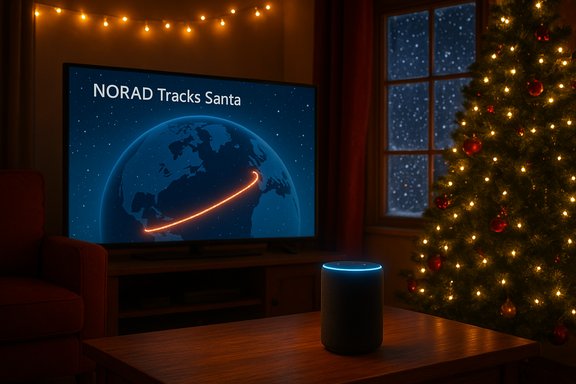
If you want live, NORAD-backed Santa tracking on an Alexa-capable device this Christmas Eve, the short answer is: enable the official NORAD Tracks Santa Alexa skill (or use an Echo device that’s already signed into your Amazon account), then say a simple query such as “Alexa, where’s Santa?” or “Alexa, open NORAD Tracks Santa” and you’ll get the NORAD feed. This holiday tradition is run from NORAD’s operations in Colorado Springs and — for 2025 — NORAD explicitly lists Amazon Alexa among the platforms that carry its tracker, alongside phone, app, and several broadcast partners. This feature is delightfully simple in practice, but there are a handful of real-world wrinkles, device-specific caveats, and privacy considerations Windows users and parents should know about. Below is a compact but thorough primer: what the Alexa skill delivers, how to enable it on different devices (including Windows), alternative ways to follow Santa, what the official partners actually provide, and the privacy/safety trade-offs to weigh before you press “enable.”
NORAD’s Santa-tracking tradition stretches back to 1955; the modern program runs a dedicated site (noradsanta.org), a mobile app, a volunteer-staffed phone line (1-877-HI-NORAD), social media channels, and integrations with third-party platforms that carry NORAD’s live updates. For 2025 NORAD’s official contributor list includes Amazon Alexa, Microsoft and Microsoft Azure, OnStar, SiriusXM, Bing/Cortana, and others — meaning multiple commercial services are authorized to surface NORAD’s live tracker. Amazon itself explains that its cloud contact service and infrastructure support NORAD’s call-handling and volunteer transfers, and that Alexa is an official delivery path for Santa updates. Likewise, NORAD’s public notices say that Alexa users can ask for Santa’s location via the NORAD Tracks Santa skill on Christmas Eve. At the same time, there are non‑NORAD alternatives (notably Google’s Santa Tracker) that Google surfaces through Google Assistant — Google runs its own tracker and often updates Assistant with its own responses. That means “Hey Google, where’s Santa?” will usually return Google’s own tracker data, not NORAD’s feed. If you care about the official NORAD story, enabling the NORAD Tracks Santa skill on Alexa (or calling the toll-free line) is the way to get it.
Key troubleshooting tips:
Enjoy the magic — and if a child in your household asks whether Santa has visited yet, Alexa (and NORAD) will have the answer on the big night.
Source: VICE How to Get Santa Tracking Updates Through Alexa
 Background / Overview
NORAD’s Santa-tracking tradition stretches back to 1955; the modern program runs a dedicated site (noradsanta.org), a mobile app, a volunteer-staffed phone line (1-877-HI-NORAD), social media channels, and integrations with third-party platforms that carry NORAD’s live updates. For 2025 NORAD’s official contributor list includes Amazon Alexa, Microsoft and Microsoft Azure, OnStar, SiriusXM, Bing/Cortana, and others — meaning multiple commercial services are authorized to surface NORAD’s live tracker. Amazon itself explains that its cloud contact service and infrastructure support NORAD’s call-handling and volunteer transfers, and that Alexa is an official delivery path for Santa updates. Likewise, NORAD’s public notices say that Alexa users can ask for Santa’s location via the NORAD Tracks Santa skill on Christmas Eve. At the same time, there are non‑NORAD alternatives (notably Google’s Santa Tracker) that Google surfaces through Google Assistant — Google runs its own tracker and often updates Assistant with its own responses. That means “Hey Google, where’s Santa?” will usually return Google’s own tracker data, not NORAD’s feed. If you care about the official NORAD story, enabling the NORAD Tracks Santa skill on Alexa (or calling the toll-free line) is the way to get it. What the NORAD Tracks Santa Alexa skill actually does
- Provides real-time Santa location updates from NORAD’s operations center on Christmas Eve.
- Offers a voice-based, hands-free update that’s useful for kids and families during holiday activities.
- Mirrors the same NORAD information available on noradsanta.org, so the Alexa answer should line up with the official tracker feed.
- On some platforms Alexa uses a “skill” model that must be enabled in your Amazon account before voice queries will return NORAD updates.
Typical voice invocations
Try:- “Alexa, open NORAD Tracks Santa.”
- “Alexa, ask NORAD Tracks Santa where’s Santa?”
- “Alexa, where’s Santa?” (works on many Echo devices where the NORAD skill is installed or where Alexa surfaces the NORAD feed directly). The exact phrasing can vary by skill version and device; if one command doesn’t respond, try the alternative phrasings above. Military and mainstream writeups have used these invocations in prior years.
How to enable NORAD Santa tracking on Alexa — step‑by‑step
Below are the common ways people enable NORAD on Alexa devices. Depending on whether you’re on an Echo, a phone, or a Windows PC, pick the path that fits.On an Echo (recommended for reliability)
- Open the Alexa app on your phone (iOS or Android) or use the Alexa web console.
- Search for “NORAD Tracks Santa” in Skills & Games (Skills store).
- Click Enable and follow any permission prompts.
- On Dec. 24, say “Alexa, open NORAD Tracks Santa” or “Alexa, where’s Santa?” and the skill will answer with NORAD’s live location.
On the Alexa mobile app (phone or tablet)
- Open Alexa app → More → Skills & Games.
- Search “NORAD Tracks Santa” and enable the skill.
- Use the mobile device’s Alexa assistant or an Echo associated with your account to ask for Santa.
On Windows machines
- If you use the native Alexa app for Windows, availability can be inconsistent by region and Microsoft Store distribution. When the app is supported, the path is the same: install Alexa, sign in with your Amazon account, enable the NORAD Tracks Santa skill, and ask Alexa. However, the Windows Alexa client is not always available or maintained for new installs; for many users, the reliable pattern is to use an Echo device or the mobile Alexa app instead. If the Alexa app is missing from the Microsoft Store, don’t sideload an installer from an unknown source — use a phone or Echo device for safety and reliability.
If the skill seems broken or won’t return updates
- Double-check that the skill is actually enabled on the same Amazon account the Echo or Alexa app is using.
- Ensure microphone permissions are allowed for the Alexa client you’re using (Windows privacy settings, mobile app permissions).
- When in doubt, enable the skill in the Alexa app and then restart the app/device. If an echo device still won’t answer, sign out/sign in to refresh tokens. These are common remedial steps for cloud-based voice skills.
Alternatives: other official NORAD partners and ways to follow Santa
If Alexa isn’t an option (or you want redundancy), NORAD’s official distribution list includes multiple partner channels that serve the NORAD feed on Dec. 24:- Phone: Call 1-877-HI-NORAD (1-877-446-6723) to speak with a live volunteer operator during service hours — this is the classic option. NORAD’s call center and volunteer system remain core components of the operation.
- OnStar: GM’s OnStar subscribers can press the OnStar button in eligible GM vehicles (Chevrolet, Buick, Cadillac, GMC depending on model) and ask for a live Santa update — OnStar is listed as an official partner.
- SiriusXM: The Kids Place (channel 134) has historically carried NORAD updates during the day. NORAD lists SiriusXM among contributors, so some SiriusXM channels carry live tracker updates.
- NORAD website & app: noradsanta.org and the official NORAD Tracks Santa app provide the canonical map, animations, and live video feeds.
- Social & streaming: NORAD publishes feeds on Facebook, Instagram, YouTube, and X for live updates.
What NORAD actually coordinates behind the scenes
NORAD’s Santa operation is partly ceremonial and partly a well-organized communications and volunteer program. On Christmas Eve, NORAD runs:- A volunteer phone bank staffed with uniformed service members and civilian volunteers (and an IVR fallback after live operators sign off).
- Web and app tracking that synchronizes animation and location updates.
- Partnerships with third parties (telecom, cloud providers, broadcast partners) to scale public access.
Fact-checking and claims to treat carefully
There are several recurrent claims circulating in media and social posts each year; here’s what can be reliably stated — and what remains ambiguous.- Verified: NORAD lists Amazon Alexa, OnStar, SiriusXM, Microsoft (including Microsoft Azure), Bing/Cortana and others as contributors for the 2025 season. That means these platforms have authorized ways to surface NORAD updates.
- Verified: Amazon (and AWS services) has supported NORAD’s phone and cloud capacity historically; Amazon’s own posts explain their technical and contact-center support.
- Verified: Google runs its own Santa Tracker and Google Assistant returns Google’s tracker information by default — asking Google Assistant will usually deliver Google’s tracker, not NORAD’s.
- Caution required: Some outlets and social posts assert that specific AI agents (for example, Microsoft Copilot) directly draw NORAD’s tracking feed in real time. NORAD’s public contributor list includes Microsoft and Microsoft Azure, and NORAD has confirmed Bing and Cortana can surface Santa’s location. However, explicit, named confirmation that Microsoft Copilot (the conversational Copilot product) draws a direct NORAD feed was not found in Microsoft’s public materials at the time of reporting. The authoritative NORAD press release lists Microsoft as a contributor, but it does not specifically mention Copilot as the method of access. Treat claims that “Copilot uses NORAD in real time” as plausible given Microsoft’s participation, but not proven unless Microsoft publishes a clear confirmation.
Alexa skill reliability and practical troubleshooting (Windows-focused)
Alexa skills are cloud-hosted voice apps that run in Amazon’s backend and require permission to access certain account info. Because skills depend on the Alexa ecosystem and your Amazon account settings, the most common hiccups are not a failing NORAD feed but misconfigured permissions or client availability.Key troubleshooting tips:
- Check that the skill is enabled for the same Amazon account associated with your Echo or Alexa client.
- On Windows, microphone permissions and store-client availability are common failure points. If the Microsoft Store Alexa client is unavailable or out-of-date on your PC, prefer the Echo device or the mobile Alexa app rather than sideloading unsupported binaries. This avoids security risks and fragile behavior.
- If Alexa responds but gives an error like “Skill not available,” disable and re-enable the skill in the Alexa app and restart the device.
- If the skill is rated poorly in the Skill Store (people sometimes report permission or functionality issues), look at the date of reviews — older problems are often fixed in newer skill versions — and try again on Dec. 24 when NORAD’s live feed is active. VICE and other outlets have noted mixed user reports for the Alexa skill in prior seasons, but many users also report success.
Privacy and safety: what enabling a Santa skill means
Enabling an Alexa skill can grant permissions to access account data, voice recordings, and local device controls. For a seasonal skill like NORAD Tracks Santa the privacy risk is low compared to monetized consumer skills, but parents should still check:- What permissions the skill requests when you enable it (microphone is obviously used to hear the wake word and query; check whether the skill requests account linking or personal profile access).
- Whether voice interactions are stored by Amazon or the skill developer and for how long (Alexa’s general voice recordings are controlled by Amazon account settings).
- For children, always ensure parental controls, account family settings, and voice purchasing protections are configured to prevent accidental in-app purchases.
Quick reference: what to say and where to go
- Alexa (NORAD skill): “Alexa, open NORAD Tracks Santa” or “Alexa, where’s Santa?” (enable the NORAD Tracks Santa skill first).
- Phone (NORAD): Call 1-877-HI-NORAD (1-877-446-6723) for live operator updates during posted hours.
- OnStar: Press your OnStar button (if subscribed) for a NORAD update.
- SiriusXM: Tune The Kids Place channel for periodic NORAD-sourced updates.
- Google Assistant: “Hey Google, where’s Santa?” (returns Google’s own tracker, not NORAD’s).
Final assessment and recommendations
NORAD’s Santa tracker is an enduring seasonal service that now distributes its live feed across multiple commercial platforms. For Windows users who want the official NORAD feed via voice assistant, the most reliable path is to use an Echo device or enable the NORAD Tracks Santa skill from the Alexa mobile app — the Windows Alexa client can be hit-or-miss depending on Store availability and regional support. The NORAD-operated phone line and official website remain the fallback options for the purest “official” connection. Pros:- Fast, kid-friendly voice updates on Christmas Eve.
- Official NORAD feed via Alexa, OnStar, SiriusXM and direct phone.
- Multiple ways to access (voice, phone, web, app) give redundancy.
- The Alexa Windows app and some third-party client experiences can be unreliable; Echo devices are safer and more dependable.
- Some media claims (for example, granular assertions that a specific conversational AI product always pulls NORAD data in real time) are plausible but not always independently corroborated — confirm vendor statements before assuming a particular assistant has direct, live NORAD integration.
Enjoy the magic — and if a child in your household asks whether Santa has visited yet, Alexa (and NORAD) will have the answer on the big night.
Source: VICE How to Get Santa Tracking Updates Through Alexa
