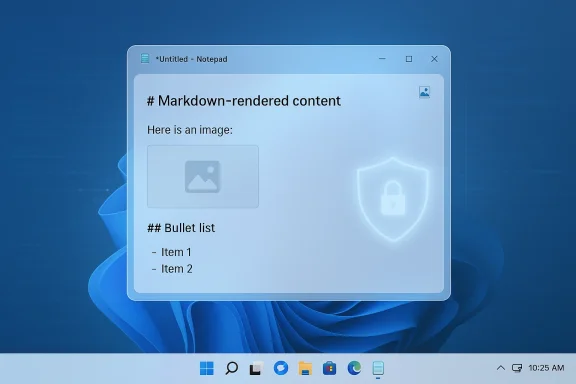
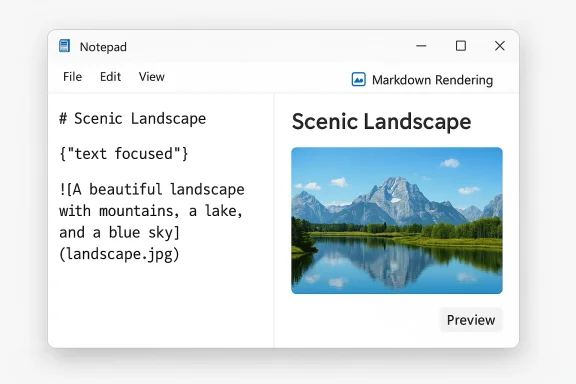
Microsoft appears to be turning Notepad into something closer to a lightweight Markdown notebook: Windows Latest reports that Microsoft is testing image support in the Windows 11 Notepad app, with the feature integrated into the app’s existing Markdown/formatting experience, and — importantly — the company telling testers the change has “minimal impact” on performance. The capability reportedly surfaced as a non-functional image icon in Notepad’s “What’s new” dialog in recent Insider rings, and sources told Windows Latest the feature will be enabled by default but controllable from Notepad’s Settings. If accurate, the change completes a steady series of upgrades that have moved Notepad well beyond its plain-text roots — and it raises a new set of functional and security questions for both consumers and IT pros.
Microsoft framed that modernized Notepad as a way to give users more flexibility for structuring text without forcing them into heavier, commercial apps. The addition of Markdown and a formatting toolbar is a clear pivot: Notepad is now an editor that serves casual note-takers, developers who keep README files, and users who want basic rich text without Word.
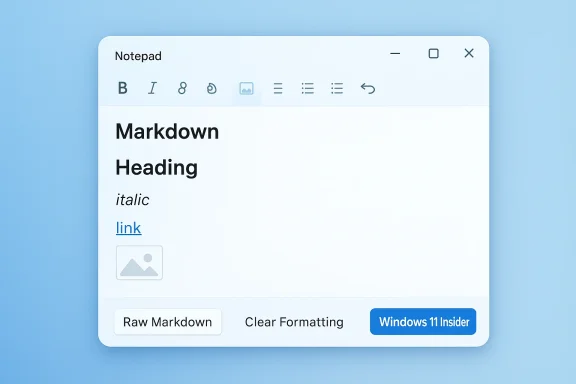
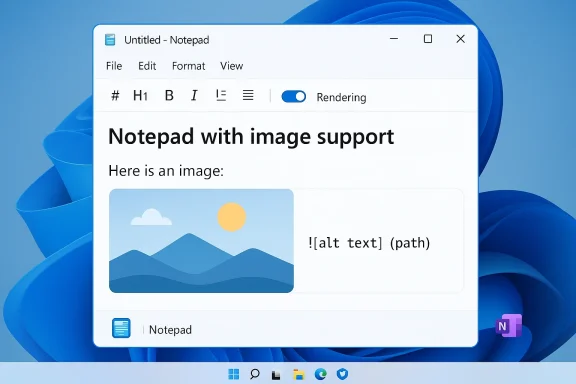
 ), so Notepad’s formatting engine already understands constructs for links and inline formatting. Adding an image button to a formatting toolbar is, functionally, a small UI step on top of a rendering engine that can already transform Markdown into rich layout.
Possible implementation approaches include:
Introducing images raises several new threat considerations:
However, this also changes Notepad’s identity in ways that matter:
But there’s a strategic balance: Microsoft must avoid alienating the Notepad faithful who prize speed and simplicity. The company’s current approach — keeping features optional and offering a toggle in Settings — is the right one in principle. The execution must remain laser-focused on preserving Notepad’s low overhead path for users who only want a plain text editor.
For consumers, the change will be about convenience versus control. Inline images in Notepad could be a boon for quick documentation, but users should insist on simple controls: a clear toggle to restore plain-text, safe defaults that avoid network fetches, and a robust implementation that doesn’t trade speed for feature set.
The best path forward is careful engineering and clear user control: default-safe behavior that avoids automatic remote content loading, robust sanitization of URIs and protocol handling, enterprise policy hooks, and transparent documentation about how images are stored and rendered. If Microsoft follows those guardrails, Notepad can become a more capable editor without betraying the simplicity and reliability that made it a Windows staple. Until Microsoft makes an official announcement, readers and administrators should treat the Windows Latest report as informed rumor backed by the product’s recent trajectory — worth watching, but worthy of cautious planning.
Source: Windows Latest Exclusive: Microsoft is adding image support to Notepad on Windows 11
 Background
Notepad’s slow evolution into a formatted editor
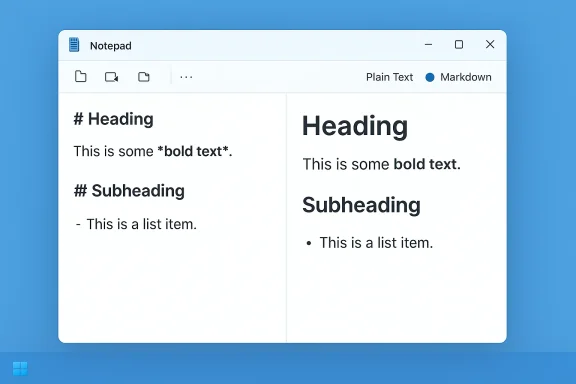
For decades, Notepad served a single, well-understood purpose: fast, plain-text editing. That changed in 2025 when Microsoft began adding lightweight formatting and Markdown support to the modern Notepad distributed via the Microsoft Store. The company announced the rollout of formatting controls — bold, italic, links, lists and headings — to Windows Insiders, describing the feature as a lightweight formatting experience that supports Markdown-style input and allows users to switch between formatted and raw Markdown views or to disable formatting entirely.Microsoft framed that modernized Notepad as a way to give users more flexibility for structuring text without forcing them into heavier, commercial apps. The addition of Markdown and a formatting toolbar is a clear pivot: Notepad is now an editor that serves casual note-takers, developers who keep README files, and users who want basic rich text without Word.
WordPad’s removal and the rationale for change
The context for Notepad’s additions includes Microsoft’s decision to deprecate and remove WordPad from the default Windows 11 installation. WordPad historically provided a middle ground — richer than Notepad but lighter than Word — including support for images and RTF documents. With WordPad gone from newer Windows 11 feature updates, Microsoft has been repositioning Notepad (and encouraging users towards Word or web Office) to fill use cases that WordPad previously covered. That shift helps explain both the impetus to add Markdown and why image support in Notepad would make functional sense for many users.What’s already in Notepad: Markdown, tables and AI features
Notepad’s transformation has not been theoretical. Since mid‑2025, Microsoft shipped a formatting toolbar and Markdown view to Insiders and began rolling changes to broader audiences. Notepad subsequently gained additional Markdown conveniences such as lightweight table support and AI-driven writing tools (on qualifying machines), while preserving the ability to turn formatting features off in Settings for users who want the classic plain-text behavior.What Windows Latest reports about image support
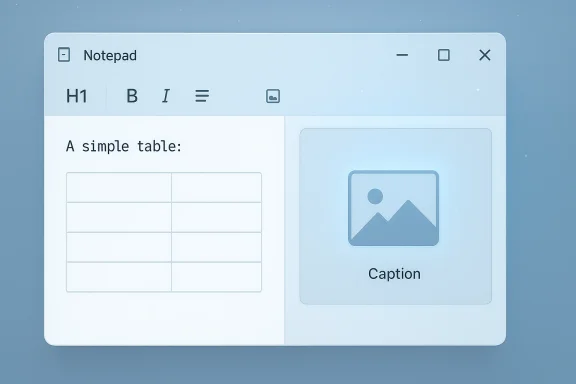
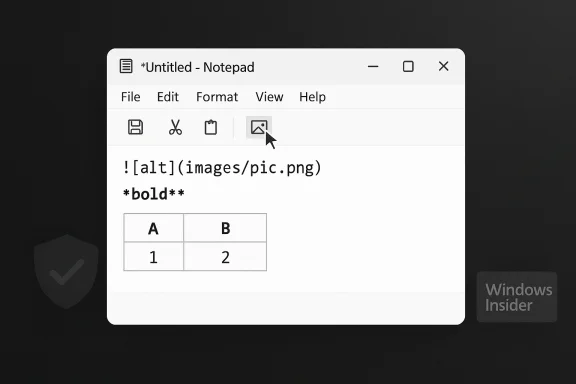
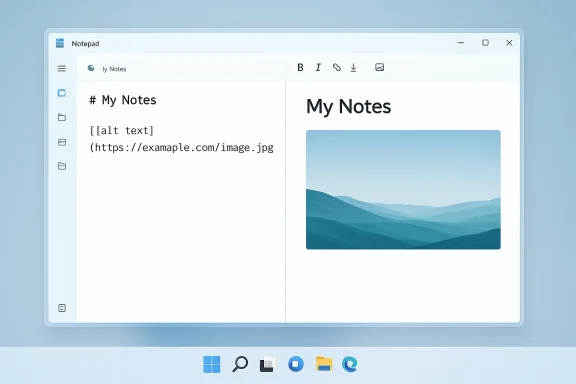
- Windows Latest says an image button has appeared in the Notepad toolbar inside the app’s “What’s new” dialog in internal/Insider builds. At the time of the report the button was non-functional, but its presence in marketing and preview screens is not accidental — sources told the outlet image support is in development for a wider rollout.
- The same reporting claims Microsoft’s internal tests showed minimal performance impact from images and other Markdown features, and that the feature will be on by default with an option to disable it from Notepad’s Settings.
- The company reportedly frames the change as a way to give consumers more flexibility to structure text and insert images directly in documents handled by Notepad.
Why image support makes product sense — and what it could look like
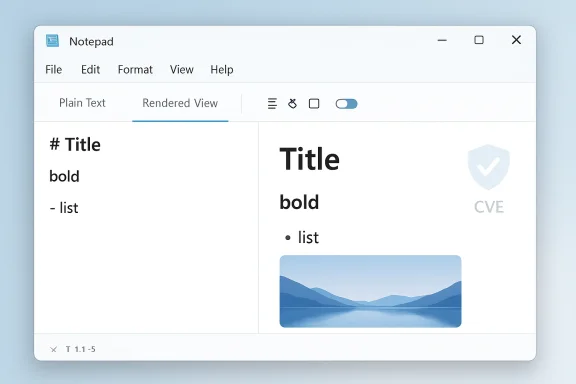
Adding image support to Notepad is a logical extension of Markdown capabilities. Markdown itself has an established syntax for images (for example,Possible implementation approaches include:
- Rendering images referenced by URLs (remote images) inline in the Markdown formatted view while preserving the underlying Markdown link in the raw view.
- Allowing users to insert images by selecting local files, with Notepad storing either a relative path or embedding the image (embedded images would require an internal container or conversion to data URIs).
- Supporting drag-and-drop or paste-to-insert flows (common in modern editors) and providing an option to toggle whether images are loaded automatically or require user permission.
Security and privacy implications
Notepad’s Markdown feature has already proven that a well-meaning convenience can open security gaps. In February 2026 Microsoft patched a serious vulnerability in Notepad (a high-severity remote-code-execution issue tied to Markdown link handling). The vulnerability allowed maliciously crafted Markdown links to trigger unverified protocol handlers when clicked, enabling remote downloads or code execution in the context of the user. The incident was proof that converting plain text into interactive UI elements — links, protocols, handlers — increases attack surface.Introducing images raises several new threat considerations:
- Remote image fetching: If Notepad renders images from external URLs, simply opening a .md file could cause requests to third-party servers. That can leak metadata (IP addresses, user-agent strings), and in enterprise environments it can trigger data-loss prevention or compliance concerns.
- Malicious content delivery: Remote image requests could be used as a staging mechanism for more complex attacks. While images are typically passive, a crafted protocol in an image URI (or an embedded resource that triggers a handler) could be abused if Notepad or the platform insufficiently sanitizes URIs.
- Embedded payloads: If Notepad allows embedded images via data URIs or conversion to internal containers, attackers could embed unexpected data types or large payloads that strain rendering engines or evade detection.
- Phishing augmentation: Inline images make Markdown files look more authentic — a social-engineering boon for attackers delivering fake invoices, README instructions, or company-branded documents.
- Rendering engine vulnerabilities: Any new image decoding code adds the risk of memory-corruption or parsing bugs in the image renderer. Image parsing has a long history of being a vector for high-impact vulnerabilities.
Usability and compatibility trade-offs
From a user-experience perspective, images bring clear benefits: richer notes, inline screenshots, and more readable documentation directly in Notepad without switching apps. For developers and writers who use Markdown-heavy workflows, built-in image support reduces friction when authoring README files, technical notes or simple documentation.However, this also changes Notepad’s identity in ways that matter:
- File portability: Markdown files with linked images behave differently across editors. A README.md that displays images in Notepad (because the images are local or network-accessible) may show up blank in other editors or on services that don’t resolve the same paths. Embedding images can solve portability but diverges from plain-text purity.
- File size and storage: Embedding images increases file size dramatically. Notepad historically produced tiny .txt files; embedded images would require the app to manage larger files, potentially creating new sync/storage considerations for OneDrive or source control.
- Performance on low-end hardware: While Windows Latest’s sources report minimal impact, real-world performance depends on image size, count, decoding libraries and GPU acceleration. On older or resource-constrained devices, rendering several high-resolution images inline could cause visible slowdowns.
- User expectations: Many users rely on Notepad for simple editing workflows. Adding images — even behind a toggle — may confuse some users or change default behaviors (e.g., will double-clicking a .md file open in formatted view by default?).
What the company can and should do to reduce risk
If Microsoft follows through, several engineering and policy controls can reduce both security and usability problems:- Default to sanitized, local-first behavior: Render images only after explicit user consent, especially for remote URLs. Local file inserts should be allowed but remote image loading should require a setting or a per-file prompt.
- Provide an explicit toggle and Group Policy: Keep the existing Settings toggle that disables formatting, and add enterprise controls (Group Policy/Intune settings) that let administrators disable image loading or force Notepad into plain-text mode across managed devices.
- Sanitize URIs and disallow dangerous schemes: The earlier RCE existed because Notepad handed URIs to protocol handlers without sufficient validation. Image URI handling must be hardened against nonstandard schemes and overly long or malformed URIs.
- Use hardened image decoders and sandboxing: If Notepad adds native image decoding, Microsoft should rely on well-tested decoders and consider sandboxing the decoding/rendering path to limit the blast radius of a potential bug.
- Implement offline or cache-only image modes: To prevent privacy leakage and surprise network activity, allow a mode where images are rendered only when the file references local paths or when the user explicitly chooses to fetch remote content.
- Log and telemetry signals for enterprise SOCs: Provide optional telemetry that administrators can enable to detect suspicious Notepad file loads or mass distribution of Markdown files with external images.
- Communication and documentation: Clearly document how images are stored (embedded vs linked), what happens to image paths when files are moved, and how to revert to legacy Notepad behavior.
Practical advice for users and administrators
While the feature is still a report rather than a formal release, there are concrete precautions you can take based on existing Notepad behavior and the recent markdown security patch:- Keep systems updated. Apply the February 2026 security updates and the latest Notepad package as soon as they appear in your environment; Microsoft already patched a high-severity Markdown-related flaw in early February.
- Consider disabling Notepad formatting for sensitive users. Notepad includes a Formatting setting that can be turned off to restore classic plain-text behavior; enterprise admins should roll this out if they prefer to avoid UI-based Markdown rendering.
- Train users: Remind staff that Markdown files may contain active elements (links, images) and that clicking embedded links in files received via email or external sources can be dangerous.
- Inspect .md files in a sandboxed or trusted environment before opening on production machines, especially if they come from unknown senders.
- Restrict protocol handlers where possible. Where organization policies permit, limit the available protocol handlers on workstations to reduce the chances that a seemingly innocuous URI initiates an unsafe action.
- Monitor Notepad versions. For corporate vulnerability scanning, treat Notepad versions earlier than the patched build as software with known exploitable issues until updated.
The competitive and ecosystem angle
Microsoft’s move — whether or not image support lands exactly as Windows Latest describes — reflects a broader industry trend: simple system utilities are being enriched to become more capable, especially as Markdown establishes itself as the lingua franca of lightweight documentation. Many note-taking and code-editing tools already support images, tables and inline rendering. By adding similar capabilities to Notepad, Microsoft both reduces friction for mainstream users and makes Windows a more self-sufficient platform for everyday authoring.But there’s a strategic balance: Microsoft must avoid alienating the Notepad faithful who prize speed and simplicity. The company’s current approach — keeping features optional and offering a toggle in Settings — is the right one in principle. The execution must remain laser-focused on preserving Notepad’s low overhead path for users who only want a plain text editor.
Why this matters beyond the app
Notepad’s journey is a useful case study in software evolution and security trade-offs. Converting inert text into interactive content can deliver real usability gains, but it also increases attack surface and changes user expectations about what a system app should do. For IT decision-makers, Notepad’s changes are a reminder that even the most mundane utilities can become vectors for enterprise risk when they gain interactive features.For consumers, the change will be about convenience versus control. Inline images in Notepad could be a boon for quick documentation, but users should insist on simple controls: a clear toggle to restore plain-text, safe defaults that avoid network fetches, and a robust implementation that doesn’t trade speed for feature set.
Conclusion
Windows Latest’s exclusive about image support in Notepad is plausible given Microsoft’s roadmap: Notepad already supports Markdown, tables, and more advanced formatting, and Microsoft has been willing to modernize legacy inbox apps after WordPad’s removal. If properly implemented, images in Notepad will make the app substantially more useful for everyday documentation and Markdown-based workflows. But the feature is not without risk: the recent Notepad Markdown security patch illustrates how interactive features can be exploited when link handling or protocol dispatch is weak.The best path forward is careful engineering and clear user control: default-safe behavior that avoids automatic remote content loading, robust sanitization of URIs and protocol handling, enterprise policy hooks, and transparent documentation about how images are stored and rendered. If Microsoft follows those guardrails, Notepad can become a more capable editor without betraying the simplicity and reliability that made it a Windows staple. Until Microsoft makes an official announcement, readers and administrators should treat the Windows Latest report as informed rumor backed by the product’s recent trajectory — worth watching, but worthy of cautious planning.
Source: Windows Latest Exclusive: Microsoft is adding image support to Notepad on Windows 11