
 Microsoft’s Quiet Patch Tuesday Is Still a Loud Warning
The absence of a known zero-day usually softens the tone of a Patch Tuesday cycle. If a vulnerability is not already being exploited and not publicly disclosed, administrators get to pretend they are operating under a normal maintenance window rather than an emergency. That distinction matters, but it can also lull people into misreading the risk.
May’s release is a reminder that Patch Tuesday severity is not only about what attackers are doing today. It is also about what Microsoft has just described in enough detail for defenders, researchers, and criminals to start triaging. A remote-code-execution bug in a core Windows networking component becomes more interesting the moment it receives a CVE, a severity score, an affected-products list, and a patch diff.
That is why the “no active exploitation” line should be read as a starting gun, not a dismissal. The most dangerous window for many organizations is not the day before Patch Tuesday, when only a small group may understand the flaw. It is the week after Patch Tuesday, when attackers can compare patched and unpatched systems and go hunting for the laggards.
For home users, the advice is wonderfully boring: install the update. For IT departments, the work is less glamorous and more consequential: identify exposed systems, prioritize domain infrastructure, validate the update, and get the patch into production before someone else turns Microsoft’s fix into a roadmap.
The DNS Bug Is the One That Makes This Feel Bigger Than a Desktop Update
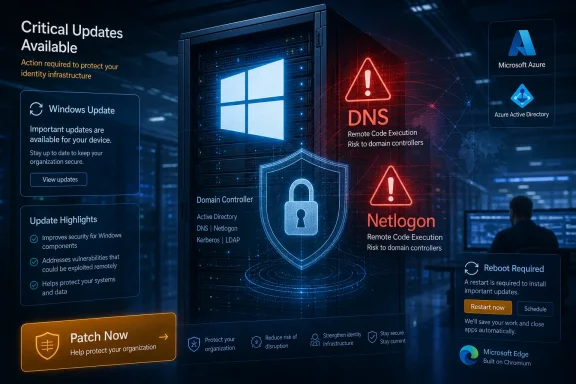
The vulnerability that deserves the most attention from WindowsForum readers is the Windows DNS Client remote-code-execution flaw, tracked in public reporting as CVE-2026-41096. Microsoft’s description points to a heap-based buffer overflow, triggered by a specially crafted DNS response that causes the Windows DNS Client to mishandle memory. In certain configurations, that can lead to unauthenticated code execution over the network.
That phrasing is doing a lot of work. DNS is not an optional luxury service tucked away in some obscure enterprise role. It is the lookup machinery every Windows machine depends on to turn names into network destinations, and the client component is present across ordinary desktops, laptops, and servers.
The practical exploitability of this kind of bug depends heavily on network position and configuration. An attacker generally needs a way to influence or deliver malicious DNS responses to the target, which is not the same thing as “anyone on the internet can instantly own every PC.” But defenders have learned the hard way that DNS is one of the places where messy networks, captive portals, VPNs, rogue access points, poisoned upstream services, and compromised infrastructure can turn theoretical reach into practical reach.
The more important point is that DNS bugs collapse the usual distinction between “enterprise problem” and “consumer problem.” A malformed Office document requires a user to open something. A vulnerable server role may apply only to a subset of infrastructure. A DNS client flaw sits on the path between a Windows machine and almost everything it tries to reach.
That does not make this wormable by default, and it does not justify breathless end-of-days language. It does make it the kind of vulnerability that security teams should patch before they spend much time debating whether the monthly number is 137, 138, or some other count produced by different inclusion rules.
Netlogon Keeps Reminding Admins That Domain Controllers Are Crown Jewels
The other Windows vulnerability drawing serious attention is a Netlogon remote-code-execution flaw, publicly discussed as CVE-2026-41089. Netlogon is part of the authentication and domain machinery that makes Active Directory environments work. If DNS is everywhere, Netlogon is where many enterprises concentrate trust.
A stack-based buffer overflow in Netlogon is not just another item in a spreadsheet. Domain controllers are not ordinary servers; they are the authority structure of the Windows enterprise. A bug that can be triggered against a domain controller, even under constrained conditions, belongs near the top of any patch prioritization meeting.
This is where consumer coverage of Patch Tuesday often undersells the story. A Windows 11 laptop update is the visible tip of the release, but the blast radius of Microsoft’s monthly security work runs through domain controllers, identity services, server workloads, cloud connectors, and management planes. The people most affected by the nastiest bugs are often not the people clicking “Check for updates” on a home PC.
For sysadmins, the right question is not whether every critical vulnerability affects every machine. It is which vulnerable machines would make the worst day if compromised. Domain controllers, DNS infrastructure, management servers, hybrid identity systems, and exposed service endpoints should not wait behind a fleet of low-risk kiosks merely because all of them appear in the same monthly patch report.
Microsoft’s monthly cadence can make dissimilar risks look administratively similar. They are not. A privilege-escalation bug on an endpoint, a document-parsing bug in Office, a cloud-service flaw, and a pre-authentication network bug against a domain controller all belong to the same Patch Tuesday, but they do not belong to the same triage bucket.
The “30 Critical Bugs” Headline Is True Enough, but the Count Is Not the Story
Patch Tuesday coverage tends to become a numbers game. This month brought reports of 138 total Microsoft fixes and around 30 critical issues, while some vendor summaries counted fewer CVEs or different critical totals depending on whether Chromium-based Edge, third-party components, or advisory categories were included. That discrepancy is not unusual, and it is not the part that should drive decisions.
Security teams do not patch a number. They patch products, roles, attack surfaces, and business dependencies. A month with fewer CVEs can be worse than a month with more if the smaller set includes a reliable unauthenticated remote-code-execution path in a widely exposed service.
The May release appears broad rather than narrowly catastrophic. It spans Windows components, Office, Azure services, Dynamics 365, Edge, and developer or enterprise-oriented platforms. That breadth matters because many organizations still treat “Windows patching” as if it ends at the operating system, when modern Microsoft estates are a layered collection of desktop apps, browsers, identity services, server roles, cloud services, agents, and admin tooling.
The Edge wrinkle is especially easy to miss. Microsoft Edge is built on Chromium, which means Google’s Chromium security work often arrives in close rhythm with Microsoft’s browser updates. When Google fixes a large batch of Chromium flaws, Edge users are part of that ecosystem whether they think of themselves as Chrome users or not.
This is one reason the old home-user advice — “run Windows Update” — is necessary but incomplete. Windows Update covers a lot, but users and administrators still need to care about browser versions, Office update channels, Store apps, device firmware, VPN clients, remote access tools, and security software. Patch Tuesday is the headline event, not the entire maintenance calendar.
Microsoft’s AI Vulnerability Boom Cuts Both Ways
One of the more interesting claims around this month’s patch cycle is Microsoft’s own argument that AI-assisted vulnerability discovery is increasing the volume and speed of bug finding. That is plausible, and in many ways welcome. More bugs found by defenders and vendors should mean fewer bugs left for attackers to discover first.
But there is a harder edge to that story. If AI helps Microsoft engineers and security researchers inspect code more thoroughly, it can also help attackers sift patches, identify variant bugs, and generate test cases at a pace that would have been unrealistic for smaller groups a few years ago. The defensive advantage is real, but it is not permanent by default.
This is the new bargain of large-scale software security. Better tooling exposes more flaws, which produces more patches, which creates more operational pressure, which widens the gap between organizations that can patch efficiently and those that cannot. The winners are not simply the vendors with the best scanners; they are the customers with the best update discipline.
There is also a perception problem for Microsoft. When a single month brings well over a hundred fixes, users can interpret that as evidence that Windows is uniquely broken. In reality, a high CVE count may reflect a combination of product breadth, research attention, transparency, and improved discovery. Still, perception matters when the same users have also lived through update regressions, failed installs, printer problems, recovery-environment bugs, and compatibility surprises.
Microsoft wants customers to see Patch Tuesday as responsible stewardship. Many admins experience it as a monthly risk transfer: install quickly and risk breaking something, or wait and risk being compromised. AI may help Microsoft find more vulnerabilities, but unless the servicing experience becomes more predictable, it also increases the tempo of a race many IT teams already feel they are losing.
The Home PC Story Is Simpler, but Not Smaller
For a typical Windows 11 user, this month’s advice is straightforward: open Settings, go to Windows Update, install the available cumulative update, and reboot when prompted. That recommendation sounds pedestrian because it is. Most consumer security is pedestrian.
The average user is unlikely to manually evaluate CVE details or build a risk matrix around DNS response handling. They are more likely to postpone a restart because they have browser tabs open, a game running, or a laptop battery that is nearly dead. Attackers depend on that human delay more often than they depend on Hollywood-style technical brilliance.
Windows Defender, now Microsoft Defender Antivirus, should be enabled unless another reputable security suite has replaced it. Browser updates should be allowed to install. Office documents from unknown sources should be treated with suspicion, particularly when a monthly patch bundle includes critical Office remote-code-execution fixes.
The consumer message should not be “be afraid of 138 vulnerabilities.” It should be “do not be the machine that remains vulnerable after fixes exist.” Security updates are not a magic shield, but they remove known paths attackers can automate, trade, and reuse.
There is a temptation in enthusiast communities to delay every cumulative update until the early adopters have found the land mines. That caution is not irrational; Microsoft has shipped problematic updates before. But the risk calculation changes when the patch includes remotely reachable vulnerabilities in ubiquitous networking components. Waiting a few days for obvious breakage reports may be defensible in some situations; waiting weeks because “updates are annoying” is not.
Enterprise IT Has to Patch the Map, Not the Headline
In enterprise environments, the May 2026 release should trigger a familiar but urgent workflow. Inventory first, then prioritization, then staged rollout, then verification. The difference this month is that the prioritization should be shaped by network trust boundaries rather than by severity labels alone.
DNS Client exposure is broad, but domain controllers and other critical Windows servers deserve special attention because compromise there can become organizational compromise. Netlogon risk belongs in the same conversation as identity hardening, privileged access management, backup integrity, and incident response readiness. Patch management is not separate from identity security; in Windows environments, it is one of identity security’s foundations.
Administrators should also be careful with the phrase “not exploited in the wild.” It can describe Microsoft’s knowledge at release time, not a guarantee about attacker behavior tomorrow. Once a patch is available, motivated attackers can begin reverse engineering, scanning, and testing against unpatched estates.
The best organizations have turned Patch Tuesday into a practiced motion rather than a monthly scramble. They know which systems receive accelerated deployment, which business units require compatibility testing, which servers need maintenance windows, and which telemetry confirms success. The worst organizations start every month by rediscovering their own asset inventory.
The gap between those two worlds is widening. Monthly patch releases are no longer just an operating-system chore; they are a measure of organizational maturity. If a company cannot quickly determine where vulnerable Windows DNS Client, Netlogon, Office, Edge, and Azure-connected components exist, then the CVE list is not the only problem.
The Cloud Pieces Complicate the Old Patch Tuesday Ritual
Patch Tuesday used to be easier to conceptualize when the center of gravity was a local Windows machine and a local Windows Server fleet. Today’s Microsoft estate is hybrid by default. Azure services, Microsoft 365 apps, Dynamics 365, identity integrations, endpoint management, and cloud-delivered security controls all blur the line between “Microsoft patched it” and “you need to patch it.”
Some cloud vulnerabilities may be remediated by Microsoft on the service side, reducing the customer’s direct burden. Others affect agents, connectors, on-premises components, client applications, SDKs, or configurations that customers still control. That distinction is critical, and it is often buried beneath the monthly headline count.
This is why IT teams should read vendor advisories and not rely solely on consumer summaries. A home user can reasonably respond to this month’s news by updating Windows and Edge. An enterprise admin needs to know whether the affected components exist in their tenant, their server fleet, their Office deployment channel, or their development pipeline.
The shift to cloud services has also changed attacker incentives. A vulnerability in a business-focused Microsoft product may not matter to a gamer’s desktop, but it can matter enormously to a company whose customer data, workflows, authentication, or internal automation depends on that platform. The fact that many May flaws are “business-focused” should make enterprises more attentive, not consumers more dismissive.
Patch Tuesday is now a coordination event across desktop operations, server teams, cloud administrators, security operations, and application owners. Treating it as merely “the Windows update day” is a legacy habit from a smaller Microsoft universe.
The Patch Reliability Problem Has Not Gone Away
Every plea to update quickly runs into a credibility issue: Windows updates sometimes break things. In recent years, Microsoft has had to address update-related problems involving recovery environments, sign-ins, domain controllers, app behavior, installation failures, and hardware-specific regressions. Users remember that, and administrators remember it in ticket queues.
That history does not invalidate the need to patch. It does mean Microsoft has to earn trust not just through security engineering but through servicing discipline. A security update that causes operational disruption can push organizations toward slower deployment rings, which in turn extends exposure to known vulnerabilities.
For home users, the practical compromise is simple. Keep backups, let Windows create restore points where appropriate, avoid interrupting updates, and install security patches promptly unless there is a widely confirmed issue affecting your exact configuration. For most people, the danger of remaining unpatched outweighs the danger of a routine cumulative update.
For enterprises, the answer is not blind deployment. It is controlled speed. Pilot rings, representative hardware pools, application compatibility testing, rollback plans, and clear monitoring can let an organization move fast without pretending nothing ever breaks.
Microsoft’s problem is that it needs customers to behave urgently in a system that has trained many of them to behave defensively. May’s security payload strengthens the case for urgency. The broader Windows servicing record explains why some users still hesitate before clicking restart.
The Browser Patch Is Part of the Windows Patch Whether Users Notice or Not
The Tom’s Guide report also points to Google’s Chromium security update, which matters because Microsoft Edge rides that same engine. This is one of the quieter realities of the modern Windows security model: the browser is not just an app. It is one of the primary places where untrusted code, documents, scripts, identity flows, and user decisions collide.
A fully patched Windows machine with an outdated browser is not fully patched in any meaningful sense. Likewise, an updated browser cannot compensate for an unpatched operating system networking stack. Attackers chain weaknesses together, and defenders have to break the chain wherever they can.
Edge usually updates itself, but enterprise controls can delay browser updates just as surely as they delay operating-system updates. That may be necessary for compatibility testing, but it should be a conscious policy rather than an accidental backlog. Browser CVEs often move quickly from disclosure to exploitation because the target population is enormous and the attack surface is heavily exercised.
The Chromium connection also shows how misleading product boundaries can be. A security fix from Google can be relevant to Microsoft users. A Microsoft fix can matter to a Chrome-heavy enterprise if the underlying Windows components remain exposed. The platform is a stack, not a set of brand silos.
For users, the instruction is plain: restart the browser when it asks, and do not assume closing a laptop lid is the same as completing an update. For admins, browser patch compliance deserves the same seriousness as OS patch compliance, because attackers certainly treat it that way.
Security Hygiene Is Boring Because It Works
The standard advice bundled with Patch Tuesday stories can feel generic: use multifactor authentication, choose strong passwords, run antivirus, avoid suspicious links, keep backups, and apply updates. Its generic quality is exactly why it matters. Most compromises do not require attackers to defeat perfect defenses; they require one neglected layer.
Multifactor authentication will not patch a DNS heap overflow. Antivirus will not guarantee protection against a fresh exploit. A password manager will not stop a malicious document parser bug. But each measure reduces the attacker’s room to maneuver when one layer fails.
This is the defense-in-depth story that consumer security articles often flatten into product recommendations. The best antivirus package is not a substitute for patching. A patched system is not a substitute for phishing resistance. A strong password is not a substitute for MFA. Each control answers a different failure mode.
Windows users should also remember that “safe browsing” is not only about obviously shady websites. Malicious ads, compromised legitimate sites, poisoned search results, fake software downloads, and weaponized documents all give attackers paths into otherwise normal workflows. Updating the PC is the baseline that makes those attacks harder, not a license to stop thinking.
For security-minded readers, the lesson is less about fear than maintenance. Modern Windows security is an accumulation of small habits. The May release is simply a particularly large reminder that those habits need to happen on schedule.
May’s Patch Tuesday Rewards the Admins Who Already Know Their Estate
The concrete lesson from this month is not that every Windows machine is doomed until rebooted. It is that the organizations best positioned to respond are the ones that already know what they own, which roles matter most, and how quickly they can verify patch coverage. The headline number is large, but the operational response should be specific.
- Home users should install the May 2026 Windows updates promptly, reboot fully, and confirm that Microsoft Edge or their primary browser is also current.
- Administrators should prioritize systems tied to DNS, domain authentication, domain controllers, and other identity-critical infrastructure before treating the release as a generic desktop patch cycle.
- Security teams should not overread the lack of known exploitation, because public patches can accelerate attacker reverse engineering against organizations that delay deployment.
- Enterprises should check Microsoft 365 apps, Edge, Azure-connected components, Dynamics 365 exposure, and server roles rather than assuming Windows Update on endpoints closes every relevant gap.
- Organizations with slow patch processes should use this release as evidence for better asset inventory, deployment rings, rollback planning, and post-update verification.
The Real Test Comes After the Reboot
The May 2026 Patch Tuesday release is not the most dramatic security event Microsoft has ever shipped, and that is precisely why it is useful. It shows the ordinary shape of modern Windows risk: large monthly vulnerability counts, a few genuinely worrying remote-code-execution flaws, cloud and browser dependencies, no confirmed exploitation at release time, and a user base that must decide whether to restart now or later. The right answer is to patch, but the larger challenge is to build systems — at home and at enterprise scale — where patching quickly is not an act of faith but a routine expression of resilience.
