

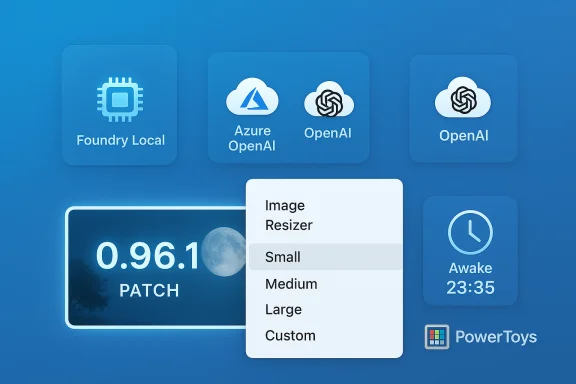
Microsoft has quietly issued a small but meaningful patch to PowerToys — moving the app from 0.96.0 to v0.96.1 — that primarily restores a broken shell integration on Windows 10 and applies a handful of targeted fixes to Advanced Paste, Foundry Local model support, and the Awake utility. The patch is explicitly framed as a stability release addressing regressions discovered after the big 0.96 rollout, and it corrects behaviors that affected day‑to‑day workflows for many users.
PowerToys has been on a fast cadence of iteration, expanding from traditional power‑user utilities into features that integrate AI models for content transformation and smart clipboard actions. The 0.96 milestone introduced major new functionality — most notably the expansion of Advanced Paste to support multiple cloud and local AI backends — but, as happens with large releases, a few regressions surfaced in the field. The 0.96.1 patch is a corrective release intended to close those gaps without altering the larger feature set introduced in 0.96.
Users who depend on Image Resizer or who actively use Advanced Paste with cloud or local models should upgrade to v0.96.1, verify behavior in a controlled environment, and adopt the verification and policy steps outlined above to maintain secure, reliable operations.
Source: Windows Report PowerToys’ latest update adds back ‘Image Resizer’ on Windows 10
 Background
PowerToys has been on a fast cadence of iteration, expanding from traditional power‑user utilities into features that integrate AI models for content transformation and smart clipboard actions. The 0.96 milestone introduced major new functionality — most notably the expansion of Advanced Paste to support multiple cloud and local AI backends — but, as happens with large releases, a few regressions surfaced in the field. The 0.96.1 patch is a corrective release intended to close those gaps without altering the larger feature set introduced in 0.96. What v0.96.1 changes — quick summary
- Release scope: Patch release (0.96.1) focused on stability and regression fixes.
- Image Resizer: Restored for Windows 10 users who experienced a non‑responsive context menu action after the previous update.
- Advanced Paste: Removed deprecated OpenAI Prompt Execution Settings properties (enabling use of newer models in Azure OpenAI, e.g., GPT‑5.1 as called out by the team), and applied reliability fixes for local model discovery.
- Foundry Local: Updated model parameter defaults to allow for longer output tokens and fixed a transient “model unavailable” state after downloads.
- Awake: Fixed a bug where Timed mode could remain active beyond its set limit (preventing the system from sleeping).
Why the Image Resizer regression mattered (and why its return matters)
How Image Resizer integrates with Windows
Image Resizer is a shell‑extension: when you right‑click one or more image files in File Explorer, the extension invokes a dialog for batch resizing. That integration depends on explorer shell hooks and context‑menu registration — areas where subtle differences between Windows 10 and Windows 11 shells can produce divergent behavior. Because the utility relies directly on File Explorer’s extension points, a change that looks innocuous in code can break the context‑menu invocation on specific OS builds. Microsoft documents Image Resizer as a File Explorer shell extension for bulk image resizing.What users saw when it broke
Affected users reported: right‑clicking images produced no dialog, no progress, and no error — effectively a silent failure. That symptom is particularly disruptive because the expected UI never appears, leaving users uncertain whether the action executed or the extension failed to register. The 0.96.1 patch specifically targets this behavior on Windows 10, restoring the expected context‑menu flow.Practical impact
- Photographers, content creators, and helpdesk staff who rely on quick batch resizing saw their workflows stall.
- The fix restores parity between Windows 10 and Windows 11 behavior for this PowerToys component, important for users who maintain mixed environments.
- Because Image Resizer is widely used, even a small regression generates a disproportionate number of bug reports and negative feedback — making this patch a high‑value stability win for the community.
Advanced Paste: what changed and why it matters for AI workflows
The technical fixes in 0.96.1
PowerToys’ Advanced Paste received several specific fixes in 0.96.1:- Deprecated settings removed: The patch removes old OpenAI Prompt Execution Settings properties. According to the release notes, this change enables the use of newer models (the release explicitly names GPT‑5.1 as an example) when connecting through Azure OpenAI. This is an internal cleanup that eliminates legacy configuration fields that could prevent newer model endpoints from functioning.
- Foundry Local parameter update: The local model integration for Foundry Local had parameter defaults that limited output token length. The update increases allowed output length to better accommodate larger responses from local models.
- Model availability after download: A bug where a model could appear unavailable immediately after being downloaded from Foundry Local was fixed, improving a common "first‑use" friction point for local model deployments.
Why this matters for users
Advanced Paste is no longer a single‑provider tool; it’s evolving into a flexible clipboard transformer that can interface with:- Cloud providers (Azure OpenAI, OpenAI, Google Gemini, Mistral)
- Local model runtimes (Foundry Local, Ollama)
Caveat on model names and availability
The release notes mention enabling use of newer models such as GPT‑5.1 in Azure OpenAI. That language reflects client‑side compatibility — it removes settings that would block connections to newer model IDs. However, actual availability of any named model (for example GPT‑5.1) is controlled by Azure OpenAI’s service rollout and licensing, not by PowerToys. Treat the mention as a compatibility enabler rather than a guarantee that a specific third‑party model will be available to all users. This distinction matters for enterprises planning deployments around a specific model.Foundry Local and local AI integration — implications for privacy and performance
Longer output tokens and model discovery
Allowing longer output tokens from Foundry Local models addresses two practical problems:- Modern large‑context models often generate multi‑hundred‑token answers; short token caps truncate responses and hurt user experience.
- Ensuring the UI recognizes a freshly downloaded model prevents confusing “unavailable” statuses that impede first‑time use.
Performance considerations
- Running AI models locally shifts compute to the device. Users with NPUs, dedicated ML accelerators, or beefy CPUs will see better latency and can avoid cloud costs.
- Local models still vary widely in system requirements. Foundry Local and Ollama integrations broaden options but require careful hardware planning for acceptable responsiveness.
Privacy and security considerations
- Local model usage generally reduces external data exposure, but operators must still consider local logging, OS telemetry, and how prompts & outputs are cached or stored.
- Cloud providers bring their own privacy, billing, and compliance considerations; administrators should vet provider contracts and ensure data handling aligns with corporate policies.
Awake fix: why timed mode stopping matters
The Awake utility is a small but important PowerToys tool for preventing a device from going to sleep under controlled conditions (useful during long downloads, training runs, or remote support sessions). The 0.96.1 patch fixes a bug where Timed mode did not expire correctly and could leave the system awake beyond the intended window. That behaviour is disruptive in environments where power policies and automatic sleep are part of energy management or user expectations. Restoring predictable timed behavior reduces user frustration and prevents accidental power‑policy drift.How to check, verify, and update safely
If you depend on any of these modules, follow these steps to confirm your environment and update safely.- Check your installed PowerToys version: Open PowerToys → Settings → About. Confirm the version string is 0.96.1.
- Update channels:
- Microsoft Store: automatic updates through the Store.
- GitHub Releases: manual installer downloads (per‑user and machine‑wide installers available).
- winget: run
winget upgrade Microsoft.PowerToysor install directly withwinget install. - Verify installer integrity: If downloading from GitHub, compare the downloaded installer’s SHA‑256 hash with the hashes published in the release assets. The v0.96.1 release includes SHA‑256 values for each installer variant.
- Test on a pilot device: Especially if you manage multiple machines, apply the update to a small test group and validate Image Resizer, Advanced Paste (with your configured providers), and Awake timed mode before a wide rollout.
- Capture logs if issues persist: PowerToys logs can be found via the Settings → Diagnostics area; providing them to the PowerToys project speeds triage and resolution.
Troubleshooting Image Resizer if it still fails
If Image Resizer remains unresponsive after updating, try these steps before filing a detailed bug report:- Restart File Explorer (Task Manager → Restart Explorer) and retest — shell extension registration sometimes requires an explorer restart.
- Reboot the machine; this forces system extension registration refreshes.
- If using third‑party context‑menu utilities or shell‑extenders, temporarily disable them to rule out conflicts.
- Reinstall PowerToys using the same installer channel (Store vs GitHub) and verify the SHA‑256 hash.
- Collect PowerToys logs and include a short description of the File Explorer action that fails (number and types of files, right‑click vs drag‑and‑drop, Windows build number).
Security, privacy, and compliance: a closer look
The expansion of Advanced Paste into multi‑provider AI connectivity introduces both new capabilities and new responsibilities.- Privacy risk: Cloud endpoints (Azure OpenAI, OpenAI, Gemini, Mistral) may receive clipboard content as part of inference requests. Enterprises should treat this like any third‑party SaaS: review data handling, retention policies, and contractual terms before enabling. Local models reduce external exposure, but they are not a silver bullet — local logging and OS telemetry still exist.
- Security risk: Plugins and model connectors that accept user inputs are susceptible to prompt‑injection or malicious payloads. While Advanced Paste aims to transform clipboard content safely, sensitive workflows (e.g., pasting credentials or policy documents) should be restricted and audited.
- Compliance risk: Certain regulated industries have strict rules about where data may be sent. Using cloud AI endpoints without approval could violate policy. Administrators should enforce provider whitelists or disable cloud endpoints in controlled environments.
- Prefer local models (Foundry Local / Ollama) when compliance or data residency is a concern.
- Use network filtering and logging to monitor outbound requests from Advanced Paste.
- Educate users: clarify what clipboard types should never be pasted into Advanced Paste for AI processing.
Enterprise deployment guidance
- Use winget or an internally curated package repository for controlled deployments and automatic updates.
- If using Microsoft Store, prefer Store‑managed installations for consumer devices; however, Store updates may vary in timing relative to GitHub assets.
- Validate installers against the published SHA‑256 hashes. The v0.96.1 release provides the hashes for per‑user and machine‑wide installers for both x64 and ARM64 architectures.
- Implement a staged rollout: start with a pilot group, validate modules (especially Image Resizer and Advanced Paste configured endpoints), then expand environment‑wide.
Critical analysis — strengths and potential risks
Strengths
- Fast, focused response: The PowerToys team delivered a small, targeted patch that restores a frequently used utility (Image Resizer) and fixes clear regressions — a sensible approach after a major release. The availability of per‑platform installers and published checksums supports secure delivery.
- AI flexibility: Advanced Paste’s move to support multiple providers and local runtimes is strategically sound. It gives users choice over cost, latency, and privacy tradeoffs, and positions PowerToys as a practical on‑ramp to AI workflows on the desktop.
- Community responsiveness: The GitHub release and the rapid patch demonstrate an active feedback loop and a project that listens to user reports — especially for regressions affecting productivity.
Potential risks and caveats
- Feature breadth increases complexity: Supporting many AI backends and bridging cloud and local runtimes increases the maintenance surface. Regressions like Image Resizer’s break on one OS version can reoccur as features expand into new integration points.
- Implicit assumptions about model availability: Naming models (for example, GPT‑5.1) in release notes is useful to indicate compatibility, but it risks confusion if a model isn’t globally available or if cloud providers use different naming conventions. Admins should not assume the mention equals instant availability for their tenant.
- Operational risk in enterprise environments: Without careful configuration and policy controls, Advanced Paste could leak sensitive clipboard content to third‑party endpoints. Enterprises should treat AI endpoints like any external SaaS integration and manage them accordingly.
Recommendations for power users and administrators
- For single machines and power users: update to v0.96.1 to regain Image Resizer functionality and benefit from Advanced Paste fixes. Test your AI provider configuration if you rely on local models or Azure OpenAI.
- For IT administrators:
- Stage the update in a pilot pool.
- Validate Image Resizer and Advanced Paste behavior in representative use scenarios.
- Confirm acceptable endpoint usage and block or whitelist cloud providers as required by policy.
- Use winget or an internal package server to manage updates predictably.
- If you need to avoid cloud inference entirely, configure Advanced Paste to use Foundry Local or Ollama and validate resource requirements on target hardware.
Conclusion
The PowerToys v0.96.1 patch is an example of pragmatic software stewardship: after a significant feature release, the team moved quickly to address real‑world regressions that impeded productivity. Restoring Image Resizer on Windows 10 and tightening up Advanced Paste and Foundry Local integrations address the highest‑impact problems reported by users, while the Awake fix removes a surprising source of frustration. The broader implication is that PowerToys is evolving beyond classic desktop utilities into a bridge between local Windows workflows and modern AI models — a shift that brings powerful capabilities and new operational responsibilities.Users who depend on Image Resizer or who actively use Advanced Paste with cloud or local models should upgrade to v0.96.1, verify behavior in a controlled environment, and adopt the verification and policy steps outlined above to maintain secure, reliable operations.
Source: Windows Report PowerToys’ latest update adds back ‘Image Resizer’ on Windows 10
