

Microsoft began rolling out a broad ROG Xbox Ally update on April 30, 2026, adding docked-TV behavior, smart-TV gaming mode support, a Game Bar display widget, improved controller handoff, Auto Super Resolution preview on Ally X, broader library controls, enhanced vibration, and Bluetooth LE Audio voice improvements. The company is not merely patching a handheld; it is trying to sand Windows into something that behaves like a console when the screen gets big and the couch gets involved. That is the real story behind this update: Microsoft’s Xbox handheld strategy is becoming less about one ASUS device and more about whether Windows can be taught to disappear at the right moments.
The ROG Xbox Ally and ROG Xbox Ally X were always sold as a hybrid promise. They were Windows PCs with Xbox manners, ASUS hardware, AMD silicon, and the expectation that players would tolerate a certain amount of PC weirdness in exchange for a bigger library than any closed console could offer. Six months later, Microsoft’s latest update reads like a concession that the bargain only works if the weirdness is aggressively managed.
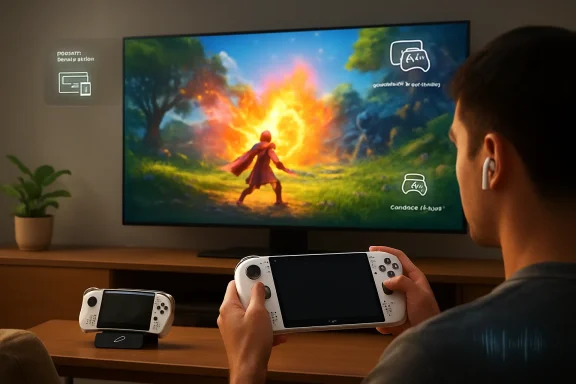
The most important change is also the least glamorous: when a ROG Xbox Ally or Ally X is docked, gameplay now moves automatically to the TV while the handheld display turns off. Anyone who has used a Windows handheld with a dock understands why this matters. The problem was never that Windows could not drive an external display; the problem was that it drove one like a laptop, with all the projection settings, display priority confusion, HDR toggles, scaling oddities, and “why is the game still on the small screen?” friction that implies.
A console does not ask which screen you meant. A Switch dock does not make the user negotiate the display topology. Xbox and PlayStation have trained living-room players to expect the machine to infer intent from context, and Microsoft is now borrowing that language for a Windows handheld.
That shift matters because the dock is where the ROG Xbox Ally stops being judged as a portable PC and starts being judged as an Xbox-like living-room device. A handheld screen is forgiving. A 65-inch OLED in the living room is not. Latency, resolution, refresh rate, HDR, controller handoff, and audio behavior all become more visible, and every Windows interruption feels less like flexibility and more like intrusion.
Microsoft’s update recognizes that docking is not just a display event. It is a mode change. The device is being asked to become a console, not a laptop with a controller attached.
By enabling these TV-side features automatically when docked, Microsoft and ASUS are trying to move the ROG Xbox Ally closer to the invisible-handshake model of a dedicated console. The company also says the ROG Bulwark Dock and ROG 100W Charger Dock support HDR10, while the Bulwark Dock additionally unlocks Variable Refresh Rate. That distinction is worth noting because the dock ecosystem is already becoming part of the feature matrix, not just an accessory shelf.
This is where Microsoft’s “Designed for Xbox” ambitions start to matter. If docks are going to vary in HDR, VRR, power delivery, and handshake behavior, Microsoft will need to make compatibility feel legible rather than arcane. The console world is built on the assumption that a user can buy a thing with a logo and trust it. The PC accessory world is built on careful reading of spec sheets. The Xbox Ally lives between those cultures, and this update leans hard toward the former.
The risk is that partial support can become a new kind of confusion. If one dock supports HDR10, another adds VRR, and future Designed for Xbox docks extend support later, Microsoft has to keep the user interface honest. A console-like experience cannot depend on users memorizing which USB-C brick unlocks which living-room feature.
By putting those controls in Game Bar and limiting the available options to what the TV and setup actually support, Microsoft is doing something Windows has historically resisted: reducing choice in the name of confidence. PC users are accustomed to exhaustive menus. Console users are accustomed to relevant menus. The ROG Xbox Ally needs the latter when it is docked.
Game Bar has gradually become Microsoft’s compromise layer between desktop Windows and the Xbox experience. It is not a full shell replacement, and it is not merely an overlay anymore. On the Ally, it increasingly acts as the place where the operating system translates PC complexity into controller-sized decisions.
That translation layer may be the most strategically important software Microsoft is building for gaming PCs. If Xbox as hardware becomes more porous and Xbox as an experience becomes more portable, then Game Bar, the Xbox app, and the full-screen Xbox mode are the connective tissue. The update makes that tissue thicker.
This is not a flashy feature, but it addresses one of the most stubborn problems in PC handheld gaming: input identity. Many games are not built with the assumption that a handheld’s integrated controller, an external Xbox controller, a keyboard, and a mouse cursor may all be present in slightly different states. Docking exposes that mess. A game that works perfectly in handheld mode can become confused when a second controller enters the room.
The console expectation is brutally simple: player one picks up a controller and plays. Microsoft’s update tries to enforce that expectation by making the built-in controls get out of the way when the device is docked. That is not just convenience. It is the operating system intervening to preserve the fantasy that this is a console.
The recommendation to pair the controller before docking is revealing, though. It suggests the process is improved but not yet magical. Microsoft is still negotiating with the underlying reality of Windows, Bluetooth, USB devices, game engines, and launcher behavior. The update reduces the visible seams, but it does not eliminate the fact that this is a PC pretending, more successfully than before, to be an Xbox.
That is a pragmatic move. The ROG Xbox Ally’s value proposition depends on openness. The device is attractive precisely because it can run Xbox games, Game Pass titles, Steam games, Battle.net games, Epic games, indie launchers, emulators, browsers, and assorted utilities that would never live inside a closed console environment. But openness brings interface chaos.
A gamepad-driven cursor is not elegant in the way a native controller UI is elegant. It is a bridge, not a destination. Still, it is better than asking a living-room player to reach for a touchscreen across the room or keep a mouse on the coffee table because a launcher spawned a login box.
This is where Microsoft’s handheld project differs sharply from Valve’s Steam Deck philosophy. Valve has a Linux-based stack designed to make Steam the gravitational center, with escape hatches for everything else. Microsoft has Windows, which means the escape hatches are the point. Gamepad Cursor is Microsoft acknowledging that its strength is also its mess.
The key word is preview. This is not Microsoft declaring the performance-quality tradeoff solved. It is Microsoft inviting a subset of users to help find the edge cases, artifacts, compatibility gaps, and subjective thresholds that determine whether an upscaler feels like magic or compromise.
Still, Auto SR is important because it gives the Ally X’s AMD Ryzen AI Z2 Extreme and its neural processing unit a clearer gaming purpose. AI hardware in consumer PCs has often suffered from a “nice silicon, now what?” problem. Battery-friendly background effects and camera tricks are useful, but not emotionally compelling for gamers. Better-looking games on a TV are emotionally compelling.
The docked emphasis is also telling. Upscaling on a handheld screen is useful, but the small display hides sins. On a living-room panel, the performance ambitions get harder. If the Ally X can render at a lower internal resolution and present something plausibly close to a sharper image, Microsoft can make its handheld feel more capable without waiting for a new GPU generation.
The challenge will be consistency. PC gaming already has a crowded landscape of upscalers: AMD FSR, Nvidia DLSS, Intel XeSS, Unreal Engine’s temporal tools, in-game dynamic resolution, and now operating-system-level or platform-level interventions. Auto SR must avoid becoming yet another toggle users have to test per game. The Game Bar integration helps, but Microsoft’s long-term goal should be confidence, not configurability for its own sake.
That is a very PC-gaming problem disguised as an audio feature. Traditional Bluetooth headset behavior has often forced users into a lower-quality hands-free mode when the microphone is active. Gamers learned to route audio through one device and chat through another, buy proprietary dongles, or abandon Bluetooth for wired headsets. It was the kind of papercut that made Windows feel less refined than a console.
The Xbox Wireless Headset’s LE Audio update in December laid groundwork for this, and the Ally update builds on it. The value is not just lower latency or better battery life. It is reducing the number of situations where a player has to understand why a technically modern device suddenly sounds like a conference call from 2009.
There is also an accessibility dimension Microsoft should not undersell. The mention of hearing aids that support Bluetooth LE Audio is not incidental. If the Xbox ecosystem is going to span handheld, TV, PC, and cloud, audio compatibility becomes part of the platform’s inclusivity story as much as its convenience story.
Haptics are often discussed less seriously than graphics, latency, or battery life, but they are a major part of console identity. An Xbox controller has a feel. A handheld trying to claim the Xbox name inherits that expectation. If vibration on the Ally feels thin, uneven, or cheap compared with the controller experience, the brand promise weakens in the player’s hands.
This is particularly important because handheld PCs are physical objects in a way desktop gaming rigs are not. Thermals, fan noise, grip shape, button travel, stick tension, speaker quality, and vibration all shape whether the device feels premium or like a small Windows box with controls bolted on. Microsoft and ASUS can optimize launchers all day, but the illusion breaks if the hardware feedback feels wrong.
Enhanced vibration will not dominate headlines, but it contributes to the broader project of making the Ally feel less like a compatibility experiment and more like a member of the Xbox family.
This is Microsoft admitting that the Xbox app cannot win by pretending rival storefronts do not exist. Steam is not going away. Epic is not going away. Battle.net is not going away. Neither are itch.io, GOG, standalone launchers, mod tools, or the weird executable a player downloaded for a niche fan project. A handheld Windows gaming device has to meet the library where it is.
The word “collective” matters here even if the implementation is still modest. Players do not think in storefronts once a game is installed. They think in terms of “my games.” The more the Xbox experience can become an organizational layer above storefront fragmentation, the more valuable it becomes even for users who do not buy every game through Microsoft.
That does not mean Microsoft is acting out of pure altruism. Owning the front door matters. If the Xbox app becomes the place players launch Steam games, Game Pass games, Battle.net games, and random Windows apps from a couch-friendly interface, Microsoft has won a subtler victory than a storefront conversion. It has made Xbox the frame through which Windows gaming is experienced.
There are limits. Adding a shortcut is not the same as unifying accounts, cloud saves, achievements, updates, refunds, entitlements, or social graphs. But it is a meaningful step toward reducing the cognitive tax of PC gaming on a handheld. A library that can be curated manually is not seamless, but it is at least honest about the sprawl.
These programs are Microsoft’s attempt to recreate one of the console’s greatest invisible strengths: the user’s belief that a game will work. On Windows, compatibility has historically meant possibility. On console, it means assurance. A handheld PC wearing the Xbox badge needs to move from the former toward the latter.
Handheld Compatibility badges help with expectation-setting. Default Game Profiles reduce the burden of tuning power, resolution, graphics settings, and frame caps on a device where battery life and heat matter. Advanced Shader Delivery addresses the miserable first-run stutter that has plagued many PC games, especially when shader compilation happens during gameplay rather than before it.
The list of games supporting all three features now includes names such as Ninja Gaiden 4, Grounded 2, High on Life 2, The Outer Worlds 2, Ark: Survival Ascended, Monster Hunter Rise, and Gears of War: Reloaded. Microsoft also says support will extend to more existing and upcoming titles, including Forza Horizon 6, scheduled for Xbox and PC on May 19 with early access available through premium options.
This is less glamorous than announcing a new handheld, but it may be more important. Hardware launches create attention. Compatibility programs create trust. The Steam Deck’s success was never just about its APU or price; it was about Valve turning an unruly PC catalog into a set of expectations users could understand. Microsoft is now trying to build its own version of that trust layer.
That makes the project harder than building a traditional console. A console controls the hardware, the store, the interface, and the certification pipeline. A Windows handheld controls comparatively little. It must coexist with legacy apps, non-Microsoft storefronts, arbitrary drivers, desktop assumptions, and a user base that expects access to the file system when something goes wrong.
But that mess is also Microsoft’s opening. Sony and Nintendo can make more coherent boxes. Valve can make a more opinionated handheld PC. Microsoft can make the broadest gaming surface if it can turn Windows from a liability into a shape-shifting advantage.
The April update suggests Microsoft understands that “Windows, but handheld” is not enough. Players do not want the desktop experience scaled down to seven inches or stretched awkwardly across a TV. They want the device to know what role it is playing at any given moment. In the hand, it should be efficient and readable. In the dock, it should be console-like. At the desk, it should remain a PC.
That is a difficult promise, and Microsoft has made versions of it before. Windows has a long history of mode dreams: Tablet PC, Media Center, Continuum, Windows 8, Windows Mixed Reality, and various attempts to make one operating system feel natural across device classes. The difference this time is that the gaming use case is concrete. The user is not asking Windows to become everything. The user is asking it to get out of the way between pressing play and playing.
If Xbox can be a branded handheld made by ASUS, powered by AMD, running Windows 11, launching games from multiple storefronts, and presenting a console-like interface when docked, then Xbox becomes less a box and more a managed experience. That is both liberating and risky.
It is liberating because Microsoft can reach players wherever Windows hardware can go. Handhelds, mini PCs, laptops, TV-connected devices, and future OEM partnerships could all become Xbox-adjacent if the software layer is strong enough. Microsoft does not need every user to buy a Microsoft-manufactured console if it can make Xbox the preferred gaming mode on Windows devices.
It is risky because the clearer the Xbox identity becomes as software, the more users will judge it against the best software experiences in PC gaming, not just against consoles. Steam Big Picture, SteamOS, Playnite, manufacturer launchers, and community tools all exist because PC gamers have been solving this problem themselves. Microsoft has distribution power, but it does not automatically have goodwill.
The ROG Xbox Ally update is therefore a credibility test. Microsoft is showing that it can respond to the specific irritations of handheld Windows gaming, not just market the openness of PC as a feature. Docking, controller handoff, library aggregation, haptics, audio, upscaling, and shader delivery are the unsexy details that determine whether the product becomes a daily device or a novelty.
That distinction matters because handheld buyers are increasingly buying roadmaps. The hardware may be fixed, but performance profiles, compatibility badges, driver updates, upscalers, launcher improvements, shader systems, and dock behavior can materially change the experience after purchase. The best handheld PC is not just the one with the fastest chip today; it is the one whose software ecosystem gets less annoying over time.
Microsoft’s update also narrows the gap between the Ally and a traditional console without pretending they are the same thing. The device remains Windows 11. It remains open, messy, flexible, and dependent on cooperation among Microsoft, ASUS, AMD, game developers, TV manufacturers, headset makers, dock vendors, and storefront operators. But the update shows Microsoft choosing specific moments where openness should be hidden behind defaults.
That may be the winning formula: expose the PC when users need power, hide it when users want play. The Xbox Ally does not need to make Windows vanish forever. It needs to make Windows vanish at the moment the controller connects and the TV lights up.
Source: Xbox Wire New ROG Xbox Ally Updates: Docking Improvements, Auto SR Preview, Collective Library, Enhanced Vibration, and More - Xbox Wire
The ROG Xbox Ally and ROG Xbox Ally X were always sold as a hybrid promise. They were Windows PCs with Xbox manners, ASUS hardware, AMD silicon, and the expectation that players would tolerate a certain amount of PC weirdness in exchange for a bigger library than any closed console could offer. Six months later, Microsoft’s latest update reads like a concession that the bargain only works if the weirdness is aggressively managed.
 Microsoft Is Turning the Dock Into a Console Boundary
The most important change is also the least glamorous: when a ROG Xbox Ally or Ally X is docked, gameplay now moves automatically to the TV while the handheld display turns off. Anyone who has used a Windows handheld with a dock understands why this matters. The problem was never that Windows could not drive an external display; the problem was that it drove one like a laptop, with all the projection settings, display priority confusion, HDR toggles, scaling oddities, and “why is the game still on the small screen?” friction that implies.A console does not ask which screen you meant. A Switch dock does not make the user negotiate the display topology. Xbox and PlayStation have trained living-room players to expect the machine to infer intent from context, and Microsoft is now borrowing that language for a Windows handheld.
That shift matters because the dock is where the ROG Xbox Ally stops being judged as a portable PC and starts being judged as an Xbox-like living-room device. A handheld screen is forgiving. A 65-inch OLED in the living room is not. Latency, resolution, refresh rate, HDR, controller handoff, and audio behavior all become more visible, and every Windows interruption feels less like flexibility and more like intrusion.
Microsoft’s update recognizes that docking is not just a display event. It is a mode change. The device is being asked to become a console, not a laptop with a controller attached.
The TV Handshake Is Finally Treated as Part of the Gaming Experience
The update’s support for automatic gaming features on modern Samsung, LG, and Vizio smart TVs is a small technical note with large experiential consequences. Auto Low Latency Mode, Samsung’s Auto Game Mode, and Vizio’s Game or PC Mode are the kinds of settings console owners often never think about because their hardware simply negotiates them in the background. PC gamers, by contrast, have long been expected to know which HDMI input has the right settings and whether the TV is secretly processing the image into mush.By enabling these TV-side features automatically when docked, Microsoft and ASUS are trying to move the ROG Xbox Ally closer to the invisible-handshake model of a dedicated console. The company also says the ROG Bulwark Dock and ROG 100W Charger Dock support HDR10, while the Bulwark Dock additionally unlocks Variable Refresh Rate. That distinction is worth noting because the dock ecosystem is already becoming part of the feature matrix, not just an accessory shelf.
This is where Microsoft’s “Designed for Xbox” ambitions start to matter. If docks are going to vary in HDR, VRR, power delivery, and handshake behavior, Microsoft will need to make compatibility feel legible rather than arcane. The console world is built on the assumption that a user can buy a thing with a logo and trust it. The PC accessory world is built on careful reading of spec sheets. The Xbox Ally lives between those cultures, and this update leans hard toward the former.
The risk is that partial support can become a new kind of confusion. If one dock supports HDR10, another adds VRR, and future Designed for Xbox docks extend support later, Microsoft has to keep the user interface honest. A console-like experience cannot depend on users memorizing which USB-C brick unlocks which living-room feature.
Game Bar Is Becoming the Control Panel Microsoft Wishes Windows Had
The new Display Widget in Game Bar is one of those features that sounds minor until you imagine the alternative. Changing resolution, refresh rate, and projection mode from Windows Settings with a controller is technically possible, in the same way that eating soup with a screwdriver is technically possible. It is not what anyone wants to do from a couch.By putting those controls in Game Bar and limiting the available options to what the TV and setup actually support, Microsoft is doing something Windows has historically resisted: reducing choice in the name of confidence. PC users are accustomed to exhaustive menus. Console users are accustomed to relevant menus. The ROG Xbox Ally needs the latter when it is docked.
Game Bar has gradually become Microsoft’s compromise layer between desktop Windows and the Xbox experience. It is not a full shell replacement, and it is not merely an overlay anymore. On the Ally, it increasingly acts as the place where the operating system translates PC complexity into controller-sized decisions.
That translation layer may be the most strategically important software Microsoft is building for gaming PCs. If Xbox as hardware becomes more porous and Xbox as an experience becomes more portable, then Game Bar, the Xbox app, and the full-screen Xbox mode are the connective tissue. The update makes that tissue thicker.
Controller Handoff Is the Kind of Boring Fix That Sells the Illusion
The improved controller pairing behavior is another tell. When an Xbox or Designed for Xbox controller is paired, the built-in controls on the docked Ally are automatically disabled and the paired controller takes over. Microsoft specifically says this unlocks docked play for a wider range of games, including Call of Duty: Black Ops 7, and that additional controllers are recognized in-game for multiplayer and couch co-op.This is not a flashy feature, but it addresses one of the most stubborn problems in PC handheld gaming: input identity. Many games are not built with the assumption that a handheld’s integrated controller, an external Xbox controller, a keyboard, and a mouse cursor may all be present in slightly different states. Docking exposes that mess. A game that works perfectly in handheld mode can become confused when a second controller enters the room.
The console expectation is brutally simple: player one picks up a controller and plays. Microsoft’s update tries to enforce that expectation by making the built-in controls get out of the way when the device is docked. That is not just convenience. It is the operating system intervening to preserve the fantasy that this is a console.
The recommendation to pair the controller before docking is revealing, though. It suggests the process is improved but not yet magical. Microsoft is still negotiating with the underlying reality of Windows, Bluetooth, USB devices, game engines, and launcher behavior. The update reduces the visible seams, but it does not eliminate the fact that this is a PC pretending, more successfully than before, to be an Xbox.
Gamepad Cursor Admits the PC Storefront Problem Is Not Going Away
Gamepad Cursor is rolling out to all Windows 11 PCs through a Game Bar update, and it may be one of the most honest features in the package. It exists because not every app, launcher, web page, music service, or PC gaming storefront is going to behave like an Xbox interface. Rather than pretending otherwise, Microsoft is giving controller users a way to navigate the stubborn parts of the Windows ecosystem.That is a pragmatic move. The ROG Xbox Ally’s value proposition depends on openness. The device is attractive precisely because it can run Xbox games, Game Pass titles, Steam games, Battle.net games, Epic games, indie launchers, emulators, browsers, and assorted utilities that would never live inside a closed console environment. But openness brings interface chaos.
A gamepad-driven cursor is not elegant in the way a native controller UI is elegant. It is a bridge, not a destination. Still, it is better than asking a living-room player to reach for a touchscreen across the room or keep a mouse on the coffee table because a launcher spawned a login box.
This is where Microsoft’s handheld project differs sharply from Valve’s Steam Deck philosophy. Valve has a Linux-based stack designed to make Steam the gravitational center, with escape hatches for everything else. Microsoft has Windows, which means the escape hatches are the point. Gamepad Cursor is Microsoft acknowledging that its strength is also its mess.
Auto Super Resolution Is the Ally X’s First Real AI Dividend
Auto Super Resolution arriving in preview for Xbox Insiders on the ROG Xbox Ally X is the update’s most forward-looking feature. Microsoft describes Auto SR as a way to make games look sharper and play smoother, particularly when docked to an external display, with the promise of 1440p-like detail alongside smoother frame rates. The feature is integrated into Game Bar so Insiders can control when it is applied.The key word is preview. This is not Microsoft declaring the performance-quality tradeoff solved. It is Microsoft inviting a subset of users to help find the edge cases, artifacts, compatibility gaps, and subjective thresholds that determine whether an upscaler feels like magic or compromise.
Still, Auto SR is important because it gives the Ally X’s AMD Ryzen AI Z2 Extreme and its neural processing unit a clearer gaming purpose. AI hardware in consumer PCs has often suffered from a “nice silicon, now what?” problem. Battery-friendly background effects and camera tricks are useful, but not emotionally compelling for gamers. Better-looking games on a TV are emotionally compelling.
The docked emphasis is also telling. Upscaling on a handheld screen is useful, but the small display hides sins. On a living-room panel, the performance ambitions get harder. If the Ally X can render at a lower internal resolution and present something plausibly close to a sharper image, Microsoft can make its handheld feel more capable without waiting for a new GPU generation.
The challenge will be consistency. PC gaming already has a crowded landscape of upscalers: AMD FSR, Nvidia DLSS, Intel XeSS, Unreal Engine’s temporal tools, in-game dynamic resolution, and now operating-system-level or platform-level interventions. Auto SR must avoid becoming yet another toggle users have to test per game. The Game Bar integration helps, but Microsoft’s long-term goal should be confidence, not configurability for its own sake.
Audio Gets a Quiet Upgrade That Matters More Than It Sounds
The Bluetooth LE Audio improvement is easy to overlook, but it targets a familiar pain point for anyone who has tried to use Bluetooth audio and voice chat on Windows. Microsoft says Bluetooth LE Audio on the Xbox Ally handhelds now streams in super wideband stereo voice fidelity, allowing high-fidelity stereo audio even while using the microphone for party chat, provided the headset, earbuds, or hearing aids support LE Audio.That is a very PC-gaming problem disguised as an audio feature. Traditional Bluetooth headset behavior has often forced users into a lower-quality hands-free mode when the microphone is active. Gamers learned to route audio through one device and chat through another, buy proprietary dongles, or abandon Bluetooth for wired headsets. It was the kind of papercut that made Windows feel less refined than a console.
The Xbox Wireless Headset’s LE Audio update in December laid groundwork for this, and the Ally update builds on it. The value is not just lower latency or better battery life. It is reducing the number of situations where a player has to understand why a technically modern device suddenly sounds like a conference call from 2009.
There is also an accessibility dimension Microsoft should not undersell. The mention of hearing aids that support Bluetooth LE Audio is not incidental. If the Xbox ecosystem is going to span handheld, TV, PC, and cloud, audio compatibility becomes part of the platform’s inclusivity story as much as its convenience story.
Enhanced Vibration Shows Microsoft Still Cares About Feel
Enhanced Vibration is another small line item with platform implications. Microsoft says it provides a fuller, more refined haptic experience that better matches expectations across Xbox devices, with richer and smoother in-game haptic effects.Haptics are often discussed less seriously than graphics, latency, or battery life, but they are a major part of console identity. An Xbox controller has a feel. A handheld trying to claim the Xbox name inherits that expectation. If vibration on the Ally feels thin, uneven, or cheap compared with the controller experience, the brand promise weakens in the player’s hands.
This is particularly important because handheld PCs are physical objects in a way desktop gaming rigs are not. Thermals, fan noise, grip shape, button travel, stick tension, speaker quality, and vibration all shape whether the device feels premium or like a small Windows box with controls bolted on. Microsoft and ASUS can optimize launchers all day, but the illusion breaks if the hardware feedback feels wrong.
Enhanced vibration will not dominate headlines, but it contributes to the broader project of making the Ally feel less like a compatibility experiment and more like a member of the Xbox family.
The Library Is Becoming a Treaty With the Rest of PC Gaming
The Xbox PC app’s refreshed library experience may be the most politically interesting part of the update. Microsoft says users can add, remove, edit, and launch installed games or apps directly from the Xbox experience, including titles from other PC gaming storefronts and launchers. The new “+” button allows custom additions, with editable names, images, launch targets, and command-line options.This is Microsoft admitting that the Xbox app cannot win by pretending rival storefronts do not exist. Steam is not going away. Epic is not going away. Battle.net is not going away. Neither are itch.io, GOG, standalone launchers, mod tools, or the weird executable a player downloaded for a niche fan project. A handheld Windows gaming device has to meet the library where it is.
The word “collective” matters here even if the implementation is still modest. Players do not think in storefronts once a game is installed. They think in terms of “my games.” The more the Xbox experience can become an organizational layer above storefront fragmentation, the more valuable it becomes even for users who do not buy every game through Microsoft.
That does not mean Microsoft is acting out of pure altruism. Owning the front door matters. If the Xbox app becomes the place players launch Steam games, Game Pass games, Battle.net games, and random Windows apps from a couch-friendly interface, Microsoft has won a subtler victory than a storefront conversion. It has made Xbox the frame through which Windows gaming is experienced.
There are limits. Adding a shortcut is not the same as unifying accounts, cloud saves, achievements, updates, refunds, entitlements, or social graphs. But it is a meaningful step toward reducing the cognitive tax of PC gaming on a handheld. A library that can be curated manually is not seamless, but it is at least honest about the sprawl.
Handheld Compatibility Is Microsoft’s Certification Problem in Disguise
Microsoft says more than 1,000 PC games now play well on handheld through its Handheld Compatibility program. It also points to Default Game Profiles, which select optimal settings and performance for unplugged play, and Advanced Shader Delivery, which downloads precompiled shaders so supported games launch faster and run smoother the first time they are played.These programs are Microsoft’s attempt to recreate one of the console’s greatest invisible strengths: the user’s belief that a game will work. On Windows, compatibility has historically meant possibility. On console, it means assurance. A handheld PC wearing the Xbox badge needs to move from the former toward the latter.
Handheld Compatibility badges help with expectation-setting. Default Game Profiles reduce the burden of tuning power, resolution, graphics settings, and frame caps on a device where battery life and heat matter. Advanced Shader Delivery addresses the miserable first-run stutter that has plagued many PC games, especially when shader compilation happens during gameplay rather than before it.
The list of games supporting all three features now includes names such as Ninja Gaiden 4, Grounded 2, High on Life 2, The Outer Worlds 2, Ark: Survival Ascended, Monster Hunter Rise, and Gears of War: Reloaded. Microsoft also says support will extend to more existing and upcoming titles, including Forza Horizon 6, scheduled for Xbox and PC on May 19 with early access available through premium options.
This is less glamorous than announcing a new handheld, but it may be more important. Hardware launches create attention. Compatibility programs create trust. The Steam Deck’s success was never just about its APU or price; it was about Valve turning an unruly PC catalog into a set of expectations users could understand. Microsoft is now trying to build its own version of that trust layer.
The Update Reveals Microsoft’s Real Handheld Ambition
Taken individually, these features look like quality-of-life updates. Taken together, they reveal a platform strategy. Microsoft is trying to make Windows adaptive enough to serve three postures: handheld, docked console, and conventional PC. The ROG Xbox Ally is the test bed because it forces all three identities into one device.That makes the project harder than building a traditional console. A console controls the hardware, the store, the interface, and the certification pipeline. A Windows handheld controls comparatively little. It must coexist with legacy apps, non-Microsoft storefronts, arbitrary drivers, desktop assumptions, and a user base that expects access to the file system when something goes wrong.
But that mess is also Microsoft’s opening. Sony and Nintendo can make more coherent boxes. Valve can make a more opinionated handheld PC. Microsoft can make the broadest gaming surface if it can turn Windows from a liability into a shape-shifting advantage.
The April update suggests Microsoft understands that “Windows, but handheld” is not enough. Players do not want the desktop experience scaled down to seven inches or stretched awkwardly across a TV. They want the device to know what role it is playing at any given moment. In the hand, it should be efficient and readable. In the dock, it should be console-like. At the desk, it should remain a PC.
That is a difficult promise, and Microsoft has made versions of it before. Windows has a long history of mode dreams: Tablet PC, Media Center, Continuum, Windows 8, Windows Mixed Reality, and various attempts to make one operating system feel natural across device classes. The difference this time is that the gaming use case is concrete. The user is not asking Windows to become everything. The user is asking it to get out of the way between pressing play and playing.
The Next Xbox May Look Less Like a Box
The broader implication is that the future of Xbox hardware may not be defined by a single living-room console. The ROG Xbox Ally is not a replacement for Xbox Series hardware, and Microsoft has not positioned it that way. But every update that makes the Ally more console-like also makes the boundary around “Xbox hardware” less obvious.If Xbox can be a branded handheld made by ASUS, powered by AMD, running Windows 11, launching games from multiple storefronts, and presenting a console-like interface when docked, then Xbox becomes less a box and more a managed experience. That is both liberating and risky.
It is liberating because Microsoft can reach players wherever Windows hardware can go. Handhelds, mini PCs, laptops, TV-connected devices, and future OEM partnerships could all become Xbox-adjacent if the software layer is strong enough. Microsoft does not need every user to buy a Microsoft-manufactured console if it can make Xbox the preferred gaming mode on Windows devices.
It is risky because the clearer the Xbox identity becomes as software, the more users will judge it against the best software experiences in PC gaming, not just against consoles. Steam Big Picture, SteamOS, Playnite, manufacturer launchers, and community tools all exist because PC gamers have been solving this problem themselves. Microsoft has distribution power, but it does not automatically have goodwill.
The ROG Xbox Ally update is therefore a credibility test. Microsoft is showing that it can respond to the specific irritations of handheld Windows gaming, not just market the openness of PC as a feature. Docking, controller handoff, library aggregation, haptics, audio, upscaling, and shader delivery are the unsexy details that determine whether the product becomes a daily device or a novelty.
The April Update Is Really About Trust
The practical lesson for ROG Xbox Ally owners is simple: install the updates for Armoury Crate SE, the Xbox PC app, Game Bar, and Windows 11 if you want the new behavior. But the larger lesson is that Microsoft is now iterating on the Ally as a platform, not a launch bundle.That distinction matters because handheld buyers are increasingly buying roadmaps. The hardware may be fixed, but performance profiles, compatibility badges, driver updates, upscalers, launcher improvements, shader systems, and dock behavior can materially change the experience after purchase. The best handheld PC is not just the one with the fastest chip today; it is the one whose software ecosystem gets less annoying over time.
Microsoft’s update also narrows the gap between the Ally and a traditional console without pretending they are the same thing. The device remains Windows 11. It remains open, messy, flexible, and dependent on cooperation among Microsoft, ASUS, AMD, game developers, TV manufacturers, headset makers, dock vendors, and storefront operators. But the update shows Microsoft choosing specific moments where openness should be hidden behind defaults.
That may be the winning formula: expose the PC when users need power, hide it when users want play. The Xbox Ally does not need to make Windows vanish forever. It needs to make Windows vanish at the moment the controller connects and the TV lights up.
The Details That Decide Whether Windows Belongs in the Living Room
This update is not a revolution, but it is unusually dense with signals about where Microsoft wants Xbox-on-Windows to go next.- Docked ROG Xbox Ally devices now behave more like consoles by moving gameplay to the TV and turning off the handheld display automatically.
- Smart-TV gaming modes, HDR10 support on selected ASUS docks, and VRR on the ROG Bulwark Dock make the external display experience a first-class part of the platform.
- Game Bar is becoming the controller-friendly control center for display settings, Auto SR, and navigation features that Windows Settings was never designed to handle from a couch.
- Auto Super Resolution on the ROG Xbox Ally X is still a preview for Xbox Insiders, but it gives the device’s AI hardware a gaming role that players can actually understand.
- The Xbox PC app’s custom library additions acknowledge that the future of Xbox on Windows depends on embracing other storefronts rather than pretending they are edge cases.
- Handheld Compatibility, Default Game Profiles, and Advanced Shader Delivery are Microsoft’s attempt to turn the sprawling PC catalog into something closer to a console promise.
Source: Xbox Wire New ROG Xbox Ally Updates: Docking Improvements, Auto SR Preview, Collective Library, Enhanced Vibration, and More - Xbox Wire
