

Salesforce’s revamped Slackbot has arrived as a purpose-built, agentic AI assistant for Slack workspaces, and for IT teams and power users the announcement marks a turning point in how enterprise chat platforms embed intelligence — not just as a search box or a drafting aid, but as an agent that can read context, surface answers, and orchestrate workplace actions across systems.
Slack’s core assistant, historically a lightweight in-app helper, was reimagined under Salesforce’s “Agentforce 360” vision and unveiled publicly at Dreamforce 2025. The new Slackbot is being positioned as the “front door to the Agentic Enterprise”: a conversational interface that understands Slack context and, with approved integrations, can reason over files, calendar items, and third‑party app data to answer plain‑language questions and produce workplace artifacts. Salesforce has started a phased rollout for Business+ and Enterprise+ customers beginning January 13, 2026, with administrative controls to gate access until February 10, 2026.
Key risks:
Source: TechTarget Slackbot's agentic AI makeover gives users their copilot | TechTarget
 Background
Slack’s core assistant, historically a lightweight in-app helper, was reimagined under Salesforce’s “Agentforce 360” vision and unveiled publicly at Dreamforce 2025. The new Slackbot is being positioned as the “front door to the Agentic Enterprise”: a conversational interface that understands Slack context and, with approved integrations, can reason over files, calendar items, and third‑party app data to answer plain‑language questions and produce workplace artifacts. Salesforce has started a phased rollout for Business+ and Enterprise+ customers beginning January 13, 2026, with administrative controls to gate access until February 10, 2026. Why this matters now
Enterprises have shifted from experimenting with stand‑alone generative features toward agents that act across tools. Slack’s scale — billions of events and the natural conversational traces inside channels — makes it an attractive surface for an assistant that can be grounded in real workplace context. Slackbot’s arrival accelerates a trend where collaboration apps are hubs for agentic AI rather than just endpoints for connectors.What Slackbot can do today (and what it can’t)
Slackbot ships with a set of initial capabilities designed for common, high‑value workflows; the vendor messaging and early customer reports outline the following practical abilities:- Read and reason over content inside Slack channels, files and authorized third‑party apps to answer plain‑language queries (e.g., “Catch me up on Project Phoenix” or “Which customers fit these criteria?”).
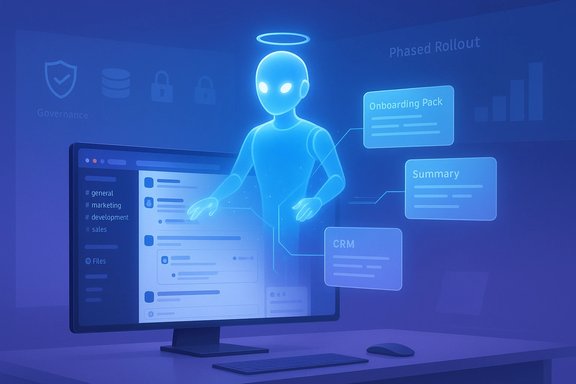
- Generate documents and shared Canvas content inside Slack (for example, onboarding packs, meeting canvases and summaries) by pulling recent conversations and files into a draft. Early customers cite dramatic time savings for these tasks.
- Read multimodal inputs — video, presentations and images — as part of its comprehension and analysis pipeline. However, at launch Slackbot can read these formats but cannot yet export or generate video or slide files from its outputs; Salesforce has stated output capabilities for those formats are under consideration.
- Inspect calendar data to provide scheduling context and summarize availability, but it does not yet have universal permission to create and book meetings on behalf of users (that capability is planned for a subsequent release).
How Slackbot is being used in practice
Early internal and pilot customer use cases illustrate the assistant’s practical value:- HR and people teams are using Slackbot to gather data for annual performance reviews and to create onboarding content, saving time previously spent assembling context from multiple sources. Beast Industries (parent company of MrBeast) reported using Slackbot to generate a complete onboarding welcome package from recent project history; an employee described a document produced in seconds. Vendor and customer quotes describe per-user time savings in many pilot environments. These time‑savings figures are vendor‑reported and will vary by workflow and implementation; treat them as indicative, not guaranteed.
- Sales and marketing teams leverage Slackbot to narrow customer lists and produce targeted segments for campaigns, by letting the assistant analyze CRM-synced data and Slack conversations to prioritize accounts.
- Cross‑functional teams (finance, engineering) are using Slackbot to automate recurring analysis tasks and to extract decisions from long threads, speeding audits and reducing manual summarization load.
How Slackbot compares to Microsoft Copilot and other agents
Slackbot arrives as enterprises are already evaluating multiple agent frameworks: Microsoft’s Copilot (now embedded broadly across Microsoft 365 and Windows) and third‑party agentic modes (OpenAI, Anthropic) offer overlapping functionality, including connectors to mail, drives and calendars, group‑aware sessions, and agentic actions in specific contexts. There are a few practical distinctions:- Surface and context: Slackbot’s primary advantage is its deep, native embedding in Slack’s channel model and its access to conversational context by default. Copilot’s strengths lie in Office/document creation and OS/browser integration where it can export directly into native Office file types and perform browser/OS‑level actions.
- Export and actions: Microsoft’s Copilot already supports exporting outputs directly to Office formats and has introduced agentic browser actions in Edge. Slackbot at launch reads video/presentation inputs but cannot yet output to those formats or universally book meetings; Copilot’s more mature export/action set gives it a lead for workflows that require native Office artifacts and browser automation today.
- Governance and connectors: Both vendors emphasize admin controls and opt‑in connectors. Enterprises that standardize on Microsoft 365 may prefer Copilot for tighter Office integration; organizations that centralize collaboration in Slack — especially with deep Salesforce data — will find Slackbot’s conversational grounding compelling. The choice will often be hybrid: some teams will continue to use Copilot inside Microsoft stacks while others adopt Slackbot as the conversation‑centered assistant.
Strengths — Where Slackbot shines
- Contextual intelligence: Slackbot’s native access to channel history, files and conversational metadata gives it a head start when producing relevant, grounded answers that don’t require lengthy briefs. This reduces the friction of “bringing an agent up to speed.”
- Ease of adoption: Salesforce and pilot customers report quick rollouts and fast end‑user adoption when admin policies are aligned, because there’s nothing to install and friction is low — Slack is already the daily surface for many employees. Early customers described rapid security reviews and fast go‑lives in pilot groups. Pilot results are promising but not universal; enterprise heterogeneity will influence rollout speed.
- Integrated content creation: The ability to generate Canvas documents and drafts directly from Slack conversations shortens common loops like meeting prep, onboarding, and campaign briefs. Where teams collaborate in Slack Canvas, Slackbot’s outputs become immediately shareable and editable.
- Administrative controls and phased rollout: The phased rollout model and tenant admin gates let IT teams pilot conservatively, enabling governance and compliance review before broad enablement. Salesforce has published explicit dates and admin windows for control.
Risks and governance: what IT must verify before broad enablement
Agentic assistants create amplified risk surfaces if not carefully governed. IT and security teams should treat Slackbot deployments as platform features with cross‑cutting compliance, privacy, and operational implications.Key risks:
- Data exposure and lateral access: Agents that can aggregate chat history, files and CRM fragments may surface sensitive information if connectors and permission scopes are misconfigured. Ensure connectors are whitelisted and bound by least privilege.
- Hallucination and business impact: Summaries and extracts are probabilistic. For operational, legal, or financial outputs, Slackbot’s answers must be validated before being used as authoritative. Maintain human‑in‑the‑loop checks for decisions with material impact.
- Auditability and action trails: As Slackbot gains the ability to take actions (for example, when meeting‑booking is enabled), require visible audit trails, confirmation prompts, and replayable logs. These are essential for incident response and compliance.
- Vendor claims vs. reality: Time‑savings and productivity numbers quoted in launch materials (for example, per‑person minutes saved) are vendor or early‑customer reported. Treat them as indicative and validate with internal pilots and metrics.
- Map connectors and data flows: Document which external systems (CRM, Drive, calendar) Slackbot will access and ensure OAuth policies and conditional access are enforced.
- Define allowed use cases: Start with low‑risk workflows (summaries, onboarding drafts) and restrict agentic actions until audit and testing are complete.
- Require logging and retention policies: Ensure every Slackbot action (reads, writes, created canvases) is logged centrally for analysis and compliance.
- Train and communicate: Provide users with clear guidance on when to trust Slackbot outputs and how to request human review for critical work.
- Establish rollback & escalation: Define how to disable Slackbot tenant‑wide rapidly and whom to contact for suspected data leakage or erroneous outputs.
Deployment playbook for IT and admin teams
A pragmatic rollout plan reduces risk and surfaces real ROI before broader enablement.- Phase 0 — Discovery: Inventory Slack orgs, external connectors, and data classifications. Identify pilot teams with high productivity upside and low regulatory exposure (e.g., marketing, internal ops).
- Phase 1 — Pilot & validation: Enable Slackbot for a limited set of channels and Business+ or Enterprise+ pilot seats. Run standard test prompts and validate outputs against human-reviewed baselines. Measure time saved and error rates.
- Phase 2 — Governance hardening: Configure connector whitelists, conditional access, and short retention windows for generated artifacts. Enable audit logs and set up a centralized monitoring dashboard.
- Phase 3 — Controlled expansion: Add additional teams on explicit schedules, keep monitoring error rates and user behavior, and collect concrete measured ROI (time saved per task, cycles reduced).
- Phase 4 — Full enablement: After proving the model with governance in place, broaden availability, integrate with compliance workflows, and iterate policy based on real usage signals.
The competitive and strategic picture
Slackbot does not exist in isolation. Enterprises are moving toward multi‑agent environments: Microsoft Copilot, OpenAI agent modes and platform‑specific assistants all vie for different parts of the workflow. The sensible enterprise approach is to orchestrate agents rather than forbid them:- Keep collaboration‑centered tasks inside Slack when decisions, context and informal coordination matter.
- Use Copilot and document‑centric agents when output needs to land in Office file formats or when browser/OS agentic actions are required.
- Treat outputs from any agent as drafts until manually verified for high‑risk business functions.
Final assessment and next steps
Slackbot’s general availability marks a significant step toward agentic collaboration inside the place where many employees already do their daily work. Its contextual grounding and Canvas integration promise real productivity gains, especially for teams that live in Slack. The phased rollout and admin controls show Salesforce understands the governance challenge. At the same time, caution is warranted:- Validate vendor and pilot time‑savings in your own environment rather than assuming similar results. Vendor‑quoted figures and customer anecdotes can be compelling but are not universal.
- Insist on explicit connector and memory controls, auditable action logs, and human review paths before allowing Slackbot to perform agentic actions that affect customers, finance, or legal outcomes.
- Coordinate cross‑platform governance: agents in Slack, Teams/Windows, and bespoke agent platforms must adhere to a unified policy framework, or organizations risk data leakage and conflicting outputs.
- Read the Slackbot availability and admin guidance for your plan and schedule a pilot.
- Map connectors and decide which to whitelist for pilot teams.
- Run a time‑bound pilot with concrete success metrics (error rate, minutes saved, adoption).
- Build logging, retention and escalation procedures before broad rollout.
Source: TechTarget Slackbot's agentic AI makeover gives users their copilot | TechTarget
