

The University of Maryland, Baltimore said on June 17, 2026, that its Center for Information Technology Services is beginning a yearlong migration of the university’s telecommunications system to Microsoft Teams Calling, following a May 20 town hall and new project website. The move is not merely a phone-system refresh; it is another sign that institutional voice infrastructure is being absorbed into the Microsoft 365 stack. For UMB users, the promise is convenience. For IT, the harder story is governance, reliability, emergency calling, training, and the quiet retirement of the old campus phone model.
UMB’s announcement is brief, but its implications are not. A university-wide telecommunications migration touches far more than people who still answer a plastic handset on a desk. It affects reception desks, clinics, administrative offices, service lines, shared spaces, emergency procedures, onboarding, offboarding, accessibility, and the institutional memory baked into “just call this extension.”
The headline benefit is familiar: chat, meetings, video, and calling in one application users already know. That is the sales pitch Microsoft has been refining for years, and it is also the practical reality for many organizations that already live in Teams all day. If the call button is already next to the chat thread and meeting invite, the old PBX begins to look less like infrastructure and more like a duplicate bill.
But universities are not ordinary enterprises. UMB is a health sciences and professional campus, not a single-purpose office park. The telecommunications environment likely includes routine staff calling, public-facing numbers, departmental lines, shared phones, contact patterns around student services, and workflows that do not map cleanly onto one person, one laptop, one headset.
That is why the yearlong timetable matters. This is not a weekend cutover. It is a staged modernization campaign, and the project’s success will depend less on whether Teams can make phone calls — it can — than on whether the university can translate messy, long-lived telephone habits into cloud policy without breaking the ways people actually work.
Traditional telecom carried its own culture. It had its own vendors, contracts, closets, wiring, handsets, extension maps, voicemail systems, maintenance windows, and specialists. Moving calling into Teams changes the technical architecture, but it also changes who owns the experience. The phone system becomes another workload inside the tenant.
That is attractive to central IT for obvious reasons. A cloud voice platform can reduce separate maintenance contracts, simplify user lifecycle management, and make hybrid work less dependent on forwarding rules or VPN-adjacent hacks. If a number follows a user into Teams, the campus phone no longer has to be physically attached to the campus.
The danger is that voice can look deceptively simple from the software side. A chat outage is annoying. A meeting glitch is disruptive. A broken phone workflow can strand a front desk, a patient-facing office, or an urgent administrative process. Voice may be just another Teams workload in a licensing console, but culturally it remains a utility.
Microsoft’s advantage is that users already have the client. UMB’s announcement leans directly on that fact: Teams is an app people already use. That lowers the adoption barrier, but it does not eliminate the support burden. The first week a department loses confidence in where calls ring, how voicemail routes, or how shared numbers are answered, the old phone system will start looking better than it ever did.
A university department may have a main number that rings four people in order, a coverage pattern for lunch hours, an after-hours voicemail greeting, a shared line for student inquiries, and an informal rule that one staff member always checks missed calls. Another office may depend on a phone in a common area. A clinic-adjacent unit may have stricter expectations around availability and call handling. None of those patterns are exotic, but every one of them must be rediscovered before it can be migrated.
Teams can represent many of these patterns through users, numbers, call queues, auto attendants, resource accounts, common-area phones, delegated calling, and policies. The problem is not feature absence. The problem is translation. Old telecom logic often expresses itself in physical reality: that handset, on that desk, with that blinking light, answered by whoever is nearby.
Cloud voice asks IT to model that reality explicitly. Who owns the number? Who can change greetings? Who receives voicemail? Which hours apply? Which devices are allowed? What happens when the primary user leaves the university? What happens during a network outage? These are governance questions disguised as telephony settings.
The announcement’s reference to training documentation and frequently asked questions is therefore more than a courtesy. It is the visible edge of a much larger change-management effort. Users do not need a lecture on PSTN connectivity. They need to know what happens to their number, where voicemail lives, how to transfer a call, what headset to use, and whom to contact when a shared line does not behave as expected.
Yet cost savings in voice projects are often uneven. The old system’s costs may be visible in invoices and hardware support. The new system’s costs may show up in licensing, migration labor, headsets, network upgrades, emergency-location work, operator services, consulting, training, and help desk load. Cloud consolidation can save money, but only after the institution survives the transition.
There is also the question of which PSTN model UMB is using behind the scenes. Microsoft’s Teams Phone ecosystem generally offers several paths: Microsoft Calling Plans, Operator Connect, and Direct Routing. Each shifts responsibility differently among Microsoft, carriers, and the customer. The choice affects cost, flexibility, survivability, number porting, and administrative complexity.
For a university, the carrier story matters. Existing numbers may need to be ported or integrated. Some departments may have services that cannot simply become a user’s Teams number. Analog devices, specialty lines, elevator phones, fax machines, alarms, blue-light phones, and other edge cases often complicate the last 10 percent of a migration. That last 10 percent can consume a wildly disproportionate share of the project calendar.
The phrase “yearlong initiative” is doing work here. It suggests UMB understands this is not just licensing activation. A real migration must inventory numbers, map use cases, pilot departments, train users, stage cutovers, validate emergency behavior, and create fallback plans. The savings arrive only if the modernization is disciplined enough not to recreate the old mess in a new portal.
That is good for knowledge workers. It is especially good for hybrid staff who do not want to forward office phones or depend on physical voicemail. A Teams-based number can make the user’s workplace less tied to a specific room. It can also make call history, voicemail, and contact lookup feel less archaic.
But abstraction has a cost. Desk phones were limited, but they were obvious. A ringing phone told everyone in the room what was happening. A shared handset had a social context. A receptionist could physically see the tool of the job. Teams moves that interaction into software, where notifications compete with chats, meetings, channels, emails, browser tabs, and endpoint quirks.
The most successful migrations preserve clarity. If every call becomes just another Teams toast notification, important calls can be missed. If shared numbers are buried behind ambiguous call queues, users may not know whether they are answering as themselves or on behalf of a department. If voicemail lands in an unexpected place, accountability gets fuzzy.
UMB’s training materials will need to make the new model concrete. The question is not simply “How do I make a call?” It is “How do I perform the telephone part of my job in a Teams world?” That difference separates a software rollout from an operational migration.
A Teams call depends on endpoint health, network quality, Microsoft 365 service availability, identity, policy, device configuration, audio peripherals, and the chosen PSTN connectivity path. For remote users, it also depends on home broadband and consumer hardware. The attack surface and failure modes are different from the PBX era.
This does not make Teams Calling inherently unreliable. In many organizations, it is more flexible and easier to support than legacy voice. But it does mean IT has to monitor voice as a real-time workload, not as an afterthought attached to collaboration. Packet loss, jitter, Wi-Fi coverage, headset firmware, and sign-in problems suddenly become phone-system issues.
Campus networks also matter differently when voice becomes an application. A choppy meeting is tolerated more often than a choppy phone call to a public-facing office. Users may forgive video freezing, but they expect voice to behave like a utility. The university’s network teams and endpoint teams will become part of the telecom experience whether they want that role or not.
Identity is another quiet dependency. If a user cannot sign into Teams, their phone may effectively disappear. If an account is disabled incorrectly, a number may stop functioning. If role-based access to queues and shared numbers is poorly managed, call flows can break during ordinary staffing changes. The phone system becomes entangled with the identity lifecycle, which is powerful when done well and painful when done casually.
Modern Teams Phone deployments can support emergency-location configuration, dynamic emergency calling, and policy-based behavior, but the institution must plan and validate it. Static locations, network identifiers, building data, remote-work behavior, and user education all matter. “Call 911 from Teams” is not a sentence IT should leave to assumption.
For UMB, this is especially sensitive because the campus context includes health, professional education, and public-facing operations. Some locations and roles may have higher consequences for misrouted emergency calls. Common-area phones and shared devices need particular attention because they may be used by people who are not thinking about Teams sign-in state or software policy.
Emergency calling also exposes the difference between a technical migration and institutional readiness. The configuration can be correct and users can still misunderstand what to do. Signage, training, device placement, and local procedures matter. The migration website’s FAQ may be the first stop, but the real test is whether departments know the right behavior under stress.
This is where old and new systems may need to coexist for a while. Not every line should be rushed into the cloud at the same pace. Critical use cases deserve pilots, validation, and documented acceptance before cutover. A yearlong initiative gives UMB room to sequence that work, assuming the project resists pressure to treat all numbers as equal.
That is a major operational change. Telecom teams may understand call routing but not endpoint quirks. Help desk teams may understand Teams chat and meetings but not number assignment. Network teams may see quality-of-service metrics but not the user’s workflow. A successful migration needs support playbooks that cut across those old silos.
The first wave of tickets will likely be mundane but revealing. Users will ask where voicemail went, why calls ring on multiple devices, how to stop calls during meetings, whether they still need a desk phone, how to transfer calls, and why caller ID looks different. Departments will ask how to cover absences, change greetings, add staff to a queue, and report missed calls.
Those are not low-value questions. They are the practical interface between policy and work. If IT answers them quickly, confidence builds. If users feel abandoned after cutover, they will route around the system with cell phones, personal numbers, informal forwarding, and shadow processes.
UMB’s town hall follow-up is therefore a good sign. Communication before cutover reduces surprise. But documentation must stay alive. A migration website that is current in June can be stale by September if pilot lessons, cutover dates, device guidance, and known issues are not continuously reflected.
But consolidation also increases blast radius. A compromised account with voice privileges can be more than an email problem. Misconfigured policies can expose calling features in unintended ways. Poorly governed delegation or shared accounts can make it hard to determine who answered, changed, or controlled a departmental line.
Toll fraud remains a real consideration in voice systems, even if the interface is modern. International dialing policies, call restrictions, role-based administration, and alerting should not be treated as optional. Universities, with their large and varied user populations, are particularly exposed to edge cases because not every user has the same role, risk profile, or calling need.
There is also the data-retention question. Call history, voicemail, transcripts, compliance records, and eDiscovery policies may intersect with Microsoft 365 governance. Legal, HR, clinical, academic, and administrative units may not all share the same assumptions about what voice metadata means. A Teams Calling migration should bring records and compliance stakeholders into the conversation early, not after the first dispute.
The upside is that Microsoft 365 governance is a familiar battlefield for most IT organizations by now. UMB does not have to invent cloud administration from scratch. The challenge is to remember that voice is not just another checkbox in the Teams admin center. It carries expectations that predate modern collaboration suites by decades.
But institutions rarely eliminate physical phones entirely. Common areas, reception points, shared workspaces, classrooms, labs, and accessibility scenarios can still justify dedicated devices. Some users simply need a stable, obvious phone experience that does not depend on whether a laptop is awake or a headset is charged.
The more interesting shift is that physical phones become exceptions rather than the default. Instead of every employee receiving a handset because the phone system was built that way, departments may need to justify where a device is operationally necessary. That can save money, but it can also create friction if users perceive the change as a downgrade.
Device policy will matter. A cheap headset can ruin the perceived quality of a sophisticated cloud voice deployment. Bluetooth unreliability can become a telecom complaint. A Teams-certified desk phone may solve one problem while introducing another if users do not understand sign-in, updates, or shared-device behavior.
UMB should expect a period of cultural adjustment. The phone used to be furniture. Now it is a service. That sounds like a slogan until the first time a user asks where their phone went.
UMB’s migration will need a strong inventory discipline. Which numbers are still used? Which ring to individuals? Which represent offices? Which are published externally? Which should be retired? Which need special routing? Which are attached to devices rather than people? Every answer reduces risk.
This is also an opportunity. Telecom migrations force organizations to confront clutter. Old numbers can be retired. Ownership can be clarified. Departmental call flows can be simplified. Voicemail greetings can be standardized. The university can decide which telephone practices still serve users and which merely survived because no one wanted to touch the PBX.
But cleanup is politically harder than migration. A number no one uses may still have a defender. A department may resist changing a call pattern that only one person understands. A shared line may be doing work that should really belong to a ticketing system, a service desk queue, or a web form.
The best IT projects use modernization as leverage without turning it into a crusade. UMB does not need to redesign every workflow at once. It does need to avoid blindly recreating decades of telecom sediment inside Teams. Otherwise the university will have achieved cloud voice without achieving simplification.
For customers, that gravity cuts both ways. Integration is valuable. Users do not want five communication apps. IT does not want five identity models. Finance does not want five overlapping contracts. Consolidation can reduce confusion and cost.
The tradeoff is dependency. If Teams becomes the place for chat, meetings, phone, and internal collaboration, Microsoft 365 availability becomes even more critical. Licensing changes, admin-center changes, client updates, and service incidents have broader consequences. The university’s communications stack becomes more elegant but less plural.
That does not make the decision wrong. In 2026, keeping an aging PBX alive purely to avoid platform dependency may be more sentimental than strategic. The real question is whether the institution treats Microsoft’s platform as a managed dependency rather than a magic abstraction. Contracts, monitoring, support escalation, backup procedures, and department communication all need to reflect the stakes.
UMB’s announcement uses the language of modernization and cost reduction. That is the right public frame. Internally, the project should be measured against a tougher standard: whether the university’s phone experience becomes simpler, more resilient, and easier to govern after the migration than it was before.
Still, the real change happens department by department. A central project team can publish documentation, but local managers will translate it into daily practice. Who answers the main line? What happens when someone is out? Which staff need calling privileges? Which numbers should be public? Which old habits should be retired?
The project website is therefore a living instrument. It should not merely host a recording and FAQ; it should become the authoritative place for timelines, training, device standards, known issues, and role-specific guidance. The more predictable the communication, the less rumor will fill the gap.
A yearlong program also needs visible milestones. Users should know when pilots begin, when departments are scheduled, what preparation is required, and what support will be available during cutover. Silence between announcement and migration is where anxiety grows.
UMB’s challenge is not to convince everyone that Teams can place calls. Most users will believe that quickly enough. The harder task is persuading departments that their specific way of being reachable has been understood.
That ordinary state is the prize. If UMB reaches it, the migration will probably feel anticlimactic to most users, which is exactly what a telecom modernization should aim for. The best phone system is noticed only when it makes work easier.
There will almost certainly be friction. Some users will miss desk phones. Some departments will discover undocumented call patterns late. Some devices will misbehave. Some training will need revision after real use exposes gaps. These are not signs of failure unless the project refuses to learn from them.
The bigger risk is treating Teams Calling as a one-time replacement rather than an ongoing service. Legacy telecom could stagnate for years because change was hard. Cloud voice can change constantly because change is easier. That means governance must be continuous.
UMB should emerge from the project not only with Teams Calling deployed, but with a clearer operating model for voice: who owns numbers, who approves changes, who monitors quality, who trains users, and who decides when a phone workflow should become something else entirely.
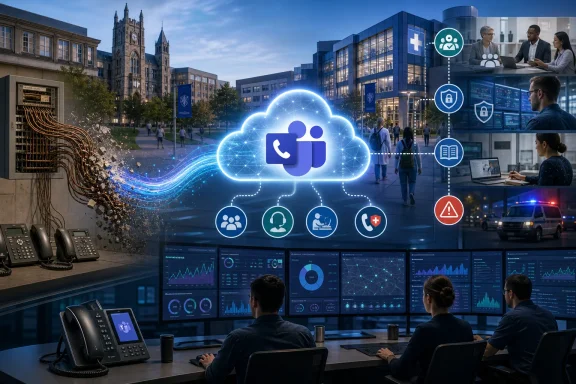 UMB Is Turning the Desk Phone Into a Microsoft 365 Feature
UMB’s announcement is brief, but its implications are not. A university-wide telecommunications migration touches far more than people who still answer a plastic handset on a desk. It affects reception desks, clinics, administrative offices, service lines, shared spaces, emergency procedures, onboarding, offboarding, accessibility, and the institutional memory baked into “just call this extension.”The headline benefit is familiar: chat, meetings, video, and calling in one application users already know. That is the sales pitch Microsoft has been refining for years, and it is also the practical reality for many organizations that already live in Teams all day. If the call button is already next to the chat thread and meeting invite, the old PBX begins to look less like infrastructure and more like a duplicate bill.
But universities are not ordinary enterprises. UMB is a health sciences and professional campus, not a single-purpose office park. The telecommunications environment likely includes routine staff calling, public-facing numbers, departmental lines, shared phones, contact patterns around student services, and workflows that do not map cleanly onto one person, one laptop, one headset.
That is why the yearlong timetable matters. This is not a weekend cutover. It is a staged modernization campaign, and the project’s success will depend less on whether Teams can make phone calls — it can — than on whether the university can translate messy, long-lived telephone habits into cloud policy without breaking the ways people actually work.
Microsoft Wins When Voice Stops Being Special
Teams Calling is part of a broader consolidation story that has played out across the Microsoft ecosystem. First email and calendaring moved into Exchange Online. Then documents, collaboration, meetings, identity, endpoint policy, and security tooling increasingly converged around Microsoft 365. Voice is one of the last old enterprise systems that still often sits apart.Traditional telecom carried its own culture. It had its own vendors, contracts, closets, wiring, handsets, extension maps, voicemail systems, maintenance windows, and specialists. Moving calling into Teams changes the technical architecture, but it also changes who owns the experience. The phone system becomes another workload inside the tenant.
That is attractive to central IT for obvious reasons. A cloud voice platform can reduce separate maintenance contracts, simplify user lifecycle management, and make hybrid work less dependent on forwarding rules or VPN-adjacent hacks. If a number follows a user into Teams, the campus phone no longer has to be physically attached to the campus.
The danger is that voice can look deceptively simple from the software side. A chat outage is annoying. A meeting glitch is disruptive. A broken phone workflow can strand a front desk, a patient-facing office, or an urgent administrative process. Voice may be just another Teams workload in a licensing console, but culturally it remains a utility.
Microsoft’s advantage is that users already have the client. UMB’s announcement leans directly on that fact: Teams is an app people already use. That lowers the adoption barrier, but it does not eliminate the support burden. The first week a department loses confidence in where calls ring, how voicemail routes, or how shared numbers are answered, the old phone system will start looking better than it ever did.
The PBX Migration Is Really a Workflow Migration
The hardest part of a Teams Calling project is usually not whether a user can dial out. It is whether the organization understands what its existing telephone system is doing. Legacy phone environments accumulate exceptions. Some are documented. Many are folk knowledge.A university department may have a main number that rings four people in order, a coverage pattern for lunch hours, an after-hours voicemail greeting, a shared line for student inquiries, and an informal rule that one staff member always checks missed calls. Another office may depend on a phone in a common area. A clinic-adjacent unit may have stricter expectations around availability and call handling. None of those patterns are exotic, but every one of them must be rediscovered before it can be migrated.
Teams can represent many of these patterns through users, numbers, call queues, auto attendants, resource accounts, common-area phones, delegated calling, and policies. The problem is not feature absence. The problem is translation. Old telecom logic often expresses itself in physical reality: that handset, on that desk, with that blinking light, answered by whoever is nearby.
Cloud voice asks IT to model that reality explicitly. Who owns the number? Who can change greetings? Who receives voicemail? Which hours apply? Which devices are allowed? What happens when the primary user leaves the university? What happens during a network outage? These are governance questions disguised as telephony settings.
The announcement’s reference to training documentation and frequently asked questions is therefore more than a courtesy. It is the visible edge of a much larger change-management effort. Users do not need a lecture on PSTN connectivity. They need to know what happens to their number, where voicemail lives, how to transfer a call, what headset to use, and whom to contact when a shared line does not behave as expected.
Cost Savings Are Real, but They Are Not Automatic
UMB says the move will reduce technology costs across the university. That is plausible. Retiring or shrinking legacy telecom infrastructure can eliminate maintenance contracts, carrier complexity, specialized hardware, and duplicated collaboration spending. If the university is already deeply invested in Microsoft 365, Teams Phone may look like a natural way to extract more value from an existing platform.Yet cost savings in voice projects are often uneven. The old system’s costs may be visible in invoices and hardware support. The new system’s costs may show up in licensing, migration labor, headsets, network upgrades, emergency-location work, operator services, consulting, training, and help desk load. Cloud consolidation can save money, but only after the institution survives the transition.
There is also the question of which PSTN model UMB is using behind the scenes. Microsoft’s Teams Phone ecosystem generally offers several paths: Microsoft Calling Plans, Operator Connect, and Direct Routing. Each shifts responsibility differently among Microsoft, carriers, and the customer. The choice affects cost, flexibility, survivability, number porting, and administrative complexity.
For a university, the carrier story matters. Existing numbers may need to be ported or integrated. Some departments may have services that cannot simply become a user’s Teams number. Analog devices, specialty lines, elevator phones, fax machines, alarms, blue-light phones, and other edge cases often complicate the last 10 percent of a migration. That last 10 percent can consume a wildly disproportionate share of the project calendar.
The phrase “yearlong initiative” is doing work here. It suggests UMB understands this is not just licensing activation. A real migration must inventory numbers, map use cases, pilot departments, train users, stage cutovers, validate emergency behavior, and create fallback plans. The savings arrive only if the modernization is disciplined enough not to recreate the old mess in a new portal.
The User Experience Will Improve — Until It Gets Too Abstract
For many users, Teams Calling will feel like a straightforward upgrade. Calling from a laptop, switching between chat and voice, seeing presence before dialing, and using the same interface remotely and on campus are genuine improvements. The old distinction between “calling someone” and “starting a Teams conversation” will blur.That is good for knowledge workers. It is especially good for hybrid staff who do not want to forward office phones or depend on physical voicemail. A Teams-based number can make the user’s workplace less tied to a specific room. It can also make call history, voicemail, and contact lookup feel less archaic.
But abstraction has a cost. Desk phones were limited, but they were obvious. A ringing phone told everyone in the room what was happening. A shared handset had a social context. A receptionist could physically see the tool of the job. Teams moves that interaction into software, where notifications compete with chats, meetings, channels, emails, browser tabs, and endpoint quirks.
The most successful migrations preserve clarity. If every call becomes just another Teams toast notification, important calls can be missed. If shared numbers are buried behind ambiguous call queues, users may not know whether they are answering as themselves or on behalf of a department. If voicemail lands in an unexpected place, accountability gets fuzzy.
UMB’s training materials will need to make the new model concrete. The question is not simply “How do I make a call?” It is “How do I perform the telephone part of my job in a Teams world?” That difference separates a software rollout from an operational migration.
Reliability Moves From Copper and Closets to Networks and Identity
Telephony used to have a reputation for boring reliability. That reputation was not always deserved, but it was grounded in dedicated systems and relatively simple user expectations. Pick up the handset, hear dial tone, call. Teams Calling changes the dependency chain.A Teams call depends on endpoint health, network quality, Microsoft 365 service availability, identity, policy, device configuration, audio peripherals, and the chosen PSTN connectivity path. For remote users, it also depends on home broadband and consumer hardware. The attack surface and failure modes are different from the PBX era.
This does not make Teams Calling inherently unreliable. In many organizations, it is more flexible and easier to support than legacy voice. But it does mean IT has to monitor voice as a real-time workload, not as an afterthought attached to collaboration. Packet loss, jitter, Wi-Fi coverage, headset firmware, and sign-in problems suddenly become phone-system issues.
Campus networks also matter differently when voice becomes an application. A choppy meeting is tolerated more often than a choppy phone call to a public-facing office. Users may forgive video freezing, but they expect voice to behave like a utility. The university’s network teams and endpoint teams will become part of the telecom experience whether they want that role or not.
Identity is another quiet dependency. If a user cannot sign into Teams, their phone may effectively disappear. If an account is disabled incorrectly, a number may stop functioning. If role-based access to queues and shared numbers is poorly managed, call flows can break during ordinary staffing changes. The phone system becomes entangled with the identity lifecycle, which is powerful when done well and painful when done casually.
Emergency Calling Is the Governance Test No One Can Treat as Fine Print
Every enterprise voice migration has a sober corner: emergency calling. When phones were tied to physical jacks, location had a certain crude certainty. Cloud calling complicates that assumption. A Teams user may be on campus, at home, in a clinic, in a conference room, or on hotel Wi-Fi.Modern Teams Phone deployments can support emergency-location configuration, dynamic emergency calling, and policy-based behavior, but the institution must plan and validate it. Static locations, network identifiers, building data, remote-work behavior, and user education all matter. “Call 911 from Teams” is not a sentence IT should leave to assumption.
For UMB, this is especially sensitive because the campus context includes health, professional education, and public-facing operations. Some locations and roles may have higher consequences for misrouted emergency calls. Common-area phones and shared devices need particular attention because they may be used by people who are not thinking about Teams sign-in state or software policy.
Emergency calling also exposes the difference between a technical migration and institutional readiness. The configuration can be correct and users can still misunderstand what to do. Signage, training, device placement, and local procedures matter. The migration website’s FAQ may be the first stop, but the real test is whether departments know the right behavior under stress.
This is where old and new systems may need to coexist for a while. Not every line should be rushed into the cloud at the same pace. Critical use cases deserve pilots, validation, and documented acceptance before cutover. A yearlong initiative gives UMB room to sequence that work, assuming the project resists pressure to treat all numbers as equal.
The Help Desk Will Become the New Switchboard
Once calling lives in Teams, the support boundary shifts. Users will not necessarily know whether a problem is Teams, Windows, a headset, a license, a phone number assignment, Wi-Fi, a carrier issue, or a call queue configuration. They will report that “the phone does not work.”That is a major operational change. Telecom teams may understand call routing but not endpoint quirks. Help desk teams may understand Teams chat and meetings but not number assignment. Network teams may see quality-of-service metrics but not the user’s workflow. A successful migration needs support playbooks that cut across those old silos.
The first wave of tickets will likely be mundane but revealing. Users will ask where voicemail went, why calls ring on multiple devices, how to stop calls during meetings, whether they still need a desk phone, how to transfer calls, and why caller ID looks different. Departments will ask how to cover absences, change greetings, add staff to a queue, and report missed calls.
Those are not low-value questions. They are the practical interface between policy and work. If IT answers them quickly, confidence builds. If users feel abandoned after cutover, they will route around the system with cell phones, personal numbers, informal forwarding, and shadow processes.
UMB’s town hall follow-up is therefore a good sign. Communication before cutover reduces surprise. But documentation must stay alive. A migration website that is current in June can be stale by September if pilot lessons, cutover dates, device guidance, and known issues are not continuously reflected.
Security Gains Come With New Administrative Blast Radius
Moving voice into Microsoft 365 can improve security posture. Centralized identity, conditional access, administrative auditing, and standardized device management are preferable to forgotten PBX accounts and obscure voicemail PIN systems. Teams can bring calling into the same governance universe as other collaboration tools.But consolidation also increases blast radius. A compromised account with voice privileges can be more than an email problem. Misconfigured policies can expose calling features in unintended ways. Poorly governed delegation or shared accounts can make it hard to determine who answered, changed, or controlled a departmental line.
Toll fraud remains a real consideration in voice systems, even if the interface is modern. International dialing policies, call restrictions, role-based administration, and alerting should not be treated as optional. Universities, with their large and varied user populations, are particularly exposed to edge cases because not every user has the same role, risk profile, or calling need.
There is also the data-retention question. Call history, voicemail, transcripts, compliance records, and eDiscovery policies may intersect with Microsoft 365 governance. Legal, HR, clinical, academic, and administrative units may not all share the same assumptions about what voice metadata means. A Teams Calling migration should bring records and compliance stakeholders into the conversation early, not after the first dispute.
The upside is that Microsoft 365 governance is a familiar battlefield for most IT organizations by now. UMB does not have to invent cloud administration from scratch. The challenge is to remember that voice is not just another checkbox in the Teams admin center. It carries expectations that predate modern collaboration suites by decades.
The Desk Phone Will Not Vanish Everywhere
It is tempting to frame Teams Calling as the end of the desk phone. For many users, it will be. Headsets, laptops, mobile clients, and Teams-certified devices can replace the old handset in offices where the phone is personal and lightly used.But institutions rarely eliminate physical phones entirely. Common areas, reception points, shared workspaces, classrooms, labs, and accessibility scenarios can still justify dedicated devices. Some users simply need a stable, obvious phone experience that does not depend on whether a laptop is awake or a headset is charged.
The more interesting shift is that physical phones become exceptions rather than the default. Instead of every employee receiving a handset because the phone system was built that way, departments may need to justify where a device is operationally necessary. That can save money, but it can also create friction if users perceive the change as a downgrade.
Device policy will matter. A cheap headset can ruin the perceived quality of a sophisticated cloud voice deployment. Bluetooth unreliability can become a telecom complaint. A Teams-certified desk phone may solve one problem while introducing another if users do not understand sign-in, updates, or shared-device behavior.
UMB should expect a period of cultural adjustment. The phone used to be furniture. Now it is a service. That sounds like a slogan until the first time a user asks where their phone went.
Universities Are Where Legacy Telecom Goes to Fight Back
Higher education is full of long-lived systems because the institution itself is long-lived. Phone numbers appear on forms, websites, grant paperwork, clinic materials, admissions pages, alumni documents, signage, vendor contacts, and muscle memory. Changing the backend does not erase those dependencies.UMB’s migration will need a strong inventory discipline. Which numbers are still used? Which ring to individuals? Which represent offices? Which are published externally? Which should be retired? Which need special routing? Which are attached to devices rather than people? Every answer reduces risk.
This is also an opportunity. Telecom migrations force organizations to confront clutter. Old numbers can be retired. Ownership can be clarified. Departmental call flows can be simplified. Voicemail greetings can be standardized. The university can decide which telephone practices still serve users and which merely survived because no one wanted to touch the PBX.
But cleanup is politically harder than migration. A number no one uses may still have a defender. A department may resist changing a call pattern that only one person understands. A shared line may be doing work that should really belong to a ticketing system, a service desk queue, or a web form.
The best IT projects use modernization as leverage without turning it into a crusade. UMB does not need to redesign every workflow at once. It does need to avoid blindly recreating decades of telecom sediment inside Teams. Otherwise the university will have achieved cloud voice without achieving simplification.
Microsoft’s Platform Strategy Meets Campus Reality
From Microsoft’s perspective, Teams Phone is a logical extension of Teams’ role as the front door to work. Meetings, chat, files, apps, webinars, and calling all feed the same platform gravity. The more workflows Teams absorbs, the harder it is for organizations to leave the Microsoft ecosystem.For customers, that gravity cuts both ways. Integration is valuable. Users do not want five communication apps. IT does not want five identity models. Finance does not want five overlapping contracts. Consolidation can reduce confusion and cost.
The tradeoff is dependency. If Teams becomes the place for chat, meetings, phone, and internal collaboration, Microsoft 365 availability becomes even more critical. Licensing changes, admin-center changes, client updates, and service incidents have broader consequences. The university’s communications stack becomes more elegant but less plural.
That does not make the decision wrong. In 2026, keeping an aging PBX alive purely to avoid platform dependency may be more sentimental than strategic. The real question is whether the institution treats Microsoft’s platform as a managed dependency rather than a magic abstraction. Contracts, monitoring, support escalation, backup procedures, and department communication all need to reflect the stakes.
UMB’s announcement uses the language of modernization and cost reduction. That is the right public frame. Internally, the project should be measured against a tougher standard: whether the university’s phone experience becomes simpler, more resilient, and easier to govern after the migration than it was before.
The Town Hall Was the Starting Gun, Not the Change Itself
The May 20 town hall gives the project a social beginning. That matters because voice migrations are personal. People may not care about the PBX, but they care about whether others can reach them. A town hall creates a shared narrative before the mechanics begin.Still, the real change happens department by department. A central project team can publish documentation, but local managers will translate it into daily practice. Who answers the main line? What happens when someone is out? Which staff need calling privileges? Which numbers should be public? Which old habits should be retired?
The project website is therefore a living instrument. It should not merely host a recording and FAQ; it should become the authoritative place for timelines, training, device standards, known issues, and role-specific guidance. The more predictable the communication, the less rumor will fill the gap.
A yearlong program also needs visible milestones. Users should know when pilots begin, when departments are scheduled, what preparation is required, and what support will be available during cutover. Silence between announcement and migration is where anxiety grows.
UMB’s challenge is not to convince everyone that Teams can place calls. Most users will believe that quickly enough. The harder task is persuading departments that their specific way of being reachable has been understood.
The Real Test Will Be the Ordinary Tuesday After Cutover
Technology projects often celebrate launch day. Phone migrations should be judged later, on an ordinary Tuesday when nobody is thinking about the project. Calls should route correctly. Voicemail should be findable. The help desk should know what to do. New employees should receive numbers without drama. Departing employees should not leave orphaned call flows behind.That ordinary state is the prize. If UMB reaches it, the migration will probably feel anticlimactic to most users, which is exactly what a telecom modernization should aim for. The best phone system is noticed only when it makes work easier.
There will almost certainly be friction. Some users will miss desk phones. Some departments will discover undocumented call patterns late. Some devices will misbehave. Some training will need revision after real use exposes gaps. These are not signs of failure unless the project refuses to learn from them.
The bigger risk is treating Teams Calling as a one-time replacement rather than an ongoing service. Legacy telecom could stagnate for years because change was hard. Cloud voice can change constantly because change is easier. That means governance must be continuous.
UMB should emerge from the project not only with Teams Calling deployed, but with a clearer operating model for voice: who owns numbers, who approves changes, who monitors quality, who trains users, and who decides when a phone workflow should become something else entirely.
The Fine Print That Will Decide Whether UMB’s Teams Calling Bet Pays Off
The announcement is short because the public message is simple: UMB is modernizing telecommunications by moving calling into Teams. The execution will be complex because phones are deceptively institutional. The details below are the ones most likely to separate a smooth modernization from a year of avoidable irritation.- UMB’s migration is scheduled as a yearlong initiative, which is the right scale for a university phone environment with shared numbers, departmental workflows, and legacy edge cases.
- The biggest user-facing benefit is the consolidation of chat, meetings, video, and phone into Microsoft Teams, but that benefit depends on clear training for real departmental calling scenarios.
- Cost reductions are plausible, but they will depend on licensing, carrier choices, device strategy, number cleanup, support readiness, and the retirement of legacy infrastructure.
- Emergency calling, common-area phones, shared lines, call queues, and published departmental numbers deserve more scrutiny than ordinary one-user phone assignments.
- The project website and town hall materials should be treated as living operational tools, not launch-day communications artifacts.
- The migration will succeed if, months after cutover, users think less about telephony than they did before and IT has fewer hidden systems to maintain.
References
- Primary source: The University of Maryland, Baltimore
Published: 2026-06-17T21:42:09.473005
MS Teams Calling - The Elm
The Elm is a publication of the University of Maryland, Baltimore (UMB).elm.umaryland.edu
