

Microsoft’s TPM 2.0 requirement for Windows 11, announced in 2021 and still enforced in current Windows 11 system requirements, made Trusted Platform Modules a household nuisance by turning a quiet security component into a gatekeeper for OS upgrades. That was the wrong introduction to a technology whose real job is not to sell new PCs, but to keep secrets out of reach. The MakeUseOf piece gets at the point Microsoft fumbled: TPM was never merely a checkbox. It is one of the places where modern Windows quietly decides whether security is architecture or theater.
The original TPM backlash was never really about cryptography. Most users were not weighing the merits of platform configuration registers, sealed keys, or measured boot chains. They were reacting to a familiar Microsoft move: a hard line drawn across hardware generations, accompanied by an explanation that sounded less like education than decree.
That matters because Windows 11 arrived at a moment when many perfectly usable Windows 10 machines still had years of practical life left in them. Microsoft’s message landed as: your PC may boot fast, run your apps, and receive updates, but it has failed a test you did not know existed. For hobbyists and small businesses, that felt arbitrary. For enterprises, it meant yet another fleet inventory problem disguised as a security posture.
The company’s defense was not baseless. TPM 2.0 really does support the kind of hardware-backed trust model Microsoft wants Windows to assume by default. But the case was made backward. Instead of explaining why the operating system increasingly depends on isolated cryptographic hardware, Microsoft made TPM feel like a toll booth.
That failure still colors the discussion. Years later, TPM is spoken of in the same breath as unsupported installs, registry bypasses, and e-waste. The argument has remained stuck at the door to Windows 11, even though the more interesting story begins after the machine boots.
That separation is the point. A Windows password, a BitLocker key, or a Windows Hello credential is only as strong as the place where its usable secret lives. If the secret can be copied, replayed, dumped from memory, or moved to another machine, the user’s careful password hygiene is only part of the story.
TPM changes the shape of that risk. It does not make attacks impossible, and it does not excuse sloppy configuration. But it lets Windows bind sensitive operations to a particular device state and a particular hardware-backed identity. That turns a stolen secret into something less portable.
This is why TPM feels anticlimactic when it works. There is no glamorous dashboard showing the vault opening and closing. There is no satisfying animation when a key is sealed to hardware. The most important security component in the PC is often successful precisely because the user never has to think about it.
TPM 1.2 was not useless. It supported important protections and helped enable years of Windows security features. But TPM 2.0 is more flexible, supports more modern cryptographic algorithms, and fits better with the kind of security model Microsoft now wants across consumer and enterprise Windows.
That phrase, more flexible, does a lot of work. Cryptography ages. Algorithms once considered adequate become uncomfortable, then deprecated, then dangerous. TPM 2.0 was designed to be more algorithm-agile than TPM 1.2, which makes it a better foundation for a platform that must survive a decade of changing security assumptions.
Microsoft could have said that plainly. It could have told users that the issue was not whether their old laptop could draw the Windows 11 desktop, but whether Windows should continue building new protections on an older root of trust. Instead, many users heard only that a computer capable of running Windows was somehow not worthy of running Windows.
That gap between technical rationale and public messaging created a vacuum. Into it rushed every plausible suspicion: forced upgrades, artificial obsolescence, OEM favoritism, and corporate neatness masquerading as security. Some of those suspicions were overstated. Some were understandable. Microsoft earned the confusion by treating explanation as optional.
If a notebook is stolen from a car, left in an airport, or pulled from a shared workspace, the attacker’s first target is not always the user’s Microsoft account. It may simply be the drive. Remove it, mount it elsewhere, and look for data. Full-disk encryption exists to make that boring physical attack fail.
BitLocker can operate in several configurations, but its most important mainstream Windows role is protecting the volume encryption key. When paired with TPM, BitLocker can keep key material bound to the device and to expected boot conditions. The disk is not merely encrypted with a secret that sits conveniently beside it; access can depend on a hardware-backed protector and an intact boot path.
This is where the “TPM is just a checkbox” view collapses. A checkbox does not change the economics of a stolen laptop. A hardware-backed key protector does. It moves the attack away from casual drive removal and toward far more specialized attempts involving the live machine, firmware state, recovery keys, or user coercion.
That distinction matters for consumers, but it matters even more for IT departments. A fleet of encrypted laptops with TPM-backed protectors is not magically safe, but it is administratively different from a fleet relying on weaker or more fragile arrangements. Recovery workflows, compliance audits, device health checks, and incident response all assume the underlying key protection is not a decorative layer.
There is an uncomfortable lesson here for Windows power users. The security feature you notice least may be the one doing the most useful work. BitLocker’s value is not only in the encryption algorithm; it is in the chain of custody for the key.
That assumption is wrong in the way many intuitive security assumptions are wrong. A Windows Hello PIN is not the same kind of thing as a bank PIN or the lazy four digits someone reuses on a luggage lock. In the Windows Hello model, the credential is bound to the device. The PIN helps unlock a local, protected credential; it is not a reusable password that can be typed into a phishing site from anywhere on the internet.
This is the security inversion Microsoft struggled to explain. A long password that can be phished, replayed, and used remotely may be less desirable than a shorter local gesture tied to hardware and protected by TPM-backed mechanisms. The question is not only “How many characters?” but “What can an attacker do with the secret after stealing it?”
That is why Windows Hello fits Microsoft’s broader push away from passwords. The industry has spent years trying to reduce dependence on shared secrets that users type into boxes. TPM-backed device credentials are part of that transition. They let authentication rely on possession of a registered device plus a local unlock factor, rather than a password that has to survive every malicious login page on the web.
The irony is that Microsoft has one of the better consumer-facing examples of passwordless security sitting in front of hundreds of millions of users, and it is still widely mistaken for a convenience gimmick. That is not just a branding problem. It is a missed educational opportunity.
That is the generous interpretation of the Windows 11 hardware cutoff. Microsoft was not merely asking whether a machine could run Explorer, Edge, and Teams. It was asking whether Windows should keep dragging the full weight of modern security onto machines that lacked the hardware assumptions newer defenses want.
The less generous interpretation is also hard to dismiss. Microsoft imposed the requirement in a way that disadvantaged older PCs, confused ordinary users, and handed OEMs an upgrade story at a time when Windows 10 remained broadly serviceable. Security can be a real reason and still be deployed with corporate convenience.
Both things can be true. TPM 2.0 can be a legitimate security baseline, and Microsoft can still deserve criticism for how it communicated and enforced that baseline. The technology does not become fake because the rollout was clumsy. The rollout does not become elegant because the technology is useful.
This is the nuance the Windows 11 debate often lacked. Enthusiasts were right to object to opaque requirements and messy compatibility messaging. Microsoft was right that the future of Windows security depends on stronger hardware roots of trust. The tragedy is that each side often argued against the weakest version of the other.
But booting is not the same as being a supported security platform. A bypassed installer proves that the Windows shell can load, not that every security assumption Microsoft wants to make is present. It proves technical possibility, not policy wisdom.
That distinction annoys power users because unsupported installs often work fine for ordinary tasks. A machine without the official blessing may browse, game, compile code, stream video, and run office apps without drama. From the user’s chair, Microsoft’s cutoff can therefore look absurd.
From a platform owner’s chair, the calculus is different. Supporting an operating system for hundreds of millions of machines means designing defaults, update paths, security baselines, and enterprise controls around common assumptions. Microsoft wants fewer exceptions. TPM 2.0 is one of the assumptions it chose to enforce.
The harder question is not whether Microsoft could have allowed more older PCs. It obviously could have. The question is whether Windows benefits, over time, from pushing the installed base toward hardware-backed security even at the cost of alienating owners of otherwise functional machines. That is a policy argument, not a benchmark.
In a managed environment, TPM is not an isolated feature. It intersects with provisioning, identity, compliance, conditional access, key escrow, hardware inventory, and remote attestation. A laptop is not merely “encrypted”; it is encrypted in a way the organization can verify, recover, and govern. A login is not merely “passwordless”; it is backed by a credential whose device binding can be part of access policy.
That is why measured boot and device health attestation matter, even if they remain invisible to most consumers. Windows can record details of the boot process, and enterprise services can use device health signals to decide whether a machine should access sensitive resources. In that model, TPM becomes part of an evidence chain.
This is also where the technology’s limits become important. TPM is not an antivirus engine. It does not tell an administrator that every app is benign or that every user action is safe. It establishes and protects certain roots of trust, which other systems can then use as inputs. Treating it as a magic shield is just as wrong as treating it as an arbitrary checkbox.
The enterprise view also exposes why Microsoft prizes consistency. If half a fleet has TPM 2.0, some has TPM 1.2, some has firmware TPM disabled, and some lacks usable TPM entirely, administrators inherit complexity. Baselines become exceptions. Exceptions become tickets. Tickets become risk.
That obscurity made the Windows 11 rollout worse. Some users believed they lacked TPM when the feature was merely disabled in firmware settings. Others searched motherboard manuals for physical modules they did not need. Enthusiast forums filled with BIOS screenshots, acronyms, and warnings about firmware updates at exactly the moment Microsoft needed clarity.
Firmware TPM also made trust feel more abstract. A discrete chip sounds like a vault. Firmware sounds like code, and code sounds mutable. In practice, platform security always depends on a stack of hardware, firmware, vendor implementation, update discipline, and operating system integration. TPM is a component in that stack, not a theological guarantee.
The fTPM era has had its own bumps, including vendor-specific bugs and performance oddities over the years. That history reinforces the need for realism. Hardware-backed security is not the same as flawless security. It shifts where secrets live and how trust is established; it does not abolish implementation risk.
Still, the direction is clear. Security features that once sounded enterprise-only are now embedded in ordinary laptops from big-box stores. The PC has become less like a box of interchangeable parts and more like a chain of trust with a keyboard attached. TPM is one of the reasons that shift is possible.
That sequencing breeds resentment. A user who learns about TPM through a blocked upgrade sees a barrier. A user who learns about TPM through a stolen laptop that remains unreadable sees a defense. The same technology produces a different reaction depending on whether it arrives as punishment or protection.
Microsoft has repeated this pattern with other Windows security features. Secure Boot, SmartScreen, driver signing, memory integrity, and account requirements have all been caught between real protective value and clumsy messaging. Enthusiasts resent guardrails. Microsoft responds by sounding paternalistic. The actual security discussion gets buried under cultural warfare about who controls the PC.
TPM was particularly vulnerable to that dynamic because it is difficult to demo. You can show a faster Start menu. You can show a new window snapping layout. You cannot easily show “the attacker failed to extract a sealed key” in a way that lands with ordinary users. Prevented harm is a terrible marketing asset.
The company could have done better by making the everyday examples primary. Your encrypted drive is harder to loot. Your Windows Hello PIN is not a reusable web password. Your device can prove more about its boot state. Your organization can enforce healthier access decisions. Those are understandable claims. “TPM 2.0 required” is a support matrix entry.
The PC tradition is built on user control. Enthusiasts expect to install operating systems, replace components, disable features, and decide which risks to accept. A security architecture that binds secrets to hardware and lets services ask whether a device is healthy can feel like a step toward permissioned computing.
There are legitimate policy debates here. Device attestation can protect corporate data, but it can also be used to exclude modified systems. Hardware-backed identity can reduce fraud, but it can also create new tracking anxieties if poorly designed. Strong boot integrity can block malware, but it can also make alternate operating systems feel like second-class citizens if vendors abuse the controls.
TPM itself is not the villain in those debates. It is a tool that can support good or bad policy. The relevant questions are who can clear it, who can provision keys, how recovery works, what services are allowed to demand attestation, and whether users retain meaningful control over their own hardware.
Microsoft’s problem is that it asked users to trust the architecture after presenting it as a mandate. Trust works better in the other direction. Explain the architecture, show the benefits, document the controls, and then argue for the mandate. Windows 11 did not do that in the right order.
This is a profound change in what the PC is assumed to be. The old Windows PC was a local machine that sometimes talked to networks. The modern Windows PC is a node in an identity fabric, a compliance surface, a cryptographic endpoint, and a target that must defend itself before the user even logs in.
TPM is well suited to that world. It gives Windows a place to anchor secrets and measurements outside the ordinary reach of software compromise. It gives administrators a stronger basis for saying, “This is the device we think it is, in a state we are willing to trust.” It gives consumers better protection against several dull, common, damaging attacks.
But it also makes Windows feel less improvisational. The more security depends on hardware identity and measured state, the less the PC feels like a blank slate. That tension will not go away. It will intensify as passkeys, device-bound credentials, AI-era data protection, and cloud-managed policies become more central to everyday computing.
The correct response is not nostalgia for weaker defaults. Nor is it blind acceptance of every vendor-imposed baseline. The correct response is literacy. Users and administrators need to understand what TPM does well, what it does not do, and where security architecture becomes product policy.
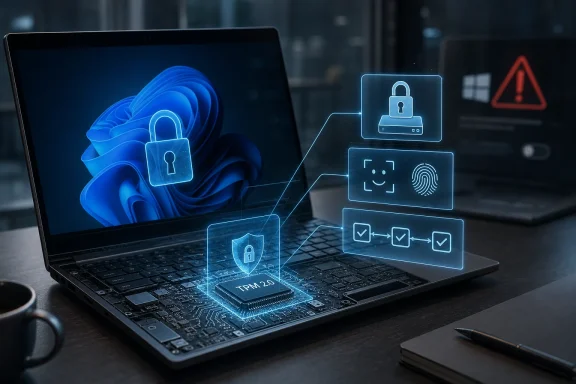 Microsoft Turned a Security Root Into an Upgrade Argument
The original TPM backlash was never really about cryptography. Most users were not weighing the merits of platform configuration registers, sealed keys, or measured boot chains. They were reacting to a familiar Microsoft move: a hard line drawn across hardware generations, accompanied by an explanation that sounded less like education than decree.That matters because Windows 11 arrived at a moment when many perfectly usable Windows 10 machines still had years of practical life left in them. Microsoft’s message landed as: your PC may boot fast, run your apps, and receive updates, but it has failed a test you did not know existed. For hobbyists and small businesses, that felt arbitrary. For enterprises, it meant yet another fleet inventory problem disguised as a security posture.
The company’s defense was not baseless. TPM 2.0 really does support the kind of hardware-backed trust model Microsoft wants Windows to assume by default. But the case was made backward. Instead of explaining why the operating system increasingly depends on isolated cryptographic hardware, Microsoft made TPM feel like a toll booth.
That failure still colors the discussion. Years later, TPM is spoken of in the same breath as unsupported installs, registry bypasses, and e-waste. The argument has remained stuck at the door to Windows 11, even though the more interesting story begins after the machine boots.
The Chip Nobody Asked About Was Already Doing the Boring Work
A Trusted Platform Module is not a performance feature, a licensing dongle, or a little Microsoft cop sitting on the motherboard. It is a security processor, implemented either as a discrete chip or as firmware-backed TPM functionality in modern platforms, designed to generate, store, and use cryptographic material in a place the operating system cannot simply rummage through like ordinary memory.That separation is the point. A Windows password, a BitLocker key, or a Windows Hello credential is only as strong as the place where its usable secret lives. If the secret can be copied, replayed, dumped from memory, or moved to another machine, the user’s careful password hygiene is only part of the story.
TPM changes the shape of that risk. It does not make attacks impossible, and it does not excuse sloppy configuration. But it lets Windows bind sensitive operations to a particular device state and a particular hardware-backed identity. That turns a stolen secret into something less portable.
This is why TPM feels anticlimactic when it works. There is no glamorous dashboard showing the vault opening and closing. There is no satisfying animation when a key is sealed to hardware. The most important security component in the PC is often successful precisely because the user never has to think about it.
TPM 1.2 Was the Past Microsoft Did Not Want to Carry Forward
The Windows 11 controversy was sharpened by a version number. Many machines that users thought had no TPM at all actually had TPM 1.2, an older implementation from an earlier security era. Microsoft’s Windows 11 floor was TPM 2.0, and that distinction became one of the most misunderstood parts of the launch.TPM 1.2 was not useless. It supported important protections and helped enable years of Windows security features. But TPM 2.0 is more flexible, supports more modern cryptographic algorithms, and fits better with the kind of security model Microsoft now wants across consumer and enterprise Windows.
That phrase, more flexible, does a lot of work. Cryptography ages. Algorithms once considered adequate become uncomfortable, then deprecated, then dangerous. TPM 2.0 was designed to be more algorithm-agile than TPM 1.2, which makes it a better foundation for a platform that must survive a decade of changing security assumptions.
Microsoft could have said that plainly. It could have told users that the issue was not whether their old laptop could draw the Windows 11 desktop, but whether Windows should continue building new protections on an older root of trust. Instead, many users heard only that a computer capable of running Windows was somehow not worthy of running Windows.
That gap between technical rationale and public messaging created a vacuum. Into it rushed every plausible suspicion: forced upgrades, artificial obsolescence, OEM favoritism, and corporate neatness masquerading as security. Some of those suspicions were overstated. Some were understandable. Microsoft earned the confusion by treating explanation as optional.
BitLocker Is Where the Abstraction Gets Real
The easiest way to understand TPM is not to begin with theory. Begin with a lost laptop.If a notebook is stolen from a car, left in an airport, or pulled from a shared workspace, the attacker’s first target is not always the user’s Microsoft account. It may simply be the drive. Remove it, mount it elsewhere, and look for data. Full-disk encryption exists to make that boring physical attack fail.
BitLocker can operate in several configurations, but its most important mainstream Windows role is protecting the volume encryption key. When paired with TPM, BitLocker can keep key material bound to the device and to expected boot conditions. The disk is not merely encrypted with a secret that sits conveniently beside it; access can depend on a hardware-backed protector and an intact boot path.
This is where the “TPM is just a checkbox” view collapses. A checkbox does not change the economics of a stolen laptop. A hardware-backed key protector does. It moves the attack away from casual drive removal and toward far more specialized attempts involving the live machine, firmware state, recovery keys, or user coercion.
That distinction matters for consumers, but it matters even more for IT departments. A fleet of encrypted laptops with TPM-backed protectors is not magically safe, but it is administratively different from a fleet relying on weaker or more fragile arrangements. Recovery workflows, compliance audits, device health checks, and incident response all assume the underlying key protection is not a decorative layer.
There is an uncomfortable lesson here for Windows power users. The security feature you notice least may be the one doing the most useful work. BitLocker’s value is not only in the encryption algorithm; it is in the chain of custody for the key.
Windows Hello Is Not a Cute Login Shortcut
Windows Hello suffers from an image problem of a different kind. To many users, it looks like convenience: face unlock, fingerprint unlock, or a PIN that gets you to the desktop faster than typing a long password. Because the visible ritual is easier, people often assume it must be weaker.That assumption is wrong in the way many intuitive security assumptions are wrong. A Windows Hello PIN is not the same kind of thing as a bank PIN or the lazy four digits someone reuses on a luggage lock. In the Windows Hello model, the credential is bound to the device. The PIN helps unlock a local, protected credential; it is not a reusable password that can be typed into a phishing site from anywhere on the internet.
This is the security inversion Microsoft struggled to explain. A long password that can be phished, replayed, and used remotely may be less desirable than a shorter local gesture tied to hardware and protected by TPM-backed mechanisms. The question is not only “How many characters?” but “What can an attacker do with the secret after stealing it?”
That is why Windows Hello fits Microsoft’s broader push away from passwords. The industry has spent years trying to reduce dependence on shared secrets that users type into boxes. TPM-backed device credentials are part of that transition. They let authentication rely on possession of a registered device plus a local unlock factor, rather than a password that has to survive every malicious login page on the web.
The irony is that Microsoft has one of the better consumer-facing examples of passwordless security sitting in front of hundreds of millions of users, and it is still widely mistaken for a convenience gimmick. That is not just a branding problem. It is a missed educational opportunity.
The Real Argument Is About Default Trust
Microsoft’s Windows strategy has been moving toward a world where the operating system can assume certain security primitives exist. Secure Boot, virtualization-based security, memory integrity, TPM-backed credentials, device health attestation, and hardware-backed encryption all make more sense when they are baseline expectations rather than optional luxuries.That is the generous interpretation of the Windows 11 hardware cutoff. Microsoft was not merely asking whether a machine could run Explorer, Edge, and Teams. It was asking whether Windows should keep dragging the full weight of modern security onto machines that lacked the hardware assumptions newer defenses want.
The less generous interpretation is also hard to dismiss. Microsoft imposed the requirement in a way that disadvantaged older PCs, confused ordinary users, and handed OEMs an upgrade story at a time when Windows 10 remained broadly serviceable. Security can be a real reason and still be deployed with corporate convenience.
Both things can be true. TPM 2.0 can be a legitimate security baseline, and Microsoft can still deserve criticism for how it communicated and enforced that baseline. The technology does not become fake because the rollout was clumsy. The rollout does not become elegant because the technology is useful.
This is the nuance the Windows 11 debate often lacked. Enthusiasts were right to object to opaque requirements and messy compatibility messaging. Microsoft was right that the future of Windows security depends on stronger hardware roots of trust. The tragedy is that each side often argued against the weakest version of the other.
Unsupported Installs Prove Less Than Their Fans Think
One of the favorite counterarguments to the TPM requirement is that Windows 11 can run on unsupported hardware. This is true in the narrowest and least interesting sense. Many operating systems can be coerced into running on hardware their vendors do not support. Enthusiasts have always been good at making software do things its product managers would rather it not do.But booting is not the same as being a supported security platform. A bypassed installer proves that the Windows shell can load, not that every security assumption Microsoft wants to make is present. It proves technical possibility, not policy wisdom.
That distinction annoys power users because unsupported installs often work fine for ordinary tasks. A machine without the official blessing may browse, game, compile code, stream video, and run office apps without drama. From the user’s chair, Microsoft’s cutoff can therefore look absurd.
From a platform owner’s chair, the calculus is different. Supporting an operating system for hundreds of millions of machines means designing defaults, update paths, security baselines, and enterprise controls around common assumptions. Microsoft wants fewer exceptions. TPM 2.0 is one of the assumptions it chose to enforce.
The harder question is not whether Microsoft could have allowed more older PCs. It obviously could have. The question is whether Windows benefits, over time, from pushing the installed base toward hardware-backed security even at the cost of alienating owners of otherwise functional machines. That is a policy argument, not a benchmark.
Enterprise IT Saw the TPM Story Before Consumers Did
For home users, TPM often enters the conversation through Windows 11 setup or BitLocker recovery prompts. For enterprise administrators, it has long been part of device trust. The difference is that businesses have been forced to think in fleets, not feelings.In a managed environment, TPM is not an isolated feature. It intersects with provisioning, identity, compliance, conditional access, key escrow, hardware inventory, and remote attestation. A laptop is not merely “encrypted”; it is encrypted in a way the organization can verify, recover, and govern. A login is not merely “passwordless”; it is backed by a credential whose device binding can be part of access policy.
That is why measured boot and device health attestation matter, even if they remain invisible to most consumers. Windows can record details of the boot process, and enterprise services can use device health signals to decide whether a machine should access sensitive resources. In that model, TPM becomes part of an evidence chain.
This is also where the technology’s limits become important. TPM is not an antivirus engine. It does not tell an administrator that every app is benign or that every user action is safe. It establishes and protects certain roots of trust, which other systems can then use as inputs. Treating it as a magic shield is just as wrong as treating it as an arbitrary checkbox.
The enterprise view also exposes why Microsoft prizes consistency. If half a fleet has TPM 2.0, some has TPM 1.2, some has firmware TPM disabled, and some lacks usable TPM entirely, administrators inherit complexity. Baselines become exceptions. Exceptions become tickets. Tickets become risk.
The Firmware TPM Era Made the Hardware Story Messier
One reason TPM confused consumers is that it stopped looking like a thing. Older discussions often imagined a discrete chip or add-on module. Many modern systems instead implement TPM capabilities through platform firmware, such as Intel PTT or AMD fTPM. The security role is similar from Windows’ perspective, but the user experience is more obscure.That obscurity made the Windows 11 rollout worse. Some users believed they lacked TPM when the feature was merely disabled in firmware settings. Others searched motherboard manuals for physical modules they did not need. Enthusiast forums filled with BIOS screenshots, acronyms, and warnings about firmware updates at exactly the moment Microsoft needed clarity.
Firmware TPM also made trust feel more abstract. A discrete chip sounds like a vault. Firmware sounds like code, and code sounds mutable. In practice, platform security always depends on a stack of hardware, firmware, vendor implementation, update discipline, and operating system integration. TPM is a component in that stack, not a theological guarantee.
The fTPM era has had its own bumps, including vendor-specific bugs and performance oddities over the years. That history reinforces the need for realism. Hardware-backed security is not the same as flawless security. It shifts where secrets live and how trust is established; it does not abolish implementation risk.
Still, the direction is clear. Security features that once sounded enterprise-only are now embedded in ordinary laptops from big-box stores. The PC has become less like a box of interchangeable parts and more like a chain of trust with a keyboard attached. TPM is one of the reasons that shift is possible.
Microsoft’s Explanation Failed Because It Sold the Lock, Not the Key
The MakeUseOf framing works because it captures a broader Windows communications problem. Microsoft often introduces security changes as requirements before it explains them as protections. Users meet the inconvenience first and the rationale later, if ever.That sequencing breeds resentment. A user who learns about TPM through a blocked upgrade sees a barrier. A user who learns about TPM through a stolen laptop that remains unreadable sees a defense. The same technology produces a different reaction depending on whether it arrives as punishment or protection.
Microsoft has repeated this pattern with other Windows security features. Secure Boot, SmartScreen, driver signing, memory integrity, and account requirements have all been caught between real protective value and clumsy messaging. Enthusiasts resent guardrails. Microsoft responds by sounding paternalistic. The actual security discussion gets buried under cultural warfare about who controls the PC.
TPM was particularly vulnerable to that dynamic because it is difficult to demo. You can show a faster Start menu. You can show a new window snapping layout. You cannot easily show “the attacker failed to extract a sealed key” in a way that lands with ordinary users. Prevented harm is a terrible marketing asset.
The company could have done better by making the everyday examples primary. Your encrypted drive is harder to loot. Your Windows Hello PIN is not a reusable web password. Your device can prove more about its boot state. Your organization can enforce healthier access decisions. Those are understandable claims. “TPM 2.0 required” is a support matrix entry.
The Privacy Anxiety Is Not Irrational, But It Is Often Misplaced
Any hardware root of trust invites suspicion. Users hear that a chip can identify a device, store credentials, participate in attestation, and influence access decisions, and they wonder who ultimately controls the machine. That concern deserves more than a hand wave.The PC tradition is built on user control. Enthusiasts expect to install operating systems, replace components, disable features, and decide which risks to accept. A security architecture that binds secrets to hardware and lets services ask whether a device is healthy can feel like a step toward permissioned computing.
There are legitimate policy debates here. Device attestation can protect corporate data, but it can also be used to exclude modified systems. Hardware-backed identity can reduce fraud, but it can also create new tracking anxieties if poorly designed. Strong boot integrity can block malware, but it can also make alternate operating systems feel like second-class citizens if vendors abuse the controls.
TPM itself is not the villain in those debates. It is a tool that can support good or bad policy. The relevant questions are who can clear it, who can provision keys, how recovery works, what services are allowed to demand attestation, and whether users retain meaningful control over their own hardware.
Microsoft’s problem is that it asked users to trust the architecture after presenting it as a mandate. Trust works better in the other direction. Explain the architecture, show the benefits, document the controls, and then argue for the mandate. Windows 11 did not do that in the right order.
The Checkbox Was a Symptom of a Bigger Windows Transition
The TPM fight should be understood as part of Windows’ long migration from a general-purpose desktop operating system toward a managed, identity-centered, security-baselined platform. That does not mean Windows has stopped being a playground for enthusiasts. It does mean the defaults are increasingly designed around corporate risk, cloud identity, and hardware-backed trust.This is a profound change in what the PC is assumed to be. The old Windows PC was a local machine that sometimes talked to networks. The modern Windows PC is a node in an identity fabric, a compliance surface, a cryptographic endpoint, and a target that must defend itself before the user even logs in.
TPM is well suited to that world. It gives Windows a place to anchor secrets and measurements outside the ordinary reach of software compromise. It gives administrators a stronger basis for saying, “This is the device we think it is, in a state we are willing to trust.” It gives consumers better protection against several dull, common, damaging attacks.
But it also makes Windows feel less improvisational. The more security depends on hardware identity and measured state, the less the PC feels like a blank slate. That tension will not go away. It will intensify as passkeys, device-bound credentials, AI-era data protection, and cloud-managed policies become more central to everyday computing.
The correct response is not nostalgia for weaker defaults. Nor is it blind acceptance of every vendor-imposed baseline. The correct response is literacy. Users and administrators need to understand what TPM does well, what it does not do, and where security architecture becomes product policy.
The Windows User’s TPM Reality Check
The practical lesson is not that every user needs to become a cryptographer. It is that TPM should move from the category of mysterious Windows 11 hurdle into the category of boring infrastructure worth checking. If you own or manage Windows machines, this is now part of the platform.- A Windows 11-capable PC should have TPM 2.0 enabled, and users can verify its presence and version with the built-in TPM management console.
- BitLocker is materially stronger when its protectors are tied to TPM-backed mechanisms rather than treated as a purely software-side convenience.
- Windows Hello is more than a fast login feature because its credentials are designed to be bound to the device rather than reused like ordinary passwords.
- TPM does not replace good recovery planning, because lost recovery keys, firmware changes, and motherboard failures can still turn security into downtime.
- Unsupported Windows 11 installs may run acceptably, but they do not refute Microsoft’s broader push toward hardware-backed security baselines.
- Administrators should treat TPM state as fleet inventory, not trivia, because encryption, identity, compliance, and support workflows all depend on it.
References
- Primary source: MakeUseOf
Published: Thu, 28 May 2026 18:30:17 GMT
What TPM actually does in Windows 11 — beyond being a system requirement checkbox
Turns out that thing that stopped everyone upgrading Windows 11 is really useful. www.makeuseof.com
- Official source: learn.microsoft.com
Trusted Platform Module (TPM) fundamentals | Microsoft Learn
Learn about the components of the Trusted Platform Module and how they're used to mitigate dictionary attacks.learn.microsoft.com - Official source: microsoft.com
Windows 11 Specs and System Requirements | Microsoft Windows
View Windows 11 specs, system requirements, and features from Microsoft. Learn about the device specifications, versions, and languages available for Windows 11.www.microsoft.com - Official source: support.microsoft.com
Enable TPM 2.0 on your PC | Microsoft Support
Learn how to check if your PC is capable of running TPM 2.0 or how to enable TPM 2.0 to upgrade to Windows 11.support.microsoft.com - Related coverage: dir.md

Windows 11 System Requirements 2026: Check If Your PC Is Compatible (Avoid Upgrade Failures!)
Can your PC run Windows 11? Discover official system requirements, compatibility checks, and expert tips before upgrading. Check your device now!
dir.md
- Related coverage: tomshardware.com
How to Bypass Windows 11's TPM, CPU and RAM Requirements | Tom's Hardware
Use simple utilities to install Windows 11 on any PC.www.tomshardware.com
- Related coverage: windowscentral.com
Unsupported Windows 10 PC gets a surprise Windows 11 upgrade | Windows Central
A Windows 10 user reportedly received an offer to upgrade to Windows 11 despite having a TPM 2.0 chip disabled on their PC.www.windowscentral.com
