

Title: Windows 11 24H2 PCs Are Being Moved to 25H2, but April’s KB5083769 Problems Make the Timing Messy
Meta description: Microsoft is automatically moving unmanaged Windows 11 24H2 Home and Pro devices to Windows 11 25H2 before 24H2 support ends on October 13, 2026, while reports of KB5083769 boot loops on some HP and Dell systems complicate the rollout.
Tags: Windows 11, Windows 11 24H2, Windows 11 25H2, KB5083769, Windows Update, BSOD, boot loop, HP, Dell, BitLocker, Patch Tuesday, Microsoft, Windows Recovery Environment
Microsoft has started widening the automatic move from Windows 11 version 24H2 to Windows 11 version 25H2 for unmanaged Home and Pro devices, and on paper the decision makes sense. Windows 11 24H2 Home and Pro editions reach end of updates on October 13, 2026, which means affected PCs will stop receiving monthly security updates, preview updates, time zone updates, bug fixes, and technical support after that date. Microsoft does not want a large consumer install base sitting on an expiring release, so Windows Update is now pushing eligible, unmanaged 24H2 systems toward 25H2.
The awkward part is timing. The push is happening while Microsoft’s April 14, 2026 cumulative update, KB5083769, is still generating user reports of serious startup failures on some Windows 11 24H2 and 25H2 machines. The most severe reports describe systems that install the update, reboot, show corrupted or pixelated graphics, and then fall into a blue-screen or recovery loop that cannot be fixed without manual recovery work. Reports appear to cluster around some HP and Dell hardware, although Microsoft has not publicly listed this specific “pixelated screen plus boot loop” behavior as an active known issue on the Windows 11 24H2 release health page at the time of writing.
That distinction matters. Microsoft’s official KB5083769 notes do list known issues, including a BitLocker recovery-key prompt on devices with a particular, unrecommended Group Policy configuration, and a Remote Desktop warning display issue involving mismatched monitor scaling. But the more dramatic consumer-facing reports of boot loops and graphical corruption are not the same as the documented BitLocker scenario. In other words, there are two conversations happening at once: Microsoft’s documented update issues, and user-reported failures that may be narrower, hardware-specific, or still under investigation.
Windows 11 24H2 is not obsolete yet, but its support deadline is now close enough that Microsoft is moving consumer devices before the cutoff becomes urgent. For Windows 11 Home and Pro users, the end-of-updates date is October 13, 2026. Once that date passes, PCs left on 24H2 will no longer receive Microsoft’s regular security protections for newly discovered vulnerabilities.
Microsoft’s release health messaging says unmanaged Windows 11 24H2 Home and Pro devices will receive Windows 11 25H2 automatically. “Unmanaged” is the key word. This generally means PCs not controlled by an IT department through enterprise update policies, Windows Update for Business, Microsoft Intune, Configuration Manager, WSUS, or similar management tools. For typical home users, Windows Update remains in charge.
Users can still control the restart time and can postpone updates for a limited period, but they should not treat 25H2 as something they can permanently decline on a consumer Home or Pro machine. The servicing model is designed to keep devices on a supported release. When a version nears end of support, Microsoft becomes more aggressive about automatic feature updates, especially for systems that appear eligible and have no known safeguard block.
For most users, this is not a full operating system migration in the old sense. Windows 11 25H2 is delivered to Windows 11 24H2 devices as an enablement package. Microsoft describes this as a small, quick-to-install switch that activates components already staged on the device through earlier cumulative updates. Most 25H2 files are already present on Windows 11 24H2 machines that have recent monthly updates installed.
That is why some users may see the 25H2 update install surprisingly quickly. The heavy lifting has already happened in previous servicing releases. The 25H2 package largely flips the system from one supported release state to another, enabling dormant features and resetting the support lifecycle.
That shared base is good news for reliability in normal circumstances. It means fewer moving parts during the version change, less time spent in the offline installation phase, and a lower chance of upgrade-specific failures compared with a complete OS replacement. Users moving from 24H2 to 25H2 should generally expect something closer to a cumulative update experience than a multi-hour feature upgrade.
It also explains why 25H2 does not feel like a dramatic “new Windows” release for many users. A lot of the visible changes associated with 25H2 were already introduced gradually through Windows 11’s continuous innovation updates. Depending on hardware and region, users may already have seen newer File Explorer behavior, changes to Settings, privacy prompt updates, taskbar refinements, AI-related controls, Copilot+ PC features, and other incremental changes before 25H2 ever appeared as a feature update.
For business and education environments, 25H2 also brings or formalizes several management-focused improvements, including policy-based removal of certain preinstalled Microsoft Store apps on supported editions, Windows Backup for Organizations, Quick Machine Recovery, Wi-Fi 7 enterprise access point support under the right hardware and driver conditions, and updates to taskbar pinning policy behavior. Some Copilot+ PC features remain hardware-dependent and require an NPU-capable device.
For ordinary Home and Pro users, though, the most important practical change may simply be support. Moving to 25H2 keeps the PC inside Microsoft’s servicing window beyond the 24H2 deadline.
KB5083769 is the April 14, 2026 cumulative update for Windows 11 24H2 and 25H2. It advances 24H2 systems to OS build 26100.8246 and 25H2 systems to OS build 26200.8246. It includes security fixes, quality improvements, servicing stack changes, and fixes from previous updates. Microsoft’s documentation also notes changes related to Secure Boot certificate update status, SMB over QUIC reliability, Remote Desktop phishing protections for RDP files, and a fix for a Reset this PC issue involving earlier hotpatch behavior.
That is the normal side of the update. The abnormal side is the reported failure pattern: some users claim that after KB5083769 installs, the PC restarts into a corrupted-looking display, then crashes, then loops through failed startup recovery. Some reports say recovery options do not work cleanly. Others say uninstalling the latest quality update from Windows Recovery Environment restores bootability, at least temporarily.
Because the most severe reports appear to involve particular hardware combinations rather than every Windows 11 24H2 or 25H2 PC, the issue may be difficult for Microsoft’s normal safeguard systems to catch immediately. Safeguard holds work best when Microsoft can identify a repeatable compatibility condition, such as a known problematic driver, app, firmware version, or device class. If the failure depends on a narrower combination of GPU, firmware, OEM image, storage driver, BitLocker state, Secure Boot state, or recovery environment condition, detection becomes harder.
It is also important not to confuse every KB5083769 failure with the officially documented BitLocker issue. Microsoft says a limited number of devices may request a BitLocker recovery key after installing KB5083769 if all required conditions are true. Those conditions include BitLocker being enabled on the OS drive, a configured TPM platform validation profile that includes PCR7, msinfo32 reporting PCR7 Binding as “Not Possible,” the presence of the Windows UEFI CA 2023 certificate in the Secure Boot database, and the system not already running the 2023-signed Windows Boot Manager. Microsoft says that scenario is unlikely on personal devices not managed by IT departments.
The boot-loop reports described by users are more severe and less clearly documented. Until Microsoft confirms the root cause, it should be treated as a reported issue rather than a fully acknowledged known issue.
For users already hit by KB5083769, the picture is different. A system that cannot reliably boot after the April cumulative update is not a good candidate for any further feature transition, even one as small as an enablement package. The correct priority is to stabilize the machine first.
That means recovering from the failed update, confirming that Windows can boot consistently, checking whether BitLocker recovery keys are available, backing up important data, and pausing updates if the system still allows it. The version number matters less than bootability. A PC stuck in an automatic repair loop does not benefit from a support lifecycle reset until it can actually start.
This is where Microsoft’s Windows Update strategy can frustrate home users. On unmanaged Home and Pro devices, the user gets some scheduling control but not long-term refusal. You can pause updates. You can choose active hours. You can sometimes delay a restart. But once the pause expires, Windows Update will attempt to bring the device back into a supported state.
That model is reasonable from a security perspective. It is also deeply annoying when a current update is causing serious trouble on a subset of machines.
If your machine has not yet installed KB5083769 and you are concerned because you use an affected HP or Dell model, the safest immediate step is to create a backup before allowing the update to proceed. At minimum, copy essential files to external storage or cloud storage. If BitLocker is enabled, make sure you have your recovery key before rebooting into updates. You can usually find it through your Microsoft account if device encryption was automatically enabled, but business-managed devices may store keys in Entra ID or another organizational system.
If your PC still boots, you can pause updates temporarily from Settings. Go to Settings > Windows Update and use Pause updates. This does not remove the need to patch, but it can buy time while Microsoft, OEMs, or the community narrow down the issue.
If the machine is already in a boot loop, start with Windows Recovery Environment. On many systems, repeated failed boots will automatically trigger recovery. If not, you may need to interrupt boot several times, use OEM recovery keys, or boot from Windows installation media.
Once in recovery, try the least destructive options first:
However, KB5083769 deserves careful attention in managed environments too. Even if the dramatic boot-loop reports are limited, the officially documented BitLocker condition is specifically policy-related. Microsoft recommends auditing BitLocker policy settings, especially explicit PCR7 inclusion in the TPM platform validation profile, and checking PCR7 binding status before installing the update on devices that might match the affected configuration.
Organizations should also confirm that help desk teams know where BitLocker recovery keys are escrowed and how to retrieve them. A one-time recovery-key prompt may be manageable for a single user. Across a fleet, it can become a support incident.
For 25H2 deployment, normal best practice still applies: pilot first, expand slowly, monitor failure rates, and keep rollback options available. Because 25H2 is an enablement package from 24H2, it should be less disruptive than a full OS upgrade, but “less disruptive” is not the same as “risk free.”
But “eventually” does not mean “ignore warning signs.” If your PC has already shown update instability, graphics corruption during boot, repeated recovery screens, BitLocker prompts you did not expect, or failed update rollbacks, stabilize the system first. Make a backup. Verify recovery keys. Consider waiting a short period before allowing additional updates, especially if the machine is mission-critical.
If your PC is healthy, fully backed up, and Windows Update offers 25H2, the upgrade itself should be comparatively small. Users moving from 24H2 are not downloading an entirely new OS image in the way they might expect from the version number. They are mostly enabling what is already present.
Still, the broader lesson is that Microsoft’s servicing model depends on trust. Automatic updates protect users at scale, but when a monthly cumulative update is suspected of causing boot failures on even a small set of systems, automatic feature movement becomes a harder sell. Users do not care that 25H2 is technically a small enablement package if their last reboot ended in a recovery loop.
But the rollout is happening against a messy Patch Tuesday backdrop. KB5083769 is not just another routine cumulative update in the eyes of users reporting boot loops, pixelated crash screens, and failed recovery attempts. Microsoft’s official known-issue list does not currently match the most alarming reports, which leaves affected users in an uncomfortable gray area: something is clearly wrong for them, but it is not yet framed as a broad, acknowledged Windows issue.
For unaffected users, 25H2 is mostly a support-lifecycle update with some already-staged features switched on. For affected users, the advice is simple: do not focus on 25H2 first. Focus on getting the system booting reliably, recovering data, confirming BitLocker access, and avoiding destructive reset options unless all safer recovery paths fail.
Windows 11 25H2 may be a small update. The trust problem around April’s cumulative update is not.
Image prompt:
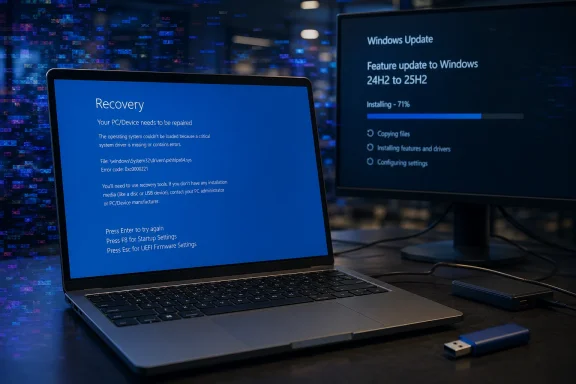
A realistic Windows 11 laptop on a desk showing a blue recovery screen with subtle pixelated distortion in the background, another monitor displaying a Windows Update progress screen labeled 24H2 to 25H2, dramatic but clean newsroom lighting, professional tech journalism style, no logos, no readable brand names.
Source: Notebookcheck Microsoft is pushing Windows 11 24H2 users to 25H2 while April update is breaking machines
Meta description: Microsoft is automatically moving unmanaged Windows 11 24H2 Home and Pro devices to Windows 11 25H2 before 24H2 support ends on October 13, 2026, while reports of KB5083769 boot loops on some HP and Dell systems complicate the rollout.
Tags: Windows 11, Windows 11 24H2, Windows 11 25H2, KB5083769, Windows Update, BSOD, boot loop, HP, Dell, BitLocker, Patch Tuesday, Microsoft, Windows Recovery Environment
Microsoft has started widening the automatic move from Windows 11 version 24H2 to Windows 11 version 25H2 for unmanaged Home and Pro devices, and on paper the decision makes sense. Windows 11 24H2 Home and Pro editions reach end of updates on October 13, 2026, which means affected PCs will stop receiving monthly security updates, preview updates, time zone updates, bug fixes, and technical support after that date. Microsoft does not want a large consumer install base sitting on an expiring release, so Windows Update is now pushing eligible, unmanaged 24H2 systems toward 25H2.
The awkward part is timing. The push is happening while Microsoft’s April 14, 2026 cumulative update, KB5083769, is still generating user reports of serious startup failures on some Windows 11 24H2 and 25H2 machines. The most severe reports describe systems that install the update, reboot, show corrupted or pixelated graphics, and then fall into a blue-screen or recovery loop that cannot be fixed without manual recovery work. Reports appear to cluster around some HP and Dell hardware, although Microsoft has not publicly listed this specific “pixelated screen plus boot loop” behavior as an active known issue on the Windows 11 24H2 release health page at the time of writing.
That distinction matters. Microsoft’s official KB5083769 notes do list known issues, including a BitLocker recovery-key prompt on devices with a particular, unrecommended Group Policy configuration, and a Remote Desktop warning display issue involving mismatched monitor scaling. But the more dramatic consumer-facing reports of boot loops and graphical corruption are not the same as the documented BitLocker scenario. In other words, there are two conversations happening at once: Microsoft’s documented update issues, and user-reported failures that may be narrower, hardware-specific, or still under investigation.
 Why Microsoft is moving 24H2 users to 25H2
Windows 11 24H2 is not obsolete yet, but its support deadline is now close enough that Microsoft is moving consumer devices before the cutoff becomes urgent. For Windows 11 Home and Pro users, the end-of-updates date is October 13, 2026. Once that date passes, PCs left on 24H2 will no longer receive Microsoft’s regular security protections for newly discovered vulnerabilities.Microsoft’s release health messaging says unmanaged Windows 11 24H2 Home and Pro devices will receive Windows 11 25H2 automatically. “Unmanaged” is the key word. This generally means PCs not controlled by an IT department through enterprise update policies, Windows Update for Business, Microsoft Intune, Configuration Manager, WSUS, or similar management tools. For typical home users, Windows Update remains in charge.
Users can still control the restart time and can postpone updates for a limited period, but they should not treat 25H2 as something they can permanently decline on a consumer Home or Pro machine. The servicing model is designed to keep devices on a supported release. When a version nears end of support, Microsoft becomes more aggressive about automatic feature updates, especially for systems that appear eligible and have no known safeguard block.
For most users, this is not a full operating system migration in the old sense. Windows 11 25H2 is delivered to Windows 11 24H2 devices as an enablement package. Microsoft describes this as a small, quick-to-install switch that activates components already staged on the device through earlier cumulative updates. Most 25H2 files are already present on Windows 11 24H2 machines that have recent monthly updates installed.
That is why some users may see the 25H2 update install surprisingly quickly. The heavy lifting has already happened in previous servicing releases. The 25H2 package largely flips the system from one supported release state to another, enabling dormant features and resetting the support lifecycle.
Why 25H2 is less dramatic than the version number suggests
The move from 24H2 to 25H2 sounds bigger than it is. Windows 11 24H2 and 25H2 share the same servicing foundation, which means they are much closer than, for example, a traditional full in-place upgrade from one major platform release to another. Microsoft has used this enablement-package model before when two Windows versions share a common servicing branch.That shared base is good news for reliability in normal circumstances. It means fewer moving parts during the version change, less time spent in the offline installation phase, and a lower chance of upgrade-specific failures compared with a complete OS replacement. Users moving from 24H2 to 25H2 should generally expect something closer to a cumulative update experience than a multi-hour feature upgrade.
It also explains why 25H2 does not feel like a dramatic “new Windows” release for many users. A lot of the visible changes associated with 25H2 were already introduced gradually through Windows 11’s continuous innovation updates. Depending on hardware and region, users may already have seen newer File Explorer behavior, changes to Settings, privacy prompt updates, taskbar refinements, AI-related controls, Copilot+ PC features, and other incremental changes before 25H2 ever appeared as a feature update.
For business and education environments, 25H2 also brings or formalizes several management-focused improvements, including policy-based removal of certain preinstalled Microsoft Store apps on supported editions, Windows Backup for Organizations, Quick Machine Recovery, Wi-Fi 7 enterprise access point support under the right hardware and driver conditions, and updates to taskbar pinning policy behavior. Some Copilot+ PC features remain hardware-dependent and require an NPU-capable device.
For ordinary Home and Pro users, though, the most important practical change may simply be support. Moving to 25H2 keeps the PC inside Microsoft’s servicing window beyond the 24H2 deadline.
The KB5083769 complication
The problem is that 25H2 is arriving while KB5083769 is still fresh in users’ minds.KB5083769 is the April 14, 2026 cumulative update for Windows 11 24H2 and 25H2. It advances 24H2 systems to OS build 26100.8246 and 25H2 systems to OS build 26200.8246. It includes security fixes, quality improvements, servicing stack changes, and fixes from previous updates. Microsoft’s documentation also notes changes related to Secure Boot certificate update status, SMB over QUIC reliability, Remote Desktop phishing protections for RDP files, and a fix for a Reset this PC issue involving earlier hotpatch behavior.
That is the normal side of the update. The abnormal side is the reported failure pattern: some users claim that after KB5083769 installs, the PC restarts into a corrupted-looking display, then crashes, then loops through failed startup recovery. Some reports say recovery options do not work cleanly. Others say uninstalling the latest quality update from Windows Recovery Environment restores bootability, at least temporarily.
Because the most severe reports appear to involve particular hardware combinations rather than every Windows 11 24H2 or 25H2 PC, the issue may be difficult for Microsoft’s normal safeguard systems to catch immediately. Safeguard holds work best when Microsoft can identify a repeatable compatibility condition, such as a known problematic driver, app, firmware version, or device class. If the failure depends on a narrower combination of GPU, firmware, OEM image, storage driver, BitLocker state, Secure Boot state, or recovery environment condition, detection becomes harder.
It is also important not to confuse every KB5083769 failure with the officially documented BitLocker issue. Microsoft says a limited number of devices may request a BitLocker recovery key after installing KB5083769 if all required conditions are true. Those conditions include BitLocker being enabled on the OS drive, a configured TPM platform validation profile that includes PCR7, msinfo32 reporting PCR7 Binding as “Not Possible,” the presence of the Windows UEFI CA 2023 certificate in the Secure Boot database, and the system not already running the 2023-signed Windows Boot Manager. Microsoft says that scenario is unlikely on personal devices not managed by IT departments.
The boot-loop reports described by users are more severe and less clearly documented. Until Microsoft confirms the root cause, it should be treated as a reported issue rather than a fully acknowledged known issue.
Why the automatic 25H2 push feels risky to affected users
For a clean, healthy Windows 11 24H2 machine, the 25H2 enablement package should be low risk. It is small, fast, and built on the same platform foundation. If Windows Update offers it and the system has no known compatibility block, most users will probably install it without drama.For users already hit by KB5083769, the picture is different. A system that cannot reliably boot after the April cumulative update is not a good candidate for any further feature transition, even one as small as an enablement package. The correct priority is to stabilize the machine first.
That means recovering from the failed update, confirming that Windows can boot consistently, checking whether BitLocker recovery keys are available, backing up important data, and pausing updates if the system still allows it. The version number matters less than bootability. A PC stuck in an automatic repair loop does not benefit from a support lifecycle reset until it can actually start.
This is where Microsoft’s Windows Update strategy can frustrate home users. On unmanaged Home and Pro devices, the user gets some scheduling control but not long-term refusal. You can pause updates. You can choose active hours. You can sometimes delay a restart. But once the pause expires, Windows Update will attempt to bring the device back into a supported state.
That model is reasonable from a security perspective. It is also deeply annoying when a current update is causing serious trouble on a subset of machines.
What affected users should do first
If your Windows 11 24H2 or 25H2 PC is working normally, do not panic. The available reports do not suggest that KB5083769 breaks every machine, or even most machines. Many systems have installed the April update without obvious problems.If your machine has not yet installed KB5083769 and you are concerned because you use an affected HP or Dell model, the safest immediate step is to create a backup before allowing the update to proceed. At minimum, copy essential files to external storage or cloud storage. If BitLocker is enabled, make sure you have your recovery key before rebooting into updates. You can usually find it through your Microsoft account if device encryption was automatically enabled, but business-managed devices may store keys in Entra ID or another organizational system.
If your PC still boots, you can pause updates temporarily from Settings. Go to Settings > Windows Update and use Pause updates. This does not remove the need to patch, but it can buy time while Microsoft, OEMs, or the community narrow down the issue.
If the machine is already in a boot loop, start with Windows Recovery Environment. On many systems, repeated failed boots will automatically trigger recovery. If not, you may need to interrupt boot several times, use OEM recovery keys, or boot from Windows installation media.
Once in recovery, try the least destructive options first:
- Startup Repair
This attempts to repair boot configuration and startup problems automatically. - System Restore
If restore points exist, rolling back to a point before KB5083769 may restore bootability. - Uninstall latest quality update
This is often the most relevant option when a cumulative update caused the failure. In WinRE, look for the option to uninstall the latest quality update rather than the latest feature update. - Command Prompt recovery
Advanced users may use DISM, bcdedit, manage-bde, or offline servicing commands, but this depends heavily on the failure state and whether the Windows installation is accessible. - Reset this PC
This should be treated as a last resort. Even “Keep my files” can remove apps and settings, and “Remove everything” is destructive. Do not use reset as the first option unless you have backups or no other recovery path works.
What IT departments should watch
Enterprise, education, and managed devices are in a different situation. Microsoft’s automatic consumer push does not mean every managed fleet is immediately being forced to 25H2 on the same schedule. IT departments can use Windows Update for Business policies, Intune, Configuration Manager, WSUS, safeguard monitoring, and deployment rings to control rollout timing.However, KB5083769 deserves careful attention in managed environments too. Even if the dramatic boot-loop reports are limited, the officially documented BitLocker condition is specifically policy-related. Microsoft recommends auditing BitLocker policy settings, especially explicit PCR7 inclusion in the TPM platform validation profile, and checking PCR7 binding status before installing the update on devices that might match the affected configuration.
Organizations should also confirm that help desk teams know where BitLocker recovery keys are escrowed and how to retrieve them. A one-time recovery-key prompt may be manageable for a single user. Across a fleet, it can become a support incident.
For 25H2 deployment, normal best practice still applies: pilot first, expand slowly, monitor failure rates, and keep rollback options available. Because 25H2 is an enablement package from 24H2, it should be less disruptive than a full OS upgrade, but “less disruptive” is not the same as “risk free.”
Should home users install 25H2 now?
For most home users already on Windows 11 24H2, yes, eventually. Staying on 24H2 past October 13, 2026 is not a good long-term plan. Unsupported Windows releases become increasingly risky because security vulnerabilities continue to be discovered after update support ends.But “eventually” does not mean “ignore warning signs.” If your PC has already shown update instability, graphics corruption during boot, repeated recovery screens, BitLocker prompts you did not expect, or failed update rollbacks, stabilize the system first. Make a backup. Verify recovery keys. Consider waiting a short period before allowing additional updates, especially if the machine is mission-critical.
If your PC is healthy, fully backed up, and Windows Update offers 25H2, the upgrade itself should be comparatively small. Users moving from 24H2 are not downloading an entirely new OS image in the way they might expect from the version number. They are mostly enabling what is already present.
Still, the broader lesson is that Microsoft’s servicing model depends on trust. Automatic updates protect users at scale, but when a monthly cumulative update is suspected of causing boot failures on even a small set of systems, automatic feature movement becomes a harder sell. Users do not care that 25H2 is technically a small enablement package if their last reboot ended in a recovery loop.
The uncomfortable takeaway
Microsoft is right to move Windows 11 24H2 Home and Pro users toward 25H2 before support ends. Letting millions of consumer PCs drift toward an unsupported Windows release would create a much larger security problem later in 2026. The 25H2 update path from 24H2 is also technically sensible because it uses an enablement package rather than a heavy full upgrade.But the rollout is happening against a messy Patch Tuesday backdrop. KB5083769 is not just another routine cumulative update in the eyes of users reporting boot loops, pixelated crash screens, and failed recovery attempts. Microsoft’s official known-issue list does not currently match the most alarming reports, which leaves affected users in an uncomfortable gray area: something is clearly wrong for them, but it is not yet framed as a broad, acknowledged Windows issue.
For unaffected users, 25H2 is mostly a support-lifecycle update with some already-staged features switched on. For affected users, the advice is simple: do not focus on 25H2 first. Focus on getting the system booting reliably, recovering data, confirming BitLocker access, and avoiding destructive reset options unless all safer recovery paths fail.
Windows 11 25H2 may be a small update. The trust problem around April’s cumulative update is not.
Image prompt:
A realistic Windows 11 laptop on a desk showing a blue recovery screen with subtle pixelated distortion in the background, another monitor displaying a Windows Update progress screen labeled 24H2 to 25H2, dramatic but clean newsroom lighting, professional tech journalism style, no logos, no readable brand names.
Source: Notebookcheck Microsoft is pushing Windows 11 24H2 users to 25H2 while April update is breaking machines
