

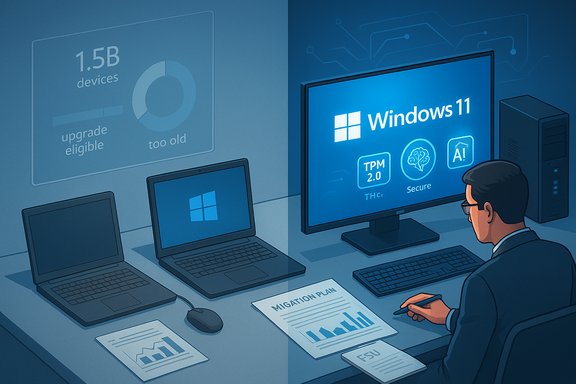
Dell’s blunt math on the PC installed base — roughly 1.5 billion machines, with “about 500 million” capable of running Windows 11 but still on Windows 10 and another “about 500 million” too old to meet Windows 11’s hardware gate — has pushed a quiet but important story into the open: the Windows 11 transition is trailing expectations, and that lag has real consequences for security, enterprise planning, OEM strategy, and the nascent market for AI-capable PCs.
Microsoft formally ended mainstream support for Windows 10 on October 14, 2025. That milestone removed routine security patches and feature updates for a decade-old OS, even as a large share of the worldwide PC base continued to run it. In the days after the end-of-support deadline, Dell’s Q3 earnings discussion (late November 2025) provided fresh color: the installed base is larger and more heterogeneous than commonly portrayed, and a surprising number of devices that could upgrade have not done so.
Dell’s numbers reframed the migration as two distinct pools: a large, addressable group of devices that meet Windows 11’s requirements but remain on Windows 10, and an equally large set that can’t meet the requirements without hardware changes. That segmentation drives very different customer decisions — and very different commercial incentives for OEMs, retailers, and service providers.
But those requirements also left a large swath of devices in a gray zone. In practice that has produced three overlapping groups in the installed base:
This divergence — between marketing language, OEM estimates, and independent market-statistics firms — makes it difficult to reconcile statements at face value. Analysts, IT managers, and journalists must therefore read both sets of numbers with an understanding of the underlying definitions and the incentives that produced them.
The industry response will be decisive. OEMs and channel partners will try to convert the addressable market into new device sales and AI PC upgrades. Enterprises will triangulate risk, cost, and timing to choose the least disruptive path. Consumers will vote with their wallets and their patience.
For anyone still on Windows 10: the most important action is to make an informed choice — verify eligibility, understand the ESU options for your region, and plan a migration path that balances security, cost, and continuity. The clock on free mainstream updates may have passed, but the calendar for realistic, secure migration has only begun.
Source: El.kz Around 500 million PCs are holding off upgrading to Windows 11 - el.kz
 Background
Microsoft formally ended mainstream support for Windows 10 on October 14, 2025. That milestone removed routine security patches and feature updates for a decade-old OS, even as a large share of the worldwide PC base continued to run it. In the days after the end-of-support deadline, Dell’s Q3 earnings discussion (late November 2025) provided fresh color: the installed base is larger and more heterogeneous than commonly portrayed, and a surprising number of devices that could upgrade have not done so.Dell’s numbers reframed the migration as two distinct pools: a large, addressable group of devices that meet Windows 11’s requirements but remain on Windows 10, and an equally large set that can’t meet the requirements without hardware changes. That segmentation drives very different customer decisions — and very different commercial incentives for OEMs, retailers, and service providers.
Why the headline matters: Windows 11 adoption vs. reality
Windows 11 launched with a higher security baseline than its predecessor. Its minimum system requirements — including TPM 2.0, Secure Boot, a 64-bit, multi-core processor on supported CPU lists, 4 GB RAM, and 64 GB storage — were intended to lift the baseline for hardware security and support new features that rely on hardware-backed protections.But those requirements also left a large swath of devices in a gray zone. In practice that has produced three overlapping groups in the installed base:
- Devices that can upgrade to Windows 11 and have already done so.
- Devices that meet Windows 11 requirements but remain on Windows 10 by choice or inertia.
- Devices that cannot meet Windows 11 requirements without hardware replacement.
The technical gatekeepers: what stops a PC from upgrading to Windows 11
Windows 11’s minimum system requirements are clear, and they are the proximate cause for the “can’t” cohort:- Processor: 64-bit, dual-core at 1 GHz or faster, but importantly the CPU must be from Microsoft’s supported family lists in practice. Some older but fast CPUs were and are excluded until Microsoft updated guidance for OEMs in narrow cases.
- TPM 2.0: Trusted Platform Module version 2.0 is required for the security features Windows 11 relies on. Many OEM motherboards and laptops include TPM but ship with it disabled by default.
- Secure Boot / UEFI: A UEFI firmware stack with Secure Boot capability is required.
- Memory and storage: Minimum 4 GB RAM and 64 GB storage (real-world performance expectations are higher).
- Graphics and firmware: DirectX 12/WDDM 2.x compatibility and firmware/driver support appropriate to the device.
Why consumers and enterprises are holding off (the “won’t” cohort)
For the roughly 500 million machines Dell says could run Windows 11 but haven’t, reasons fall into predictable behavioral and economic buckets:- Perceived value vs. friction: Upgrading an otherwise healthy Windows 10 PC can seem unnecessary if the user perceives little concrete benefit from Windows 11 beyond UI polish and a handful of features. For organizations, the upgrade cost includes testing, compatibility validation for line-of-business apps, and staff time.
- Compatibility and management: Enterprises often preserve established software and hardware compatibility matrices. Rolling out a new OS requires patching processes, driver validation, and sometimes vendor cooperation — all of which take planning and budget.
- Upgrade experience and UX preferences: Some users prefer the familiarity and perceived stability of Windows 10; for others, the upgrade process itself — especially at scale — is a complication they can avoid.
- Cost and timing: Even when free, an upgrade is not without cost: labor, potential troubleshooting, and the risk of disruption. Some organizations opt to wait for planned refresh cycles rather than execute mass OS-only upgrades.
The security calculus: what users and admins must weigh
The most consequential practical outcome of delayed upgrades is security posture.- Unsupported OS risk: Without mainstream security updates, Windows 10 devices become more exposed to newly discovered vulnerabilities. That exposure is particularly acute for endpoints connected to corporate networks or those used for sensitive tasks.
- ESU as a bridge: Microsoft introduced consumer and commercial Extended Security Updates (ESU) options to provide a time‑boxed safety net through October 2026 for enrolled devices. Enrollment mechanics and pricing vary by region and by whether a device is a personal or enterprise asset. The ESU path buys time but is deliberately limited: it provides critical and important security fixes only, not new features or general technical support.
- Windows 11 security claims: Microsoft has highlighted security advantages for Windows 11, citing reports of reduced security incidents on modern hardware running Windows 11 baseline protections. Those claims are based on commissioned studies and Microsoft‑sourced analyses; they point to material improvements from features such as hardware-backed keys (TPM), virtualization-based security, and default protections, but the magnitude of those benefits should be read in context — independent, third‑party studies are the best way to triangulate a precise impact estimate.
Enterprise migration strategies and realistic timelines
Large organizations typically approach OS migrations as projects, not one-click events. Reasonable enterprise pathways include:- Inventory and compatibility assessment: run automated tools to identify devices that meet Windows 11 hardware requirements and map applications that might break on the new OS.
- Pilot and validate: test Windows 11 on a representative sample of hardware and software stacks to surface driver and application issues.
- Phased deployment: roll out to non-critical user groups first, then to more mission-critical departments after validation.
- Refresh planning: synchronize migrations with normal hardware refresh cycles to avoid unnecessary capital expense.
- Consider ESU and virtualization: use ESU as a buffer and consider virtual desktops or cloud-hosted Windows 11 Cloud PCs for legacy hardware.
OEMs, the channel, and the AI PC opportunity
Dell’s earnings call reframed the migration hesitation as an opportunity. OEMs and channel partners see two levers:- Direct replacement demand: Devices that can’t be upgraded represent natural trade-in and replacement demand. That market underpins immediate unit sales for new Windows 11 or AI-capable machines.
- Upsell to AI PCs: OEMs are bundling Windows 11 migration with new hardware that incorporates neural processing units (NPUs) and other silicon accelerators marketed as “AI PCs.” Those devices promise on-device inference and acceleration for Copilot-style features and local AI workloads.
Alternatives: what users can do if they won’t or can’t upgrade
For users with older or non-compliant hardware, options include:- Enroll in the consumer ESU program where available to receive security updates through the transition window.
- Replace or upgrade hardware (new PC or selective component changes where feasible).
- Migrate workload to cloud-hosted Windows 11 Cloud PCs or virtual desktops.
- Move to a supported alternative OS (lightweight Linux distributions, or ChromeOS Flex for compatible devices) when application needs allow.
- Isolate legacy devices behind robust network segmentation and endpoint protections to reduce attack surface.
Measuring scale: confusion over “nearly a billion” and installed‑base accounting
Messaging has added confusion to the picture. Microsoft has used broad language to describe Windows 11 scale — phrases like “nearly a billion people rely on Windows 11” have appeared in public remarks. Those declarations communicate platform reach but are not equivalent to precise, auditable monthly active device counts in the style of other telemetry metrics. Similarly, Dell’s installed-base estimate of 1.5 billion devices and its breakdown are company-level estimates derived for investor clarity, not an exact market census.This divergence — between marketing language, OEM estimates, and independent market-statistics firms — makes it difficult to reconcile statements at face value. Analysts, IT managers, and journalists must therefore read both sets of numbers with an understanding of the underlying definitions and the incentives that produced them.
Critical analysis — the good, the bad, and the risky
- The good: Windows 11’s higher security baseline is a legitimate technical evolution. Hardware-backed protections and isolation primitives reduce the surface for many modern attack types. The operating system advances features that matter for enterprise security, manageability, and future AI integration.
- The bad: The tightened hardware requirements created a clear upgrade hurdle for many users, particularly owners of 4–6-year-old devices, and that has left a large installed base exposed or forced into interim solutions.
- The risky: Using commissioned studies for headline security claims is a standard vendor tactic, but readers should treat percentage improvements with measured skepticism until independent, peer-reviewed data is available. Likewise, reliance on short-term ESU as a migration path risks systemic exposure if organizations delay long-term modernization.
Practical steps for users and administrators
For individuals and IT professionals navigating the transition, a pragmatic checklist:- Verify device eligibility: run the official compatibility tool or check Settings > Privacy & security > Windows Update to see upgrade prompts.
- Check for firmware updates: some manufacturers enable TPM or provide CPU microcode updates that alter eligibility.
- If stuck on Windows 10:
- Enroll in consumer ESU if you need time and the device is eligible.
- Consider moving critical workloads to an isolated, supported environment.
- For enterprises:
- Inventory devices and applications.
- Prioritize upgrades by risk profile (executive laptops, endpoint-exposed machines, etc..
- Align migrations with refresh cycles and budget windows.
- Evaluate alternatives: cloud-hosted Windows desktops or migration to Linux/ChromeOS Flex for suitable workloads.
What this means for the PC lifecycle and the near-term market
Dell’s view — that half a billion upgrade-capable PCs are still on Windows 10 while another half billion are too old — implies a multi-year, staggered migration rather than a single surge. That reality will:- Keep replacement demand steady but not explosive; many buyers will defer to their normal refresh cadence.
- Elevate the importance of value-added services (managed migration, trade-in programs, and bundled security offerings).
- Strengthen the case for AI-capable hardware among high-value segments, but it won’t force mass replacement among cautious consumers and enterprises.
Closing assessment
The revelation that hundreds of millions of PCs remain on Windows 10 — despite being capable of running Windows 11 — reframes the migration as a substantial social and economic process, not merely a technical upgrade. Hardware requirements tightened security but created a long tail of devices that are either stubbornly on Windows 10 by choice or categorically ineligible. The short-run remedies (consumer ESU, firmware updates, trade-ins) are pragmatic and necessary, but they do not eliminate the core truth: platform transitions of this scale take time.The industry response will be decisive. OEMs and channel partners will try to convert the addressable market into new device sales and AI PC upgrades. Enterprises will triangulate risk, cost, and timing to choose the least disruptive path. Consumers will vote with their wallets and their patience.
For anyone still on Windows 10: the most important action is to make an informed choice — verify eligibility, understand the ESU options for your region, and plan a migration path that balances security, cost, and continuity. The clock on free mainstream updates may have passed, but the calendar for realistic, secure migration has only begun.
Source: El.kz Around 500 million PCs are holding off upgrading to Windows 11 - el.kz


