

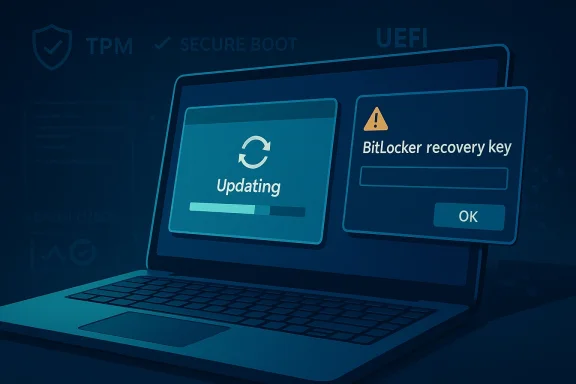
Windows 11’s April 2026 cumulative update has arrived with a familiar modern-Windows twist: it may look as though the installer is taking forever, but the extra restarts appear to be normal in many cases, not a sign that the patch has failed. At the same time, Microsoft is dealing with a BitLocker recovery regression that can strand affected PCs at a recovery prompt, and there are scattered reports of a much uglier boot failure that some users are calling a death loop. The good news is that the multi-reboot behavior itself is not inherently alarming; the bad news is that the update’s other failure modes are exactly the kind that make Windows power users nervous. Microsoft’s own documentation now shows that KB5083769 carries a known BitLocker issue on some configurations, and Microsoft Learn posts point to a separate boot-loop complaint that is still too rare to judge as widespread.
Windows servicing has been slowly evolving for years, and the old expectation that every monthly patch should be a quick one-restart affair is no longer a reliable rule. In Microsoft’s servicing model, multiple components may be staged, replaced, or re-bound across more than one boot cycle, especially when security-sensitive subsystems are involved. Microsoft’s own servicing-stack guidance explains that cumulative updates now bundle the latest servicing stack updates, and the platform can sequence the installation internally in ways that are not always obvious to the user.
That matters because users tend to interpret repeated restarts as a sign of corruption, when in reality the machine may simply be doing more work behind the scenes. If the update touches boot components, encryption bindings, or low-level validation layers, Windows may need to restart several times while it swaps files, updates metadata, and revalidates startup state. Microsoft’s BitLocker documentation explicitly notes that TPM and UEFI firmware updates may require multiple restarts, and that BitLocker suspension must sometimes be planned around those restarts rather than assumed to be a one-and-done process.
The current concern is not just that KB5083769 may reboot repeatedly. The larger issue is that this April 2026 update arrives alongside a known BitLocker recovery problem on systems with an unrecommended group policy configuration, and that combination makes the whole release feel more fragile than a routine Patch Tuesday. Microsoft says the issue can trigger a prompt for the BitLocker recovery key, and it recommends either removing the policy before installation or using a Known Issue Rollback for affected fleets.
There is also a more anecdotal layer to the story. Microsoft Q&A and related reports show that at least some users have experienced boot-loop behavior after the update, including a failure pattern described as a crash followed by a corrupted-looking screen and then a recovery loop. That is not yet enough evidence to conclude the update is broadly broken, but it is enough to make cautious admins slow down and inspect the deployment path more carefully than usual.
From a user-experience perspective, this is exactly the kind of release that can create unnecessary panic. A few extra restarts are irritating but survivable; a BitLocker lockout is disruptive; a genuine boot loop is catastrophic. Those three categories are very different, but they can blur together for anyone watching a machine churn through reboots without a clear progress indicator.
The surprising part, according to user reports and Windows Latest’s observations, is the number of reboots some systems are taking. One report described four additional restarts beyond the initial restart before the update finally completed, and similar behavior was reproduced on more than one PC. That does not automatically mean the update is broken, but it does mean the user experience is abnormal enough to trigger doubt.
In practical terms, that means the update engine may be doing several things in sequence: staging files, validating them during boot, resuming unfinished work, and then finalizing post-boot configuration. If a separate.NET Framework update, boot component update, or security policy adjustment is also in play, the reboot count can climb further. That is why a messy-looking installation sequence is not automatically a red flag.
This is not a theoretical concern. Microsoft’s own support guidance recommends auditing BitLocker group policies before deployment, checking PCR7 binding status, and either removing the policy or applying a Known Issue Rollback. The existence of a workaround suggests the defect is real enough to matter operationally, even if it affects a subset of systems rather than all Windows 11 PCs.
That sensitivity is a feature, not a flaw, but it becomes a problem when updates change the very parameters BitLocker is checking. A policy mismatch can make the system think it has detected tampering, even though the real cause is the update’s interaction with boot configuration. In a consumer setting this is annoying; in an enterprise setting it can interrupt a workday, lock remote users out, and create avoidable help-desk load.
Microsoft’s guidance on BitLocker recovery also notes that TPM and UEFI-related changes may require multiple restarts and that BitLocker should be suspended accordingly. That guidance is mostly written for firmware work, but the principle applies here: if an update changes the boot trust chain, the encryption layer must be given a clean way to adapt. Without that, the next boot can become a recovery event.
For home users, the biggest practical issue is whether the BitLocker recovery key is available in the Microsoft account or otherwise saved. If it is not, the machine can become temporarily inaccessible, and the average user is unlikely to know how to navigate TPM/PCR terminology. That is why BitLocker problems feel disproportionate: they are small in technical scope but huge in user disruption.
At this stage, the key word is scattered. There are not yet enough independent, repeated, high-volume reports to confidently label this a common defect across the Windows 11 installed base. That means the responsible reading is caution, not panic.
It also illustrates a broader truth about Windows quality updates: the user sees one event, but the system is juggling many internal states. Graphics initialization, boot validation, disk encryption, and recovery logic all intersect during startup. When one of those layers fails, the symptom set can look chaotic even if the root cause is confined to a narrow code path.
The sensible response is to separate anecdote from pattern. A handful of forum posts can reveal a real issue, but they can also overrepresent a niche hardware or configuration combination. Until the reports widen or Microsoft acknowledges a broader issue, this should be treated as a warning light, not a public alarm bell.
That shift is partly the price of stronger security integration. Windows 11 leans heavily on boot integrity, encryption, and protected startup pathways, which means an update can no longer be treated as merely a file replacement exercise. The trade-off is that the machine becomes safer in theory but more finicky in practice when something goes wrong.
This is where documentation and user expectations diverge. Microsoft has a technical model for why multiple restarts happen, but most end users only know that “Patch Tuesday usually means one reboot.” When the software violates that expectation, even correctly, confidence drops. That confidence gap is a product problem as much as a technical one.
That does not mean Microsoft should not tighten the update experience. It does mean that users and admins need to stop assuming reboot count is a reliable proxy for success or failure. In 2026 Windows, the reboot count is often just the visible surface of a much more complicated state machine.
The more important practical step is to be prepared for the possibility of a BitLocker prompt. If your device uses BitLocker, make sure you know where the recovery key lives before installing major updates. Microsoft’s BitLocker preboot guidance makes clear that the recovery screen can appear when boot measurements change, and the key is the difference between a temporary inconvenience and a lockout.
The fourth habit is more psychological than technical: wait a bit. Microsoft often resolves newly reported issues quickly, and the first 24 to 72 hours after release are the noisiest period for complaints. If you do not need to patch immediately, postponing the install can be the wisest move, especially when the update is already generating unusual reports. Patience is not laziness here; it is risk management.
That kind of guidance tells you where the blast radius lives. Managed devices are more likely to have strict firmware, secure boot, and BitLocker settings, which means they are also more likely to be affected by any boot-trust mismatch introduced by the update. In other words, the more mature your endpoint security posture, the more carefully you need to handle this patch.
The other important factor is communications. Users need to know that an update may restart several times, that they should not power off the machine mid-process unless instructed, and that a BitLocker prompt is not something to ignore. A small amount of pre-briefing can prevent a lot of panic calls. Clear messaging is part of patching now.
For now, the best interpretation is cautious but measured. The reboot storm is irritating, the BitLocker issue is real, and the boot-loop complaints deserve monitoring, but the evidence does not yet justify treating every Windows 11 April install as a disaster. In Windows land, that may count as good news.
Source: TweakTown Don't panic if Windows 11's April update reboots loads of times - it should install fine in the end by all accounts
 Background
Windows servicing has been slowly evolving for years, and the old expectation that every monthly patch should be a quick one-restart affair is no longer a reliable rule. In Microsoft’s servicing model, multiple components may be staged, replaced, or re-bound across more than one boot cycle, especially when security-sensitive subsystems are involved. Microsoft’s own servicing-stack guidance explains that cumulative updates now bundle the latest servicing stack updates, and the platform can sequence the installation internally in ways that are not always obvious to the user.That matters because users tend to interpret repeated restarts as a sign of corruption, when in reality the machine may simply be doing more work behind the scenes. If the update touches boot components, encryption bindings, or low-level validation layers, Windows may need to restart several times while it swaps files, updates metadata, and revalidates startup state. Microsoft’s BitLocker documentation explicitly notes that TPM and UEFI firmware updates may require multiple restarts, and that BitLocker suspension must sometimes be planned around those restarts rather than assumed to be a one-and-done process.
The current concern is not just that KB5083769 may reboot repeatedly. The larger issue is that this April 2026 update arrives alongside a known BitLocker recovery problem on systems with an unrecommended group policy configuration, and that combination makes the whole release feel more fragile than a routine Patch Tuesday. Microsoft says the issue can trigger a prompt for the BitLocker recovery key, and it recommends either removing the policy before installation or using a Known Issue Rollback for affected fleets.
There is also a more anecdotal layer to the story. Microsoft Q&A and related reports show that at least some users have experienced boot-loop behavior after the update, including a failure pattern described as a crash followed by a corrupted-looking screen and then a recovery loop. That is not yet enough evidence to conclude the update is broadly broken, but it is enough to make cautious admins slow down and inspect the deployment path more carefully than usual.
From a user-experience perspective, this is exactly the kind of release that can create unnecessary panic. A few extra restarts are irritating but survivable; a BitLocker lockout is disruptive; a genuine boot loop is catastrophic. Those three categories are very different, but they can blur together for anyone watching a machine churn through reboots without a clear progress indicator.
What KB5083769 Is Actually Doing
The first thing to understand is that a long install is not the same thing as a failed install. The Windows 11 April 2026 cumulative update, KB5083769, is a broad servicing package for Windows 11 versions 24H2 and 25H2, and Microsoft says it includes the latest security fixes and prior non-security improvements. That kind of package can involve more than one reboot when different components need to be replaced in different phases of the startup process.The surprising part, according to user reports and Windows Latest’s observations, is the number of reboots some systems are taking. One report described four additional restarts beyond the initial restart before the update finally completed, and similar behavior was reproduced on more than one PC. That does not automatically mean the update is broken, but it does mean the user experience is abnormal enough to trigger doubt.
Why multiple reboots can happen
Some updates touch the servicing stack, security policy state, and boot-time components in a way that requires staged activation. Microsoft’s documentation on servicing stack updates makes clear that the stack is part of how cumulative updates are processed, and that modern cumulative packages are not the old-fashioned one-file, one-reboot affair many users remember. The system may need to cleanly transition from one protected state to another before it can fully complete installation.In practical terms, that means the update engine may be doing several things in sequence: staging files, validating them during boot, resuming unfinished work, and then finalizing post-boot configuration. If a separate.NET Framework update, boot component update, or security policy adjustment is also in play, the reboot count can climb further. That is why a messy-looking installation sequence is not automatically a red flag.
- More than one restart can be normal when boot-critical components are changing.
- A reboot-heavy install is not the same as a stuck install.
- Security-sensitive updates often stage work across boot cycles.
- Separate package interactions can make the process look more alarming than it is.
The BitLocker Recovery Regressions
The most serious confirmed issue around KB5083769 is the BitLocker recovery problem documented by Microsoft. The company says devices with an unrecommended BitLocker group policy configuration may be required to enter the BitLocker recovery key after installing the update. That is a major problem because it can turn a routine reboot into a support incident, especially on managed fleets where users do not know where the recovery key is stored.This is not a theoretical concern. Microsoft’s own support guidance recommends auditing BitLocker group policies before deployment, checking PCR7 binding status, and either removing the policy or applying a Known Issue Rollback. The existence of a workaround suggests the defect is real enough to matter operationally, even if it affects a subset of systems rather than all Windows 11 PCs.
Why BitLocker is so sensitive
BitLocker does not just encrypt data; it also verifies that the startup environment matches the expected state. If the TPM measurements or boot manager state shift in a way BitLocker considers suspicious, it asks for the recovery key. Microsoft’s BitLocker documentation explains that PCR values and Secure Boot settings play a central role in that validation, and that firmware or boot-state changes can force recovery even when the machine itself is otherwise healthy.That sensitivity is a feature, not a flaw, but it becomes a problem when updates change the very parameters BitLocker is checking. A policy mismatch can make the system think it has detected tampering, even though the real cause is the update’s interaction with boot configuration. In a consumer setting this is annoying; in an enterprise setting it can interrupt a workday, lock remote users out, and create avoidable help-desk load.
Microsoft’s guidance on BitLocker recovery also notes that TPM and UEFI-related changes may require multiple restarts and that BitLocker should be suspended accordingly. That guidance is mostly written for firmware work, but the principle applies here: if an update changes the boot trust chain, the encryption layer must be given a clean way to adapt. Without that, the next boot can become a recovery event.
Enterprise vs. consumer impact
The enterprise impact is much worse because policy is usually centralized and BitLocker is often tied into corporate identity, recovery escrow, and device compliance workflows. Microsoft’s KB notes recommend auditing group policy and using KIR where necessary, which is a telltale sign that admins should treat this as a deployment-planning issue rather than a random one-off glitch. Consumer PCs are less likely to have the exact group policy configuration that triggers the bug, but that does not mean they are immune to recovery prompts in general.For home users, the biggest practical issue is whether the BitLocker recovery key is available in the Microsoft account or otherwise saved. If it is not, the machine can become temporarily inaccessible, and the average user is unlikely to know how to navigate TPM/PCR terminology. That is why BitLocker problems feel disproportionate: they are small in technical scope but huge in user disruption.
- Managed PCs are at greatest risk of repeatable policy-driven recovery prompts.
- Home users are most vulnerable if they do not have the recovery key ready.
- Support teams may need to validate PCR7 and group policy before broad rollout.
- Recovery screens are not proof of data loss, but they do signal a serious trust-chain mismatch.
The Reported “Death Loop”
Separate from the BitLocker issue, Microsoft Q&A now contains scattered reports of a boot failure pattern after KB5083769 that sounds like the kind of thing Windows users dread: a visually corrupted screen, a blue-screen recovery prompt, and then a loop back into failure. One complainant described the screen as a “mosaic of weird pixels” before the system entered recovery, which is exactly the sort of symptom that makes people fear either bad drivers or deeper firmware trouble.At this stage, the key word is scattered. There are not yet enough independent, repeated, high-volume reports to confidently label this a common defect across the Windows 11 installed base. That means the responsible reading is caution, not panic.
Why this matters even if it is rare
Rare failure modes can still be operationally painful if they strike high-value devices. A desktop in a lab, a workstation on a production floor, or a field laptop used for customer work may matter more than dozens of ordinary consumer machines that never encounter the bug. That is why even a small number of boot-loop reports can change deployment strategy for cautious IT teams.It also illustrates a broader truth about Windows quality updates: the user sees one event, but the system is juggling many internal states. Graphics initialization, boot validation, disk encryption, and recovery logic all intersect during startup. When one of those layers fails, the symptom set can look chaotic even if the root cause is confined to a narrow code path.
The sensible response is to separate anecdote from pattern. A handful of forum posts can reveal a real issue, but they can also overrepresent a niche hardware or configuration combination. Until the reports widen or Microsoft acknowledges a broader issue, this should be treated as a warning light, not a public alarm bell.
What a real boot loop would imply
If the boot-loop complaint spreads, it would suggest the update is destabilizing a critical startup dependency, such as driver initialization, boot validation, or recovery environment handoff. That would be much more serious than the multi-reboot behavior, because it would imply the system cannot complete the transition from pre-boot to fully running Windows. In that scenario, Microsoft would likely need an urgent mitigation rather than a routine servicing fix.- A single report is not a trend.
- A boot loop can indicate a deeper startup dependency failure.
- Visual corruption before recovery often points to a low-level problem.
- Rare failures still matter when they hit critical machines.
Why Windows Users Keep Seeing More Reboots
It is easy to forget that update behavior has changed over time. Older Windows servicing patterns often gave users the impression that each patch had a predictable rhythm, but modern Windows updates increasingly mix firmware-adjacent policy, security hardening, and component staging. Microsoft’s own Q&A answers acknowledge that some update sequences now require more than one reboot because the servicing model has changed.That shift is partly the price of stronger security integration. Windows 11 leans heavily on boot integrity, encryption, and protected startup pathways, which means an update can no longer be treated as merely a file replacement exercise. The trade-off is that the machine becomes safer in theory but more finicky in practice when something goes wrong.
The servicing-stack perspective
The servicing stack is the plumbing that lets Windows install Windows. Once Microsoft folded servicing-stack content into cumulative updates, the process became cleaner from a packaging standpoint but not necessarily simpler for the user to observe. That is why a monthly update can now look like a chain of restarts rather than a single obvious install event.This is where documentation and user expectations diverge. Microsoft has a technical model for why multiple restarts happen, but most end users only know that “Patch Tuesday usually means one reboot.” When the software violates that expectation, even correctly, confidence drops. That confidence gap is a product problem as much as a technical one.
The BitLocker overlap problem
Once BitLocker enters the picture, the reboot story becomes more delicate. BitLocker treats some boot changes as suspicious, so an update that legitimately alters startup state can still provoke a recovery prompt if the transition is not handled cleanly. Microsoft’s own recovery guidance shows that multiple restarts and protector suspension are sometimes required for firmware work, which is a strong hint that the security stack is sensitive to timing and sequencing.That does not mean Microsoft should not tighten the update experience. It does mean that users and admins need to stop assuming reboot count is a reliable proxy for success or failure. In 2026 Windows, the reboot count is often just the visible surface of a much more complicated state machine.
- More security hardening means more startup coordination.
- More startup coordination means more opportunity for confusing behavior.
- BitLocker can turn benign boot changes into recovery prompts.
- User expectations have not kept pace with the servicing model.
What This Means for Home Users
For ordinary Windows 11 users, the most important takeaway is simple: do not assume a flurry of reboots means the update is broken. If the machine eventually returns to the desktop and there is no recovery prompt, the update may merely have taken the long road to completion. That is inconvenient, but it is not the same as failure.The more important practical step is to be prepared for the possibility of a BitLocker prompt. If your device uses BitLocker, make sure you know where the recovery key lives before installing major updates. Microsoft’s BitLocker preboot guidance makes clear that the recovery screen can appear when boot measurements change, and the key is the difference between a temporary inconvenience and a lockout.
A cautious update routine
A few simple habits can reduce the stress of a bad patch day. First, back up important files before installing large monthly updates. Second, avoid interrupting repeated restarts unless the machine is clearly stuck for an extended period. Third, keep your Microsoft account recovery details current so the BitLocker key can be retrieved if needed.The fourth habit is more psychological than technical: wait a bit. Microsoft often resolves newly reported issues quickly, and the first 24 to 72 hours after release are the noisiest period for complaints. If you do not need to patch immediately, postponing the install can be the wisest move, especially when the update is already generating unusual reports. Patience is not laziness here; it is risk management.
- Confirm your BitLocker recovery key before major updates.
- Let the update finish unless it is clearly stuck.
- Back up documents, photos, and work files first.
- Delay non-urgent installs when early reports look noisy.
What This Means for IT Admins
For enterprise admins, KB5083769 is not just another Patch Tuesday payload. It is a deployment candidate that deserves policy review, staged rollout, and a recovery plan. Microsoft’s own documentation recommends checking BitLocker group policy, verifying PCR7 binding, and using a Known Issue Rollback when the configuration cannot be changed quickly.That kind of guidance tells you where the blast radius lives. Managed devices are more likely to have strict firmware, secure boot, and BitLocker settings, which means they are also more likely to be affected by any boot-trust mismatch introduced by the update. In other words, the more mature your endpoint security posture, the more carefully you need to handle this patch.
Deployment strategy
A sensible rollout would start with a narrow pilot ring, then move to broader deployment only after verifying that no unexpected recovery prompts or reboot anomalies are appearing. Admins should monitor help-desk tickets, startup failures, and BitLocker event logs closely during the first wave. If the organization relies on PCR7-related policy settings, the policy should be reviewed before deployment rather than after the fact.The other important factor is communications. Users need to know that an update may restart several times, that they should not power off the machine mid-process unless instructed, and that a BitLocker prompt is not something to ignore. A small amount of pre-briefing can prevent a lot of panic calls. Clear messaging is part of patching now.
Practical admin checklist
- Audit BitLocker policy settings and confirm whether PCR7 is explicitly configured.
- Validate that recovery keys are escrowed and accessible for the affected population.
- Pilot KB5083769 on a small ring before broad rollout.
- Track reboot counts and BitLocker prompts as explicit rollout metrics.
- Prepare rollback and support procedures in case recovery failures appear.
- Policy review should happen before deployment, not during an incident.
- Recovery-key escrow is only useful if it is actually reachable.
- Pilot rings are the best defense against broad disruption.
- Help-desk scripts should mention extra reboots as a possible normal outcome.
Strengths and Opportunities
The upside here is that Microsoft is at least documenting the issue promptly and offering workarounds for the confirmed BitLocker regression. The multi-reboot behavior, while unsettling, may simply reflect the complexity of the install path rather than a deep software failure. If Microsoft gets ahead of the narrative, it can turn a confidence problem into a manageable servicing quirk.- The update appears to complete successfully on many machines despite the extra restarts.
- Microsoft has already documented the BitLocker problem and published mitigation steps.
- The issue creates an opportunity to improve update transparency for users.
- Enterprises can use the event to tighten BitLocker policy hygiene.
- Better pre-update messaging could reduce avoidable support calls.
- Microsoft can still separate benign reboot storms from true defects in its communications.
- This could push more users toward smarter backup and recovery-key habits.
Risks and Concerns
The obvious risk is that users will conflate ordinary multi-reboot behavior with catastrophic failure and force power cycles or hard resets that make things worse. The BitLocker bug is more dangerous because it can lock devices out of the normal boot path, and any broader boot-loop issue would be even more disruptive. If more reports emerge, confidence in Windows 11 update reliability could take another hit at precisely the wrong time.- Users may interrupt a legitimate install because they think it is hung.
- BitLocker prompts can block access when the recovery key is not available.
- Enterprise policy mismatches can create repeated recovery events across fleets.
- A genuine boot loop would be a far more serious defect than extra restarts.
- Early anecdotal reports can amplify fear before the real scope is known.
- Confusing reboot behavior undermines trust in Patch Tuesday.
- Support teams may face a spike in incidents even if only a subset of devices are affected.
Looking Ahead
The next few days and weeks will determine whether KB5083769 is remembered as a noisy but mostly harmless update or as the start of another Windows quality-control headache. If Microsoft keeps the BitLocker issue visible and the boot-loop reports remain isolated, the practical advice will be simple: let the update finish, keep your recovery key handy, and do not overreact to extra restarts. If the reports widen, the company will need to respond quickly with more explicit remediation guidance.For now, the best interpretation is cautious but measured. The reboot storm is irritating, the BitLocker issue is real, and the boot-loop complaints deserve monitoring, but the evidence does not yet justify treating every Windows 11 April install as a disaster. In Windows land, that may count as good news.
- Watch Microsoft’s release-health guidance for any change in status.
- Monitor whether BitLocker recovery prompts expand beyond the current known configuration.
- Track whether the reboot-heavy behavior appears on a wider range of hardware.
- Keep recovery media and recovery keys available before applying the update.
- Hold back broad enterprise rollout until pilot results are clean.
- Pay attention to whether Microsoft publishes a more direct explanation for the multiple-reboot sequence.
Source: TweakTown Don't panic if Windows 11's April update reboots loads of times - it should install fine in the end by all accounts
