

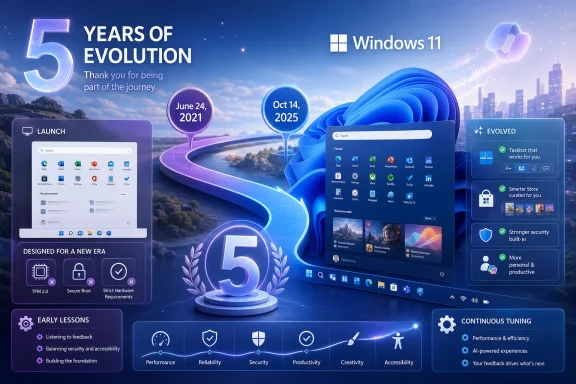
Windows 11 turns five today because Microsoft announced it on June 24, 2021, in a streamed launch from Redmond, before shipping the operating system to eligible PCs on October 5 with a redesigned interface, stricter hardware rules, and promises of a more personal PC. Half a decade later, the anniversary feels less like a victory lap than a performance review. Windows 11 survived, matured, and became the default future after Windows 10’s support cutoff, but it did so by slowly walking back some of the very choices that defined its launch.
The original pitch for Windows 11 was emotional in a way Microsoft operating system launches rarely are. The company said the PC had become central again and that Windows 11 would “bring you closer to what you love,” a phrase that tried to make rounded corners, centered icons, widgets, Teams Chat, and Android apps feel like a coherent philosophy.
That framing made sense in June 2021. The pandemic had turned the PC from a mature utility into a household lifeline, and Microsoft had a rare chance to make Windows feel newly relevant. Windows 10 had been declared the “last version of Windows” so often by users, analysts, and even Microsoft-adjacent messaging that the arrival of a numbered successor carried its own jolt.
But Windows 11’s first problem was that its calm visual polish arrived with administrative friction. The surface looked cleaner, but the upgrade path was narrower. The Start menu was simpler, but less flexible. The taskbar was prettier, but less capable. The context menu was modernized, but split into two worlds.
That tension has defined Windows 11 ever since. Microsoft wanted to make Windows feel curated, modern, and safer; longtime Windows users wanted the operating system to stop taking away handles they had built muscle memory around for decades. The argument was not really about rounded corners. It was about who gets to decide what a PC is allowed to be.
That leak mattered because it turned the launch into a forensic exercise. Instead of meeting Windows 11 as a polished story, enthusiasts encountered it as an artifact: this Start menu came from the abandoned Windows 10X lineage, this taskbar was rebuilt, these features were missing, this design language was halfway between ambition and compromise.
The result was a strange split-screen debut. Microsoft’s presentation emphasized beauty, simplicity, productivity, and connection. The Windows community immediately began compiling lists of regressions: no taskbar labels, no easy taskbar relocation, weaker right-click affordances, fewer Start menu customization options, and a system tray that felt more constrained than refined.
That is the danger of launching Windows to Windows people. They do not merely ask whether the new thing looks better in screenshots. They ask whether it lets them keep working the way they already work, whether it can be deployed without special pleading, and whether the new abstraction is hiding a missing feature.
By requiring TPM 2.0, Secure Boot capability, supported CPUs, and other modern platform features, Microsoft turned Windows 11 into a security policy as much as an operating system. The company had defensible reasons: firmware attacks, credential theft, virtualization-based security, and a decade of painful lessons about the cost of supporting every old PC indefinitely.
Still, the timing was brutal for users with perfectly functional machines. In 2021, many PCs that felt fast enough for office work, development, browsing, media, and gaming suddenly became “unsupported” on paper. The TPM scramble became a symbol of the launch: people digging through UEFI settings, hunting motherboard manuals, and buying add-on TPM modules for systems that had never previously needed them.
For enterprise IT, the requirement was easier to justify but harder to operationalize. Security teams could see the logic. Asset managers saw refresh budgets. Help desks saw confusion. Procurement saw a long tail of machines that could run Windows 10 well but could not make the jump without exception processes or replacement cycles.
The bet looks different in 2026 than it did in 2021. Windows 10 support ended on October 14, 2025, making Windows 11 no longer merely the future but the supported mainstream path. Yet that does not erase the first impression. Windows 11’s fifth birthday is also the anniversary of Microsoft telling a large population of Windows users that software support and hardware adequacy were no longer the same thing.
The problem was not simply that Live Tiles disappeared. Many users had already stopped caring about them. The deeper issue was that the new Start menu felt like Microsoft had confused simpler with less useful.
Pinned apps, recommended files, and a search-first posture made sense for casual use. But the design offered little comfort to people who organize large app collections, prefer dense layouts, or want the Start menu to act as a command surface rather than a showroom. The recommended section, in particular, felt like a permanent land grab in a place where users wanted control.
Only years later did Microsoft begin meaningfully loosening that stance with redesigned Start menu work that adds better app views and more flexibility. That slow course correction is encouraging, but it also underlines the original mistake. Windows 11 asked power users to accept reduced agency on faith, then spent years rediscovering why Windows users dislike being managed inside their own shell.
Then users tried to live in it.
The inability to move the taskbar to the top or sides, the loss of labels and ungrouping at launch, and other missing behaviors turned the taskbar into a daily irritant for the exact audience most likely to notice. Windows power users are not sentimental about every old feature, but the taskbar is not decoration. It is workflow infrastructure.
Microsoft has since restored or improved parts of that experience. The return of features like taskbar ungrouping and labels helped, and newer builds have continued filling gaps. But the damage to trust was real because the early taskbar told users that Microsoft valued design purity over established workflows.
This is why the “Windows 12” chatter never fully goes away. When Microsoft spends years restoring Windows 10-era capabilities to Windows 11, it can look less like an evolving product and more like a prolonged public beta for the operating system many users thought they were getting in 2021.
At the time, Microsoft’s logic was obvious. Remote work and remote social life had pushed video calling and messaging into the center of computing. Microsoft had Teams, wanted a consumer foothold, and saw the Windows taskbar as the most valuable real estate on the PC. So Windows 11 shipped with Chat from Microsoft Teams pinned prominently.
But the integration never answered the basic user question: why this, here, now? Work and school users already lived in the business version of Teams, with its own account model and administrative realities. Consumers often preferred WhatsApp, iMessage, Discord, Telegram, Zoom, or whatever their families and communities already used. The Windows taskbar could not manufacture a social graph.
For administrators, Teams Chat was another default to manage, hide, explain, or remove. For enthusiasts, it looked like bundling. For casual users, it was often just an icon that did not connect to the communications world they actually inhabited.
Microsoft eventually replaced the integrated Chat flyout with a more conventional Teams app presence. That was the right retreat. It also showed the limits of operating-system-level promotion in an era when user habits are already deeply set across phones, browsers, and cross-platform services.
The concept was compelling. The execution never had enough gravity.
The Amazon Appstore catalog was narrower than the Google Play ecosystem users associated with Android. The feature arrived after launch, rolled out gradually, and often felt more like a technical showcase than a mainstream Windows pillar. Developers had little reason to treat it as a major distribution channel, and users had little reason to check it regularly.
Microsoft’s decision to end support for Windows Subsystem for Android in March 2025 closed the loop. A launch-stage promise became a discontinued subsystem before Windows 11 reached its fifth birthday. That does not mean the engineering was worthless; it was an impressive compatibility layer. But as a product bet, it never became essential.
The lesson is familiar: Windows can host almost anything, but hosting is not the same as ecosystem creation. Without the right store, apps, developer incentives, and user demand, compatibility becomes a curiosity. Windows 11 did not need Android apps as badly as Microsoft’s launch deck implied.
The old Microsoft Store problem was not merely that it lacked apps. It was that it represented a version of Windows Microsoft wanted more than the version developers inhabited. Windows software distribution had always been sprawling, messy, and independent. Trying to force that world into a narrow modern-app container was never going to work.
Windows 11’s Store became more useful by becoming less doctrinaire. Traditional Win32 apps, alternate commerce models, and better visibility made it feel less like a failed mobile-store transplant and more like a practical directory for Windows software. It still has rough edges, but its trajectory is one of Windows 11’s quieter wins.
That matters because the Store shows what happens when Microsoft modernizes Windows by accommodating its history rather than pretending it can overwrite it. The best version of Windows 11 is not the one that hides the old Windows. It is the one that makes old and new Windows coexist with less friction.
This is where the enthusiast and enterprise readings diverge. Enthusiasts often judged Windows 11 by whether it made their existing PC better. Enterprises judged it by whether it could reduce risk across fleets over time. Those are both valid perspectives, and Microsoft did not always do enough to reconcile them.
The company’s problem was communication as much as policy. A user with a reliable seventh-generation Intel desktop did not experience TPM enforcement as an elegant security uplift. They experienced it as a purchasing mandate wrapped in abstraction. Microsoft’s security argument was strongest in the aggregate and weakest at the kitchen table.
Now, with Windows 10 out of mainstream support, that argument has hardened. The unsupported-PC debate is no longer theoretical for people still on Windows 10 without extended updates. Microsoft forced a platform transition, and the security case is real. The unresolved question is whether the transition had to feel as dismissive as it did.
October 14, 2025 changed the psychology. Windows 10’s end of support did not make every Windows 10 PC instantly useless, but it did remove the ordinary security safety net for users outside extended programs. For businesses, the date converted preference into risk. For consumers, it turned upgrade prompts into a practical warning.
That shift benefits Windows 11, but it also raises the standard. If Windows 11 is now the default supported home for mainstream Windows users, it can no longer lean on novelty or future potential. It has to be judged as the daily operating system for hundreds of millions of people with different hardware, habits, and tolerance for change.
In that role, Windows 11 is better than it was. It is more stable, more complete, and less stubborn about some early design mistakes. But it is also more crowded with Microsoft’s current ambitions: Copilot, cloud account nudges, subscription surfaces, widgets, recommendations, and search experiences that often blur the line between local utility and service promotion.
Microsoft clearly sees AI as the next interface layer for Windows. Copilot integration, Copilot+ PCs, semantic search, Recall-style timelines, and agentic workflows all point toward a future where Windows is not merely a launcher for apps but a broker for user intent. That may become genuinely useful. It may also become the next thing users race to disable.
The risk is not that Microsoft is adding AI to Windows. The risk is that Microsoft repeats the Windows 11 launch pattern: ship a strategically important interface change before users feel control, clarity, and trust. AI features touch files, memory, screenshots, search, identity, and privacy. That is a much more sensitive surface than a centered taskbar.
For IT pros, the question is governance. Can these features be managed, audited, disabled, staged, and explained? For consumers, the question is confidence. Does the PC feel more capable, or does it feel like the operating system is watching for opportunities to route ordinary actions through Microsoft’s cloud strategy?
Windows 11’s next five years may be decided less by whether Copilot can summarize a document and more by whether Microsoft can prove that intelligence in the OS does not mean loss of ownership over the OS.
Windows 11 arrived into that pressure. Its cleaner interface and stricter requirements can be read partly as Microsoft trying to make the PC feel more coherent and premium. But Windows is not macOS, and the PC ecosystem is not Apple’s vertically integrated machine.
That is both Windows’ burden and advantage. Microsoft has to support far more hardware diversity, more management models, more legacy software, more peripherals, and more user customization expectations. Apple can simplify by controlling the stack. Microsoft simplifies at the risk of breaking the social contract that made Windows dominant.
The best Windows 11 improvements have recognized that distinction. Snap layouts, better window management, improved Store policies, stronger security baselines, and more enterprise deployment tooling play to Windows’ strengths. The worst moments have come when Microsoft behaved as if Windows could become elegant simply by removing choices.
That negotiation has produced real gains. The interface is more consistent than Windows 10’s late-era patchwork. Window snapping is better. The Store is more credible. Security defaults are stronger. The out-of-box experience, while still pushy in places, belongs to a more modern platform.
But the concessions matter just as much as the improvements. Microsoft removed or diminished Teams Chat. It discontinued Android app support. It restored missing taskbar behavior. It began reworking the Start menu. It has continued chipping away at the awkward split between modern and legacy surfaces.
In other words, Windows 11’s maturation has often meant admitting that its critics had a point. That is not failure. It is product development. But it should make Microsoft cautious about declaring the next grand interface turn inevitable before users have had a real say.
 Microsoft Sold Calm, Then Delivered Friction
The original pitch for Windows 11 was emotional in a way Microsoft operating system launches rarely are. The company said the PC had become central again and that Windows 11 would “bring you closer to what you love,” a phrase that tried to make rounded corners, centered icons, widgets, Teams Chat, and Android apps feel like a coherent philosophy.That framing made sense in June 2021. The pandemic had turned the PC from a mature utility into a household lifeline, and Microsoft had a rare chance to make Windows feel newly relevant. Windows 10 had been declared the “last version of Windows” so often by users, analysts, and even Microsoft-adjacent messaging that the arrival of a numbered successor carried its own jolt.
But Windows 11’s first problem was that its calm visual polish arrived with administrative friction. The surface looked cleaner, but the upgrade path was narrower. The Start menu was simpler, but less flexible. The taskbar was prettier, but less capable. The context menu was modernized, but split into two worlds.
That tension has defined Windows 11 ever since. Microsoft wanted to make Windows feel curated, modern, and safer; longtime Windows users wanted the operating system to stop taking away handles they had built muscle memory around for decades. The argument was not really about rounded corners. It was about who gets to decide what a PC is allowed to be.
The Leak Set the Tone Before Microsoft Could
Windows 11 did not get the clean reveal Microsoft wanted. Rumors of a successor to Windows 10 were already moving through the enthusiast press before the announcement, and then a preview build leaked, letting users poke through the new shell before Redmond had finished the stagecraft.That leak mattered because it turned the launch into a forensic exercise. Instead of meeting Windows 11 as a polished story, enthusiasts encountered it as an artifact: this Start menu came from the abandoned Windows 10X lineage, this taskbar was rebuilt, these features were missing, this design language was halfway between ambition and compromise.
The result was a strange split-screen debut. Microsoft’s presentation emphasized beauty, simplicity, productivity, and connection. The Windows community immediately began compiling lists of regressions: no taskbar labels, no easy taskbar relocation, weaker right-click affordances, fewer Start menu customization options, and a system tray that felt more constrained than refined.
That is the danger of launching Windows to Windows people. They do not merely ask whether the new thing looks better in screenshots. They ask whether it lets them keep working the way they already work, whether it can be deployed without special pleading, and whether the new abstraction is hiding a missing feature.
The Hardware Line Became the Anniversary’s Longest Shadow
The most consequential Windows 11 decision was not the centered Start button. It was the hardware floor.By requiring TPM 2.0, Secure Boot capability, supported CPUs, and other modern platform features, Microsoft turned Windows 11 into a security policy as much as an operating system. The company had defensible reasons: firmware attacks, credential theft, virtualization-based security, and a decade of painful lessons about the cost of supporting every old PC indefinitely.
Still, the timing was brutal for users with perfectly functional machines. In 2021, many PCs that felt fast enough for office work, development, browsing, media, and gaming suddenly became “unsupported” on paper. The TPM scramble became a symbol of the launch: people digging through UEFI settings, hunting motherboard manuals, and buying add-on TPM modules for systems that had never previously needed them.
For enterprise IT, the requirement was easier to justify but harder to operationalize. Security teams could see the logic. Asset managers saw refresh budgets. Help desks saw confusion. Procurement saw a long tail of machines that could run Windows 10 well but could not make the jump without exception processes or replacement cycles.
The bet looks different in 2026 than it did in 2021. Windows 10 support ended on October 14, 2025, making Windows 11 no longer merely the future but the supported mainstream path. Yet that does not erase the first impression. Windows 11’s fifth birthday is also the anniversary of Microsoft telling a large population of Windows users that software support and hardware adequacy were no longer the same thing.
The Start Menu Became a Symbol of Forced Minimalism
The Windows 11 Start menu was supposed to be the emotional center of the new design. It was cleaner than Windows 10’s tile grid, visually calmer, and more consistent with the rest of the shell. It also arrived as one of the most controversial Start menus Microsoft has ever shipped, which is saying something for a company that lived through Windows 8.The problem was not simply that Live Tiles disappeared. Many users had already stopped caring about them. The deeper issue was that the new Start menu felt like Microsoft had confused simpler with less useful.
Pinned apps, recommended files, and a search-first posture made sense for casual use. But the design offered little comfort to people who organize large app collections, prefer dense layouts, or want the Start menu to act as a command surface rather than a showroom. The recommended section, in particular, felt like a permanent land grab in a place where users wanted control.
Only years later did Microsoft begin meaningfully loosening that stance with redesigned Start menu work that adds better app views and more flexibility. That slow course correction is encouraging, but it also underlines the original mistake. Windows 11 asked power users to accept reduced agency on faith, then spent years rediscovering why Windows users dislike being managed inside their own shell.
The Taskbar Was Rebuilt, and Users Noticed the Missing Bolts
The Windows 11 taskbar may be the clearest example of a redesign that looked modern because it had been rebuilt with fewer exposed seams. Centered icons gave Windows a fresh silhouette. Animations felt smoother. The system looked less cluttered on first boot.Then users tried to live in it.
The inability to move the taskbar to the top or sides, the loss of labels and ungrouping at launch, and other missing behaviors turned the taskbar into a daily irritant for the exact audience most likely to notice. Windows power users are not sentimental about every old feature, but the taskbar is not decoration. It is workflow infrastructure.
Microsoft has since restored or improved parts of that experience. The return of features like taskbar ungrouping and labels helped, and newer builds have continued filling gaps. But the damage to trust was real because the early taskbar told users that Microsoft valued design purity over established workflows.
This is why the “Windows 12” chatter never fully goes away. When Microsoft spends years restoring Windows 10-era capabilities to Windows 11, it can look less like an evolving product and more like a prolonged public beta for the operating system many users thought they were getting in 2021.
Teams Chat Was the Wrong Integration at the Wrong Time
Few Windows 11 launch features aged as quickly as Teams Chat.At the time, Microsoft’s logic was obvious. Remote work and remote social life had pushed video calling and messaging into the center of computing. Microsoft had Teams, wanted a consumer foothold, and saw the Windows taskbar as the most valuable real estate on the PC. So Windows 11 shipped with Chat from Microsoft Teams pinned prominently.
But the integration never answered the basic user question: why this, here, now? Work and school users already lived in the business version of Teams, with its own account model and administrative realities. Consumers often preferred WhatsApp, iMessage, Discord, Telegram, Zoom, or whatever their families and communities already used. The Windows taskbar could not manufacture a social graph.
For administrators, Teams Chat was another default to manage, hide, explain, or remove. For enthusiasts, it looked like bundling. For casual users, it was often just an icon that did not connect to the communications world they actually inhabited.
Microsoft eventually replaced the integrated Chat flyout with a more conventional Teams app presence. That was the right retreat. It also showed the limits of operating-system-level promotion in an era when user habits are already deeply set across phones, browsers, and cross-platform services.
Android Apps Were a Big Promise With a Small Center of Gravity
Android app support sounded like one of Windows 11’s boldest ideas. The Windows Subsystem for Android, paired with Amazon’s Appstore, promised to bring mobile apps into the PC environment without requiring developers to rewrite everything for Windows.The concept was compelling. The execution never had enough gravity.
The Amazon Appstore catalog was narrower than the Google Play ecosystem users associated with Android. The feature arrived after launch, rolled out gradually, and often felt more like a technical showcase than a mainstream Windows pillar. Developers had little reason to treat it as a major distribution channel, and users had little reason to check it regularly.
Microsoft’s decision to end support for Windows Subsystem for Android in March 2025 closed the loop. A launch-stage promise became a discontinued subsystem before Windows 11 reached its fifth birthday. That does not mean the engineering was worthless; it was an impressive compatibility layer. But as a product bet, it never became essential.
The lesson is familiar: Windows can host almost anything, but hosting is not the same as ecosystem creation. Without the right store, apps, developer incentives, and user demand, compatibility becomes a curiosity. Windows 11 did not need Android apps as badly as Microsoft’s launch deck implied.
The Store Improved Because Microsoft Finally Stopped Fighting Developers
The Microsoft Store is one of the more underappreciated Windows 11 success stories. At launch, Microsoft promised a redesigned Store with looser rules, broader app support, and better economics for developers. Compared with the Windows 8 and early Windows 10 eras, this was a meaningful philosophical shift.The old Microsoft Store problem was not merely that it lacked apps. It was that it represented a version of Windows Microsoft wanted more than the version developers inhabited. Windows software distribution had always been sprawling, messy, and independent. Trying to force that world into a narrow modern-app container was never going to work.
Windows 11’s Store became more useful by becoming less doctrinaire. Traditional Win32 apps, alternate commerce models, and better visibility made it feel less like a failed mobile-store transplant and more like a practical directory for Windows software. It still has rough edges, but its trajectory is one of Windows 11’s quieter wins.
That matters because the Store shows what happens when Microsoft modernizes Windows by accommodating its history rather than pretending it can overwrite it. The best version of Windows 11 is not the one that hides the old Windows. It is the one that makes old and new Windows coexist with less friction.
Security Was the Serious Argument Under the Cosmetic One
Windows 11’s security posture has always been its strongest strategic defense. Microsoft’s hardware requirements were unpopular, but they aligned with a broader move toward secured-core PCs, virtualization-based security, stronger identity protection, and a baseline assumption that firmware and credential attacks are no longer exotic.This is where the enthusiast and enterprise readings diverge. Enthusiasts often judged Windows 11 by whether it made their existing PC better. Enterprises judged it by whether it could reduce risk across fleets over time. Those are both valid perspectives, and Microsoft did not always do enough to reconcile them.
The company’s problem was communication as much as policy. A user with a reliable seventh-generation Intel desktop did not experience TPM enforcement as an elegant security uplift. They experienced it as a purchasing mandate wrapped in abstraction. Microsoft’s security argument was strongest in the aggregate and weakest at the kitchen table.
Now, with Windows 10 out of mainstream support, that argument has hardened. The unsupported-PC debate is no longer theoretical for people still on Windows 10 without extended updates. Microsoft forced a platform transition, and the security case is real. The unresolved question is whether the transition had to feel as dismissive as it did.
Windows 10’s Exit Turned Windows 11 From Choice Into Gravity
For much of its life, Windows 11 existed in Windows 10’s shadow. Users could decline the upgrade, dismiss the nagging, and keep an operating system that remained familiar, supported, and broadly compatible. That made Windows 11 optional in the way many Microsoft upgrades are optional until the calendar says otherwise.October 14, 2025 changed the psychology. Windows 10’s end of support did not make every Windows 10 PC instantly useless, but it did remove the ordinary security safety net for users outside extended programs. For businesses, the date converted preference into risk. For consumers, it turned upgrade prompts into a practical warning.
That shift benefits Windows 11, but it also raises the standard. If Windows 11 is now the default supported home for mainstream Windows users, it can no longer lean on novelty or future potential. It has to be judged as the daily operating system for hundreds of millions of people with different hardware, habits, and tolerance for change.
In that role, Windows 11 is better than it was. It is more stable, more complete, and less stubborn about some early design mistakes. But it is also more crowded with Microsoft’s current ambitions: Copilot, cloud account nudges, subscription surfaces, widgets, recommendations, and search experiences that often blur the line between local utility and service promotion.
Copilot Replaced Teams as the New Test of Restraint
If Teams Chat was Windows 11’s first overreach, Copilot is its current test.Microsoft clearly sees AI as the next interface layer for Windows. Copilot integration, Copilot+ PCs, semantic search, Recall-style timelines, and agentic workflows all point toward a future where Windows is not merely a launcher for apps but a broker for user intent. That may become genuinely useful. It may also become the next thing users race to disable.
The risk is not that Microsoft is adding AI to Windows. The risk is that Microsoft repeats the Windows 11 launch pattern: ship a strategically important interface change before users feel control, clarity, and trust. AI features touch files, memory, screenshots, search, identity, and privacy. That is a much more sensitive surface than a centered taskbar.
For IT pros, the question is governance. Can these features be managed, audited, disabled, staged, and explained? For consumers, the question is confidence. Does the PC feel more capable, or does it feel like the operating system is watching for opportunities to route ordinary actions through Microsoft’s cloud strategy?
Windows 11’s next five years may be decided less by whether Copilot can summarize a document and more by whether Microsoft can prove that intelligence in the OS does not mean loss of ownership over the OS.
The Mac Pressure Was Real, but Windows Still Plays a Different Game
The user-provided anniversary framing rightly mentions competition from the Mac camp. Apple Silicon changed the comparative conversation around laptops: performance per watt, instant wake, battery life, thermals, and hardware-software integration all became harder for the Windows ecosystem to hand-wave away.Windows 11 arrived into that pressure. Its cleaner interface and stricter requirements can be read partly as Microsoft trying to make the PC feel more coherent and premium. But Windows is not macOS, and the PC ecosystem is not Apple’s vertically integrated machine.
That is both Windows’ burden and advantage. Microsoft has to support far more hardware diversity, more management models, more legacy software, more peripherals, and more user customization expectations. Apple can simplify by controlling the stack. Microsoft simplifies at the risk of breaking the social contract that made Windows dominant.
The best Windows 11 improvements have recognized that distinction. Snap layouts, better window management, improved Store policies, stronger security baselines, and more enterprise deployment tooling play to Windows’ strengths. The worst moments have come when Microsoft behaved as if Windows could become elegant simply by removing choices.
The Anniversary Finds a Product Learning in Public
Five years on, Windows 11 is not the disaster some critics predicted, nor is it the clean break Microsoft tried to sell. It is a living operating system that has spent much of its life negotiating with its own users.That negotiation has produced real gains. The interface is more consistent than Windows 10’s late-era patchwork. Window snapping is better. The Store is more credible. Security defaults are stronger. The out-of-box experience, while still pushy in places, belongs to a more modern platform.
But the concessions matter just as much as the improvements. Microsoft removed or diminished Teams Chat. It discontinued Android app support. It restored missing taskbar behavior. It began reworking the Start menu. It has continued chipping away at the awkward split between modern and legacy surfaces.
In other words, Windows 11’s maturation has often meant admitting that its critics had a point. That is not failure. It is product development. But it should make Microsoft cautious about declaring the next grand interface turn inevitable before users have had a real say.
Five Candles, Two Retirements, and One Operating System Still Under Renovation
Windows 11’s fifth birthday is less a celebration of a finished product than a snapshot of a platform that has outlived its launch gimmicks. The useful lesson is not that Microsoft should stop changing Windows. It is that Windows changes best when it respects the people who use it hardest.- Windows 11 was announced on June 24, 2021, but its real mainstream pressure arrived after Windows 10 support ended on October 14, 2025.
- Microsoft’s strict hardware requirements made a serious security argument, but they also turned capable older PCs into casualties of the transition.
- The Start menu and taskbar backlash showed that visual simplification cannot come at the expense of daily workflow control.
- Teams Chat and Android app support proved that prominent placement inside Windows cannot create demand by itself.
- The Microsoft Store, Snap improvements, and restored taskbar features show that Windows 11 gets better when Microsoft modernizes without erasing Windows’ existing habits.
- Copilot and AI integration will define the next phase only if Microsoft treats user trust as a product requirement, not a deployment obstacle.
References
- Primary source: Neowin
Published: 2026-06-24T14:20:39.801586
Windows 11 is now five years old | Neowin
June 24, 2026, marks five years since the launch of Windows 11, Microsoft's latest and quite controversial desktop operating system. www.neowin.net
- Official source: learn.microsoft.com
Managing the Teams Chat icon on Windows 11 - Windows Client | Microsoft Learn
This article helps you to manage the Chat icon on Windows 11.learn.microsoft.com - Official source: blogs.windows.com
Introducing Windows 11
At a time when the PC is playing a more central role in our lives, Windows 11 is designed to bring you closer to what you love.blogs.windows.com - Related coverage: windowscentral.com
Microsoft is removing the integrated Teams Chat menu on Windows 11 | Windows Central
Microsoft replaces the integrated Chat menu with a pinned app shortcut.www.windowscentral.com - Official source: microsoft.com
Windows 11: The operating system for hybrid work and learning | Microsoft 365 Blog
If the past year has taught us anything, it’s that organizations must be resilient, and technology has been more critical to that resilience than ever before. The global pandemic accelerated digital transformation in ways never before imagined, and we are honored and humbled that so many...www.microsoft.com - Related coverage: drwindows.de
Windows 11: Microsoft stellt das Windows Subsystem for Android im März 2025 ein - Dr. Windows
Kleiner Rundumschlag aus Redmond: Microsoft hat in einem neuen Eintrag auf der entsprechenden Supportseite bei Microsoft Learn die Einstellung vom Windows Subsystem for Android angekündigt. Bis das Feature aus Windows 11 verschwunden ist, wird es aber noch ein bisschen dauern, erst im 5. März...www.drwindows.de
- Official source: techcommunity.microsoft.com
Introducing Chat from Microsoft Teams on Windows 11, for your personal accounts | Microsoft Community Hub
Starting on October 5th, all Windows 11 users can start using Chat from Microsoft Teams on Windows. It is a signature, lightweight experience brought right... techcommunity.microsoft.com
- Related coverage: howtogeek.com
How to Remove the "Chat" Taskbar Icon on Windows 11
Sometimes, you just don't feel like chatting. Maybe tomorrow? www.howtogeek.com
- Related coverage: techspot.com
Windows 11 Android support ends next March | TechSpot
Windows 11 users have one more year to install and use Android apps. Microsoft recently announced that it will deprecate Windows Subsystem for Android (WSA) on March...www.techspot.com - Related coverage: techadvisor.com
Microsoft Gives Up on Unpopular Windows 11 Feature - Tech Advisor
At the launch of Windows 11, the integration of Microsoft Teams into the taskbar was celebrated by Microsoft. Not anymore.www.techadvisor.com - Related coverage: techcrunch.com
Microsoft announces Windows 11, generally available by the holidays | TechCrunch
After weeks of leaks and hype, Microsoft today officially announced Windows 11, the next version of its desktop operating system. While the company maytechcrunch.com - Related coverage: techradar.com
Microsoft stops breaking Windows 11 – instead it just made Phone Link even better with Android apps | TechRadar
Fed up of Android apps running in tiny windows? A solution is now inboundwww.techradar.com - Related coverage: tomshardware.com
Microsoft to force updates to Windows 11 25H2 for PCs with older Windows 11 OS versions — 'intelligent' update system uses machine learning to determine when a device is ready | Tom's Hardware
Microsoft forces 25H2 rollout ahead of 24H2 end-of-supportwww.tomshardware.com - Related coverage: axios.com
Microsoft previews Windows 11
The new version of Windows is due out this holiday season.www.axios.com
- Related coverage: askwoody.com
- Official source: support.microsoft.com
Windows 10 support has ended on October 14, 2025 | Microsoft Support
Windows 10 support ends on October 14, 2025. Upgrade to Windows 11 now to ensure continued security and feature updates. Learn more about the transition.support.microsoft.com - Related coverage: cuit.columbia.edu

Microsoft Windows 10 End of Support | Columbia University Information Technology
www.cuit.columbia.edu
- Related coverage: notebookcheck.net
Windows 11 Insider Build 26300.8553 finally lets you customize the Start menu - Notebookcheck News
Windows 11 Insider Preview Build 26300.8553 brings a modular Start menu with Small, Large, and Automatic size presets and new privacy tools to the Experimental channel. www.notebookcheck.net
- Related coverage: as.com
Cómo seguir usando Windows 10 después del fin del soporte en octubre de 2025: así funciona el programa ESU de Microsoft - Meristation
Microsoft continuará ofreciendo una alternativa para los usuarios de Windows 10 tras el cese del soporte oficial. Así funciona el programa ESU de W10.as.com - Related coverage: cincodias.elpais.com
Cómo conseguir el soporte extendido para tu ordenador con Windows 10 | Lifestyle | SmartLife | Cinco Días
Es muy fácilcincodias.elpais.com - Related coverage: atomicdata.com
- Related coverage: transparity.com
