

Microsoft’s decades-long commitment to backward compatibility lets Windows 11 run vast amounts of old Win32 software in 2026, but that same promise also preserves legacy interfaces, compatibility layers, driver assumptions, and enterprise constraints that make Windows harder to modernize than cleaner-break platforms. The achievement is real; so is the drag. Windows remains the world’s most useful desktop operating system precisely because it refuses to abandon old software, but usefulness has a price. The question is no longer whether compatibility matters, but whether Windows can keep treating compatibility as a core design principle rather than a managed exception.
Backward compatibility is not a sentimental feature in Windows. It is one of the reasons Windows became Windows.
The platform’s great business advantage was never that every release was elegant. It was that customers could buy new PCs, install a new version of Windows, and expect a shocking amount of old software to survive the jump. Accounting packages, factory dashboards, point-of-sale systems, government forms, niche CAD tools, medical devices, label printers, educational programs, and games all rode forward on Microsoft’s willingness to preserve behavior that other platform owners would have deprecated.
That bargain made Windows boring in the best possible way. For IT departments, boring means payroll still runs. It means the warehouse scanner still talks to the database. It means the machine that controls a production line does not become a capital expenditure just because Redmond wants a cleaner API surface.
But the bargain also made Windows uniquely hard to reshape. Microsoft cannot treat its installed base as a fan club that will obediently rewrite its workflows every few years. Windows customers are not merely users; they are institutions with budgets, compliance burdens, vendor lock-in, and software whose original developers may have retired before USB-C existed.
That does not happen by accident. Compatibility shims, subsystem behavior, registry redirection, file-system virtualization, old control surfaces, installer accommodations, and API promises all exist because real software depended on them. Microsoft’s compatibility teams have historically done work that is invisible when it succeeds and blamed when it fails.
This is why the argument that Windows should “just drop the old stuff” is too glib. The old stuff is not merely abandonware and nostalgia. It is also the procurement system of a regional hospital, the calibration tool for a lab instrument, the driver package for a municipal printer fleet, and the unloved but essential app that a business bought in 2008 and still cannot replace without breaking six other processes.
Still, “necessary” is not the same as “free.” Every preserved behavior becomes a vote against simplification. Every exception becomes one more thing developers, support teams, security engineers, and users must carry in their heads.
Microsoft has spent more than a decade moving Windows configuration into the modern Settings experience. Yet Control Panel remains because Windows still contains administrative surfaces, legacy applets, and workflows that have not been cleanly replaced. The result is not charming continuity. It is a split-brain operating system.
A user trying to change a setting may find a modern page, a legacy dialog, a link that launches an old applet, or a duplicated control with subtly different scope. An administrator may know exactly where the old setting lives and resent the new UI for hiding it. A newcomer may wonder why a 2026 operating system still feels like a museum with Wi-Fi.
The problem is not that Control Panel exists. The problem is that its survival exposes a deeper truth: Windows often modernizes by addition rather than replacement. New layers arrive before old ones leave, because old ones cannot safely leave. That is how a platform becomes both powerful and exhausting.
Apple can do this partly because it controls the hardware, the operating system, the developer story, and much of the user expectation. It also serves a different enterprise footprint. Macs are common in creative, executive, education, and developer environments, but they are not the default substrate for decades of industrial, municipal, medical, and line-of-business software in the same way Windows has been.
That does not mean Apple’s approach is painless. It breaks software. It strands hardware. It forces users to make choices they did not ask to make. But it produces a platform whose direction is easier to understand: old things eventually leave.
Microsoft’s problem is that Windows customers often interpret removals not as progress but as breach of contract. That contract may not be written down in one place, but every IT department understands it. Windows is supposed to keep running the thing.
Old components expand the attack surface. Legacy behaviors can preserve assumptions that made sense in a less hostile computing era. Compatibility code may receive less day-to-day attention than flagship features, even while remaining reachable by attackers. The more paths an operating system preserves, the more paths defenders must understand.
This does not mean old code is automatically insecure or new code is automatically safe. Security history is littered with shiny new systems that failed badly. But complexity is an enemy of assurance, and Windows carries more compatibility complexity than almost any consumer-facing operating system on Earth.
The security challenge is especially awkward because compatibility and security often pull in opposite directions. Users want old installers to work. Administrators want old scripts to keep running. Vendors want existing drivers and management agents to survive upgrades. Security teams want tighter boundaries, fewer privileged components, less ambient authority, and more aggressive defaults.
Windows has improved enormously on security over the years, from Secure Boot and virtualization-based security to Smart App Control, application isolation efforts, and stronger hardware requirements in Windows 11. But those improvements often land on top of an old substrate rather than replacing it entirely. The house gets better locks while the floor plan remains strangely historical.
DOSBox, PCem, virtual machines, compatibility wrappers, and dedicated emulator projects often provide a more faithful home for old games and applications than Windows’ built-in options. A Windows XP-era application that needs a particular stack may be better preserved in a locked-down VM than half-supported on a Windows 11 desktop. A 1990s game may run more predictably in an emulator built for that purpose than through a chain of modern compatibility shims.
This model has an important philosophical advantage: it moves the past into a container. The old environment can be preserved, documented, snapshotted, isolated, and turned off. It does not have to shape the everyday design of the host operating system.
Enterprise IT already understands this pattern. Organizations routinely isolate legacy workloads because replacing them is too expensive or risky. The lesson for consumer Windows is similar. Compatibility should be available, but it does not always need to be native, invisible, and permanently integrated into the main arteries of the OS.
On Arm-based Windows 11 PCs, x86 and x64 applications run through emulation rather than directly on the native CPU architecture. Microsoft’s Prism emulator, introduced with Windows 11 version 24H2, is part of the company’s effort to make that translation fast enough and compatible enough that users do not constantly think about it. The strategic point is bigger than performance: legacy software becomes a layer, not the center.
That is closer to the model Windows may ultimately need everywhere. The core OS can be modern, secure, and architecture-aware, while older application assumptions are handled through increasingly sophisticated translation and isolation. Apple’s Rosetta 2 showed how powerful that idea can be when the platform owner commits to a transition. Microsoft’s version is messier because the Windows ecosystem is messier, but the direction is similar.
The risk is that Microsoft treats emulation only as a bridge for Arm rather than as a broader design principle. If compatibility layers become good enough, they should give Windows permission to simplify. They should not become yet another permanent layer in the stack.
A hospital device, a factory controller, and a beloved 1998 game are not the same kind of compatibility problem. A signed enterprise app with contractual support is different from an abandoned utility that writes into protected folders because that worked under Windows XP. A driver required for regulated equipment is different from a tray app that has not been updated since Aero Glass was fashionable.
Microsoft needs a more explicit compatibility hierarchy. Some legacy behaviors should be supported in the core OS because breaking them would impose unacceptable real-world costs. Some should be available through optional components. Some should be moved into virtualization or emulation. Some should be retired with loud warnings and long timelines.
That kind of sorting is politically difficult because it turns a vague promise into a set of decisions. But vague promises are how platforms become trapped. If everything is sacred, nothing can be redesigned.
A developer building for Windows must navigate modern app models, classic Win32, .NET, WinUI, packaged and unpackaged apps, different installer systems, driver rules, registry expectations, security prompts, deployment mechanisms, and user environments that range from pristine Windows 11 laptops to domain-joined machines carrying years of policy sediment. The flexibility is powerful. It is also a maze.
This is one reason Windows app quality feels uneven compared with more tightly governed platforms. Developers can do almost anything, which means users experience almost everything: elegant native apps, Electron shells, ancient dialogs, inconsistent update systems, background services, brittle installers, and software that behaves as if User Account Control were a personal insult.
A cleaner Windows would not magically fix third-party software. But it would give developers fewer historical escape hatches and clearer expectations. The platform needs to make the modern path not only recommended, but obviously better than the old one.
The old dialog is trusted because it exposes more knobs. The modern Settings page is distrusted because it hides detail or sends the user somewhere else. The registry tweak feels authoritative because it is obscure. The classic utility feels “real” because it predates whatever Microsoft is currently promoting.
Sometimes that skepticism is earned. Microsoft has too often replaced dense, functional tools with prettier but weaker interfaces. If the modern surface cannot do what the old one did, users will naturally cling to the old one.
But nostalgia can also become a drag on quality. A system is not better merely because it retains every tool an expert remembers. Good modernization should preserve power while removing accidental complexity. Windows has struggled not because users love old UI, but because Microsoft has not consistently proved that the new UI is more capable than the old one.
Microsoft already offers deployment rings, long servicing timelines in specific channels, compatibility assistance, application management tooling, virtualization options, and cloud-based Windows experiences. Those tools point toward a future where old dependencies are managed deliberately rather than inherited passively. The missing piece is a more forceful platform policy.
Imagine a Windows release model in which legacy compatibility features are increasingly modular, auditable, and removable. An enterprise could enable the old subsystem it needs, document why it needs it, isolate it through policy, and track its eventual replacement. A consumer PC would not carry the same defaults unless the user explicitly installed the compatibility pack.
This would not be easy, and it would not satisfy everyone. But it would align incentives. Legacy support would become a cost that organizations consciously accept, not a tax paid silently by every Windows user.
The next break should be less about hardware eligibility and more about architectural clarity. Windows needs fewer duplicated control paths, fewer ancient assumptions in default configurations, and a more explicit separation between the modern OS and the legacy environments it can host.
The company does not have to copy Apple’s ruthlessness. It probably cannot. But it can stop pretending that indefinite compatibility is the same thing as customer respect. Sometimes respect means helping customers leave the old dependency safely, not embalming it forever.
Microsoft should keep compatibility where the cost of removal is genuinely high, but move more of it behind optional features, virtualization, emulation, and enterprise policy. It should make the modern Settings app fully capable before burying Control Panel. It should give developers a clearer default stack and make legacy deployment feel like a conscious exception. It should treat old software the way cloud providers treat old protocols: supported where necessary, discouraged by default, and surrounded by warnings, telemetry, and migration paths.
The point is not to punish users who depend on old software. The point is to stop making every Windows user live inside the same compromise. A gamer trying to run a 1997 title, a manufacturer running a Windows XP-era controller, and a student opening a new laptop should not all shape the core operating system equally.
Microsoft’s challenge is that Windows’ greatest strength has become its hardest habit to break. The platform does not need to abandon its past. It needs to put the past in the right place.
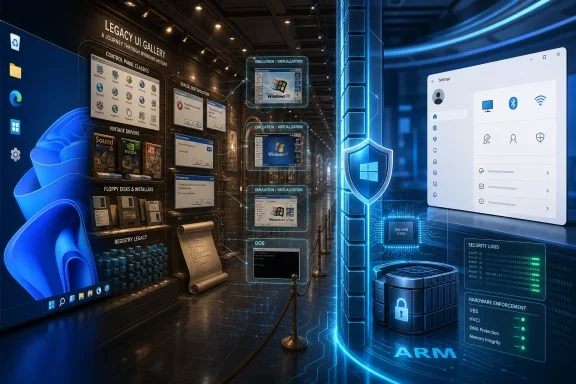 Windows Won Because It Refused to Forget
Backward compatibility is not a sentimental feature in Windows. It is one of the reasons Windows became Windows.The platform’s great business advantage was never that every release was elegant. It was that customers could buy new PCs, install a new version of Windows, and expect a shocking amount of old software to survive the jump. Accounting packages, factory dashboards, point-of-sale systems, government forms, niche CAD tools, medical devices, label printers, educational programs, and games all rode forward on Microsoft’s willingness to preserve behavior that other platform owners would have deprecated.
That bargain made Windows boring in the best possible way. For IT departments, boring means payroll still runs. It means the warehouse scanner still talks to the database. It means the machine that controls a production line does not become a capital expenditure just because Redmond wants a cleaner API surface.
But the bargain also made Windows uniquely hard to reshape. Microsoft cannot treat its installed base as a fan club that will obediently rewrite its workflows every few years. Windows customers are not merely users; they are institutions with budgets, compliance burdens, vendor lock-in, and software whose original developers may have retired before USB-C existed.
The Compatibility Miracle Is Also a Product Trap
It is easy to underestimate how strange Windows compatibility really is. Modern Windows descends from the Windows NT line, not from the consumer Windows 95, 98, and Me lineage that many people still associate with “classic” Windows. Yet the platform has spent decades making old application assumptions feel less broken than they ought to feel.That does not happen by accident. Compatibility shims, subsystem behavior, registry redirection, file-system virtualization, old control surfaces, installer accommodations, and API promises all exist because real software depended on them. Microsoft’s compatibility teams have historically done work that is invisible when it succeeds and blamed when it fails.
This is why the argument that Windows should “just drop the old stuff” is too glib. The old stuff is not merely abandonware and nostalgia. It is also the procurement system of a regional hospital, the calibration tool for a lab instrument, the driver package for a municipal printer fleet, and the unloved but essential app that a business bought in 2008 and still cannot replace without breaking six other processes.
Still, “necessary” is not the same as “free.” Every preserved behavior becomes a vote against simplification. Every exception becomes one more thing developers, support teams, security engineers, and users must carry in their heads.
The Control Panel Is the Fossil Everyone Can See
The most visible symbol of Windows’ compatibility problem is not a kernel subsystem or an obscure API. It is the continued coexistence of the Control Panel and the Settings app.Microsoft has spent more than a decade moving Windows configuration into the modern Settings experience. Yet Control Panel remains because Windows still contains administrative surfaces, legacy applets, and workflows that have not been cleanly replaced. The result is not charming continuity. It is a split-brain operating system.
A user trying to change a setting may find a modern page, a legacy dialog, a link that launches an old applet, or a duplicated control with subtly different scope. An administrator may know exactly where the old setting lives and resent the new UI for hiding it. A newcomer may wonder why a 2026 operating system still feels like a museum with Wi-Fi.
The problem is not that Control Panel exists. The problem is that its survival exposes a deeper truth: Windows often modernizes by addition rather than replacement. New layers arrive before old ones leave, because old ones cannot safely leave. That is how a platform becomes both powerful and exhausting.
Apple’s Clean Breaks Look Easier From the Outside
The comparison with macOS is inevitable. Apple ended 32-bit app support with macOS Catalina, forcing users and developers to move on or stay behind. It has also made several architectural transitions that would be almost unimaginable for Windows at the same pace: PowerPC to Intel, Intel to Apple silicon, kernel extension restrictions, notarization requirements, and increasingly aggressive security boundaries.Apple can do this partly because it controls the hardware, the operating system, the developer story, and much of the user expectation. It also serves a different enterprise footprint. Macs are common in creative, executive, education, and developer environments, but they are not the default substrate for decades of industrial, municipal, medical, and line-of-business software in the same way Windows has been.
That does not mean Apple’s approach is painless. It breaks software. It strands hardware. It forces users to make choices they did not ask to make. But it produces a platform whose direction is easier to understand: old things eventually leave.
Microsoft’s problem is that Windows customers often interpret removals not as progress but as breach of contract. That contract may not be written down in one place, but every IT department understands it. Windows is supposed to keep running the thing.
Security Suffers When the Past Stays Privileged
Backward compatibility is not only an aesthetic or usability issue. It is a security issue.Old components expand the attack surface. Legacy behaviors can preserve assumptions that made sense in a less hostile computing era. Compatibility code may receive less day-to-day attention than flagship features, even while remaining reachable by attackers. The more paths an operating system preserves, the more paths defenders must understand.
This does not mean old code is automatically insecure or new code is automatically safe. Security history is littered with shiny new systems that failed badly. But complexity is an enemy of assurance, and Windows carries more compatibility complexity than almost any consumer-facing operating system on Earth.
The security challenge is especially awkward because compatibility and security often pull in opposite directions. Users want old installers to work. Administrators want old scripts to keep running. Vendors want existing drivers and management agents to survive upgrades. Security teams want tighter boundaries, fewer privileged components, less ambient authority, and more aggressive defaults.
Windows has improved enormously on security over the years, from Secure Boot and virtualization-based security to Smart App Control, application isolation efforts, and stronger hardware requirements in Windows 11. But those improvements often land on top of an old substrate rather than replacing it entirely. The house gets better locks while the floor plan remains strangely historical.
Virtualization Should Be the Compatibility Boundary
The strongest argument against preserving everything inside Windows itself is that better compatibility tools already exist outside the core experience. For truly old software, emulation and virtualization are usually cleaner than pretending the modern OS is still the old environment.DOSBox, PCem, virtual machines, compatibility wrappers, and dedicated emulator projects often provide a more faithful home for old games and applications than Windows’ built-in options. A Windows XP-era application that needs a particular stack may be better preserved in a locked-down VM than half-supported on a Windows 11 desktop. A 1990s game may run more predictably in an emulator built for that purpose than through a chain of modern compatibility shims.
This model has an important philosophical advantage: it moves the past into a container. The old environment can be preserved, documented, snapshotted, isolated, and turned off. It does not have to shape the everyday design of the host operating system.
Enterprise IT already understands this pattern. Organizations routinely isolate legacy workloads because replacing them is too expensive or risky. The lesson for consumer Windows is similar. Compatibility should be available, but it does not always need to be native, invisible, and permanently integrated into the main arteries of the OS.
Windows on Arm Shows the Future Microsoft Won’t Quite Say Out Loud
Windows on Arm is interesting not merely because of battery life or Qualcomm silicon. It is interesting because it forces Windows to admit that compatibility can be mediated.On Arm-based Windows 11 PCs, x86 and x64 applications run through emulation rather than directly on the native CPU architecture. Microsoft’s Prism emulator, introduced with Windows 11 version 24H2, is part of the company’s effort to make that translation fast enough and compatible enough that users do not constantly think about it. The strategic point is bigger than performance: legacy software becomes a layer, not the center.
That is closer to the model Windows may ultimately need everywhere. The core OS can be modern, secure, and architecture-aware, while older application assumptions are handled through increasingly sophisticated translation and isolation. Apple’s Rosetta 2 showed how powerful that idea can be when the platform owner commits to a transition. Microsoft’s version is messier because the Windows ecosystem is messier, but the direction is similar.
The risk is that Microsoft treats emulation only as a bridge for Arm rather than as a broader design principle. If compatibility layers become good enough, they should give Windows permission to simplify. They should not become yet another permanent layer in the stack.
The Real Enemy Is Not Old Apps, But Undifferentiated Obligation
There is a difference between preserving important software and preserving everything as if all old dependencies deserve equal status. Windows too often blurs that line.A hospital device, a factory controller, and a beloved 1998 game are not the same kind of compatibility problem. A signed enterprise app with contractual support is different from an abandoned utility that writes into protected folders because that worked under Windows XP. A driver required for regulated equipment is different from a tray app that has not been updated since Aero Glass was fashionable.
Microsoft needs a more explicit compatibility hierarchy. Some legacy behaviors should be supported in the core OS because breaking them would impose unacceptable real-world costs. Some should be available through optional components. Some should be moved into virtualization or emulation. Some should be retired with loud warnings and long timelines.
That kind of sorting is politically difficult because it turns a vague promise into a set of decisions. But vague promises are how platforms become trapped. If everything is sacred, nothing can be redesigned.
Developers Pay the Tax in Confusion
Backward compatibility does not only burden Microsoft. It also burdens Windows developers.A developer building for Windows must navigate modern app models, classic Win32, .NET, WinUI, packaged and unpackaged apps, different installer systems, driver rules, registry expectations, security prompts, deployment mechanisms, and user environments that range from pristine Windows 11 laptops to domain-joined machines carrying years of policy sediment. The flexibility is powerful. It is also a maze.
This is one reason Windows app quality feels uneven compared with more tightly governed platforms. Developers can do almost anything, which means users experience almost everything: elegant native apps, Electron shells, ancient dialogs, inconsistent update systems, background services, brittle installers, and software that behaves as if User Account Control were a personal insult.
A cleaner Windows would not magically fix third-party software. But it would give developers fewer historical escape hatches and clearer expectations. The platform needs to make the modern path not only recommended, but obviously better than the old one.
Users Mistake Familiarity for Quality
There is also a cultural problem. Many Windows power users, including the people most likely to read this site, have learned to treat legacy surfaces as competence.The old dialog is trusted because it exposes more knobs. The modern Settings page is distrusted because it hides detail or sends the user somewhere else. The registry tweak feels authoritative because it is obscure. The classic utility feels “real” because it predates whatever Microsoft is currently promoting.
Sometimes that skepticism is earned. Microsoft has too often replaced dense, functional tools with prettier but weaker interfaces. If the modern surface cannot do what the old one did, users will naturally cling to the old one.
But nostalgia can also become a drag on quality. A system is not better merely because it retains every tool an expert remembers. Good modernization should preserve power while removing accidental complexity. Windows has struggled not because users love old UI, but because Microsoft has not consistently proved that the new UI is more capable than the old one.
The Enterprise Bargain Needs Renegotiation
Enterprise customers are the reason Windows compatibility is so durable, and they are also the constituency Microsoft must persuade if it wants to change course. That will require more than consumer-facing design refreshes.Microsoft already offers deployment rings, long servicing timelines in specific channels, compatibility assistance, application management tooling, virtualization options, and cloud-based Windows experiences. Those tools point toward a future where old dependencies are managed deliberately rather than inherited passively. The missing piece is a more forceful platform policy.
Imagine a Windows release model in which legacy compatibility features are increasingly modular, auditable, and removable. An enterprise could enable the old subsystem it needs, document why it needs it, isolate it through policy, and track its eventual replacement. A consumer PC would not carry the same defaults unless the user explicitly installed the compatibility pack.
This would not be easy, and it would not satisfy everyone. But it would align incentives. Legacy support would become a cost that organizations consciously accept, not a tax paid silently by every Windows user.
Microsoft Cannot Modernize by Half-Measures Forever
Windows 11 already tried to draw a line with hardware requirements such as TPM 2.0 and newer CPU support. That decision was controversial, and for good reason: it excluded systems that could still perform ordinary computing tasks. But it also showed that Microsoft is capable of forcing a break when it believes security, reliability, and platform direction require one.The next break should be less about hardware eligibility and more about architectural clarity. Windows needs fewer duplicated control paths, fewer ancient assumptions in default configurations, and a more explicit separation between the modern OS and the legacy environments it can host.
The company does not have to copy Apple’s ruthlessness. It probably cannot. But it can stop pretending that indefinite compatibility is the same thing as customer respect. Sometimes respect means helping customers leave the old dependency safely, not embalming it forever.
The Windows That Finally Lets Go Will Still Need a Safety Net
The practical path is not a bonfire. It is triage.Microsoft should keep compatibility where the cost of removal is genuinely high, but move more of it behind optional features, virtualization, emulation, and enterprise policy. It should make the modern Settings app fully capable before burying Control Panel. It should give developers a clearer default stack and make legacy deployment feel like a conscious exception. It should treat old software the way cloud providers treat old protocols: supported where necessary, discouraged by default, and surrounded by warnings, telemetry, and migration paths.
The point is not to punish users who depend on old software. The point is to stop making every Windows user live inside the same compromise. A gamer trying to run a 1997 title, a manufacturer running a Windows XP-era controller, and a student opening a new laptop should not all shape the core operating system equally.
Microsoft’s challenge is that Windows’ greatest strength has become its hardest habit to break. The platform does not need to abandon its past. It needs to put the past in the right place.
The Compatibility Promise Has Outgrown the Desktop It Saved
The argument is not that backward compatibility was a mistake. It is that Windows has reached the point where compatibility must become more selective, more isolated, and more honest about its trade-offs.- Windows’ ability to run old software remains a major reason businesses trust it, especially where replacement costs are high.
- The same compatibility promise keeps legacy interfaces, duplicated settings paths, and old assumptions alive inside the everyday OS.
- Security and reliability improve when obsolete behaviors are isolated instead of preserved as normal platform features.
- Virtualization, emulation, and compatibility layers are now good enough to carry more of the legacy burden outside the core Windows experience.
- Windows on Arm hints at a cleaner model in which old x86 software survives through translation while the native platform moves forward.
- Microsoft’s hardest task is not technical but political: convincing customers that a managed break is safer than endless accumulation.
References
- Primary source: How-To Geek
Published: 2026-06-07T10:32:08.068813
Backward compatibility is holding Windows back
The weight Widows drags from the past is becoming a drag for everyone. www.howtogeek.com
- Related coverage: windowscentral.com
NVIDIA CEO Jensen Huang promises new 'RTX Spark' Windows on Arm chips will run every Windows app ever made | Windows Central
In an attempt to quell people's concerns around app compatibility with Windows on Arm, NVIDIA's CEO says that its new RTX Spark chips won't have any app compatibility problems.www.windowscentral.com - Official source: learn.microsoft.com
NTVDM and 16-bit app support - Compatibility Cookbook | Microsoft Learn
The NT Virtual DOS Machine is a legacy Windows feature available, though not recommended, on Windwos 10.learn.microsoft.com - Official source: developer.microsoft.com
Windows Apps on Arm | Microsoft Developer
Windows PCs with Arm chip processors offer stronger battery life, cellular connectivity, and new AI-focused devices.developer.microsoft.com - Related coverage: beebom.com
Prism Emulation For Windows on ARM Explained | Beebom
We have explained the new Prism emulation layer for Windows on ARM PCs. It offers much better performance when running x86 apps.beebom.com - Related coverage: techradar.com
It took nearly a year, but Microsoft has finally improved Windows 11 to run more PC games on Arm laptops | TechRadar
Big Prism upgrade with Windows 11's October updatewww.techradar.com
- Related coverage: tomshardware.com
Xbox app is now available on all Arm-based Windows 11 devices — Microsoft says ‘more than 85% of Game Pass catalog is compatible with these PCs’ | Tom's Hardware
This move opens gaming to Snapdragon X-powered laptops.www.tomshardware.com - Related coverage: signal65.com
