

Windows 11’s File Explorer search is set for a potentially significant speed upgrade, beginning with searches launched from This PC—the broadest and often most frustrating scope in Explorer. Microsoft design and research lead Marcus Ash confirmed the work in an X reply, saying that the performance and relevance improvements being made to file search will come to File Explorer next, starting with “dramatic speed improvements” for This PC searches.
That matters because File Explorer’s system-wide search has long behaved like a different, slower product from the Windows Search box. Windows Latest, which first reported Ash’s comments, demonstrated the gap by searching for a recently opened file: Windows Search reportedly found it in about a second, while a simultaneous This PC search in File Explorer continued for more than eight minutes.
Microsoft has not supplied a build number, rollout channel, or release date for the Explorer changes. But Ash’s wording establishes an important technical direction: the company is not merely tuning the Explorer interface or adding another cache. It intends to bring the same file-search improvements now being developed for Windows Search into the file manager Windows users and administrators depend on every day.
Searching a known folder in File Explorer can be reasonably quick, particularly when the folder is small and the relevant location is indexed. Searching from This PC is something else entirely. It can span local disks, removable storage, network-accessible locations, libraries, cloud placeholders, and folders that Windows has not indexed comprehensively.
That scope makes This PC the test Microsoft needs to pass. A file manager search is useful precisely when the user doesn’t remember where an item lives. If the practical workaround is to search from a specific folder, search from Start, or open a third-party tool, File Explorer has failed at one of its core jobs.
Windows Latest noted that Microsoft had already claimed a reliability improvement for File Explorer searches across multiple drives and This PC in the March 2026 update identified as KB5079473. Reliability and performance, however, are different promises. A search that eventually completes is not necessarily one users will wait for, particularly when troubleshooting, locating an installer, or combing through a project drive under time pressure.
For IT professionals, the distinction is especially clear. Searching a workstation for a script, log, certificate, exported configuration, or recently downloaded package is often an interruption inside a larger task. A query that runs for minutes encourages users to abandon Explorer and reach for PowerShell, Everything, agent-based inventory systems, or manually narrowed paths.
The new Windows Search experience removes much of the content that had turned Search into an awkward mix of launcher, local finder, Bing front end, and recommendation surface. Microsoft says Search home is being simplified around recent activity, while results make their origins clearer: app, setting, file, web result, or Microsoft Store suggestion.
The more consequential change is underneath the presentation. Microsoft says its updated search can handle two-character file searches and improves how it surfaces local, cloud, and connected files when they are the best match. It also cites typo handling as an example: entering “utlook” should still surface Outlook rather than pushing the user toward a web query.
Windows Latest has also reported that Experimental-channel builds contain controls under Settings > Privacy & security > Search for disabling web search and Microsoft Store suggestions. Those controls should be particularly welcome in managed environments where users want a fast local launcher, not consumer content embedded inside an operating-system search panel.
The File Explorer announcement suggests that these are not isolated Start or taskbar changes. Microsoft appears to be treating local file discovery as a shared problem across Windows surfaces. That is the right architectural decision, assuming the company can preserve Explorer’s more specific context—folder location, file types, metadata, paths, and query syntax—rather than simply transplanting a lighter Search-box experience.
Those fixes address real friction, but they do not solve the wider perception that Windows 11 File Explorer feels less immediate than its Windows 10 predecessor. Microsoft has used preloading to reduce the apparent delay when opening Explorer, while Windows leaders have also publicly discussed deeper work on launch sequencing, unnecessary disk activity, and hangs.
The distinction is important. Preloading can make the app window appear sooner, but it cannot by itself make results populate faster, folder navigation more responsive, or broad searches more accurate. A user opening This PC and entering a filename does not care whether Explorer was already resident in memory if the query remains stuck on “Working on it.”
Explorer’s mixed technical heritage complicates this. As Windows Latest has reported, newer areas such as Home and Gallery use WinUI 3, while many conventional folder views retain older implementation paths. That helps explain why parts of Explorer can feel modern and fluid while routine directory browsing, scrolling, or search behavior still feels uneven.
A faster This PC search would therefore be more than a cosmetic win. It would show whether Microsoft can improve a foundational Win32-era workflow without waiting for a wholesale File Explorer rewrite—a rewrite the company has never formally announced.
Microsoft redesigned the Windows Insider Program in April 2026 around Experimental and Beta channels. Experimental is the earliest, less predictable track, meant for features under active development that can change, be delayed, or never ship. That makes it the likely first destination for new File Explorer search behavior, but it is not a promise of a near-term stable release.
Administrators should also avoid treating this as a reason to relax existing file-discovery practices. Windows Search indexing scope, OneDrive Files On-Demand state, network shares, permission boundaries, encrypted volumes, and endpoint-management tooling will continue to determine what a device can find and how quickly it can do so. The coming change is likely to improve the client-side experience, not erase those boundaries.
Still, Microsoft has finally identified the correct benchmark. Search across This PC should not be a last-resort feature users avoid because they know it will be slow. If the company’s promised “dramatic” improvement lands and holds up on real multi-drive systems, File Explorer may regain one of the capabilities Windows users have spent years working around.
That matters because File Explorer’s system-wide search has long behaved like a different, slower product from the Windows Search box. Windows Latest, which first reported Ash’s comments, demonstrated the gap by searching for a recently opened file: Windows Search reportedly found it in about a second, while a simultaneous This PC search in File Explorer continued for more than eight minutes.
Microsoft has not supplied a build number, rollout channel, or release date for the Explorer changes. But Ash’s wording establishes an important technical direction: the company is not merely tuning the Explorer interface or adding another cache. It intends to bring the same file-search improvements now being developed for Windows Search into the file manager Windows users and administrators depend on every day.
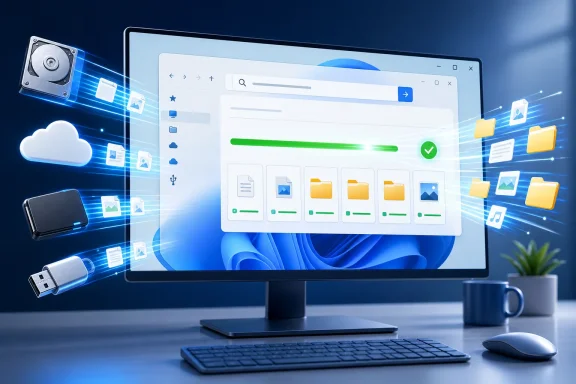 This PC Is the Worst-Case Search Scenario
Searching a known folder in File Explorer can be reasonably quick, particularly when the folder is small and the relevant location is indexed. Searching from This PC is something else entirely. It can span local disks, removable storage, network-accessible locations, libraries, cloud placeholders, and folders that Windows has not indexed comprehensively.That scope makes This PC the test Microsoft needs to pass. A file manager search is useful precisely when the user doesn’t remember where an item lives. If the practical workaround is to search from a specific folder, search from Start, or open a third-party tool, File Explorer has failed at one of its core jobs.
Windows Latest noted that Microsoft had already claimed a reliability improvement for File Explorer searches across multiple drives and This PC in the March 2026 update identified as KB5079473. Reliability and performance, however, are different promises. A search that eventually completes is not necessarily one users will wait for, particularly when troubleshooting, locating an installer, or combing through a project drive under time pressure.
For IT professionals, the distinction is especially clear. Searching a workstation for a script, log, certificate, exported configuration, or recently downloaded package is often an interruption inside a larger task. A query that runs for minutes encourages users to abandon Explorer and reach for PowerShell, Everything, agent-based inventory systems, or manually narrowed paths.
Microsoft’s Search Work Is Finally Centering Local Results
Ash’s confirmation follows Microsoft’s July 13 announcement of a revamped Windows Search Box for Windows Insiders in the Experimental channel. In that post, Microsoft said it was focusing on faster, more dependable results for apps, settings, and files, while reducing clutter in the interface.The new Windows Search experience removes much of the content that had turned Search into an awkward mix of launcher, local finder, Bing front end, and recommendation surface. Microsoft says Search home is being simplified around recent activity, while results make their origins clearer: app, setting, file, web result, or Microsoft Store suggestion.
The more consequential change is underneath the presentation. Microsoft says its updated search can handle two-character file searches and improves how it surfaces local, cloud, and connected files when they are the best match. It also cites typo handling as an example: entering “utlook” should still surface Outlook rather than pushing the user toward a web query.
Windows Latest has also reported that Experimental-channel builds contain controls under Settings > Privacy & security > Search for disabling web search and Microsoft Store suggestions. Those controls should be particularly welcome in managed environments where users want a fast local launcher, not consumer content embedded inside an operating-system search panel.
The File Explorer announcement suggests that these are not isolated Start or taskbar changes. Microsoft appears to be treating local file discovery as a shared problem across Windows surfaces. That is the right architectural decision, assuming the company can preserve Explorer’s more specific context—folder location, file types, metadata, paths, and query syntax—rather than simply transplanting a lighter Search-box experience.
Performance Fixes Are Reaching Explorer in Pieces
File Explorer has been a visible target of Microsoft’s 2026 quality campaign. Microsoft’s June 23 preview update, KB5095093 for Windows 11 24H2 and 25H2 builds, included improvements to File Explorer launch performance, responsiveness when mounting disk images, address-bar handling, and Home reliability during OneDrive synchronization.Those fixes address real friction, but they do not solve the wider perception that Windows 11 File Explorer feels less immediate than its Windows 10 predecessor. Microsoft has used preloading to reduce the apparent delay when opening Explorer, while Windows leaders have also publicly discussed deeper work on launch sequencing, unnecessary disk activity, and hangs.
The distinction is important. Preloading can make the app window appear sooner, but it cannot by itself make results populate faster, folder navigation more responsive, or broad searches more accurate. A user opening This PC and entering a filename does not care whether Explorer was already resident in memory if the query remains stuck on “Working on it.”
Explorer’s mixed technical heritage complicates this. As Windows Latest has reported, newer areas such as Home and Gallery use WinUI 3, while many conventional folder views retain older implementation paths. That helps explain why parts of Explorer can feel modern and fluid while routine directory browsing, scrolling, or search behavior still feels uneven.
A faster This PC search would therefore be more than a cosmetic win. It would show whether Microsoft can improve a foundational Win32-era workflow without waiting for a wholesale File Explorer rewrite—a rewrite the company has never formally announced.
Insiders Should Expect a Staged Arrival, Not an Immediate Fix
The obvious limitation is timing. Ash did not say that the Explorer improvements are already enabled in Insider builds, and Microsoft’s current Search Box changes are themselves still rolling out gradually through the Experimental channel.Microsoft redesigned the Windows Insider Program in April 2026 around Experimental and Beta channels. Experimental is the earliest, less predictable track, meant for features under active development that can change, be delayed, or never ship. That makes it the likely first destination for new File Explorer search behavior, but it is not a promise of a near-term stable release.
Administrators should also avoid treating this as a reason to relax existing file-discovery practices. Windows Search indexing scope, OneDrive Files On-Demand state, network shares, permission boundaries, encrypted volumes, and endpoint-management tooling will continue to determine what a device can find and how quickly it can do so. The coming change is likely to improve the client-side experience, not erase those boundaries.
Still, Microsoft has finally identified the correct benchmark. Search across This PC should not be a last-resort feature users avoid because they know it will be slow. If the company’s promised “dramatic” improvement lands and holds up on real multi-drive systems, File Explorer may regain one of the capabilities Windows users have spent years working around.
References
- Primary source: Windows Latest
Published: 2026-07-19T13:08:14+00:00
Windows 11's slowest feature is about to get dramatic speed improvements, and its File Explorer's This PC search
Marcus Ash confirms Windows 11 File Explorer search is getting the same speed and relevance fixes as Windows Search, starting with This PC www.windowslatest.com
- Official source: blogs.windows.com
Improving Windows Search Box, with less clutter and more control
Hello Windows Insiders, You’ve been asking for search that is faster, more relevant, and easier to use—whether you’re opening an app, finding a file, or changing a setting. Because the Windows Search Box is where many people start, we focusedblogs.windows.com
