Microsoft on May 22, 2026, released Windows 11 Insider Preview builds 26220.8491, 26300.8497, 28020.2149, and 29595.1000 across its Beta, Experimental, Experimental (26H1), and Experimental (Future Platforms) channels, while continuing a staged migration to its redesigned Windows Insider Program experience for already-announced device groups. The builds are less about one flashy Windows feature than about Microsoft tightening the machinery that decides who sees what, when, and under which label. That matters because the Insider Program has become both a proving ground for accessibility work and a stress test for Microsoft’s ability to explain Windows development without burying users in channel archaeology. This week’s headline is simple: Microsoft is trying to make Windows previews more deliberate, but the transition is still visibly mid-flight.

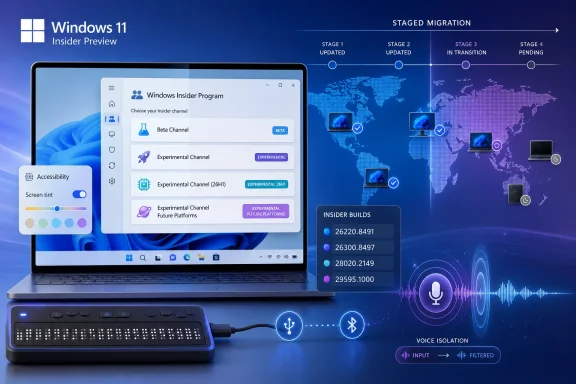
A Windows 11 Insider Preview setup screen with staged migration and build numbers on a blue tech background.Microsoft Is Rebuilding the Map While Insiders Are Still Driving on It​

The most important sentence in Microsoft’s announcement is not the build list. It is the reminder that all Insiders can find release notes “based on the new channel system,” even if their own PC has not yet moved to the new experience.
That sounds like housekeeping, but it is really the story of the 2026 Insider overhaul. Microsoft is asking testers to think in the language of Beta, Experimental, Experimental (26H1), and Experimental (Future Platforms) before every enrolled machine reflects that new taxonomy in Settings. The labels are being normalized faster than the estate is being migrated.
For veteran Insiders, this is familiar territory. The program has always had a mismatch between marketing names, internal build branches, enablement packages, and the lived experience of a PC that either does or does not get a feature after reboot. What is different now is that Microsoft is trying to make the mismatch explicit rather than pretending the channel name tells the whole story.
This week’s post says the company is still expanding rollout of the new Windows Insider Program changes to devices in channels already announced. It also says Microsoft has not yet begun moving devices in the Canary 29500 Series Channel to the new WIP experience. That means the 29595.1000 build is being published under the new “Experimental (Future Platforms)” label, while the machines receiving it may still be living with the older Canary-era interface.
That is awkward, but not necessarily bad. A staged transition is preferable to a hard cutover that strands testers or forces reinstall decisions. The trade-off is that Microsoft must be much clearer than usual, because build numbers now carry more truth than channel names alone.

The Build Numbers Tell a More Honest Story Than the Channel Names​

The four builds released on May 22 occupy very different places in the Windows pipeline. Beta build 26220.8491 and Experimental build 26300.8497 sit in the Windows 11 version 25H2 family, where Microsoft has been using enablement-style build increments to separate more conservative testing from more adventurous feature work. Experimental (26H1) build 28020.2149 belongs to the 26H1 line, which Microsoft has described as platform work for specific silicon rather than a conventional feature update. Experimental (Future Platforms) build 29595.1000 is further out, the place where Windows engineering can validate platform changes without pretending they are bound to the next consumer release.
That split is healthier than the old habit of treating “Canary” as a single bucket for everything from near-term plumbing to distant architecture. Canary became a brand for risk, but risk was not granular enough. A bug in an accessibility feature, a kernel-adjacent platform change, and a UI experiment are not the same kind of risk for the same kind of tester.
The new names try to separate those audiences. Beta is for users who want to preview changes closer to release. Experimental is for users who actively want early experiences and feature flags. Experimental (26H1) is for machines tracking the next platform-support wave. Experimental (Future Platforms) is the deepest end of the pool.
But Microsoft’s challenge is that the public still reads builds like horoscopes. If a feature appears in a higher-numbered build, some users assume it is “newer” in a consumer sense. If it appears in Beta first, others assume it is almost done. In reality, Windows development is now less linear than that. Features can move sideways, skip branches, vanish behind server-side rollout controls, or arrive in one channel as a usability experiment while another channel carries more consequential platform work.
That is why the May 22 announcement’s reminder about the desktop watermark matters. Microsoft is effectively telling Insiders: do not rely only on the channel badge; know your build number. For forum readers troubleshooting regressions, filing Feedback Hub items, or comparing screenshots, that is not trivia. It is the difference between useful signal and noise.

Accessibility Is the Week’s Real Product Story​

The May 22 feature set is unusually coherent. Screen tint, HID braille display support in Narrator, and Voice Isolation in Voice Access all live under the broad umbrella of accessibility, but they address three very different failure modes: visual strain, hardware friction, and speech recognition in messy environments.
That makes this more than a grab bag. Microsoft is treating accessibility not as a compliance checklist, but as a place where Windows can feel materially less hostile during long sessions. The company has said the new screen tint setting applies a color overlay across the entire display to soften intensity, with the goal of helping users who find bright or saturated screens tiring.
This is not the same as Night Light, at least in framing. Night Light is about color temperature and evening use. Screen tint is positioned as a broader comfort layer for people who experience sensitivity or fatigue throughout the day. If Microsoft implements it well, it could become one of those features that begins as accessibility and quietly becomes mainstream.
Windows has a long history of features that followed that path. Keyboard shortcuts, captions, speech input, contrast themes, and focus tools are all more useful when they are not treated as niche accommodations. The best accessibility features reduce friction for people with specific needs and then reveal how much friction everyone else had been tolerating.
Screen tint also fits the reality of modern work. Many Windows users are not spending an hour at a desktop; they are spending eight or ten, often moving between HDR-capable displays, laptop panels with aggressive color profiles, web apps with bright canvases, and collaboration tools that were designed as if glare did not exist. A system-level overlay is a blunt instrument, but blunt instruments are sometimes exactly what users need when individual apps refuse to behave.

Narrator’s Braille Upgrade Is Small Only If You Never Needed It​

Narrator’s new support for HID-standard refreshable braille displays is the kind of change that can sound modest in a changelog and profound in practice. Microsoft says compatible displays can connect over USB and work without additional setup, while Bluetooth devices can be paired through Settings like other accessories.
The important word is standard. Assistive hardware has too often required drivers, vendor utilities, awkward setup flows, or institutional knowledge passed between users because the platform did not make the obvious thing easy. Plug-and-play is boring when it works for a mouse. It is liberating when the device is how you read your computer.
This also shows why accessibility work belongs in Insider builds. Braille display support is not something Microsoft can validate by running a few automated tests and calling it done. The combinations of devices, firmware, connection types, languages, workflows, and user preferences are too varied. Insiders who rely on this hardware can find the breakage that a lab will miss.
There is a risk, of course, in shipping assistive technology changes through preview channels. A broken Narrator path is not an inconvenience for a user who depends on it; it can be a lockout. That is why Microsoft needs to be cautious about defaults and escape hatches. Experimental channels are valuable for early validation, but accessibility regressions have a higher moral cost than a broken animation or flaky widget.
Still, the direction is right. Windows should treat assistive devices as first-class peripherals, not as exceptions. HID support moves the platform toward that model, and it gives hardware makers a clearer target.

Voice Access Gets a Feature Built for Real Rooms, Not Demo Rooms​

Voice Isolation in Voice Access may be the most obviously modern feature in the batch. Microsoft says it helps the system focus on the user’s voice when others are speaking nearby, filtering out other voices and background noise, with processing happening privately on the device.
That last clause is doing a lot of work. Speech features are increasingly powerful, but users and administrators are increasingly skeptical of anything that sounds like always-listening cloud analysis. By saying processing happens on-device, Microsoft is positioning Voice Isolation as both a usability feature and a privacy-preserving one.
The use cases are easy to imagine because they are not contrived. A shared office. A family room. A lab. A help desk. A classroom. Voice Access is far less useful if it only works in the acoustic fantasyland of a silent room and a studio microphone.
This is also where accessibility and AI-adjacent signal processing begin to blur. Microsoft does not need to call this an AI feature for it to benefit from the same broad trend: Windows increasingly has to understand context locally, quickly, and without sending every ambiguous sound or interaction to a remote service. If the operating system is going to mediate voice control, live captions, translation, recall-like memory features, and meetings, it needs a credible local processing story.
For IT pros, the question will be manageability. On-device processing is reassuring, but enterprises will want to know whether Voice Isolation can be governed, audited, disabled, or configured through policy if necessary. Accessibility features should not be arbitrarily locked down, yet corporate environments still need predictable behavior, especially in regulated workplaces.
The more Windows becomes a sensory operating system — listening, captioning, tinting, adapting — the more Microsoft will need to publish crisp controls for administrators. Privacy claims are welcome. Policy surfaces are what make them deployable.

The New Insider Program Is a Bet Against Feature Roulette​

Microsoft’s 2026 Insider changes are partly an admission that the old preview model produced too much feature roulette. Users would read a blog post, install a build, reboot, and discover that the advertised feature was not on their machine. Sometimes the reason was gradual rollout. Sometimes it was A/B testing. Sometimes it was geography, hardware, account type, or a hidden enablement state.
The new Experimental channel’s feature flags are supposed to address that frustration. Instead of simply hoping the feature shows up, testers get a more explicit mechanism to enable certain new experiences before they roll out broadly. That is a meaningful shift from passive previewing to more intentional testing.
It also changes the bargain between Microsoft and Insiders. If users can choose experimental features more directly, Microsoft can gather cleaner feedback about those features from people who knowingly turned them on. That beats the old model where half the comments under a build post were variations of “I installed it and still don’t have this.”
But feature flags are not magic. They can become another layer of confusion if Microsoft does not document dependencies, rollout limits, and known conflicts. A toggle that appears only for some users can be as frustrating as a feature that appears only for some users. The interface may be new, but the underlying discipline is still communication.
This week’s release shows the transition in action. The announcement points users to release notes under the new channel system even as some machines have not yet moved. That may be unavoidable during migration, but it makes the documentation hub and build-specific release notes more important than the short blog post. The blog is now the front door. The release notes are the map.

Canary’s 29500 Series Is the Loose End Microsoft Cannot Ignore​

The explicit note that Canary 29500 Series devices have not yet begun moving to the new WIP experience is not a throwaway. It is the sharp edge of the transition.
The 29500-series track represents the furthest-ahead public Windows work. Under the new naming scheme, it is Experimental (Future Platforms), a label that communicates more meaning than Canary did. “Future Platforms” tells users that they are testing foundational work that may not correspond neatly to the next Windows feature update.
But Microsoft is still carrying the old Canary reality underneath. Some users in that branch are receiving builds that are labeled in release notes according to the new model while their local program experience has not caught up. That creates a temporary split-brain state: the documentation says one thing, the machine may say another, and the build number is the authoritative clue.
For enthusiasts, that is tolerable. For less obsessive testers, it is a footgun. A user who joined Canary because it sounded exciting may not fully understand that a 29595 build sits in a future-platform lane with a different risk profile than a Beta build. Microsoft’s new labels help, but only once they are visible everywhere users make decisions.
The company deserves credit for not hiding the fact that migration is incomplete. Still, the longer that state persists, the more the new Insider Program risks inheriting the confusion it was designed to fix. The transition does not need to be instant, but it does need to be brief and well-signposted.

26H1 Is a Reminder That Not Every Windows Release Is for You​

The Experimental (26H1) build, 28020.2149, is another important piece of the puzzle because 26H1 has already been framed by Microsoft as platform work for specific silicon rather than a traditional feature update. That distinction matters.
Windows users are trained to think of version numbers as feature bundles. 22H2, 23H2, 24H2, 25H2: the rhythm implies consumer-facing change. But platform support releases can exist for reasons that have little to do with the visible desktop. They may be about silicon enablement, drivers, hardware abstraction, power management, security primitives, or compatibility scaffolding.
That is uncomfortable for a public preview program because enthusiasts naturally ask, “What’s new?” Sometimes the honest answer is that the important work is beneath the surface, or relevant only to a class of hardware that most testers do not own. Microsoft’s decision to label this lane Experimental (26H1) is therefore useful, but it also risks overpromising if users interpret 26H1 as the next general Windows milestone.
For OEMs, driver developers, and administrators planning hardware fleets, these builds may be highly relevant. For a home Insider on a current desktop, they may be less interesting than a Beta build with visible UI changes. That is not a hierarchy of importance; it is a difference in audience.
The healthiest version of the Insider Program is one where users can choose the kind of risk they are actually equipped to evaluate. If Microsoft can make that choice clearer, fewer people will install deep platform builds expecting daily-driver polish.

The Accessibility Push Also Tests Microsoft’s Quality Pledge​

Microsoft has spent much of the past year trying to convince users that Windows quality is improving. Insider builds are central to that pitch because they are where problems should be found before they reach the broader base. Accessibility features make that pledge more concrete and more demanding.
Screen tint, Voice Isolation, and HID braille support are user-facing changes that must work across hardware diversity. Display overlays interact with color management, HDR behavior, multi-monitor setups, screenshots, remote sessions, and graphics drivers. Voice filtering interacts with microphones, audio drivers, noise suppression stacks, Bluetooth headsets, and privacy settings. Braille support touches USB, Bluetooth, device standards, Narrator, and the lived workflows of blind users.
In other words, these are not cosmetic switches. They cut across subsystems. That is exactly why they belong in preview, and exactly why Microsoft must treat feedback from affected users as more than telemetry.
There is a broader editorial point here: accessibility quality is Windows quality. A screen tint feature that fails on an HDR monitor is a display bug. A braille display that disconnects after sleep is a power-management or device-stack bug. Voice Access that mishears commands in a normal office is an input reliability bug. These are not special-interest defects; they are operating-system defects.
If Microsoft wants to rebuild trust in Windows, this is a good place to do it. Not because accessibility is good public relations, but because accessibility work forces engineering discipline. It exposes assumptions. It punishes sloppy state management. It reveals whether the platform is coherent or merely patched together.

The Practical Advice Is to Test With Intent, Not Curiosity Alone​

For WindowsForum readers, the practical lesson from the May 22 builds is not “install the newest one.” It is to match the channel to the job.
If you are testing app compatibility for a business, Beta remains the saner place to start. If you are chasing upcoming Windows experiences and willing to file feedback on half-finished features, Experimental is the more appropriate lane. If you are validating hardware or platform behavior tied to the 26H1 line, Experimental (26H1) has a purpose. If you are comfortable with deep future-platform churn, Experimental (Future Platforms) is where Microsoft is putting the far edge.
That sounds obvious until a new build appears and the old reflex kicks in. Enthusiasts like novelty. Sysadmins like early warning. Developers like seeing what is coming. But a preview build is a tool, and using the wrong tool produces bad conclusions.
A Beta bug may indicate something Microsoft needs to fix before mainstream release. A Future Platforms bug may indicate a branch-level instability that has no near-term consumer implication. A missing feature may be a rollout state, a feature-flag issue, a hardware gate, or simply not in your branch. Treating all of those as the same kind of failure makes the feedback worse.
The build watermark is therefore not just decoration. It is the first diagnostic fact. Before posting a complaint, comparing notes, or assuming Microsoft pulled a feature, know the build, channel label, and whether your device has actually migrated to the new WIP experience.

The May 22 Builds Make the Insider Contract More Explicit​

Microsoft’s latest Insider drop is not a revolution, but it clarifies the new contract the company is trying to write with testers. The program is moving away from a simple ladder of stability and toward a matrix of intent: release proximity, feature experimentation, platform support, and future architecture.
That is a more accurate model for Windows as it exists today. It is also harder to explain. Microsoft can no longer rely on users understanding that “Canary” means risky, “Dev” means early, and “Beta” means safer. The new labels are better, but they demand better documentation and more consistent UI.
The accessibility features are the proof point. They show why early testing matters, because real users with real hardware can validate things Microsoft cannot simulate at scale. They also show why channel confusion is harmful, because the users most qualified to test a feature need to know where that feature actually lives.
This week’s announcement also underscores a subtle shift in Microsoft’s communication style. The blog post is short, but it points outward to release notes organized under the new channel system. That suggests the blog is becoming a weekly routing layer rather than the definitive technical record. For casual readers, that is cleaner. For serious testers, it means the documentation hub becomes required reading.

This Week’s Builds Reward the Insiders Who Read the Fine Print​

The concrete story of May 22 is easy to lose in channel jargon, so it is worth pinning down what actually changed. Microsoft shipped multiple builds, continued the WIP migration, held back the Canary 29500 Series transition for now, and used the week to preview accessibility features that deserve more attention than the build numbers.
  • Microsoft released Beta build 26220.8491, Experimental build 26300.8497, Experimental (26H1) build 28020.2149, and Experimental (Future Platforms) build 29595.1000 on May 22, 2026.
  • The new Windows Insider Program labels now appear in release-note routing even for some devices that have not yet moved locally to the redesigned experience.
  • Canary 29500 Series devices have not yet begun moving to the new WIP experience, even though their build lane is now described as Experimental (Future Platforms).
  • Screen tint is being introduced as a system-wide accessibility setting aimed at reducing display intensity and visual fatigue.
  • Narrator is gaining plug-and-play support for HID-standard refreshable braille displays over USB, with Bluetooth pairing through Windows Settings.
  • Voice Isolation in Voice Access is designed to filter nearby speech and background noise while keeping processing on the device.
The larger lesson is that the Insider Program is becoming more powerful and more demanding at the same time. Microsoft is giving testers more precise lanes and, in Experimental, more explicit feature control. In return, Insiders will need to pay closer attention to build families, migration state, and release-note context.
Microsoft’s May 22 builds are a modest weekly flight with an outsized message: the future of Windows testing is less about chasing the highest build number and more about understanding the lane you are in. If the company can finish the Insider migration cleanly, keep feature flags intelligible, and treat accessibility feedback as core platform feedback, this overhaul could make previews more useful for everyone from hobbyists to enterprise admins. If it lets old confusion survive under new names, the build numbers will keep doing the explaining that the program itself should have done.
References​

  1. Primary source: Microsoft - Windows Insiders Blog
    Published: Fri, 22 May 2026 17:10:30 +0000
  2. Related coverage: windowscentral.com
  3. Related coverage: tomshardware.com
  4. Related coverage: techradar.com
  5. Official source: download.microsoft.com
 

Microsoft released new Windows 11 Insider Preview builds on May 22, 2026, expanding its revamped Windows Insider Program rollout while shipping Experimental build 28020.2149 for 26H1 devices and Experimental Future Platforms build 29595.1000, including Canary 29500-series machines that have not yet moved to the new experience. The builds are not just another weekly flight; they are a signpost for where Microsoft wants Windows testing to go next. The company is separating channel identity from build lineage more aggressively, while using accessibility and local intelligence features as the public face of that transition. For Insiders, the practical message is simple: the watermark matters, the channel names are shifting, and the most interesting Windows work is increasingly happening in places that are intentionally hard to map to a normal release calendar.

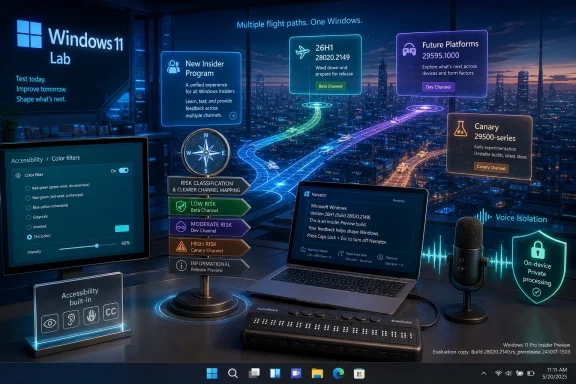
Windows 11 Lab promotional graphic showing accessibility, flight paths, risk channels, and voice isolation on a city backdrop.Microsoft Is Rebuilding the Insider Map While the Planes Are Still Flying​

The most important sentence in Microsoft’s May 22 post is not the one about screen tint, Narrator, or Voice Access. It is the reminder that the company is still expanding the rollout of its new Windows Insider Program changes to devices in previously announced channels, while the Canary 29500 Series Channel has not yet been moved to the new WIP experience.
That awkward phrasing tells us something about the state of Windows development in 2026. Microsoft is not merely renaming rings for tidiness. It is trying to create a testing structure that can handle conventional feature updates, enablement-package servicing, experimental platform work, and future silicon bring-up without pretending all of those things belong on the same rail.
For years, the Insider Program has had a communications problem as much as an engineering problem. Canary, Dev, Beta, and Release Preview gave users a rough sense of risk, but they did not always explain what a build meant. A build could contain production-bound improvements, speculative platform work, or plumbing that would never surface as a consumer feature. Microsoft’s new channel system appears designed to make that ambiguity more manageable, even if the transition itself temporarily adds more confusion.
That is why Microsoft is emphasizing that Insiders can find release notes based on the new channel system even before every device has moved. It is a documentation bridge. The company is effectively saying: your machine may not yet live in the new world, but the release notes already do.

The Build Numbers Tell a More Interesting Story Than the Feature Names​

The May 22 release spans multiple Windows futures. Experimental build 28020.2149 belongs to Windows 11 version 26H1, a branch Microsoft has described as platform-focused rather than a conventional feature update. Experimental Future Platforms build 29595.1000, including the Canary 29500 series, sits even farther out on the horizon.
That distinction matters because it cuts against the consumer habit of treating every Insider build as a preview of “the next Windows update.” Build 28020 is tied to 26H1, but 26H1 is not being positioned like the annual feature drops Windows users have come to expect. It is more about under-the-hood platform changes, especially where future hardware support is concerned.
The 29595 build is even more explicitly detached from near-term expectations. “Future Platforms” is Microsoft’s polite way of saying that this channel may contain work whose destination is unknown, distant, hardware-specific, or all three. For enthusiasts, that makes it exciting. For administrators, it makes it radioactive outside test hardware.
The practical advice remains old-fashioned: if you are trying to understand what your PC is running, check the desktop watermark. Microsoft’s own post points users back to the build number shown in the lower-right corner of the desktop, and for good reason. During a channel migration, the build number is the most honest label on the machine.

Accessibility Is Becoming Windows’ Safest Place to Experiment​

The headline features in this flight are all accessibility-adjacent: screen tint, HID braille display support in Narrator, and Voice Isolation in Voice Access. That is not a coincidence. Accessibility has become one of the few areas where Microsoft can introduce meaningful OS-level behavior changes without triggering the usual backlash about ads, defaults, AI intrusion, or Start menu churn.
Screen tint is the most visually obvious of the three. It applies a color overlay across the entire display to reduce intensity and make long sessions easier on the eyes. Windows has had Night light and color filters for years, but screen tint sounds more direct: less about circadian rhythm, more about day-long visual comfort.
That distinction is important. Night light is usually framed around blue light and evening usage. Color filters are typically framed around color vision accessibility. Screen tint seems aimed at a broader group: people with eye strain, light sensitivity, migraines, sensory sensitivity, or simply too many hours under a bright panel.
The feature also fits the modern Windows design pattern of making system-wide accommodations feel less medicalized. A tint overlay is not a dramatic assistive technology in the way a screen reader is. It is a comfort feature that can help disabled users, neurodivergent users, office workers, developers, gamers, and anyone who has ever ended a workday feeling like the monitor won.

Narrator’s Braille Upgrade Shows the Value of Boring Standards​

The Narrator change may be the most consequential feature in the build, even if it is the least flashy. Microsoft says refreshable braille displays that support the HID standard can now connect to Narrator over USB with true plug-and-play behavior. Bluetooth pairing is handled through Settings, like any other accessory.
That is exactly how assistive technology should work: predictably, boringly, and without a maze of drivers before a user can begin reading. For blind and low-vision users who rely on braille displays, setup friction is not an inconvenience in the abstract. It can be the thing standing between a user and the ability to operate the PC independently.
The HID part matters. Human Interface Device support gives manufacturers and operating systems a common basis for communication. When Windows supports a standard rather than a patchwork of vendor-specific paths, the ecosystem gets healthier. Device makers have a clearer target, users have fewer setup rituals, and support desks have fewer weird edge cases to diagnose.
There is also a larger Microsoft story here. Narrator has spent years evolving from a bare-minimum accessibility feature into a credible built-in screen reader for many scenarios. It still coexists with more specialized third-party tools, and power users will continue to have strong preferences, but built-in support matters. The first-run experience, recovery experience, setup flow, and unmanaged PC all benefit when the OS itself can speak and output braille without extra software.

Voice Access Gets a More Realistic View of Real Rooms​

Voice Isolation in Voice Access is another small feature with large implications. Microsoft says the new option helps Voice Access focus on the user’s voice when other people are speaking nearby, filtering out other voices and background noise. The company also says processing happens privately on the device.
That last phrase is doing a lot of work. Voice features live in the shadow of privacy concerns, especially when they are built into the operating system. If users believe every command is being streamed away for interpretation, they will be less likely to use the tool in sensitive contexts. On-device processing makes the feature easier to defend in offices, schools, healthcare settings, and homes where voice data is not something people want leaving the machine.
The more interesting point is that Voice Access is being tuned for the world people actually inhabit. Voice control demonstrations often happen in quiet rooms with a cooperative speaker and a clean microphone. Real users live with HVAC noise, family members, open offices, dogs, mechanical keyboards, roommates, and meetings bleeding through thin walls.
If Voice Access is going to be more than a demo, it has to survive that mess. Voice Isolation suggests Microsoft understands that accessibility features fail when they require ideal conditions. A voice-control system that only works in silence is not accessible; it is conditional.

The New Insider Program Is Really About Risk Classification​

Microsoft’s new channel language may feel cosmetic, but it reflects a deeper risk classification problem. Windows is no longer developed as one neat sequence where experimental work becomes Dev, Dev becomes Beta, Beta becomes Release Preview, and Release Preview becomes general availability. That linear mental model has been obsolete for years.
The company now ships Windows through a mix of annual releases, controlled feature rollouts, enablement packages, app updates, Store components, cloud-backed services, servicing stack changes, and hardware-specific enablement. Some features ride OS builds. Others arrive through app packages. Some are staged behind feature IDs. Others show up first on Copilot+ PCs or specific silicon families.
That makes traditional Insider labels less useful. A “newer” build is not always a better preview of what most customers will soon receive. A “lower” channel can sometimes contain more production-relevant code than a more adventurous channel. A Canary machine may be testing platform work that never becomes visible to a mainstream user in that form.
Experimental, Beta, Release Preview, and Future Platforms are attempts to describe purpose rather than just velocity. That is a healthier model, provided Microsoft keeps the documentation sharp. The challenge is that enthusiasts often want novelty, while enterprises want predictability, and the same blog post has to speak to both groups.

26H1 Is a Reminder That Not Every Windows Release Is for You​

The 26H1 branch is the clearest example of that tension. Microsoft has characterized Windows 11 version 26H1 as a platform release to support specific silicon, not a conventional feature update for version 25H2. That is a sentence ordinary users can safely ignore, but IT pros should not.
A platform-focused release changes the way administrators should think about testing. If an organization is not targeting the hardware that needs those platform changes, there may be little reason to chase the branch. Conversely, OEMs, driver teams, hardware vendors, and enterprise pilots involving new silicon may care deeply about it.
This is where the Insider Program becomes less of a fan club and more of a supply chain instrument. Windows has to be ready for hardware before the hardware is broadly available. That means some Insider branches are effectively development scaffolding for PCs most people do not own yet.
The risk is that Microsoft’s public communication still lands in a consumer-facing blog format. “New builds this week” sounds routine. “26H1 platform changes for specific silicon” is not routine. The company is trying to make both statements coexist without alarming the casual Insider or boring the hardware partner. That is not easy.

Canary’s Delayed Migration Is a Signal, Not a Footnote​

Microsoft’s note that Canary 29500 Series Channel devices have not yet begun moving to the new WIP experience should not be dismissed as housekeeping. Canary has always been the channel where Microsoft reserves the most freedom. If any part of the Insider Program would resist immediate neat categorization, it would be Canary.
The 29500-series machines are also included in the Future Platforms release. That pairing says Microsoft wants to continue flying far-future builds while it reorganizes the rest of the boarding gates. The aircraft is still in the air; the airport signage is being replaced beneath it.
For Insiders, this creates a temporary split-brain experience. The release notes may use the new channel language, the installed device may still reflect the old experience, and the build itself may belong to a branch whose destination is deliberately vague. That is manageable for experienced testers. It is less friendly for anyone who joined Canary because they wanted “the newest Windows” without absorbing the maintenance cost.
The lesson is familiar but worth repeating: Canary-class builds belong on machines you can erase. Future Platforms builds belong on machines whose job is to be weird. If the PC matters for work, school, accessibility, or recovery, it should not be the place where Microsoft’s most speculative platform code lives.

Microsoft’s Local AI Pitch Is Quietly Becoming a Privacy Pitch​

Voice Isolation’s on-device processing is part of a broader shift in Microsoft’s Windows messaging. The company still wants AI-inflected features throughout the operating system, but it also knows that Windows users have become more skeptical about telemetry, cloud dependence, and opaque background processing. “Private on your device” is becoming as important a phrase as “AI-powered.”
That is especially true for accessibility. Users who depend on assistive features may have less practical freedom to opt out. If a feature is essential to navigating the PC, the privacy bar should be higher, not lower. Microsoft’s decision to emphasize local processing for Voice Isolation is therefore not just a technical note; it is a trust-building move.
There is also a performance angle. Voice control needs low latency. Sending audio to a cloud service for cleanup and interpretation may be acceptable for some dictation workloads, but command-and-control interactions feel broken when they lag. On-device voice filtering can make the feature feel more immediate, assuming the hardware can support it without draining battery or spiking CPU usage.
The unanswered question is how broadly this will work. Microsoft’s post describes the feature in the Experimental channel but does not, in the submitted text, define the hardware floor. That matters because local audio processing can vary dramatically across devices. A high-end Copilot+ PC, a corporate ultrabook, and an aging test laptop may not deliver the same experience.

The Accessibility Stack Is Becoming a Competitive Surface​

Accessibility has long been treated as a compliance requirement, a moral obligation, or a support checkbox. In modern operating systems, it is becoming a competitive surface. The best accessibility features make a platform feel more humane for everyone.
Apple understood this years ago with features that blurred the line between accessibility and mainstream convenience. Google has done similar work across Android and ChromeOS. Microsoft’s advantage is the breadth of Windows hardware and the depth of enterprise deployment, but that advantage cuts both ways. Supporting diverse hardware while maintaining polished assistive experiences is harder on Windows than on more vertically controlled platforms.
That makes the HID braille support especially important. Standards are how Windows scales humane features across chaotic hardware. Microsoft cannot personally tune every display, microphone, dock, and input device. It can, however, support a standard well enough that the ecosystem aligns around it.
Screen tint fits the same pattern in software. It is a system-wide affordance that does not require every app developer to implement a special mode. If it works at the display compositor level cleanly, it can improve the experience across legacy apps, web apps, games, admin tools, and the settings app itself.

For IT Pros, the Feature Risk Is Smaller Than the Channel Risk​

None of the headline features in this flight should scare enterprise administrators by themselves. Screen tint is a user-facing comfort setting. HID braille support is a welcome accessibility improvement. Voice Isolation in Voice Access is the kind of feature many organizations would like to see mature quickly, especially in shared workspaces.
The risk is not the features. The risk is channel interpretation. During the Insider Program transition, administrators testing Windows 11 previews need to pay closer attention to branch, build number, and release-note channel mapping than to the marketing label on the settings page.
That matters for documentation and help desk workflows. If a tester reports that something broke “in Experimental,” the next question has to be which build, which base version, and which Insider migration state. Experimental 26H1 is not the same thing as Experimental on a 25H2-based branch, and Future Platforms is not a synonym for “next stable Windows.”
Organizations that run Insider rings should update their internal shorthand. The old habit of referring to “Dev” or “Canary” alone is no longer precise enough. Build numbers, branch names, and target hardware assumptions need to be part of every bug report.

The May 22 Flight Rewards Careful Testers, Not Build Chasers​

The May 22 release is not a blockbuster in the old sense. There is no Start menu reinvention, no File Explorer overhaul, no Copilot moonshot, and no grand public promise about the next annual Windows update. Instead, it is a flight about plumbing, classification, and targeted quality-of-life features.
That makes it more useful than it looks. Microsoft is using these builds to normalize a new Insider vocabulary while seeding features that make Windows more adaptable to human needs. The company is also making clear that some Windows work now exists primarily for future platforms and specific hardware paths, not for immediate consumer excitement.
For enthusiasts, that requires a change in posture. The most interesting build may not be the one with the most visible features. The most important change may be in how a branch is labeled, how release notes are organized, or which devices are held back from a migration.
For IT pros, the message is even more concrete. Treat this as a documentation transition as much as a software release. If your lab uses Insider builds, now is the time to audit which devices are enrolled where, what build numbers they are actually running, and whether your internal notes still match Microsoft’s channel language.

The Build Notes Hide a Simple Operating Manual​

The May 22 builds are easy to overread and dangerous to underread. They are not a promise that screen tint, HID braille plug-and-play, or Voice Isolation will arrive unchanged on every production PC soon. They are also not random experiments with no practical significance. They are Microsoft’s current Windows development model in miniature.
  • Microsoft released Experimental build 28020.2149 for Windows 11 version 26H1 and Experimental Future Platforms build 29595.1000, including Canary 29500-series devices.
  • The company is still rolling out its new Windows Insider Program experience, but Canary 29500 Series Channel devices have not yet begun that migration.
  • Screen tint adds a system-wide accessibility overlay intended to reduce display intensity during long sessions.
  • Narrator now supports plug-and-play USB connections for HID-standard refreshable braille displays, with Bluetooth pairing handled through Windows Settings.
  • Voice Isolation in Voice Access is designed to filter nearby voices and background noise while processing privately on the device.
  • The build number watermark is the most reliable identifier during the channel transition, especially when release notes and device enrollment states do not yet line up neatly.
The larger story is that Microsoft is trying to make Windows testing more honest about what Windows development has become: fragmented by hardware, staged by channel, shaped by accessibility, and increasingly dependent on local intelligence that must earn user trust. If the company can make the new Insider map clearer than the old one, these May builds will be remembered less for their feature list than for the moment Microsoft started explaining the future of Windows in the language of purpose rather than speed.

References​

  1. Primary source: Microsoft - Windows Insiders Blog
    Published: Fri, 22 May 2026 17:10:30 +0000
 

Microsoft’s May 22, 2026 Windows Insider release delivered Windows 11 preview builds 28020.2149, 29595.1000, 26300.8497, and 26220.8491 across Experimental, Experimental 26H1, Future Platforms, and Beta channels while continuing the staged transition to a redesigned Insider channel system. The interesting part is not the build arithmetic. It is that Microsoft is using a messy channel migration to test a cleaner idea of Windows: more adaptive, more accessibility-forward, and more dependent on local AI-style signal processing. For Insiders, the week’s headline is less “new builds” than a glimpse of where Microsoft thinks everyday PC usability still needs engineering, not branding.

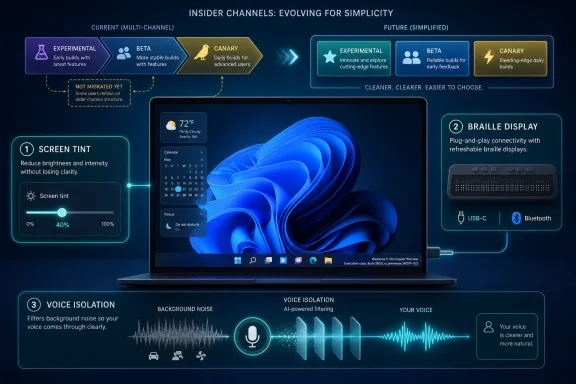
Tech infographic showing simplified insider channels plus screen tint, braille display, and voice isolation features.Microsoft Is Rewiring the Insider Program While Shipping Through It​

The Windows Insider Program has always been part release pipeline, part weather system. Build numbers move, features appear and vanish, and the channel names often tell you as much about Microsoft’s internal development posture as they do about the code on your PC. This week’s announcement lands in that tradition, but with an added complication: Microsoft is rolling out the new Windows Insider Program experience to devices in channels already announced, while explicitly saying that devices in the Canary 29500 Series Channel have not yet begun moving to the new experience.
That caveat matters. The Canary 29500 series is included under the “Experimental Future Platforms” build bucket for Build 29595.1000, yet Microsoft is warning that the channel experience itself is still in transition. In other words, the map is being redrawn while travelers are still on the road.
For users who casually install Insider builds, that may sound like administrative trivia. For IT pros and Windows watchers, it is the signal. Microsoft is trying to make release notes easier to find by using the new channel system even for people who have not moved yet, which should reduce confusion in the long run but may increase it in the short term.
The practical advice is blunt: trust your build number more than your memory of the old channel labels. Microsoft’s reminder that the build number appears in the desktop watermark is not decorative. During a channel migration, that watermark is the closest thing to ground truth.

Build Numbers Tell the Real Story of a Fragmented Future​

The May 22 drop spans several branches. Experimental 26H1 receives Build 28020.2149. Experimental Future Platforms, including the Canary 29500 series, receives Build 29595.1000. The broader Experimental track receives Build 26300.8497, while Beta receives Build 26220.8491.
That spread reflects the modern Windows development model: not one road to the next release, but several synchronized roads with different destinations. Windows 11 version 25H2 is represented in the 26200-family base with enablement packages pushing Beta and Experimental forward into 26220 and 26300 territory. Windows 11 version 26H1, meanwhile, is not positioned as a conventional consumer feature update but as a platform change aimed at supporting specific silicon.
This is where Microsoft’s build numbers become more than trivia. The company is separating user-visible feature experimentation from platform enablement, silicon readiness, and future-facing work that may never arrive in exactly the form Insiders see today. That is a healthier engineering model than pretending every preview build is a near-final product announcement.
It is also less friendly to ordinary users. “Experimental,” “Experimental 26H1,” “Experimental Future Platforms,” “Beta,” and “Canary 29500 series” are not labels that explain themselves. Microsoft’s attempt to centralize release-note discovery is a necessary cleanup operation, but the need for that cleanup says plenty about how complicated the testing matrix has become.
For administrators, the lesson is to treat Insider builds as telemetry about Microsoft’s priorities, not as a linear upgrade guide. If you are testing app compatibility, driver behavior, accessibility features, or device management policy, the exact branch matters. A feature appearing in one Experimental lane does not mean it is marching directly toward your production fleet.

Accessibility Is No Longer a Side Quest in Windows​

The most notable features in this release are not Start menu experiments, taskbar adjustments, or another Copilot surface. They are accessibility changes: screen tint, improved Narrator braille display support, and Voice Isolation for Voice Access. That is a meaningful editorial choice by Microsoft, whether intentional or not.
For years, accessibility features in mainstream operating systems were too often treated as compliance work or niche accommodation. The Windows 11 era has increasingly blurred that boundary. Captions, voice control, focus modes, display comfort settings, and assistive input are no longer just for users with formally recognized disabilities; they are also productivity, ergonomics, and inclusion features for everyone who spends too much time staring at a screen or working in imperfect environments.
Screen tint is a good example. Microsoft describes it as a color overlay that softens the intensity of the entire display, aimed at users who experience tired or sensitive eyes after long sessions. That overlaps with accessibility, eye comfort, neurodiversity support, migraine management, and plain old desk-worker fatigue.
The point is not that screen tint is revolutionary. Third-party utilities, monitor controls, night-light modes, and color filters have existed for years. The point is that Microsoft is continuing to pull these accommodations into first-party Windows settings, where they can be discovered, managed, and supported without asking users to become hobbyists.

Screen Tint Turns Display Comfort Into a First-Class Setting​

Screen tint’s arrival in the Experimental channel suggests Microsoft is still working out exactly how it should behave and how much control users should have. The feature applies a color overlay across the display and includes presets and strength controls. That sounds simple, but display adjustments are surprisingly easy to get wrong.
If the tint is too weak, users who need it will ignore it. If it is too aggressive, color-sensitive work becomes unreliable. If it interacts badly with HDR, multiple monitors, color management, remote sessions, or screenshots, IT departments will hear about it very quickly.
The enterprise implications are subtle. A global tint setting may help employees with light sensitivity or visual-processing needs without requiring special hardware. But organizations that depend on accurate color workflows — design shops, medical imaging teams, print departments, media production groups — will want to understand whether the feature affects only visual output or also capture, streaming, and remote display scenarios.
Microsoft has not framed screen tint as a management feature, and at this stage it should not be treated as one. But Windows settings that begin as user comfort tools often become policy questions later. If screen tint proves popular, administrators will eventually ask whether it can be configured, disabled, audited, or preserved across device migrations.
The bigger philosophical shift is that Windows is becoming more willing to mediate the display rather than simply render to it. Night light did that for time-of-day warmth. Color filters did it for accessibility. Screen tint extends that logic into an everyday comfort layer.

Narrator’s Braille Support Shows the Value of Boring Standards​

The Narrator change is less flashy and arguably more important. Microsoft says refreshable braille displays that use the HID standard can now connect instantly with Narrator over USB, with Bluetooth pairing handled like any other accessory. That is the kind of feature that only sounds small if you have never had to fight assistive technology setup during a workday.
HID support matters because standards reduce friction. A braille display that behaves like a plug-and-play device is not just more convenient; it is more reliable in schools, workplaces, labs, libraries, and support environments where users may not have admin rights or time to troubleshoot device-specific software stacks.
The promise here is refreshingly practical. Connect a compatible display by USB and start reading. Pair it through Bluetooth and use it wirelessly. No special ritual, no brittle setup path, no “ask IT to install this package first” delay.
For Windows as a platform, this is the sort of accessibility investment that strengthens the operating system’s institutional credibility. Enterprises do not just need features; they need features that can survive imaging, provisioning, hardware swaps, help desk workflows, and user turnover. Standards-based braille support checks more of those boxes than a bespoke integration would.
There is a lesson here for the rest of Windows. The best platform work often looks unglamorous from the outside. It removes steps. It makes hardware less weird. It turns what used to be a support ticket into a cable connection.

Voice Isolation Brings the Meeting-Room Problem to Voice Access​

Voice Isolation for Voice Access is the feature most obviously connected to Microsoft’s broader on-device intelligence push. Voice Access already lets users control and dictate to Windows by voice. The new option is designed to help the system focus on the user’s voice even when other people are speaking nearby, filtering out other voices and background noise locally on the device.
This is not just an accessibility feature for quiet rooms. It is an accessibility feature for the way people actually work: open offices, shared homes, classrooms, call centers, hospital stations, hotel lobbies, and hybrid work setups where “find a silent place” is not realistic advice.
The local-processing claim is important. Voice control is inherently sensitive because it can involve dictated text, commands, app names, document content, and contextual speech. If Voice Isolation can improve recognition without sending audio elsewhere, Microsoft gets to advance the feature while avoiding at least some of the privacy concerns that come with cloud speech processing.
Still, on-device processing does not magically eliminate risk. Administrators will want to know what hardware acceleration is used, whether the feature depends on neural processing units or works broadly across CPUs, how it behaves under battery constraints, and whether audio data is retained in any diagnostic pathway. Microsoft’s short announcement answers the broad privacy question but not the operational ones.
The more interesting direction is that Windows is getting better at deciding which signal in a room belongs to the user. That capability has implications beyond Voice Access. It points toward a Windows stack that increasingly treats audio, video, display, and input as adaptive surfaces rather than passive peripherals.

Local Processing Is Becoming Microsoft’s Trust Pitch​

The phrase “all processing happens privately on your device” is doing a lot of work. Microsoft knows that users and regulators are more skeptical of cloud-connected AI features than they were a few years ago. It also knows that accessibility workflows can be deeply personal.
On-device processing gives Microsoft a cleaner story. It can say the feature is smarter without making the feature sound like surveillance. It can improve recognition in noisy environments without asking users to accept that their assistive commands are being shipped to a remote service.
That story is especially useful for Windows on modern silicon. Microsoft has spent years nudging the ecosystem toward PCs with dedicated AI acceleration, better microphones, stronger camera pipelines, and more local inference capacity. Accessibility may become one of the strongest justifications for that hardware, because the benefits are concrete rather than speculative.
A local feature that helps someone control their PC in a noisy room is easier to defend than an AI feature that summarizes content the user did not ask to summarize. It is also easier to test. Either Voice Access hears the right person or it does not.
For IT pros, the question becomes whether Microsoft can make these local-intelligence features predictable across a heterogeneous fleet. A premium Copilot-class laptop and a three-year-old business notebook may both run Windows 11, but they may not deliver the same experience. That gap is where support expectations go to become tickets.

The Canary Exception Keeps the Old Insider Ambiguity Alive​

Microsoft’s note about the Canary 29500 Series Channel not yet moving to the new Windows Insider Program experience is easy to skim past. It should not be. Canary has long been the place where Microsoft reserves the right to be unstable, non-linear, and occasionally opaque.
By saying the 29500 series is included in the Future Platforms build release while also saying those devices have not begun moving to the new WIP experience, Microsoft is separating build availability from channel-experience migration. That distinction may be internally clean, but externally it reinforces a familiar Insider problem: channel names are never quite enough.
The old Insider mental model was simple enough for enthusiasts: Dev was risky, Beta was safer, Release Preview was closest to shipping, and Canary was chaos with a purpose. The new model appears to be more precise, but precision is not the same thing as clarity.
Experimental 26H1 and Experimental Future Platforms are more descriptive than “Dev” in one sense, because they say something about branch intent. They are less friendly in another, because they ask users to understand Microsoft’s platform roadmap. That may be acceptable for the audience these channels are meant to serve, but it narrows the gap between “Insider” and “unpaid ecosystem tester.”
There is nothing inherently wrong with that. The Insider Program is most valuable when participants understand they are testing software, not merely previewing tomorrow’s consumer features. But Microsoft must be careful not to make the program so channel-heavy that even willing testers lose track of where they are.

The 26H1 Branch Is a Silicon Story, Not a Feature Story​

The presence of 26H1 in the May 22 release is a reminder that Windows versioning is increasingly tied to hardware readiness. Microsoft’s public positioning around 26H1 has been that it is not a conventional feature update for 25H2 but a platform release containing changes to support specific silicon. That is a very different kind of Windows milestone.
Historically, Windows releases were understood mainly through user-facing features, UI changes, and upgrade cycles. The new reality is more layered. A Windows version may matter because it enables a class of devices, supports new silicon capabilities, changes the driver model, updates platform plumbing, or prepares the operating system for experiences that will not arrive until later.
That makes 26H1 less exciting to the average user and more important to OEMs, silicon partners, driver developers, and IT teams planning hardware refreshes. A platform update that exists to support specific chips is not something most people will seek out. It is something that will arrive preinstalled, quietly shaping which devices work best and which features are available.
This is also where Microsoft’s Copilot PC strategy, Arm ambitions, and local AI direction intersect with mundane release management. If Windows needs new platform work to support upcoming silicon, the Insider Program becomes the proving ground long before consumers see the device shelf.
For admins, the practical consequence is that Windows version numbers alone will not explain capability. Two PCs may both be “Windows 11,” but one may have the platform build, drivers, firmware, NPU, and OEM integration required for the full feature set, while another receives only the broad OS experience. That fragmentation is manageable, but only if Microsoft documents it clearly.

The Beta Channel Looks Stable Only by Comparison​

Build 26220.8491 in Beta is the least exotic part of this week’s release, but Beta deserves attention precisely because it sits closer to what organizations may eventually care about. Beta builds are not production builds, yet they are often where admins begin to watch whether a feature has escaped the lab.
The May 22 Beta release exists alongside Experimental Build 26300.8497 on the same broad 25H2 foundation, with enablement packages differentiating the build numbers. That enablement-package model has become one of Microsoft’s favorite tools because it lets the company stage features without forcing a full OS replacement each time.
The upside is agility. Microsoft can light up functionality, test subsets of users, and keep base-platform changes more stable. The downside is that Windows becomes harder to reason about from the outside. A build number may describe the underlying base, the enablement layer, the channel, and the feature state all at once.
That ambiguity matters in bug reporting. If a user says “I’m on 25H2,” that may no longer be enough. Support teams need the exact build, channel, feature rollout state, and sometimes the hardware class. Microsoft’s reminder to check the desktop watermark may sound basic, but it is a defensive move against precisely this complexity.
The Beta channel therefore remains useful, but not simple. It is not a safe harbor. It is a more disciplined test lane, and organizations should treat it as such.

The Most Important Features Are the Ones That Reduce Setup​

A common thread runs through screen tint, HID braille support, and Voice Isolation: each feature tries to reduce the amount of adaptation required from the user. Screen tint changes the display to meet the user’s tolerance. HID braille support changes device setup to meet the user’s workflow. Voice Isolation changes speech recognition to meet the user’s environment.
That is a better design philosophy than asking users to be more patient, more technical, or more isolated. It also reflects a mature operating system problem. Windows is not lacking features. It is burdened by the fact that many features still require too much context to discover, configure, and trust.
Accessibility is where this burden becomes most visible. If a user needs voice control, braille output, or display softening, every extra setup step is not merely friction; it can be exclusion. The difference between “install drivers, configure a stack, and troubleshoot pairing” and “plug it in” is the difference between theoretical support and practical access.
The Windows platform has often been strongest when it absorbs complexity on behalf of the ecosystem. Plug and Play, driver distribution, Windows Update, class drivers, and inbox utilities all follow that pattern. This week’s Narrator update fits squarely in that tradition.
Voice Isolation does too, if it works. A user should not have to build a studio environment to use voice input. The operating system should become better at hearing what matters.

The Week’s Builds Matter More for Direction Than Destination​

This release is not a conventional “go install this now” moment. It is a direction-setting preview wrapped in channel-transition housekeeping. The build numbers matter, but the feature choices matter more.
Microsoft is telling Insiders that Windows experimentation is moving along multiple tracks at once: platform readiness for future silicon, staged enablement for 25H2-era builds, and accessibility features that lean on better local processing and standards-based hardware support. That combination is a useful snapshot of where Windows is heading.
For enthusiasts, the temptation is to chase the newest branch. For professionals, the better move is to map features to risk. Screen tint is low-risk but needs workflow testing. HID braille support is high-value for affected users and support teams. Voice Isolation is promising but should be watched for hardware dependencies and privacy documentation.
This release also underlines why Insider participation is still valuable. Microsoft cannot fully test noisy homes, open offices, varied braille displays, multi-monitor tint behavior, Bluetooth edge cases, and fleet-management realities from Redmond alone. The Windows ecosystem is too broad for lab confidence.
That said, Microsoft owes Insiders clarity in exchange. If the new channel system is meant to reduce confusion, the company should keep pushing toward release notes that explain not just what build shipped, but why that branch exists and who should test it.

What the May 22 Builds Say Before the Next Windows Turn​

The concrete reading of this release is straightforward, even if the channel machinery is not. Microsoft shipped multiple Insider builds, continued a staged program transition, held Canary 29500 devices outside the new WIP experience for now, and used the Experimental channel to highlight accessibility and local-processing improvements.
  • Microsoft is still expanding the redesigned Windows Insider Program experience, but Canary 29500 Series devices have not yet begun that move.
  • Build 28020.2149 belongs to Experimental 26H1, while Build 29595.1000 lands under Experimental Future Platforms, including the Canary 29500 series.
  • Build 26300.8497 serves the Experimental track and Build 26220.8491 serves Beta, both within the current 25H2-era testing structure.
  • Screen tint is a new accessibility display overlay aimed at reducing visual intensity during long sessions.
  • Narrator’s HID braille display support should make compatible USB and Bluetooth braille hardware behave more like ordinary plug-and-play devices.
  • Voice Isolation for Voice Access is designed to filter nearby voices and background noise locally on the PC.
The larger takeaway is that Microsoft’s most consequential Windows work is increasingly happening below the level of headline features. Channel restructuring, enablement packages, silicon-specific platform branches, and on-device accessibility intelligence are not splashy in isolation, but together they sketch a Windows that is more modular, more hardware-aware, and more adaptive to the person using it.
Microsoft’s May 22 Insider builds will not be remembered as a landmark release, and they do not need to be. Their importance is cumulative: a screen that can soften itself, a braille display that can connect without drama, a voice interface that can listen through noise, and a testing program trying to describe a more complicated Windows future. If Microsoft can make that future legible as well as capable, the Insider Program’s new map may finally become more useful than the old one.

References​

  1. Primary source: Microsoft - Windows Insiders Blog
    Published: Fri, 22 May 2026 17:10:30 +0000
 

Microsoft released Windows 11 Insider Preview builds on May 29, 2026, including Experimental 26H1 build 28020.2207 and Experimental “Future Platforms” build 29599.1000, while warning that some AMD System Guard-capable PCs will be blocked from this week’s Future Platforms flight. The build numbers are the easy part. The real story is that Microsoft is now asking Insiders to think less like channel subscribers and more like participants in a Windows platform split. For testers, OEM watchers, and IT admins, 26H1 is becoming the first Windows 11 release where the version number is not a simple invitation to upgrade.

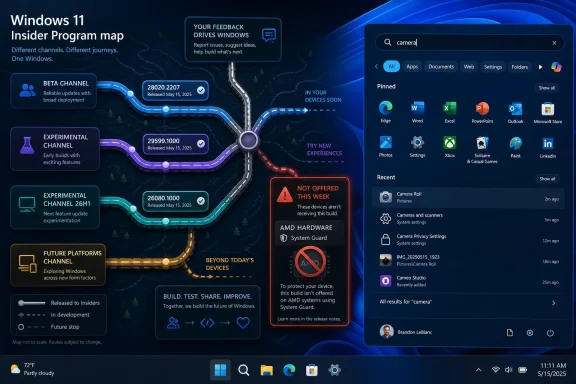
Windows 11 Insider Program map showing update channels and a “camera” search in pinned apps.Microsoft’s Insider Program Is Now Testing the Map, Not Just the Code​

The May 29 flight lands in the middle of Microsoft’s broader rework of the Windows Insider Program, and the company is clearly trying to keep testers from getting lost. The blog post tells Insiders to find release notes “based on the new channel system,” even if their own devices have not yet moved. That sentence sounds administrative, but it captures the transition: Microsoft is changing the vocabulary of Windows testing while continuing to ship builds through it.
This week’s releases are therefore less a conventional Insider drop than a routing exercise. Beta gets build 26220.8544, Experimental gets build 26300.8553, Experimental 26H1 gets build 28020.2207, and the more speculative Future Platforms lane, including the Canary 29500 series, gets build 29599.1000. Those numbers are not merely bigger or smaller rungs on a ladder. They represent different assumptions about which Windows core a machine is supposed to be testing.
That matters because the old mental model of Insider builds was relatively simple. Canary was dangerous, Dev was forward-looking, Beta was closer to real, and Release Preview was almost shipping. The new arrangement is more surgical: some devices are validating feature work, some are validating servicing behavior, and some are being steered toward cores that may exist primarily to support hardware Microsoft has not yet fully mainstreamed.
The practical advice remains familiar — check the watermark, read the release notes, know what channel you are in — but the stakes have changed. If the wrong build line lands on the wrong test device, the consequence may not be a buggier afternoon. It may be a reinstall.

26H1 Is Not the Next Windows for Everyone​

The most important sentence in Microsoft’s announcement is not the one naming build 28020.2207. It is the reminder that Windows 11 version 26H1 is a targeted release for new device innovations in 2026, including machines with Qualcomm Snapdragon X2 Series processors. That makes 26H1 feel less like a traditional Windows feature update and more like a hardware enablement branch wearing a consumer-facing version label.
Microsoft says Insiders who selected 26H1 under Advanced options will begin receiving that version on June 5, 2026. That date is the warning bell. Anyone who opted in casually now has a few days to reconsider before their test PC enters a release track that Microsoft explicitly says does not behave like the normal annual update path.
The reason is architectural. Microsoft says Windows 11 26H1 is based on a different Windows core than 24H2, 25H2, and the upcoming second-half 2026 feature update. In plain English, 26H1 and the mainstream 2026 release are not simply two editions of the same train stopping at different stations. They are running on different track.
That distinction is easy to understate because Windows version names have trained users to expect chronology. 23H2 followed 22H2, 24H2 followed 23H2, and so on. But 26H1 does not mean “the one before 26H2” in the usual sense. It means “the one built for a specific generation of platform work before the rest of the Windows estate catches up later.”
For enthusiasts, that makes 26H1 interesting. For administrators, it makes 26H1 radioactive unless there is a clear business reason to test it.

The Advanced Core Toggle Has Become a Point of No Easy Return​

Microsoft’s “Advanced core selection” language sounds almost benign, like a firmware option for people who enjoy discovering new Settings pages. It is not benign. The company says Insiders who selected 26H1 but no longer want it should reselect 25H2 before 26H1 becomes available to those devices on June 5.
After that, the path back is no longer an update operation. Microsoft says Insiders who take 26H1 and want to return to 25H2 will need a complete reinstall of Windows. That is the kind of sentence that should stop a casual tester cold.
A reinstall is not just an inconvenience. It means application rehydration, profile handling, BitLocker recovery planning, driver verification, and the usual cleanup after Windows has been asked to pretend the last experiment never happened. On a personal test laptop, that may be tolerable. On a fleet pilot, it is the difference between “we are evaluating this branch” and “we have created avoidable work for endpoint engineering.”
The fact that Microsoft is warning users in advance is welcome, but it also reveals the complexity of what the Insider Program is now being asked to do. A channel is no longer just a risk appetite. It can be a commitment to a core lineage.
That is especially important for anyone who treats Insider channels as a rolling lab for compatibility testing. If your goal is to understand how line-of-business apps will behave on the next broad Windows release, 26H1 may be the wrong signal. It may tell you something about Snapdragon X2-era Windows. It may tell you much less about the x86 and Arm PCs that remain on the 24H2/25H2 lineage heading toward the broader second-half update.

Snapdragon X2 Is Pulling Windows Into a More Hardware-Specific Era​

Microsoft’s public rationale for 26H1 is hardware enablement. The company has pointed to Qualcomm Snapdragon X2 Series processors as one of the device innovations the release supports. That is a meaningful clue about where Windows is headed.
Windows on Arm has always lived with a tension between abstraction and specificity. Microsoft wants Windows to feel like Windows regardless of the chip underneath, but the performance, battery life, driver model, emulation layer, neural processing, and scheduler behavior all depend heavily on the platform. The more ambitious Arm PCs become, the harder it is to pretend every Windows release can serve every device equally at the same moment.
The 26H1 split is Microsoft acknowledging that reality. New silicon sometimes needs operating system work that is too deep to ship as a normal enablement package or monthly cumulative update. If Snapdragon X2-class machines require a newer core to hit their intended power and performance targets, Microsoft has two choices: hold the hardware back, or create a Windows branch that is ready for it.
The company has chosen the second path. That may be rational engineering, but it introduces messaging risk. Users have been trained to view Windows version numbers as a rough indicator of freshness and entitlement. If a new Snapdragon X2 PC ships with 26H1 while an Intel or AMD PC remains on 25H2 or later moves to a different 26H2 line, the simple question “which Windows is newer?” becomes harder to answer.
That confusion will not bother kernel engineers. It will bother buyers, help desks, software vendors, and the unlucky person writing procurement guidance for mixed-device fleets.

The Future Platforms Build Shows the Other Half of the Bet​

Alongside the 26H1 build, Microsoft is releasing build 29599.1000 for Experimental “Future Platforms,” including the Canary 29500 series. This lane is where the Windows Insider Program looks most like its old self: high-numbered builds, early code, and a strong assumption that breakage is part of the contract.
But even here, the build is not going to everyone. Microsoft says it found an internal issue causing crashes on AMD machines that support System Guard, so those devices will not be offered this week’s Future Platforms build. The company expects the problem to be fixed by the next flight.
That temporary block is a small but useful example of why Microsoft’s platform split matters. System Guard is part of the security fabric that modern Windows relies on for protecting boot integrity and related trust boundaries. A crash affecting AMD machines with that capability is not a cosmetic defect. It is exactly the kind of low-level interaction that appears when operating system branches are being pushed into new combinations of silicon, firmware, virtualization-based security, and device security assumptions.
The block also shows Microsoft using more selective flighting. Rather than ship the build broadly and let affected users discover the problem in the wild, the company is withholding it from a specific class of machines. That is the mature version of Insider chaos: still experimental, still risky, but bounded where telemetry and internal validation have already found a cliff.
For AMD testers, the immediate consequence is simple. If the build does not appear, it may not be a Windows Update malfunction. It may be Microsoft refusing to offer a known-bad payload to your hardware profile.

Start Menu Changes Are the Crowd-Pleaser, but Control Is the Theme​

The user-visible feature work in this announcement is concentrated in the Start menu and Windows Search. The Start menu changes are straightforward: “Recommended” becomes “Recent,” users get section-level toggles for Pinned, Recommended, and All, Start can be small or large in addition to the automatic default, and there is a new option to hide the user name and profile picture. Microsoft is also redesigning the Start menu settings page.
The renaming of Recommended to Recent is more than wordsmithing. “Recommended” has long carried the smell of algorithmic intrusion, especially in a Start menu that many users still consider personal territory. “Recent” is more literal and less presumptuous. It tells the user that Windows is surfacing activity, not pretending to know what they should do next.
The section-level toggles are the more important change. For years, Start has been a battleground between Microsoft’s desire to make Windows feel adaptive and users’ desire to make it predictable. Giving users direct controls over Pinned, Recommended, and All does not settle that philosophical fight, but it moves the interface in the right direction.
The option to hide the user name and profile picture also fits a broader pattern. Windows increasingly appears in shared rooms, open offices, classrooms, livestreams, screen recordings, and support sessions. A small privacy affordance in Start is not transformative, but it is one of those details that makes the shell feel less oblivious to how people actually use PCs.
The small and large Start menu choices may matter most to power users and accessibility-minded users. Automatic sizing is convenient until it guesses wrong. Explicit sizing restores a measure of agency to a part of Windows that Microsoft has redesigned often enough to exhaust even patient users.

Search by Substring Is the Kind of Fix Windows Should Have Had Years Ago​

The Windows Search improvement is narrower but arguably more satisfying. Microsoft says files with compound names or content, such as “MeetingNotesApril” or “ProjectStatusReport,” can now be found by typing substrings like “april” or “status.” That is not flashy, but it attacks one of the everyday frictions that makes local search feel dumber than it should.
Modern users do not name files the way operating systems once assumed. They paste words together, inherit filenames from apps, download documents with inconsistent casing, and rely on half-remembered fragments. A search system that fails because the user remembers the middle of a compound term instead of the beginning is technically explainable and practically infuriating.
Substring matching also narrows the gap between user expectation and system behavior. People have been trained by web search, code editors, launchers, and mobile interfaces to expect partial matching. When Windows Search cannot do it reliably, the problem is not merely discoverability. It makes the whole OS feel behind the times.
There is a performance and indexing tradeoff hidden underneath this feature, of course. Better substring search can mean more sophisticated indexing, more storage, more CPU, or more careful ranking. Microsoft’s challenge is to make the improvement feel invisible rather than turning Search into another background service that users blame for heat, fan noise, or battery drain.
Still, this is the kind of mundane quality-of-life change that Insider builds are supposed to surface early. It does not need a keynote. It needs months of testers throwing real filenames at it until the edge cases become boring.

The Annual Update Story Is Getting Harder to Tell​

Windows 11’s servicing model has already been through several identity shifts. Microsoft has emphasized annual feature updates, enablement packages, shared servicing branches, cumulative update predictability, and more recently a growing distinction between feature rollout and platform release. The May 29 announcement adds another layer: a version that is current, real, and important, but not meant to flow into the next annual feature update in the normal way.
That creates a communications problem. Microsoft can explain the engineering: 26H1 is based on a different core; 24H2 and 25H2 are on another line; the upcoming second-half 2026 feature update is not the successor path for 26H1 devices; a future Windows release will provide a path later. But users do not live in servicing diagrams. They live in Settings, Windows Update, release notes, and whatever their OEM installed.
For enterprises, the answer is likely to be conservative. Unless an organization is buying Snapdragon X2 devices or explicitly validating that class of hardware, 24H2 and 25H2 remain the more comprehensible baselines. Those releases align with existing management assumptions, deployment rings, app testing, and support documentation. 26H1 may be worth lab time, but it is not automatically a better pilot just because the version number starts with 26.
For OEMs, the split is more delicate. New hardware needs the operating system that makes it shine. If that OS sits outside the expected update path, the device story must be clear from day one. A laptop that is fast, efficient, and secure can still generate support friction if buyers discover that its Windows version does not update the way their other Windows 11 machines do.
For enthusiasts, this is both exciting and annoying. Exciting because Windows is doing real platform work again, not just moving furniture in the shell. Annoying because real platform work tends to expose the limits of tidy branding.

Insider Flighting Is Becoming a Test of Governance​

There is a habit among Windows enthusiasts to treat Insider builds as a personal adventure. That spirit is part of what made the program useful. But the May 29 release is a reminder that adventurous testing and responsible testing are no longer the same thing.
If you are running a sacrificial machine, the calculus is simple. Pick the branch that interests you, back up your data, and accept the blast radius. If you are running a machine that participates in work, school, family tech support, security research, or production-adjacent validation, the calculus changes. The 26H1 branch may make your test more interesting while making your results less generalizable.
The AMD System Guard block reinforces the same lesson. Microsoft is not just shipping “the next build.” It is making targeting decisions based on hardware capabilities and known failure modes. That is what administrators do with rings and deployment safeguards, and it is now visible in the public test program itself.
This is probably the future of Windows flighting. As PCs become more heterogeneous — x86, Arm, NPUs, varied security silicon, different firmware stacks, and increasingly specialized power management — Microsoft cannot treat all Insider devices as interchangeable endpoints. The more Windows depends on hardware-specific optimizations, the more the Insider Program becomes a matrix rather than a queue.
The upside is better validation. The downside is that participants need to understand which square of the matrix they occupy.

The May 29 Builds Reward the Careful Insider​

This week’s build drop is not a routine “new bits are available” post. It is a small governance test for anyone who uses the Insider Program seriously. Microsoft is giving testers more knobs, but it is also making those knobs more consequential.
  • Insiders who selected Windows 11 26H1 should switch back to 25H2 before June 5, 2026 if they do not want to enter a branch that requires a full reinstall to leave.
  • Windows 11 26H1 should be treated as a targeted platform release for new hardware, not as the default next feature update for existing PCs.
  • The Experimental Future Platforms build 29599.1000 is being withheld from AMD System Guard-capable machines this week because of a crash issue Microsoft found internally.
  • Start menu changes in the Experimental channel give users more direct control over sections, sizing, identity display, and the language around recent content.
  • Windows Search substring matching in Experimental and Beta is a practical improvement that should make real-world file discovery less brittle.
  • IT teams should separate 26H1 hardware-enablement testing from mainstream Windows 11 deployment planning unless their 2026 device roadmap specifically includes the affected platforms.
The broader lesson is that the Windows Insider Program is no longer just a preview window into the next general-purpose Windows release. It is becoming a control surface for multiple Windows futures at once. That is a more honest reflection of the PC market Microsoft now serves, but it puts more burden on testers to know whether they are previewing tomorrow’s Windows for everyone or tomorrow’s Windows for a particular class of machine.
Microsoft’s May 29 announcement looks modest if you scan only for features, but it is significant if you read it as a map of Windows development in 2026. The Start menu gets more civilized, Search gets a little smarter, and AMD machines avoid a bad Future Platforms flight. Yet the core message is that Windows is splintering tactically so Microsoft can chase new hardware without dragging the whole installed base through every platform transition at once. If that strategy works, most users will never need to understand why 26H1 existed; if it fails, version numbers that once promised clarity will become one more thing Windows administrators have to decode before breakfast.

References​

  1. Primary source: Microsoft - Windows Insiders Blog
    Published: Fri, 29 May 2026 17:05:27 +0000
  2. Related coverage: tomshardware.com
  3. Related coverage: windowslatest.com
  4. Official source: techcommunity.microsoft.com
  5. Related coverage: windowscentral.com
  6. Related coverage: winbuzzer.com
 

Back
Top