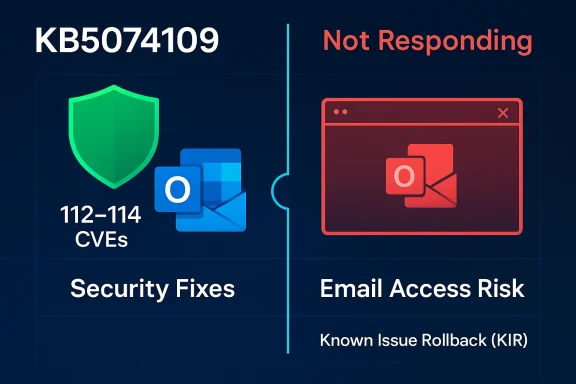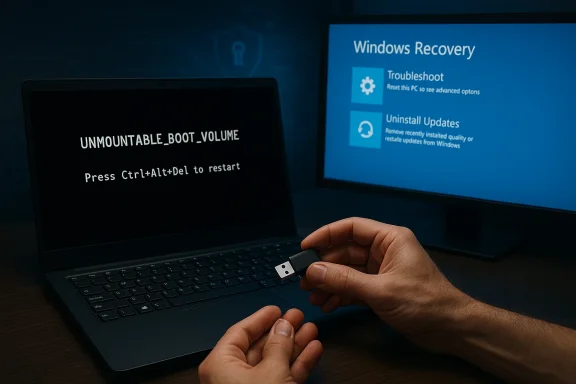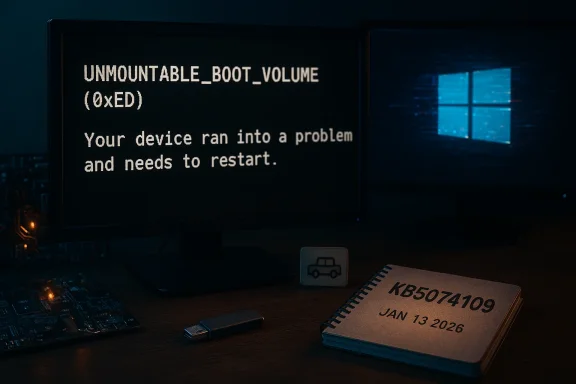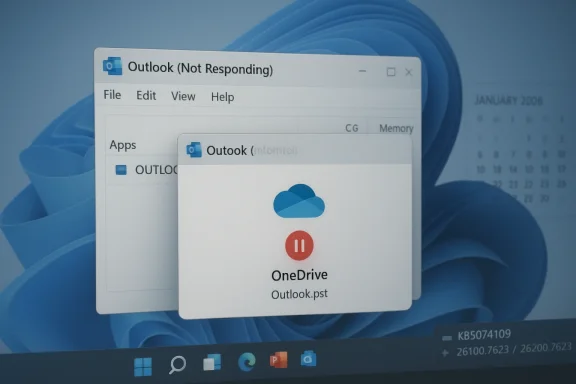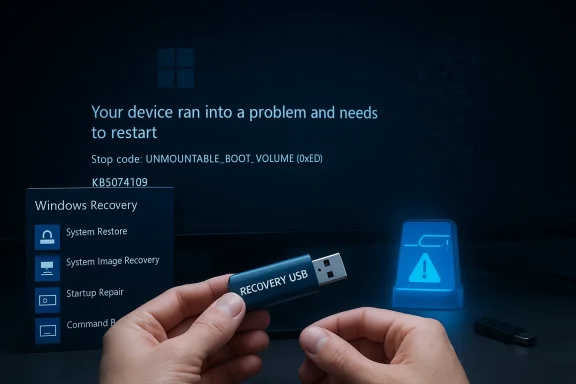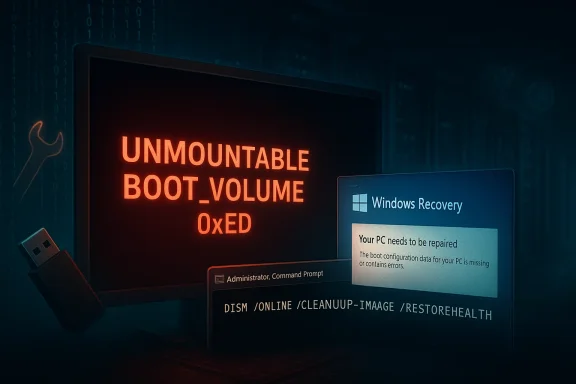
Microsoft's first cumulative Windows 11 update of 2026 — delivered as KB5074109 on January 13 — has left a broad trail of disruption: critical security fixes were installed, but several high-impact regressions followed, forcing Microsoft into rapid damage control with out‑of‑band patches and known‑issue rollbacks as administrators and users reported broken shutdown/hibernate behavior, Remote Desktop authentication failures, and Outlook Classic (POP) crashes alongside a growing list of community reported problems.
Background and overview
KB5074109 was published on January 13, 2026 as the first Patch Tuesday cumulative update for Windows 11 branches; for affected builds this advanced OS versions to OS Build 26200.7623 (25H2) and 26100.7623 (24H2). The package bundled important security patches — including fixes for a Windows Remote Assistance security bypass (tracked as CVE‑2026‑20824) — and several quality improvements (most notably an NPU idle power behavior correction and Secure Boot certificate handling). Microsoft's official notes and vendor advisories confirm the release date and the targeted fixes. The update's scope and urgency explain why many organizations applied it quickly: security scanners and advisory feeds recorded scores of CVEs addressed in the rollup, and some fixes mitigated real battery‑drain issues on NPU‑equipped AI PCs. But the operational reality after deployment was completed: telemetry and community reports surfaced multiple, apparently unrelated regressions that affected power management, remote access, the Windows shell, and application stability. Microsoft responded with out‑of‑band (OOB) packages and Known Issue Rollback (KIR) options within days.What Microsoft has confirmed — the core, load‑bearing regressions
1. Outlook Classic (POP) profiles hang or fail to exit
Microsoft's Outlook support team has publicly marked an issue relating to classic Outlook profiles that use POP: affected Outlook instances may not exit cleanly, hang, or leave background OUTLOOK.EXE processes after the January update, making the application unreliable until the OS regression is fixed or the update is removed. The behavior was marked investigating by Microsoft and has been widely reproduced in community forums. Administrators and users reported that uninstalling KB5074109 restored normal behavior in many cases. Why this matters: POP remains in use across many residential and small‑business mail setups. An email client that can't reliably exit or record sent items is a productivity blocker and raises help‑desk incident counts quickly.2. Remote Desktop / Azure Virtual Desktop authentication failures
After KB5074109, many users encountered credential‑prompt or authentication failures when launching Remote Desktop sessions via the Windows App client, affecting Azure Virtual Desktop (AVD) and Windows 365 flows. Microsoft documented the symptom and issued an OOB remediation to restore credential‑prompt behavior; the fix was distributed in subsequent January packages. The breakage occurred before a session was established, meaning user data wasn't directly altered, but access was blocked.3. Shutdown / hibernate regression on Secure Launch systems
A narrower but disruptive regression surfaced on systems with System Guard Secure Launch enabled: when affected machines attempted shutdown or hibernation they sometimes rebooted instead of powering off. This symptom was most common on Windows 11 version 23H2 Enterprise and IoT SKUs where Secure Launch is routinely enabled. Microsoft acknowledged the regression and released targeted OOB updates to address it. Microsoft's immediate response — OOB fixes and KIR — addressed at least the Remote Desktop authentication and shutdown regressions for many customers within days of the update's release. Administrators are advised to follow the KB guidance and apply OOB patches where automatic delivery has not yet occurred.The growing list of community‑reported problems (unconfirmed vs confirmed)
Beyond the three Microsoft‑acknowledged items above, community channels and vendor advisories have reported a wider set of failures that continue to accumulate. These items range from cosmetic annoyances to workflow‑breaking failures:- Sleep (S3) failing on some desktops and older PCs after KB5074109 — users describe systems that appear to go to sleep (screen off) but whose fans and mainboard power remain on, preventing recovery without a hard restart. The reports call out S3 specifically and cite scenarios where a USB camera attached prevents proper sleep entry. At present this regression is community sourced and not universally acknowledged by Microsoft, but remains reproducible on several configurations and remains under investigation.
- Citrix Director / Remote Assistance (shadowing) fails to launch invite files after the Microsoft update that fixed CVE‑2026‑20824; Citrix confirmed users may not be able to launch .msrcincident invite files on machines patched by KB5074109. Vendors recommend migrating to HDX Screen Sharing where possible. This appears linked to the hardening in the Remote Assistance surface that closed the security bypass.
- File Explorer ignoring desktop.ini LocalizedResourceName entries (localized folder labels disappearing) — multiple users reported desktop.ini metadata being ignored, which affects folder naming and customization. Microsoft applied a "looking into it" label to related Feedback Hub posts, but no fix had been published at the time of writing.
- Transient black‑screen or wallpaper reset issues at login for a subset of machines, reproduced in community testing across GPUs from NVIDIA, AMD and Intel.
- Reports of Hyper‑V hosts or VMs hanging during reboot and third‑party app crashes (for example, notes of Adobe InDesign file‑save corruption correlated temporally with the update in community posts). These reports are scattered across forums and require per‑case validation.
Why multiple, disparate regressions happened: a technical read
Monthly cumulative updates are complex: they combine many security patches, kernel and driver updates, and user‑mode behavior changes into a single package that ships to millions of devices with diverse hardware and management stacks. When a change touches low‑level subsystems (boot hardening, authentication flows, power‑state handling), even narrowly targeted fixes can ripple into unexpected areas.Three structural drivers are worth highlighting:
- Interdependent subsystems: Secure Launch, ACPI/power management, Remote Assistance/authentication, and the Windows shell occupy different privilege levels yet interact during common operations like shutdown, sleep, and remote session launch. A fix in one layer can change assumptions elsewhere. Community analysis points to interactions between SystemEventsBroker maintenance wake flows and the S3 path in at least one reproduction of the sleep regression, but that claim remains based on user debugging and needs a vendor root‑cause to confirm.
- Configuration‑specific code paths: Many regressions are narrowly scoped — affecting only machines with Secure Launch enabled or those using legacy S3 power models or certain third‑party remote assist integrators like Citrix Director that invoke msra. Narrow scopes reduce detection probability in broad QA, but raise operational impact for affected enterprises.
- Cumulative update complexity and reuse of code paths: fixes for one CVE may touch authentication or serialization routines used broadly (for example, the Remote Assistance hardening for CVE‑2026‑20824 closed a bypass but appears to have broken expected file‑launch behavior for some management tooling). The NVD, Rapid7 and Microsoft advisory pages show that CVE‑2026‑20824 affected a wide set of Windows client and server versions and was patched across many branches — a broad fix surface that increases the chance of regressions.
How to check whether your PC uses S3 or Modern Standby (S0)
Because many newer laptops use Modern Standby (S0 low power idle) instead of the traditional S3 sleep model, reproductions and impact vary. To verify what your system supports, run:- Open Command Prompt as Administrator.
- Run: powercfg /a
Practical guidance for administrators and power users
The following steps are pragmatic, prioritized actions for IT administrators and advanced users managing Windows 11 fleets or single devices in production.- Immediate triage (if you've already installed KB5074109)
- Check Microsoft's support pages for KB5074109 and for any out‑of‑band packages (search for KB5077744 / KB5077797 or later updates targeted at January OOB fixes). If the OOB fix applies to your branch, install it via your management tooling or Microsoft Update Catalog.
- If you rely on Remote Desktop / AVD / Windows 365, verify that credential prompts and sign‑in flows work post‑patch. If you see immediate failures, apply Microsoft's OOB remediation guidance or deploy the KIR where documented.
- For Outlook Classic (POP) impact, consult Microsoft's Outlook advisory for interim mitigations and monitor for an Outlook client update or Windows fix. Some users have found temporary relief by uninstalling the KB while awaiting a permanent fix; that step should be weighed against the security urgency of the patch.
- If you see sleep/hybrid behavior or S3 failures
- Run powercfg /a and collect SleepStudy reports (powercfg /SleepStudy) where Modern Standby is available. For S3 platforms, gather event logs and test with peripheral devices (notably USB cameras) disconnected to check for reproductions.
- Consider temporary workarounds like uninstalling the KB in isolated cases where sleep failure prevents safe device use — but treat this as a last resort because KB5074109 closes real vulnerabilities. Maintain risk‑based justification for any rollback.
- When using Citrix Director / third‑party remote‑assist solutions
- Validate shadowing workflows and test the opening of .msrcincident files on patched machines. Where Citrix Director depends on msra, be prepared to apply Citrix guidance (switch to HDX Screen Sharing if practical) and plan for coordinated testing with Microsoft remediation timelines.
- Test images and deployment pipelines
- If you deploy image media, ensure your installation media is rebuilt with the latest safe cumulative updates and test them thoroughly on hardware representative of the fleet. Past incidents showed that pre‑patched media can create update eligibility issues; keep media current and validate update flow end‑to‑end.
- Communication and incident handling
- Inform users of the tradeoffs: the January 13 rollup includes important CVE fixes (including CVE‑2026‑20824). For users in affected configurations, prioritize applying Microsoft's OOB updates or KIR guidance; for unaffected users, routine rollout remains the right path. Maintain clear rollback policies and ensure backups and restore points exist before mass deployment.
Strengths and weaknesses of Microsoft's response
Strengths
- Rapid detection and triage: within days Microsoft shipped OOB updates and published support notes acknowledging the most disruptive regressions (Outlook POP, Remote Desktop authentication, and the 23H2 shutdown regression), which prevented a broader escalation.
- Use of Known Issue Rollback (KIR): KIR remains a valuable tool for enterprise admins to selectively revert problematic changes without uninstalling entire cumulative updates, which reduces the operational cost of emergency remediation.
Weaknesses and risks
- Regressions touching low‑level subsystems create high operational risk: when fixes alter boot or authentication surfaces, the side effects can impact access and recoverability — outcomes that are costly for enterprises and end users.
- Testing and telemetry gaps: multiple narrow, configuration‑dependent regressions (Secure Launch, S3 on older hardware, msra interactions with Citrix Director) indicate coverage gaps in pre‑release testing across enterprise and legacy scenarios.
- Communication lag for community issues: several problems reported widely (desktop.ini regressions, S3 sleep failures with webcams attached) were visible in community channels before vendor confirmation. Those community‑sourced issues require careful vendor triage; however, the lag between reporting and formal acknowledgement creates uncertainty for affected customers.
Security tradeoffs: patch now, or delay and risk exposure?
KB5074109 patched real security holes, including CVE‑2026‑20824, which affects a broad swath of Windows clients and servers and was cataloged by major vulnerability trackers on January 13. Not deploying the update leaves systems susceptible to a security bypass in Windows Remote Assistance and other tracked vulnerabilities. Conversely, deploying at scale exposed some organizations to operational regressions. The correct approach is risk‑based:- For internet‑facing or high‑risk endpoints, prioritize applying the updates and be ready to apply OOB fixes or KIR where indicated.
- For critical production systems with known sensitive workflows (Remote Desktop hosts, Citrix Director integrations, or S3‑dependent devices), block or stage the update and perform focused compatibility testing before broad rollout.
- Maintain a rapid rollback and incident communications plan for any mass deployment, and leverage Microsoft's release health dashboard and KB notes to track OOB packages and mitigations.
How to monitor for fixes and protect your estate
- Follow Microsoft's Release Health and KB pages for KB5074109 and the OOB packages listed in January's advisories; these pages list build numbers, known issues, and mitigations.
- Subscribe to vendor advisories from third parties in your stack (Citrix, hardware vendors) — the interaction between OS hardening and third‑party tooling is often where regressions reveal themselves.
- Leverage telemetry and automated testing to detect regressions quickly in representative imaging and remote‑work flows (RDP/AVD, remote assist, sleep/hibernate). Design tests to exercise device boot, shutdown, hibernate, sleep, Remote Desktop authentication, and common admin tasks.
Final analysis and recommendations
KB5074109 was an important security update, and Microsoft's early fixes demonstrate responsiveness. At the same time, the update cycle exposed how cumulative patches touching multiple privileged subsystems can cause diverse regressions across enterprise and consumer devices. The most important takeaways for Windows admins and power users are:- Treat January's rollout as a case study in balanced urgency: apply security patches where the risk is high, but stage and test aggressively for devices and services that interact with low‑level OS subsystems (power, boot‑time security, remote assistance).
- Use powercfg /a and SleepStudy tools to determine whether sleep/S3 issues are due to platform configuration or an update regression, and capture logs and SleepStudy output before contacting support.
- When a regression is confirmed and Microsoft issues an OOB update or KIR, prioritize deployment of that remediation rather than blanket rollback — targeted fixes reduce risk while keeping security posture intact.
- Maintain a strong feedback loop: file reproducible bugs in Feedback Hub, capture logs and repro steps, and coordinate with vendor support for third‑party products (Citrix, Adobe, etc.) that interact with the affected Windows surfaces.
The January 2026 KB5074109 episode is a reminder that security and stability must be balanced: patches stop attackers, but regressions stop users. Robust testing, staged rollouts, and rapid coordinated remediation across vendors are the practical defenses against both threats — and they're essential if Windows update cycles are to regain the trust of the organizations that depend on them.
Source: Windows Latest 2026's first Windows 11 update is causing more problems now, as Microsoft enters damage control mode