Yesterday’s November cumulative for Windows 11, shipped as KB5068861, has triggered a small but noisy set of community reports — including one detailed Reddit post alleging sudden black screens, locked brightness, and repeated driver failures after the update installed mid-game — prompting fresh questions about update reliability, rollback options, and how to diagnose whether a software patch or underlying hardware/driver fault is to blame.
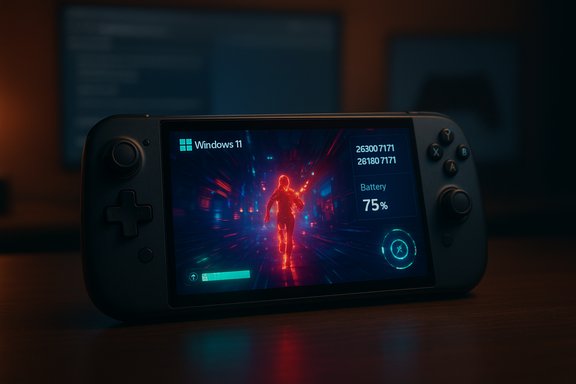
Microsoft released the November 11, 2025 cumulative update for Windows 11 (KB5068861) for both 25H2 and 24H2 builds, distributed as combined servicing-stack plus LCU packages and documented with OS build numbers 26200.7171 and 26100.7171 respectively. The official release notes list security fixes and a group of quality and reliability improvements, including gaming-related battery fixes, Task Manager shutdown corrections, and fixes to HTTP.sys parsing behavior. Microsoft’s public KB page currently states that it is not aware of any issues with this update. Community coverage and roundup posts mirrored the official details while also emphasizing the staged rollout and server-side gating Microsoft uses for certain UI features — a model that can produce inconsistent visibility of new functionality across otherwise similar machines. Independent tech outlets published concise summaries of the package and how to obtain it via Windows Update or the Microsoft Update Catalog. That’s the formal record. In practice, patch-day stories often diverge from vendor notes: isolated or low-volume regressions can appear on social platforms and support forums before a pattern is large enough to trigger an official acknowledgement and an emergency pull or hotfix. The Reddit report that started this specific discussion is one such isolated case, but it contains details that warrant investigation because the symptoms reported — blackscreens, brightness control loss, repeated driver-install prompts, and odd UI/right‑click behavior — can indicate either a software regression or a hardware/driver failure.
Primary hypotheses
KB5068861’s release and the community reaction around it are a reminder that in Windows servicing, the intersection of hardware diversity, third‑party drivers, and combined servicing packages creates a complex troubleshooting environment. Individual reports like the Reddit post deserve careful, evidence‑based triage; they do not automatically represent a broad regression, but they do underscore the continuing need for cautious rollout practices and clear, user-friendly rollback tools for everyday users and administrators alike.
Source: Windows Report Reddit User Claims KB5068861 Update Causing Black Screens & System Glitches on Windows 11 25H2
 Background / Overview
Microsoft released the November 11, 2025 cumulative update for Windows 11 (KB5068861) for both 25H2 and 24H2 builds, distributed as combined servicing-stack plus LCU packages and documented with OS build numbers 26200.7171 and 26100.7171 respectively. The official release notes list security fixes and a group of quality and reliability improvements, including gaming-related battery fixes, Task Manager shutdown corrections, and fixes to HTTP.sys parsing behavior. Microsoft’s public KB page currently states that it is not aware of any issues with this update. Community coverage and roundup posts mirrored the official details while also emphasizing the staged rollout and server-side gating Microsoft uses for certain UI features — a model that can produce inconsistent visibility of new functionality across otherwise similar machines. Independent tech outlets published concise summaries of the package and how to obtain it via Windows Update or the Microsoft Update Catalog. That’s the formal record. In practice, patch-day stories often diverge from vendor notes: isolated or low-volume regressions can appear on social platforms and support forums before a pattern is large enough to trigger an official acknowledgement and an emergency pull or hotfix. The Reddit report that started this specific discussion is one such isolated case, but it contains details that warrant investigation because the symptoms reported — blackscreens, brightness control loss, repeated driver-install prompts, and odd UI/right‑click behavior — can indicate either a software regression or a hardware/driver failure. What the Reddit report says (and what it doesn’t)
The claim in plain terms
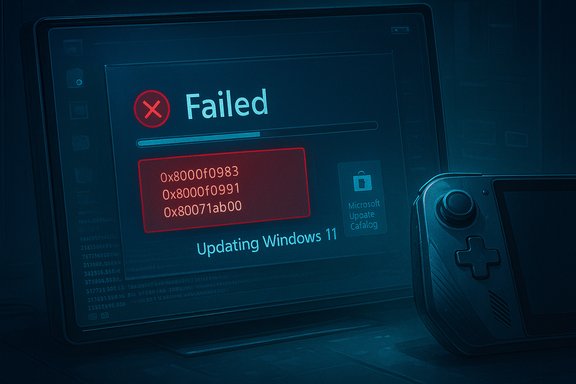
- A Reddit user reports that while playing Warframe their laptop installed KB5068861 without warning, the screen went black, and after the crash a series of persistent problems followed: brightness control locked at maximum, NVIDIA drivers failing to install correctly, left-clicks acting like right-clicks, and repeated admin permission prompts for ordinary clicks. Uninstalling KB5068861 reportedly did not stick: the patch “loops” back after every restart.
Immediate caveats
- This is a single-user report on a public forum and is framed as a first-hand account — meaning it is an anecdote, not a reproducible diagnostic dataset. The core allegations (forced mid-session install, update reinstalling itself, and peculiar input behavior) are plausibly explained by software, firmware, or hardware faults, and must be treated as claims until corroborated by multiple independent reports or by Microsoft.
- Community responders on the same thread suggested the possibility of a hardware issue (faulty GPU or a damaged display flex cable) — a reasonable alternative hypothesis when you see persistent artifacts or brightness lock. The presence of artifacts on the BIOS/UEFI screen or changes when moving the laptop lid are classic signs of hardware/display-cable failure rather than a Windows servicing regression.
What the official record and broader coverage say
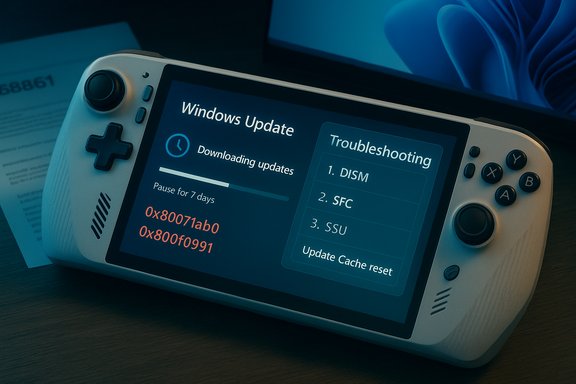
Microsoft’s KB documentation for KB5068861 lists the build numbers and the fixes included, along with the usual guidance on how to remove the LCU component using DISM if needed (because the combined SSU+LCU packaging prevents a wusa-based uninstall of the SSU). The KB notes explicitly that “Microsoft is not currently aware of any issues with this update” — the standard phrase Microsoft uses until a pattern is validated. Tech sites and Windows-focused outlets summarized the content and advised routine caution — pilot deployments for organizations and the usual rollback/rollback-plan provisions for administrators. Community discussions across multiple forum archives show that previous November/October cumulatives have occasionally introduced UI glitches or stability regressions, sometimes requiring targeted uninstalls or hotfix follow-ups; that historical pattern forms part of the context users should bring to today’s reports.Technical analysis — likely causes and diagnostic priorities
When a machine exhibits black screens, brightness lock, driver install failures, and strange input behavior after an update, treat diagnosis like building a case: list possible causes, then eliminate them systematically.Primary hypotheses
- Software/driver regression introduced or exposed by KB5068861 (or by another recent change).
- Corrupt driver or system files unrelated to the cumulative but coincidentally triggered by an update/reboot.
- Hardware failure (GPU, GPU power delivery, display panel flex cable, or embedded controller).
- Firmware/BIOS incompatibility with a new servicing-stack update or LCU binary.
- Brightness locked at full and artifacts that change when the lid is moved argue strongly for hardware or display‑cable issues. If BIOS/UEFI shows artifacts or shows a black screen too, that’s almost certainly hardware. Community responders recommending sourcing an external monitor and checking BIOS were citing standard hardware triage.
- Repeated prompts to install the same NVIDIA “Game Ready” driver multiple times often indicate a failed driver installation or a mismatch between the driver and the OS image (for example, a driver signature issue, a filesystem integrity problem, or a pending update state that prevents the driver from completing installation). Corrupt Windows Update component caches or incomplete servicing can also cause drivers to fail to register even while appearing to be installed. Microsoft documents how to use DISM and package removal commands to inspect packages and remove LCUs when required.
- Left-clicks behaving like right-clicks and admin prompts when opening ordinary apps suggest system file corruption or an input-layer driver that’s misbehaving. Malware can sometimes cause odd input prompts, but a more common reason is a corrupted shell extension, third‑party context menu handler, or driver-level corruption. A safe-mode boot or a clean-boot trial will quickly separate third‑party software causes from OS-level faults.
How to triage — a practical step‑by‑step checklist (for power users and admins)
Follow these steps in sequence. Where commands are provided, run them from an elevated (Administrator) Command Prompt or PowerShell.- Preserve the state
- If possible, create a disk image or snapshot (hypervisor VM snapshot if the machine is virtual). This preserves the evidence and lets you revert quickly if something goes wrong.
- Test hardware vs. software (fast checks)
- Plug the laptop into an external display (HDMI/DisplayPort). If the external display shows a normal picture while the laptop screen misbehaves, suspect the laptop display or its flex cable. If both screens are black or glitched, the GPU or GPU driver is the more likely culprit.
- Reboot and enter BIOS/UEFI. If artifacts or black screens appear before Windows loads, that’s hardware/firmware territory.
- Safe Mode / Clean Boot
- Boot to Safe Mode. If the issue disappears, suspect a driver or third‑party shell extension.
- To start Safe Mode: Settings → Recovery → Advanced startup → Restart now → Troubleshoot → Advanced options → Startup Settings → Restart → F4 (Enable Safe Mode).
- Check update and driver status
- Verify KB presence: run
- wmic qfe get HotFixID,Description,InstalledOn | findstr 5068861
- or use DISM to list packages: DISM /online /get-packages | findstr 5068861
- If KB5068861 is present and you need to remove the LCU component, Microsoft advises using DISM with the exact package name. The combined SSU+LCU package cannot be fully uninstalled via wusa if it contains the SSU.
- Attempt driver repair
- Use DDU (Display Driver Uninstaller) to fully remove NVIDIA or AMD drivers in Safe Mode, then reinstall the driver downloaded directly from the GPU vendor site — not from Windows Update. Clean installs reduce the chance of corrupted driver packages.
- If the driver repeatedly “installs” and then prompts again, check the Device Manager for error codes and look in Event Viewer (System and Setup logs) for driver install failures.
- Repair system files
- Run:
- sfc /scannow
- DISM /Online /Cleanup-Image /RestoreHealth
- These commands repair corrupted system files and can resolve issues where install operations complete but the system can’t use the updated files.
- Rollback the update (if you believe the LCU is causal)
- If you need to remove the LCU portion: use DISM /Online /Get-Packages to find the LCU package name, then:
- DISM /Online /Remove-Package /PackageName:<PackageName>
- Reboot and verify. Note: removing the LCU may be limited by the presence of SSUs and may not be possible via wusa. Microsoft documents this exact process for combined packages.
- If hardware triage points to a display cable or GPU
- For laptops: test with an external display, check BIOS, and if artifacts vary with lid angle suspect a flex cable; consult an authorized service center.
- For desktops: swap the GPU into another machine if possible, or test with a known-good PSU and monitor.
- Preserve logs and report
- Capture Event Viewer entries, setup logs, and a copy of the DISM /get-packages output. If the issue looks like a servicing regression, submit a Windows Feedback Hub report and (if you’re an enterprise admin) open a Microsoft Support ticket with collected logs.
Assessing the risk and scale
- Single-report vs. signal: At time of writing the claim about KB5068861 causing black screens is limited to an isolated Reddit post and scattered forum chatter. A single report is not proof of a widespread regression; it may be a one-off interaction between that device’s hardware, installed drivers, and the update sequence. Microsoft’s KB page for KB5068861 lists the package and claims no known issues as of the release note. Those two facts together indicate the official stance remains “no known widespread regression.”
- Historical context: October and earlier Patch Tuesday releases for Windows 11 have, in past months, produced high-profile regressions affecting diverse subsystems (taskbar UI, search flyouts, WSL2, IIS) which were later acknowledged and mitigated. That historical pattern means vigilance is warranted — but it also means not every anecdote maps to a global issue. Community thread aggregations show a mixed bag of problems from earlier cumulatives; those past incidents are why admins should pilot updates and keep rollback plans.
- Practical guidance for general users: if your machine is critical for work or production, delay non-critical updates for a few days after Patch Tuesday and apply them in a staged way. If you’re an enthusiast who wants the latest fixes, install but ensure you have a restore point or system image and be prepared to roll back if needed.
Strengths and shortcomings of Microsoft’s current rollout model
Strengths
- Combined SSU+LCU packaging ensures the servicing stack and cumulative updates align, reducing some failure modes and improving long-term reliability when things install correctly.
- Server-side gating allows Microsoft to enable features in controlled waves, limiting exposure when a feature reveals a bug.
- The KB pages provide exact build numbers and file lists and include guidance for package removal using DISM, which is essential for administrators.
Shortcomings / Risks
- Combined packages complicate rollback for non-expert users because a wusa-based uninstall won’t remove an SSU, forcing admins to use DISM with precise package names — an approach that’s technical and error-prone for casual users.
- The author’s “no current issues known” phrasing delays public acknowledgement until there’s a clear signal; this helps prevent premature panic but leaves early victims feeling isolated and uncertain.
- The staged feature model can create inconsistent user experiences across ostensibly identical machines, making troubleshooting harder for both admins and support staff.
What to do if you’ve been affected
- If you have a single laptop or home PC: follow the triage checklist above (external display test, safe mode, DDU driver clean, SFC/DISM, then consider LCU removal via DISM).
- If you manage fleets or critical systems: withhold this optional or non-critical update on production systems until pilot groups confirm stability; use ringed deployment and rely on telemetry before full rollout.
- Document everything. Capture logs and event entries and be ready to escalate to Microsoft Support if multiple machines reproduce the same failure mode.
Final assessment and recommended stance
The currently reported KB5068861 black-screen claim is credible as an individual user complaint and should be treated as a high-priority troubleshooting case for the affected machine. It is not, at the time of writing, demonstrably a widespread, reproducible regression that mandates a mass rollback or indicates a catastrophic failure in Microsoft’s servicing pipeline. The official KB and multiple independent coverage outlets describe the update and list no known issues; independent community responders correctly noted hardware possibilities in the Reddit thread, which is an important caution against leaping to a patch-blame conclusion. For Windows users and administrators, the prudent posture remains unchanged:- Stage updates;
- Maintain backups and recovery images;
- Use safe-mode and hardware checks to differentiate drivers/OS regressions from hardware failures; and
- Collect and escalate logs if you find reproducible patterns across machines.
Quick reference: commands and immediate actions
- Check for KB presence:
- wmic qfe get HotFixID,Description,InstalledOn | findstr 5068861
- DISM /online /get-packages | findstr 5068861
- Remove an LCU (if required and you have the exact package name):
- DISM /Online /Remove-Package /PackageName:<PackageName>
- Repair system files:
- sfc /scannow
- DISM /Online /Cleanup-Image /RestoreHealth
- Create a restore point or VM snapshot before attempting removal or major troubleshooting.
KB5068861’s release and the community reaction around it are a reminder that in Windows servicing, the intersection of hardware diversity, third‑party drivers, and combined servicing packages creates a complex troubleshooting environment. Individual reports like the Reddit post deserve careful, evidence‑based triage; they do not automatically represent a broad regression, but they do underscore the continuing need for cautious rollout practices and clear, user-friendly rollback tools for everyday users and administrators alike.
Source: Windows Report Reddit User Claims KB5068861 Update Causing Black Screens & System Glitches on Windows 11 25H2