

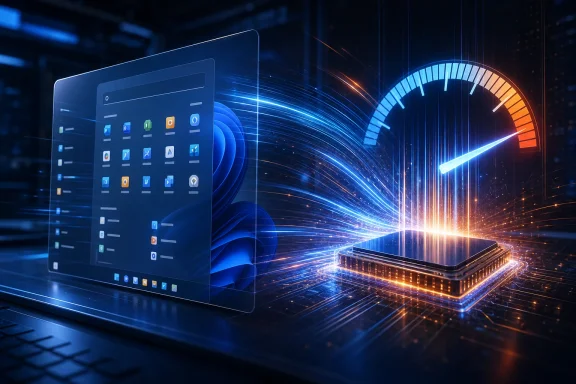
Microsoft is testing a Windows 11 “Low Latency Profile” that briefly pushes CPU clocks higher during interactive actions such as opening apps, Start, flyouts, and context menus, with early reports on May 7–12, 2026 claiming sizable responsiveness gains in Insider builds. That is the plain story; the larger one is more uncomfortable. Windows 11 has become fast enough on paper and slow enough in the hand that Microsoft now has to optimize for the half-second moments users actually remember. The company is not merely tuning code—it is trying to win back trust one click at a time.
For years, Windows performance has been discussed in the language of boot times, gaming frame rates, storage throughput, and synthetic CPU scores. Those numbers matter, but they rarely explain why a system with a modern NVMe drive and a many-core processor can still feel vaguely annoyed when asked to open the Start menu. The new Low Latency Profile is aimed squarely at that problem: not total throughput, but the user’s perception that the machine answered immediately.
The reported mechanism is simple enough. When Windows detects a high-priority interactive action, it temporarily encourages the processor to run at a higher frequency for a short burst, reportedly one to three seconds. That gives the shell, in-box apps, and interface surfaces more headroom at the exact moment a delay would be most visible.
This is not a wild idea, and Microsoft’s defenders are right to say so. Modern operating systems already juggle boost behavior, scheduler hints, foreground prioritization, and power-policy tradeoffs to make devices feel alive rather than merely efficient. Smartphones have lived in this world for years; laptops now do too.
But Windows is not being judged against a clean-room theory of operating system design. It is being judged against decades of muscle memory. When users say Windows 95, Windows 7, or Windows 10 “felt faster,” they often mean that the common UI path from intent to response had less friction, even on laughably weaker hardware.
A 1990s laptop was not doing today’s security scanning, cloud sync, GPU composition, accessibility layering, account integration, telemetry, high-DPI scaling, or modern app packaging. It also was not expected to animate a translucent shell across multiple displays while indexing documents and negotiating half a dozen background services. Nostalgia usually edits out the rough edges.
Still, the joke works because Notepad is supposed to be the canonical instant app. It is the thing you open when you need somewhere for text to go now. If Notepad becomes a credible performance benchmark, the Windows experience has wandered into symbolic danger.
Microsoft knows this, even if it would rather talk about architecture than symbolism. The company’s broader 2026 quality push has repeatedly emphasized responsiveness, reliability, reduced resource use, and UI consistency. Those are not glamorous platform pillars; they are repair work.
The problem is that Windows 11’s critics are not only objecting to the trick. They are objecting to the feeling that the trick arrived after years of architectural drift. If the Start menu, context menus, File Explorer, Settings, and modernized in-box apps had consistently felt crisp, nobody would care that Windows temporarily goosed CPU frequency to shave latency.
That is why the phrase “lazy fix” keeps appearing in online debates. It is not a rigorous technical critique. It is a verdict on Microsoft’s sequencing: first ship the heavier UI, then spend years explaining why the heavier UI needs special handling to feel normal.
There is a more generous reading. Low Latency Profile may be the kind of systems-level tuning Windows should have had all along, especially as Microsoft moves more experiences to modern UI frameworks. If the platform is going to keep layering security, accessibility, compositing, richer controls, and cloud-connected surfaces on top of old assumptions, then power and scheduler policy need to evolve too.
Both readings can be true. A good fix can still expose the age of the wound.
Microsoft has spent years trying to modernize Windows without breaking the software universe that makes Windows valuable. That bargain is rational. Enterprises do not want a beautiful OS that strands line-of-business tools, driver panels, management agents, accessibility software, and oddball hardware utilities.
But the bargain has costs. Every transitional layer becomes another place for latency, memory overhead, startup delay, and visual mismatch to creep in. File Explorer may look simpler than it used to, yet it can feel heavier because the modern UI stack around it is doing more work than the old ribbon-era shell did.
The company’s 2026 quality commitments have leaned into this directly, including faster core experiences like Start and a push to move more Windows experiences to WinUI 3. That sounds tidy, but it is also a reminder that Windows 11 shipped in 2021 with a UI modernization story that was not fully paid for. The invoice is arriving now.
The difficult question is whether moving more of Windows to WinUI 3 fixes the problem or merely standardizes it. A consistent modern framework is better than a patchwork, but only if the framework is fast enough to survive contact with real users. “Modern” is not a synonym for responsive.
Windows 11’s Explorer has taken heat for years because its redesign made common actions feel less immediate for many users. The simplified command bar, new context menu, tabs, gallery views, OneDrive integration, archive support, and modernized surfaces all have plausible product justifications. Yet when right-clicking a file feels slower than it did on Windows 10, the user does not grade on architectural intent.
Microsoft has been attacking Explorer on several fronts. Recent updates have targeted crash reduction, faster context menus, more reliable Quick Access behavior, improved folder view stability, and smoother storage-related pages. Separate testing has looked at preloading Explorer in the background, a classic trade of memory for perceived speed.
That last point matters. Windows performance is increasingly a negotiation between latency and resource consumption. Preload something and it opens faster, but memory use rises. Delay something and the idle system looks leaner, but the first click feels worse. Boost the CPU and the action completes sooner, but battery and thermals enter the conversation.
The old Windows brag was that it could run on almost anything. The new Windows challenge is that it must feel good on almost anything while also being secure, modern, connected, and power-aware. That is harder than nostalgia admits, but it is also Microsoft’s job.
Windows 11’s Start menu has been criticized for being less configurable, more cloud-influenced, and less direct than earlier versions. Performance complaints compound those design objections. A Start menu that opens slowly or searches unpredictably feels less like a launcher and more like a negotiation.
That is why reports of up to 70 percent faster Start and context-menu responsiveness attracted so much attention. Even if those figures are from early testing and depend heavily on hardware, workload, and measurement method, the target is exactly right. A faster Start menu changes the emotional weather around Windows more than a dozen obscure subsystem improvements.
Microsoft also appears to understand that performance and clutter are linked. A shell packed with recommendations, web results, account prompts, Copilot entry points, and promotional surfaces creates more than visual noise. It creates suspicion that the OS is spending attention on Microsoft’s priorities before the user’s.
A responsive Windows 11 cannot simply be a Windows 11 that boosts the CPU harder. It must be a Windows 11 that stops making basic actions feel like they pass through a product-strategy committee.
For gamers, responsiveness is not just about the Start menu. It is about alt-tabbing cleanly, launching overlays, opening Game Bar, switching audio devices, handling HDR state changes, resuming after sleep, and surviving marathon sessions without progressive weirdness. A small interaction delay in the shell can become maddening when it interrupts a system otherwise capable of hundreds of frames per second.
A Low Latency Profile could help with the non-game moments around gaming. Launchers, settings panels, chat apps, capture tools, and file dialogs all benefit when the foreground action gets immediate CPU attention. On lower-end systems, the subjective gain may be larger than it is on high-end desktops already sitting near boost clocks.
But power users will also ask whether Microsoft is papering over bloat. If a modern Notepad needs a CPU policy assist to feel like old Notepad, something has gone sideways in the economics of software complexity. That does not mean the assist is bad. It means the assist cannot be the whole plan.
Windows has always survived by being practical rather than pure. If the OS feels faster after this change, most users will take the win. The enthusiasts will take the win too, then keep complaining, because that is how Windows gets better.
Yet enterprises will evaluate Low Latency Profile through a different lens. Does it affect battery life on managed laptops? Does it interact with vendor power plans? Can it be governed by policy? Does it behave differently on Intel, AMD, Qualcomm, and virtualized endpoints? Does it make remote sessions feel better, worse, or unchanged?
Microsoft will need to be careful here. Consumer messaging can celebrate “up to” improvements, but enterprise deployment lives in variance. A feature that makes one fleet feel premium and another run hotter will become another policy object to test, document, and possibly disable.
There is also the Windows 10 migration backdrop. With Windows 10’s consumer end of support having arrived in October 2025, organizations are under pressure to move the remaining estate forward or pay for extended security updates. Windows 11’s reputation for sluggishness is not the only blocker, but it has been a persistent morale problem.
If Microsoft can make Windows 11 feel tangibly faster on existing hardware, it lowers the emotional cost of migration. That may matter as much as any formal compatibility argument. Nobody wants to be told that the secure, supported OS is also the one that makes their expensive laptop feel older.
That logic is plausible. It is also highly dependent on implementation. Modern processors already manage boost behavior aggressively, and Windows already participates in power decisions through scheduler and power-plan policy. Low Latency Profile needs to complement that stack rather than fight it.
The risk is not that a one-second boost destroys battery life. The risk is death by frequency: many tiny boosts across a busy workday, triggered by shell actions, app launches, flyouts, and repeated UI transitions. On a plugged-in desktop, few users will care. On an ultraportable in a meeting, thermals and fan noise are part of the experience.
Microsoft’s job is to make the feature boring. It should not become a toggle enthusiasts argue over because the default behavior is too aggressive. It should not make budget laptops feel snappier for the first week and then become infamous for warm palm rests.
The best version of Low Latency Profile is invisible. The user clicks; Windows responds. The battery graph does not become a subplot.
But users do not rank operating systems like historians. They rank them by the number of times a day the OS gets in the way. Windows 11 has accumulated small annoyances: changed defaults, reduced taskbar flexibility, Microsoft account pressure, Edge persistence, Copilot placement, Start menu recommendations, context-menu indirection, Settings gaps, and performance inconsistencies.
A responsiveness fix lands inside that accumulated grievance. People are not merely asking whether the Start menu opens faster. They are asking why Microsoft spent years adding things many users did not ask for while basic UI paths felt unfinished.
That is why the “MicroSlop” style of criticism, crude as it is, continues to stick. It expresses a belief that Windows is less a coherent product than a pile of initiatives: AI here, ads there, design refresh somewhere else, legacy compatibility underneath, and performance cleanup later. Microsoft can dismiss the tone, but it should not dismiss the signal.
The company’s 2026 quality push is implicitly an admission that the signal became too loud. Performance, stability, update reliability, and consistency are not niche enthusiast concerns. They are the foundation that lets Microsoft ask users to tolerate everything else.
When Apple boosts aggressively for an interaction, users tend to experience it as part of a tightly managed system. When Windows does the same thing, users wonder how it will behave on a five-year-old Ryzen laptop, a corporate Dell image, a fanless tablet, a gaming desktop with vendor utilities, and a mini PC with questionable firmware. The same technique lands differently because the platform contract is different.
Microsoft cannot become Apple without giving up the Windows ecosystem’s central advantage. It has to solve responsiveness across chaotic hardware and software combinations while preserving compatibility that Apple would simply cut loose. That is a harder engineering task and a weaker marketing story.
Still, Apple is the right comparison in one sense: users judge feel. They do not care whether the underlying technique is elegant if the machine answers promptly. Windows has too often leaned on compatibility and configurability as excuses for a less polished default experience.
The lesson is not that Microsoft should copy Apple’s control model. It is that Windows needs to treat latency as a first-class design constraint, not a cleanup item after the shell roadmap is done.
But subjective responsiveness is unusually easy for users to validate. Open Start. Right-click a file. Launch Notepad, Settings, Edge, Outlook, Terminal, Photos, and File Explorer. Do it after boot, after resume, during update churn, on battery, and while other apps are busy. If it feels better, the argument largely ends.
That is the upside for Microsoft. A UI latency improvement does not require users to read a white paper. It either removes friction or it does not. If Windows 11 begins to feel less like it is thinking before every small action, even skeptics will notice.
The danger is overclaiming. If Microsoft or its boosters frame Low Latency Profile as the fix for Windows 11 performance, disappointment will follow. Responsiveness is a system property, not a single switch. The shell, app frameworks, storage behavior, background services, graphics stack, power policy, and update model all contribute.
A CPU burst can make a slow path shorter. It cannot make an incoherent platform coherent by itself.
That does not absolve the company for shipping Windows 11 with so much visible roughness. The OS has spent years asking users to accept design regressions in exchange for a cleaner future that often seemed to recede with each update. Every performance fix now arrives with an implied question: why was this not the baseline?
Still, software platforms improve by unglamorous accumulation. A faster Start menu here, fewer Explorer crashes there, lower memory use in a first-party app, better update recovery, fewer forced promotional surfaces, more consistent controls—none of these is a keynote moment. Together, they can change the daily texture of the OS.
The question for 2026 is whether Microsoft can keep its attention on this work long enough. Windows has a habit of turning quality pushes into transition periods before the next strategic obsession arrives. AI will continue to loom over the platform, and Microsoft will keep looking for surfaces to expose Copilot and cloud services.
That makes responsiveness a test of discipline. If Microsoft can make Windows 11 feel faster without making it noisier, it will have learned the right lesson. If it uses the reclaimed goodwill to add more interruptions, users will treat the speedup as a temporary apology.
Windows 11 does not need to win a debate about whether a CPU boost is “cheating.” It needs to stop making users think about the operating system during the thousand small moments when the operating system is supposed to disappear. Low Latency Profile may help Microsoft buy back those moments, but the larger test is whether Windows can become faster, calmer, and more coherent without waiting for the next version number to promise what this one should already have delivered.
Source: TechPowerUp Microsoft's Windows 11 UI Is About to Get Much More Responsive
 Microsoft Has Discovered That Responsiveness Is a Feature, Not a Benchmark
For years, Windows performance has been discussed in the language of boot times, gaming frame rates, storage throughput, and synthetic CPU scores. Those numbers matter, but they rarely explain why a system with a modern NVMe drive and a many-core processor can still feel vaguely annoyed when asked to open the Start menu. The new Low Latency Profile is aimed squarely at that problem: not total throughput, but the user’s perception that the machine answered immediately.The reported mechanism is simple enough. When Windows detects a high-priority interactive action, it temporarily encourages the processor to run at a higher frequency for a short burst, reportedly one to three seconds. That gives the shell, in-box apps, and interface surfaces more headroom at the exact moment a delay would be most visible.
This is not a wild idea, and Microsoft’s defenders are right to say so. Modern operating systems already juggle boost behavior, scheduler hints, foreground prioritization, and power-policy tradeoffs to make devices feel alive rather than merely efficient. Smartphones have lived in this world for years; laptops now do too.
But Windows is not being judged against a clean-room theory of operating system design. It is being judged against decades of muscle memory. When users say Windows 95, Windows 7, or Windows 10 “felt faster,” they often mean that the common UI path from intent to response had less friction, even on laughably weaker hardware.
The Notepad Joke Lands Because It Contains a Real Complaint
The community reaction has been predictable and revealing. One TechPowerUp commenter mocked the idea that Microsoft needs to benchmark Notepad startup speed at all, contrasting Windows 11 with a Windows 95-era Pentium MMX machine that felt snappier. That comparison is technically unfair and emotionally precise, which is why it resonates.A 1990s laptop was not doing today’s security scanning, cloud sync, GPU composition, accessibility layering, account integration, telemetry, high-DPI scaling, or modern app packaging. It also was not expected to animate a translucent shell across multiple displays while indexing documents and negotiating half a dozen background services. Nostalgia usually edits out the rough edges.
Still, the joke works because Notepad is supposed to be the canonical instant app. It is the thing you open when you need somewhere for text to go now. If Notepad becomes a credible performance benchmark, the Windows experience has wandered into symbolic danger.
Microsoft knows this, even if it would rather talk about architecture than symbolism. The company’s broader 2026 quality push has repeatedly emphasized responsiveness, reliability, reduced resource use, and UI consistency. Those are not glamorous platform pillars; they are repair work.
A CPU Burst Is Not Cheating, But It Is an Admission
Microsoft’s Scott Hanselman reportedly pushed back against criticism by arguing that macOS, Linux, and phones already use similar tricks. He is right on the engineering principle. An operating system that refuses to bias resources toward the user’s current action is not principled; it is badly tuned.The problem is that Windows 11’s critics are not only objecting to the trick. They are objecting to the feeling that the trick arrived after years of architectural drift. If the Start menu, context menus, File Explorer, Settings, and modernized in-box apps had consistently felt crisp, nobody would care that Windows temporarily goosed CPU frequency to shave latency.
That is why the phrase “lazy fix” keeps appearing in online debates. It is not a rigorous technical critique. It is a verdict on Microsoft’s sequencing: first ship the heavier UI, then spend years explaining why the heavier UI needs special handling to feel normal.
There is a more generous reading. Low Latency Profile may be the kind of systems-level tuning Windows should have had all along, especially as Microsoft moves more experiences to modern UI frameworks. If the platform is going to keep layering security, accessibility, compositing, richer controls, and cloud-connected surfaces on top of old assumptions, then power and scheduler policy need to evolve too.
Both readings can be true. A good fix can still expose the age of the wound.
Windows 11’s Real Performance Problem Lives Between Frameworks
Windows 11’s responsiveness debate is not just about clock speed. It is about a shell assembled from eras: Win32 foundations, XAML Islands, WinUI components, web-backed surfaces, UWP leftovers, Windows App SDK ambitions, and legacy control panels that still appear when the modern Settings app runs out of road. Users experience that history as inconsistency.Microsoft has spent years trying to modernize Windows without breaking the software universe that makes Windows valuable. That bargain is rational. Enterprises do not want a beautiful OS that strands line-of-business tools, driver panels, management agents, accessibility software, and oddball hardware utilities.
But the bargain has costs. Every transitional layer becomes another place for latency, memory overhead, startup delay, and visual mismatch to creep in. File Explorer may look simpler than it used to, yet it can feel heavier because the modern UI stack around it is doing more work than the old ribbon-era shell did.
The company’s 2026 quality commitments have leaned into this directly, including faster core experiences like Start and a push to move more Windows experiences to WinUI 3. That sounds tidy, but it is also a reminder that Windows 11 shipped in 2021 with a UI modernization story that was not fully paid for. The invoice is arriving now.
The difficult question is whether moving more of Windows to WinUI 3 fixes the problem or merely standardizes it. A consistent modern framework is better than a patchwork, but only if the framework is fast enough to survive contact with real users. “Modern” is not a synonym for responsive.
File Explorer Became the Canary in the Shell
No Windows component better illustrates the tradeoff than File Explorer. It is not glamorous software. It is where users go to rename files, browse downloads, drag folders, mount network shares, and discover whether the OS is in a cooperative mood.Windows 11’s Explorer has taken heat for years because its redesign made common actions feel less immediate for many users. The simplified command bar, new context menu, tabs, gallery views, OneDrive integration, archive support, and modernized surfaces all have plausible product justifications. Yet when right-clicking a file feels slower than it did on Windows 10, the user does not grade on architectural intent.
Microsoft has been attacking Explorer on several fronts. Recent updates have targeted crash reduction, faster context menus, more reliable Quick Access behavior, improved folder view stability, and smoother storage-related pages. Separate testing has looked at preloading Explorer in the background, a classic trade of memory for perceived speed.
That last point matters. Windows performance is increasingly a negotiation between latency and resource consumption. Preload something and it opens faster, but memory use rises. Delay something and the idle system looks leaner, but the first click feels worse. Boost the CPU and the action completes sooner, but battery and thermals enter the conversation.
The old Windows brag was that it could run on almost anything. The new Windows challenge is that it must feel good on almost anything while also being secure, modern, connected, and power-aware. That is harder than nostalgia admits, but it is also Microsoft’s job.
The Start Menu Is a Small Surface With Huge Political Weight
The Start menu is where Windows users project their feelings about the whole operating system. It is irrational, but not arbitrary. Start is the front door; when the front door sticks, nobody wants to hear about the quality of the plumbing.Windows 11’s Start menu has been criticized for being less configurable, more cloud-influenced, and less direct than earlier versions. Performance complaints compound those design objections. A Start menu that opens slowly or searches unpredictably feels less like a launcher and more like a negotiation.
That is why reports of up to 70 percent faster Start and context-menu responsiveness attracted so much attention. Even if those figures are from early testing and depend heavily on hardware, workload, and measurement method, the target is exactly right. A faster Start menu changes the emotional weather around Windows more than a dozen obscure subsystem improvements.
Microsoft also appears to understand that performance and clutter are linked. A shell packed with recommendations, web results, account prompts, Copilot entry points, and promotional surfaces creates more than visual noise. It creates suspicion that the OS is spending attention on Microsoft’s priorities before the user’s.
A responsive Windows 11 cannot simply be a Windows 11 that boosts the CPU harder. It must be a Windows 11 that stops making basic actions feel like they pass through a product-strategy committee.
Gamers and Power Users Will Notice the Benefit, Then Ask the Harder Question
The TechPowerUp thread is useful because it mixes hostility with lived experience. One user says Windows 11 has become more stable in daily use, with memory leak and long gaming-session issues apparently improving after recent patches. Another says Windows 11 is worse than Vista and Windows 8. Both reactions are familiar because Windows quality is not a single experience.For gamers, responsiveness is not just about the Start menu. It is about alt-tabbing cleanly, launching overlays, opening Game Bar, switching audio devices, handling HDR state changes, resuming after sleep, and surviving marathon sessions without progressive weirdness. A small interaction delay in the shell can become maddening when it interrupts a system otherwise capable of hundreds of frames per second.
A Low Latency Profile could help with the non-game moments around gaming. Launchers, settings panels, chat apps, capture tools, and file dialogs all benefit when the foreground action gets immediate CPU attention. On lower-end systems, the subjective gain may be larger than it is on high-end desktops already sitting near boost clocks.
But power users will also ask whether Microsoft is papering over bloat. If a modern Notepad needs a CPU policy assist to feel like old Notepad, something has gone sideways in the economics of software complexity. That does not mean the assist is bad. It means the assist cannot be the whole plan.
Windows has always survived by being practical rather than pure. If the OS feels faster after this change, most users will take the win. The enthusiasts will take the win too, then keep complaining, because that is how Windows gets better.
Enterprise IT Cares Less About Snappiness Than Predictability
For administrators, the appeal of a more responsive Windows 11 is obvious but secondary. A help desk does not want tickets about Start hanging, Explorer crashing, Settings taking too long to open, or apps freezing after updates. Anything that reduces perceived sluggishness can reduce support noise.Yet enterprises will evaluate Low Latency Profile through a different lens. Does it affect battery life on managed laptops? Does it interact with vendor power plans? Can it be governed by policy? Does it behave differently on Intel, AMD, Qualcomm, and virtualized endpoints? Does it make remote sessions feel better, worse, or unchanged?
Microsoft will need to be careful here. Consumer messaging can celebrate “up to” improvements, but enterprise deployment lives in variance. A feature that makes one fleet feel premium and another run hotter will become another policy object to test, document, and possibly disable.
There is also the Windows 10 migration backdrop. With Windows 10’s consumer end of support having arrived in October 2025, organizations are under pressure to move the remaining estate forward or pay for extended security updates. Windows 11’s reputation for sluggishness is not the only blocker, but it has been a persistent morale problem.
If Microsoft can make Windows 11 feel tangibly faster on existing hardware, it lowers the emotional cost of migration. That may matter as much as any formal compatibility argument. Nobody wants to be told that the secure, supported OS is also the one that makes their expensive laptop feel older.
Battery Life Is the Fine Print in Every Responsiveness Story
The obvious concern with briefly maxing CPU frequency is power. Microsoft’s argument will be that short bursts can be more efficient than longer periods of sluggish work. Finish the interactive task quickly, return to idle, and the user experiences lower latency without a meaningful battery penalty.That logic is plausible. It is also highly dependent on implementation. Modern processors already manage boost behavior aggressively, and Windows already participates in power decisions through scheduler and power-plan policy. Low Latency Profile needs to complement that stack rather than fight it.
The risk is not that a one-second boost destroys battery life. The risk is death by frequency: many tiny boosts across a busy workday, triggered by shell actions, app launches, flyouts, and repeated UI transitions. On a plugged-in desktop, few users will care. On an ultraportable in a meeting, thermals and fan noise are part of the experience.
Microsoft’s job is to make the feature boring. It should not become a toggle enthusiasts argue over because the default behavior is too aggressive. It should not make budget laptops feel snappier for the first week and then become infamous for warm palm rests.
The best version of Low Latency Profile is invisible. The user clicks; Windows responds. The battery graph does not become a subplot.
The Backlash Is Really About Five Years of Windows 11 Friction
The harshest comments about Windows 11 often sound excessive. Calling it the worst Windows in history ignores the trauma of Vista’s launch-era driver ecosystem and Windows 8’s attempt to staple a tablet-first interface onto desktop habits. Windows 11 is not a catastrophe in that sense.But users do not rank operating systems like historians. They rank them by the number of times a day the OS gets in the way. Windows 11 has accumulated small annoyances: changed defaults, reduced taskbar flexibility, Microsoft account pressure, Edge persistence, Copilot placement, Start menu recommendations, context-menu indirection, Settings gaps, and performance inconsistencies.
A responsiveness fix lands inside that accumulated grievance. People are not merely asking whether the Start menu opens faster. They are asking why Microsoft spent years adding things many users did not ask for while basic UI paths felt unfinished.
That is why the “MicroSlop” style of criticism, crude as it is, continues to stick. It expresses a belief that Windows is less a coherent product than a pile of initiatives: AI here, ads there, design refresh somewhere else, legacy compatibility underneath, and performance cleanup later. Microsoft can dismiss the tone, but it should not dismiss the signal.
The company’s 2026 quality push is implicitly an admission that the signal became too loud. Performance, stability, update reliability, and consistency are not niche enthusiast concerns. They are the foundation that lets Microsoft ask users to tolerate everything else.
The Apple Comparison Cuts Both Ways
Hanselman’s reported “Apple does this” defense is technically fair and rhetorically risky. Apple benefits from deep hardware-software integration, narrow device matrices, and a user base conditioned to accept platform tradeoffs in exchange for coherence. Windows lives in the opposite universe.When Apple boosts aggressively for an interaction, users tend to experience it as part of a tightly managed system. When Windows does the same thing, users wonder how it will behave on a five-year-old Ryzen laptop, a corporate Dell image, a fanless tablet, a gaming desktop with vendor utilities, and a mini PC with questionable firmware. The same technique lands differently because the platform contract is different.
Microsoft cannot become Apple without giving up the Windows ecosystem’s central advantage. It has to solve responsiveness across chaotic hardware and software combinations while preserving compatibility that Apple would simply cut loose. That is a harder engineering task and a weaker marketing story.
Still, Apple is the right comparison in one sense: users judge feel. They do not care whether the underlying technique is elegant if the machine answers promptly. Windows has too often leaned on compatibility and configurability as excuses for a less polished default experience.
The lesson is not that Microsoft should copy Apple’s control model. It is that Windows needs to treat latency as a first-class design constraint, not a cleanup item after the shell roadmap is done.
Microsoft’s Best Argument Is the One Users Can Measure With Their Hands
The reported performance gains are attention-grabbing: up to 40 percent faster launches for certain in-box apps and up to 70 percent faster response for some UI surfaces. Those numbers should be treated as early, scenario-specific claims rather than universal promises. “Up to” figures are marketing’s favorite solvent.But subjective responsiveness is unusually easy for users to validate. Open Start. Right-click a file. Launch Notepad, Settings, Edge, Outlook, Terminal, Photos, and File Explorer. Do it after boot, after resume, during update churn, on battery, and while other apps are busy. If it feels better, the argument largely ends.
That is the upside for Microsoft. A UI latency improvement does not require users to read a white paper. It either removes friction or it does not. If Windows 11 begins to feel less like it is thinking before every small action, even skeptics will notice.
The danger is overclaiming. If Microsoft or its boosters frame Low Latency Profile as the fix for Windows 11 performance, disappointment will follow. Responsiveness is a system property, not a single switch. The shell, app frameworks, storage behavior, background services, graphics stack, power policy, and update model all contribute.
A CPU burst can make a slow path shorter. It cannot make an incoherent platform coherent by itself.
The Repair Job Is Bigger Than One Turbo Button
The most encouraging part of this story is not the Low Latency Profile itself. It is that the feature appears alongside a broader Windows quality campaign aimed at responsiveness, reduced resource usage, crash reduction, File Explorer reliability, Start performance, and UI modernization. Microsoft is finally talking about the boring things as if they matter.That does not absolve the company for shipping Windows 11 with so much visible roughness. The OS has spent years asking users to accept design regressions in exchange for a cleaner future that often seemed to recede with each update. Every performance fix now arrives with an implied question: why was this not the baseline?
Still, software platforms improve by unglamorous accumulation. A faster Start menu here, fewer Explorer crashes there, lower memory use in a first-party app, better update recovery, fewer forced promotional surfaces, more consistent controls—none of these is a keynote moment. Together, they can change the daily texture of the OS.
The question for 2026 is whether Microsoft can keep its attention on this work long enough. Windows has a habit of turning quality pushes into transition periods before the next strategic obsession arrives. AI will continue to loom over the platform, and Microsoft will keep looking for surfaces to expose Copilot and cloud services.
That makes responsiveness a test of discipline. If Microsoft can make Windows 11 feel faster without making it noisier, it will have learned the right lesson. If it uses the reclaimed goodwill to add more interruptions, users will treat the speedup as a temporary apology.
The Clicks That Will Decide Windows 11’s Reputation
The practical story for Windows users is narrower than the argument around it. Low Latency Profile looks like a real attempt to improve the moments where Windows 11 has felt most sluggish, but it should be judged as one part of a wider repair campaign rather than a miracle patch.- Windows 11’s new responsiveness work reportedly targets short interactive actions such as app launches, Start, flyouts, and context menus.
- The early numbers being discussed are scenario-dependent, with reports of up to 40 percent faster in-box app launches and up to 70 percent faster UI surface response.
- The technique is not exotic; modern operating systems commonly prioritize foreground interaction and use short boost behavior to reduce perceived latency.
- The criticism persists because Windows 11’s UI stack has often felt heavier than its predecessors, especially in File Explorer, Start, Settings, and modernized in-box apps.
- Administrators should watch for manageability, battery, thermals, and hardware variance before assuming the feature will behave identically across fleets.
- The feature will matter most if Microsoft pairs it with continued reductions in shell overhead, crashes, visual inconsistency, and unwanted product clutter.
Windows 11 does not need to win a debate about whether a CPU boost is “cheating.” It needs to stop making users think about the operating system during the thousand small moments when the operating system is supposed to disappear. Low Latency Profile may help Microsoft buy back those moments, but the larger test is whether Windows can become faster, calmer, and more coherent without waiting for the next version number to promise what this one should already have delivered.
Source: TechPowerUp Microsoft's Windows 11 UI Is About to Get Much More Responsive
Last edited:
