

Microsoft’s long arc from Windows 10 dominance to Windows 11 ubiquity has hit an unexpected inflection point: after briefly overtaking its predecessor on global desktop share, Windows 11’s momentum has softened and, in some markets, users and organizations are quietly — and sometimes visibly — returning to Windows 10.
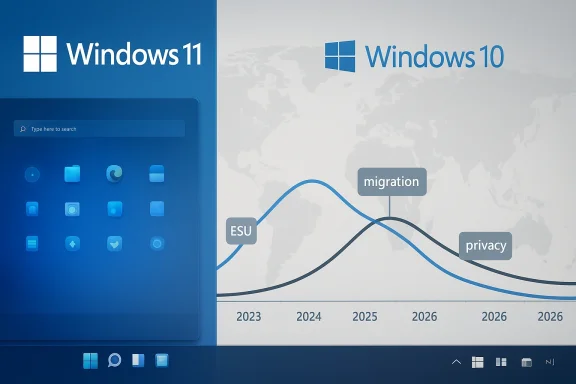
Statistical trackers showed Windows 11 surging through 2024 and 2025 as Microsoft pushed upgrades, OEMs refreshed fleets, and the calendar approached the formal end-of-support date for Windows 10. That timetable culminated with Microsoft’s official end-of-support for Windows 10 on October 14, 2025. The company also reported major adoption milestones for Windows 11 during early 2026, including a broad installed base number that underlines the platform’s reach. Yet the market-share story is not linear: public dataset snapshots in the autumn and early winter of 2025 recorded Windows 11 at roughly the mid-50 percent range globally in October and then registering a marked fall into the low-50s by December. Conversely, Windows 10 — despite being past its official support cut-off for most users — eked up its share in the same interval.
Those two facts together explain the tension: Windows 11 has grown fast and reached a massive installed base, but short-term usage share can ebb as user sentiment, update regressions, policy changes, and migration incentives interact in complicated ways. For Windows enthusiasts and IT managers, that mixed signal demands scrutiny: what is changing on the ground, why are some users rolling back or delaying moves to Windows 11, and what does Microsoft need to repair to sustain its migration strategy?
From a competitive and ecosystem perspective, these dynamics matter beyond Microsoft’s quarterly numbers. OEMs deciding which features to push in new device launches, ISVs deciding on which OS to certify for, and enterprises designing security roadmaps will all take their cues from perceived platform maturity and vendor responsiveness. For Microsoft, the priority must be to ensure that Windows 11 is not just feature-rich, but fundamentally dependable.
For Windows enthusiasts, power users, and IT decision-makers, the short-term takeaway is simple: test, delay, and protect. For Microsoft, the longer-term imperative is clear: stabilize the foundation, communicate transparently, and rebuild trust — because in the Windows ecosystem, confidence is the currency that fuels migration.
Source: Windows Report https://windowsreport.com/windows-10-makes-a-comeback-as-windows-11-loses-momentum/
 Background
Statistical trackers showed Windows 11 surging through 2024 and 2025 as Microsoft pushed upgrades, OEMs refreshed fleets, and the calendar approached the formal end-of-support date for Windows 10. That timetable culminated with Microsoft’s official end-of-support for Windows 10 on October 14, 2025. The company also reported major adoption milestones for Windows 11 during early 2026, including a broad installed base number that underlines the platform’s reach. Yet the market-share story is not linear: public dataset snapshots in the autumn and early winter of 2025 recorded Windows 11 at roughly the mid-50 percent range globally in October and then registering a marked fall into the low-50s by December. Conversely, Windows 10 — despite being past its official support cut-off for most users — eked up its share in the same interval.Those two facts together explain the tension: Windows 11 has grown fast and reached a massive installed base, but short-term usage share can ebb as user sentiment, update regressions, policy changes, and migration incentives interact in complicated ways. For Windows enthusiasts and IT managers, that mixed signal demands scrutiny: what is changing on the ground, why are some users rolling back or delaying moves to Windows 11, and what does Microsoft need to repair to sustain its migration strategy?
The data: what the numbers show
- Statcounter-style market telemetry captured an unmistakable swing: Windows 11’s share spiked through mid‑2025 and then eased back by the close of the year. The swing translated into several percentage points lost for Windows 11 and a matching bounce for Windows 10 over a two‑to‑three month window.
- Other independent observers — technology press, enterprise telemetry conversations, and community forums — reported a similar pattern: more devices running Windows 11 overall, but a surprising and non-trivial group of systems either avoiding 11 or actively reverting to Windows 10.
- Microsoft’s own lifecycle documents confirm the administrative reality that Windows 10 entered end-of-support on October 14, 2025, a calendar moment that one would expect to drive migration away from the older OS. The presence of a consumer Extended Security Updates (ESU) program, however, offered a short-term safety valve for users who opted to delay migration.
Why Windows 10 is making a comeback
1. Patch regressions and update reliability concerns
The most immediate driver of hesitation is quality: several cumulative updates and major feature rollouts for Windows 11 over 2024–2026 introduced regressions that affected recovery environments, device drivers, third‑party applications, and specific heavy‑use workflows like streaming, audio production, and legacy mail clients.- High‑impact regressions that temporarily disabled WinRE (the Windows Recovery Environment) or caused freezes and hangs in critical productivity apps were widely reported and prompted out‑of‑band fixes.
- For enterprise and power users, the cost of an update that breaks backups, interrupts remote access, or destabilizes developer tools is significant; many organizations adopt a conservative stance in response and delay or block major updates centrally.
- Public visibility of these incidents amplified trust erosion. When objective reliability is questioned, users — particularly those who value stability over features — prefer to remain on a familiar, working OS.
2. Migration friction and hardware compatibility
Windows 11’s hardware baseline (TPM requirements, Secure Boot expectations, certain CPU-generation limitations) left a non-trivial population of PCs technically ineligible for a supported Windows 11 upgrade. For those users the options were:- Replace hardware (expense + logistical friction).
- Accept extended support through Microsoft’s consumer ESU program or enterprise ESU purchases.
- Run Windows 10 without official patches (not recommended) or switch to alternative platforms.
3. Privacy and trust concerns around cloud-linked services
Microsoft’s long-term push toward cloud‑backed experiences and tighter integration with Microsoft accounts created a political and practical backlash in some circles. Two dynamics magnified this:- ESU enrollment and some support features were tied to Microsoft account integration, a shift that annoyed users and organizations who prefer local-only or privacy-centric configurations.
- A high-profile instance of Microsoft complying with a legal order to provide BitLocker recovery keys to law enforcement sparked debate about where encryption recovery keys are stored, and whether storing them in a cloud service introduces new privacy trade-offs. For privacy-conscious users and organizations that do not want keys escrowed to a cloud provider, this raised alarm and contributed to hesitancy.
4. Perception of over-aggressive feature pushes, especially AI hooks
Windows 11’s narrative increasingly includes built-in AI features and Copilot-style integrations. While many users appreciate these advancements, others view some integrations as premature, intrusive, or insufficiently polished. The combination of forced feature exposure — visible UI changes and ad-like prompts — and the sense that some features are being rushed into broad availability fed a “wait and see” posture among parts of the user base.5. Enterprise migration cycles and application compatibility
Enterprises rarely flip the switch on a new OS version the moment it’s available. Migration windows are determined by vendor support matrices, app compatibility testing, and hardware refresh schedules. The presence of stubborn or legacy line-of-business apps that only certify on Windows 10 prolonged migration timelines for many firms, which is reflected in the ongoing share of Windows 10 on corporate endpoints.Microsoft’s response and roadmap to repair trust
Microsoft has not been idle. The company’s engineering channels and insider previews have shown a concerted effort to address platform fragility while progressing on next-generation hardware enablement.- A two‑track platform strategy has emerged: continuing to refine the existing Germanium baseline that underpins the majority of installed devices, while preparing a Bromine platform baseline targeted for factory installation on new Arm/AI-capable devices.
- The Insider Dev channel deliberately moved to a new build series to centralize platform-level changes (kernel, scheduler, NPU integration) where early visibility and testing can mitigate risk before broader rollout.
- Microsoft has employed known-issue rollbacks (KIR), out‑of‑band patches, and targeted advisories to limit the blast radius of problematic updates.
Strengths in Microsoft’s position
- Massive installed base: Windows 11’s scale gives Microsoft room to iterate. A billion‑device milestone is not trivial; even if short-term share dips, the platform’s reach is a strategic asset that encourages ISVs, AAA game publishers, and hardware vendors to keep building for Windows 11.
- Strong OEM partnerships: Microsoft’s influence over hardware roadmaps and factory preloads means that Bromine-capable devices can ship with validated images, avoiding some of the compatibility pitfalls of door‑to‑door upgrades.
- Rapid remediation options: Microsoft’s use of KIR, out‑of‑band cumulative fixes, and focused advisories shows that the company can and will move quickly to contain high‑impact regressions once they are detected.
Risks and weaknesses that remain
- Perception is sticky: once a platform develops a reputation for breaking workflows or exposing privacy trade-offs, restoring confidence is slow; code fixes do not immediately erase social media narratives or enterprise cautionary tales.
- Two-track complexity: running Germanium and Bromine in parallel increases testing surface and the chance for misaligned expectations between OEMs, driver vendors, and enterprise admins. The long tail of hardware diversity in the Windows ecosystem increases the testing burden.
- Policy friction: cloud-enforced requirements for ESU eligibility and account-based recovery raise political pushback and may drive privacy-motivated users toward alternatives or to stay on Windows 10 configurations they can control.
- Enterprise inertia: companies that delayed migration earlier will continue to do so until Windows 11 demonstrably reduces the compatibility and reliability risk profile for mission-critical apps — a conservative path that extends Windows 10’s presence in the wild.
Practical guidance for users and IT teams
Consumers and prosumers
- If you value stability above new features, defer major feature upgrades and avoid Dev-channel flights. Stick with Release Preview or mainstream channels until cumulative patches harden.
- For devices that cannot meet Windows 11 hardware requirements, evaluate ESU or a hardware refresh plan. If you opt for ESU, factor in the account and recovery-key policies and decide if they align with your privacy needs.
- Keep backups and system images before major updates. A simple system image and a tested restore strategy are the best insurance against a disruptive update.
IT teams and managers
- Block feature updates centrally until vendor testing completes and you verify key LOB applications.
- Apply staggered pilot rings: test early on representative hardware, then expand to broader groups before organization-wide rollout.
- Monitor Microsoft’s Release Health pages for known issues, KIR guidance, and targeted remediation packages.
- Engage OEMs for validated drivers and firmware; insist on signed, tested releases for the hardware generations in your fleet.
What the marketplace signal really means for Windows’s future
Short-term adoption reversals are not destiny. Microsoft controls several levers — from fixing foundational code to refining update channels and deepening OEM validation — that can restore momentum. But the company must pair engineering fixes with a sustained trust-rebuilding campaign that addresses privacy concerns, clarifies ESU/account policies, and demonstrates consistent update reliability.From a competitive and ecosystem perspective, these dynamics matter beyond Microsoft’s quarterly numbers. OEMs deciding which features to push in new device launches, ISVs deciding on which OS to certify for, and enterprises designing security roadmaps will all take their cues from perceived platform maturity and vendor responsiveness. For Microsoft, the priority must be to ensure that Windows 11 is not just feature-rich, but fundamentally dependable.
Looking ahead: scenarios and tipping points
- Best-case: Microsoft stabilizes Germanium quickly, Bromine ships smoothly on new hardware, and cumulative updates deliver visible improvements to reliability metrics. Migration resumes at pace, and Windows 11’s installed base continues to convert into durable usage share.
- Middle-case: Improvements arrive slowly; enterprise migration remains conservative while consumer uptake oscillates with each major update. Windows 10 persists on a significant minority of systems via ESU and corporate policies, keeping the platform mix heterogeneous for several more years.
- Worst-case: Repeated high-impact regressions or further policy-related trust issues entrench reluctance, forcing Microsoft to offer deeper migration incentives or extend ESU-style bridges. That environment would slow innovation adoption and weaken the competitive positioning of built-in AI features tied to Windows 11.
Conclusion
The story of Windows 11’s recent stall — and Windows 10’s surprising resilience — is a reminder that mass migrations are as much social and organizational as they are technical. Microsoft has the scale, the engineering talent, and the vendor partnerships required to correct course, but it must act with empathy for the many different users who rely on Windows devices every day. Restoring momentum requires more than milestones and new features; it requires measurable reliability, predictable update behavior, and clear, user-centered policies on privacy and support.For Windows enthusiasts, power users, and IT decision-makers, the short-term takeaway is simple: test, delay, and protect. For Microsoft, the longer-term imperative is clear: stabilize the foundation, communicate transparently, and rebuild trust — because in the Windows ecosystem, confidence is the currency that fuels migration.
Source: Windows Report https://windowsreport.com/windows-10-makes-a-comeback-as-windows-11-loses-momentum/
