

Windows 11 is getting a much more visible warning system for a problem that has been quietly building for years: Secure Boot certificates issued in 2011 are beginning to expire in 2026, and Microsoft wants users to know whether their PCs have already been updated to the newer 2023 certificates. The key change is not that Windows 11 suddenly became insecure; it’s that Microsoft is now surfacing certificate status in the Windows Security app and, beginning in May 2026, expanding that visibility to additional alerts and guidance. For most people, nothing dramatic will happen right away, but for some systems this is the difference between smooth future boot-security updates and a device that slowly falls behind. (support.microsoft.com)
Secure Boot has always been one of those Windows security features that works best when users never have to think about it. It lives below the operating system, inside the UEFI firmware layer, and it verifies that trusted boot components are loaded before Windows starts. That makes it a powerful defense against bootkits and other low-level malware that try to survive antivirus scans by embedding themselves in the startup process. Microsoft notes that Secure Boot was introduced with Windows 8 specifically to address those kinds of pre-boot threats. (support.microsoft.com)
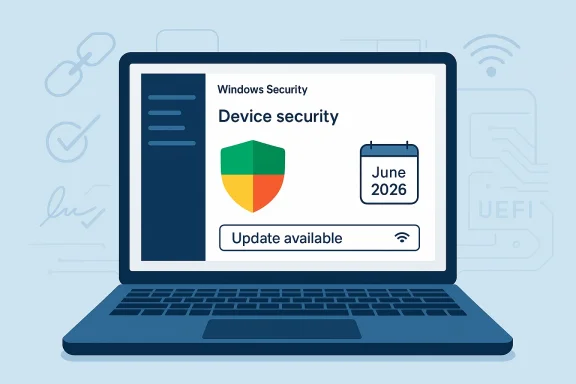
The new warning exists because the trust chain itself has a shelf life. Microsoft says the original Secure Boot certificates were issued in 2011 and begin expiring in June 2026, with expirations rolling forward through October 2026 depending on the certificate. The company is replacing them with 2023 certificates and pushing those updates through Windows Update, while also creating a status view so people can tell whether the transition has already happened. (support.microsoft.com)
That distinction matters. An expired Secure Boot certificate does not mean a Windows 11 PC suddenly stops booting, nor does it mean every machine will fail on day one. Microsoft is explicit that devices without the new certificates will continue to start normally and install standard Windows updates. But the devices will stop receiving new protections for the early boot chain, including boot manager updates, revocation list updates, and mitigations for newly discovered vulnerabilities. In plain English: the machine keeps working, but its boot trust becomes progressively weaker over time. (support.microsoft.com)
Microsoft’s own FAQ says the goal is to keep devices receiving the full set of protections Secure Boot is designed to provide. That includes keeping the boot chain updateable when new attacks appear. The company also acknowledges that some systems may need extra help from OEM firmware updates, especially older devices or systems with hardware and firmware limitations. (support.microsoft.com)
There is also a broader security context here. The industry has spent the last few years reacting to boot-level attack research, including public attention around UEFI abuse and bootkit persistence techniques. Microsoft’s Secure Boot guidance for the BlackLotus-related CVE-2023-24932 made clear that boot-chain trust is not theoretical; it is a real target for threat actors seeking persistence and defense evasion. In that light, the certificate refresh is not housekeeping. It is maintenance on one of the deepest layers of Windows security.
If the system is not yet updated, the app can tell the user to stay connected to the internet and install the latest Windows updates. If the device is blocked by hardware or firmware limitations, the badge may switch to yellow and indicate that the manufacturer’s help is required. If the device can no longer receive required boot-chain updates after the expiration dates, the warning can become red. (support.microsoft.com)
The practical consequence is that Windows 11 is becoming more opinionated about device health. Instead of leaving boot trust issues buried in firmware menus or support forums, Microsoft is pulling those details into the same security interface people already use for antivirus and account protection. That should reduce confusion for consumers, but it also makes the problem more visible for enterprises that have not fully standardized their fleet. (support.microsoft.com)
This is why certificate expiration is a bigger deal than a normal housekeeping alert. When the trust anchor ages out, the device may still function, but the system becomes less able to accept updated boot protections. Over time, that can affect BitLocker hardening, third-party bootloaders, and any scenario that relies on the firmware trusting Microsoft’s newer signing chain. (support.microsoft.com)
For consumers, this matters most as a background security concern. For IT, it affects whether a fleet can keep receiving revocations, boot manager updates, and vulnerability mitigations in a way that is consistent across hardware generations. That is a far more serious operational issue than a simple “turn on Secure Boot” recommendation.
Microsoft’s FAQ also warns that dismissing alerts is not recommended if the updated certificates have not yet arrived. That wording is unusually direct for a consumer-facing support document, and it signals that the company expects some users to be tempted to dismiss the issue once the pop-up gets annoying. The message is simple: don’t treat this as cosmetic. (support.microsoft.com)
A red state is especially significant. Microsoft says it indicates a security vulnerability exists that cannot be serviced on the device’s current boot configuration. In other words, the warning is not only about expiration; it is about the device’s ability to keep receiving future boot-chain fixes. That is a very different proposition from a routine reminder. (support.microsoft.com)
That split makes sense. Consumer systems can usually rely on Microsoft-managed updates and OEM firmware support. Enterprises, on the other hand, often have custom hardware baselines, restricted firmware policies, and imaging workflows that can delay or complicate a root-of-trust migration. In a managed environment, the problem is not whether Microsoft can push the certificates; it is whether every device in the chain will accept them in time.
It also means users should avoid assuming every warning is the same. A yellow status on a personal PC may mean “just update Windows.” A yellow status on a managed device may imply a broader policy or firmware issue that the user cannot fix alone. That is exactly why Microsoft is surfacing more context in the app rather than relying on generic alerts. (support.microsoft.com)
That is one reason Microsoft’s support language leans heavily on “most devices” and “some systems.” The company is trying to set expectations honestly: the update path is broad, but not universal. On older systems, the firmware may be too limited, the OEM may no longer provide support, or the machine may sit in a configuration that blocks automated application of the new trust anchors. (support.microsoft.com)
For the average consumer, this likely translates into little more than making sure Windows Update is current. For businesses, it may involve staged deployment, pilot rings, BIOS/UEFI coordination, and validation against security baselines. That is standard enterprise hygiene, but the certificate expiration deadline gives it urgency.
This is also part of a larger Windows design trend: make security more proactive and more legible. Microsoft has been moving toward “self-healing” and more automated health checks for years, and this update fits that philosophy. It is less about dramatic new protection and more about preventing a silent failure from becoming a major incident later. (support.microsoft.com)
Still, there is a tradeoff. More warnings can mean more anxiety, especially if the messaging is not perfectly clear. If Microsoft over-alerts users who do not need action, the feature could feel noisy. If it under-alerts, the company risks exactly the kind of hidden failure it is trying to avoid. That balance will matter a great deal once the rollout reaches more devices. (support.microsoft.com)
The good news is that Microsoft has made the pathway fairly explicit. There are documented methods for monitoring status, applying updates, and handling remediation in managed environments. The less convenient truth is that older fleets rarely fail in one neat way; they fail in a patchwork of BIOS versions, vendor quirks, and business constraints. That is why a simple consumer-style badge is useful but not sufficient for IT.
Security teams should also pay attention to the boot-chain dependency angle. If Secure Boot trust is not current, then future protections for the Windows startup process may not land cleanly. That can affect the long tail of security operations more than the immediate user experience, which is exactly the kind of issue that gets expensive if it is ignored until the deadline is already here. (support.microsoft.com)
This is also a good reminder that security updates are no longer just about visible software. On modern PCs, firmware matters, boot trust matters, and the difference between “up to date” and “secure enough” can be invisible unless the operating system chooses to tell you. Windows 11 is now doing exactly that. (support.microsoft.com)
The bottom line is reassuring but not trivial. Most Windows 11 users probably do not need to panic, and many will never need to touch a setting at all. But the new warning is a reminder that the security of a modern PC is built on layers, and if the deepest layer ages out without replacement, the machine may still boot while quietly losing the protection that makes Secure Boot worth having in the first place.
Source: thewincentral.com Windows 11 Secure Boot Warning: What the New Certificate Alert Means - WinCentral
 Overview
Secure Boot has always been one of those Windows security features that works best when users never have to think about it. It lives below the operating system, inside the UEFI firmware layer, and it verifies that trusted boot components are loaded before Windows starts. That makes it a powerful defense against bootkits and other low-level malware that try to survive antivirus scans by embedding themselves in the startup process. Microsoft notes that Secure Boot was introduced with Windows 8 specifically to address those kinds of pre-boot threats. (support.microsoft.com)The new warning exists because the trust chain itself has a shelf life. Microsoft says the original Secure Boot certificates were issued in 2011 and begin expiring in June 2026, with expirations rolling forward through October 2026 depending on the certificate. The company is replacing them with 2023 certificates and pushing those updates through Windows Update, while also creating a status view so people can tell whether the transition has already happened. (support.microsoft.com)
That distinction matters. An expired Secure Boot certificate does not mean a Windows 11 PC suddenly stops booting, nor does it mean every machine will fail on day one. Microsoft is explicit that devices without the new certificates will continue to start normally and install standard Windows updates. But the devices will stop receiving new protections for the early boot chain, including boot manager updates, revocation list updates, and mitigations for newly discovered vulnerabilities. In plain English: the machine keeps working, but its boot trust becomes progressively weaker over time. (support.microsoft.com)
Why Microsoft Is Surfacing This Now
The timing is not accidental. Microsoft changed the rollout so that the Secure Boot status appears in the Windows Security app starting in April 2026, then adds broader notifications and extra in-app guidance in May 2026. That sequence suggests a deliberate attempt to give users a runway before the first major expiry window hits in June 2026. It is a classic Microsoft move: warn early, then nudge harder as the deadline approaches. (support.microsoft.com)The certificate problem in one sentence
The short version is that the 2011 trust anchors are aging out, and Microsoft is trying to move the ecosystem to the 2023 certificate set before the old roots stop being useful. That shift is especially important because Secure Boot certificates are not cosmetic. They are part of the firmware-level policy that determines what can run before Windows even begins loading. (support.microsoft.com)Microsoft’s own FAQ says the goal is to keep devices receiving the full set of protections Secure Boot is designed to provide. That includes keeping the boot chain updateable when new attacks appear. The company also acknowledges that some systems may need extra help from OEM firmware updates, especially older devices or systems with hardware and firmware limitations. (support.microsoft.com)
There is also a broader security context here. The industry has spent the last few years reacting to boot-level attack research, including public attention around UEFI abuse and bootkit persistence techniques. Microsoft’s Secure Boot guidance for the BlackLotus-related CVE-2023-24932 made clear that boot-chain trust is not theoretical; it is a real target for threat actors seeking persistence and defense evasion. In that light, the certificate refresh is not housekeeping. It is maintenance on one of the deepest layers of Windows security.
What the New Windows 11 Warning Looks Like
Microsoft’s new UI changes are meant to make an invisible status visible. In the Windows Security app, users will find the Secure Boot state under Device security > Secure Boot, where the badge can appear green, yellow, or red depending on the condition of the device. A green icon means the device is sufficiently protected, yellow means there is a recommendation or limitation to review, and red means immediate attention is needed. (support.microsoft.com)Badge colors and meanings
The company is careful to note that a green checkmark alone does not guarantee the updated certificates are present. Users should also look for the explicit wording that all required certificate updates have been applied. That nuance is important because many people will otherwise assume “green equals done,” which is not always true in this case. (support.microsoft.com)If the system is not yet updated, the app can tell the user to stay connected to the internet and install the latest Windows updates. If the device is blocked by hardware or firmware limitations, the badge may switch to yellow and indicate that the manufacturer’s help is required. If the device can no longer receive required boot-chain updates after the expiration dates, the warning can become red. (support.microsoft.com)
The practical consequence is that Windows 11 is becoming more opinionated about device health. Instead of leaving boot trust issues buried in firmware menus or support forums, Microsoft is pulling those details into the same security interface people already use for antivirus and account protection. That should reduce confusion for consumers, but it also makes the problem more visible for enterprises that have not fully standardized their fleet. (support.microsoft.com)
What Secure Boot Actually Protects
Secure Boot is often described as a “startup security checkpoint,” and that is a decent analogy. Before Windows loads, the firmware checks signatures on critical boot components such as boot managers, firmware drivers, and related code. If the signatures do not match the trusted certificate chain, the code is blocked. That is how Secure Boot helps stop malware from establishing itself before the operating system has a chance to defend the machine. (support.microsoft.com)The boot chain matters more than many users realize
Modern attacks do not always aim for files the user can see. A bootkit lives lower than that, often trying to exploit the trust relationship between UEFI firmware and the Windows loader. Once malware gets that low, it can be much harder to detect and remove. Microsoft’s own materials describe Secure Boot as a safeguard against precisely this class of threat. (support.microsoft.com)This is why certificate expiration is a bigger deal than a normal housekeeping alert. When the trust anchor ages out, the device may still function, but the system becomes less able to accept updated boot protections. Over time, that can affect BitLocker hardening, third-party bootloaders, and any scenario that relies on the firmware trusting Microsoft’s newer signing chain. (support.microsoft.com)
For consumers, this matters most as a background security concern. For IT, it affects whether a fleet can keep receiving revocations, boot manager updates, and vulnerability mitigations in a way that is consistent across hardware generations. That is a far more serious operational issue than a simple “turn on Secure Boot” recommendation.
What Happens If You Ignore It
Microsoft says devices without the new certificates will continue to boot and accept standard Windows updates. That is reassuring, but it can also lull people into complacency. The real penalty arrives later, when the device can no longer take part in new protections for the early boot process or may fail to load newer operating systems, firmware components, or Secure Boot-dependent software. (support.microsoft.com)The difference between “working” and “fully protected”
This is where many users may misunderstand the warning. A PC that still starts normally is not necessarily a fully healthy PC. Microsoft is basically saying that if you do nothing, the machine may remain usable but not fully serviceable in the boot-security layer. That is a subtle but important distinction. (support.microsoft.com)Microsoft’s FAQ also warns that dismissing alerts is not recommended if the updated certificates have not yet arrived. That wording is unusually direct for a consumer-facing support document, and it signals that the company expects some users to be tempted to dismiss the issue once the pop-up gets annoying. The message is simple: don’t treat this as cosmetic. (support.microsoft.com)
A red state is especially significant. Microsoft says it indicates a security vulnerability exists that cannot be serviced on the device’s current boot configuration. In other words, the warning is not only about expiration; it is about the device’s ability to keep receiving future boot-chain fixes. That is a very different proposition from a routine reminder. (support.microsoft.com)
Who Needs to Act and Who Probably Won’t
For the majority of Windows 11 home users, Microsoft says no manual action should be necessary. Devices connected to the internet and receiving normal Windows updates should get the 2023 certificates automatically, and if the Windows Security app shows the fully updated green state, the user is done. That is the best-case path, and it should cover a lot of mainstream laptops and desktops. (support.microsoft.com)Consumer PCs versus enterprise fleets
The story changes for managed environments. Microsoft says the new Secure Boot certificate status enhancements are disabled by default on enterprise-managed Windows 10 and Windows 11 clients and on Windows Server. IT administrators can enable the experience, but they also carry responsibility for fleet-level deployment, remediation, and firmware coordination. (support.microsoft.com)That split makes sense. Consumer systems can usually rely on Microsoft-managed updates and OEM firmware support. Enterprises, on the other hand, often have custom hardware baselines, restricted firmware policies, and imaging workflows that can delay or complicate a root-of-trust migration. In a managed environment, the problem is not whether Microsoft can push the certificates; it is whether every device in the chain will accept them in time.
It also means users should avoid assuming every warning is the same. A yellow status on a personal PC may mean “just update Windows.” A yellow status on a managed device may imply a broader policy or firmware issue that the user cannot fix alone. That is exactly why Microsoft is surfacing more context in the app rather than relying on generic alerts. (support.microsoft.com)
How the Update Is Delivered
Microsoft says the updated certificates are being delivered automatically through Windows Update for consumer PCs and some business devices. The company also says many OEMs provide firmware updates when needed, which implies that Windows Update alone is not always sufficient for every model or configuration. That matters because firmware support varies widely across vendors and product lines. (support.microsoft.com)Why firmware still matters
The new certificates are not just files sitting inside Windows. They have to be trusted by the device firmware and written into the appropriate Secure Boot variables or databases. Microsoft’s guidance repeatedly acknowledges that some systems will need OEM firmware updates or device-specific remediation to finish the transition. (support.microsoft.com)That is one reason Microsoft’s support language leans heavily on “most devices” and “some systems.” The company is trying to set expectations honestly: the update path is broad, but not universal. On older systems, the firmware may be too limited, the OEM may no longer provide support, or the machine may sit in a configuration that blocks automated application of the new trust anchors. (support.microsoft.com)
For the average consumer, this likely translates into little more than making sure Windows Update is current. For businesses, it may involve staged deployment, pilot rings, BIOS/UEFI coordination, and validation against security baselines. That is standard enterprise hygiene, but the certificate expiration deadline gives it urgency.
Why Microsoft Is Doing This in the Windows Security App
Microsoft is not just pushing a certificate update; it is redesigning the feedback loop. The Windows Security app is becoming the place where low-level trust problems are translated into plain-English guidance. That should reduce support confusion, especially for users who would never otherwise know what a Secure Boot certificate is. (support.microsoft.com)Better visibility, fewer mysteries
The old model was too binary. Secure Boot was either on or off, and that told users almost nothing about the state of the trust chain underneath it. Now Microsoft is layering status, color, and guidance on top of the same security surface area, which gives users a more useful picture of whether their device is merely compliant or actually current. (support.microsoft.com)This is also part of a larger Windows design trend: make security more proactive and more legible. Microsoft has been moving toward “self-healing” and more automated health checks for years, and this update fits that philosophy. It is less about dramatic new protection and more about preventing a silent failure from becoming a major incident later. (support.microsoft.com)
Still, there is a tradeoff. More warnings can mean more anxiety, especially if the messaging is not perfectly clear. If Microsoft over-alerts users who do not need action, the feature could feel noisy. If it under-alerts, the company risks exactly the kind of hidden failure it is trying to avoid. That balance will matter a great deal once the rollout reaches more devices. (support.microsoft.com)
Strengths and Opportunities
This change has several genuine strengths, and most of them come down to visibility, timing, and better long-term resilience. Microsoft is not waiting for a wave of broken devices to force the issue, and that early intervention is a meaningful improvement over the usual “patch it after it hurts” model. The new warnings also help users and administrators separate harmless status noise from real remediation.- Earlier visibility into certificate status before the June 2026 expiry window.
- Better consumer guidance inside the Windows Security app instead of buried firmware menus.
- Reduced support friction because the app can explain what the status means in plain language.
- Improved security posture for devices that receive the updated 2023 certificates on time.
- Clearer enterprise planning for fleets that need staged rollout and firmware coordination.
- Less risk of silent drift where devices remain usable but gradually lose boot-chain protection.
- A stronger precedent for treating firmware trust as a living maintenance task, not a one-time setup.
Risks and Concerns
The downside is that this is still a complicated systems problem being presented to ordinary users as a simple warning. Some machines will update automatically, but others may require OEM firmware fixes, and the average person may not know how to interpret that split. There is also a real risk that users dismiss warnings once the device continues booting normally, only discovering later that they have lost future protection.- Alert fatigue if the warnings appear too often or feel too vague.
- User confusion over the difference between “Secure Boot enabled” and “fully updated.”
- OEM fragmentation because not every vendor will support the transition equally well.
- Older hardware limitations that may block automatic certificate deployment.
- Enterprise deployment complexity where managed devices need policy and firmware coordination.
- False reassurance if users see normal boots and assume there is no issue.
- Future compatibility problems if boot trust is not refreshed before new mitigations arrive.
Enterprise and IT Implications
For enterprises, this is less about a single alert and more about lifecycle management. Microsoft says the in-app Secure Boot status enhancements are disabled by default on managed Windows client devices and Windows Server, which means IT teams must decide whether to surface them and how to operationalize the information. That is a sensible default, but it also means the burden shifts back to administrators. (support.microsoft.com)Fleet management is the real story
The challenge is not merely distributing a Windows Update. IT departments need to know which devices have the new certificates, which ones are blocked by firmware, and which ones require OEM intervention. Microsoft’s guidance around managed deployments, Intune remediations, and registry or GPO controls reflects that complexity.The good news is that Microsoft has made the pathway fairly explicit. There are documented methods for monitoring status, applying updates, and handling remediation in managed environments. The less convenient truth is that older fleets rarely fail in one neat way; they fail in a patchwork of BIOS versions, vendor quirks, and business constraints. That is why a simple consumer-style badge is useful but not sufficient for IT.
Security teams should also pay attention to the boot-chain dependency angle. If Secure Boot trust is not current, then future protections for the Windows startup process may not land cleanly. That can affect the long tail of security operations more than the immediate user experience, which is exactly the kind of issue that gets expensive if it is ignored until the deadline is already here. (support.microsoft.com)
Consumer Impact and Practical Advice
For home users, the action list is short and boring, which is exactly what you want from a security migration. Keep Windows Update enabled, stay online long enough for updates to install, and check the Windows Security app if you see a Secure Boot warning. If the status is green and says the required certificate updates have been applied, you can move on with your day. (support.microsoft.com)Simple steps for regular users
- Install the latest Windows 11 updates.
- Open Windows Security and check Device security > Secure Boot.
- Read the full text, not just the badge color.
- If the device says it needs attention, restart when prompted.
- If the status points to hardware or firmware limits, contact the device maker. (support.microsoft.com)
This is also a good reminder that security updates are no longer just about visible software. On modern PCs, firmware matters, boot trust matters, and the difference between “up to date” and “secure enough” can be invisible unless the operating system chooses to tell you. Windows 11 is now doing exactly that. (support.microsoft.com)
Looking Ahead
The biggest question is how smoothly the certificate transition behaves as June 2026 gets closer. Microsoft has already signaled that the current 2011 certificates will begin expiring then, and the company is preparing additional warnings and guidance to help users and administrators get ahead of the problem. If the rollout works as intended, most consumers will never notice beyond a brief status change in Windows Security. (support.microsoft.com)What to watch next
- Whether more devices start surfacing yellow or red states as the deadline approaches.
- How consistently OEM firmware updates fill gaps that Windows Update cannot solve.
- Whether Microsoft expands the guidance further for enterprise-managed fleets.
- How much confusion remains between “Secure Boot enabled” and “Secure Boot fully updated.”
- Whether additional system alerts become more common as Microsoft moves toward proactive security health checks.
The bottom line is reassuring but not trivial. Most Windows 11 users probably do not need to panic, and many will never need to touch a setting at all. But the new warning is a reminder that the security of a modern PC is built on layers, and if the deepest layer ages out without replacement, the machine may still boot while quietly losing the protection that makes Secure Boot worth having in the first place.
Source: thewincentral.com Windows 11 Secure Boot Warning: What the New Certificate Alert Means - WinCentral
