

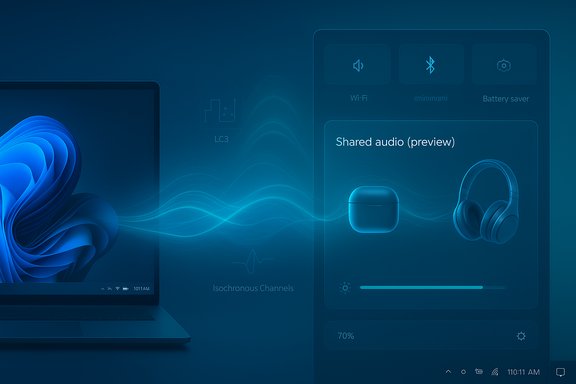
Microsoft’s Windows 11 is quietly rolling out a small but significant preview called Shared audio (preview) that can stream the same Bluetooth audio feed to two separate headsets, earbuds, speakers, or hearing aids at once — a milestone built on Bluetooth Low Energy (LE) Audio and surfaced to Windows Insiders in the Dev and Beta channels as a Quick Settings toggle on selected Copilot+ PCs.
Bluetooth audio on PCs has long been hampered by a protocol-era compromise: the legacy Bluetooth Classic stack separated roles across A2DP (high-quality one-way media) and HFP/HSP (two-way telephony), forcing systems to downgrade playback whenever a microphone was used. LE Audio — with the LC3 codec, Isochronous Channels (ISO), and modern profiles such as TMAP (Telephony and Media Audio Profile) — was designed to resolve that trade-off and enable new features like multi‑stream audio and broadcast-style sharing. Microsoft’s Shared audio (preview) brings those primitives into a user-facing Windows experience that duplicates an audio stream to two LE Audio sinks simultaneously.
This is being tested as a conservative, controlled preview: Microsoft caps the initial capability at two receivers and limits the rollout to Copilot+ systems where the Bluetooth radio, firmware and OEM drivers are already exposing the necessary LE Audio stack. That constrained rollout is intentional — synchronized multi-sink audio depends on coordination across accessory firmware, PC Bluetooth controllers, and Windows drivers.
The benefits are concrete: better parity between voice and media, low-friction co-listening experiences, and a clearer path for assistive-listening use cases. The risks are practical and solvable: fragmentation from OEM drivers and firmware, synchronization edge cases caused by vendor DSPs, and phased availability that will frustrate users who expect immediate compatibility.
For end users considering whether to try the preview today: check your PC’s Copilot+ eligibility, verify that both Bluetooth accessories explicitly support LE Audio (and that companion‑app firmware updates are applied), and join the Windows Insider Dev or Beta channel only if comfortable with preview software and driver updates. For accessory makers and OEMs, the next months are a critical interoperability window; coordinated firmware and driver releases will determine whether Shared audio becomes a reliable everyday feature or a niche preview that never reaches mainstream utility.
Microsoft’s Shared audio (preview) is an important step toward a more modern Bluetooth audio experience on Windows. It demonstrates that the platform can leverage LE Audio’s LC3, ISO, and TMAP primitives to offer features previously easier to achieve on mobile devices. The preview’s conservative scope and device gating are sensible; the real test will be cross-vendor interoperability and how quickly the accessory ecosystem adopts LE Audio at scale. If those pieces fall into place, multi-listener wireless audio on PCs will move from a kludge to a native capability — and that would matter to anyone who watches, plays, collaborates, or listens with another person in the same room.
Source: HotHardware Microsoft Tests Windows 11 Bluetooth Audio Sharing For Two Headsets At Once
 Background / Overview
Bluetooth audio on PCs has long been hampered by a protocol-era compromise: the legacy Bluetooth Classic stack separated roles across A2DP (high-quality one-way media) and HFP/HSP (two-way telephony), forcing systems to downgrade playback whenever a microphone was used. LE Audio — with the LC3 codec, Isochronous Channels (ISO), and modern profiles such as TMAP (Telephony and Media Audio Profile) — was designed to resolve that trade-off and enable new features like multi‑stream audio and broadcast-style sharing. Microsoft’s Shared audio (preview) brings those primitives into a user-facing Windows experience that duplicates an audio stream to two LE Audio sinks simultaneously.This is being tested as a conservative, controlled preview: Microsoft caps the initial capability at two receivers and limits the rollout to Copilot+ systems where the Bluetooth radio, firmware and OEM drivers are already exposing the necessary LE Audio stack. That constrained rollout is intentional — synchronized multi-sink audio depends on coordination across accessory firmware, PC Bluetooth controllers, and Windows drivers.
What Microsoft shipped in the preview
Key details of the initial preview
- The feature appears as “Shared audio (preview)” in Quick Settings after the host PC installs the necessary Insider build and OEM driver updates.
- Insiders can pair two LE Audio-capable devices, open Quick Settings, select the Shared audio tile, pick two connected accessories, and press Share to begin a synchronized stream. A Stop sharing control ends the session.
- The preview surfaced in Windows 11 Insider Preview Build 26220.7051 and is rolling out to Dev and Beta channel testers on supported Copilot+ hardware.
Devices and accessories called out in testing
Microsoft’s early availability lists name specific Copilot+ Surface devices and some Samsung Galaxy Book SKUs as the first hosts. On the accessory side, vendors and early reports highlight models such as Samsung Galaxy Buds2 Pro, Buds3 / Buds3 Pro, and Sony WH-1000XM6 as examples of compatible LE Audio devices, alongside recent LE Audio-capable hearing aids from established manufacturers. These lists are illustrative rather than exhaustive; broader compatibility requires vendor firmware and driver coordination.The technology under the hood: why this is possible now
LC3 codec and efficiency
The LC3 codec, the centerpiece of LE Audio, delivers better perceived quality than older codecs at lower bitrates. That efficiency reduces radio airtime and battery use in earbuds and enables Windows to encode and transmit synchronized streams to multiple sinks without saturating the host radio. LC3 supports sampling rates up to 48 kHz, giving vendors headroom for higher‑quality media and a separate higher‑bandwidth voice path where TMAP is present.Isochronous Channels and synchronization
LE Audio’s Isochronous Channels (ISO) provide timing guarantees required for synchronized playback. These timing primitives are essential when sending the same stream to multiple devices or coordinating independent left/right streams for true wireless earbuds. Shared audio leverages ISO to align packets and reduce jitter — the key to preventing audible drift between listeners. Even so, synchronization remains a practical challenge when accessory vendors implement different buffering and audio‑processing pipelines.TMAP: media + telephony without compromise
TMAP unifies telephony and media roles so a single LE connection can simultaneously handle high-quality stereo audio and microphone input. Microsoft’s “super wideband stereo” work in Windows is an implementation-level complement to TMAP that allows stereo media to continue while a headset mic is active — addressing the long-standing “music goes to mud” problem for Bluetooth headsets on PCs.How to try Shared audio (preview) — step by step
- Enroll a compatible Copilot+ PC in the Windows Insider Program (Dev or Beta channel).
- Install the Insider Preview build that includes Shared audio (Build 26220.7051 or later) and accept OEM driver updates via Windows Update.
- Update firmware on your Bluetooth accessories using each vendor’s companion app (highly recommended). Many vendors expose LE Audio functionality only after a firmware update.
- Pair and connect two LE Audio-capable devices from Settings > Bluetooth & devices. Confirm both show as connected.
- Open Quick Settings and tap the Shared audio (preview) tile. Select the two accessories and press Share to begin streaming. Use Stop sharing to end the session.
Practical use cases and immediate benefits
- Shared viewing/listening: Two people can privately watch a movie, binge a show, or listen to music on a laptop without an analog splitter or passing earbuds. The Quick Settings UX makes this low-friction.
- Accessibility and assistive listening: LE Audio includes hearing-aid profiles and broadcast-capable primitives (Auracast-style). Windows supporting Shared audio is a tangible step toward coherent assistive scenarios in venues and classrooms.
- Improved voice + media parity: With TMAP and the super wideband stereo routing, calls, game chat, and streaming can co-exist without collapsing media into low‑quality mono when mics activate. That’s a direct quality-of-life improvement for gamers, remote workers, and streamers.
- Energy efficiency: LC3’s efficiency helps conserve battery life on earbuds and reduces host radio airtime, making extended shared listening more viable on battery-powered devices.
Limitations, risks, and unanswered questions
1) Compatibility is the primary gating factor
LE Audio is an ecosystem feature: the headset, PC Bluetooth controller, firmware, and vendor drivers all must support the same LE Audio primitives. Many devices that advertise “Bluetooth 5.x” do not necessarily implement LE Audio, TMAP, or LC3. Expect an uneven and phased rollout across OEMs, models, regions, and firmware versions. Microsoft’s initial preview explicitly restricts Shared audio to Copilot+ hardware while drivers and firmware updates propagate.2) Latency, lip‑sync and desynchronization risk
Even with ISO timing, synchronization can be broken by differences in accessory buffering, noise‑cancellation pipelines, proprietary DSP processing, or firmware-level packet handling. This manifests as slight audio offset between listeners — most problematic for video content (lip‑sync) or percussion-heavy music. Microsoft’s two‑sink cap in preview is a pragmatic way to limit complexity while interoperability is validated, but audible drift remains a realistic possibility during early testing.3) Feature scope and mixing transport types
The preview requires two wireless LE Audio sinks; it does not (at this stage) support mixing one Bluetooth device with one wired output for synchronized playback. Mixing transport types introduces timing challenges that Windows has chosen to avoid in this initial test.4) OEM and driver dependencies create fragmentation
The user experience will depend heavily on how quickly OEMs publish Bluetooth and audio offload drivers and how companion apps expose LE Audio firmware updates. The Quick Settings tile’s presence is contingent on vendor drivers exposing capability flags to Windows — a coordination problem that often slows or fragments launch behavior across device manufacturers.5) Privacy and security considerations
Broadcast-style audio raises privacy questions in public venues if/when Microsoft expands to Auracast-like one‑to‑many scenarios. The preview is session-scoped and user-initiated, but enterprise admins and privacy-conscious users should scrutinize how broadcast access, discovery, and pairing are handled before broad deployment in public or secured environments. This preview remains deliberately limited to avoid exposing broad new attack surfaces, but administrators should assess policy implications before enabling such features in managed environments.Comparison with Auracast and mobile implementations
Auracast — the Bluetooth SIG’s broadcast mechanism built on LE Audio — enables a transmitter to advertise an audio stream that many receivers can subscribe to without individual pairing. Mobile platforms (Android vendors and Samsung) have already begun shipping Auracast-capable phones and earbuds, and certain venues have experimented with broadcast listening. Microsoft’s Shared audio is not a full Auracast deployment: it’s a controlled two‑sink preview that relies on the same LE Audio primitives but deliberately limits scale to ensure reliable UX and easier interoperability testing on PC hardware. The forthcoming path likely expands toward more flexible broadcast-style scenarios, but Microsoft’s staged approach minimizes risk while the ecosystem catches up.What hardware and accessory makers must do
- Ship or enable LE Audio firmware updates via companion apps so existing hardware can expose LC3/TMAP/ISO capabilities.
- Provide Windows-specific Bluetooth and audio driver updates where host controllers require vendor drivers to surface LE Audio primitives to the OS.
- Minimize proprietary post-processing latency (excessive buffering, ANC pipelines) for synchronized multi-sink scenarios; give users low‑latency modes for shared listening.
- Test cross-vendor interoperability early — synchronized multi-sink audio is only as robust as the weakest link in the chain. Microsoft’s preview is effectively a multi-vendor stress test for this exact reason.
Enterprise and accessibility implications
For IT administrators, the immediate implications are modest but meaningful. Shared audio introduces a new user-facing broadcast channel that could be valuable in assistive-listening deployments (lecture halls, museums), but it also requires policy considerations around device pairing, firmware management, and privacy. Enterprises should inventory Bluetooth silicon and check vendor roadmaps before adopting Shared audio or Auracast scenarios for corporate events or supported public spaces. For accessibility teams, LE Audio’s hearing‑aid support and broadcast primitives represent a clear win; Windows supporting those primitives natively reduces reliance on proprietary, vendor-specific solutions and can improve inclusivity in shared venues.Timeline and rollout expectations
Microsoft’s decision to gate Shared audio to Copilot+ devices and to the Windows Insider Dev and Beta channels signals a cautious staged rollout. Expect the following timeline dynamics:- Short term (weeks): Broader Insider exposure as OEM drivers and firmware updates progress to more Copilot+ models. Early user feedback will drive fixes for UX and desync edge cases.
- Medium term (months): Incremental expansion to additional OEMs and more mainstream devices as companion apps and driver stacks finalize LE Audio support. Third-party venues and accessory vendors will ship firmware to increase device availability.
- Longer term: If the preview proves stable, Microsoft could expand beyond two sinks toward richer Auracast-like broadcasting scenarios, while polishing enterprise and accessibility policy surfaces. However, broad adoption depends on accessory density and cross-vendor interoperability gains.
Final analysis — why this matters for Windows users
Shared audio (preview) is not a flashy consumer feature in isolation; it is a visible sign that Windows is finally aligning with modern Bluetooth audio standards and that real user-facing benefits from LE Audio are arriving on the PC. The foothold Microsoft chose — a small, manageable two-sink preview gated to Copilot+ hardware — is the right engineering trade-off: it reduces blast radius, enables focused interoperability testing, and gives vendors time to ship firmware and driver updates.The benefits are concrete: better parity between voice and media, low-friction co-listening experiences, and a clearer path for assistive-listening use cases. The risks are practical and solvable: fragmentation from OEM drivers and firmware, synchronization edge cases caused by vendor DSPs, and phased availability that will frustrate users who expect immediate compatibility.
For end users considering whether to try the preview today: check your PC’s Copilot+ eligibility, verify that both Bluetooth accessories explicitly support LE Audio (and that companion‑app firmware updates are applied), and join the Windows Insider Dev or Beta channel only if comfortable with preview software and driver updates. For accessory makers and OEMs, the next months are a critical interoperability window; coordinated firmware and driver releases will determine whether Shared audio becomes a reliable everyday feature or a niche preview that never reaches mainstream utility.
Microsoft’s Shared audio (preview) is an important step toward a more modern Bluetooth audio experience on Windows. It demonstrates that the platform can leverage LE Audio’s LC3, ISO, and TMAP primitives to offer features previously easier to achieve on mobile devices. The preview’s conservative scope and device gating are sensible; the real test will be cross-vendor interoperability and how quickly the accessory ecosystem adopts LE Audio at scale. If those pieces fall into place, multi-listener wireless audio on PCs will move from a kludge to a native capability — and that would matter to anyone who watches, plays, collaborates, or listens with another person in the same room.
Source: HotHardware Microsoft Tests Windows 11 Bluetooth Audio Sharing For Two Headsets At Once
