

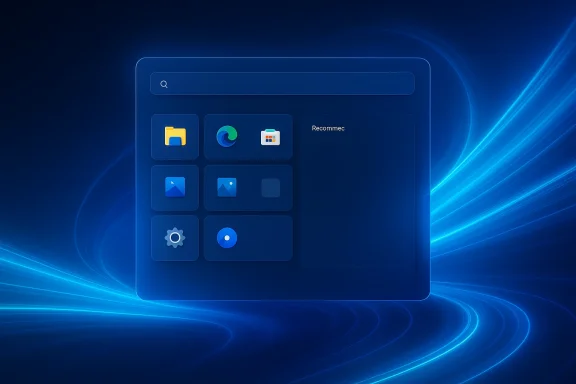
Microsoft is reportedly preparing one of the biggest Start menu shake-ups Windows 11 has seen since launch, and this time the focus is not just on aesthetics but on real user control. If the report proves accurate, users will soon be able to choose a larger or smaller Start layout, hide or remove sections such as Recommended, and get a Start experience that stays fast even when the system is under heavy load. For a feature that has drawn years of criticism, that would mark a meaningful shift from Microsoft’s one-size-fits-most philosophy to something that finally looks more personal.
Windows 11’s Start menu has been a lightning rod ever since the operating system debuted. Microsoft simplified the layout, centered the taskbar, and removed a number of legacy behaviors that long-time Windows users had relied on for decades. The result was a cleaner look, but also a more constrained one, and many users quickly noticed that the new Start menu felt more opinionated than flexible.
That tension only grew as Microsoft iterated on the design. Instead of restoring the deeper customization power that many people expected, the company mostly refined the same basic framework: pinned apps on top, recommendations in the middle, and the all-apps list below. The problem was not that the layout was broken; it was that it left many users feeling trapped in a design that could not be meaningfully adapted to their workflows.
Microsoft has always defended the approach as a balance between usability and simplicity. In practice, though, the Start menu became one of the clearest symbols of Windows 11’s broader identity crisis: part productivity platform, part consumer showcase, and part curated Microsoft services launcher. The menu was designed to be tidy, but it often looked tidy at the expense of power-user control.
Over time, Microsoft did start responding to feedback in smaller ways. The company added some Start settings, expanded recent-item behavior in certain cases, and slowly adjusted the presentation of apps and recommendations. But these were incremental changes, not the kind of overhaul that would settle the core complaint: users wanted more control over what Start shows, how much space it takes, and how quickly it reacts.
That is why this new report matters. It does not describe a cosmetic refresh. It describes an attempt to give the Start menu the kind of configurability that people assumed Windows would always allow, and to do it in a way that reflects the realities of modern hardware and modern usage patterns.
The same report also suggests that Microsoft wants to make Start section management much more granular. In practical terms, that would mean users could remove or edit sections like Recommended with a few clicks instead of being forced to live with them or clear them indirectly. That alone would be a significant shift in how Windows 11 treats the Start menu as a configurable surface.
It would also reduce one of the most common complaints about Windows 11: that the OS often feels like it is optimizing for demonstration value rather than daily utility. A cleaner menu is nice, but a menu that adapts to the user is better.
Key implications include:
The reported ability to choose between a large and small layout addresses that directly. It would let people decide whether Start should act as a compact launcher or a broader dashboard. On laptops, that may be a convenience. On desktops with large displays, it could become a usability gain. The choice matters because different users do not use the Start menu for the same purpose.
This is where Microsoft has often erred in the past: by assuming that a single “best” layout can satisfy everyone. In reality, choice is the feature. A desktop shell should be able to scale up for productivity users and scale down for people who use Start as a quick-launch point.
The likely benefits are easy to see:
The report’s claim that Microsoft may let users remove or edit sections like Recommended is therefore especially important. It would acknowledge something the company has been slow to admit: the default Windows 11 Start experience works only if users accept Microsoft’s priorities. A more flexible menu would let people decide whether recommendations deserve any screen space at all.
It also speaks to trust. Many users do not object to recommendations because they are inherently bad; they object because the recommendations often feel intrusive, inconsistent, or unearned. Letting people remove the section entirely would be Microsoft’s way of saying that the experience should be opt-in, not imposed.
Possible outcomes include:
Anyone who has used Windows long enough has seen this problem before. Under system stress, shell responsiveness can degrade, and the Start menu is often one of the first places where that slowdown becomes visible. Whether the machine is indexing files, handling background tasks, or simply busy with too many apps, a sluggish Start menu creates the impression that the whole desktop is less reliable than it should be.
That is why performance work here is arguably as important as customization. A menu that is more flexible but still slow would only solve half the problem. The goal should be a Start experience that remains instant even under load, because speed is part of the contract of desktop computing.
The practical benefits would be obvious:
That distinction matters because Windows is still judged in a very old-fashioned way. People do not measure success only by benchmark charts or feature lists. They judge it by the everyday friction of opening a menu, finding an app, and getting back to work without fighting the UI. The Start menu sits right at that intersection of style and utility.
In that sense, the rumors feel like a correction. They do not imply that the original Start menu was a failure in engineering terms. They imply something more important: the market has made clear that good enough is not the same as good for everyone.
What this could indicate:
It would also make Windows 11 feel less rigid for people who use a few favorite apps every day. A configurable Start menu lets someone decide whether they need a broad launch surface or a compact list of essentials. That may sound minor, but in everyday use, it can change how pleasant the OS feels.
Consumers would likely value:
That said, enterprises will be watching for a catch. If Microsoft increases user control too aggressively, admins may worry about losing the ability to keep the shell standardized across managed devices. The best outcome would be a balanced model where policy settings and user preferences coexist without conflict.
At the same time, enterprise administrators often want the opposite of consumer freedom: less chaos, more repeatability. The challenge for Microsoft is to give enough control to satisfy users without making the shell impossible to govern. That means policies, provisioning options, and post-deployment behavior will matter just as much as the UI itself.
Enterprise priorities likely include:
In that environment, a more customizable Start menu would help Windows look less conservative and more competitive. It would not suddenly reinvent the OS, but it would reduce one of the most visible gaps between Windows and the alternatives: the feeling that the system is configurable only up to a point.
This is a reminder that interface design is a competitive feature. In a market where users can choose between ecosystems, the better experience is not always the one with the most features. It is often the one with the least friction.
Competitive takeaways:
That does not mean Microsoft is abandoning its design philosophy. It means the company is learning where that philosophy becomes a liability. A shell that looks polished but frustrates frequent users eventually generates more negativity than acclaim. The most successful updates are often the ones that quietly remove friction rather than loudly add novelty.
That evolution would be welcome. It would suggest that Microsoft has been listening not only to criticism, but to the practical reality that Windows is a platform for everyone from casual consumers to enterprise administrators to enthusiast tinkerers.
The pattern to watch:
Just as important, Microsoft will need to prove that these changes are not just for insiders or a narrow subset of builds. Windows users have learned to treat interface rumors cautiously, especially when they come through indirect reporting. The difference between a promising internal experiment and a broadly deployed feature can be months or longer.
What to watch next:
In the end, that may be the real story here: not that Microsoft has discovered customization, but that it may finally be willing to let Windows 11 act more like Windows — flexible, personal, and responsive to the people who actually use it every day.
Source: Microsoft is reportedly giving you a ton of Start menu customization options
 Background
Windows 11’s Start menu has been a lightning rod ever since the operating system debuted. Microsoft simplified the layout, centered the taskbar, and removed a number of legacy behaviors that long-time Windows users had relied on for decades. The result was a cleaner look, but also a more constrained one, and many users quickly noticed that the new Start menu felt more opinionated than flexible.That tension only grew as Microsoft iterated on the design. Instead of restoring the deeper customization power that many people expected, the company mostly refined the same basic framework: pinned apps on top, recommendations in the middle, and the all-apps list below. The problem was not that the layout was broken; it was that it left many users feeling trapped in a design that could not be meaningfully adapted to their workflows.
Microsoft has always defended the approach as a balance between usability and simplicity. In practice, though, the Start menu became one of the clearest symbols of Windows 11’s broader identity crisis: part productivity platform, part consumer showcase, and part curated Microsoft services launcher. The menu was designed to be tidy, but it often looked tidy at the expense of power-user control.
Over time, Microsoft did start responding to feedback in smaller ways. The company added some Start settings, expanded recent-item behavior in certain cases, and slowly adjusted the presentation of apps and recommendations. But these were incremental changes, not the kind of overhaul that would settle the core complaint: users wanted more control over what Start shows, how much space it takes, and how quickly it reacts.
That is why this new report matters. It does not describe a cosmetic refresh. It describes an attempt to give the Start menu the kind of configurability that people assumed Windows would always allow, and to do it in a way that reflects the realities of modern hardware and modern usage patterns.
What the Report Says
According to the reporting, Microsoft is preparing to let users choose between a big and small Start menu layout rather than automatically deciding which size should appear. That may sound like a subtle tweak, but it goes to the heart of the complaint many users have had for years: the Start menu should not decide for them how much space it deserves on a given screen.The same report also suggests that Microsoft wants to make Start section management much more granular. In practical terms, that would mean users could remove or edit sections like Recommended with a few clicks instead of being forced to live with them or clear them indirectly. That alone would be a significant shift in how Windows 11 treats the Start menu as a configurable surface.
Why this matters
A modern desktop operating system lives or dies by the flexibility of its shell. Users spend countless small interactions in the Start menu, and every extra click adds friction to the day. If Microsoft lets users reshape the menu around their habits rather than the company’s defaults, that would be one of the most user-friendly changes Windows 11 has seen in years.It would also reduce one of the most common complaints about Windows 11: that the OS often feels like it is optimizing for demonstration value rather than daily utility. A cleaner menu is nice, but a menu that adapts to the user is better.
Key implications include:
- More direct control over screen space
- Less dependence on Microsoft’s default recommendations
- Better alignment with different monitor sizes and device classes
- A more credible response to long-running Start menu criticism
The End of the Forced Layout?
One of the most frustrating aspects of the current Windows 11 Start experience is that the layout often feels pre-committed on your behalf. Users can pin apps, hide a few items, and change some basic Start preferences, but they cannot fully redefine the structure in the way many hoped they would be able to. That creates a persistent sense of incompleteness.The reported ability to choose between a large and small layout addresses that directly. It would let people decide whether Start should act as a compact launcher or a broader dashboard. On laptops, that may be a convenience. On desktops with large displays, it could become a usability gain. The choice matters because different users do not use the Start menu for the same purpose.
Size is not just cosmetic
A Start menu’s size affects how quickly you can see and reach what matters. A larger layout can surface more pins and reduce scrolling, while a smaller one can keep the interface light and unobtrusive. The right answer depends on how much you rely on Start, how many apps you keep pinned, and how you organize your desktop.This is where Microsoft has often erred in the past: by assuming that a single “best” layout can satisfy everyone. In reality, choice is the feature. A desktop shell should be able to scale up for productivity users and scale down for people who use Start as a quick-launch point.
The likely benefits are easy to see:
- Fewer wasted clicks to reach pinned apps
- Better fit for small and large displays alike
- More predictable muscle memory
- Reduced frustration for users who dislike auto-sizing behavior
Recommended: The Section Everyone Loves to Hate
The Recommended section has been one of the most controversial parts of Windows 11 Start from day one. For some users, it is a useful place to surface recent files, apps, and suggestions. For others, it is dead space filled with content they did not ask for and do not want taking up prime real estate.The report’s claim that Microsoft may let users remove or edit sections like Recommended is therefore especially important. It would acknowledge something the company has been slow to admit: the default Windows 11 Start experience works only if users accept Microsoft’s priorities. A more flexible menu would let people decide whether recommendations deserve any screen space at all.
A small change with big symbolic value
If Microsoft gives users the ability to hide Recommended, that would be more than a layout tweak. It would be a symbolic concession that the company no longer sees recommendation surfaces as universally beneficial. That matters in an OS where productivity users often want less noise, not more.It also speaks to trust. Many users do not object to recommendations because they are inherently bad; they object because the recommendations often feel intrusive, inconsistent, or unearned. Letting people remove the section entirely would be Microsoft’s way of saying that the experience should be opt-in, not imposed.
Possible outcomes include:
- Cleaner Start menus for minimalist users
- More room for pinned apps
- Less visual clutter
- Fewer complaints about irrelevant suggestions
Performance Under Pressure
The report does not stop at customization. It also says Microsoft wants Start to feel much faster and responsive, even when the PC is under heavy load. That is a crucial detail, because interface polish means very little if the menu lags when users need it most.Anyone who has used Windows long enough has seen this problem before. Under system stress, shell responsiveness can degrade, and the Start menu is often one of the first places where that slowdown becomes visible. Whether the machine is indexing files, handling background tasks, or simply busy with too many apps, a sluggish Start menu creates the impression that the whole desktop is less reliable than it should be.
Why responsiveness is a trust issue
The Start menu is not an optional decoration. It is one of the core interaction points in Windows, which means users notice hesitation immediately. If Start appears late or stutters when opened, that undermines confidence in the system’s overall stability.That is why performance work here is arguably as important as customization. A menu that is more flexible but still slow would only solve half the problem. The goal should be a Start experience that remains instant even under load, because speed is part of the contract of desktop computing.
The practical benefits would be obvious:
- Faster access during multitasking
- Better behavior on lower-end hardware
- More reliable shell performance in the background
- Less frustration when the system is busy
What Microsoft May Be Trying to Fix
These rumored changes look less like a random feature pack and more like an admission that Windows 11’s Start menu has not been solving the right problems. Microsoft has spent years refining the design language, but many of the recurring complaints have been about control, not cosmetics. Users do not just want the menu to look modern; they want it to behave like their Start menu.That distinction matters because Windows is still judged in a very old-fashioned way. People do not measure success only by benchmark charts or feature lists. They judge it by the everyday friction of opening a menu, finding an app, and getting back to work without fighting the UI. The Start menu sits right at that intersection of style and utility.
A response to sustained feedback
The timing is also telling. Microsoft has already been under pressure to improve search behavior in Start, and the reported customization revamp suggests the company may be broadening the scope of the shell cleanup. That would fit a pattern where Microsoft is slowly backing away from the idea that Windows 11 should force a single experience on everyone.In that sense, the rumors feel like a correction. They do not imply that the original Start menu was a failure in engineering terms. They imply something more important: the market has made clear that good enough is not the same as good for everyone.
What this could indicate:
- A broader Start menu redesign philosophy
- Better responsiveness to user complaints
- More room for experimentation inside Windows
- A willingness to undo unpopular defaults
Consumer Impact
For everyday consumers, the biggest win would simply be choice. Most users do not want to study shell customization guides or dig through obscure settings. They want Start to feel natural, predictable, and easy to shape with a few clicks. If these changes lower the friction of basic personalization, the average user will notice.It would also make Windows 11 feel less rigid for people who use a few favorite apps every day. A configurable Start menu lets someone decide whether they need a broad launch surface or a compact list of essentials. That may sound minor, but in everyday use, it can change how pleasant the OS feels.
The real consumer upside
There is also a psychological benefit. People are much more forgiving of default layouts when they know they can change them later. A menu that can be adjusted to their habits feels more modern and less prescriptive. That makes the whole operating system feel more respectful.Consumers would likely value:
- Easier access to favorite apps
- Less clutter from sections they ignore
- Better responsiveness on busy systems
- More confidence that the layout fits their habits
Enterprise and IT Admin Implications
For enterprise environments, Start menu customization has always had a different meaning. It is not just about preference; it is about consistency, supportability, and user training. A more configurable Start could help IT teams standardize workflows while still letting end users retain a degree of flexibility.That said, enterprises will be watching for a catch. If Microsoft increases user control too aggressively, admins may worry about losing the ability to keep the shell standardized across managed devices. The best outcome would be a balanced model where policy settings and user preferences coexist without conflict.
Why IT departments care
IT teams know that the Start menu is not merely a launcher. It is part of the user’s daily muscle memory. When that muscle memory changes across a large organization, support tickets rise and onboarding becomes slower. A better-designed Start surface can reduce that friction, especially if it is predictable and easier to manage.At the same time, enterprise administrators often want the opposite of consumer freedom: less chaos, more repeatability. The challenge for Microsoft is to give enough control to satisfy users without making the shell impossible to govern. That means policies, provisioning options, and post-deployment behavior will matter just as much as the UI itself.
Enterprise priorities likely include:
- Policy-based layout control
- Reduced help-desk confusion
- Cleaner onboarding for new employees
- Predictable shell behavior across device fleets
Competitive Context
Windows does not operate in a vacuum. Every time Microsoft makes a desktop interaction simpler or more rigid, it is effectively comparing itself with other platforms that have taken different approaches to user control. macOS offers a different kind of consistency, Linux desktop environments offer more explicit customization, and even mobile operating systems have conditioned users to expect granular UI control.In that environment, a more customizable Start menu would help Windows look less conservative and more competitive. It would not suddenly reinvent the OS, but it would reduce one of the most visible gaps between Windows and the alternatives: the feeling that the system is configurable only up to a point.
Why rivals matter here
The desktop market still rewards familiarity, but users increasingly expect that familiarity to come with flexibility. Microsoft cannot afford to ignore that expectation forever, especially when the Start menu is one of the first places people judge after installing Windows. If the company wants Windows 11 to feel modern, it has to make the shell feel responsive both visually and structurally.This is a reminder that interface design is a competitive feature. In a market where users can choose between ecosystems, the better experience is not always the one with the most features. It is often the one with the least friction.
Competitive takeaways:
- Better flexibility improves Windows’ usability story
- A customizable Start reduces criticism from power users
- More control helps Windows feel less locked down
- Shell quality remains a differentiator in desktop OS comparisons
The Bigger Windows 11 Pattern
Seen in context, this rumored revamp fits a broader Windows 11 pattern: Microsoft is gradually revisiting early decisions that prioritized elegance over adaptability. Over the last few years, the company has adjusted core interface surfaces, revised Start-related behaviors, and continued refining how users interact with the operating system’s most visible elements.That does not mean Microsoft is abandoning its design philosophy. It means the company is learning where that philosophy becomes a liability. A shell that looks polished but frustrates frequent users eventually generates more negativity than acclaim. The most successful updates are often the ones that quietly remove friction rather than loudly add novelty.
The philosophy shift
If these reports are accurate, Microsoft may be moving from curated simplicity toward guided flexibility. That is a subtle but important distinction. The first says the company knows the best layout for you. The second says the company will provide guardrails, but you still get to decide how to work.That evolution would be welcome. It would suggest that Microsoft has been listening not only to criticism, but to the practical reality that Windows is a platform for everyone from casual consumers to enterprise administrators to enthusiast tinkerers.
The pattern to watch:
- Microsoft introduces simplified defaults.
- Users object to the lack of control.
- Microsoft adds partial settings.
- More granular options eventually arrive.
- The product becomes more useful because it is less prescriptive.
Strengths and Opportunities
There is a lot to like about this reported direction, especially because it targets the parts of Start that users have complained about most consistently. The opportunity is not merely to ship a prettier menu, but to make Windows feel more adaptable and less stubborn. That is a meaningful product shift.- More user control over Start size and structure
- Cleaner layouts for people who dislike the Recommended section
- Better accessibility to pinned apps on different screen sizes
- Improved responsiveness under load
- Stronger user satisfaction for both consumers and enthusiasts
- Reduced friction in daily desktop workflows
- Better alignment with Windows’ broader personalization pitch
Risks and Concerns
The biggest concern is that Microsoft could promise flexibility and deliver only a thin layer of toggles. Users have seen partial customization before, and they will not be impressed by another settings page that hides the same rigid structure under slightly nicer labels. The company needs to avoid giving the appearance of change without the substance.- Half-measures could worsen frustration if controls feel incomplete
- Discoverability may be poor if options are buried in settings
- Enterprise conflicts could arise if user freedom undermines policy control
- Performance improvements may be hard to verify in real-world use
- Inconsistent rollout could leave users with different experiences
- Feature creep might make Start settings more confusing
- Expectation risk is high because user complaints have been so persistent
Looking Ahead
The key question now is not whether Microsoft wants to improve Start, but whether it is ready to make the menu truly user-directed. If the report is accurate, the company seems to be moving toward a model where Start can be compact or expansive, recommendation-light or recommendation-free, and responsive even during heavy multitasking. That would be a serious improvement in day-to-day usability.Just as important, Microsoft will need to prove that these changes are not just for insiders or a narrow subset of builds. Windows users have learned to treat interface rumors cautiously, especially when they come through indirect reporting. The difference between a promising internal experiment and a broadly deployed feature can be months or longer.
What to watch next:
- Whether Microsoft confirms the Start menu redesign publicly
- How much control users get over the Recommended section
- Whether size selection becomes a direct setting
- How the changes affect enterprise policy management
- Whether Start remains fast during system stress
- How quickly the rollout expands beyond test channels
In the end, that may be the real story here: not that Microsoft has discovered customization, but that it may finally be willing to let Windows 11 act more like Windows — flexible, personal, and responsive to the people who actually use it every day.
Source: Microsoft is reportedly giving you a ton of Start menu customization options
Last edited:
