
Microsoft’s next round of Windows 11 work looks less like a cosmetic refresh and more like an overdue correction. The Start Menu has been one of the operating system’s most visible pain points, and the latest reports suggest Microsoft is finally preparing a version that puts control, responsiveness, and choice ahead of one-size-fits-all design. That matters because the Start Menu is not a niche feature; it is the front door to the desktop experience, the place where users feel every design decision immediately. If Microsoft gets this right, it could restore some goodwill that Windows 11 has spent years burning through.
The Start Menu has always been more than a launcher. In Windows, it is the user’s first point of contact with the OS, the place where search, app discovery, system shortcuts, and workflow habits all converge. Microsoft knows this better than most, which is why changes to the Start Menu routinely trigger outsized reactions from both consumers and enterprise admins. When the menu feels intuitive, the whole desktop feels faster; when it feels imposed, the entire system feels less flexible.
Windows 11 launched with a Start Menu that was deliberately simplified, visually centered, and stripped of much of the density that defined Windows 10. The redesign was meant to look cleaner and modern, but it also removed features that power users had come to rely on. The result was predictable: the menu looked polished, but many users felt it was less useful than what came before. Microsoft has since spent multiple release cycles adding back pieces of functionality, but the broader critique has never really gone away.
That tension explains why the current rumors about a redesign feel plausible even before Microsoft confirms them. Microsoft has already published official guidance showing that the Start Menu now includes Pinned, All, and Recommended sections, and that admins can hide the app list, hide category views, or remove frequently used apps through policy. Microsoft also documents that users can collapse Recommended entirely if they unpin everything or disable recommended providers. In other words, some of the knobs already exist — but for many users, they are hidden behind policies, incomplete settings, or enterprise-only controls rather than being exposed as simple, obvious preferences. (support.microsoft.com)
The backdrop is also broader than the Start Menu itself. Microsoft has been promising a larger Windows 11 quality push in 2026, with explicit attention to performance, reliability, and responsiveness. In its March 2026 Windows Insider blog post, Microsoft said it is focusing on faster launch experiences, reduced flicker, smoother navigation, and lower latency across core system surfaces, including the Start Menu. That gives the Start Menu rumors a more important context: this may not be an isolated UI tweak, but part of a wider engineering reset for the shell.
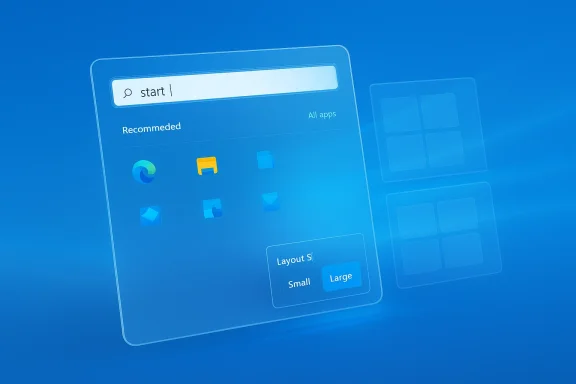
The most important rumored changes are the ones that address daily friction rather than aesthetics. Users may be able to disable the Recommended feed, choose between small and large layouts regardless of device class, and potentially hide the All apps list altogether. That last point is particularly telling because it acknowledges that not everyone wants an app directory baked into the main Start surface. For many people, Start is a launcher, not a catalog.
A few practical implications stand out:
That matters because interface speed is not just about CPU time. It is also about how quickly the shell responds to input, how often it stutters when loading content, and whether the system feels predictable. Users do not care whether a slowdown comes from rendering, background services, or shell architecture. They care that pressing the Windows key should feel immediate.
Microsoft’s reported focus on performance also fits the broader move away from some of the more cumbersome app-framework decisions that have affected the Windows shell. The Windows ecosystem has spent years straddling older shell components, newer frameworks, and hybrid UI designs. If the Start Menu is being rebuilt with responsiveness in mind, that could be a sign that Microsoft is finally treating the shell as a performance-sensitive surface, not merely a design canvas.
The issue becomes especially sharp for people who customized Windows 10 or older versions to fit a personal workflow. Windows 10’s Start Menu, for all its flaws, offered a blend of tiles and app lists that many users found more efficient. Windows 11’s simpler layout can feel cleaner in theory but less efficient in practice, especially for power users and enterprise staff who rely on fast muscle memory.
The fact that Microsoft already documents ways to collapse or hide some of these surfaces is important, but it also proves the current model is incomplete. If a feature is useful, it should be easy to tune. If it is optional, the option should be obvious. Users should not have to dig through layers of settings or group policy semantics to make Start behave like they want.
A second frustration is visual inconsistency. The menu has felt different across screen sizes, device classes, and Windows 11 builds. That creates uncertainty. Users want the Start Menu to behave like a dependable control center, not a moving target.
The nostalgia for Windows 10 is not merely sentimental. It reflects a real usability principle: when users have built a routine around a surface, any reduction in options can feel like regression. That is especially true when the new design does not clearly improve speed. If a cleaner menu still requires more clicks or offers less control, users will naturally ask why the change was worth it.
Microsoft understands this tension, which is why the company tested multiple Start Menu concepts before settling on the newer Windows 11 direction. Windows Central’s reporting notes that Microsoft explored layouts with a left-hand navigation pane, a more traditional Windows 10-style design, and even a full-screen version. That experimentation suggests the company has been aware of the trade-offs for quite some time. (windowscentral.com)
The design lesson here is simple:
For consumers, customization is largely emotional and practical at the same time. They want to remove sections they never use, pin the apps they care about, and stop the menu from trying too hard to predict their behavior. For many home users, the ideal Start Menu is a direct launcher, not a recommendation engine. If Microsoft exposes simple settings for that, the upgrade could be well received.
Enterprises, by contrast, tend to prefer predictable defaults and manageable policy layers. Microsoft’s official documentation already exposes controls for hiding app lists, hiding category views, and removing frequent apps through Start policy settings. That gives administrators a lot more leverage than casual users realize, but these options are still not always presented in a way that normal users can understand. A cleaner settings model could reduce support tickets and training overhead. (learn.microsoft.com)
Key enterprise benefits could include:
That said, the bigger competitive threat is not that users will abandon Windows tomorrow. It is that they will continue to rely on workarounds, replacement utilities, and third-party launchers because the built-in experience does not satisfy them. That is a subtle but important failure mode. When users install a paid Start replacement just to get back basic control, Microsoft loses both satisfaction and credibility.
Windows Central recently highlighted this reality by pointing readers toward third-party replacements that restore the customization many users think Windows should have included in the first place. That kind of market demand is a warning sign. A platform should not routinely outsource one of its signature interfaces to outside vendors.
Likewise, Microsoft Learn documents policy settings that let administrators hide the app list, hide category view, and remove frequently used apps. That is strong evidence that the engineering model already supports modular Start behavior. The missing piece appears to be a cleaner, more obvious user-facing experience that exposes those choices without requiring policy knowledge or enterprise tools. (learn.microsoft.com)
The strategy seems to be:
The other major question is whether these changes land as part of a normal Windows update cadence or remain trapped in Insider builds for too long. Users have been patient through enough incremental redesigns and interface experiments. What they want now is not another preview of a better future; they want a menu that behaves like a mature part of the OS.
Source: Tom's Guide https://www.tomsguide.com/computing...-after-actually-listening-to-user-complaints/
 Background
The Start Menu has always been more than a launcher. In Windows, it is the user’s first point of contact with the OS, the place where search, app discovery, system shortcuts, and workflow habits all converge. Microsoft knows this better than most, which is why changes to the Start Menu routinely trigger outsized reactions from both consumers and enterprise admins. When the menu feels intuitive, the whole desktop feels faster; when it feels imposed, the entire system feels less flexible.Windows 11 launched with a Start Menu that was deliberately simplified, visually centered, and stripped of much of the density that defined Windows 10. The redesign was meant to look cleaner and modern, but it also removed features that power users had come to rely on. The result was predictable: the menu looked polished, but many users felt it was less useful than what came before. Microsoft has since spent multiple release cycles adding back pieces of functionality, but the broader critique has never really gone away.
That tension explains why the current rumors about a redesign feel plausible even before Microsoft confirms them. Microsoft has already published official guidance showing that the Start Menu now includes Pinned, All, and Recommended sections, and that admins can hide the app list, hide category views, or remove frequently used apps through policy. Microsoft also documents that users can collapse Recommended entirely if they unpin everything or disable recommended providers. In other words, some of the knobs already exist — but for many users, they are hidden behind policies, incomplete settings, or enterprise-only controls rather than being exposed as simple, obvious preferences. (support.microsoft.com)
The backdrop is also broader than the Start Menu itself. Microsoft has been promising a larger Windows 11 quality push in 2026, with explicit attention to performance, reliability, and responsiveness. In its March 2026 Windows Insider blog post, Microsoft said it is focusing on faster launch experiences, reduced flicker, smoother navigation, and lower latency across core system surfaces, including the Start Menu. That gives the Start Menu rumors a more important context: this may not be an isolated UI tweak, but part of a wider engineering reset for the shell.
What Microsoft Is Reportedly Changing
The reported direction of the next Start Menu update is straightforward: keep the general visual structure, but make it far more configurable. The menu would reportedly look familiar at first glance, which is smart, because wholesale redesigns tend to alienate users faster than they solve problems. The deeper shift would happen inside Settings, where users could turn off sections they do not want and choose layouts that better match their workflow.The most important rumored changes are the ones that address daily friction rather than aesthetics. Users may be able to disable the Recommended feed, choose between small and large layouts regardless of device class, and potentially hide the All apps list altogether. That last point is particularly telling because it acknowledges that not everyone wants an app directory baked into the main Start surface. For many people, Start is a launcher, not a catalog.
Why this matters
If those controls arrive in the form described, Microsoft would finally be treating Start as a configurable workspace rather than a fixed display. That is a meaningful philosophical shift. It suggests the company is recognizing that a modern desktop has to serve both casual users who want simplicity and experienced users who want speed and density.A few practical implications stand out:
- Fewer forced sections means less visual clutter.
- Manual size choices would help users standardize the menu across laptop, desktop, and touch devices.
- Recommended can be optional rather than obligatory.
- All apps can be hidden or collapsed for users who rely on search or pinned apps.
- Settings-based control should be easier to understand than policy-driven workarounds.
The Performance Problem Microsoft Has Been Chasing
Performance complaints about Windows 11 are not just anecdotal grumbling. They are part of a consistent pattern in user feedback, and Microsoft appears to know it. In March 2026, the company said it plans to improve Windows 11 quality by moving more experiences to WinUI3 and reducing latency in search, navigation, and context menus. The Start Menu was explicitly named among the core experiences that need to feel faster.That matters because interface speed is not just about CPU time. It is also about how quickly the shell responds to input, how often it stutters when loading content, and whether the system feels predictable. Users do not care whether a slowdown comes from rendering, background services, or shell architecture. They care that pressing the Windows key should feel immediate.
Microsoft’s reported focus on performance also fits the broader move away from some of the more cumbersome app-framework decisions that have affected the Windows shell. The Windows ecosystem has spent years straddling older shell components, newer frameworks, and hybrid UI designs. If the Start Menu is being rebuilt with responsiveness in mind, that could be a sign that Microsoft is finally treating the shell as a performance-sensitive surface, not merely a design canvas.
What “faster” really means
For the average user, the difference between a good and bad Start Menu can come down to a split second. That includes the time between pressing the Windows key and seeing the menu appear, the time it takes for the search box to accept typed characters, and the time the system needs to populate app suggestions or recent items. In a shell element used dozens of times a day, those delays accumulate fast.- Launch latency affects the feeling of the whole OS.
- Typing lag undermines confidence in Start search.
- Scroll and render delays make the app list feel heavy.
- Background loading issues make the menu feel unstable.
- Input responsiveness is critical on lower-power hardware.
Why Users Are So Frustrated
The complaints around the Start Menu are not really about one icon grid or one news feed. They are about agency. Users do not like feeling as though Microsoft decided for them how much Start should show, what sections should occupy space, or how much effort they should spend getting to the app list. That is why the reaction to the current Windows 11 menu has often been emotional rather than technical.The issue becomes especially sharp for people who customized Windows 10 or older versions to fit a personal workflow. Windows 10’s Start Menu, for all its flaws, offered a blend of tiles and app lists that many users found more efficient. Windows 11’s simpler layout can feel cleaner in theory but less efficient in practice, especially for power users and enterprise staff who rely on fast muscle memory.
The role of “Recommended”
The Recommended section may be the biggest source of resentment because it occupies valuable screen space while being, for many users, the least trusted part of the menu. Microsoft sees it as a helpful surface for recent files and new apps. Users often see it as clutter, advertising, or a poor substitute for direct navigation. That gap in perception is a classic design problem: a feature intended to reduce effort can end up creating more friction.The fact that Microsoft already documents ways to collapse or hide some of these surfaces is important, but it also proves the current model is incomplete. If a feature is useful, it should be easy to tune. If it is optional, the option should be obvious. Users should not have to dig through layers of settings or group policy semantics to make Start behave like they want.
A second frustration is visual inconsistency. The menu has felt different across screen sizes, device classes, and Windows 11 builds. That creates uncertainty. Users want the Start Menu to behave like a dependable control center, not a moving target.
The Windows 10 Comparison Problem
A lot of the current frustration around Windows 11 comes down to one hard fact: Windows 10’s Start Menu was familiar, and familiarity is powerful. Even users who disliked its live tiles often preferred its practical organization. It mixed pinned shortcuts, app lists, and system access in a way that felt dense but useful. Windows 11 tried to simplify that formula, but in doing so it removed some of the very flexibility people depended on.The nostalgia for Windows 10 is not merely sentimental. It reflects a real usability principle: when users have built a routine around a surface, any reduction in options can feel like regression. That is especially true when the new design does not clearly improve speed. If a cleaner menu still requires more clicks or offers less control, users will naturally ask why the change was worth it.
Microsoft understands this tension, which is why the company tested multiple Start Menu concepts before settling on the newer Windows 11 direction. Windows Central’s reporting notes that Microsoft explored layouts with a left-hand navigation pane, a more traditional Windows 10-style design, and even a full-screen version. That experimentation suggests the company has been aware of the trade-offs for quite some time. (windowscentral.com)
Familiarity versus modernization
The challenge is that Windows cannot simply go back. It still has to feel modern, work well on touch devices, support search-first workflows, and look coherent with the rest of Windows 11. But modernization only succeeds when it adds utility, not when it deletes convenience. That is why the best possible version of this rumored redesign would not be a throwback so much as a reconciliation.The design lesson here is simple:
- Modern does not have to mean less configurable.
- Simpler does not have to mean more restrictive.
- Cleaner does not have to mean slower to use.
- Familiar does not have to mean visually stale.
- Flexible is often what users mean when they say “better.”
Enterprise Impact Versus Consumer Impact
The Start Menu story lands differently depending on who is using the machine. Consumers mainly care about convenience, speed, and whether the menu reflects personal habits. Enterprises care about consistency, policy control, user training, and how much friction a design change creates across thousands of devices.For consumers, customization is largely emotional and practical at the same time. They want to remove sections they never use, pin the apps they care about, and stop the menu from trying too hard to predict their behavior. For many home users, the ideal Start Menu is a direct launcher, not a recommendation engine. If Microsoft exposes simple settings for that, the upgrade could be well received.
Enterprises, by contrast, tend to prefer predictable defaults and manageable policy layers. Microsoft’s official documentation already exposes controls for hiding app lists, hiding category views, and removing frequent apps through Start policy settings. That gives administrators a lot more leverage than casual users realize, but these options are still not always presented in a way that normal users can understand. A cleaner settings model could reduce support tickets and training overhead. (learn.microsoft.com)
Administrative value
In business environments, the real win would be reducing variance without eliminating choice. IT teams do not want ten different interpretations of Start running across managed devices. But they also do not want a rigid experience that frustrates employees or causes help-desk noise. Microsoft is at its best when it gives admins control and users enough flexibility to feel autonomous.Key enterprise benefits could include:
- Simpler standardization across fleets.
- Reduced support burden from basic menu complaints.
- Better alignment with kiosk and managed-device scenarios.
- More predictable onboarding for new hires.
- Easier policy mapping between defaults and user-facing settings.
Competitive Implications in the Desktop Market
Microsoft does not compete with another desktop OS on Start Menu aesthetics alone. It competes on workflow. Every time the company makes Windows feel clunkier than it needs to be, it strengthens the case for alternatives — whether that means macOS in creative and business environments or Linux in enthusiast spaces. The Start Menu matters because it is a visible symbol of whether Microsoft is listening.That said, the bigger competitive threat is not that users will abandon Windows tomorrow. It is that they will continue to rely on workarounds, replacement utilities, and third-party launchers because the built-in experience does not satisfy them. That is a subtle but important failure mode. When users install a paid Start replacement just to get back basic control, Microsoft loses both satisfaction and credibility.
Windows Central recently highlighted this reality by pointing readers toward third-party replacements that restore the customization many users think Windows should have included in the first place. That kind of market demand is a warning sign. A platform should not routinely outsource one of its signature interfaces to outside vendors.
Why rivals benefit from Windows friction
Competitors rarely need to beat Microsoft on the same feature if Microsoft keeps tripping over usability. A Start Menu that feels too opinionated or too slow can push users to question the broader value of the platform. In a world where cloud-first work, browser apps, and cross-platform tools are increasingly common, perceived friction matters more than ever.- macOS benefits when Windows feels inconsistent.
- Chromebook-style workflows benefit when users prioritize simplicity.
- Linux desktops benefit when enthusiasts want control.
- Third-party Windows tools benefit when Microsoft underdelivers.
- Enterprise mobility strategies benefit when IT can avoid complexity.
What the Official Docs Already Reveal
A careful reading of Microsoft’s own documentation shows that the company has been moving, step by step, toward the kind of controls users are now asking for. The current support article says the Start Menu can be customized by pinning apps, grouping them, changing the layout, and choosing what folders appear near the power button. Microsoft also documents that the All section can be switched between Category, Grid, and List views, and that Recommended can collapse if users unpin everything or disable providers. (support.microsoft.com)Likewise, Microsoft Learn documents policy settings that let administrators hide the app list, hide category view, and remove frequently used apps. That is strong evidence that the engineering model already supports modular Start behavior. The missing piece appears to be a cleaner, more obvious user-facing experience that exposes those choices without requiring policy knowledge or enterprise tools. (learn.microsoft.com)
What this suggests about Microsoft’s strategy
This is the part worth emphasizing: Microsoft is not inventing flexibility from scratch. It is surfacing flexibility that already exists in the platform. That is often how product teams fix unpopular decisions after the fact. They preserve the underlying architecture while changing how much of it the user can see and control.The strategy seems to be:
- Keep the Start Menu visually aligned with Windows 11.
- Expose more controls in Settings.
- Improve shell responsiveness under load.
- Reduce complaints without reintroducing Windows 10 wholesale.
- Make the menu easier to live with for both casual and advanced users.
Strengths and Opportunities
The biggest strength of the rumored redesign is that it finally appears to align Microsoft’s visual goals with real user demand. A Start Menu that keeps the modern look but offers more control could restore confidence in Windows 11 without forcing the company into a backward-looking reset. The opportunity is not just to reduce complaints, but to show that Microsoft can evolve the desktop in response to feedback without losing coherence.- Better user satisfaction through optional sections and layouts.
- Improved trust if Microsoft visibly acts on complaints.
- Lower friction for both keyboard-driven and touch-driven workflows.
- Stronger search experience if performance work lands well.
- More durable platform loyalty among users tired of third-party fixes.
- Cleaner enterprise rollout if policy and settings align more closely.
- A more defensible Windows 11 identity that feels modern and useful.
Risks and Concerns
The main risk is that Microsoft could deliver only partial relief. If the settings are buried, inconsistent, or too limited, the redesign may end up as another cosmetic iteration that fails to solve the underlying complaint. There is also a danger that Microsoft improves visuals faster than responsiveness, which would make the menu look better while still feeling frustrating to use.- Half-measures could worsen skepticism.
- Too many options might confuse mainstream users.
- Poor defaults could still push people toward third-party tools.
- Performance gains may not be noticeable enough if they are incremental.
- Enterprise policies might diverge from consumer settings in confusing ways.
- Design churn could create another transition period of user frustration.
- Feature rollout delays may make the fix feel too late to matter.
Looking Ahead
The most important thing to watch is whether Microsoft follows through with meaningful Start Menu settings, not just visual tweaks. The company has already signaled in official channels that 2026 is about raising Windows quality, and the Start Menu is one of the clearest places to prove that promise. If Microsoft can make the menu more responsive, more configurable, and less presumptive, it will be solving both a technical problem and a trust problem at the same time.The other major question is whether these changes land as part of a normal Windows update cadence or remain trapped in Insider builds for too long. Users have been patient through enough incremental redesigns and interface experiments. What they want now is not another preview of a better future; they want a menu that behaves like a mature part of the OS.
- Watch for Settings app changes that expose Start controls more clearly.
- Watch for rollout notes that mention responsiveness or search latency.
- Watch for policy parity between enterprise and consumer controls.
- Watch for menu size options that work consistently across devices.
- Watch for Recommended removal to become a true user-facing choice.
Source: Tom's Guide https://www.tomsguide.com/computing...-after-actually-listening-to-user-complaints/
