

Microsoft began rolling out Xbox Mode for Windows 11 PCs on April 30, 2026, bringing a controller-optimized, full-screen Xbox-style interface to select markets across laptops, desktops, tablets, and handhelds, with broader availability scheduled over the next several weeks. The feature is less a novelty than a confession: Windows is still the best place to play PC games, but not always the best interface for playing them. Xbox Mode is Microsoft’s attempt to make the PC disappear when the player wants the console feeling without giving up the PC underneath.
For decades, Windows gaming has been defined by a contradiction. The platform has the deepest game library, the broadest hardware support, the richest modding culture, and the messiest front door. The Start menu, taskbar, system tray, notification stack, launcher sprawl, and driver-control utilities are powerful when you are sitting at a desk, but absurd when you are leaning back with a controller.
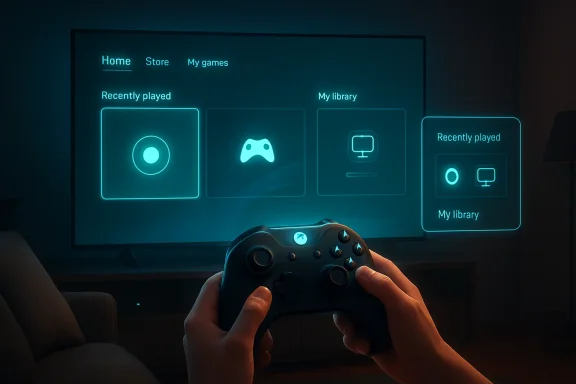
Xbox Mode is Microsoft’s most explicit attempt yet to separate Windows as a gaming platform from Windows as a desktop metaphor. It does not replace the desktop. It puts a console-like shell in front of it, with the player’s library and recently played games pushed to the foreground and the traditional PC environment kept one action away.
That distinction matters. Microsoft is not trying to turn every Windows 11 PC into an Xbox console. It is trying to make Windows less hostile in the places where consoles have historically won: the living room, the handheld, the docked gaming device, and the “I just want to play something” moment.
On devices such as Windows-based gaming handhelds, users have tolerated a strange ritual: wake the device, tap through Windows UI built for keyboards and mice, negotiate vendor utilities, launch Steam or the Xbox app, and hope nothing steals focus. The hardware has improved faster than the operating system experience around it.
Microsoft’s answer was to build a gaming-first shell that could boot directly into a controller-navigable interface. That made obvious sense on handhelds. What changed with this rollout is the target: Microsoft now sees the same problem on conventional PCs.
A desktop tower connected to a television has the same interface problem as a handheld, only spread across a bigger screen. A gaming laptop plugged into a living-room display has the same problem. A tablet with a controller has the same problem. Xbox Mode is Microsoft admitting that “PC form factor” is no longer synonymous with “desk, chair, keyboard, mouse.”
That sounds like a launcher. In the narrow sense, it is. But the strategic goal is larger than a launcher, because Microsoft is trying to occupy the layer where players decide what “gaming on Windows” feels like.
Steam already owns much of that layer for traditional PC gamers. Big Picture Mode gave Steam a couch interface long before Microsoft brought a credible Xbox-style shell to regular PCs. SteamOS and the Steam Deck went further by proving that a PC gaming device could feel cohesive when the operating system, store, input model, suspend behavior, and library view were aligned.
Microsoft cannot copy SteamOS without abandoning the enormous value of Windows compatibility. Instead, Xbox Mode tries to do the next best thing: keep Windows underneath, hide enough of it on top, and make the Xbox app feel like the natural home screen for play.
PC gamers live across Steam, Epic Games Store, GOG, Battle.net, EA app, Ubisoft Connect, itch.io, emulators, standalone launchers, and games installed from places that would make a console certification team twitch. Microsoft’s language around an aggregated library is therefore doing a lot of work. The promise is not merely “launch Game Pass more easily.” The promise is “use Windows like a console without surrendering the messiness that makes PC gaming valuable.”
Still, the gravitational pull is obvious. Xbox Mode gives Microsoft a privileged position on gaming PCs at the precise moment Game Pass needs to justify itself as more than a subscription buried inside an app. If the first screen a player sees is Xbox-branded, Game Pass becomes less like Netflix-in-a-window and more like part of the operating system’s gaming identity.
That is good strategy. It is also why PC gamers will watch the execution closely. The difference between a useful gaming shell and a funnel is whether Microsoft treats non-Microsoft games as first-class citizens or tolerated guests.
Big Picture Mode taught players that a PC could become console-like when viewed through the right shell. The Steam Deck taught them that the shell could become the product. Microsoft’s problem is that Windows powers much of PC gaming, but Valve has increasingly defined the experience of PC gaming for people who want less Windows in their Windows machine.
Xbox Mode is Microsoft’s counterargument. It says the console-like PC does not need Linux, Proton, or a Steam-first worldview. It can be Windows 11, an Xbox controller, Game Pass, and a full-screen shell that knows enough about the rest of the PC ecosystem to avoid feeling trapped.
The risk is that Valve’s model is more coherent. SteamOS is opinionated because it can be. Windows is flexible because it has to be. Xbox Mode must bridge those worlds without inheriting the worst parts of both: too much Windows friction for console users, too much Xbox curation for PC users.
At a desk, Windows can assume precision input, multitasking, overlapping windows, notifications, drag-and-drop, and a willingness to troubleshoot. On a couch, every one of those assumptions becomes a liability. The player wants hierarchy, legibility, fast resume, predictable focus, and a way out when something breaks.
Xbox Mode gives Microsoft a place to redesign that experience without breaking Windows itself. That is the clever part. Windows can remain the compatibility substrate for anti-cheat systems, launchers, drivers, overlays, streaming tools, and obscure utilities. Xbox Mode can become the calmer surface that pretends none of that exists until it must.
The challenge is that games frequently force the pretense to collapse. A launcher demands a login. A driver update pops a dialog. A cloud-save conflict appears. A game opens a separate configuration utility. A storefront wants two-factor authentication. The history of PC gaming is the history of small interruptions that make sense individually and ruin the living-room illusion collectively.
Xbox Mode has to manage more than app launching. It has to make task switching feel natural with a controller. It has to keep the player oriented when leaving one game and entering another. It has to avoid dumping users into the desktop for routine actions. It has to make recovery graceful when something goes wrong.
This is where Microsoft has an advantage that third-party launchers do not. It controls Windows, the Xbox app, Game Bar, system settings, update plumbing, and the relationship between the shell and the OS. If Xbox Mode can eventually reduce background distractions, streamline startup behavior, and improve controller-first navigation at the system level, it becomes more than a skin.
But that same advantage raises expectations. If Microsoft owns the OS and the gaming shell, users will be less forgiving when the experience still feels like a launcher taped over Windows. The closer Xbox Mode gets to the system, the more it will be judged like a platform feature rather than an app update.
PC gamers are wary of any interface that smells like simplification by restriction. They want controller-first when they are playing from the couch, but they also want file access, mod managers, Discord, browser tabs, capture tools, performance overlays, alternate launchers, and settings panels. The value of PC gaming is not just that games run. It is that the machine remains yours.
Xbox Mode succeeds only if it understands that console-like does not mean console-limited. A living-room PC may need to behave like an Xbox for 90 percent of a session and like a Windows machine for the remaining 10 percent. That last 10 percent is where enthusiasts decide whether the feature respects them.
The smartest version of Xbox Mode is therefore not a replacement desktop. It is a mode with humility. It should make common gaming tasks easier, then get out of the way when the user needs the actual PC.
That staged approach is not just operational caution. It reflects the complexity of the target. Windows 11 PCs vary wildly by GPU, display topology, controller type, launcher mix, Windows build, OEM software, and user expectation. A mode that works beautifully on a clean gaming handheld can feel much rougher on a desktop with three monitors, an HDR television, a wireless keyboard, five storefronts, and a decade of installed software.
The feature’s success will depend on edge cases. Does it handle multiple displays gracefully? Does it behave well with sleep and wake? Does controller focus remain reliable? Does it avoid fighting Steam, vendor overlays, and Game Bar? Does it make returning to the desktop feel intentional rather than like escaping a kiosk?
Gradual rollout buys Microsoft time to answer those questions with telemetry and feedback. It also gives the company room to avoid presenting Xbox Mode as finished. That is wise, because the first public wave will almost certainly expose the gap between a clean demo and real PC gaming life.
For managed devices, the question is less “Will employees use Xbox Mode?” and more “How cleanly can this be disabled, hidden, ignored, or separated from business configurations?” Windows 11 already lives with tension between consumer experience and enterprise manageability. Gaming features are harmless until they complicate imaging, help desk scripts, or user confusion on shared hardware.
Microsoft has generally become better at recognizing that not every Windows feature belongs in every environment. Xbox Mode should be treated the same way. On a personal gaming laptop, it may be welcome. On a classroom PC, kiosk-like lab machine, or corporate workstation, it should be easy to keep out of sight.
That is not a reason to oppose the feature. It is a reminder that Windows’ universality is both its strength and its burden. Every new mode has an audience and an anti-audience.
Xbox Mode continues that shift. It treats “Xbox” as an experience that can sit on top of Windows rather than hardware that must sit under a TV. In that sense, the name change from Full Screen Experience to Xbox Mode is more than marketing cleanup. It tells users what Microsoft wants them to feel: this is the Xbox layer of your PC.
That has strategic consequences. If Xbox is no longer defined by the console box, Microsoft needs places where Xbox feels native. Windows is the obvious place, but historically it has not felt particularly Xbox-like outside the app. Xbox Mode tries to make the brand spatial. It gives Xbox a room inside Windows rather than a window inside Windows.
The danger is brand overreach. If every screen is Xbox, the word can lose specificity. The opportunity is larger: if Xbox Mode becomes genuinely useful, Microsoft can make Xbox feel less like a device category and more like a play state.
A Windows 11 gaming machine can be a workstation in the afternoon, a Discord-and-browser multitasking rig in the evening, a living-room console at night, and a handheld companion on a trip. The problem has never been capability. The problem has been transition.
Xbox Mode is a transition feature. It says the PC should not have to look and behave the same way in every context. This is where Windows has room to improve dramatically, not by becoming less powerful, but by becoming less stubborn about presenting the same interface everywhere.
If Microsoft gets this right, Xbox Mode could become one of those features that feels obvious in retrospect. Of course a gaming PC connected to a TV should have a controller-first mode. Of course a handheld should not boot into a tiny desktop. Of course a laptop should be able to become a console-like device when plugged into the big screen.
A successful night with Xbox Mode looks boring. The controller wakes the device. The interface appears. The library is legible. The game launches. Switching works. The player can quit, choose something else, and never reach for a mouse unless they want to. Nothing steals focus. Nothing requires precision clicking from across the room.
That is a high bar because PC gaming is unruly by design. Microsoft cannot eliminate every third-party launcher, account prompt, overlay conflict, or driver panel. But it can reduce the number of moments where Windows itself is the obstacle.
The first public rollout will likely be uneven. That is not fatal. What matters is whether Microsoft treats Xbox Mode as a long-term shell investment or a seasonal Xbox app feature. The former could reshape Windows gaming. The latter will become another icon enthusiasts ignore.
Source: Noisy Pixel https://noisypixel.net/xbox-mode-windows-11-controller-full-screen-interface/
 Microsoft Finally Admits the Desktop Is Bad From the Couch
For decades, Windows gaming has been defined by a contradiction. The platform has the deepest game library, the broadest hardware support, the richest modding culture, and the messiest front door. The Start menu, taskbar, system tray, notification stack, launcher sprawl, and driver-control utilities are powerful when you are sitting at a desk, but absurd when you are leaning back with a controller.Xbox Mode is Microsoft’s most explicit attempt yet to separate Windows as a gaming platform from Windows as a desktop metaphor. It does not replace the desktop. It puts a console-like shell in front of it, with the player’s library and recently played games pushed to the foreground and the traditional PC environment kept one action away.
That distinction matters. Microsoft is not trying to turn every Windows 11 PC into an Xbox console. It is trying to make Windows less hostile in the places where consoles have historically won: the living room, the handheld, the docked gaming device, and the “I just want to play something” moment.
The Handheld Experiment Became the PC Strategy
Xbox Mode did not appear from nowhere. It grew out of Microsoft’s Full Screen Experience work for Windows handhelds, where the problem was impossible to ignore. A seven- or eight-inch screen running the standard Windows desktop is technically impressive and ergonomically ridiculous.On devices such as Windows-based gaming handhelds, users have tolerated a strange ritual: wake the device, tap through Windows UI built for keyboards and mice, negotiate vendor utilities, launch Steam or the Xbox app, and hope nothing steals focus. The hardware has improved faster than the operating system experience around it.
Microsoft’s answer was to build a gaming-first shell that could boot directly into a controller-navigable interface. That made obvious sense on handhelds. What changed with this rollout is the target: Microsoft now sees the same problem on conventional PCs.
A desktop tower connected to a television has the same interface problem as a handheld, only spread across a bigger screen. A gaming laptop plugged into a living-room display has the same problem. A tablet with a controller has the same problem. Xbox Mode is Microsoft admitting that “PC form factor” is no longer synonymous with “desk, chair, keyboard, mouse.”
The Feature Is Simple Because the Ambition Is Not
The first version of Xbox Mode does not sound complicated. It gives Windows 11 users a full-screen interface inspired by Xbox consoles. It lets players browse and launch games with a controller. It surfaces a combined library that includes Xbox Game Pass and installed games from major PC storefronts. It lets users jump back to the normal Windows desktop.That sounds like a launcher. In the narrow sense, it is. But the strategic goal is larger than a launcher, because Microsoft is trying to occupy the layer where players decide what “gaming on Windows” feels like.
Steam already owns much of that layer for traditional PC gamers. Big Picture Mode gave Steam a couch interface long before Microsoft brought a credible Xbox-style shell to regular PCs. SteamOS and the Steam Deck went further by proving that a PC gaming device could feel cohesive when the operating system, store, input model, suspend behavior, and library view were aligned.
Microsoft cannot copy SteamOS without abandoning the enormous value of Windows compatibility. Instead, Xbox Mode tries to do the next best thing: keep Windows underneath, hide enough of it on top, and make the Xbox app feel like the natural home screen for play.
Game Pass Is the Center, but Openness Is the Sales Pitch
Microsoft is careful to say that Xbox Mode can surface games beyond its own store. That is essential. A Windows gaming shell that only cared about Microsoft Store and Game Pass titles would be dead on arrival for many enthusiasts.PC gamers live across Steam, Epic Games Store, GOG, Battle.net, EA app, Ubisoft Connect, itch.io, emulators, standalone launchers, and games installed from places that would make a console certification team twitch. Microsoft’s language around an aggregated library is therefore doing a lot of work. The promise is not merely “launch Game Pass more easily.” The promise is “use Windows like a console without surrendering the messiness that makes PC gaming valuable.”
Still, the gravitational pull is obvious. Xbox Mode gives Microsoft a privileged position on gaming PCs at the precise moment Game Pass needs to justify itself as more than a subscription buried inside an app. If the first screen a player sees is Xbox-branded, Game Pass becomes less like Netflix-in-a-window and more like part of the operating system’s gaming identity.
That is good strategy. It is also why PC gamers will watch the execution closely. The difference between a useful gaming shell and a funnel is whether Microsoft treats non-Microsoft games as first-class citizens or tolerated guests.
Steam Big Picture Was the Warning Microsoft Could Not Ignore
The comparison to Steam Big Picture is unavoidable, but it should not be treated as an insult. Valve identified the couch-PC problem years ago and kept iterating until the Steam Deck forced the whole industry to take the interface layer seriously.Big Picture Mode taught players that a PC could become console-like when viewed through the right shell. The Steam Deck taught them that the shell could become the product. Microsoft’s problem is that Windows powers much of PC gaming, but Valve has increasingly defined the experience of PC gaming for people who want less Windows in their Windows machine.
Xbox Mode is Microsoft’s counterargument. It says the console-like PC does not need Linux, Proton, or a Steam-first worldview. It can be Windows 11, an Xbox controller, Game Pass, and a full-screen shell that knows enough about the rest of the PC ecosystem to avoid feeling trapped.
The risk is that Valve’s model is more coherent. SteamOS is opinionated because it can be. Windows is flexible because it has to be. Xbox Mode must bridge those worlds without inheriting the worst parts of both: too much Windows friction for console users, too much Xbox curation for PC users.
The Real Battle Is the Ten-Foot Interface
The phrase “ten-foot interface” sounds like old home-theater jargon, but it remains the right frame. A good ten-foot interface is not just larger text and controller focus. It changes the assumed posture of the user.At a desk, Windows can assume precision input, multitasking, overlapping windows, notifications, drag-and-drop, and a willingness to troubleshoot. On a couch, every one of those assumptions becomes a liability. The player wants hierarchy, legibility, fast resume, predictable focus, and a way out when something breaks.
Xbox Mode gives Microsoft a place to redesign that experience without breaking Windows itself. That is the clever part. Windows can remain the compatibility substrate for anti-cheat systems, launchers, drivers, overlays, streaming tools, and obscure utilities. Xbox Mode can become the calmer surface that pretends none of that exists until it must.
The challenge is that games frequently force the pretense to collapse. A launcher demands a login. A driver update pops a dialog. A cloud-save conflict appears. A game opens a separate configuration utility. A storefront wants two-factor authentication. The history of PC gaming is the history of small interruptions that make sense individually and ruin the living-room illusion collectively.
“Full Screen” Is a Product Promise, Not a Window State
Microsoft’s earlier name, Full Screen Experience, was clunky but revealing. The important part was never merely that the UI filled the display. It was that the experience tried to fill the role of the desktop during play.Xbox Mode has to manage more than app launching. It has to make task switching feel natural with a controller. It has to keep the player oriented when leaving one game and entering another. It has to avoid dumping users into the desktop for routine actions. It has to make recovery graceful when something goes wrong.
This is where Microsoft has an advantage that third-party launchers do not. It controls Windows, the Xbox app, Game Bar, system settings, update plumbing, and the relationship between the shell and the OS. If Xbox Mode can eventually reduce background distractions, streamline startup behavior, and improve controller-first navigation at the system level, it becomes more than a skin.
But that same advantage raises expectations. If Microsoft owns the OS and the gaming shell, users will be less forgiving when the experience still feels like a launcher taped over Windows. The closer Xbox Mode gets to the system, the more it will be judged like a platform feature rather than an app update.
PC Gamers Will Tolerate a Shell, Not a Straitjacket
Microsoft’s language about jumping back and forth between Xbox Mode and the Windows desktop is not a minor convenience. It is the trust clause.PC gamers are wary of any interface that smells like simplification by restriction. They want controller-first when they are playing from the couch, but they also want file access, mod managers, Discord, browser tabs, capture tools, performance overlays, alternate launchers, and settings panels. The value of PC gaming is not just that games run. It is that the machine remains yours.
Xbox Mode succeeds only if it understands that console-like does not mean console-limited. A living-room PC may need to behave like an Xbox for 90 percent of a session and like a Windows machine for the remaining 10 percent. That last 10 percent is where enthusiasts decide whether the feature respects them.
The smartest version of Xbox Mode is therefore not a replacement desktop. It is a mode with humility. It should make common gaming tasks easier, then get out of the way when the user needs the actual PC.
The Rollout Strategy Says Microsoft Knows This Can Break
Microsoft is rolling Xbox Mode out gradually, beginning in select markets and expanding availability over the next several weeks. Users who want earlier access are being pointed toward the Windows Update setting that delivers the latest updates as soon as they are available.That staged approach is not just operational caution. It reflects the complexity of the target. Windows 11 PCs vary wildly by GPU, display topology, controller type, launcher mix, Windows build, OEM software, and user expectation. A mode that works beautifully on a clean gaming handheld can feel much rougher on a desktop with three monitors, an HDR television, a wireless keyboard, five storefronts, and a decade of installed software.
The feature’s success will depend on edge cases. Does it handle multiple displays gracefully? Does it behave well with sleep and wake? Does controller focus remain reliable? Does it avoid fighting Steam, vendor overlays, and Game Bar? Does it make returning to the desktop feel intentional rather than like escaping a kiosk?
Gradual rollout buys Microsoft time to answer those questions with telemetry and feedback. It also gives the company room to avoid presenting Xbox Mode as finished. That is wise, because the first public wave will almost certainly expose the gap between a clean demo and real PC gaming life.
The Enterprise Angle Is Small but Not Invisible
Xbox Mode is primarily a consumer gaming feature, but WindowsForum readers know that nothing landing in Windows exists in a vacuum. IT admins will not be deploying Xbox Mode to accounting departments, but they will care if Windows keeps adding consumer-facing surfaces that need policy, documentation, and support boundaries.For managed devices, the question is less “Will employees use Xbox Mode?” and more “How cleanly can this be disabled, hidden, ignored, or separated from business configurations?” Windows 11 already lives with tension between consumer experience and enterprise manageability. Gaming features are harmless until they complicate imaging, help desk scripts, or user confusion on shared hardware.
Microsoft has generally become better at recognizing that not every Windows feature belongs in every environment. Xbox Mode should be treated the same way. On a personal gaming laptop, it may be welcome. On a classroom PC, kiosk-like lab machine, or corporate workstation, it should be easy to keep out of sight.
That is not a reason to oppose the feature. It is a reminder that Windows’ universality is both its strength and its burden. Every new mode has an audience and an anti-audience.
The Console Is Becoming an Interface, Not a Box
The most interesting part of Xbox Mode is what it says about Xbox itself. Microsoft has spent years widening the definition of Xbox beyond a console under the television. Xbox is a console, a PC app, a cloud service, a subscription, a controller, a social layer, and a brand stitched across screens.Xbox Mode continues that shift. It treats “Xbox” as an experience that can sit on top of Windows rather than hardware that must sit under a TV. In that sense, the name change from Full Screen Experience to Xbox Mode is more than marketing cleanup. It tells users what Microsoft wants them to feel: this is the Xbox layer of your PC.
That has strategic consequences. If Xbox is no longer defined by the console box, Microsoft needs places where Xbox feels native. Windows is the obvious place, but historically it has not felt particularly Xbox-like outside the app. Xbox Mode tries to make the brand spatial. It gives Xbox a room inside Windows rather than a window inside Windows.
The danger is brand overreach. If every screen is Xbox, the word can lose specificity. The opportunity is larger: if Xbox Mode becomes genuinely useful, Microsoft can make Xbox feel less like a device category and more like a play state.
The PC Still Wins Because It Refuses to Become One Thing
There is a temptation to frame Xbox Mode as Microsoft chasing consoles. That is true only at the surface. The deeper move is Microsoft trying to make the PC better at changing identities.A Windows 11 gaming machine can be a workstation in the afternoon, a Discord-and-browser multitasking rig in the evening, a living-room console at night, and a handheld companion on a trip. The problem has never been capability. The problem has been transition.
Xbox Mode is a transition feature. It says the PC should not have to look and behave the same way in every context. This is where Windows has room to improve dramatically, not by becoming less powerful, but by becoming less stubborn about presenting the same interface everywhere.
If Microsoft gets this right, Xbox Mode could become one of those features that feels obvious in retrospect. Of course a gaming PC connected to a TV should have a controller-first mode. Of course a handheld should not boot into a tiny desktop. Of course a laptop should be able to become a console-like device when plugged into the big screen.
The First Version Should Be Judged by Friction, Not Flash
The right way to evaluate Xbox Mode is not by how much it looks like an Xbox dashboard. It is by how many small annoyances disappear during an actual session.A successful night with Xbox Mode looks boring. The controller wakes the device. The interface appears. The library is legible. The game launches. Switching works. The player can quit, choose something else, and never reach for a mouse unless they want to. Nothing steals focus. Nothing requires precision clicking from across the room.
That is a high bar because PC gaming is unruly by design. Microsoft cannot eliminate every third-party launcher, account prompt, overlay conflict, or driver panel. But it can reduce the number of moments where Windows itself is the obstacle.
The first public rollout will likely be uneven. That is not fatal. What matters is whether Microsoft treats Xbox Mode as a long-term shell investment or a seasonal Xbox app feature. The former could reshape Windows gaming. The latter will become another icon enthusiasts ignore.
The Couch-PC Future Now Has a Windows Button
The concrete news is simple, but the implications are broader than a new full-screen menu.- Xbox Mode is rolling out to Windows 11 PCs in select markets beginning April 30, 2026, with more users expected to receive it over the following weeks.
- The interface is built for controller navigation and puts the game library and recently played titles at the center of the experience.
- Microsoft says the library view includes Xbox Game Pass titles and installed games from leading PC storefronts, though the depth of third-party integration will determine how useful it feels.
- Users can switch between Xbox Mode and the regular Windows 11 desktop, which is essential for preserving the flexibility PC gamers expect.
- The feature grew out of Microsoft’s handheld-focused Full Screen Experience work and now represents a broader push to make Windows feel more console-like when the hardware context demands it.
- The real test will not be visual polish, but whether Xbox Mode reduces the everyday friction of playing PC games from a couch, dock, or controller-first setup.
Source: Noisy Pixel https://noisypixel.net/xbox-mode-windows-11-controller-full-screen-interface/
