• Thread Author
Forty years after the first boxed copies of Windows left the factory, the operating system that reshaped personal computing stands at a crossroads — celebrated for its ubiquity, tempered by new technical, legal and cultural pressures, and being actively reimagined around artificial intelligence.

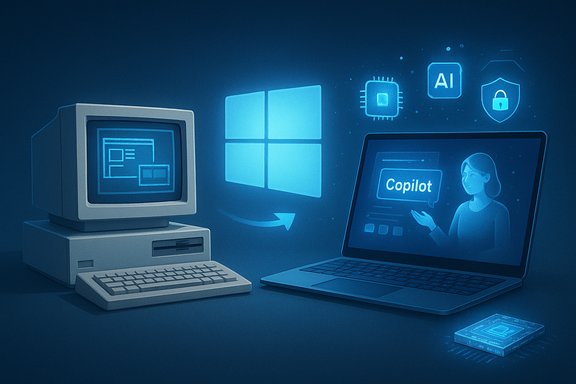
A vintage PC beside a modern laptop showcasing Windows AI and Copilot.Background​

When Microsoft shipped Windows 1.0 on November 20, 1985, it offered a simple graphical shell on top of MS‑DOS: tiled windows, a mouse‑driven interface and early apps such as Paint and Notepad. That modest beginning set a pattern that would repeat for decades — incremental platform improvements, broad OEM distribution, and a relentless push to make the PC feel like an appliance for work and play.
The next watershed arrived with Windows 95 on August 24, 1995. The Start menu, taskbar and a mass‑market release model turned Windows into a household brand and a developer platform. Windows XP (retail release October 25, 2001) consolidated Windows’ dominance in both home and corporate environments, becoming one of the longest‑lived and most culturally persistent OS versions in modern computing.
Fast forward to today: Windows 11 (initial public release October 5, 2021) is the centerpiece of Microsoft’s strategy to marry traditional desktop productivity with AI, cloud services, and a new generation of hardware. This week’s 40th anniversary is more than a celebration — it’s a reminder that Windows has repeatedly reinvented itself while carrying legacy expectations from billions of users.

A concise, verifiable summary of where Windows has been and where it is now​

  • Windows 1.0 was first released to manufacturing on November 20, 1985.
  • Windows 95 (August 24, 1995) introduced the Start menu and the taskbar, reshaping desktop UX.
  • Windows XP (retail release October 25, 2001) became a long‑running enterprise and consumer standard.
  • Windows 11 arrived as a major UI and security refresh (initial public release October 5, 2021) and has since been layered with AI features.
  • Microsoft announced and integrated “Copilot” AI into Windows in stages beginning in 2023, and continues to expand Copilot’s role inside Windows and Microsoft 365 as part of a broad AI-first strategy.
  • The Windows 11 2024/2025 updates introduced an on‑device Copilot runtime and an app-based Copilot experience; Microsoft has also been testing flagship AI features such as Windows Recall, Studio Effects, and Automatic Super Resolution on selected hardware.
  • Windows 10 reached its end of support on October 14, 2025, marking a large, real‑world migration inflection point for users and enterprises.
  • Windows remains the dominant desktop OS globally, with Windows 11 eclipsing Windows 10 in adoption during 2025 as organizations and consumers migrated ahead of Windows 10’s end of servicing.
These points are drawn from public product announcements, documented release dates and market telemetry reported throughout 2024–2025.

The legacy: why Windows matters​

Windows is, in many ways, the operating system of scale. For four decades it has provided the common denominator for:
  • Enterprise software and corporate device fleets.
  • Broad third‑party developer ecosystems (drivers, productivity apps, games, utilities).
  • OEM channels that deliver a Windows experience across an enormous range of hardware.
  • Deep backward compatibility — a hallmark that let legacy applications survive multiple OS transitions.
That durability created institutional lock‑in: businesses standardize on Windows because their software, management tools and compliance processes depend on it. Consumers have also learned that Windows machines deliver the broadest range of hardware choices and price points.
The platform’s biggest strength is its universality. For a global enterprise or a gamer or a student, there’s almost always a Windows solution — and that has historically given Microsoft negotiating leverage with hardware makers, ISVs, and cloud providers.

The evolution: from UI polish to AI integration​

Windows evolved in three overlapping waves:
  • The UX revolution (1985–2005): GUI conventions, Plug and Play, the Start menu, and major file and driver model changes.
  • The consolidation and security era (2006–2019): post‑Vista improvements, the move to a more frequent update cadence in Windows 10, and hardened security features for enterprise use.
  • The AI and cloud era (2020–present): integration of cloud services, AI assistants, and hardware features tailored for neural processing.
Key recent changes that define the current phase:
  • Copilot as a platform: Microsoft repositioned Copilot from a cloud chat experiment into a system‑level assistant for Windows, Microsoft 365 and Edge, embedding AI into search, contextual help and task automation.
  • Copilot+ PCs and on‑device models: Microsoft and hardware partners introduced Copilot+ hardware tiers designed to accelerate on‑device AI (neural processing units, dedicated NPUs) and deliver low‑latency AI features.
  • Windows Recall and user timeline features: Refreshable, searchable timelines and snapshotting — features designed to help users find past context quickly — but which raised privacy and UI challenges.
  • Windows 11 feature updates and the Windows Copilot Runtime: Microsoft invested in on‑device model runtimes and a set of smaller, task‑specialized models to power experiences like live captions, image restyling and voice features.
These changes indicate a shift from Windows being primarily a platform for launching apps to acting as an AI‑mediated workspace where the OS actively assists, automates and, in some cases, performs tasks for the user.

The AI pivot: promise and real constraints​

Microsoft’s AI-first direction is technologically compelling. Built‑in AI promises to:
  • Reduce friction: natural language search and “click‑to‑do” shortcuts shorten workflows.
  • Automate repetitive tasks: Copilot Actions and integrations can automate multi‑step tasks across apps.
  • Enhance creativity and productivity: generative abilities to draft emails, summarize documents, or create slide decks on demand.
But several hard constraints and risks must be acknowledged:
  • Hardware fragmentation: many flagship AI features require Copilot+ hardware or NPUs. That leaves a large installed base of legacy devices unable to access those experiences, creating a tiered Windows experience.
  • Performance and battery tradeoffs: on-device models consume power and silicon budget; balancing battery life with model performance is non‑trivial.
  • Privacy and data governance: features that capture screen snapshots or index local content (Windows Recall being the most public example) trigger valid privacy and regulatory scrutiny.
  • Model governance and hallucinations: when Copilot composes responses, ensuring accuracy and traceability to sources remains a product and trust challenge.
The AI pivot is therefore both a product opportunity and a strategic bet on making the OS an always‑useful assistant rather than merely a platform for apps.

Windows Recall: innovation or privacy minefield?​

One of the most polarizing features introduced in the AI era is Windows Recall — a searchable timeline that composes a picture of past activity by taking frequent snapshots of a user’s screen. Recall is emblematic of the tensions in modern OS design.
Why Microsoft pushed Recall:
  • It solves a real user problem: finding a fragment of work or a fleeting on‑screen piece of information weeks or months later.
  • It demonstrates what on‑device AI can do: make ephemeral digital activity discoverable without relying on cloud search.
Why privacy experts, enterprises and many users pushed back:
  • The feature collects a granular record of everything displayed on screen, which could include passwords, financial details, or other sensitive material unless properly filtered and protected.
  • Initial designs prompted concerns that snapshots might be accessible to software, tools or perhaps even cloud services if not implemented with strong safeguards.
  • The rollout has been cautious and iterative: Microsoft moved Recall to opt‑in, limited previews to specific Copilot+ hardware and added encryption and authentication controls.
The lesson is clear: features that increase observability of user activity must win trust first. That requires transparent settings, default privacy protections, robust encryption, and enterprise controls — and even then, some users will prefer to avoid such features entirely.

The migration story: Windows 10 end‑of‑support and a major inflection point​

October 14, 2025 marked the formal end of servicing for Windows 10. The end‑of‑support event triggered one of the biggest migration waves in the Windows era, with important consequences:
  • Enterprises accelerated device refresh cycles or adopted Extended Security Updates where migration was impractical.
  • Consumers faced choices: upgrade to Windows 11 (hardware‑compatibility gating remains a real blocker for older machines), enroll in consumer ESU programs, or migrate to alternative platforms.
  • Microsoft and OEMs used the transition to encourage purchase of Windows 11‑ready and Copilot+ PCs, driving hardware replacement demand.
Operationally, the EOL created strain for IT teams that must balance legacy app compatibility, regulatory compliance and a finite refresh budget. For Microsoft, the transition cleared the product deck: fewer active OS versions simplifies long‑run development and security priorities — at the cost of short‑term user friction.

Market dynamics and competition​

Windows still dominates desktop usage globally, and Windows 11 overtaking Windows 10 in 2025 is an important inflection: the platform remains the default for enterprise computing and the most popular target for productivity and creative software.
Yet the competitive landscape is more complicated than market share alone suggests:
  • Apple’s ecosystem remains the primary premium competitor, offering tight hardware‑software integration, an attractive developer economics narrative for many creators, and growing parity in performance with Apple silicon.
  • Mobile platforms (Android and iOS) are mobile‑first in user behaviour and continue to draw attention and developer investment, especially in regions where smartphones are primary computing devices.
  • ChromeOS and lightweight Linux distributions erode Windows share in education and budget markets.
  • New entrants and niche OSes (Windows on ARM experiments, Linux distributions styled for former Windows users) create pressure at the margins.
The real long‑term competition for Microsoft is not just between desktop OSes. It’s a fight to be the preferred platform across devices and to own the AI assistance layer where users live — whether that’s on a phone, on a laptop, or in a browser.

Regulation and geopolitical pressure: meaningful headwinds​

Big tech and AI are under heightened regulatory scrutiny. Microsoft’s investments and partnerships in the AI ecosystem — including high‑profile relationships and investments in leading AI labs and its Azure cloud position — have attracted attention from multiple regulators.
Key regulatory pressures affecting Windows and Microsoft more broadly:
  • Competition authorities are probing how investments, exclusive deals and cloud dominance could create uneven playing fields in AI infrastructure.
  • Privacy regulators are focused on the data collection and processing implications of new OS features that index local content or capture screen activity.
  • Consumer protection and algorithmic‑governance discussions are forcing firms to explain model behavior and offer redress mechanisms.
These pressures increase legal and compliance risk and could impose constraints on product design, data flows and partnerships. For Windows, the practical implication is more stringent privacy defaults, enterprise control surfaces and potential product trade restrictions in some jurisdictions.

Strengths Microsoft can still build on​

  • Unrivaled enterprise footprint and management tooling (Group Policy, Intune, Autopatch, SCCM).
  • Massive ISV and driver ecosystem, ensuring software compatibility across industries.
  • An integrated stack: Microsoft controls the OS, productivity apps and a world‑class cloud platform — a rare position for delivering end‑to‑end AI scenarios.
  • Hardware partner network that can scale Copilot+ tiers when demand justifies it.
These are durable advantages that matter in corporate procurement cycles and in OEM relationships.

Risks and strategic missteps to avoid​

  • Creating a two‑tier experience: an “AI elite” of Copilot+ PCs versus the rest of the installed base risks alienating users who can’t afford or don’t want new hardware.
  • Privacy shortcuts: shipping convenience features that collect deep telemetry without clear user control invites regulatory and reputational damage.
  • Overreaching UI overlays: forcing AI into every corner of the OS can increase cognitive load and reduce predictability for power users.
  • Slow enterprise migration tooling: corporate customers demand strong compatibility paths; Windows needs smooth migration tools, not just prompts to buy new hardware.

Practical recommendations for Microsoft and the wider Windows ecosystem​

  • Prioritize compatibility and smooth migration paths for enterprises — provide free or low‑cost tools for app validation, virtualization and gradual rollout.
  • Make privacy an unmistakable selling point: privacy by default, clear opt‑in flows, robust encryption and auditability for features like Recall.
  • Avoid gating essential productivity features behind premium hardware tiers; instead, offer a basic, on‑device AI set that runs acceptably on mainstream CPUs.
  • Push enterprise licensing models that align Copilot’s value to IT budgets — not only consumer marketing to drive new PC sales.
  • Continue investing in open interoperability and standards for AI connectors so businesses can control data flows and model governance.

What the next decade could look like​

If Microsoft executes thoughtfully, Windows can become the dominant “AI workspace” where the OS contextually surfaces help, automates routine tasks and stitches cloud and local content into coherent, searchable narratives. That future will demand:
  • Better on‑device model runtimes and efficient NPUs across more hardware price points.
  • Strong privacy guarantees and enterprise controls that satisfy regulators and compliance mandates.
  • An ecosystem where developers can safely extend Copilot capabilities without compromising user trust.
If Microsoft mismanages the privacy, compatibility or regulatory aspects, Windows could fragment: a premium AI tier for new devices and a long tail of unsupported Windows 10/older devices running legacy workloads — creating security and support challenges across the economy.

Conclusion​

Windows at 40 is neither an anachronism nor a finished story. The platform’s next major transformation — its attempt to become an AI‑native workspace — is already underway. That reinvention leverages Windows’ historic strengths: reach, compatibility and a vast ecosystem. But it also confronts new constraints: privacy, hardware fragmentation, regulatory pressure, and the reality that many users now compute primarily on mobile devices.
The anniversary is an inflection, not a finish line. How Microsoft balances power and protection, novelty and predictability, will determine whether the next ten years of Windows are defined by trusted AI assistance for a global installed base — or by a more fractured landscape where different classes of users and devices experience fundamentally different Windowses.
Forty years in, Windows’ core question is the same as it ever was: how to deliver the most useful, reliable and trustworthy computing environment for the largest number of people. The answer now has to include AI — but only if that AI is built to respect privacy, enterprise realities and the sheer diversity of how people use their PCs.

Source: Business Today Windows @ 40: The Legacy, The Evolution, The Future
 

Forty years after a boxed copy of Windows first left the factory, the operating system that helped define personal computing has reached an unmistakable milestone: Windows’ journey from a modest graphical shell to an AI‑centred platform is now as much about preserving legacy as it is about inventing the future. Microsoft shipped Windows 1.0 to manufacturing on November 20, 1985, and over four decades that single product line has expanded into an ecosystem of eleven major consumer releases, billions of installed seats, and a vast hardware and software partner economy — even as the company steers Windows toward an AI‑first vision centered on Copilot and a new Copilot+ hardware tier.

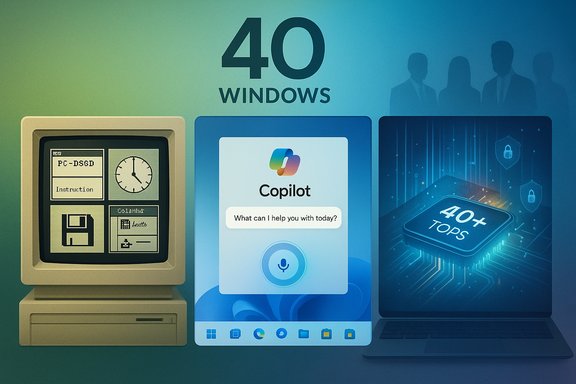
A banner titled '40 Windows' shows a retro PC, Copilot chat, and a modern laptop.Background / Overview​

When Windows 1.0 debuted in 1985 it was not a full standalone operating system in the modern sense but a graphical shell layered over MS‑DOS. The initial release introduced tiled windows, mouse-driven interaction and bundled apps such as Notepad and Paint. Those early design choices — a constrained UI shaped by scarce memory and slow processors — seeded many of Windows’ defining commitments: backward compatibility, broad hardware support, and incremental evolution rather than wholesale reinvention. Over the following four decades Windows experienced multiple transformative inflection points. Windows 95 (retail release August 24, 1995) introduced the Start menu and taskbar and normalized a consumer‑friendly PC model. Windows XP (retail release October 25, 2001) merged consumer polish with enterprise reliability and went on to become a long‑running standard. More recently, Windows 11 (general availability October 5, 2021) has been positioned as a design and security refresh that now also anchors Microsoft’s ambition to make the PC a hub for on‑device and hybrid AI features. This fortieth anniversary is therefore more than a historical footnote: it arrives at a strategic hinge point when Microsoft is asking enterprises, OEMs and consumers to treat the OS less as a static runtime and more as a platform for ambient, permissioned AI assistants — a pivot that brings both opportunity and significant governance questions.

The milestone: what’s true and what we verified​

  • Windows 1.0 release date: Windows 1.0 was released to manufacturing on November 20, 1985. This date is recorded in multiple historical records and product histories.
  • Windows 11 GA date: Windows 11’s initial public availability began October 5, 2021. That release established the visual and security baseline Microsoft uses today.
  • Windows 10 end of free mainstream support: Microsoft designated October 14, 2025 as the end‑of‑support date for standard Windows 10 editions; after that date routine security and feature updates cease for Home and Pro SKUs unless an Extended Security Update (ESU) path or an enterprise support plan is in place. The company published lifecycle details and guidance for migration.
  • Copilot and Copilot+ PCs: Microsoft has moved aggressively to embed Copilot as a system‑level assistant in Windows 11 and to create a Copilot+ hardware tier featuring an on‑device NPU capable of 40+ TOPS (trillions of operations per second). Microsoft documentation, product pages and developer guidance all state the 40+ TOPS threshold as the Copilot+ hardware floor for many premium AI features.
These are the most load‑bearing facts for the anniversary story; they have been cross‑checked against Microsoft documentation, contemporary reporting, and public product pages to ensure accuracy. When a claim was not traceable to official or multiple independent sources it is called out explicitly below.

A design lineage: from tiled windows to agentic assistants​

1985–1995: Constraining for clarity​

The earliest iterations of Windows were constrained by hardware: tiny RAM budgets, slow CPUs and primitive graphics pushed designers to make every pixel and cycle count. The result was conservative UI metaphors — tiled windows instead of overlapping panes — that prioritized determinism and compatibility. Those constraints created a durability ethic: preserve APIs, support legacy binaries, and make migration tolerable rather than traumatic.

1995–2005: Mainstreaming and platform power​

Windows 95 and later Windows XP were the releases that turned Windows into a household brand and the substrate for a vast software ecosystem. The Start menu, taskbar and improved driver model simplified discoverability and made the PC viable for millions of non‑technical users. Windows became the easiest way for businesses to standardize on software, device management and security tooling.

2006–2019: Consolidation, security and cadence​

From the Vista backlash through the Windows 10 era, Microsoft focused on stabilizing the platform, hardening the stack and moving to a more continuous update cadence. Backward compatibility remained central, but Microsoft also introduced modern security models, tighter update pipelines and a services orientation through Azure and Microsoft 365.

2020–present: Silicon, models and the agentic OS debate​

Windows’ design priorities have shifted again. High‑DPI displays, modern silicon (including NPUs), and local model runtimes have enabled capabilities that early Windows designers could only dream of: on‑device image generation, low‑latency speech models, and screen‑aware assistants. Microsoft is explicitly framing some of these features as part of an “agentic” direction for the OS: assistants that can keep context, perform multi‑step tasks and — with permissioning — act on users’ behalf. That framing has triggered intense public debate about autonomy, control and privacy.

What Microsoft is shipping now (and why it matters)​

  • Copilot system integration: Copilot is now a first‑class experience in Windows 11: voice activation (“Hey, Copilot”), Copilot Vision (screen awareness), and experimental Copilot Actions that can automate multi‑step workflows with explicit permissions. These features are rolling out through Insider channels and staged public updates.
  • Copilot+ PCs and the 40+ TOPS NPU requirement: Microsoft and its OEM partners launched Copilot+ PCs as a premium hardware class whose NPUs meet or exceed 40 TOPS to enable the richest on‑device features such as Recall, Cocreator, and advanced live translation. The requirement is documented in Microsoft marketing and developer guidance; it is also referenced by independent outlets covering OEM device announcements.
  • Windows 10 lifecycle and the migration inflection point: The calendar deadline of October 14, 2025 for Windows 10 support created a real migration moment for organizations and consumers. Microsoft is using that lifecycle milestone to nudge remaining Windows 10 users toward Windows 11 and, by extension, toward the AI features and Copilot‑branded experiences tied to the newer platform.

Strengths: why Windows still matters at scale​

  • Ecosystem ubiquity: Windows remains the dominant general‑purpose desktop OS globally, supplying the common denominator for enterprise apps, drivers and device choice. That universality lowers interoperability friction for businesses and end users alike.
  • Backward compatibility: Decades of deliberate engineering have preserved the ability to run legacy applications and drivers on modern Windows releases — a capability that continues to reduce migration risk for institutions with long‑tail dependencies.
  • Hardware diversity: From low‑cost notebooks to workstation rigs, Windows powers a far wider range of hardware than any single competitor, giving consumers choice and OEMs a large market to optimize for.
  • Integration with cloud and services: Windows serves as a bridge between local productivity and cloud services (Microsoft 365, Azure) in ways that are attractive to organizations standardizing on a single vendor stack.

Risks and tradeoffs: what to watch for in the next decade​

1. Fragmentation and capability gating​

By tying premium AI experiences to Copilot+ NPUs (40+ TOPS), Microsoft creates a two‑tier Windows experience where not all devices will offer the same capabilities. That hardware gating can drive faster hardware refresh cycles and increase costs for organizations that require parity in productivity features. The Copilot+ specification and marketing make the gating explicit; organizations should plan device inventories and pilot groups accordingly.

2. Privacy, provenance and user agency​

Screen‑aware assistance (Copilot Vision), background context capture (Recall previews) and agentic actions raise familiar but amplified privacy considerations: what data is captured, how long it’s retained, who can access it, and how users can observe and revoke agent activities. The default model Microsoft describes is permissioned and opt‑in, but the complexity of cross‑service connectors and persistent agent memory increases the governance surface that administrators and product designers must manage. Coverage of these features has emphasized both their utility and the legitimate public concern about telemetry and automated actions.

3. Security and attack surface expansion​

Every new connector, agent action and on‑device model introduces new vectors for abuse and misconfiguration. When an OS can act on behalf of a user — open files, send messages, or call external services — enterprises must extend threat modelling, data loss prevention and auditing to those AI flows. The technical reality is tractable, but it requires investment in policy, monitoring and robust defaults.

4. Regulatory and antitrust scrutiny​

Microsoft’s scale and bundling history have already drawn regulatory attention in multiple jurisdictions. As Windows becomes an AI platform with privileged access to user data and hardware‑gated features, regulators will focus on competition, fair access to APIs, and whether feature gating disadvantages independent ISVs and OEMs. This is both a legal and strategic risk that could shape how Microsoft packages agentic features and how partners integrate with the platform.

5. Migration costs and the Windows 10 EOL calendar​

The October 14, 2025 end‑of‑support date for Windows 10 forced a choice: upgrade to Windows 11 (and in some cases to Copilot‑eligible devices), enroll in paid ESU programs, or accept elevated risk on unsupported machines. For many organizations the direct costs of device replacement, testing and retraining are non‑trivial; for consumers the hardware compatibility checks (TPM, CPU requirements) complicate upgrade paths. Microsoft’s lifecycle messaging has been clear — the clock is material — but the practical migration burden remains significant.

Practical guidance: what IT leaders and power users should do next​

  • Inventory and triage devices now. Identify which endpoints meet Copilot+ hardware thresholds, which are Windows 11‑eligible, and which will require replacement or ESU enrollment. This will let you plan pilots and stagger refresh cycles instead of reacting to crises.
  • Pilot agentic features in controlled environments. Test Copilot Actions, Recall and Vision on a small set of users with clear privacy reviews, DLP rules and logging turned on. Measure benefits and failure modes before organization‑wide rollout.
  • Harden defaults and consent flows. Treat automation features like any privileged integration: default off, explicit consent, granular permissioning and easy revocation. Make agent activity auditable and reversible.
  • Update security posture for model‑driven endpoints. Extend EDR, DLP and audit pipelines to include AI action trails and connector usage, and rehearse incident response that considers model invocation abuse.
  • Communicate clearly with users. Migration fatigue, perceived bloat, and privacy concerns are user experience problems as much as engineering ones; provide clear, non‑technical guidance on what will change and how to control it.

A balanced verdict: evolution, not erasure​

Forty years after that first manufacturing shipment, the fundamental story of Windows is continuity through change. Microsoft has repeatedly layered new capabilities atop decades of compatibility engineering rather than discarding older investments wholesale. That conservative approach is both Windows’ greatest strategic asset and an ongoing management challenge: maintaining compatibility gives enterprises stability, but it also anchors the platform in legacy assumptions that must be reconciled with modern expectations of privacy, security and AI behaviour.
The current pivot toward Copilot and Copilot+ PCs is a pragmatic market bet: deliver meaningfully faster, lower‑latency AI on device and tie premium experiences to hardware and software entitlements. If executed with transparent defaults, clear provenance and strong governance, these features can boost productivity in measurable ways. If they are rolled out without adequate guardrails, they risk producing fragmentation, surprising behaviours and regulatory backlash. Reporting and company guidance make the technical thresholds explicit; the larger task is cultural: making agentic automation readable, reversible and worthy of user trust.

What’s likely to change next​

  • Expect continued hardware segmentation: OEMs and Microsoft will iterate on Copilot+ SKUs and pricing, and vendors will compete on battery life, NPU performance and bundled AI features.
  • Watch for regulatory responses: antitrust and data‑protection authorities will scrutinize how Copilot connectors and feature gating affect competition and consumer choice.
  • Look for enterprise controls: Microsoft and third‑party vendors will add richer management, policy and audit tooling for AI features as customers demand governance.
  • Anticipate niche specialization: productivity‑focused agents (e.g., legal, health, engineering) will appear as vetted connectors and domain models that enterprises can adopt under governance frameworks.
These predictions are grounded in current product announcements and industry reporting; the pace of change will be shaped by adoption, litigation risk and practical constraints such as hardware replacement cycles.

Conclusion​

Windows’ forty‑year arc is a study in practical engineering: ship new capabilities while preserving a century of expectations. The anniversary is therefore both celebratory and sobering. It is an occasion to acknowledge a platform that delivered the desktop to billions and to scrutinize the new architectural choices that will define the next decade — NPUs, on‑device models, agentic assistants and the policy frameworks that must surround them.
As Microsoft threads AI into the shell itself, the challenge will be to make that intelligence useful without surprising, to make default behaviours safe and reversible, and to ensure the benefits of an “AI PC” are broadly accessible rather than tightly gated behind premium silicon alone. The 40th anniversary is a reminder that Windows’ durability comes from a promise: to run the software you need, on the hardware you have, with controls you trust. Delivering on that promise in an era of ambient AI will be Windows’ most consequential test yet.
Source: YouTube
 

For a surprising number of PC users, some of the clearest memories of early computing aren’t about Office macros or BIOS screens — they’re about the little time‑killers that shipped with Windows, from Reversi on the first Windows floppy to the bumpers and flashing lights of 3D Pinball, and that quiet decline from built‑in classics to ad‑ridden store apps is what has many long‑time users asking whether Microsoft sold a piece of the platform’s soul for a few extra revenue streams.

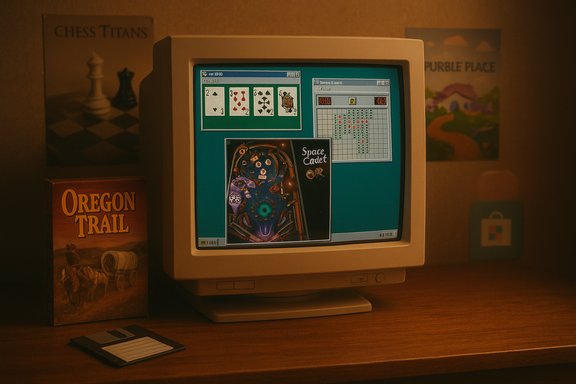
Retro CRT monitor shows vintage PC games, with an Oregon Trail box and floppy disk on a wooden desk.Background / Overview​

Windows and bundled casual games grew up together. The platform’s earliest releases included micro‑games meant to showcase the GUI and give new users a way to tinker with a mouse. The original Windows 1.0 included a single board game — Reversi — which served as a straightforward example of event‑driven UI and AI opponents. Historical game catalogues confirm Reversi was shipped with that 1985 release. Through the 1990s and 2000s that lineage expanded into a roster of small but well‑designed experiences that became cultural touchstones: Minesweeper (a logic puzzle that first appeared in the Microsoft Entertainment Pack and then Windows proper), Solitaire and later the Microsoft Solitaire Collection, 3D Pinball – Space Cadet, plus a variety of card and kids’ games such as Hearts, FreeCell, Chess Titans and Purble Place. Collectively, these games created shared memories for millions of users and helped shape how casual PC gaming felt for a generation. The discussion in the XDA piece tapped into that nostalgia and argued that the quality and character of Windows’ bundled games reached a peak during the Windows XP era and have been on the decline since Windows 8’s pivot to a Store‑centric model — a shift that replaced native, fully offline classics with downloadable, often ad‑supported storefront apps. That observation captures both a real product change and a larger evolution in how software companies monetize casual play.

A golden era: Windows XP and the little classics that mattered​

The simple brilliance of Minesweeper and Solitaire​

Minesweeper and Solitaire represent two distinct but complementary archetypes of casual play. Minesweeper is deceptively deep: it’s a deduction and probability puzzle that rewards pattern recognition and efficient reveals. Its lineage — first included with the Microsoft Entertainment Pack and later folded into the standard Windows install — is well documented. Microsoft’s Minesweeper dates back to early 1990s Windows collections and was broadly available through Windows 3.1 onward. Solitaire performed a different function: it was a quiet, always‑available time sink that taught many new mouse users the basics of drag‑and‑drop and quick menu navigation. For decades Solitaire was a free, ad‑free part of Windows’ personality; only later did Microsoft package Solitaire in a heavier, store‑delivered form with ads and premium subscriptions.

3D Pinball — a surprising standout that hooked a generation​

Few bundled titles generated as much devoted affection as 3D Pinball for Windows — Space Cadet. Technically a single table licensed from the commercial Full Tilt! Pinball package, the Space Cadet table was included with Microsoft Plus! and later bundled into Windows releases through Windows XP. For many users, Space Cadet wasn’t a demo — it was pinball distilled into a fast, satisfying desktop habit: multiball runs, mission lights and audible feedback that made the score chase addictive. The table’s origin inside the Full Tilt! Pinball product and its inclusion in Windows releases are both recorded in contemporary documentation.

Chess Titans, Purble Place and the utility of variety​

With Windows Vista and Windows 7, Microsoft included richer, more graphically ambitious titles such as Chess Titans (a polished 3D chess client) and Purble Place, a three‑mini‑game package aimed at children. These titles served two roles: they showcased newer graphics capabilities and input methods (like stylus controls for XP Tablet features), and they broadened Windows’ casual gaming palette beyond cards and simple puzzles. Purble Place’s development history — done by Oberon Media for Vista/7 — is a reminder that these were deliberate engineering and design investments, not afterthoughts.

The pivot point: Windows 8, the Store, and the death of “built‑in” games​

From built‑in binaries to Store apps​

Windows 8 marked a structural change: Microsoft moved many formerly preinstalled experiences to the Windows Store and began shipping a leaner default image. The technical rationale was sound on paper — modular distribution, unified app updates, better sandboxing — but the side‑effect was that the universal, shared experience of booting a new PC and finding the same set of games evaporated. Users no longer had a single, omnipresent catalog of tiny desktop classics; instead those titles became optional downloads, often with different publishers and business models. That migration away from native bundling is the pivot the XDA piece highlights as the beginning of a longer decline.

Monetization arrives: ads, subscriptions and third‑party deals​

Two concrete, visible changes followed the Store era:
  • Microsoft Solitaire Collection: the modern packaged Solitaire was redesigned as a freemium Store app with interstitial ads and an opt‑in subscription to remove them. The change prompted broad user commentary that a formerly free part of the OS was now being monetized directly. Independent coverage from tech outlets and retrospectives documented the ad controversy when Microsoft expanded Solitaire to mobile platforms with the same monetization model.
  • Candy Crush Saga: in May 2015 Microsoft announced a partnership with King to bring Candy Crush Saga to Windows 10 and automatically install it for users who upgraded during the launch period. That decision — to preinstall a heavily monetized, mobile‑first title from a third party — crystallized the new reality: bundled games were now potential revenue engines, partners and promotions rather than simple platform showcases. Microsoft’s announcement and subsequent coverage made that clear at the time.
These moves illustrate a broader shift: Windows’ casual gaming layer, once a goodwill feature, became an item in an ecosystem optimized for subscriptions and in‑app purchases.

Cross‑checking the claims: what’s verifiable and what’s opinion​

The XDA piece is part memoir, part cultural critique — and those are different beasts when it comes to verification.
  • Verifiable technical facts:
  • Reversi shipped with Windows 1.0 — confirmed by historical software catalogues and archived product listings.
  • Minesweeper’s inclusion and origin — Minesweeper’s lineage through the Microsoft Entertainment Pack into Windows installs is documented.
  • 3D Pinball’s origin as a licensed table from Full Tilt! Pinball and its bundling through Windows releases up to XP — recorded in archives and game histories.
  • Candy Crush Saga was pushed onto Windows 10 install images for launch period users — a Microsoft blog post and contemporaneous reporting confirm this.
  • Microsoft Solitaire Collection’s ad model and optional subscription — reported and repeatedly documented across press and wiki summaries.
  • Subjective claims and memories:
  • Statements like “Windows XP was the golden era of Windows games” or “Pinball was glorious for me as a child” are personal reflections and nostalgia; they’re not facts to be proven. The cultural impact those games had is measurable (views, shared memories, re‑creation interest), but the emotional valuation is inherently subjective. The article should be read as a blend of fact and nostalgia — the latter is valid as cultural commentary but not a technical claim.
Where the XDA piece claims that Microsoft “turned the games into money‑grabbing, ad‑riddled experiences,” that characterization is largely supported by the documented ad and subscription models for the modern Solitaire app and the preinstallation of third‑party, monetized titles like Candy Crush — but labeling motives (greedy, desperate for attention) is opinion. The empirical part — ads and paid premium options exist — is verifiable.

Why the change happened: economics, stores and user behavior​

The switch from native bundling to a Store model and partner content has a few overlapping drivers:
  • Distribution economics: App store models let Microsoft shift update, telemetry and monetization outside of OS releases. Smaller download sizes, dynamic updates and reduced image bloat are defensible technical tradeoffs for an OS vendor.
  • Monetization pressure: As revenue models for platforms matured, in‑app purchases and ad revenue became a natural place to seek incremental income; including third‑party hits or ad‑supported experiences increases engagement metrics and creates ad inventory.
  • Platform parity and reach: By turning games into Store apps (and porting popular mobile titles), Microsoft tried to reduce the difference between Windows, mobile and consoles and attract third‑party developers to the ecosystem.
  • User behavior: Over the last decade users have shifted to app stores and mobile devices for quick games; Microsoft’s data likely showed that a large portion of casual play occurs off‑device, which weakens the argument for shipping a broad, on‑disk portfolio of small games.
Those reasons aren’t mutually exclusive and they make sense from a product‑management standpoint — but they don’t negate the cultural value lost when a shared OS experience becomes a series of optional downloads.

The practical fallout: what users lose (and gain)​

What was lost​

  • A shared cultural baseline: Boot a Windows XP machine in the early 2000s and you could reasonably expect certain games and interactions to exist. That shared baseline fostered common memories and made first‑time PC ownership feel friendlier.
  • Offline, ad‑free entertainment: Many older titles were simple standalone executables that ran offline without telemetry or ads; modern Store apps are more likely to rely on online services, telemetry and advertising.
  • Developer‑made demos that showcased OS features: Some bundled games were designed to show off DirectX, stylus input, or multimedia capabilities; the Store model separates those demos from the OS image.

What was gained​

  • Cleaner OS images and smaller base installs: Shipping less preinstalled content reduces disk footprint and allows OEMs to tailor installations.
  • Faster updates for games and bugfixes: Store apps can be patched independently of OS updates.
  • Choice and competition: The Store ecosystem enabled many small developers to produce faithful remakes and modern takes on the classics, often with up‑to‑date visuals and accessibility features. Community remakes and modern microgames exist to fill the gap for those who want them. Recent community and store projects recreate classic experiences in a modern UI language.

How to bring the classics back: practical options for users​

There are several ways to restore or recreate the old Windows game experience:
  • Download modern remakes or faithful ports from the Microsoft Store (many remakes adopt Windows 11’s Fluent/Mica styling). Check reviews and pay attention to IAPs.
  • Install Microsoft’s modern offerings: the Microsoft Solitaire Collection is available on the Store but is ad‑supported unless you pay the Premium subscription. That’s the official route but it’s not the same ad‑free classic experience.
  • Copy legacy executables from a machine that still has them (some forum guides describe copying the older Microsoft Games folder plus DLLs such as cards.dll to migrate Sol/FreeCell/Hearts over to newer OS installs). This method works but requires care — registry tweaks and compatibility workarounds are sometimes needed. Forum threads document these community solutions and the steps involved.
  • Use emulation or virtualization: run an older Windows VM (XP/Win7) for a fully authentic experience without risking your main system. This is heavier but preserves authenticity.
  • Try open‑source or third‑party projects: several small projects aim to recreate Minesweeper, Pinball, InkBall, and other classics with modern codebases and cleaner privacy models. Assess permissions and trustworthiness before installing.
If the goal is purely nostalgia, a virtual machine with an old disk image provides the most faithful recreation. If the goal is safe, modern gameplay with similar mechanics, community remakes are faster and often better‑maintained.

Risks and trade‑offs: privacy, ads and platform strategy​

  • Privacy and telemetry: Modern Store apps typically have telemetry and cloud‑linked features that classic executables did not. Users seeking the original, offline feel should verify permissions and network behavior of any remake or modern app.
  • Ad monetization: The presence of interstitial ads — some of them unskippable or long format — breaks the break‑time flow that made the old games so appealing. That design choice is a UX downgrade if the goal is frictionless micro‑play.
  • Bloatware perception: Preinstalling third‑party monetized games can be perceived as platform bloat or a commercial intrusion into a paid OS, which explains a lot of the backlash when Candy Crush appeared on Windows 10 installs.

A balanced verdict: nostalgia, platform realities and what Microsoft could do​

There’s no technical barrier forcing Microsoft to monetize casual games aggressively — the company could ship a small, ad‑free suite of classics simply as a goodwill feature. But business incentives and modern distribution realities make that less likely. The company’s moves were rational from an ecosystem and monetization perspective: Store apps centralize control, updates and revenue, and preinstalled viral hits can boost engagement metrics.
That said, Microsoft also lost something valuable: the intangible goodwill and shared culture generated by an OS that quietly included a handful of polished, offline diversions for free. A reasonable middle ground would be a lightweight, opt‑in classic bundle that ships with Windows but remains fully offline and ad‑free — or a properly curated “Classic Games Pack” in the Store that’s free and privacy‑respecting. That would restore shared memories without undermining the company’s newer app economy.

Conclusion​

The story of Windows’ built‑in games is both technical and cultural. On one hand, Microsoft moved its games into a Store model that aligns with modern software distribution and revenue strategies; on the other hand, that migration replaced a shared, ad‑free identity with a more transactional ecosystem that feels less magical and more commercial. The XDA piece’s nostalgia is real and understandable: those bundled titles shaped early interactions with PCs for many people. The empirical parts of that argument — which games were shipped when, how Microsoft shifted to Store apps, and how monetization changed the experience — are verifiable in multiple places, from Microsoft’s own announcements to game history archives and contemporary coverage. For users who miss the old days, the modern workaround is clear: install faithful remakes from trusted developers, run legacy titles inside VMs, or use community‑documented migration methods — each with trade‑offs in authenticity, security and convenience. The larger lesson is that platform design choices matter: when an OS stops shipping small, characterful extras, it loses a channel for delight. That loss isn’t just nostalgia — it’s a real change in how people experience software and, ultimately, how they remember the tools that shaped their digital lives.


Source: XDA I miss when Windows came with fun games
 

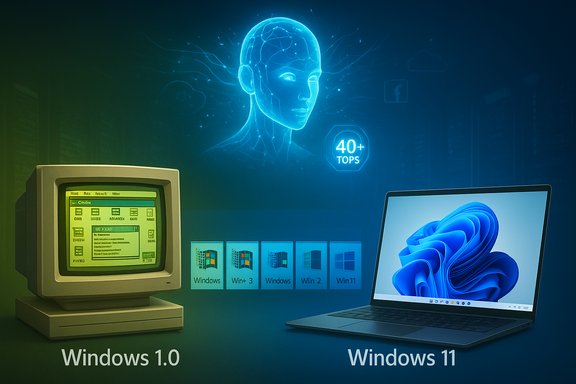
From Windows 1.0 on a CRT to Windows 11 on a laptop, with an AI brain at 40+ TOPS.
Forty years after a boxed copy of Microsoft Windows first shipped, the operating system that shaped personal computing is simultaneously commemorated and contested: the anniversary spotlights an unbroken lineage from the tiled, MS‑DOS–layered experiments of Windows 1.0 to today’s Windows 11 and the company’s audacious push to make the PC an AI‑native workspace with Copilot, Copilot+ PCs, and on‑device neural acceleration. This feature synthesizes the India Today special report material with independent verification, assesses the technical and commercial shifts that define the platform’s fourth decade, and evaluates the strengths and risks of Microsoft’s AI‑first strategy for consumers, enterprises, OEMs and developers.

Background​

A concise archival summary​

Microsoft shipped the first retail release of Windows — Windows 1.0 — to manufacturing on November 20, 1985, delivering a graphical shell on top of MS‑DOS with bundled utilities such as Notepad, Paint and a tiled‑window interface that formalized metaphors still recognizable today. That date is recorded in product histories and archive summaries. Over the next four decades, Windows evolved through major inflection points: the consumer mainstreaming of Windows 95 (Start menu and taskbar), the consolidation of consumer and enterprise expectations in Windows XP, repeated design and compatibility reckonings through Vista, Windows 7, Windows 8/8.1, and the “Windows as a service” era with Windows 10. The most recent chapter centers on Windows 11 — introduced publicly in mid‑2021 and broadly available in October 2021 — and Microsoft’s decision to embed AI as a first‑class capability inside the OS and hardware partner ecosystem.

Why the 40th anniversary matters now​

The anniversary is more than nostalgia. It coincides with three simultaneous, strategic forces:
  • A platform pivot from UI and compatibility engineering to AI‑enabled productivity and context awareness.
  • A hardware transition where Neural Processing Units (NPUs) and on‑device model runtimes become product differentiators.
  • A commercial inflection marked by the end of life for a major installed base (Windows 10) and the need for enterprise migration plans.
These dynamics mean Windows’ legacy strengths — scale, deep backward compatibility and OEM relationships — are being redeployed toward an ambitious, and potentially fraught, attempt to make the OS an active agent of user productivity rather than a passive runtime.

A forty‑year arc: from scarcity to silicon‑aware design​

1985–2005: formative metaphors and mass adoption​

Windows began as a pragmatic experiment constrained by tiny amounts of RAM and floppy drives — design that emphasized deterministic behaviour, small bundled utilities, and predictable APIs that third‑party developers could target. Over a decade, Microsoft established the basic metaphors (windows, menus, dialogs) and developer models that made the platform attractive for ISVs and OEMs. The Windows 3.x era built the first large ecosystem; Windows 95 then brought consumer ergonomics and a mainstream distribution model that turned Windows into a mass platform.

2006–2019: consolidation, security, and the price of compatibility​

The decades that followed exposed trade‑offs inherent to supporting massive installed bases. Security hardening, driver models, and enterprise features matured, but bold UI departures (e.g., Windows 8’s tile‑first interface) revealed the difficulty of changing user expectations while maintaining compatibility. The “Windows as a service” cadence under Windows 10 further shifted Microsoft’s development model to incremental updates — an approach that improved agility but introduced update fatigue and occasional regressions.

2020–present: cloud, AI, and hardware co‑design​

The modern era reframes Windows as the stage for hybrid cloud and AI experiences. Windows 11 reset the UI and baseline security posture (TPM 2.0, secure boot), creating a hardware and OS canvas for integrated AI features. Microsoft then accelerated Copilot integration — folding assistant capabilities across Windows, Microsoft 365 and Edge — and introduced Copilot+ PCs, a hardware designation that sets minimum NPU performance targets and bundles device, OS and cloud features into a unified experience.

The AI pivot: Copilot, Copilot+ PCs, and the agentic OS​

What Microsoft is building​

  • Copilot: an integrated system‑level assistant that handles chat, screen understanding (vision), contextual search, and automation. It was progressively rebranded and rolled out across Microsoft 365 and Windows beginning with broad announcements in 2023 and expanded through native UI experiences in 2024–2025.
  • Copilot+ PCs: a category of Windows‑certified devices designed to run on‑device AI workloads at low latency using dedicated NPUs rated at 40+ TOPS (trillions of operations per second). Microsoft and partners positioned Copilot+ PCs as enabling features such as Recall, Cocreator, Live Translate, Automatic Super Resolution, and advanced Studio Effects. The Copilot+ PC initiative launched in 2024; Microsoft’s product guidance and Learn documentation specify the 40+ TOPS baseline for many advanced Windows AI experiences.

Why NPUs and TOPS matter — and why they don’t tell the whole story​

NPUs and TOPS numbers are meaningful because they determine how much model compute can be performed locally with acceptable latency and battery cost. Microsoft’s public materials emphasize 40+ TOPS as a threshold for certain experiential features, and OEMs and silicon vendors have responded with qualifying chips from Qualcomm (Snapdragon X series), AMD (Ryzen AI 300) and Intel (Core Ultra 200V series). Yet TOPS alone do not guarantee a good user experience: software stack optimization, thermal design, memory bandwidth, and model size and sparsity all influence real‑world responsiveness. Independent coverage corroborates Microsoft’s thresholds while also noting that Intel and AMD silicon later met the spec and that ARM‑first designs introduced nuanced compatibility trade‑offs.

The Recall controversy: privacy, trust, and defensive reactions​

What Recall tried to do​

Recall is an AI feature designed to index screenshots and activity so users can search what they’ve seen before on their PC. The intent is productivity: find a snippet of content you remember seeing, recover lost context, or reconstruct workflow steps. Microsoft described Recall as local first, encrypted, and opt‑in, and initially planned to ship it as a preview on Copilot+ PCs.

The backlash and Microsoft’s response​

Security researchers exposed attack scenarios and proof‑of‑concept tools that could extract sensitive content from unprotected Recall artifacts. Privacy‑minded browser vendors and developers (e.g., Brave, Signal integrations) blocked or limited Recall’s ability to capture protected content. Microsoft adjusted the plan: Recall was delayed for broad availability, set to preview first in the Windows Insider Program, required Windows Hello proof‑of‑presence to view timelines, and was disabled by default on shipping Copilot+ devices. These changes illustrate the practical friction between rich, contextual AI experiences and well‑founded privacy concerns.

The lesson​

Ambitious telemetry and context capture features demand ironclad default protections, simple developer controls and transparent documentation. Any OS feature that captures or archives user content invites both attacker-driven exploitation and developer backlash; Microsoft’s course correction demonstrates that public vetting matters early in the feature lifecycle.

Enterprise impact: Windows 10 end of support and migration realties​

The endpoint and its implications​

Microsoft officially ended free standard support for Windows 10 on October 14, 2025, ceasing technical assistance, feature updates and security fixes for mainstream Windows 10 editions. Microsoft’s support guidance recommends upgrading to Windows 11, purchasing Extended Security Updates (ESU) where appropriate, or replacing hardware that can’t be upgraded. The policy announcement is definitive: enterprises must plan migrations or ESU purchases to preserve security posture.

Migration pain points​

Enterprises face three practical problems:
  1. Hardware compatibility: Windows 11’s security baseline (TPM 2.0, secure boot) and Copilot+ hardware tiers complicate lift‑and‑shift upgrades for large fleets. Devices that cannot meet Windows 11 requirements may need replacement or ESU enrollment.
  2. Application validation: Large ISV portfolios and legacy line‑of‑business apps require compatibility testing; containerization, App-V, and virtualization strategies are limited mitigations for certain workloads.
  3. Operational timelines: Security and compliance teams must coordinate rollout windows to minimize user disruption while ensuring continued protection, especially for regulated industries.

Recommended enterprise actions (practical, sequential)​

  1. Inventory devices and apps and categorize by Windows 11 eligibility.
  2. Prioritize mission‑critical apps for compatibility testing and vendor validation.
  3. Pilot Copilot and Copilot+ capabilities in controlled user groups to measure value and governance impacts.
  4. Use virtualization or ESU purchases as interim measures for immovable workloads.
  5. Consolidate migration communications and training to reduce helpdesk load during the transition.
These steps reflect best practice: migrate methodically, not hastily, and treat AI‑enabled features as optional value adds until governance is clarified.

Strengths: why Windows is well‑positioned for an AI future​

  • Ubiquity and reach: Windows remains the world’s dominant desktop OS by install base, giving Microsoft leverage with OEMs, ISVs and cloud partners; the installed base enables network effects for AI features that rely on per‑device telemetry and ecosystem integration.
  • Backwards compatibility discipline: Decades of investments in compatibility mean enterprises can plan migrations without wholesale application rewrites, preserving business continuity.
  • Cloud + device co‑design: Azure integration, M365 services and on‑device runtimes allow Microsoft to balance latency, privacy and compute across cloud and local models — a pragmatic approach to delivering AI where it is most useful.
  • OEM relationships and hardware co‑investment: Copilot+ PCs demonstrate Microsoft’s ability to coordinate silicon, firmware and OS changes across major vendors — an advantage unmatched by smaller platform vendors.

Risks and failure modes: what could go wrong​

  • Privacy and trust erosion: Features that record or index user activity (Recall) can damage trust if defaults, opt‑in flows or encryption are inadequate. Public backlash from security researchers and browser vendors shows a low tolerance for hidden capture.
  • Hardware fragmentation and premium tiers: If the best AI experiences require Copilot+ hardware, the Windows platform could fragment into “AI‑rich” and “AI‑poor” experiences — undermining the universality that historically defined Windows. Microsoft’s guidance on 40+ TOPS directly ties some features to higher‑end NPUs.
  • Regulatory risk and compliance complexity: Data protection regimes (GDPR, sectoral rules) will scrutinize agentic features and data flows; inadequate governance could prompt enforcement actions or force product rollbacks. This is a global risk for features that index user activity or use personal data for model personalization.
  • User experience drift and cognitive overload: Overloading the shell with AI overlays and agentic automation can increase cognitive load for power users and complicate predictable workflows — a usability hazard if not carefully designed and optional.

Developer and ISV implications​

Opportunities​

  • New on‑device AI primitives and NPU access open pathways to richer local features: image and audio enhancement, low‑latency translation, and context‑aware productivity helpers.
  • Microsoft’s Copilot platform and AI runtimes present per‑app integration points for ISVs to extend value inside the Copilot UI, search, and automated actions.

Challenges​

  • Cross‑architecture compatibility: the initial Copilot+ wave emphasized Arm‑native apps and emulation strategies (Prism) — developers will need to validate native and emulated scenarios across ARM and x86 Copilot+ devices.
  • Governance and data handling: ISVs must design privacy‑first flows when extending Copilot’s capabilities, especially when passing user content into models (local or cloud) that may be subject to regulation.

Practical guidance: how consumers and IT leaders should respond​

  • For consumers: consider whether Copilot+ features materially change your workflow or are nice‑to‑have. If not, delay hardware refreshes and prefer validated upgrades. Use privacy controls and require device‑level protections (Windows Hello) for any activity‑indexing features.
  • For IT leaders: inventory applications and test Windows 11 eligibility early. Pilot Copilot features with a subset of desktop users, measure productivity gains, and document governance policies for AI features (data retention, access control, auditability). Prioritize compatibility and management tooling that reduces migration risk.
  • For developers: evaluate the performance and cost tradeoffs of shipping native Arm64 builds vs relying on emulation; instrument privacy safeguards into any feature that surfaces or stores user content.

Cross‑verification and what we validated​

This report cross‑checked the India Today special report material against primary Microsoft documentation and independent tech coverage:
  • Windows 1.0 release date: confirmed in archival records and Windows histories.
  • Windows 11 general availability (October 5, 2021): matching Microsoft commentary and contemporary coverage.
  • Windows 10 end of support: Microsoft declared Windows 10 end of free support effective October 14, 2025; guidance and FAQ text are available on Microsoft Support.
  • Copilot+ PCs and the 40+ TOPS NPU baseline: stated in Microsoft’s Copilot+ announcement and detailed in Microsoft Learn guidance; independent coverage (Wired, Tom’s Hardware) corroborates the claim and highlights hardware ecosystem responses.
  • Recall’s privacy controversy and Microsoft’s delayed rollout: verified through reporting by Reuters, CNBC, The Verge and others; Microsoft adjusted Recall’s release model and default settings in response.
Where claims could not be independently substantiated (for example, specific internal telemetry that “Windows 11 eclipsed Windows 10 adoption in 2025” in certain enterprise segments) those statements are flagged as depending on proprietary telemetry and market‑measurement definitions; the general market trend toward Windows 11 adoption during 2024–2025 is corroborated by multiple market trackers and Microsoft’s own reporting, but precise percentages vary by measurement provider and region.

Conclusion: Windows at 40 — an inflection, not a finish line​

Windows’ forty‑year arc demonstrates a rare combination of durability and adaptability: the OS has survived multiple paradigm shifts by protecting compatibility while selectively embracing innovation. Today’s transformation places AI at the center of that strategy — rewriting expectations about what an operating system does and how it assists users. The strengths that made Windows durable (ecosystem scale, OEM reach, backward compatibility) make this pivot feasible; those same strengths, however, also impose obligations: to maintain privacy, avoid tiered exclusion, and preserve predictable workflows for power users and enterprises.
If Microsoft and its partners execute with clarity — delivering transparent opt‑in controls, robust enterprise migration tooling, and an inclusive hardware roadmap — Windows’ next decade could deliver genuinely useful, privacy‑conscious AI assistance at scale. If they do not, the platform risks fragmenting into a premium, hardware‑gated experience and a long tail of legacy Windowses where security and support diverge.
Forty years on, the core question that originally guided Windows still applies: how to deliver the most useful, reliable and trustworthy computing environment for the greatest number of people. Today, that answer has to include AI — but only if the AI is designed, deployed and governed to protect privacy, enterprise realities and the huge diversity of how people use their PCs.
Source: YouTube
 

Forty years after Microsoft shipped the first boxed copies of Windows, the operating system that reshaped personal computing sits at a strategic hinge: part legacy platform, part AI canvas. This feature pulls apart the 20 most memorable highs and lows from Windows’ four‑decade run — the innovations that made Windows ubiquitous, the missteps that still sting, and the commercial and technical choices that will define the next decade. It leans on the Tom’s Guide retrospective, contemporary histories and community archives to verify dates and claims while flagging statements that don’t hold up under scrutiny.

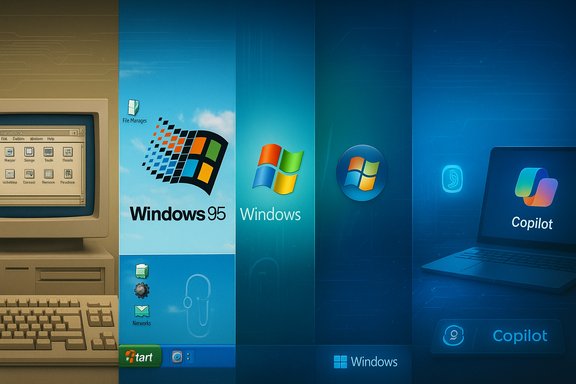
A montage of Windows logos through the ages, from Windows 95 to Copilot.Background / Overview​

Microsoft shipped Windows 1.0 to manufacturing on November 20, 1985, launching a graphical shell layered on top of MS‑DOS and introducing the mouse and window metaphors to a mainstream PC audience. That date is the accepted canonical start of Windows’ public history and is widely cited in product timelines and retrospectives.
From a technical and market perspective, Windows followed a predictable arc: early experiments (Windows 1.0 → 3.x), mass‑market consolidation (Windows 95, the Start menu and the taskbar), enterprise maturation (Windows NT and Windows XP), a bumpy modernization phase (Vista, Windows 7, Windows 8), and a service‑ and AI‑driven era (Windows 10, Windows 11, Copilot). That trajectory explains why Windows has remained central to both consumer PCs and enterprise fleets while also accumulating a long list of both triumphs and pitfalls.

How this list was compiled​

This article synthesizes the Tom’s Guide “20 best (and worst) moments” feature with broader historical context drawn from community and archive records. Where the original piece made specific factual claims (release dates, milestone features, support timelines), those claims were checked against product timelines and archival records. Any assertion that couldn’t be corroborated is explicitly flagged and discussed.

The 20 defining moments — annotated and analyzed​

Below are the 20 moments highlighted in the retrospective, re‑ordered and grouped for clarity, with analysis of why each matters today. Each entry includes a brief summary, its long‑term impact, and practical takeaways for users, enterprises, or OEMs.

1) The experiment that started it all: Windows 1.0 (November 20, 1985)​

Windows 1.0 was not a standalone OS in the modern sense but a GUI shell over MS‑DOS — a modest bundle of apps (Notepad, Paint, Calculator) and a tiled windowing system that made a mouse‑driven interface accessible on commodity PCs. That launch date is widely recorded and forms the canonical origin of the Windows lineage.
Impact: Windows 1.0 set the UX metaphors — windows, menus, dialogs — that persisted across generations and lowered the barrier for new PC users. It also started Microsoft down a path of incremental evolution (rather than wholesale reinvention), a pattern visible throughout Windows history.
Risk/Notes: Early hardware constraints shaped design choices that would later be reworked; the emphasis on backward compatibility began here and remains both a Windows strength and a source of legacy complexity.

2) The mainstream breakout: Windows 3.1 and the Windows Entertainment Pack​

Windows 3.1 popularized consumer‑friendly features — improved multimedia support, TrueType fonts, and bundled entertainment titles like Solitaire and Minesweeper. Those small usability wins helped cement Windows as a daily tool for both home and school environments.
Impact: Bundled apps and games helped train millions of users on Windows conventions. Minesweeper and Solitaire became near‑universal UX touchpoints that lowered the learning curve for casual users.

3) Windows 95: the Start menu and the modern desktop​

Windows 95 (retail release in 1995) created the desktop metaphors most users still recognize: the Start menu, taskbar, and desktop shortcuts. The design choices made in that release shaped three decades of desktop interaction.
Impact: Windows 95 codified discoverable, mouse‑driven workflows and a software distribution model that favored consumerization. Its commercial success also intensified Microsoft’s influence over the PC ecosystem.

4) DirectX: the API that bridged PC and console gaming​

DirectX, introduced in 1995, became the critical API layer that allowed developers to access graphics, sound and input hardware efficiently — and it was the technology that inspired the original "DirectX Box" name for Microsoft’s console prototype, which evolved into Xbox. DirectX’s evolution continues to matter for high‑performance gaming and GPU compute on Windows.
Impact: DirectX made Windows the natural home for PC and cross‑platform game development; its continued updates (DirectX 12 Ultimate and beyond) keep Windows relevant for gaming and graphics‑heavy workloads.

5) Internet Explorer and the antitrust inflection​

Internet Explorer’s inclusion with Windows reshaped the browser market in the 1990s and triggered the landmark United States v. Microsoft antitrust proceedings. The legal argument centered on whether bundling IE with Windows constituted anticompetitive conduct; the trial, verdicts and appeals reshaped software bundling practices and remain touchstones in antitrust law.
Impact: The case illustrated how platform control can translate directly to market power. The legal outcome influenced Microsoft’s product packaging and competitive behavior for decades.
Caution: The history is complex — legal remedies and settlements changed over time — and the case remains a preferred example in modern antitrust debates about platform gatekeepers.

6) Windows XP: the long‑running enterprise favorite​

Windows XP (retail release in 2001) successfully merged NT stability with consumer polish. It became the default enterprise and consumer OS for a long period and illustrates the value of reliability and compatibility in platform design.
Impact: XP’s long life taught vendors that a stable, familiar platform can outlast feature changes and remain dominant if it’s reliable and well supported.

7) The UI misstep that still provokes debate: Windows Vista​

Windows Vista (released 2006/2007) pushed visual design and security improvements (Aero, User Account Control, DirectX 10) but launched with performance and driver compatibility problems that damaged early adoption. Service Pack updates helped, but the initial impression stuck.
Impact: Vista’s troubled launch is a cautionary tale about shipping major UX or security changes without broad hardware and driver readiness.

8) Clippy, Comic Sans and the culture of personalities​

From Clippy (the animated Office assistant) to fonts like Comic Sans, small product choices can have outsized cultural resonance. Clippy became an enduring meme — a symbol of intrusive, poorly timed assistance — while Comic Sans became emblematic of bad typography choices in professional contexts. Those touchpoints show how design artifacts live in user memory long after features are removed.
Takeaway: Micro‑interactions and aesthetics matter for brand perception. A misjudged assistant or typeface can create ongoing reputational noise.

9) Windows 8: touch‑first design, mixed results​

Windows 8 (2012) was Microsoft’s most aggressive push toward a touch‑first interface, bringing a tile‑centric Start screen and mobile‑style Store ecosystem. While some Windows features (Defender, OneDrive) matured in that cycle, the core UI change alienated many desktop users and forced a corrective release (Windows 8.1) and later design choices.
Impact: Radical UI shifts risk fracturing an installed base. The Windows 8 episode underscores the tradeoffs between platform convergence and legacy‑user expectations.

10) Windows RT and the Arm experiment​

Windows RT (originally Windows on ARM), launched alongside Windows 8, attempted to extend Windows to power‑efficient Arm hardware. The release faced significant limitations — app compatibility, permanent Secure Boot constraints and unclear value against Intel‑based alternatives — and it largely failed to win mainstream traction. Today, ARM‑based Windows has returned in more mature form, but RT’s failure illustrates early pitfalls of new silicon families on legacy platforms.
Impact: Successful platform expansion requires a clear app story and developer incentives. RT underscored the importance of compatibility and a believable upgrade path.

11) Windows Phone: the near‑miss in mobile​

Windows Phone introduced a fresh Metro tile UI and generated initial excitement, especially with Nokia Lumia hardware. Despite design merits, Microsoft’s mobile efforts were too late and underpopulated by apps; a massive acquisition of Nokia’s phone business (2013) could not reverse the decline, and the platform was essentially abandoned by 2017. The failure removed Microsoft from a key consumer surface and shaped later product strategy.
Impact: Mobile ecosystems are winner‑take‑most; platform incumbency and developer momentum are critical.

12) Games for Windows Live: a squandered advantage​

Games for Windows Live attempted to bridge Xbox Live with PC gaming but became a tangle of DRM, poor UX and eventual abandonment. Microsoft’s ownership of Windows and Xbox created a unique opportunity to unify PC and console experiences — an opportunity GFWL failed to seize. The long, messy wind‑down left many PC games with broken integrations for years.
Impact: Platform owners must execute consistently across device families to realize cross‑platform synergies.

13) Direct benefits: Windows Hello and biometric logins​

Windows Hello brought on‑device biometric authentication — fingerprint and face unlock — as convenient, fast, and more secure alternatives to passwords. For many users, Hello delivered a clear, everyday improvement in usability and security.
Impact: Thoughtful security features that simplify authentication can raise baseline protection without degrading UX.

14) The comeback browser: Edge (and the nagging problem)​

Microsoft Edge, rebuilt on Chromium, is a technically capable browser. But the product’s reputation has been damaged by aggressive in‑browser prompts and platform‑level nudges that attempt to keep users from installing other browsers, which many find off‑putting. The UX of competition nudges can degrade trust even if the underlying product is solid.
Takeaway: Persuasive UX tactics backfire if they appear heavy‑handed; technical excellence can’t fully compensate for poor user relations.

15) The Copilot era: AI, keyboards and the Copilot key​

Microsoft’s push to integrate Copilot into Windows marks the company’s attempt to move the OS toward agentic assistance. Microsoft even influenced keyboard OEMs to add a dedicated Copilot key in early 2024, signaling an intent to make AI an explicit, hardware‑level OS affordance. While this move shows strategic intent, critics argue the Copilot key was a marketing leap before the feature reached compelling, universal utility for all users.
Impact: Hardware co‑design for AI assistance can be powerful — but premature standardization (a dedicated key) risks producing a “never press me” stigma if the software experience doesn’t match the hardware emphasis.

16) The long tail of updates and upgrade friction​

Windows 10’s “Windows as a service” model created a cadence of frequent feature updates and telemetry changes. That model reduced the jump between major versions but increased the operational burden on enterprises and peripheral compatibility issues for long‑tail devices. Windows 11’s stricter hardware requirements then reintroduced friction for many users.
Impact: Update cadence and hardware baselines are levers that balance security, innovation and backward compatibility — and the choices matter for upgrade economics and user trust.

17) Cultural wins: Minesweeper and 3D Pinball​

Some small inclusions had outsized cultural impact. Minesweeper, Solitaire and 3D Pinball became shared experiences that made Windows feel approachable and even fun. These little UX flourishes were significant in normalizing daily PC usage across generations.

18) The antitrust legacy and platform responsibility​

The United States v. Microsoft proceedings in the late 1990s forced public scrutiny of platform bundling and market leverage. That legacy still shapes how regulators and competitors view dominant ecosystems today. The case underscores the responsibilities platform owners carry when distribution points effectively determine market access.

19) The human side: Steve Ballmer’s developers speech and platform evangelism​

Steve Ballmer’s infamous “developers! developers! developers!” fervor symbolized Microsoft’s historical dependence on third‑party ecosystems. The emphasis on developer engagement built Windows into a platform economy but also masked aggressive competitive practices that later drew scrutiny. The cultural memory of those moments continues to shape Microsoft’s developer outreach.

20) Small things, big impressions: Clippy’s comebacks and the persistence of personality​

Despite being retired, Clippy surfaced repeatedly in Microsoft marketing and sticker packs — a reminder that even deprecated UI characters become part of a brand’s DNA. Similarly, pixels like fonts, assistants and bundled apps can define public sentiment long after code is removed.

Cross‑checking claims and calling out the fuzzy parts​

The Tom’s Guide piece makes a number of factual statements that align with widely accepted timelines — for example, Windows 1.0’s manufacturing date (November 20, 1985) and Windows 11’s general availability (October 5, 2021) are consistent with historical release records.
However, a few claims require caution:
  • The article’s assertion that Microsoft “went on to support Windows 1 until 2001, making it the longest‑supported version of Windows in history” is implausible and not supported by official Microsoft lifecycle documentation. Long support timelines are typically associated with major enterprise releases like Windows XP and Windows 7, not an early GUI shell from 1985. Treat that claim as either tongue‑in‑cheek or a factual error worthy of correction.
  • The cultural and commercial descriptions (for example, the exact market effects of Games for Windows Live or the internal reasons for Windows Phone’s failure) are widely discussed in retrospective analyses but often mix corporate rhetoric with community recollection. Where precise numbers (market share, license sales) are cited, those should be verified against contemporaneous financial reports and independent market research — a due diligence step for more investigative pieces.
When a historical claim cannot be independently verified from archival records or official documentation, it is flagged and labeled as anecdotal or contested.

What Windows’ 40th anniversary tells us about the future​

Windows’ longevity is the product of three durable design and business choices:
  • Compatibility-first engineering. Microsoft’s emphasis on running legacy applications on new releases ensured widespread software continuity but also added growing complexity and technical debt.
  • Platform bundling and ecosystem leverage. Owning the OS allowed Microsoft to shape adjacent markets (browsers, productivity, gaming), which created both power and regulatory exposure.
  • Incrementalism and hardware co‑design. Rather than attempting total reinvention, Microsoft typically evolves Windows in place and occasionally attempts platform pivots (touch in Windows 8, Arm in RT) that may or may not succeed.
Those same forces shape Windows’ AI future. Microsoft is building Windows as a place for on‑device and cloud‑assisted agents (Copilot), while simultaneously pushing for hardware that accelerates AI workloads. That combination can deliver remarkable productivity gains — but it also raises governance questions:
  • Who controls the agent’s permissions and data flows?
  • How will updates and AI models be audited and governed?
  • How will Microsoft balance OEM diversity against a desire for a standardized Copilot experience?
These are not hypothetical: decisions around AI integration will determine whether Windows remains a flexible multipurpose platform or evolves into a more tightly governed, premium hardware‑centric product class.

Practical takeaways for users and IT leaders​

  • For home users: Treat Windows’ built‑in AI features (Copilot, Windows Hello) as optional productivity aids. Evaluate whether they improve workflow before accepting default privacy or sync settings; disable and tweak as needed.
  • For gamers: Keep an eye on DirectX and GPU driver updates. Microsoft’s platform decisions can materially affect performance and compatibility; proactively manage drivers and patch windows for best results.
  • For IT managers: Balance the desire to adopt the latest Windows features against hardware baselines, application compatibility, and update cadence. Use test rings and phased rollout strategies to reduce operational risk.
  • For OEMs and developers: Understand that Microsoft’s hardware and AI co‑design narrative creates opportunities for differentiation (Copilot+ devices, NPU acceleration), but those opportunities require early engagement and validated workflows.

Strengths, risks and final verdict​

Windows’ greatest strength is its ubiquity: decades of compatibility and a sprawling ecosystem make it the default OS for productivity, gaming and enterprise workloads. The operating system’s design conservatism — prioritizing compatibility over radical change — is both a business advantage and a user convenience.
That same conservatism creates risks: accumulated legacy complexity, occasional misjudged UI pivots (Windows 8), and the reputational fallout from aggressive bundling or UX nudges (Internet Explorer, Edge prompts). As Microsoft steers Windows toward a future with agentic AI, new risks surface — privacy, model governance, and a potential fragmentation between AI‑first hardware and the mass market.
Windows at 40 is therefore a platform of paradoxes: simultaneously a lesson in product durability and a reminder that even the biggest products must earn user trust again and again. The next decade will hinge less on nostalgic inclusions like Minesweeper and more on whether Microsoft can integrate AI and hardware coherently, transparently, and with respect for user choice.

Forty years in, Windows still matters because it is where billions go to work, play, learn and connect. Celebrating the wins is deserved; cataloguing the missteps is necessary. The lessons from Windows’ past are pragmatic: ship carefully, cherish developer ecosystems, and never underestimate the long tail of user memory — whether it’s for Clippy, Comic Sans, or the Start button that changed the desktop forever.

Source: Tom's Guide https://www.tomsguide.com/computing...20-best-and-worst-moments-in-windows-history/
 

On November 20, 1985, Microsoft shipped Windows 1.0 — the beginning of an era that would reshape personal computing — and on its 40th birthday the platform that followed it faces an unmistakable, multi‑front challenge: enthusiastic Windows power users and gamers are seriously experimenting with Linux, and the usual defenses that kept Windows unrivaled on the desktop are weakening.

Handheld game console running Linux (Tux) with DXVK/Proton, beside a retro Windows 1.0 display.Background / Overview​

Forty years after Windows 1.0 first reached manufacturing, the narrative around the desktop is shifting. Microsoft’s OS is still the dominant desktop platform by any broad metric, but a constellation of technical, business, and cultural trends has created a credible opening for Linux as a practical alternative for more people than in previous decades. These trends include a calendared migration pressure from the end of Windows 10 support, rapid improvements to the Windows‑game compatibility story on Linux (largely driven by Valve’s Proton and the Steam Deck), and a vocal, organized cohort of power users turned off by Windows’ increasing AI‑centric direction and telemetry choices. This article examines the facts, quantifies the most important technical and market signals, and offers a clear-eyed assessment of what those signals mean for mainstream Windows users, gamers, and enterprise decision‑makers.

Why this moment feels different​

A hard deadline that forced choices​

One concrete inflection point: Microsoft’s consumer support for Windows 10 formally ended on October 14, 2025. Microsoft responded with a narrowly scoped consumer Extended Security Updates (ESU) program — a one‑year, security‑only bridge — but that deadline forced many users to confront options they’d deferred: upgrade to Windows 11, enroll in ESU, purchase new hardware, or switch OS altogether. The calendar effect is real: when a billion‑device platform has a forced migration, even small percentages of migration translate into millions of users testing alternatives.
  • What EOL means in practice: no routine security or quality updates for unenrolled Windows 10 devices after October 14, 2025; ESU fills a short-term gap but does not include feature updates or full support.

Steam telemetry: Linux passing symbolic thresholds​

Valve’s monthly Steam Hardware & Software Survey provides a practical, public snapshot of what gamers run. In October 2025 Steam reported that Windows 11 (64‑bit) had become the majority on Steam, Windows 10 still accounted for roughly one in three Steam PCs, and Linux reached a meaningful milestone: it cleared the 3% mark on Steam for the first time. Those headline numbers are small in absolute terms but large in meaning: a 0.4–0.5 percentage shift in Steam’s cross‑section equals millions of active gamers — and that’s the audience game publishers watch closely.
  • Headline Steam snapshot (October 2025):
  • Windows 11 (64‑bit): ~63.6%
  • Windows 10 (64‑bit): ~31.1%
  • Linux (combined): ~3.05%.

Valve’s product and engineering pressure​

The Steam Deck and SteamOS changed the conversation by delivering Linux to mainstream hands as a gaming platform, coupled with Proton — Valve’s compatibility layer that bundles Wine, DXVK, vkd3d‑proton, and targeted patches. Proton turned experimentation into practical outcomes for many titles, and Valve’s focused testing and the Deck Verified program made it easier for consumers to understand what “works” on Linux. The result is not parity across the entire catalog, but a steady, measurable improvement in the playable share of Windows games on Linux.

Gaming: the technical reality and the remaining hard limits​

What has improved (and why it matters)​

The compatibility stack that enables Windows games on Linux has matured in three complementary ways:
  • Proton and the translation layers (Wine + DXVK + vkd3d‑proton) have received continuous, targeted fixes that reduce friction for many titles.
  • Driver support and the open‑source Mesa stack (for AMD and Intel) plus packaged proprietary drivers (NVIDIA) are less of an Achilles’ heel than years ago when basic rendering and frame pacing were the biggest obstacles.
  • SteamOS/Steam Deck created a distribution vector: millions of Deck owners are, effectively, daily Linux gamers, and their telemetry and bug reports accelerate fixes and visibility for regressions.
For many single‑player titles and a large portion of indie/older AAA libraries, the Linux experience now ranges from “very good” to “near‑native good.” Community tools (ProtonDB, Deck Verified, Heroic, Lutris) and distro bundles focused on gaming (CachyOS, Bazzite, Pop!_OS derivatives) further reduce the friction of a conversion.

The anti‑cheat problem: the remaining hardest boundary​

The decisive constraint is anti‑cheat and kernel‑level protections. Easy Anti‑Cheat (EAC) and BattlEye — the two dominant middleware vendors — have both added paths to support Proton and Steam Deck, and Valve published developer guidance for enabling Proton compatibility. That progress is real and material: there are documented cases of major titles getting anti‑cheat enabled for Proton, and vendors have added Linux and ARM support trajectories. But the caveat is crucial: support is opt‑in by the publisher and can require specific build steps, SDK versions, or deployment choices. When publishers don’t enable those runtime paths, competitive multiplayer titles remain effectively Windows‑only in practice.
  • Practical takeaway: If your library depends on high‑profile, kernel‑level anti‑cheat (or publisher middleware like EA’s Javelin), Linux may still be a non‑starter for guaranteed parity with Windows. For single‑player, co‑op, or many non‑esports titles, Linux is now a realistic host.

Performance and “it just works”​

Benchmarks will never be universal: hardware variations, driver maturity, and title‑specific pipelines mean some games run better on Windows, some on Linux, and many show negligible differences. Where Linux shines is on older hardware (lower overhead, leaner background services) and where Proton/driver stacks have been tuned for a specific GPU or title. But “it just works” for every modern gaming rig? Not yet. Expect an improving but non‑uniform experience and the occasional driver or Proton regression that requires a manual workaround.

The Windows side: AI, telemetry, and a widening cultural gap​

Microsoft’s AI pivot and an “agentic OS”​

Microsoft is aggressively integrating AI into Windows. Recent public briefings and interviews indicate Microsoft is embedding AI agents into the taskbar and the OS experience, explicitly positioning Windows as a platform to give “superpowers” of AI to every user. This is part product pitch and part strategy to tether productivity features to Microsoft 365 and the Copilot family. That ambition has strategic clarity — but it also created resistance among power users who prioritize predictability, minimal background noise, and clear privacy boundaries.
  • Notable signal: Microsoft’s executive messaging uses phrases like “agentic OS” and informs new taskbar agent models that will surface agent activity and allow background tasking. That framing is deliberate and signals long‑term platform design choices.

Recall, privacy, and the backlash story​

One high‑profile example of friction is Microsoft’s Recall — an AI feature that can capture snapshots to index user activity for later search — which provoked privacy and security concerns when it was demonstrated and discussed publicly. Privacy‑focused browser vendors and third‑party tooling responded by adding blocks and mitigations to prevent Recall from capturing sensitive windows, and Microsoft made adjustments to the rollout. The Recall episode crystallized a broader cultural split: many power users see Microsoft’s AI integrations as feature creep or telemetry creep rather than strictly useful system capabilities.

Microsoft and OpenAI: platform bet that raises stakes​

Microsoft’s deep relationship with OpenAI — including the recent restructuring that gave Microsoft a significant stake and extended access to OpenAI’s models for many years — reinforces an expectation: Microsoft will continue to fuse AI features into its platforms and cloud offerings. For users who prefer minimal cloud service entanglement, that’s another layer of friction pushing them to evaluate alternatives. The business calculus here is important: Microsoft’s investment increases its incentive to differentiate Windows via AI‑enabled features and cloud hooks.

The user psychology: why power users are switching​

The shift isn’t purely technical — it’s psychological and economic.
  • Control and transparency: Many switchers cite a desire for clear control over what runs on their machine, what gets indexed, and when telemetry is active. Linux’s open‑source model, per‑package control, and lack of a single corporate push for integrated services make it attractive to that cohort.
  • Cost and hardware longevity: For PCs that fail Windows 11’s hardware checks, Linux offers a way to keep older hardware useful and secure without paying for extended Microsoft programs or forced refreshes.
  • Tinkering as a feature: The learning curve of Linux is a selling point, not a bug, for many enthusiasts. The ability to script, customize, and optimize the entire stack is part of the appeal.

Enterprise and public sector implications​

For businesses, the calculus is different: mass migration away from Windows is unlikely in the short term because of application compatibility, vendor support models, and training costs. However, the changes create tactical and strategic options:
  • Cost control and procurement: In schools, public institutions, and other constrained budgets, Linux can be a credible option to avoid rapid hardware churn and licensing costs — if the application portfolio allows it.
  • Security posture: Running unsupported OSes (e.g., Windows 10 without ESU) materially increases risk. ESU is a stop‑gap; long‑term roadmaps are necessary. IT teams should treat EOL as a migration deadline and budget accordingly.
  • Vendor lock‑in and future proofing: Organizations that care about vendor lock‑in should evaluate Linux and cloud alternatives as part of multi‑year planning, but only with explicit app testing and vendor support agreements.

Strengths, risks and trade‑offs — an honest checklist​

Strengths favoring Linux now​

  • Improved gaming compatibility: Proton + Valve’s Steam Deck ecosystem have moved Linux from curiosity to practical host for many titles.
  • Control and privacy: Linux distros expose more knobs and fewer opaque cloud integrations by default, aligning with users who prioritize privacy and customization.
  • Cost and lifecycle: Older hardware can remain useful longer without the need to meet Windows 11 hardware tests.

Real and unresolved risks​

  • Anti‑cheat and multiplayer parity: Anti‑cheat remains the single largest interoperability risk for competitive titles; publisher opt‑ins are required and not always delivered. Treat “playable” percentages from community trackers as directional, not absolute guarantees.
  • Driver and hardware variance: NVIDIA proprietary drivers and hybrid GPU setups can still require manual fixes; kernel updates may introduce regressions that need troubleshooting.
  • Support model differences: Community forums and vendor support are strong, but enterprise SLAs and commercial vendor support need to be negotiated explicitly for large migrations.
  • False or overstated claims: Be skeptical of viral claims that overstate a single metric (e.g., “Linux now equals Windows on all games”). Community‑sourced trackers like ProtonDB are invaluable, but their aggregation methods and definitions vary; treat headline percentages as shorthand for progress, not completion.

Practical guidance: how to evaluate a switch (for gamers and power users)​

  • Test the critical titles first.
  • Use ProtonDB, Deck Verified, and Valve’s Steam survey tools to check compatibility. Prioritize the specific builds and anti‑cheat requirements of the games you play.
  • Try before committing.
  • Boot a Live USB, try a gaming‑focused distro (or SteamOS), and validate driver and controller behaviour on your exact hardware.
  • Plan for social features.
  • Multiplayer and voice overlays, launchers, and vendor middleware may require workarounds; have a fallback (dual‑boot, secondary machine, or cloud gaming) for any titles that remain blocked.
  • Budget time for maintenance.
  • Expect occasional regressions and a need to update kernels, drivers, or Proton versions; rolling‑release distros can be powerful but may demand more hands‑on maintenance.
  • For organizations: pilot, measure, then expand.
  • Start with non‑mission‑critical endpoints or labs. Capture TCO, support load, and user productivity metrics before any large deployment.

What Microsoft could — and probably will — do​

Microsoft is unlikely to surrender the desktop; instead, expect it to:
  • Double down on AI as a differentiator in Windows and 365, integrating agent frameworks and taskbar experiences that appeal to productivity users. This will emphasize cloud+local hybrid models and deeper hooks into Microsoft services.
  • Make targeted reliability and gaming optimizations to reassure gamers — e.g., driver partnerships, better update telemetry controls, and potentially hand‑held/console‑focused Windows features to compete with the Steam Deck class.
  • Leverage its OpenAI relationship and cloud contracts to embed unique features that are harder to replicate on Linux in the near term. That economic and IP advantage raises the bar for Linux alternatives when AI-powered productivity is a decisive requirement.

Verdict: disruption, not immediate collapse​

The headline that “Linux is coming for Windows” captures a trend but not an imminent collapse. Windows remains the mass‑market default for reasons that include a vast installed base, application pipelines built around DirectX and Windows APIs, and enterprise inertia. That said, the moat that made Windows effectively unassailable in the gaming and enthusiast desktop markets is narrower than it was five years ago.
  • For many gamers and power users, Linux is now a credible alternative for daily use and play — especially for single‑player, indie, and many AAA titles that have received compatibility attention.
  • For competitive, anti‑cheat dependent titles, and for large enterprises with bespoke Windows‑only stacks, Windows will remain the practical choice in the near term.
  • The real strategic pressure point for Microsoft is not binary market share today, but the shifting expectations of a vocal cohort of users who demand reliability, transparency, and control — attributes that Linux and curated gaming distros now offer in ways that matter.

Final takeaways for readers​

  • The Windows 40th anniversary is a milestone, not a death knell: Windows is changing, and many of the changes are designed to secure its future as an AI+platform vendor. But change breeds defection when users experience friction or value shifts.
  • If you care primarily about playing the widest set of multiplayer titles with minimal fuss, keep Windows as your primary platform — but test the specific titles you care about because Linux compatibility is increasingly title‑specific rather than universally blocked or supported.
  • If you value control, privacy, and the ability to extend the life of older hardware, desktop Linux in 2025 is a pragmatic choice for many workflows — and gaming is no longer an absolute blocker in the way it once was. But expect to spend time learning and occasionally troubleshooting.
  • Organizations should treat the Windows 10 EOL as a hard migration planning date and evaluate Linux only after careful app compatibility testing and support planning; ESU provides a short buffer, not a long‑term alternative.
Windows at 40 is both a celebration and a crossroad: the OS that defined personal computing must now negotiate a more pluralized desktop future where dominance is contested by engineered, user‑centric alternatives. That competition will be healthy for users — it will force clearer value propositions, better privacy controls, and more focus on the baseline reliability that many power users have always prized.

Source: MakeUseOf Linux comes for Windows at 40 — and gaming can't save it
 

Forty years after boxed copies of Microsoft Windows first left the factory, the product that started as a modest graphical shell has become an architectural lens for how personal computing, enterprise IT and consumer expectations evolve — and this anniversary arrives at an inflection where Microsoft is explicitly tying the future of Windows to on‑device AI, new hardware baselines, and a hard calendar moment for migrations.

Poster for Windows at 40 with a neon Windows logo and a laptop setup, October 14, 2025.Background / Overview​

Windows’ public life began on November 20, 1985, with Windows 1.0 — not a standalone operating system by modern standards but a graphical shell that ran on top of MS‑DOS and introduced a mouse‑driven environment, bundled utilities like Paint and Notepad, and the window‑and‑menu metaphors that would anchor decades of desktop design. Over four decades Windows has repeatedly balanced two often‑competing commitments: backward compatibility (preserving applications, drivers and mental models) and incremental innovation (new shells, security baselines and, now, native AI experiences). That balancing act explains much of Windows’ longevity and its periodic public controversies.
Today the most visible pillars of Microsoft’s Windows strategy are:
  • Windows 11 as the current shell and security baseline (initial broad availability in October 2021).
  • A rapidly expanding set of system‑level AI experiences branded around Copilot.
  • A hardware co‑design tier called Copilot+ PCs that requires a dedicated Neural Processing Unit (NPU) with a 40+ TOPS performance floor for many premium AI features.

Origins: the constraints that shaped a platform​

1985 — an experiment rather than a finished product​

Windows 1.0 shipped to manufacturing on November 20, 1985. At launch it demanded modest hardware by today’s standards (tens or hundreds of kilobytes of RAM, floppy drives, CGA/EGA graphics), and reviewers at the time criticized it for limited multitasking, weak performance and a thin third‑party app ecosystem. Those immediate shortcomings mattered less than the metaphors Windows seeded: menus, dialogs, window frames and a mouse‑centric interaction model. An early commercial measure often cited is that Windows 1.0 sold roughly 500,000 copies between its 1985 launch and April 1987 — a figure reported in contemporary trade press and reproduced in later retrospectives — but that number should be read with nuance: period reporting mixed boxed retail sales and OEM licensing, and contemporary measurement practices differ from modern telemetry. Treat early sales figures as directional rather than precise.

1987–1995 — from tiled windows to mainstream UX​

Windows 2.x introduced overlapping windows and additional APIs; Windows 3.0 (1990) and 3.1 expanded the developer ecosystem and made Windows a mass‑market platform. The watershed moment for consumer computing arrived with Windows 95 (retail availability August 24, 1995), which normalized the Start menu and taskbar metaphors and helped mainstream PC ownership and usage. Those milestones transformed Windows from a GUI experiment into the de facto desktop environment for business and consumers.

The long tail: consolidation, missteps and the service era​

The enterprise marriage and the stability play​

Windows 95 and later Windows XP (retail release October 25, 2001) were the releases that bound enterprise processes and consumer familiarity together. Windows XP’s unusually long enterprise life and stability profile made it the default for businesses for years, illustrating how Windows’ backward‑compatibility culture supports large organizations that cannot afford frequent disruptive changes.

Visual reinventions and public backlash​

Over the next twenty years Microsoft oscillated between two approaches: heavy visual/security overhauls (e.g., Vista’s security model) and aggressive UI shifts (e.g., Windows 8’s tile‑first approach). Where radical change ignored entrenched expectations, Microsoft repeatedly met user pushback and eventually softened large pivots. The lesson that emerged is operational: Windows’ installed base is vast, and radical UX bets must be opt‑in, incremental or accompanied by clear compatibility guarantees.

Windows as a service​

With Windows 10 Microsoft shifted to a “Windows as a service” cadence: smaller, more frequent updates rather than distinct boxed releases. That model reduced wait times for new capabilities but also increased pressure on update quality and change management for IT teams. Windows 11, announced in mid‑2021 and broadly available October 5, 2021, removed the “packaged major release every 3 years” model and instead combined a refreshed shell with a stricter security baseline and a new product canvas.

The 40th anniversary inflection: Windows, Copilot and Copilot+ PCs​

Windows 11: a new shell and a canvas for AI​

Windows 11’s initial public availability in October 2021 established a refreshed visual language, centered taskbar, and a stricter hardware and security baseline (TPM 2.0, Secure Boot). That baseline was significant not only for security but because Microsoft uses it to signal what modern Windows expects from hardware partners and enterprise deployments. Over 2023–2025 Microsoft layered increasingly capable AI experiences into Windows 11 — most prominently Copilot, the system assistant concept that is now being integrated into the shell.

Copilot+ PCs and the 40+ TOPS NPU requirement​

Microsoft’s Copilot+ PC tier is explicit about a hardware floor: many premium Copilot experiences require an NPU capable of 40+ TOPS (trillions of operations per second). Microsoft’s product and developer pages describe Copilot+ PCs as devices with a turbocharged NPU alongside traditional CPU/GPU elements, and they enumerate Wave 1 and Wave 2 experiences (Live Captions, Cocreator in Paint, Studio Effects, Recall previews and later on, Click to Do, super resolution and other features). The 40+ TOPS metric is a technical prerequisite for running many local AI models and performance‑sensitive features on device. Practical effect: OEMs and silicon vendors now design to an AI capability curve as well as raw CPU/GPU performance, which shifts product segmentation and raises questions about feature parity across existing Windows PCs versus Copilot+ certified machines.

Migration pressure: Windows 10 end of support and the calendar effect​

Microsoft set a hard calendar date for the Windows 10 lifecycle: October 14, 2025 is the end‑of‑support date for most Windows 10 editions, after which routine security updates and technical assistance cease for standard Home and Pro SKUs. Microsoft’s lifecycle pages and support notes confirm the cutoff and list migration guidance, including a consumer Extended Security Updates (ESU) option for those who need a short bridge. That deadline created a real migration inflection for hundreds of millions of devices globally. For IT leaders the calendar effect is concrete: a platform with over a billion installed devices has a finite end of servicing; even modest percentages of migration translate into millions of upgrade actions, new device purchases, or enrollment in paid or limited ESU programs. The end‑of‑support moment also accelerates consideration of alternatives (refurbish + Linux, ChromeOS Flex, sell/replace) in pockets where Windows 11 compatibility is blocked by TPM, CPU or firmware constraints.

Strengths: why Windows still matters​

  • Scale and ubiquity. Windows remains the default productivity platform for many enterprises, educational institutions and gamers because of vast third‑party software, drivers and OEM distribution. That scale is both a moat and an engineering challenge.
  • Backward compatibility. Applications and device drivers written decades ago still run on recent Windows builds more often than they do on competitor platforms — a practical win for enterprises and ISVs with long application tails.
  • Ecosystem leverage. Microsoft connects Windows to Microsoft 365, Azure services, and hardware partners; those integrations create cross‑product value that is costly and time‑consuming for enterprises to replicate elsewhere.

Risks and trade‑offs: the friction points of 40 years​

Legacy complexity and attack surface​

The same compatibility ethic that preserves enterprise investments also preserves complexity: decades of compatibility layers, legacy APIs, and driver models increase maintenance costs and security surface area. That reality makes major modernizations expensive and politically fraught inside both Microsoft and its partner ecosystem.

Fragmentation and premium‑feature fences​

A new axis of fragmentation is emerging: AI capability as a feature gate. Copilot+ PCs with 40+ TOPS NPUs will offer premium on‑device experiences that ordinary Windows 11 machines cannot match. That creates a two‑tier device landscape: broad Windows 11 compatibility for the mass market and premium AI‑enhanced experiences behind a hardware fence. Economically and socially, that segmentation raises questions about digital equity, procurement decisions and which features enterprises will standardize on.

Trust, privacy and model governance​

Agentic features — assistants that act autonomously on behalf of a user — introduce governance, consent and auditability questions. Public friction over early agentic messaging shows how important clear affordances and reversible actions are for user trust. Design and rollouts must make the assistant’s authority visible, controllable and logged.

Technical verification: what was checked and why it matters​

I verified several load‑bearing facts against multiple independent sources to ensure accuracy:
  • Windows 1.0 release date — verified as November 20, 1985 by archival timelines and technical histories.
  • Windows 95 retail availability — verified as August 24, 1995 by technical retrospectives and contemporary reporting.
  • Windows XP retail release — verified as October 25, 2001 from product histories and contemporaneous launch coverage.
  • Windows 11 initial broad availability — verified as October 5, 2021 and used as the baseline for the current generation of OS features.
  • Windows 10 end of support — verified as October 14, 2025 on Microsoft’s lifecycle and support pages.
  • Copilot+ hardware requirement — Microsoft’s Copilot+ pages and developer guidance document the 40+ TOPS NPU requirement for many premium features.
Where claims were ambiguous or derived from variable measurement (for example, early Windows sales figures and specific market share percentages), those claims are flagged as period reporting or dependent on measurement methodology; when precise numbers matter operationally, prefer the primary Microsoft lifecycle and product pages for definitive guidance.

Practical guidance for users, IT leaders and OEMs​

Consumers and prosumers​

  • Check your PC for Windows 11 compatibility now if you haven’t already; the Windows PC Health Check app and Microsoft’s upgrade flow remain the authoritative path.
  • If your device is incompatible with Windows 11, evaluate the Extended Security Updates (ESU) or consider migrating workloads to supported hardware or alternative OS choices.

IT leaders​

  • Treat October 14, 2025 as a hard planning milestone: finalize ringed testing, application compatibility assessments and phased rollouts.
  • For AI features: pilot Copilot experiences in a constrained set of devices and workflows before broad enabling; define policy for data access, telemetry and revocation.

OEMs and silicon partners​

  • If you plan to differentiate on on‑device AI, design around NPU performance, thermal delivery and battery economics to meet the 40+ TOPS floor where relevant.
  • Partner messaging must be explicit about which features require Copilot+ certification to avoid customer confusion at purchase.

Strengths, weaknesses and the strategic bet ahead​

Windows’ unique advantage is reach: decades of compatibility and distribution give Microsoft leverage not just in consumer markets but in enterprise procurement, developer ecosystems and gaming. That reach is the platform’s strategic asset — and also the reason Microsoft has historically favored incrementalism.
The present strategic bet — to make Windows a trustworthy host for agentic AI while preserving compatibility — is ambitious. If executed well, it could yield meaningful productivity improvements: lower latency for AI tasks, better privacy via on‑device models, and richer multimodal assistants. If executed badly, it risks user distrust, increased fragmentation and a premium tier of experiences that leaves a broad installed base feeling second‑class.

What to watch next​

  • Vendor adoption of 40+ TOPS NPUs across Intel, AMD, Qualcomm and other silicon vendors, and how that changes device segmentation.
  • The rollout schedule and region availability for Copilot+ Wave 1/2 features, and whether Microsoft expands parity to non‑Copilot+ devices via cloud offload or degraded local models.
  • Enterprise uptake of Copilot features and the development of model governance, logging and audit capabilities that meet enterprise compliance needs.

Conclusion​

Windows’ 40th birthday is at once a celebration and a checkpoint. The platform that began as a resource‑constrained graphical shell in November 1985 has matured into an OS that anchors billions of devices and a vast ecosystem — and now faces the dual challenge of preserving that legacy while integrating agentic AI and hardware co‑design into its DNA. Those choices will determine whether the next decade of Windows is defined by trusted, broadly available AI assistance or by a more fragmented landscape where premium features live behind a new hardware fence.
The anniversary is not only a moment to remember Minesweeper and the Start button; it is an invitation for Microsoft and the ecosystem to show that scale and innovation can coexist with clarity, transparency and choice. The next forty years will hinge less on nostalgia and more on whether the platform can deliver useful, predictable and governable AI experiences at planetary scale — without leaving the majority of users behind.
Source: Gagadget.com Windows 1.0: How It All Began
 

Forty years after a boxed copy of Microsoft Windows first left the factory, the operating system that rewired personal computing has arrived at a milestone that is part celebration and part strategic checkpoint — a product lineage that began as a 256 KB graphical shell in November 1985 and now anchors an AI‑centred platform strategy with Copilot, Copilot+ PCs, and silicon‑aware features.

Blue tech scene featuring a '40+ TOPS' chip powering Copilot UI and a retro software window.Background / Overview​

From its public introduction as Windows 1.0 — a graphical shell layered on top of MS‑DOS — to the present day, Windows has been defined by a repeated pattern: incremental interface and subsystem innovation, broad OEM distribution, and a consistent promise of backward compatibility. The original release to manufacturing date of Windows 1.0 is recorded as November 20, 1985, and its modest minimum specifications (an 8088 CPU family system with as little as 256 KB of RAM and CGA/EGA graphics) are documented in contemporary product records. These early constraints shaped a platform DNA that prized compatibility and gradual change. Across four decades, a small set of watershed releases rewired expectations for users and IT professionals alike: Windows 3.x made the platform viable for mass adoption; Windows 95 introduced the Start menu, taskbar and Plug & Play; Windows XP fused consumer polish with enterprise robustness; and more recently Windows 11 reset design language and security baselines while becoming the canvas for Microsoft’s AI ambitions. Each of these transitions carried both rapid adoption and notable friction. This feature unpacks the technical verities behind the anniversary claims, cross‑checks the headline facts, and examines the strategic tensions facing Windows as it pivots toward system‑level AI. Where public statements are definitive, this piece cites multiple independent sources; where claims are ambiguous or contested, they are flagged with caution and context.

A concise, verifiable timeline​

Below are the load‑bearing milestones in the Windows story, verified against archival records and contemporary reporting.
  • Windows 1.0 — shipped to manufacturing November 20, 1985; introduced mouse-driven interaction, tiled windows, and small bundled apps such as Paint and Notepad.
  • Windows 3.0 / 3.1 — early 1990s releases that catalyzed third‑party developer support and commercial traction.
  • Windows 95 — retail availability August 24, 1995; brought the Start menu, taskbar, long file names and a massive marketing push that included the Rolling Stones’ “Start Me Up.” Early sales figures recorded at roughly 7 million copies in the first five to seven weeks, with 40 million in the first year reported by multiple outlets.
  • Windows XP — released to retail October 25, 2001; widely credited with a long, stable run in both home and enterprise environments.
  • Windows 10 — launched 2015 and adopted a continuous servicing model; end of mainstream support concluded October 14, 2025, creating a significant migration inflection for users and organizations.
  • Windows 11 — announced June 24, 2021; broadly available October 5, 2021; modernized shell, TPM 2.0/security baseline, and the platform for AI features such as Copilot.
Where early sales or adoption numbers vary across sources, those figures have been cross‑referenced with contemporary reporting and later retrospectives; readers should treat pre‑telemetry figures (especially early retail vs OEM splits) as directional rather than device‑accurate.

The original experiment: Windows 1.0 in technical context​

Windows 1.0 was not a full preemptive multitasking operating system in the modern sense. It was a graphical environment that ran on top of MS‑DOS, intended to make the command line easier to use by exposing menus, windows and mouse interaction.
  • Minimum hardware: IBM PC‑class CPU of the era, CGA/HGC/EGA video, two floppy drives (or a hard disk), and 256 KB to 320 KB of RAM depending on the subrelease.
  • UX metaphors introduced: tiled windows (initially), menu bars, dialog boxes, and small bundled utilities (MS‑DOS Executive, Notepad, Paint, Calculator). Those metaphors set long‑running conventions for later releases.
Practical reality: while the concept was visionary, early reviews criticized performance and limited software support. The experiment mattered less for immediate mass adoption than for the metaphors and API commitments it seeded — tradeoffs that would reward Microsoft as the third‑party software ecosystem matured.

Pivotal releases and the cultural moments they created​

Windows 3.x: ecosystem ignition​

Windows 3.0 (1990) and 3.1 moved the platform from experiment to a developer ecosystem. The graphical improvements, improved memory management, and broader ISV support made Windows a credible workplace platform and set the stage for consumer success.
  • Why it mattered: established Windows as the default target for productivity software and utilities, accelerating OEM preinstallation deals and developer investment.

Windows 95: the Start menu and mass culture​

Windows 95 is the cultural inflection point in the Windows story. The Start menu and taskbar changed how millions of people thought about launching and managing applications. Microsoft’s marketing campaign — the Rolling Stones’ “Start Me Up,” celebrity tie‑ins and midnight store openings — turned an OS release into a pop‑culture spectacle.
  • Verified facts: retail launch August 24, 1995; major promotional spend; reported 7 million copies sold in the first five to seven weeks and tens of millions within a year. These figures appear consistently across reporting from How‑To‑Geek, TechAdvisor and museum/archival timelines.

Windows XP: consolidation and longevity​

Windows XP (retail October 25, 2001) merged the consumer and enterprise codepaths onto the NT kernel, delivering a combination of polish and stability that extended XP’s life far beyond typical OS cycles.
  • Impact: long enterprise adoption cycles, a huge software compatibility window, and strong nostalgia after extended use exposed enterprise reliance on Windows’ backward‑compatibility guarantees.

Windows 8 and 10: design experiments and servicing​

Windows 8’s tile‑first approach provoked a strong user backlash and highlighted the risk of radical UI change in a platform optimized for compatibility. Windows 10’s adoption of the “Windows as a Service” update model changed expectations for how feature updates ship and how enterprises manage lifecycle. Those lessons inform Microsoft’s cautious, staged rollouts and the policy frameworks used by IT administrators today.

The modern crossroads: Copilot, Copilot+ PCs, and NPUs​

Windows’ 40th anniversary coincides with what is arguably the platform’s largest strategic shift: moving from UI and compatibility engineering toward a model where the OS is an active, permissioned assistant.
  • Copilot: Microsoft has woven Copilot features into Windows as both an assistant and a control surface. Copilot iterations have been rolled out incrementally across 2023–2025, integrating with Microsoft 365 and the Windows shell.
  • Copilot+ PCs and NPUs: Microsoft’s Copilot+ certification establishes a hardware co‑design tier for Windows laptops and certain desktops. A defining technical requirement is a neural processing unit (NPU) capable of 40+ TOPS (trillions of operations per second) — a performance metric Microsoft uses to differentiate premium on‑device AI experiences. Microsoft’s Copilot+ consumer and business pages, along with developer guidance, explicitly list 40+ TOPS NPUs as prerequisites for many Copilot+ features.
Why this matters: the NPU requirement separates a class of hardware capable of efficient local model inference from the broader Windows installed base. Copilot+ features such as real‑time live translation, Studio Effects, Cocreator in Paint, and advanced Recall functionality are either delivered or optimized for devices meeting the NPU threshold. This creates clear user and OEM differentiation — but also the potential for fragmentation if premium AI experiences are gated behind specific silicon.

Strengths that gave Windows 40 years of resilience​

  • Ecosystem scale: Windows’ ubiquity across consumer, enterprise, and OEM channels creates an unmatched combination of application availability, driver support and device choice. That scale underpins enterprise lock‑in and developer focus.
  • Backward compatibility: The willingness to support legacy APIs and drivers is both a technical discipline and a commercial moat; businesses still standardize on Windows because legacy applications and management tools work.
  • Distribution and OEM partnerships: Microsoft’s OEM relationships — from Dell to Lenovo to Apple’s non‑Windows hardware ecosystem differences — gave Windows market reach and hardware variety.
These strengths explain why Windows remains the default platform for many organizations despite periodic missteps.

Risks and trade‑offs in the next decade​

While the platform’s strengths are real, the turn toward system‑level AI and hardware co‑design raises material risks that IT leaders and consumers should weigh.
  • Fragmentation risk: Copilot+ NPUs and feature gating can create a two‑tier Windows experience. Premium AI features tied to 40+ TOPS hardware may not be available or will be limited on older machines, deepening the divide between users who can upgrade and those who cannot. Microsoft’s own marketing documents and developer guidance make that technical floor explicit.
  • Privacy and model governance: As Windows begins to act on behalf of users with agentic automations and context‑aware features (for example, Recall), enterprises and privacy advocates will demand strong governance controls, transparent model behavior, and clear data‑handling guarantees. The architectural shift from “dumb OS + cloud” to “OS‑level assistance” amplifies questions around telemetry and consent.
  • Upgrade pressures and cost: The end‑of‑support lifecycle for Windows 10 (October 14, 2025) created a real migration calendar for enterprises and consumers. While Microsoft offers Extended Security Updates and incentives, many organizations confront device replacement cycles, application compatibility testing and budgetary constraints. News outlets and product lifecycle trackers documented the October 2025 cutoff and the associated migration dynamics.
  • Competitive pressure: Improvements in Linux compatibility layers (for gaming and productivity), Chromebooks/ChromeOS, and macOS alternatives mean Windows’ default advantages are not as unassailable as they once were. These alternatives benefit from different value propositions (simplicity, security model differences, or open‑source customization).
Where these risks converge, platform managers must weigh the benefits of new AI capabilities against the operational costs of migration and governance.

Practical guidance for users, IT leaders, and OEMs​

Windows at 40 is part legacy and part active engineering agenda. The choices organizations make now will determine how they capture value from Windows’ AI pivot.
  • Validate hardware and feature needs. Use NPU, TPM, and performance checklists to determine which machines will run Copilot+ experiences natively and which will need phased replacement. Prioritize devices for users who will benefit most from on‑device AI.
  • Build phased test rings. Mirror enterprise best practice for feature updates: pilot Copilot features with a controlled cohort, evaluate privacy settings and model behaviors, and expand once governance controls are validated.
  • Inventory legacy software. Backward compatibility is a strength, but it’s also a liability when mission‑critical apps prevent upgrades. Create compatibility matrices and test environments for Windows 11 migration.
  • Define governance and consent flows. When Copilot or Recall features are enabled, document what data is processed locally versus in the cloud, who can configure model permissions, and how users can opt out.
  • Consider alternatives where appropriate. For edge devices, kiosks, or low‑cost deployments, evaluate Linux distributions or ChromeOS as pragmatic alternatives where Windows’ full feature set is not required.

Notable strengths, notable missteps — a balanced appraisal​

Windows’ story is a catalogue of practical engineering and occasional hubris. Its capacity to deliver new metaphors — from the Start menu to on‑device AI — while preserving decades of compatibility is a technical feat. Yet that same commitment to compatibility slows aggressive architectural clean breaks and can produce UX friction (Windows 8 is a canonical example).
  • Strengths: ubiquity, breadth of hardware, vast application and driver ecosystems, and an installed base that still defines workplace standards.
  • Missteps: design gambles that alienate users (tiles in Windows 8), update rollouts that occasionally produced regressions, and the long‑tail reputation issues from past bundling controversies. Microsoft’s approach after those missteps — gradual correction, measured marketing and enterprise pilot programs — has been effective in restoring trust over time.

Verifying key claims (what we checked and why it matters)​

  • Windows 1.0 release date and system requirements were cross‑checked against archived product histories and technical summaries that list November 20, 1985 and a 256 KB RAM minimum. Where older trade press reported differing small sales figures, those numbers are treated as directional because OEM bundling and retail counts vary by source.
  • Windows 95 launch metrics and the cultural marketing campaign (Rolling Stones’ “Start Me Up”) were confirmed via contemporary coverage and retrospective timelines; multiple outlets cite 7 million copies sold in the first five–seven weeks and a larger first‑year figure. These are consistent across archival timelines and technology retrospectives.
  • Windows XP retail release date October 25, 2001 and Windows 11 GA October 5, 2021 are clearly documented in release histories and Microsoft materials.
  • Copilot+ PC hardware requirements — in particular the 40+ TOPS NPU threshold — are explicitly stated by Microsoft on Copilot+ product pages and developer guidance; independent coverage by technology outlets confirms the feature gating and the hardware distinction. This is a strategic, productized requirement rather than an unstated guideline.
  • Windows 10 end‑of‑support October 14, 2025 and the migration implications are reported in Microsoft lifecycle notices and mainstream outlets covering the end‑of‑life timeline and ESU options.
If any claim appears on a single promotional page without corroborating technical documentation (for example, future Copilot feature rollouts or exact regional availability of specific experiences), that claim is explicitly described as Microsoft’s stated intent and flagged as subject to availability and change.

The next decade: verdict and implications​

Windows turning 40 is neither a simple eulogy nor a proclamation of final form. It is a moment for reflection and planning. The operating system’s past successes were built on practical metaphors, vast distribution and an engineering posture that favored compatibility. The next decade will test whether Microsoft can translate those same strengths into a model where the OS is also an assistant — one that respects privacy, delivers predictable governance for enterprises, and avoids splitting the platform into “AI‑first” and “AI‑left behind” user experiences.
Microsoft has laid out a clear path: Copilot’s incremental integration into the shell, a hardware co‑design tier (Copilot+ with 40+ TOPS NPUs), and a continued push to modernize security baselines via Windows 11. Those are strategic bets that align with the broader industry movement toward on‑device AI acceleration. The risks are real — fragmentation, upgrade pressure, and governance complexity — but they are manageable with careful planning, phased rollouts and clear administrative controls.
Ultimately, Windows’ durability has always come from pragmatic engineering choices: ship what matters to the largest number of users, preserve the applications customers depend on, and iterate where value is proven. If Microsoft can make its AI integrations transparent, controllable, and genuinely useful — while providing clear migration pathways for the billions of existing Windows seats — the platform stands a strong chance of staying central to personal and enterprise computing for another forty years.

Conclusion​

Windows’ 40th anniversary is a milestone full of stories: early experiments that taught the importance of metaphors and compatibility, mass‑market leaps that made PCs cultural phenomena, and a present where hardware and AI combine to reshape the OS’s role in daily work. Verified facts — from Windows 1.0’s November 20, 1985 manufacturing date and 256 KB starting point to Windows 95’s blockbuster mainstream launch and the October 14, 2025 end of Windows 10 support — anchor this narrative. Windows at 40 is both a testament to software durability and a challenge: integrate AI sensibly, protect privacy and choice, and give organizations the tools to migrate on their terms. The next chapter for the platform will not be written by nostalgia but by how well Microsoft and its ecosystem translate decades of compatibility into a trustworthy, capable, and inclusive AI‑native computing experience.

Source: Dataconomy Windows turns 40 as the most influential software product in history
 

Back
Top