

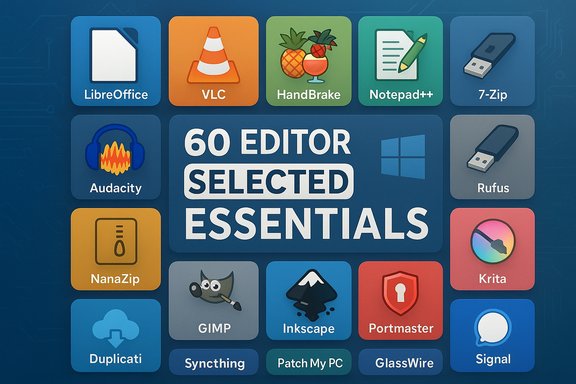
The internet’s free-software economy keeps getting richer, and a recent editor-curated roundup that collects “60 editor‑selected essentials” is a useful snapshot of where Windows users can get the most capability for zero dollars and an afternoon of setup. The original compilation highlights a broad mix—mature cross‑platform staples like VLC, HandBrake, and LibreOffice, privacy‑focused services such as Proton and Signal, and a raft of small but indispensable utilities (launchers, archive tools, backup clients) aimed specifically at Windows workflows. That mix reflects an editorial goal to balance everyday productivity, media work, and security-minded alternatives to subscription services.
Background
The roundup positions itself as a practical toolkit for Windows users who want to replace costly, closed‑source tools with free or open‑source alternatives, or at least to augment Microsoft’s built‑in apps with specialist utilities. The picks include everything from full office suites to single‑purpose utilities such as file search, backup clients, and media transcoders. The editorial framing emphasizes cost‑effectiveness, portability, and community support—three attributes that often define the free‑software value proposition on Windows.This feature article synthesizes the original list, verifies key technical claims where possible, analyzes strengths and trade‑offs for Windows users, and offers practical guidance and security checks to adopt these apps responsibly. Wherever a claim needed external validation, it has been checked against official project documentation or reputable reporting.
Overview of the selection: categories and representative picks
The list groups tools in practical categories and favors projects that are either long‑running community mainstays or rapidly useful newcomers. Representative picks and what they signify:- Productivity & Office
- LibreOffice — a full offline office suite alternative to Microsoft Office.
- Text & Development
- Notepad++ — lightweight editor for code and notes.
- Media & Transcoding
- VLC (playback), HandBrake (video transcoding), Audacity (audio editing).
- Privacy & Secure Communication
- Proton Mail/Proton services, Signal messenger.
- Archiving & System Utilities
- 7‑Zip / NanaZip, Everything, Rufus, Chocolatey / winget.
- Creative & Graphics
- GIMP, Inkscape, Krita for raster and vector work.
- Backup, Sync, and Networking
- Duplicati, Syncthing, Patch My PC and network privacy tools like Portmaster and GlassWire.
Verifying the big claims: what’s provable and what needs caution
Before endorsing or recommending any app at scale, two checks are essential: provenance (who makes it, what license) and security posture (how it handles data and whether it has recent audits or notable incidents). The following key claims from the original roundup have been verified.HandBrake — open source, GPL
HandBrake is an open‑source video transcoder that publishes its source on GitHub and explicitly documents its licensing as GNU GPL v2. The project’s official documentation and repository list the GPL license and recommend downloading only from official channels to avoid bundled malware from third‑party sites. This confirms the roundup’s characterization of HandBrake as a mature, community‑driven transcoder suitable for batch jobs and format conversions.Notepad++ and 7‑Zip — libre licenses and long track records
Notepad++ declares itself as free and open source, distributed under the GNU GPL, and remains a fast, small dependent for editing tasks. 7‑Zip also documents an open‑source licensing model (LGPL for most code with BSD‑licensed portions, and some unRAR limitations) and regularly issues Windows builds; the project is actively maintained. These license statements validate the list’s classification of both tools as safe, free building blocks for Windows toolkits.Signal — nonprofit governance, open‑source client
Signal is developed under the umbrella of the Signal Technology Foundation, a nonprofit organization that funds and stewards the project. The Signal clients and server code are available as open source (AGPL in recent versions) and the project emphasizes privacy with end‑to‑end encryption by default. The Foundation’s nonprofit structure and publicly available code support the list’s privacy‑forward recommendation, although real‑world incidents involving misuse or policy questions make context important for institutional adoption.Proton — privacy claims and independent audits
Proton (Proton Mail and associated services) markets itself as a privacy‑centric provider with end‑to‑end encryption for mail and zero‑access storage for many products. Recent reporting shows Proton has been undergoing third‑party audits and compliance work (including a SOC 2 Type II audit reported publicly), which enhances its trust posture for business use. These developments align with the roundup’s placement of Proton among privacy‑minded alternatives—but independent audits and documentation should still be reviewed by procurement teams before enterprise deployment.Where the roundup’s claims are less verifiable
The editorial list claims 60 “editor‑selected essentials” but does not publish detailed selection criteria, scoring methodology, or test rigs for performance comparisons. That lack of transparent methodology makes any implied ranking or “best” label subjective. Readers should treat single‑line summaries as entry points to deeper evaluation rather than definitive replacement instructions. The list is a practical starting place, not an audit or formal benchmark.Strengths of the roundup and what it gets right
- Breadth and balance. The list covers heavy hitters and small utilities, offering something for creators, IT pros, and privacy‑conscious users. It recognizes that Windows workflows are heterogeneous and that no single supplier meets all needs.
- Emphasis on transparency. Many picks are open‑source or community‑backed, which helps reviewers and IT teams audit behavior and build reproducible installs.
- Practical guidance. The list mixes recommendations with practical notes—install tips, workflow combinations (e.g., ScreenToGIF + HandBrake), and warnings about plugin ecosystems that raise attack surfaces. Those are actionable and reflect real deployment concerns.
- Cost vs. utility tradeoffs. By prioritizing no‑cost or freemium tools, the roundup effectively serves users and small teams that can’t or won’t pay recurring subscription fees.
Risks, caveats, and governance concerns every Windows admin should weigh
Free software reduces licensing cost, but it does not eliminate risk. Here are the main issues to weigh when adopting items from any such roundup.- Supply‑chain and binary provenance. Projects that distribute installers can be impersonated by malicious mirrors. Always download from official project pages, verify checksums or signatures where provided, and consider package managers (winget, Chocolatey, or enterprise repositories) to control trust boundaries. HandBrake’s docs explicitly warn against third‑party mirrors for this reason.
- Plugin ecosystems increase attack surface. Tools like Notepad++, GIMP, and flow launchers widely support plugins. Those plugins are powerful but expand the trust surface and can introduce malicious code if unvetted. Prefer signed plugins, review code where possible, and apply least‑privilege principles.
- Enterprise compliance and records retention. Messaging apps built for privacy (Signal, Proton) are excellent for personal privacy but can conflict with corporate or government recordkeeping requirements. For regulated organizations, policy must govern the acceptable tools for official communications. Signal’s strong encryption and minimal metadata collection are privacy advantages but create archival and discovery challenges.
- False senses of security. Open‑source does not equal automatically secure. Projects with small teams may have fewer resources for continuous security hardening. Conversely, large, well‑maintained open projects (VLC, HandBrake, 7‑Zip) generally have active audits and broad user review, but vigilance is still required.
- Compatibility and fidelity. Office and creative workflows can break when replacing dominant, proprietary formats. LibreOffice and GIMP are excellent, but complex Microsoft Office templates, Excel macros, or professional print workflows may not migrate perfectly without testing.
Practical adoption checklist: install, verify, and harden
The value of free software is unlocked by safe installation and appropriate governance. The following 10‑step checklist scales from solo users to enterprise IT teams.- Inventory need: map use cases (e.g., email, video transcoding, backup) and pick the tool that matches the requirement.
- Prefer official channels: download installers from project websites, GitHub releases, or vetted package managers (winget, Chocolatey). Verify checksums/signatures when provided.
- Start in a sandbox: test installs in a VM or disposable profile to verify behavior and compatibility.
- Validate network behavior: use a tool such as GlassWire or Portmaster to observe outbound connections during initial runs.
- Audit plugin use: restrict plugin installs to signed or vetted ones and document a review process for community plugins.
- Harden defaults where possible: disable features that leak telemetry or auto‑update in poorly controlled environments; use group policies or configuration management for consistency.
- Backup and recovery: set up test restores for any backup software (Duplicati, Syncthing) and store encryption keys securely (hardware token or enterprise key management).
- Monitor for updates: subscribe to project release channels or automate patching via enterprise patch tools; block known-bad third‑party sites with DNS filtering.
- Train users: update your team on the limits of consumer privacy tools for regulated workflows (e.g., legal discovery, export controls).
- Review audits: for services used in business contexts (Proton, Signal integrations), request or review third‑party audit reports or SOC attestations where available.
Deep dives: three apps worth special attention
1) HandBrake — when and how to use it safely
HandBrake is a powerful, scriptable transcoder ideal for batch conversions, format normalization, and preparing assets for streaming. It uses widely accepted encoders (x264, x265, FFmpeg libraries) and publishes its source. Because HandBrake deals with large media files, integrate it with checksums and per‑job logging in production pipelines. The HandBrake project explicitly warns about fake binaries on third‑party sites; always verify official release channels. Practical tips:- Start with presets; customize when you understand bitrate vs. quality tradeoffs.
- Use queued jobs for repeatable batch transcodes and centralize logs.
- For enterprise, isolate transcode jobs onto a non‑user VM to contain dependencies.
2) Proton — privacy tools with growing enterprise credentials
Proton’s suite (Mail, Drive, VPN, and now privacy‑first AI assistants in beta) has matured beyond hobbyist roots. Proton states “zero‑access” for many client‑side encrypted products, and recent public audits and SOC 2 Type II attestations improve its trust posture for organizations. Still, any cloud service requires procurement review for jurisdiction (Swiss‑based governance is commonly cited) and audit evidence before trusting with regulated data.3) Signal — the privacy baseline for messaging
Signal’s codebase and governance via the Signal Technology Foundation make it a reliable consumer privacy tool. It provides end‑to‑end encryption, minimal metadata retention, and open code, which collectively make Signal a strong recommendation for personal communications. For institutional use, verify policy compliance and plan for recordkeeping alternatives where required.Recommended replacements and workflows for common Windows needs
- Replace paid office access for offline work: LibreOffice + OnlyOffice viewers for cross‑editing compatibility. Test sensitive templates first.
- Media production: Capture with ScreenToGIF or ShareX, edit audio in Audacity, export and transcode with HandBrake, and play in VLC. This chain is free, scriptable, and portable.
- Developer and text workflows: Notepad++ or VS Code (free tier) + Chocolatey/winget for reproducible installs.
- System provisioning and recovery: Rufus for bootable media, Ventoy for multiboot USB setups, and Patch My PC or winget to automate post‑install app deployments.
How to decide between free, freemium, and paid options
Free tools are compelling, but the right choice depends on scale, support needs, and compliance.- Individual users: free and open tools are often the best value. They provide control and eliminate recurring costs.
- Small teams: freemium tools or paid support for open projects may make sense to obtain service level agreements (SLAs).
- Enterprises: paid products or supported open‑source variants with commercial backing reduce operational risk. Ask vendors for SOC/ISO reports and threat‑model the data those services will handle.
Final assessment and actionable recommendations
The “60 editor‑selected essentials” list is a practical, well‑curated starting point for Windows users who want to reduce software spend, increase privacy, and build flexible workflows. It gets the essentials right by combining proven, community‑backed projects with smaller utilities that solve real pain points like search, archiving, and quick capture. The editorial tone tends toward pragmatic, not dogmatic, which makes the list useful for both hobbyists and IT professionals looking for immediate tools to standardize around.However, adopting free tools demands operational discipline:
- Verify downloads and digital signatures.
- Vet plugin ecosystems.
- Test compatibility and restore procedures.
- Treat privacy‑first consumer tools (Signal, Proton) as excellent for personal use but subject to governance review for regulated communications.
The free‑software ecosystem on Windows is no longer an awkward afterthought; it is a mature, capable parallel to many paid offerings. Thoughtful adoption—grounded in verification, governance, and simple operational hygiene—lets individuals and teams tap that ecosystem safely and effectively. The original 60‑item roundup furnishes a strong shopping list; the next step is a disciplined, auditable rollout that preserves the freedoms these projects promise while keeping systems secure and maintainable.
Source: news.qlsh.net The Best Free Software: 60 Editor-Selected Essentials | news.qlsh.net | 齐鲁石化信息港
Source: news.qlsh.net The Best Free Software: 60 Editor-Selected Essentials | news.qlsh.net | 齐鲁石化信息港
