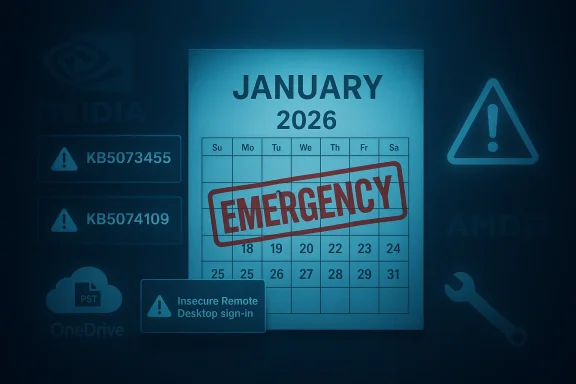
Microsoft has confirmed that its January 2026 Patch Tuesday updates for Windows 11 introduced multiple regressions and has already shipped targeted fixes to address the most disruptive problems, but mixed reports and unacknowledged reports mean administrators and power users must act carefully when planning deployments.
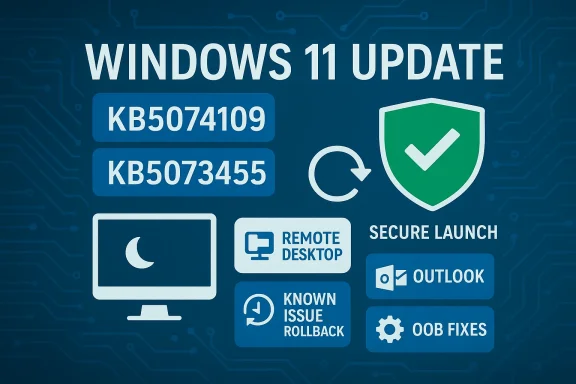
The January 13, 2026 Patch Tuesday rollup for Windows included a set of cumulative updates that together address a large number of security vulnerabilities and several quality issues across Windows Server and Windows 11 servicing branches. The central consumer/enterprise packages from that day were published under the identifiers KB5074109 (Windows 11 25H2/24H2) and KB5073455 (Windows 11 23H2), with matching server and Windows 10 ESU packages issued the same day. These updates combine a Latest Cumulative Update (LCU) and Servicing Stack Update (SSU) and therefore change the servicing-chain behavior for affected devices. Shortly after rollout, field telemetry and community reports surfaced three high‑impact regressions: an authentication/credential prompt failure that breaks Remote Desktop connections launched from the new Windows App (impacting Azure Virtual Desktop and Windows 365 Cloud PC workflows), a configuration‑dependent shutdown/hibernate regression on 23H2 devices with System Guard Secure Launch enabled, and Outlook Classic (POP profile) hangs/freezes. Microsoft has acknowledged at least the first three and has released out‑of‑band updates and advisories to mitigate the two most urgent failures.
Microsoft’s January 2026 updates were necessary to close critical vulnerabilities and refine several platform behaviors, and the vendor has taken reasonable steps to address the most disruptive regressions. Administrators should treat the situation as a reminder that modern OS servicing requires active validation, contingency tooling (such as KIR), and fast, telemetry-driven responses — all of which Microsoft has employed in this instance while the community continues to surface additional, as‑yet‑unacknowledged reports.
Source: Windows Latest Microsoft confirms Windows 11 January 2026 Update issues, releases fix for at least problems
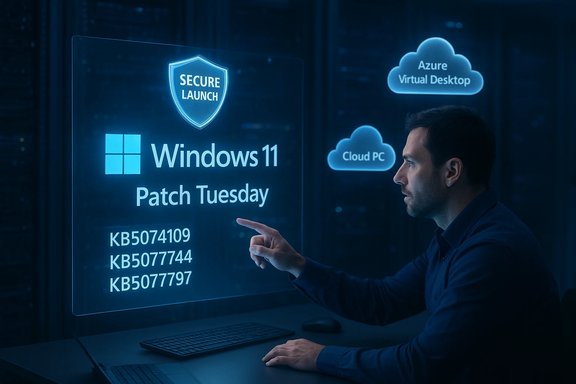 Background / Overview
The January 13, 2026 Patch Tuesday rollup for Windows included a set of cumulative updates that together address a large number of security vulnerabilities and several quality issues across Windows Server and Windows 11 servicing branches. The central consumer/enterprise packages from that day were published under the identifiers KB5074109 (Windows 11 25H2/24H2) and KB5073455 (Windows 11 23H2), with matching server and Windows 10 ESU packages issued the same day. These updates combine a Latest Cumulative Update (LCU) and Servicing Stack Update (SSU) and therefore change the servicing-chain behavior for affected devices. Shortly after rollout, field telemetry and community reports surfaced three high‑impact regressions: an authentication/credential prompt failure that breaks Remote Desktop connections launched from the new Windows App (impacting Azure Virtual Desktop and Windows 365 Cloud PC workflows), a configuration‑dependent shutdown/hibernate regression on 23H2 devices with System Guard Secure Launch enabled, and Outlook Classic (POP profile) hangs/freezes. Microsoft has acknowledged at least the first three and has released out‑of‑band updates and advisories to mitigate the two most urgent failures. What Microsoft acknowledged and why it matters
Remote Desktop credential prompt failures (KB5074109 → KB5077744 / KB5077793 / KB5077796)
After installing the January 13 cumulative update, many enterprise users reported that clicking Connect in the Windows App produced an immediate authentication failure — the credential prompt flow terminated before a session could be created. The failure is client‑side (the session never reaches creation) and therefore does not indicate data compromise, but it prevents access to Cloud PCs and Azure Virtual Desktop sessions, creating a mass-availability problem for remote work. Microsoft documented the symptom in the KB for the January updates and subsequently released an out‑of‑band (OOB) cumulative to restore normal authentication flows. Independent reporting and enterprise telemetry confirmed the scale of the outage: remote desktop clients, managed fleets and MSPs reported immediate authentication errors (often visible as 0x80080005 or “Unable to Authenticate”) when using the Windows App, and many administrators temporarily removed the LCU or applied Microsoft's Known Issue Rollback (KIR) to restore connectivity while waiting for the OOB patch. News outlets and industry reporting corroborated Microsoft’s advisory and called the problem a high-priority reliability regression for Cloud PC users.Shutdown / hibernate regression on Windows 11 23H2 (KB5073455 → KB5077797)
Microsoft also acknowledged a configuration‑dependent bug where some Windows 11 version 23H2 devices with System Guard Secure Launch enabled would restart when the user chose Shut down or attempted to hibernate, rather than powering off or entering hibernation. Microsoft characterized this as a narrow but operationally severe regression because Secure Launch is common in enterprise and IoT images. To remedy the issue, Microsoft issued a focused OOB update for 23H2 (KB5077797) that restores correct power‑state behavior. The vendor’s guidance also included a short-term command-line workaround (shutdown /s /t 0) for users who need an immediate, reliable shutdown.Outlook Classic POP account hangs (Investigation; no immediate fix in January)
A third problem — Outlook Classic profiles using POP accounts may hang on exit or freeze after KB5074109 — was added to Microsoft’s service advisory as an investigating issue. Microsoft’s Outlook support page documents the symptom and confirms the teams are investigating, but there was no immediate patch for this behavior at the time of the advisories. Administrators using classic POP profiles should follow Microsoft’s support thread for updates and consider temporary mitigations such as using Outlook Web or other mail clients until a fix is available.Microsoft’s response: Known Issue Rollback, out‑of‑band patches, and guidance
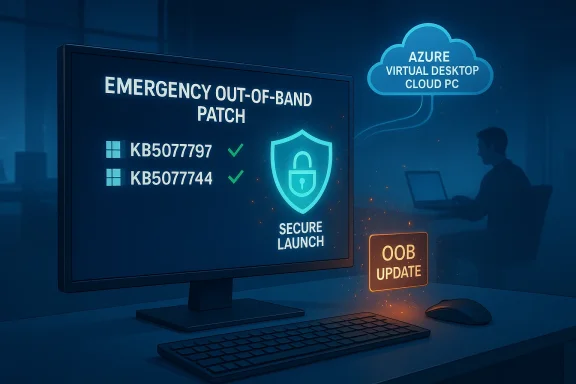
Microsoft applied a conventional triage path: public acknowledgement in KB entries and the Windows Release Health dashboard, delivery of Known Issue Rollback (KIR) artifacts for managed environments, and the release of out‑of‑band cumulative updates where an immediate code fix was required. Key remedial packages and their purpose include:- KB5077744 (OOB, Jan 17, 2026) — restores Remote Desktop sign‑in flows for Windows 11 25H2/24H2 that were impacted by KB5074109.
- KB5077797 (OOB, Jan 17, 2026) — targeted fix for Windows 11 23H2 resolving both Remote Desktop sign‑in failures and the Secure Launch–related restart-on-shutdown regression.
- KB5077793 / KB5077800 / KB5077796 (OOB, Jan 17, 2026) — corresponding server and LTSC/ESU fixes to address the Remote Desktop authentication failure on supported server branches and extended servicing SKUs.
The unacknowledged and community‑reported problems (cautionary)
Not every complaint received official acknowledgement. Independent outlets and community threads have highlighted several secondary issues after KB5074109 that Microsoft has not yet listed as known issues in its KB at the time of writing. These reports should be treated as community telemetry — useful signals that require corroboration before being treated as vendor-verified bugs:- Intermittent black-screen delays at login where the cursor appears but the desktop takes seconds or minutes to load.
- Desktop background getting reset to a black wallpaper or Spotlight wallpaper being cleared, forcing users to reapply wallpaper settings.
- desktop.ini custom-folder-name behavior failing, meaning folders that previously used desktop.ini to show custom names may revert to default names.
How to determine if your devices are affected
- Confirm which KB is installed and the OS build: open Settings → System → About or run winver. Look for builds tied to the January 13 release: 26100.7623 / 26200.7623 (25H2/24H2) and 22631.6491 (23H2). Microsoft’s KB pages and the Windows Update history document exact build numbers.
- Check the Windows App / AVD experience: attempt to connect to an Azure Virtual Desktop or Windows 365 Cloud PC using the Windows App. If authentication fails immediately on clicking Connect with an instant credential error, that is a classic symptom tied to the credential‑prompt regression. For an operational test, try the AVD web client or classic Remote Desktop client as an alternate path — if those work, the failure is likely confined to the Windows App credential flow.
- For shutdown behavior on 23H2: verify whether System Guard Secure Launch is enabled (a VBS/firmware policy typically enforced in enterprise images). If Secure Launch is enforced and the device restarts when you select Shut down or Hibernate, you have encountered the identified regression. Microsoft’s OOB update KB5077797 addresses this scenario.
- Outlook POP hangs: if Outlook (Classic) does not exit properly after closing or exhibits hangs/freezes with POP profiles, consult Microsoft’s support advisory page and follow available troubleshooting while awaiting a formal patch.
Immediate mitigations and step‑by‑step remediation
- For admins who deploy via Windows Update for Business, WSUS or Intune:
- Pause wide deployments into broad production rings until pilot validation is complete.
- If clients are impacted, deploy KIR artifacts (where Microsoft published them) to surgical-roll back the offending behavior without removing security fixes. Use Group Policy/MSI artifacts delivered by Microsoft as instructed in the KB.
- Where KIR isn’t feasible and RDP/Azure Virtual Desktop access is mission-critical, deploy the OOB packages (KB5077744 / KB5077797 / corresponding server KBs) from the Microsoft Update Catalog and roll them into a staged ring immediately.
- For help‑desk and end users:
- If Remote Desktop (Windows App) shows immediate authentication failures, use the AVD web client or the classic Remote Desktop client until your organization’s update ring accepts the OOB fix or KIR. AVD web access is an immediate fallback.
- If a 23H2 device with Secure Launch restarts instead of shutting down, run the reliable shutdown command as a temporary workaround: shutdown /s /t 0 (save work before running). Do not disable Secure Launch unless instructed by your security/IT lead — disabling core platform protections can introduce more risk than the inconvenience it solves. ([support.microsoft.com](January 17, 2026—KB5077797 (OS Build 22631.6494) Out-of-band - Microsoft Support POP hangs, try alternate clients or use Outlook Web Access until Microsoft publishes a fix; collect application logs and report symptoms through Microsoft Support to improve diagnostic telemetry.
Technical analysis: what went wrong and the tradeoffs
The January servicing wave demonstrates several predictable tensions in modern OS servicing: security urgency versus complexity of the servicing chain, and the broad diversity of hardware and enterprise configurations.- **Servicing-chain complexity (SSUSU+LCU packages harden the update process and reduce partial-install failures, but they also make rollbacks trickier since some SSU elements cannot be removed with standard uninstall commands. This complicates remediation when a single behavioral regression appears inside a large cumulative delivery. Administrators should validate the presence of the correct SSU when preparing out‑of‑band installs and plan for the fact that uninstalling the combined package is not straightforward.
- Virtualization‑based security (System Guard Secure Launch): Secure Launch changes early boot semantics to verify firmware and pre‑OS components. This protection is beneficial for defending against sophisticated threats, but it also changes assumptions around offline servicing sequencing and power-state preservation. The restart-on-shutdown regression appears to be a timing/intent-preservation regression that only surfaces when Secure Launch is active — a classic example of a security hardening unmasking a platform interaction. The fix demands careful sequencing changes at the OS/service level — hence the targeted OOB update.
- Authentication flows and remote desktop clients: Modern cloud desktop flows depend on a chain of SSO/token exchanges and client-side prompts. Small changes to the credential‑prompt path in the Windows App can break the handshake before the backend is involved, resulting in broad outages without a backend outage. Known Issue Rollback and fallback to web/classic clients are exactly the tools needed to avoid a false tradeoff between availability and security.
Practical reg, monitoring, and runbooks
- Use pilot rings and collect telemetry that specifically includes:
- AVD/Cloud PC sign-in success rates from the Windows App.
- Power-state transitions (shut down / hibernate) on images with Secure Launch enabled.
- Outlook Classic POP exit behavior for mail clients used in the organization.
- Maintain a formal rollback / KIR playbook:
- Identification: daily check of Windows Release Health and relevant KB updates.
- Isolation: hold deployments to broader rings when indicators exceed established thresholds.
- Recovery: apply KIR or the appropriate OOB patch from Microsoft Update Catalog, test and validate in pilot ring, then promote.
- For SMBs and home users:
- Allow automatic updates for security unless your workflows are explicitly disrupted. If you depend on AVD/Cloud PCs for daily productivity, follow the guidance above (use web/classic RDP fallback, watch for OOB patches).
- Back up critical data and create a restore point before manual installation of out‑of‑band packages if you are applying them individually.
- For vendors and OEMs:
- Coordinate firmware and driver updates with Microsoft’s Secure Boot certificate rollout plans; devices must be validated against the upcoming Secure Boot certification changes scheduled in mid‑2026. Early firmware updates from OEMs will reduce compatibility surprises.
What remains unresolved and what to watch
- Microsoft is investigating the Outlook POP account hangs and has not yet issued a definitive fix at the time of the company’s advisory; track the Outlook/Office support topic for updates.
- Several community‑reported display and personalization regressions (black-screen delays, wallpaper reset, desktop.ini behavior) remain unacknowledged by Microsoft in the KB at present. These should be monitored as they could represent either isolated driver interactions or reproducible platform regressions that warrant a formal response. Until Microsoft confirms them, treat these reports as unverified community telemetry and collect logs before escalating to vendor support.
- Watch for additional OOB releases or cumulative follow-ups that may include fixes for the Outlook issue or other edge-case regressions. Microsoft’s cadence in this episode suggests OOB patches and KIR will be the primary remediation mechanisms for the short term.
Final assessment — balancing security and reliability in 2026 Patch Cadence
The January 2026 Patch Tuesday cycle shows the modern trade-offs of a faster security cadence: urgent fixes and certificate rotations are necessary to close real threats, but the size and scope of cumulative updates raise the probability of uncommon regressions. Microsoft’s approach — rapid acknowledgement, delivery of KIR artifacts, and surgical out‑of‑band fixes — is operationally sound and preserves the security posture for managed fleets while restoring availability. Nevertheless, the episode highlights three persistent lessons for Windows administrators and power users:- Inventory and test real-world workflows (AVD/Cloud PC logins, Secure Launch images, legacy apps like Outlook Classic) as part of every pre-deployment validation suite.
- Maintain a KIR/rollback runbook and pilot rings to reduce blast radius if a regression appears.
- Coordinate firmware and OEM driver updates with OS servicing to avoid surprises when vendor-driven things like Secure Boot certificates and virtualization-based protections are being adjusted.
Microsoft’s January 2026 updates were necessary to close critical vulnerabilities and refine several platform behaviors, and the vendor has taken reasonable steps to address the most disruptive regressions. Administrators should treat the situation as a reminder that modern OS servicing requires active validation, contingency tooling (such as KIR), and fast, telemetry-driven responses — all of which Microsoft has employed in this instance while the community continues to surface additional, as‑yet‑unacknowledged reports.
Source: Windows Latest Microsoft confirms Windows 11 January 2026 Update issues, releases fix for at least problems