

Microsoft will host a one-hour, chat-based Windows Office Hours event on June 18, 2026, on Microsoft Tech Community for IT professionals seeking guidance on Windows 11 adoption, device management, Zero Trust, cloud-native deployment, and hybrid Windows operations. The format is modest, but the timing is not. This is Microsoft’s support model for the long tail of enterprise Windows change: less keynote, more triage desk. For admins still reconciling Windows 10’s end of support, Windows 11 servicing, Intune, Autopilot, Windows 365, Configuration Manager, and Zero Trust policy sprawl, the event is a reminder that the Windows migration story is now operational rather than theoretical.
Windows Office Hours is not a launch event, and that is precisely why it matters. Microsoft is not promising a video stream, a polished deck, or a single canonical answer from a product executive. It is putting product experts, servicing specialists, engineers, and deployment-adjacent teams into a Tech Community comment thread and asking customers to bring their real problems.
That format reflects where Windows management has landed in 2026. The hard part is no longer explaining that Windows 11 exists or that Windows 10’s mainstream support window has closed. The hard part is translating a scattered estate of hardware, compliance requirements, legacy apps, identity policies, VPN exceptions, cloud PCs, and update rings into something that can survive monthly servicing.
Microsoft’s stated scope for the June 18 session is broad by design. Windows, Intune, Configuration Manager, Windows 365, Windows Autopilot, security, public sector, and FastTrack are all named as represented areas. That is not a random roll call; it is the modern Windows dependency map.
For WindowsForum readers, the practical takeaway is that this event is likely to be more useful for specific deployment blockers than for generic “should we move to Windows 11?” questions. The best use of a one-hour chat window is not philosophical debate. It is forcing ambiguity into the open: which policy wins, which workload belongs where, which servicing path is supported, and which “cloud-native” claim still bends when it meets an on-premises constraint.
The more urgent question is governance. Once Windows 11 is the active enterprise endpoint platform, the problem becomes how to keep it current without turning every update cycle into a miniature migration project. That is why Microsoft’s event description puts adopting Windows 11 beside device management, update hygiene, Zero Trust, and cloud-native workloads.
That pairing is revealing. Microsoft is not treating Windows 11 as a shrink-wrapped operating system to be installed and forgotten. It is treating Windows 11 as the endpoint layer of a larger management architecture, with Intune, identity, conditional access, compliance signals, Autopilot, and Windows 365 orbiting the desktop.
This is the version of Windows that many organizations now actually run: not a standalone OS, but a policy endpoint. A Windows 11 PC is a device identity, an update object, a security signal, a compliance target, a provisioning workflow, and sometimes a bridge into a cloud PC. That complexity makes events like Office Hours more important, but also more revealing. If admins need a multi-discipline bench of Microsoft experts to answer questions about normal operations, the platform’s operational model has become broad enough to require active interpretation.
The result is a two-speed Windows estate. One part of the organization moves into Windows 11 servicing, Autopatch, Intune policy, cloud provisioning, and stronger identity assumptions. Another part sits in exception handling, extended security planning, application remediation, or hardware procurement limbo.
That split is where many admins will find the real value in Office Hours. Microsoft can publish lifecycle pages and deployment guidance all day, but the unresolved questions tend to live in the seams. How should an organization segment Windows 10 holdouts? How aggressive should compliance policy be when business-critical devices cannot yet move? How do you avoid creating a permanent “temporary exception” class?
The danger is not that a few Windows 10 systems remain online. Enterprises have always carried legacy baggage. The danger is that the exception path becomes normal, and that the organization loses sight of which devices are protected by current servicing assumptions and which are being carried by compensating controls.
The Windows endpoint is where Zero Trust stops being an identity slogan. Device compliance, patch status, encryption, local administrator control, credential protection, application control, phishing resistance, and telemetry all become part of whether a user should get access to corporate resources. The device is not merely where work happens; it is part of the access decision.
That is also where friction appears. A strict compliance policy can protect the business, but it can also lock out a traveling executive with a broken update agent. A cloud-native provisioning model can reduce imaging debt, but it can also expose gaps in network assumptions, app packaging, certificate deployment, or line-of-business dependencies. A security baseline can look excellent until it meets a decades-old peripheral driver or an app that still assumes local admin rights.
The strongest Office Hours questions will be the ones that acknowledge those trade-offs. “How do we enable Zero Trust?” is too broad. “How do we phase compliance enforcement for Windows 11 devices when legacy VPN access and hybrid-joined dependencies still exist?” is the kind of question that may produce a useful answer.
For years, Windows administrators were pushed into a binary narrative: traditional management versus modern management. That narrative was always too clean. Enterprises do not replace operating models overnight, especially when those models include patching, software distribution, inventory, compliance reporting, task sequences, remote sites, and auditors who know the old reports by name.
The more useful frame is workload migration. Which responsibilities should move to Intune now? Which should remain in Configuration Manager until a dependency is removed? Which policies overlap badly? Which reporting source should be treated as authoritative? Those are not abstract platform questions. They determine whether endpoints behave predictably.
Office Hours can be valuable here because Microsoft’s documentation often describes the supported path, while administrators live in the transitional state. The transitional state is where devices are co-managed, workloads are moved unevenly, and policy conflicts can be mistaken for product bugs. A chat-based session with the right experts can help distinguish a bad design from a temporary migration wrinkle.
In practice, Autopilot is only as clean as the environment around it. Identity, licensing, app packaging, network access, enrollment restrictions, device registration, security baselines, and user expectations all matter. A failed Autopilot deployment is rarely just an Autopilot problem.
That is why the June 18 event’s combination of Autopilot, Intune, FastTrack, and security expertise matters. The modern deployment chain is cross-functional. The endpoint team may own the device, but the identity team owns conditional access, the security team owns compliance posture, the network team owns enrollment reachability, and the app team owns packaging quality.
Autopilot’s biggest contribution may be cultural rather than technical. It forces organizations to describe endpoint readiness as code, policy, and service dependency instead of as an image maintained by a small priesthood of desktop engineers. That is progress, but it is not magic. Office Hours will be most useful for admins who bring evidence: enrollment status, policy assignments, failure phases, device groups, and a clear description of what should have happened.
The phrase cloud-native can become slippery in Windows discussions. Sometimes it means Intune-managed physical PCs. Sometimes it means Windows 365 Cloud PCs. Sometimes it means Entra ID join without traditional domain join. Sometimes it means application delivery that no longer assumes a LAN. The umbrella is useful, but only if organizations define what they are actually trying to change.
For many enterprises, the immediate goal is not purity. It is reducing dependency on brittle legacy practices while keeping the business running. That may mean new devices are Entra-joined and Intune-managed, while older devices remain hybrid for a period. It may mean Windows 365 is used for contractors, secure access, or specialized workloads rather than as a universal desktop replacement. It may mean Configuration Manager continues to serve workloads that have not yet been rationalized.
The risk is that “hybrid” becomes a permanent excuse for not simplifying anything. Hybrid can be a bridge, but it can also become a junk drawer. The more systems of record an endpoint has, the harder it is to reason about security, patching, access, and user experience.
A Windows estate that cannot reliably take quality updates is not modern, no matter how many cloud dashboards it has. A Windows 11 migration that leaves update rings undefined, driver policies unmanaged, and rollback practices improvised is not finished. It has merely changed operating systems.
The shift toward Intune policy, Windows Update for Business, Autopatch, and cloud-based orchestration gives admins more flexible tools than the old patching model. It also changes the failure modes. Instead of one central server being obviously misconfigured, problems may arise from assignments, deferrals, safeguards, eligibility, reporting latency, licensing, or device-side health.
This is where the Office Hours format can shine. Servicing questions tend to be specific and messy: a ring behaves differently than expected, a feature update is offered to one population but not another, driver updates are blocked in one path but visible in another, or reporting shows success while endpoints disagree. Those are exactly the kinds of problems that benefit from experts who know the service behavior rather than just the product brochure.
For these customers, the question is rarely whether Microsoft’s preferred architecture is directionally sensible. It usually is. The harder question is how to implement it under constraints that are not optional.
A public sector admin may need to know whether a given management pattern satisfies agency policy, how to phase deployment across disconnected environments, how to handle privileged access workstations, or how to reconcile cloud management with data residency and audit expectations. A school district may be juggling shared devices, limited staff, seasonal deployment windows, and budget-driven hardware extension. A hospital may be managing clinical devices that cannot be rebooted casually.
Those realities do not invalidate Microsoft’s model, but they do test it. If Office Hours produces practical answers for constrained environments, it will be more than community engagement. It will be a pressure release valve for customers trying to turn Microsoft’s strategic direction into defensible operations.
Text creates a record. Questions and answers can be searched, quoted internally, shared with colleagues, and revisited when a deployment decision resurfaces. A video answer disappears into the timeline unless someone transcribes it; a comment thread becomes a lightweight knowledge base.
The format also lowers the barrier for precise questions. Admins can paste policy names, error language, deployment scenarios, and environment constraints more easily than they can recite them live. Microsoft experts can answer asynchronously within the hour, and other attendees can compare their own environments against the public exchange.
There is a limitation, of course. A one-hour public thread cannot replace support cases, design workshops, or deep architectural review. Microsoft will not debug every tenant-specific issue in a comment box. But it can clarify product intent, identify supported patterns, and point admins away from dead ends before they burn another week on guesswork.
An admin asking whether to use Intune or Configuration Manager may get a strategic answer. An admin asking which workload should own feature update policy during a staged co-management transition is more likely to get something actionable. The difference is not pedantry; it is operational maturity.
Organizations should treat the event as a chance to validate assumptions. If your migration plan depends on a particular join state, update policy, Autopilot flow, compliance signal, or Windows 365 access model, ask about that dependency before it hardens into production design. The cheaper time to discover a mistaken assumption is in a public Q&A thread, not during a failed rollout.
This is especially true for hybrid environments. Hybrid designs often work because smart admins understand the exceptions. They fail when those exceptions are undocumented, unowned, or mistaken for best practice. Office Hours is a useful venue for asking Microsoft to draw lines between supported transition patterns and accidental complexity.
This is also how organizations should approach Windows modernization internally. The era of “we are moving to Windows 11” as a single project slogan is over. The real work is a sequence of smaller decisions: identity state, enrollment method, update cadence, app delivery, device compliance, user data handling, privilege management, rollback strategy, and exception governance.
The presence of FastTrack in the event roster is another clue. Microsoft knows many organizations need help moving from intent to execution. FastTrack-style guidance is not about discovering that the cloud exists; it is about sequencing change so the business does not revolt.
The best questions will not be hostile, but they should be demanding. Microsoft’s preferred answer will often be to move toward cloud-native management, tighter security posture, and current Windows releases. Customers should ask what that means when the estate is messy, because the messy estate is the one most companies actually have.
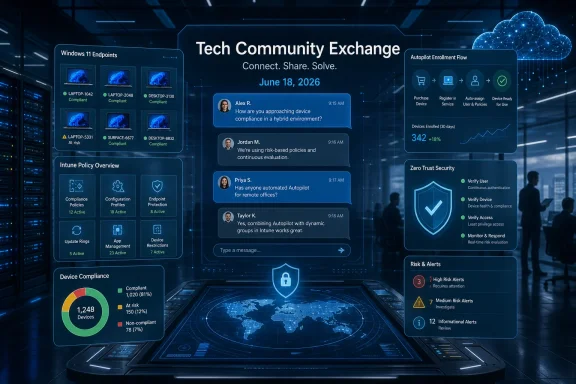 Microsoft Turns a Forum Thread Into a Migration Control Room
Windows Office Hours is not a launch event, and that is precisely why it matters. Microsoft is not promising a video stream, a polished deck, or a single canonical answer from a product executive. It is putting product experts, servicing specialists, engineers, and deployment-adjacent teams into a Tech Community comment thread and asking customers to bring their real problems.That format reflects where Windows management has landed in 2026. The hard part is no longer explaining that Windows 11 exists or that Windows 10’s mainstream support window has closed. The hard part is translating a scattered estate of hardware, compliance requirements, legacy apps, identity policies, VPN exceptions, cloud PCs, and update rings into something that can survive monthly servicing.
Microsoft’s stated scope for the June 18 session is broad by design. Windows, Intune, Configuration Manager, Windows 365, Windows Autopilot, security, public sector, and FastTrack are all named as represented areas. That is not a random roll call; it is the modern Windows dependency map.
For WindowsForum readers, the practical takeaway is that this event is likely to be more useful for specific deployment blockers than for generic “should we move to Windows 11?” questions. The best use of a one-hour chat window is not philosophical debate. It is forcing ambiguity into the open: which policy wins, which workload belongs where, which servicing path is supported, and which “cloud-native” claim still bends when it meets an on-premises constraint.
The Windows 11 Question Has Moved From Adoption to Governance
For years, Windows 11 adoption was framed as a readiness problem. Did the hardware meet requirements? Would users accept the interface changes? Could organizations justify a refresh? Those questions still exist, but they no longer define the center of gravity.The more urgent question is governance. Once Windows 11 is the active enterprise endpoint platform, the problem becomes how to keep it current without turning every update cycle into a miniature migration project. That is why Microsoft’s event description puts adopting Windows 11 beside device management, update hygiene, Zero Trust, and cloud-native workloads.
That pairing is revealing. Microsoft is not treating Windows 11 as a shrink-wrapped operating system to be installed and forgotten. It is treating Windows 11 as the endpoint layer of a larger management architecture, with Intune, identity, conditional access, compliance signals, Autopilot, and Windows 365 orbiting the desktop.
This is the version of Windows that many organizations now actually run: not a standalone OS, but a policy endpoint. A Windows 11 PC is a device identity, an update object, a security signal, a compliance target, a provisioning workflow, and sometimes a bridge into a cloud PC. That complexity makes events like Office Hours more important, but also more revealing. If admins need a multi-discipline bench of Microsoft experts to answer questions about normal operations, the platform’s operational model has become broad enough to require active interpretation.
Windows 10’s Afterlife Still Shapes Every Windows 11 Conversation
Windows 10 reached end of support on October 14, 2025, and that date continues to haunt enterprise planning. Even organizations that completed the bulk of their migration are often left with exceptions: lab machines, embedded workflows, vendor-locked software, remote sites, shared devices, or old hardware that cannot easily be replaced.The result is a two-speed Windows estate. One part of the organization moves into Windows 11 servicing, Autopatch, Intune policy, cloud provisioning, and stronger identity assumptions. Another part sits in exception handling, extended security planning, application remediation, or hardware procurement limbo.
That split is where many admins will find the real value in Office Hours. Microsoft can publish lifecycle pages and deployment guidance all day, but the unresolved questions tend to live in the seams. How should an organization segment Windows 10 holdouts? How aggressive should compliance policy be when business-critical devices cannot yet move? How do you avoid creating a permanent “temporary exception” class?
The danger is not that a few Windows 10 systems remain online. Enterprises have always carried legacy baggage. The danger is that the exception path becomes normal, and that the organization loses sight of which devices are protected by current servicing assumptions and which are being carried by compensating controls.
Zero Trust Becomes Real Only When It Hits the Endpoint
Microsoft’s event pitch includes proactive implementation and monitoring of Zero Trust practices. That wording is careful. Zero Trust is easy to approve in a strategy deck and hard to implement on endpoints that have years of accumulated policy compromises.The Windows endpoint is where Zero Trust stops being an identity slogan. Device compliance, patch status, encryption, local administrator control, credential protection, application control, phishing resistance, and telemetry all become part of whether a user should get access to corporate resources. The device is not merely where work happens; it is part of the access decision.
That is also where friction appears. A strict compliance policy can protect the business, but it can also lock out a traveling executive with a broken update agent. A cloud-native provisioning model can reduce imaging debt, but it can also expose gaps in network assumptions, app packaging, certificate deployment, or line-of-business dependencies. A security baseline can look excellent until it meets a decades-old peripheral driver or an app that still assumes local admin rights.
The strongest Office Hours questions will be the ones that acknowledge those trade-offs. “How do we enable Zero Trust?” is too broad. “How do we phase compliance enforcement for Windows 11 devices when legacy VPN access and hybrid-joined dependencies still exist?” is the kind of question that may produce a useful answer.
Intune and Configuration Manager Are No Longer Rival Camps
The event explicitly names both Microsoft Intune and Configuration Manager, which is a quiet admission of enterprise reality. Microsoft’s strategic direction is cloud management, but many organizations still operate hybrid estates where Configuration Manager remains deeply embedded. The question is not whether one product has “won.” The question is how to avoid running two management models that contradict each other.For years, Windows administrators were pushed into a binary narrative: traditional management versus modern management. That narrative was always too clean. Enterprises do not replace operating models overnight, especially when those models include patching, software distribution, inventory, compliance reporting, task sequences, remote sites, and auditors who know the old reports by name.
The more useful frame is workload migration. Which responsibilities should move to Intune now? Which should remain in Configuration Manager until a dependency is removed? Which policies overlap badly? Which reporting source should be treated as authoritative? Those are not abstract platform questions. They determine whether endpoints behave predictably.
Office Hours can be valuable here because Microsoft’s documentation often describes the supported path, while administrators live in the transitional state. The transitional state is where devices are co-managed, workloads are moved unevenly, and policy conflicts can be mistaken for product bugs. A chat-based session with the right experts can help distinguish a bad design from a temporary migration wrinkle.
Autopilot Is Still a Promise With Operational Edges
Windows Autopilot remains one of Microsoft’s most important endpoint management bets because it attacks the old imaging model at its root. Instead of building and maintaining thick images, organizations can provision devices through cloud-driven enrollment and policy application. In theory, that turns PC deployment into a logistics problem rather than a desktop engineering ritual.In practice, Autopilot is only as clean as the environment around it. Identity, licensing, app packaging, network access, enrollment restrictions, device registration, security baselines, and user expectations all matter. A failed Autopilot deployment is rarely just an Autopilot problem.
That is why the June 18 event’s combination of Autopilot, Intune, FastTrack, and security expertise matters. The modern deployment chain is cross-functional. The endpoint team may own the device, but the identity team owns conditional access, the security team owns compliance posture, the network team owns enrollment reachability, and the app team owns packaging quality.
Autopilot’s biggest contribution may be cultural rather than technical. It forces organizations to describe endpoint readiness as code, policy, and service dependency instead of as an image maintained by a small priesthood of desktop engineers. That is progress, but it is not magic. Office Hours will be most useful for admins who bring evidence: enrollment status, policy assignments, failure phases, device groups, and a clear description of what should have happened.
Cloud-Native Windows Still Has to Negotiate With the Data Center
Microsoft’s event copy invites questions about moving forward with cloud-native workloads “even if you have on-premises or hybrid needs.” That sentence captures the central contradiction of modern enterprise Windows. Microsoft wants the endpoint estate to move toward cloud control planes, but many businesses still depend on on-premises infrastructure, local network assumptions, or hybrid identity.The phrase cloud-native can become slippery in Windows discussions. Sometimes it means Intune-managed physical PCs. Sometimes it means Windows 365 Cloud PCs. Sometimes it means Entra ID join without traditional domain join. Sometimes it means application delivery that no longer assumes a LAN. The umbrella is useful, but only if organizations define what they are actually trying to change.
For many enterprises, the immediate goal is not purity. It is reducing dependency on brittle legacy practices while keeping the business running. That may mean new devices are Entra-joined and Intune-managed, while older devices remain hybrid for a period. It may mean Windows 365 is used for contractors, secure access, or specialized workloads rather than as a universal desktop replacement. It may mean Configuration Manager continues to serve workloads that have not yet been rationalized.
The risk is that “hybrid” becomes a permanent excuse for not simplifying anything. Hybrid can be a bridge, but it can also become a junk drawer. The more systems of record an endpoint has, the harder it is to reason about security, patching, access, and user experience.
Servicing Is the Unflashy Discipline That Decides Whether the Strategy Works
Microsoft’s event description includes tips on keeping devices up to date, and that may be the most important line in the whole announcement. Servicing lacks the glamour of AI PCs, Copilot features, or cloud desktops, but it is the discipline that determines whether Windows management is healthy.A Windows estate that cannot reliably take quality updates is not modern, no matter how many cloud dashboards it has. A Windows 11 migration that leaves update rings undefined, driver policies unmanaged, and rollback practices improvised is not finished. It has merely changed operating systems.
The shift toward Intune policy, Windows Update for Business, Autopatch, and cloud-based orchestration gives admins more flexible tools than the old patching model. It also changes the failure modes. Instead of one central server being obviously misconfigured, problems may arise from assignments, deferrals, safeguards, eligibility, reporting latency, licensing, or device-side health.
This is where the Office Hours format can shine. Servicing questions tend to be specific and messy: a ring behaves differently than expected, a feature update is offered to one population but not another, driver updates are blocked in one path but visible in another, or reporting shows success while endpoints disagree. Those are exactly the kinds of problems that benefit from experts who know the service behavior rather than just the product brochure.
Public Sector and Regulated Customers Need More Than Cloud Optimism
The event’s mention of public sector representation is not incidental. Government, education, healthcare, and regulated industries often face the sharpest version of the Windows modernization problem. They need current security posture, but they also operate under procurement rules, data boundaries, legacy applications, constrained networks, and documentation burdens that commercial cloud evangelism can gloss over.For these customers, the question is rarely whether Microsoft’s preferred architecture is directionally sensible. It usually is. The harder question is how to implement it under constraints that are not optional.
A public sector admin may need to know whether a given management pattern satisfies agency policy, how to phase deployment across disconnected environments, how to handle privileged access workstations, or how to reconcile cloud management with data residency and audit expectations. A school district may be juggling shared devices, limited staff, seasonal deployment windows, and budget-driven hardware extension. A hospital may be managing clinical devices that cannot be rebooted casually.
Those realities do not invalidate Microsoft’s model, but they do test it. If Office Hours produces practical answers for constrained environments, it will be more than community engagement. It will be a pressure release valve for customers trying to turn Microsoft’s strategic direction into defensible operations.
The Comment Thread Is a Better Format Than It Looks
A chat-based event with no video component can sound underwhelming. In an industry addicted to polished streams and keynote theatrics, a comment thread feels almost retro. But for IT professionals, text may be the better medium.Text creates a record. Questions and answers can be searched, quoted internally, shared with colleagues, and revisited when a deployment decision resurfaces. A video answer disappears into the timeline unless someone transcribes it; a comment thread becomes a lightweight knowledge base.
The format also lowers the barrier for precise questions. Admins can paste policy names, error language, deployment scenarios, and environment constraints more easily than they can recite them live. Microsoft experts can answer asynchronously within the hour, and other attendees can compare their own environments against the public exchange.
There is a limitation, of course. A one-hour public thread cannot replace support cases, design workshops, or deep architectural review. Microsoft will not debug every tenant-specific issue in a comment box. But it can clarify product intent, identify supported patterns, and point admins away from dead ends before they burn another week on guesswork.
The Real Value Is in Asking Narrower, Better Questions
The success of the June 18 Office Hours will depend less on Microsoft’s attendance list than on the quality of the questions customers bring. Broad questions invite broad answers. Specific questions force useful distinctions.An admin asking whether to use Intune or Configuration Manager may get a strategic answer. An admin asking which workload should own feature update policy during a staged co-management transition is more likely to get something actionable. The difference is not pedantry; it is operational maturity.
Organizations should treat the event as a chance to validate assumptions. If your migration plan depends on a particular join state, update policy, Autopilot flow, compliance signal, or Windows 365 access model, ask about that dependency before it hardens into production design. The cheaper time to discover a mistaken assumption is in a public Q&A thread, not during a failed rollout.
This is especially true for hybrid environments. Hybrid designs often work because smart admins understand the exceptions. They fail when those exceptions are undocumented, unowned, or mistaken for best practice. Office Hours is a useful venue for asking Microsoft to draw lines between supported transition patterns and accidental complexity.
The June 18 Thread Will Reward Admins Who Bring Receipts
A useful Office Hours question should read like the start of a supportable diagnosis. It should name the platform, the management tool, the desired outcome, the observed behavior, and the constraint that prevents the obvious fix. That may feel excessive for a community event, but it is how admins get past generic guidance.This is also how organizations should approach Windows modernization internally. The era of “we are moving to Windows 11” as a single project slogan is over. The real work is a sequence of smaller decisions: identity state, enrollment method, update cadence, app delivery, device compliance, user data handling, privilege management, rollback strategy, and exception governance.
The presence of FastTrack in the event roster is another clue. Microsoft knows many organizations need help moving from intent to execution. FastTrack-style guidance is not about discovering that the cloud exists; it is about sequencing change so the business does not revolt.
The best questions will not be hostile, but they should be demanding. Microsoft’s preferred answer will often be to move toward cloud-native management, tighter security posture, and current Windows releases. Customers should ask what that means when the estate is messy, because the messy estate is the one most companies actually have.
Microsoft’s Support Theater Meets Enterprise Reality on June 18
The concrete details are simple, but they matter.- The event is scheduled for June 18, 2026, and is aimed at IT professionals managing Windows adoption and endpoint operations across organizations.
- The session is chat-based on Microsoft Tech Community, with no video stream or live meeting component.
- Microsoft says experts from Windows, Intune, Configuration Manager, Windows 365, Autopilot, security, public sector, FastTrack, and related teams will participate.
- Attendees are encouraged to post questions early and during the one-hour window so answers can appear in the comments.
- The most useful questions will be specific deployment, servicing, security, and hybrid-management scenarios rather than broad requests for product positioning.
References
- Primary source: Microsoft - Message Center
Published: 2026-06-11 10:00 PT
Windows Office Hours: June 2026 - Microsoft Tech Community
Get answers to your questions about adopting Windows 11 and managing Windows devices across your organization. Find out how to proactively implement and... techcommunity.microsoft.com
- Related coverage: windowscentral.com
Microsoft launches new Windows 11 Beta channel for next-gen Arm PCs powered by Snapdragon X2 and RTX Spark chips | Windows Central
Windows 11 version 26H1 just gained a new preview channel, splitting testing between Experimental and Beta Channels on devices powered by Snapdragon X2 and RTX Spark chips.www.windowscentral.com - Official source: support.microsoft.com
Windows 10 support has ended on October 14, 2025 | Microsoft Support
Windows 10 support ends on October 14, 2025. Upgrade to Windows 11 now to ensure continued security and feature updates. Learn more about the transition.support.microsoft.com - Official source: learn.microsoft.com
Windows 10 reaching end of support - Microsoft Lifecycle | Microsoft Learn
Announcing Windows 10 reaching end of support.learn.microsoft.com - Official source: microsoft.com
End of support for Windows 10, Windows 8.1, and Windows 7 | Microsoft Windows
Make a smooth transition to Windows 11 from your unsupported operating system with help from Microsoft. Enjoy the benefits of upgrading to a Windows 11 PC.www.microsoft.com - Related coverage: tomshardware.com
Windows 10 support ends today — here's who's affected and what you need to do | Tom's Hardware
Update if you can, upgrade if you can't, or at least get the extended support license.www.tomshardware.com
- Related coverage: techradar.com
Microsoft in 2025: year in review | TechRadar
Microsoft pushed AI even harder this year – and Windows 11 users rebelledwww.techradar.com - Official source: download.microsoft.com
- Related coverage: bankofbaker.com
- Related coverage: atomicdata.com
- Related coverage: transparity.com
